Automated Optimization for Agents in 2026: Five Axes, Six Optimizers, One Production Loop
Automated optimization for agents in 2026 is five axes: system prompt, tool descriptions, retrieval config, few-shot bundle, model. Pick the right one.
Table of Contents
Automated optimization for agents is five axes, not one. The system prompt, the tool descriptions the LLM reads when picking a tool, the retrieval configuration, the few-shot bundle, and the model itself. Each axis has a different search space, a different optimizer family, and a different per-evaluation cost. Treating it as “optimize the prompt” captures roughly a fifth of the available headroom, and the four axes most teams skip are usually the ones holding the agent’s quality ceiling down. This guide walks through what each axis looks like, how to design the reward signal that bounds every optimizer, which of agent-opt’s six optimizers (RandomSearchOptimizer, BayesianSearchOptimizer, MetaPromptOptimizer, ProTeGi, GEPAOptimizer, PromptWizardOptimizer) fits each axis, what the production loop looks like end-to-end, and the failure modes to watch.
Why “Optimize the Prompt” Misses the Agent
An LLM is a function from string to string. Its optimization surface is one axis. An agent is something larger. It picks tools from a registered set, decides which arguments to pass, calls a retriever, reads the result, decides whether to call another tool, and eventually produces an output. A clean score on the final response tells you nothing about the four upstream decisions that produced it.
The practical consequence: an agent that scores 71 percent on your task can fail in five distinct places, and each place has a different fix. The system prompt may be ambiguous about output format. The tool descriptions may not distinguish two near-duplicate tools the agent confuses. The retriever may be returning chunks too large to fit useful context. The few-shot bundle may show the wrong failure modes. The model may not reason at the depth the task requires. A prompt-only optimizer can only see the first. Run it long enough and you’ll find a prompt that locally beats your eval set, ship it, then watch production regress because the actual bottleneck was somewhere the optimizer couldn’t reach.
That’s the gap most “automated agent optimization” tooling falls into in 2026. The library optimizes a string; the agent has four other things to optimize.
The Five Axes, Each With Its Own Search Space
Each axis is a real surface on a production agent. Each has a different shape and a different optimizer.
| Axis | What’s being optimized | Search-space shape | Optimizer family |
|---|---|---|---|
| System prompt | Instruction text the LLM reads first | Free-form string | ProTeGi, GEPA, MetaPrompt |
| Tool descriptions | Description and parameter docs in the function-calling schema | Free-form strings, one per tool | ProTeGi, GEPA |
| Retrieval config | Chunk size, overlap, top-k, reranker, embedding model, filters | Bounded numeric and categorical | BayesianSearch |
| Few-shot bundle | Which examples (and ordering) live in the prompt | Bounded combinatorial | BayesianSearch, PromptWizard |
| Model | Which model serves which step | Discrete, small (often under 10) | Full eval pass + decision rule |
System prompt. The most-discussed axis and the one with the strongest research literature. Free-form text-gradient (ProTeGi) and reflective evolutionary (GEPA) methods both shine here.
Tool descriptions. The most underrated. The LLM reads the description and parameter docstring on every turn before deciding which tool to call. Two tools with overlapping descriptions create chronic tool-selection errors that no system-prompt edit fixes. The reward signal has to come from tool-call correctness at the span level, not final-answer quality.
Retrieval config. Chunk size, overlap, top-k, reranker, embedding model, query rewrites, metadata filters. A structured space with maybe 6 to 10 numeric or categorical parameters. A free-form text optimizer is the wrong tool here because there’s no text to rewrite. Bayesian search dominates because each trial is expensive (you re-index, re-run retrieval, re-eval) and the sampler converges in 40 to 60 trials.
Few-shot bundle. Which demonstration examples live in the prompt, how many, and in what order. Bounded combinatorial: pick k of N. BayesianSearch handles the smaller version; PromptWizard handles the larger version with stylistic variation.
Model. Sometimes the prompt isn’t the bottleneck, the model is. Swapping from a small fast model to a larger one often beats every prompt edit combined. The “optimizer” is a structured comparison: run the same eval suite against each candidate model with the current prompt and tool set, score on a multi-objective rubric (quality, latency, cost), pick.
The mistake to avoid: optimizing one axis while leaving the others moving. Lock the four other axes before optimizing the fifth, then move to the next.
Reward Signal: the Optimizer’s Compass
Every optimizer is a search procedure against a metric. The metric bounds everything; if it’s wrong, the optimizer finds prompts that exploit the wrongness. Three rules for designing the reward signal across all five axes.
Score the right step. Final-answer quality is necessary but not sufficient. If you optimize tool descriptions using only final-answer scores, the optimizer can’t tell whether a failure came from tool selection, argument formatting, or downstream reasoning. Each axis needs an evaluator that scores the step it controls. Tool descriptions: score tool-call correctness at the span level. Retrieval: score context-precision and context-recall on the retrieved chunks. Few-shot bundle: score consistency between the bundle’s pattern and the agent’s answer. System prompt: score instruction-adherence plus the rubric dimensions you care about (groundedness, format compliance, safety).
Use the same evaluators in CI and production. Future AGI’s ai-evaluation ships 50-plus LLM-as-judge templates (Factual Accuracy, Groundedness, Tone, Toxicity, schema checks) plus 20-plus local heuristic metrics that run sub-second offline. Register the templates once, reuse the same evaluator in the optimization loop, the CI gate, and the online monitor. If the optimizer scores high on a metric production never measures, you’ve optimized the wrong thing.
Hold a slice out. Split into training, validation, and held-out test. The optimizer sees training. Validation picks the winner. The held-out slice is the one it never sees until final verification. The gap between training and validation tells you how much the optimizer overfit; more than a couple of points and the eval set is too narrow or the optimizer is gaming the rubric.
One more guardrail: add a length penalty to text-axis optimizers. Most LLM judges are length-biased, so free-form optimizers drift toward verbosity. A soft cap in the score aggregator keeps prompts and tool descriptions tight. For the underlying LLM-as-judge failure modes that bite hardest, the linked guide is the canonical reference.
The Six Optimizers and Which Axis They Fit
All six live in fi.opt.optimizers inside agent-opt (Apache 2.0). The companion automated prompt improvement post covers each algorithm’s internals in depth; here’s the mapping by axis.
- RandomSearchOptimizer. A teacher model generates N paraphrases of the seed text and the highest scorer wins. The baseline that pays for itself. If RandomSearch moves the score by 3 to 5 points, the wording has headroom and a directed optimizer will move it further. If it doesn’t move, the wording isn’t the issue and no optimizer in this list will save you.
- BayesianSearchOptimizer. Optuna’s TPE sampler over bounded parameters. The right pick for retrieval config and few-shot bundle selection. Resumable across CI runs via
storageandstudy_name, which matters when each trial is expensive. - MetaPromptOptimizer. A teacher LLM reads the current prompt and the failures, forms a one-sentence hypothesis, and writes a single rewrite. The hypothesis is the auditable artifact. Use it for system prompts on shorter runs where you want one strong rewrite per round.
- ProTeGi. Text gradients with beam search. Sample failing examples, write distinct critiques, generate improved variants from each critique, keep the top beam. Use it on system prompts and tool descriptions when failures cluster into nameable critiques (classification, structured extraction, tool selection).
- GEPAOptimizer. Reflective evolutionary search with Pareto-frontier selection. Use it when you have competing metrics (quality plus cost plus latency) and you want a frontier of winners rather than a single one. The GEPA paper (arXiv:2507.19457) reports up to 35x fewer rollouts than GRPO; in production-budget terms that’s the difference between a $300 pass and a $30 one.
- PromptWizardOptimizer. Microsoft’s mutate-critique-refine loop with thinking-style mixing. Most opinionated about how a prompt should be rewritten. Use it when you want stylistic diversity in the candidate pool.
The decision rule that holds up: start with RandomSearch on whichever axis you suspect is the bottleneck. If it moves the score, switch to ProTeGi or GEPA for text axes, BayesianSearch for structured axes. If it doesn’t, the bottleneck is somewhere else (a different axis, the eval, the model) and another optimizer pass won’t help.
The Production Loop: Eval, Optimize, Re-Eval, Ship
One axis at a time. Same evaluators on both sides of the deployment line.
- Lock the other four axes. Pin the model, the retrieval config, the few-shot bundle, and the tool set. The axis you’re optimizing is the only thing moving.
- Build the eval set. Hand-label or synthesize 300 to 500 examples covering the failure modes you’ve seen. Split 70 / 20 / 10 into training, validation, held-out.
- Pick the optimizer for the axis. Free-form text gets ProTeGi or GEPA. Structured search gets BayesianSearch. Model axis is a full eval pass per candidate, no optimizer needed.
- Bound the run. Configure
EarlyStoppingConfigwithpatience(stop after N iterations without improvement),min_delta(the minimum improvement that counts), andmax_evaluations(the hard cap). Wiremax_evaluationsto your dollar budget. - Run, validate, audit. Run against training, pick the winner by validation, re-score on the held-out slice, run a human audit on 30 to 50 production-shape outputs. If human ratings track the eval score, you have signal. If they don’t, the evaluator is the bottleneck.
- Ship behind a flag, A / B on real traffic, promote on signal. The winning artifact (prompt, tool descriptions, retrieval config, few-shot bundle, or model) gets versioned. Every production span gets tagged so a regression is automatically attributable.
- Mine the next round. Production traces produce a fresh failure cohort. That cohort becomes the next round’s training slice. traceAI auto-instruments these spans across Python, TypeScript, and Java so the cohort builds itself.
Two cadences run in parallel. The offline optimization pass runs when you ship a new agent or swap models. The regression gate runs on every PR, scoring the candidate against the same evaluators the optimizer used. The optimizer is too slow and too expensive to run on every PR; the eval gate isn’t.
Production Gotchas
Five failure modes to keep on the dashboard.
- Eval-set overfit. The optimizer finds prompts that game the rubric without generalizing. The held-out test slice catches this when the gap between validation and test exceeds a few points. Without a held-out slice, this is silent until production finds it for you.
- LLM-judge contamination. If the same model writes the optimized prompt and judges its output, the judge is biased toward its own writing. Use a different model family for the judge, or pair it with deterministic rules (schema checks, regex, ground-truth match). The LLM-as-a-judge post covers the full failure list.
- Calibration drift on model upgrade. A prompt tuned to gpt-5-2025-08-07 may regress when you swap to claude-opus-4-7. Same for tool descriptions and few-shot bundles. Re-run the optimization (or at minimum the eval) on every model swap, and tag spans with the model version. The model and prompt selection post unpacks the calibration side.
- Cost runaway from long prompts. Free-form optimizers drift toward verbosity. Track tokens-per-call as a guardrail metric; the winning prompt shouldn’t double your inference bill.
- Tool-selection regressions. Tool-call accuracy can rise on the eval set and fall on production traffic if production has tools the eval didn’t cover. Make sure every registered tool has at least 10 to 20 examples in the eval set, including ambiguous cases between similar tools.
Case Study: Drive-Thru Voice Agent, 66 to 96 Percent
A worked example from the Future AGI team. The goal was a fast-food voice agent for “Future Burger” that survived real-customer chaos: hesitation, mid-order changes, interruptions, rushed speech.
We used a brain-first architecture. STT and TTS are interchangeable peripherals. The LLM is the brain that handles reasoning, context switching, and tool calls. If the agent can’t understand that “Actually, make that a Sprite” means removing the previous drink, no realistic voice synthesis saves it. Fix the intelligence, not the interface.
Step 1. Synthesize 500 scenarios. Future AGI’s synthetic data generator built a ground-truth set with user_transcript (what the customer says) and expected_order (what the agent should book) from a one-line prompt. In seconds, a 500-row dataset covering modifications, combo meals, and “no pickles” cases. See the synthetic data docs for the pipeline.
Step 2. Baseline. Initial system prompt (“v0.1”) run against the 500 scenarios on gpt-5-nano, gemini-3-flash, and gpt-5-mini. Logic was decent (80 percent accuracy) but responses ran to multi-paragraph essays. Saved as the Control to beat.
Step 3. Simulate edge cases. We ran the agent through personas who hesitate, stutter, change their mind, lose patience, or speak in a rush. Results were brutal. The agent spoke too much (“Certainly! I have updated your order…”) and frustrated the simulated user. When the user changed their mind, the agent added both items to the cart. Success rate dropped to 66 percent.
Step 4. Define the eval, then optimize. We defined 10 task-specific criteria including Context_Retention, Objection_Handling, and Language_Switching. Future AGI’s multi-modal evaluation suite handles audio directly, so the platform surfaced evaluation-driven fixes alongside the failing grade: reduce decision-tree depth for menu inquiries, restrict generative capabilities to the menu_items vector store to stop the agent inventing dishes. Instead of hand-editing the system prompt, we let ProTeGi run for 20 rounds, jointly optimizing Task_Completion and Customer_Interruption_Handling.
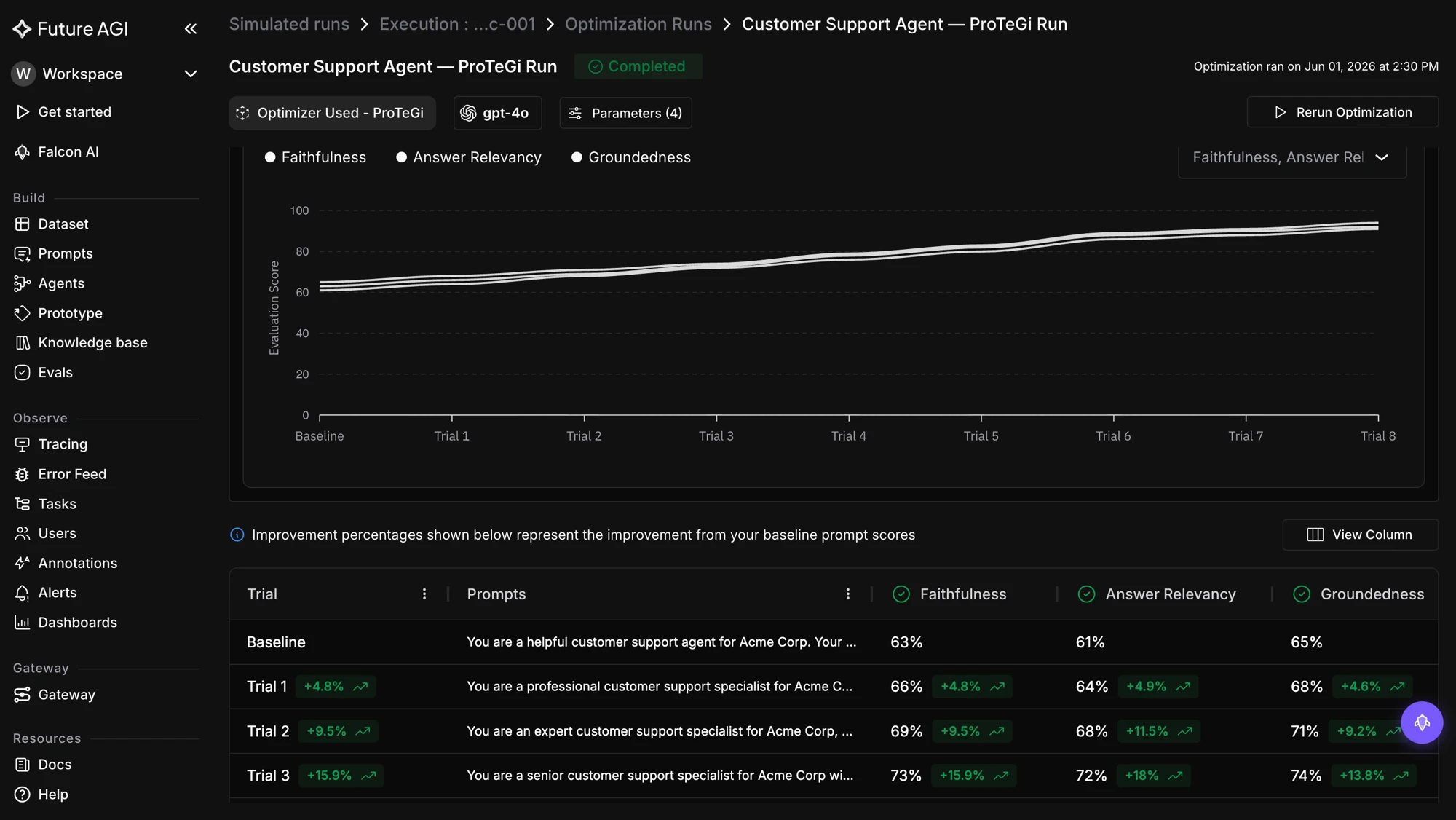
Step 5. Result. The optimized prompt scored 96 percent task completion on the held-out slice. Before, polite but slow, failed on complex changes. After, crisp: “Burger, no pickles. Got it.” Handled the “Indecisive” scenario cleanly.
Before: wordy, error-prone baseline.
After: crisp, fast, handles mid-order changes.
One honest caveat. The 96-percent number came from optimizing the system prompt with the other four axes locked. We had already swept retrieval config (chunk size on the menu_items index, top-k) the previous night and selected the model in a separate eval pass. The 30-point gain is real but it’s the headline of a five-axis loop, not a one-axis trick.
Where Future AGI’s agent-opt Fits
agent-opt ships all six optimizers under Apache 2.0 with consistent signatures across the family. Provider keys flow through the Agent Command Center BYOK gateway so the optimization loop runs against your own model accounts, and every iteration’s spans land in traceAI for OpenTelemetry-native attribution. The reward signal comes from ai-evaluation: 50-plus LLM-as-judge templates and 20-plus local heuristic metrics that run the same in CI as in production monitoring.
The Future AGI Platform layers self-improving evaluators that refresh against drift, in-product agent authoring, and lower per-evaluation cost than Galileo Luna-2, with SOC 2 Type II, HIPAA, GDPR, and CCPA certification per the trust page. When the optimizer ships a winning artifact, the platform versions it, the eval gate guards it, and the trace pipeline attributes any production regression back to the version.
The honest framing: if you want a library-only OSS path, DSPy with GEPA is a solid default. If you want one stack where the failing trajectories from production traces become the next round’s training slice, and the same evaluator scores prompts in CI and in production, the agent-opt plus ai-evaluation plus traceAI bundle is what you’d otherwise stitch together from four vendors.
If you find the library useful, drop a star on github.com/future-agi/agent-opt. For the deeper algorithm walkthrough, read the companion automated prompt improvement post. For the broader landscape of optimization libraries, see the top prompt optimization tools roundup. For the failure modes that motivate the five-axis frame, see why agents pass evals and fail in production.
Sources
- agent-opt (source for all six optimizer signatures; Apache 2.0)
- ai-evaluation (50-plus scoring templates; Apache 2.0)
- traceAI (OpenTelemetry tracing across Python, TypeScript, Java)
- ProTeGi paper (“Automatic Prompt Optimization with Gradient Descent and Beam Search”, Pryzant et al., 2023)
- GEPA paper (“Reflective Prompt Evolution Can Outperform Reinforcement Learning”, 2025)
- PromptWizard paper (“Task-Aware Prompt Optimization Framework”, Microsoft Research, 2024)
- DSPy (Stanford NLP’s programming model for LLMs; MIPRO + BootstrapFewShot)
- Optuna (Bayesian search backend)
- LiteLLM (provider abstraction used by agent-opt)
Frequently Asked Questions
What is automated optimization for agents in 2026?
How do I optimize tool descriptions instead of only the system prompt?
How does retrieval-config optimization differ from prompt optimization?
Which optimizer should I use for each axis?
How do I keep the optimizer from overfitting to my eval set across all five axes?
How long does a full agent optimization loop actually take in production?
Where does Future AGI's agent-opt fit in the eval stack?
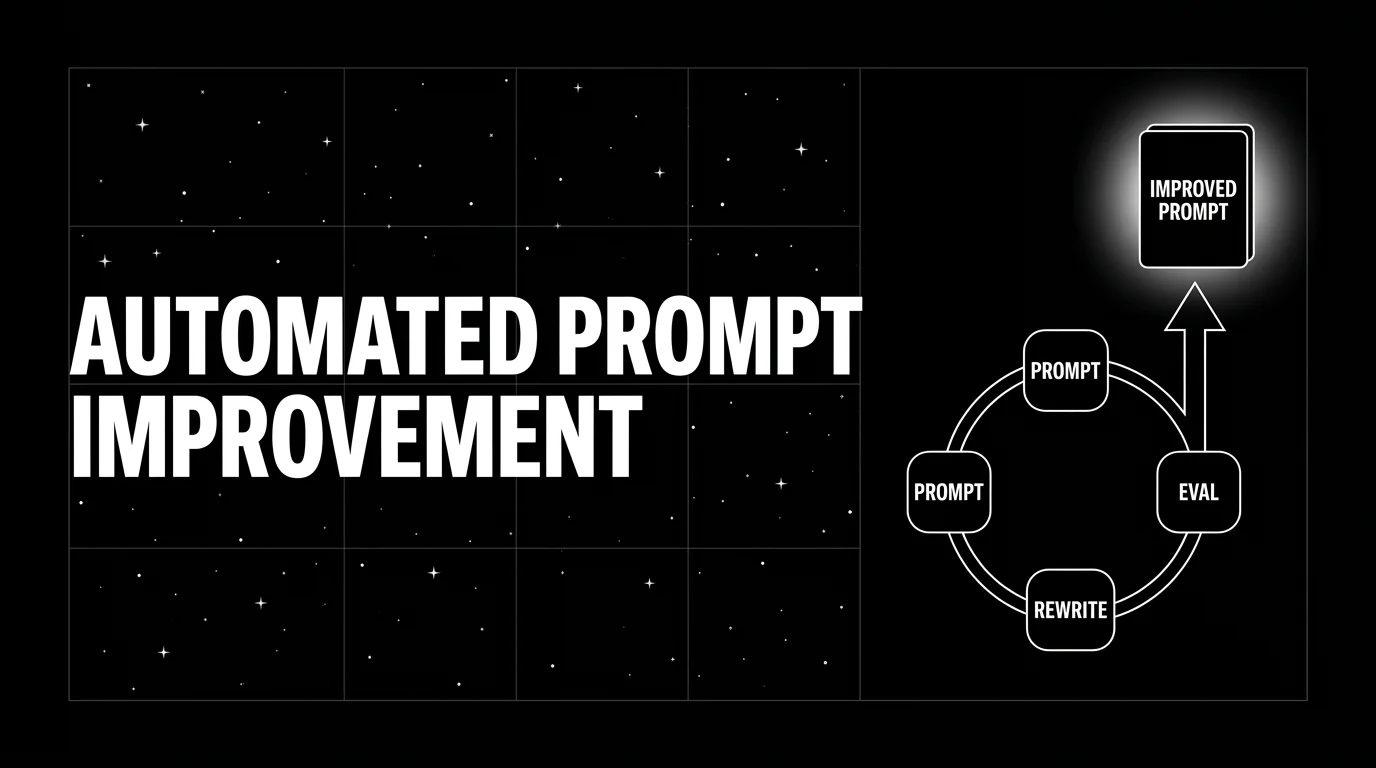
Automated prompt improvement in 2026 with six named optimizers (ProTeGi, GEPA, PromptWizard, MetaPrompt, BayesianSearch, RandomSearch) wired into CI.

Top 10 prompt optimization tools in 2026 ranked: FutureAGI, DSPy, TextGrad, PromptHub, PromptLayer, LangSmith, Helicone, Opik, DeepEval, Prompt Flow.

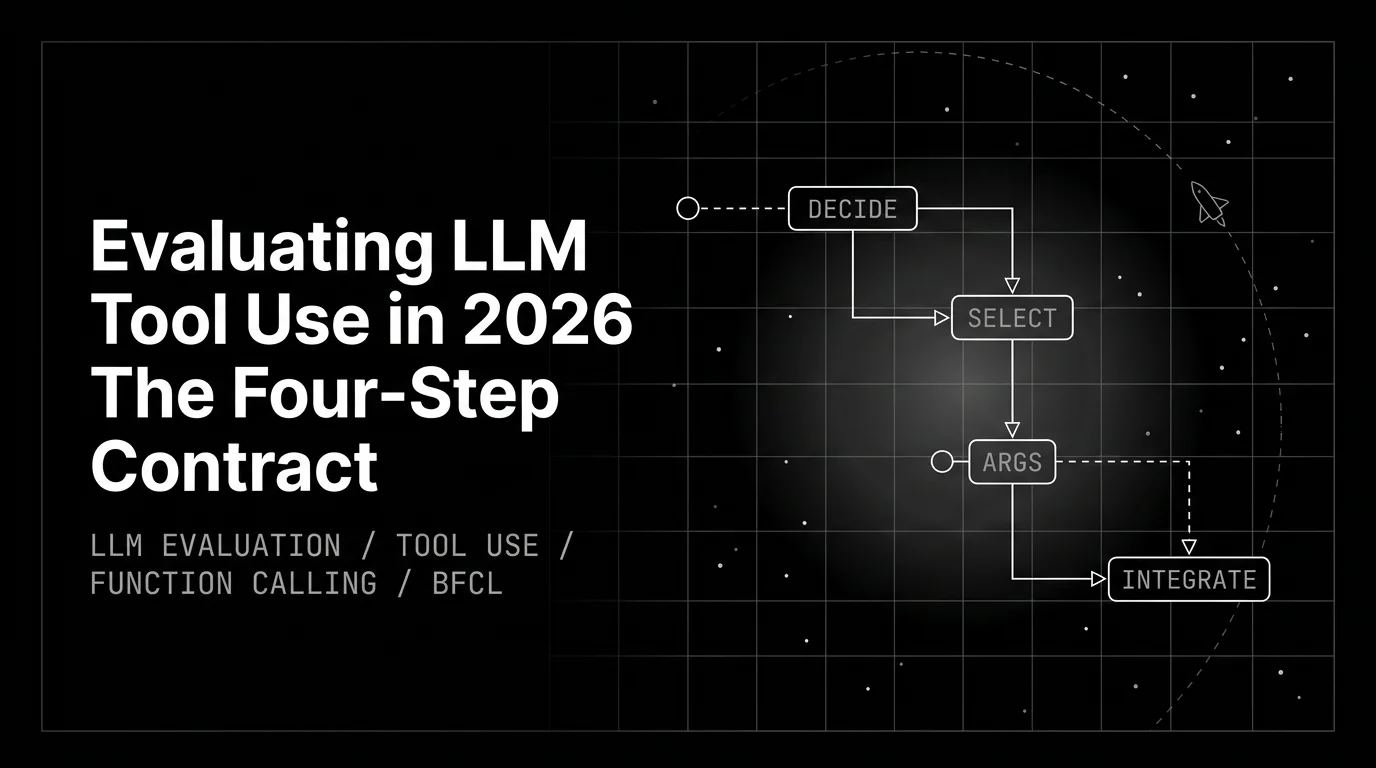
Evaluating LLM tool use is a four-step contract: decide to call, pick the tool, build args, integrate the result. Score each step independently.