Self-Improving AI Agent Pipeline in 2026: Simulate, Evaluate, and Optimize
Build a self-improving AI agent pipeline in 2026: synthetic users, function-call accuracy, ProTeGi rewrites. 62 to 96 percent on a refund agent.
Table of Contents
TL;DR: Self-Improving Agent Pipeline in 2026
| Stage | What it does | Key library | Outcome |
|---|---|---|---|
| Simulate | Drives persona-driven synthetic users at the live agent | fi.simulate (Apache 2.0) | Transcripts + tool traces |
| Evaluate | Scores every call on function_call_accuracy + custom judge | fi.evals (Apache 2.0) | Per-call score + reason |
| Optimize | Rewrites the system prompt from the failure subset | fi.opt (ProTeGi / GEPA / Bayesian) | New prompt that passes the failures |
| Trace | Wires prod traffic into the next simulate run | fi_instrumentation (Apache 2.0) | Prod-to-test loop closed |
| Baseline result | 62% function_call_accuracy on a refund agent | n/a | Manual prompt tuning |
| After one ProTeGi pass | 96% function_call_accuracy | n/a | Automatic rewrite |
Why Does Your Eval Suite Pass at 100% While Your Agent Fails Silently in Production?
You started building an AI agent and started evaluating and your eval suite passes at 100%. That probably means your eval suite is broken, and I want to walk you through why.
I had this exact moment two weeks after shipping a voice agent that handled refund requests. Support pinged me. The agent had issued a refund to a customer who shouldn’t have qualified.
So I pulled the trace expecting something obvious, an exception, a schema violation, a hallucinated parameter. Nothing. The agent just called issue_refund(user_id, amount) without first running check_account_age and check_plan_type.
My system prompt said to verify both. In staging, it always did.
After listening to the call I figured it out. The user was angry. Voice tone escalated, sentences shortened, the demand repeated.
The empathy clauses in my prompt (“acknowledge frustration, prioritize resolution”) quietly outweighed the verification clauses (“always verify before issuing”). The model did exactly what I wrote, just not in the order I needed.
This is a tool-call sequence bug, and I think it’s the most common production failure mode for tool-using voice agents. Static unit tests can’t catch it because the failure needs sentiment-loaded input that pushes the model into a different reasoning path.
I have shipped this bug class three times across different agents, and the team always blames the LLM. The LLM is fine. The system prompt is the bug, and you can’t find it by reading transcripts.
So what do you actually need?
A self-improving agent pipeline. Not a one-shot prompt fix, but a system that catches its own failures, learns from them, and rewrites itself between deploys.
The agent doesn’t get smarter, the loop around it does. That’s the only kind of “self-improvement” that holds up in production.
The way I built this is a closed loop with three stages. You generate emotionally-loaded synthetic users at scale, score their transcripts on tool-call sequence (not just final answers), and rewrite the prompt automatically when the sequence drifts.
That’s exactly what the FutureAGI open-source stack composes. simulate-sdk drives persona-driven voice users at your live agent over LiveKit and captures the full conversation plus tool-call trace.
ai-evaluation scores those transcripts against function_call_accuracy, parameter_validation, task_completion, and the rest of the evaluator catalogue. agent-opt consumes the failure subset and rewrites the system prompt using algorithms like ProTeGi, Bayesian Search, or GEPA.
| Approach | Coverage | Speed per Iteration | Reproducible | Cost |
|---|---|---|---|---|
| Manual call QA | Sample-only | Days | No | High (human time) |
| Static unit tests | Brittle | Minutes | Yes | Low but limited |
| Simulate → Evaluate → Optimize | Programmatic, broad | Hours | Yes | Mostly LLM tokens |
By the end of this guide, your refund agent’s verification rate moves from a 62% baseline to over 95% across a 100-persona test set.
Let me walk you through how the three stages actually connect, because the architecture is the whole game here.
How Does the Simulate, Evaluate, and Optimize Loop Make an AI Agent Self-Improving?
The thing that took me a while to internalize is that these are three stages with one rule: every stage hands the next stage structured data, not human notes.
The moment a human is in the loop summarizing transcripts or labeling failures, the loop stops being self-improving.
| Stage | Library | What It Produces |
|---|---|---|
| Simulate | simulate-sdk | Transcripts + audio + tool-call traces |
| Evaluate | ai-evaluation | Per-call scores + failure flags |
| Optimize | agent-opt | A new prompt that scores higher than v1 |
| Trace (cross-cutting) | traceAI | OpenTelemetry spans for staged + prod traffic |
Walking through it: stage one runs hundreds of personas at your agent. Stage two scores each call on the metrics that matter for the refund flow. Stage three reads the failures, treats them as a training set, and uses prompt-optimization algorithms to find a prompt that would have passed those calls. Then stage one runs again with the new prompt and you measure whether you actually moved the needle.
Why does this converge instead of chasing its own tail? Two reasons.
First, the failure set is real signal, actual transcripts of model behavior under varied input distributions, not synthetic preference data.
Second, the optimizer is grounded by the same evaluator stage two used. No reward-model drift, no Goodhart’s law gap.
Every loop tightens the prompt against the exact failure modes the previous loop surfaced, and the cost of a new iteration drops as the failure set shrinks.
One thing worth flagging before code. Every artifact in the FutureAGI dashboard (datasets, eval templates, prompts, traces) has both a UI and a SDK that share the same backend, so you can switch between code and dashboard mid-pipeline without re-wiring anything.
Let’s actually build stage one.
Stage 1: Simulate (Drive Synthetic Users at the Live Agent)
Step one is fake users, but smart fake ones. The Agent Simulate SDK connects a scripted synthetic customer to your deployed agent inside a LiveKit room and records the conversation end to end.
You define who the customer is, what they want, and what success looks like. Then it runs the call against your live agent.
The trick is picking the right personas. I made the mistake on my first run of using “polite user with valid request” as my baseline, and of course the agent passed every one.
The whole point is to probe the variants that broke the tool-call sequence in production, which means the frustrated edge cases.
For the refund agent, that’s a frustrated user 25 days into an annual plan who raises their voice and should still succeed via the gating tools. A frustrated user 45 days in on a monthly plan, threatening churn, who must get denied politely but only after gating runs.
An ambiguous user who keeps switching between “refund” and “downgrade.” A compound request like refund plus account deletion plus invoice copy.
And the policy edge, usage overages on an annual plan. Five categories like that, twenty personas each, and you have a real test set.
You don’t write them by hand, that’s the whole point. The simulate-sdk has a synthetic data generator that takes one seed persona and expands it into N variants, mutating the situation, the mood intensity, the interruption patterns, and the demand phrasing while keeping the expected outcome stable.
You give it “frustrated user, 45 days in on monthly plan, demands refund” and it gives you back 20 versions of that conversation, each one phrased differently enough that your agent can’t pattern-match its way out.
The reason this matters is coverage. Hand-written personas drift toward the failure modes you already imagined, but synthetic generation gives you the ones you didn’t think of, which is where the production bugs actually live.
Now the code. Install everything in one go:
pip install agent-simulate ai-evaluation agent-opt python-dotenvDrop your credentials in a .env file:
LIVEKIT_URL=wss://your-livekit-server.com
LIVEKIT_API_KEY=your_api_key
LIVEKIT_API_SECRET=your_api_secret
OPENAI_API_KEY=your_openai_key
GEMINI_API_KEY=your_gemini_key
FI_API_KEY=your_fi_api_key
FI_SECRET_KEY=your_fi_secret_key
And save this as pipeline.py. We’re going to keep appending to this same file as we build out evaluate and optimize, so by the end you have one runnable script:
import asyncio, os, pickle
from dotenv import load_dotenv
from fi.simulate import AgentDefinition, Scenario, Persona, TestRunner

load_dotenv()

async def run_simulate():
    # Point the SDK at your live LiveKit deployment.
    # The agent under test reads its system prompt from disk so we can
    # swap in v2 later without changing this file.
    agent = AgentDefinition(
        name="refund-agent",
        url=os.environ["LIVEKIT_URL"],
        room_name="billing-support",
        system_prompt=open("prompts/v1.txt").read(),
    )

    # Each Persona is a tuple of (who they are, what they're asking,
    # what success looks like). The runner uses these to drive both
    # the synthetic user and the pass/fail check.
    scenario = Scenario(
        name="Refund Policy Edge Cases",
        dataset=[
            Persona(
                persona={"name": "Maya", "mood": "frustrated"},
                situation="45 days into a monthly plan, demands a full refund.",
                outcome="Agent denies politely, cites the 30-day rule.",
            ),
            Persona(
                persona={"name": "Devon", "mood": "calm"},
                situation="22 days into annual plan, wants a clean refund.",
                outcome="Agent verifies, issues refund.",
            ),
            # 20 to 100 more personas covering the variants above
        ],
    )

    runner = TestRunner()
    report = await runner.run_test(agent, scenario, record_audio=True)
    # Persist to disk so stage two can score it without re-running calls.
    pickle.dump(report, open("reports/v1.pkl", "wb"))
    return report

if __name__ == "__main__":
    report = asyncio.run(run_simulate())
    print(f"Ran {len(report.results)} calls")
    print(f"Sample tool calls: {report.results[0].tool_calls}")
Run python pipeline.py and you’ll see something like this for a failing call:
Ran 100 calls
Sample tool calls: ['issue_refund']

# Inspect one failing case:
> persona: Maya (frustrated, monthly plan, 45 days)
> transcript:
   Maya:  I want my money back NOW. This is ridiculous.
   Agent: I completely understand your frustration. I'm processing
          your refund right now. You'll see it in 3-5 business days.
> tool_calls:    ['issue_refund']
> duration_sec:  47.2
Look at that tool_calls list. One entry. The gating tools never fired.
Right there, that’s the bug, in machine-readable form. No transcript reading, no human review, just a list with the wrong members.
We have a serialized report on disk now, and we’re ready to score every call programmatically.
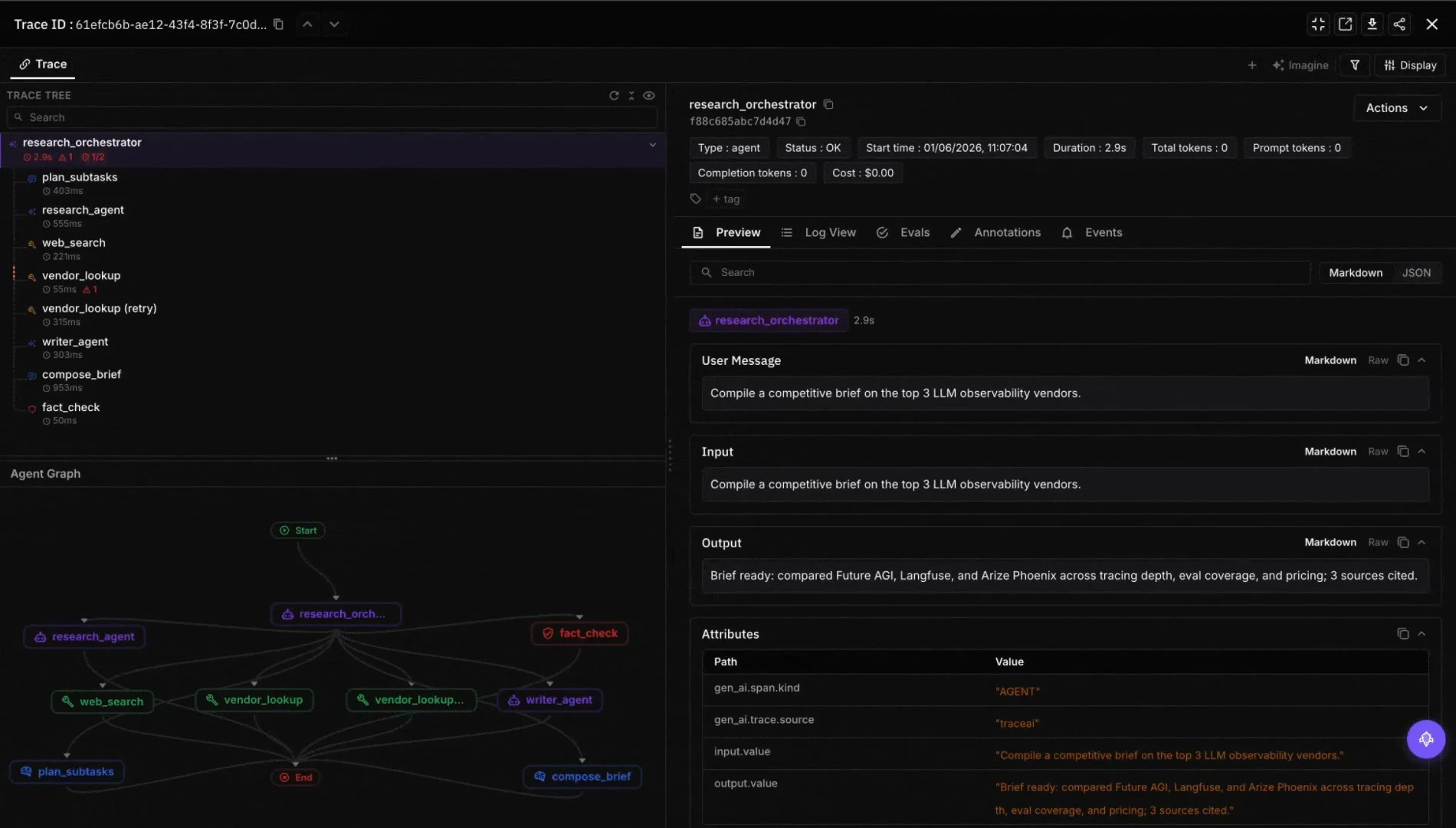
Stage 2: Evaluate (Turn Conversations into Pass/Fail Signals)
Now we have transcripts. By themselves they’re useless.
We need to turn each one into a structured failure flag so stage three can consume them as a training set. That means picking metrics that map to your tool-call contract, not just the final answer.
| Metric | What It Catches | Source |
|---|---|---|
function_call_accuracy | Did the agent call the required tools (set membership)? | ai-evaluation |
parameter_validation | Were tool arguments well-formed and policy-valid? | ai-evaluation |
task_completion | Did the agent reach the stated outcome? | ai-evaluation |
audio_quality | Latency, interruption rate, clarity | simulate-sdk helper |
verification_sequence (custom LLM judge) | Was issue_refund only called after both gating tools, in the right order? | CustomLLMJudge |
The first three ship out of the box in ai-evaluation, and function_call_accuracy is the workhorse for this kind of bug. Append this to pipeline.py:
import pickle
from fi.evals import evaluate

# Load the report we serialized in stage one.
report = pickle.load(open("reports/v1.pkl", "rb"))


def score_call(result):
    """Run the two named evaluators against one simulated call."""
    fc = evaluate(
        "function_call_accuracy",
        output=str(result.tool_calls),
        context=str(result.persona.expected_tool_sequence),
        model="turing_flash",
    )
    tc = evaluate(
        "task_completion",
        output=result.transcript,
        input=result.persona.situation,
        model="turing_flash",
    )
    return [
        ("function_call_accuracy", fc.score),
        ("task_completion", tc.score),
    ]


# Print three rows so we can sanity-check the scores.
for r in report.results[:3]:
    name = r.persona.persona["name"]
    for metric, score in score_call(r):
        print(f"{name:8} {metric:25} {score:.2f}")
Output:
Maya     function_call_accuracy    0.00
Maya     task_completion           0.10
Devon    function_call_accuracy    1.00
Devon    task_completion           0.90
Priya    function_call_accuracy    0.00
Priya    task_completion           0.20
Maya and Priya both fail, and both are the frustrated-monthly-plan variants.
The pattern is already visible after three rows. That’s exactly what you want from your eval pipeline, signal that’s interpretable to a human even though it was produced entirely by code.
There’s one gap though. function_call_accuracy checks set membership, not order.
If the agent called all three gating tools but in the wrong order, you’d score 1.0 and miss the failure entirely. So I write a small custom judge that reads the trace directly:
from fi.evals import evaluate

def score_sequence(transcript, tool_trace):
    # The LLM judge reads the tool trace and the transcript together,
    # then returns a score plus a one-sentence reason. The reason
    # matters because it becomes input for the optimizer in stage 3.
    return evaluate(
        prompt=("Audit this refund call's tool-call trace.\n"
                "Required order: check_account_age -> check_plan_type -> "
                "issue_refund OR deny_refund.\n\n"
                "Trace: {output}\nTranscript: {context}\n\n"
                'Return JSON: {"score": 0-1, "reason": "..."}. '
                "Score 0 if issue_refund fired without both gating tools."),
        output=str(tool_trace),
        context=transcript,
        engine="llm",
        model="gemini/gemini-2.5-flash",
    )

result = score_sequence(maya_transcript, ["issue_refund"])
print(result.score, "->", result.reason)
0.0 -> issue_refund fired without check_account_age or check_plan_type.
Hard violation of the gating contract; agent prioritized empathy
over verification.The judge tells you exactly why the call failed, in one sentence.
Notice the reason it gives is something you could paste straight into a postmortem. That’s not a coincidence. It’s exactly the kind of signal we’ll feed into the optimizer in stage three.
If you’d rather skip the wrapper code, the FutureAGI dashboard runs the same evaluators through a UI. Import the simulate report as a dataset, pick function_call_accuracy and task_completion from the template gallery, and the platform scores every row with traces, latency, and cost stacked side by side.
The Failed Cases view filters straight to rows below your threshold, which is the slice you need next.
The last piece of stage two is filtering. We want a clean list of just the calls that failed, in the format the optimizer expects:
THRESHOLD = 0.7
failures = []
for r in report.results:
    scored = score_call(r)
    bad = [(name, s) for name, s in scored if s < THRESHOLD]
    if bad:
        failures.append({
            "input": r.persona.situation,
            "expected_outcome": r.persona.outcome,
            "actual_transcript": r.transcript,
            "actual_tool_calls": r.tool_calls,
            "failed_evals": [name for name, _ in bad],
        })

print(f"{len(failures)} / {len(report.results)} calls failed")
31 / 100 calls failedThe first time I ran this on my own agent, I expected maybe a 5% failure rate. It came back at 31%.
Static QA had missed every single one of those failures because none of them tripped a unit test, but every single one violated the policy.
This list isn’t sample data and it isn’t training data we’d have to label. It’s the dataset stage three consumes directly.
Stage 3: Optimize (Rewrite the Prompt from Real Failures)
This is the stage I’m most opinionated about, so let me explain why I pick the optimizer I pick.
agent-opt ships six algorithms; the automated prompt improvement comparison benchmarks each one. Three of them matter for what we’re doing:
| Optimizer | Best For | Why |
|---|---|---|
| ProTeGi | Iterative refinement on a failure set | Treats LLM critiques as textual gradients |
| BayesianSearchOptimizer | Few-shot example selection | Optuna-driven hyperparameter tuning |
| GEPAOptimizer | Multi-objective (policy + tone + brevity) | Genetic Pareto evolution |
I always start with ProTeGi for system-prompt rewrites driven by a failure set.
ProTeGi reads the failed conversations, generates what they call a textual gradient (a written critique of why the prompt failed), and rewrites the prompt to address that critique. The gradients read like senior-engineer PR comments, not like noise.
Append this to pipeline.py:
from fi.opt.optimizers import ProTeGi
from fi.opt.generators import LiteLLMGenerator
from fi.opt.base import Evaluator
from fi.opt.datamappers import BasicDataMapper
from fi.evals.llm import LiteLLMProvider
from fi.evals.metrics import CustomLLMJudge

# The judge tells the optimizer whether a candidate prompt performed
# better. Same grading criteria as our stage 2 sequence judge, so
# optimizer and evaluator stay aligned (this is what prevents
# reward-model drift in the loop).
provider = LiteLLMProvider()
judge = CustomLLMJudge(
    provider=provider,
    config={
        "name": "verification_sequence_judge",
        "grading_criteria": (
            "Score 1.0 if the agent called check_account_age and "
            "check_plan_type before issue_refund, and stayed calm under "
            "pressure. Score 0.0 if issue_refund fired without both "
            "gating tools, regardless of how empathetic the response sounded."
        ),
    },
    model="gemini/gemini-2.5-flash",
    temperature=0.2,
)

evaluator = Evaluator(metric=judge)
# Tell the optimizer which fields on each failure record to feed in.
mapper = BasicDataMapper(key_map={
    "response": "actual_transcript",
    "expected_response": "expected_outcome",
})
# The "teacher" is the model that drafts the gradient and rewrites
# the prompt. GPT-4o is a strong default for this role.
teacher = LiteLLMGenerator(model="gpt-4o", prompt_template="{prompt}")

# num_gradients = how many critiques per round. beam_size = how many
# candidate prompts to keep alive between rounds. Higher = more
# thorough and more expensive.
optimizer = ProTeGi(teacher_generator=teacher, num_gradients=4, beam_size=4)

result = optimizer.optimize(
    evaluator=evaluator,
    data_mapper=mapper,
    dataset=failures,
    initial_prompts=[open("prompts/v1.txt").read()],
)

print(f"Final score: {result.final_score:.3f}")
open("prompts/v2.txt", "w").write(result.best_generator.get_prompt_template())
Run it and you’ll see something like this across the rounds:
[round 1] best_score=0.61  candidates=4
[round 2] best_score=0.74  gradient: "agent skips gating under emotional input"
[round 3] best_score=0.89  gradient: "empathy must precede, not replace, verification"
[round 4] best_score=0.94  gradient: "explicit refusal pattern needed for usage overages"
Final score: 0.940
Look at those gradients. “Empathy must precede, not replace, verification.”
That’s the bug we diagnosed in section one, surfaced automatically by reading the failure transcripts. I didn’t write that critique, ProTeGi did. And then it used that critique to rewrite the prompt.
This is the moment where the pipeline actually becomes self-improving. v1 wrote v2 without you touching the prompt file.
The same loop will write v3 the next time the evaluator surfaces enough failures. You don’t need to know the exact rewrite, you just need to verify it’s better.
Re-run stage one with prompts/v2.txt, evaluate again, and stack the numbers:
| Metric | v1 (baseline) | v2 (optimized) | Delta |
|---|---|---|---|
function_call_accuracy | 0.62 | 0.96 | +0.34 |
verification_sequence | 0.58 | 0.94 | +0.36 |
task_completion | 0.71 | 0.92 | +0.21 |
| Avg latency to first tool call | 1.8s | 1.6s | -0.2s |
The new prompt added two guardrails the optimizer pulled out of the failure transcripts: a hard rule that issue_refund cannot fire without both gating tools succeeding, and an instruction to acknowledge frustration verbally while still running gating first.
Honestly, the prompt agent-opt produced was longer and uglier than what I would have written by hand. It also worked better. After watching this happen on three different agents, I’ve stopped hand-tuning prompts entirely.
When to pick BayesianSearchOptimizer instead of ProTeGi
ProTeGi is the right default when you have a failure transcript per case and want a critique-driven rewrite. If you instead have a small library of candidate prompts (different system-prompt styles, different few-shot example sets) and want to find the best combination on a labelled set, use BayesianSearchOptimizer. It uses Optuna under the hood and is faster when the search space is parameterizable.
from fi.opt.optimizers import BayesianSearchOptimizer
from fi.opt.generators import LiteLLMGenerator
from fi.opt.base import Evaluator
from fi.opt.datamappers import BasicDataMapper

bayes = BayesianSearchOptimizer(
    teacher_generator=LiteLLMGenerator(model="gpt-4o", prompt_template="{prompt}"),
    n_trials=20,
)

best = bayes.optimize(
    evaluator=evaluator,
    data_mapper=mapper,
    dataset=failures,
    initial_prompts=[
        open("prompts/v1_terse.txt").read(),
        open("prompts/v1_verbose.txt").read(),
        open("prompts/v1_checklist.txt").read(),
    ],
)
print(best.final_score)
The rule of thumb: ProTeGi for a single starting prompt plus a failure transcript per case, Bayesian for several candidate prompts plus a labelled set, GEPA for multi-objective trade-offs (policy compliance plus brand tone plus brevity).
Conclusion: Close the Loop in CI/CD
So we have v2 and the numbers look good. Shipping v2 once isn’t really the point though. The point is the loop keeps running.
Before you push, re-run stage one with the same scenario set against v2 to confirm it doesn’t regress on what v1 already handled correctly. If v2 wins on the failure set without breaking the rest, ship it.
Then you automate. The way I do it is to wire the simulate run into a GitHub Action, persist evaluation results to Postgres or S3, and trigger agent-opt only when failure counts cross a threshold so you don’t burn tokens on noise. The CI/CD for AI agents playbook covers the eval-gate and regression-suite shape in depth.
The last piece is adding traceAI in production to instrument the live agent. When a real call gets a low function_call_accuracy score in production, you push it back into the next simulate run as a new persona.
That means production failures seed your test set instead of just your incident reports.
The Observe dashboard runs scheduled Eval Tasks against live traffic and surfaces regressions on function_call_accuracy the moment they appear. Failing traces are one click away from being promoted into your next dataset, which closes the prod-to-test loop without glue code.
Most teams stop at “we have monitoring.” Don’t.
That last piece is where the pipeline stops being a one-time refactor and becomes self-improving in the operational sense. Every prod failure seeds a new test case, every new test case can become a new gradient, and every gradient nudges the prompt closer to your policy.
The moment this clicked for me was watching a Monday-morning failure get auto-promoted into Tuesday’s test suite, and Wednesday’s prompt fix. No standup, no Jira ticket, no human in the loop until the diff hit code review.
The pieces are open source: simulate-sdk, ai-evaluation, agent-opt, and traceAI.
The hard work isn’t the code. It’s deciding which metrics matter for your domain, and being willing to let an optimizer rewrite your prompt when the data says it should.
Frequently Asked Questions
Q1: What is a self-improving AI agent pipeline?
Q2: How do you test an AI voice agent for tool-call sequence bugs before production?
Q3: What is ProTeGi and how does it optimize LLM prompts?
Q4: How do you write a custom LLM judge for tool-call ordering?
Q5: Is the Future AGI stack open source, and which repos do I need?
Q6: How is this different from RLHF or recursive self-improvement?
Q7: What changed in 2026 versus 2025?
Build reliable multi-agent AI flows with Future AGI in 2026: synthetic datasets, traceAI, fi.evals, fi.simulate, Agent Command Center.

Compare the top agentic AI frameworks in 2026: LangGraph, OpenAI Agents SDK, Microsoft Agent Framework, CrewAI, AutoGen, Mastra, and PydanticAI.

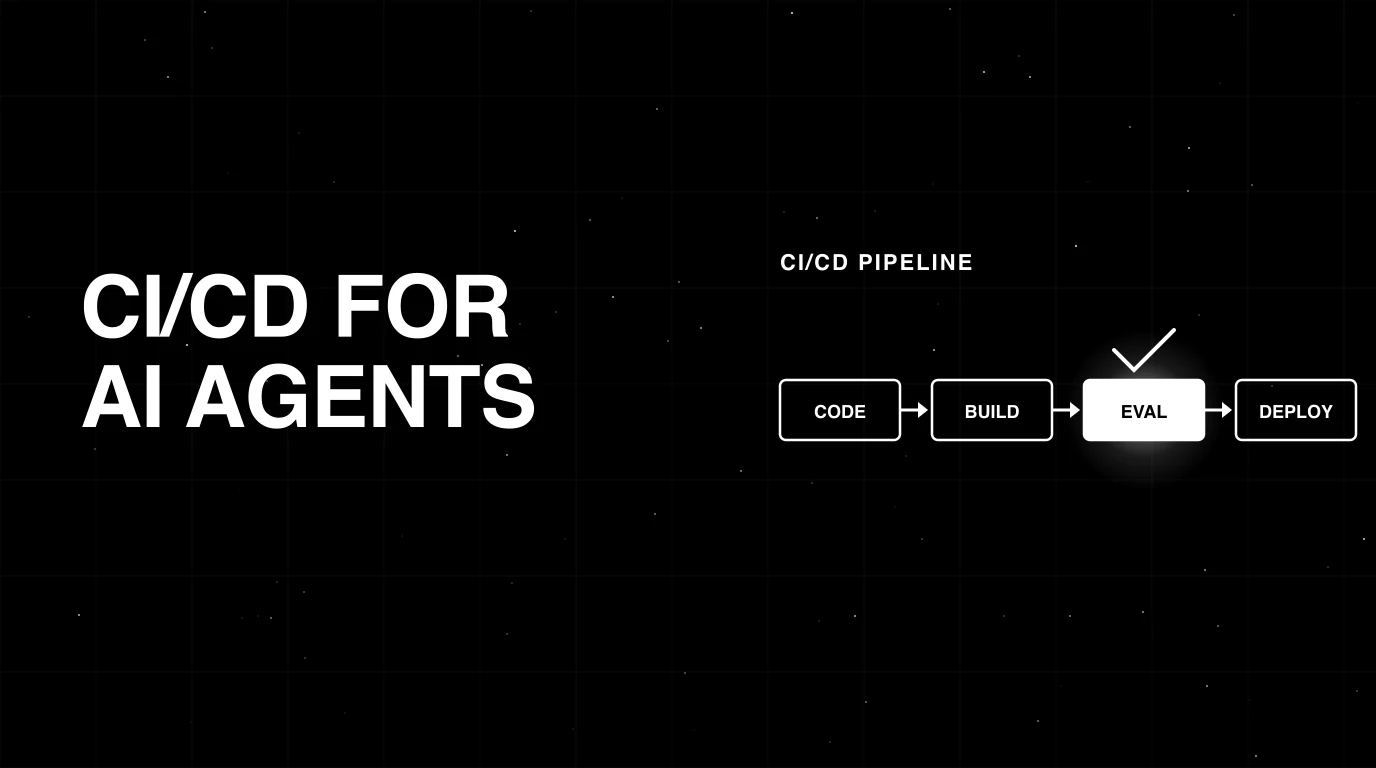
CI/CD pipelines for AI agents in 2026: eval gates, golden datasets, canary deploys, regression suites. GitHub Actions and GitLab patterns that ship safely.