Dynamic Prompts in 2026: How Template Injection and Runtime Context Replace Static Prompts
Dynamic prompts in 2026: template engines, variable injection, runtime context, versioning, and evaluation. With code, failure modes, and an eval harness.
Table of Contents
Dynamic prompts in 2026
A static prompt is a fixed string. A dynamic prompt is a recipe: a versioned template, a set of typed variables, a context pipeline that fills the template at runtime, and an evaluator that scores each render. The recipe model is what makes prompt engineering survive multiple engineers, multiple applications, and multiple model upgrades.
This guide covers what a dynamic prompt is in 2026, how to assemble one, how to evaluate it, and how to ship it without prompt injection or template drift.
TL;DR: The dynamic prompt recipe
| Layer | What it owns | Tool examples |
|---|---|---|
| Template | The wording, with named placeholders | Jinja, f-strings, prompt manager registry |
| Variable schema | Types and validation for each placeholder | Pydantic, JSON schema, custom validators |
| Context pipeline | Retrieval, memory, tool output, token budget | Vector store, episodic memory store, retrieval cache |
| Versioning | Rollback when an eval regresses | Git, Future AGI prompt management |
| Eval harness | Per-render scores on a regression set | Future AGI Evaluate, custom LLM judges |
| Tracing | Span per rendered prompt for replay | traceAI, OpenTelemetry |
If you only do one thing, separate the template from the data. Once the wording lives in a registry and the variables pass through a schema, every other capability (A/B testing, versioning, regression eval, replay) becomes feasible.
What a dynamic prompt actually is
A static prompt looks like this:
prompt = "You are a helpful assistant. The user asked: how do I reset my password?"It works for one input and breaks the moment the input shape changes. Every variation needs a new string.
A dynamic prompt looks like this:
from jinja2 import Template

def fetch_relevant_docs(query: str) -> str:
    # Replace with your retrieval implementation.
    return "Doc snippet relevant to the query."

template = Template("""You are a {{ role }}.
Context:
<context>
{{ retrieved_chunks }}
</context>
User asked: {{ user_query }}""")

user_query = "How do I reset my password?"
prompt = template.render(
    role="customer support assistant",
    retrieved_chunks=fetch_relevant_docs(user_query),
    user_query=user_query,
)
The template is code-versioned. The variables are typed before they reach the template. The retrieved content is fetched at runtime within a token budget. The same template serves every user, every session, every retrieval outcome, and every model upgrade.
The four building blocks
1. Versioned template
The template is a string with named placeholders. It lives in git (for code-first teams) or in a prompt manager registry (for cross-functional teams). Either way, it has a version, an author, and a change history.
Two patterns:
# Code-versioned, simple (uses Jinja for consistency with examples below).
from jinja2 import Template
tpl = Template("You are {{ role }}. The user asked: {{ query }}")

# Prompt manager (illustrative; replace `prompt_manager` with your registry SDK).
# from your_prompt_manager_sdk import get_template
# tpl = get_template("support_assistant", version="v3")
The point is that the wording is not hardcoded into the application logic. It is a separate artifact, with a name and a version, that the team can reason about independently.
2. Typed variable schema
Every placeholder has a type and a validation rule. The schema rejects bad input before the template renders.
from pydantic import BaseModel, Field

class SupportPromptVars(BaseModel):
    role: str = Field(default="customer support assistant")
    user_query: str = Field(min_length=1, max_length=2000)
    retrieved_chunks: str = Field(default="")
    user_tier: str = Field(pattern=r"^(free|pro|enterprise)$")

vars = SupportPromptVars(**raw_input)
prompt = tpl.render(**vars.model_dump())
The schema is the place to enforce PII rules (no emails or SSNs in user_query), length limits (cap user input at 2000 characters), and enum constraints (user_tier must be one of three values). Without this, every prompt becomes a unique snowflake and the evaluator cannot generalize.
3. Runtime context pipeline
The pipeline fetches retrieved chunks, memory, and tool output and slots them into the template within a token budget.
def build_context(query: str, user_id: str, budget_tokens: int) -> list[str]:
    chunks = []
    # 1. Episodic memory: recent sessions for this user
    chunks.extend(fetch_episodic_memory(user_id, limit=3))
    # 2. Semantic retrieval: knowledge base relevant to the query
    chunks.extend(retrieve_semantic(query, top_k=5))
    # 3. Trim to token budget, preserving relevance order
    return trim_to_budget(chunks, budget_tokens)
Three rules for the pipeline:
- Cache retrievals by content hash when the source is stable. A vector store hit on the same query and the same index version returns the same result, so cache it.
- Trim by relevance order, not by sequential order. The most relevant chunk should survive the budget cut.
- Surface a token budget overflow as a metric. If your average retrieval is silently dropping the most relevant chunk, the user gets a confident but ungrounded answer and you do not see it.
4. Eval harness
The eval harness scores each render on a 50 to 200 prompt regression set. The metrics depend on the task:
- Instruction following: did the output follow the template’s instruction?
- Groundedness: do factual claims trace to the retrieved chunks?
- Refusal correctness: did the model refuse appropriately?
- Output format: does the structure match the schema?
Future AGI Evaluate runs these as cloud evaluators or custom LLM judges:
from fi.evals import evaluate

result = evaluate(
    "groundedness",
    output=model_response,
    context=retrieved_chunks,
    model="turing_flash",
)

if result.score < 0.7:
    log_failure(reason="groundedness_below_threshold")
turing_flash returns in 1 to 2 seconds, turing_small in 2 to 3 seconds, turing_large in 3 to 5 seconds. The same evaluator runs in CI on every template promotion and on live traffic for ongoing drift detection.
Versioning and rollback
Every shipped template has a version. Two reasons.
First, regressions happen. A template change that improves the median score can regress the worst 5% of traces. The team needs a one-command rollback.
Second, A/B traffic splits require it. To test a new template against the current one, you need both versions live and a router that splits traffic, attributes outcomes, and rolls back when the new version regresses on the contract.
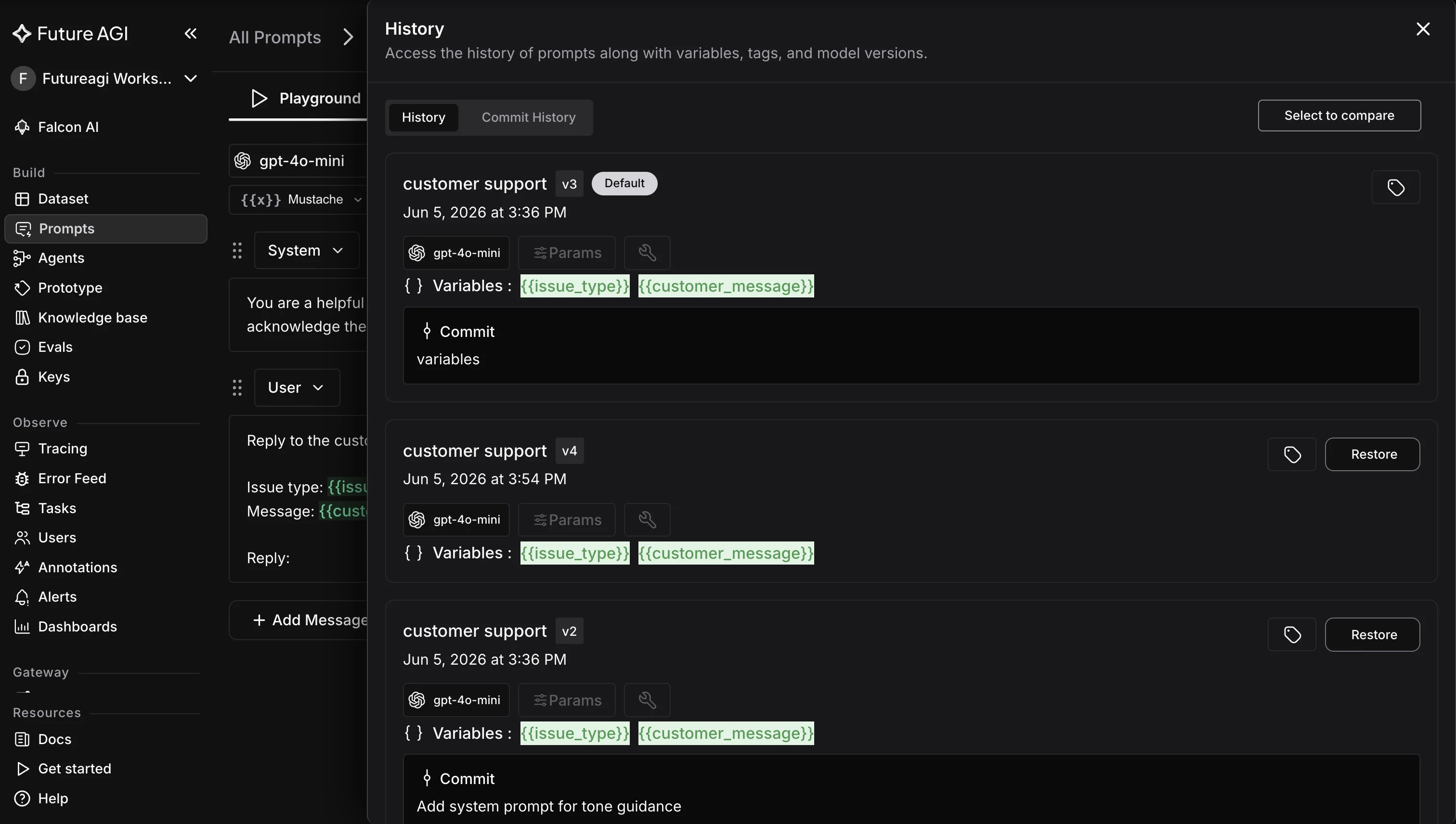
Future AGI prompt management links templates to the traces they produce. A template promotion appears inline with the traces it affects, which makes “did this prompt change cause that regression” a one-glance question rather than an investigation.
Failure modes and the evaluators that catch them
| Failure mode | What goes wrong | Evaluator that catches it |
|---|---|---|
| Prompt injection | User input rewrites the system instruction | Output safety evaluator before state-changing call |
| Context overflow | Token budget silently drops the most relevant chunk | Groundedness on final claim plus retrieval recall |
| Template drift | Two services use different versions of the same logical prompt | Schema check at deploy plus trace-level template version attribute |
| Retrieval miss | Confident answer with no sourced context | Groundedness per claim, refusal correctness when unsure |
| Untyped variables | PII or oversized input passes through | Pydantic schema with explicit rejection rules |
The pattern is the same in every row. The evaluator is span attached, the threshold is part of the contract, and the gate runs in CI and on live traffic so the failure is visible before the user finds it.
Composing dynamic prompts with tool calls
In 2026, dynamic prompts often include tool descriptions and prior tool output as part of the runtime context. The composition rule:
- The tool description sits in the template (versioned).
- The tool output sits in the context pipeline (typed, validated).
- The user query sits in a delimited section (injection isolated).
A simple pattern:
template = """You are a {{ role }}. You have access to these tools:
<tools>
{{ tool_descriptions }}
</tools>
Prior tool calls in this session:
<prior>
{{ prior_tool_output }}
</prior>
User asked:
<user>
{{ user_query }}
</user>
Decide the next action. Respond as JSON: {"tool": "...", "args": {...}}"""
Three notes on this pattern:
- The XML-style delimiters keep tool output and user input from being read as system instructions.
- The JSON output contract makes the response parseable and validate-able.
- The same template ports across models that handle structured output well.
How Future AGI fits the dynamic prompt loop
Future AGI is the prompt-optimization companion that closes the loop:
- Optimize: tunes prompt templates against a labeled dataset and eval results, and produces a versioned winner you can compare head-to-head before promotion.
- Evaluate: scores each render against the contract via cloud evaluators (
turing_flash,turing_small,turing_large) or custom LLM judges. - traceAI: emits OpenTelemetry spans for every rendered prompt so you can replay any production call. Apache 2.0 (github.com/future-agi/traceAI).
- Agent Command Center: applies BYOK routing, budgets, and pre-call guardrails at
/platform/monitor/command-center.
Environment configuration uses FI_API_KEY and FI_SECRET_KEY. The SDKs read those variables directly.
from fi_instrumentation import register, FITracer

tracer_provider = register(
    project_name="dynamic-prompt-app",
    project_type="application",
)
tracer = FITracer(tracer_provider)

with tracer.start_as_current_span("render_prompt") as span:
    prompt = template.render(**vars.model_dump())
    span.set_attribute("template.name", "support_assistant")
    span.set_attribute("template.version", "v3")
    span.set_attribute("context.chunks", len(retrieved_chunks))
Each rendered prompt is one span, and the span carries the template version, the variable shape, and the retrieved context size. When an eval regresses, the trace shows exactly which template version produced the regression.
When to use a prompt manager vs git only
A code-versioned template is enough when:
- One application, one engineer owns the prompts.
- Prompts change in lockstep with code releases.
- No non-engineers need to author or review prompts.
A prompt manager is worth the cost when:
- Multiple applications share logical prompts.
- Prompt engineers, PMs, or writers need to author and review without a code deploy.
- A/B traffic splits and rollbacks need to ship without an application redeploy.
- Audit and compliance want a registry of every shipped prompt with a known author.
Future AGI prompt management is one option. The minimum is a registry of templates with a name, a version, a parent, and a link to the eval results that justified the promotion.
A minimum production setup
A small but realistic 2026 dynamic prompt stack:
- Template: code-versioned in git, or a prompt manager for cross-functional teams.
- Variable schema: pydantic models for typed validation and PII rejection.
- Context pipeline: vector store retrieval cached by content hash, episodic memory in Postgres, token-budget trimming by relevance order.
- Eval harness: 50 to 200 prompt regression set scored by Future AGI Evaluate (
turing_flashfor fast feedback,turing_largefor high-stakes gates). - Tracing: traceAI Apache 2.0 SDK, OpenTelemetry exporters.
- Gateway: Future AGI Agent Command Center for BYOK routing and pre-call guardrails.
Start with three things: a typed variable schema, a code-versioned template, and a 50-prompt eval set. Add the manager, the gateway, and the optimizer when the application grows past one engineer.
What to ship first
The minimum useful dynamic prompt is small. One template. One typed variable schema. One context pipeline. One eval. From there, the system grows with the application.
If those four are in place before the second template is added, the prompt surface stays debuggable as it grows. If they are not, every subsequent prompt change is harder to ship, every regression is harder to investigate, and the team loses time the user never sees.
Related reading
Frequently Asked Questions
What is a dynamic prompt in 2026?
How are dynamic prompts different from static prompts?
What are the building blocks of a dynamic prompt?
How do I evaluate a dynamic prompt without breaking on every change?
What are the biggest failure modes in dynamic prompting?
How does Future AGI fit into a dynamic prompt workflow?
Do I need a prompt manager or is a code-versioned template enough?
How do I keep dynamic prompts safe from prompt injection?
Nine LLM prompt format patterns for GPT-5, Claude Opus 4.7, and Gemini 3 in 2026. Copy-ready templates, an eval loop, and mistakes to avoid in production.

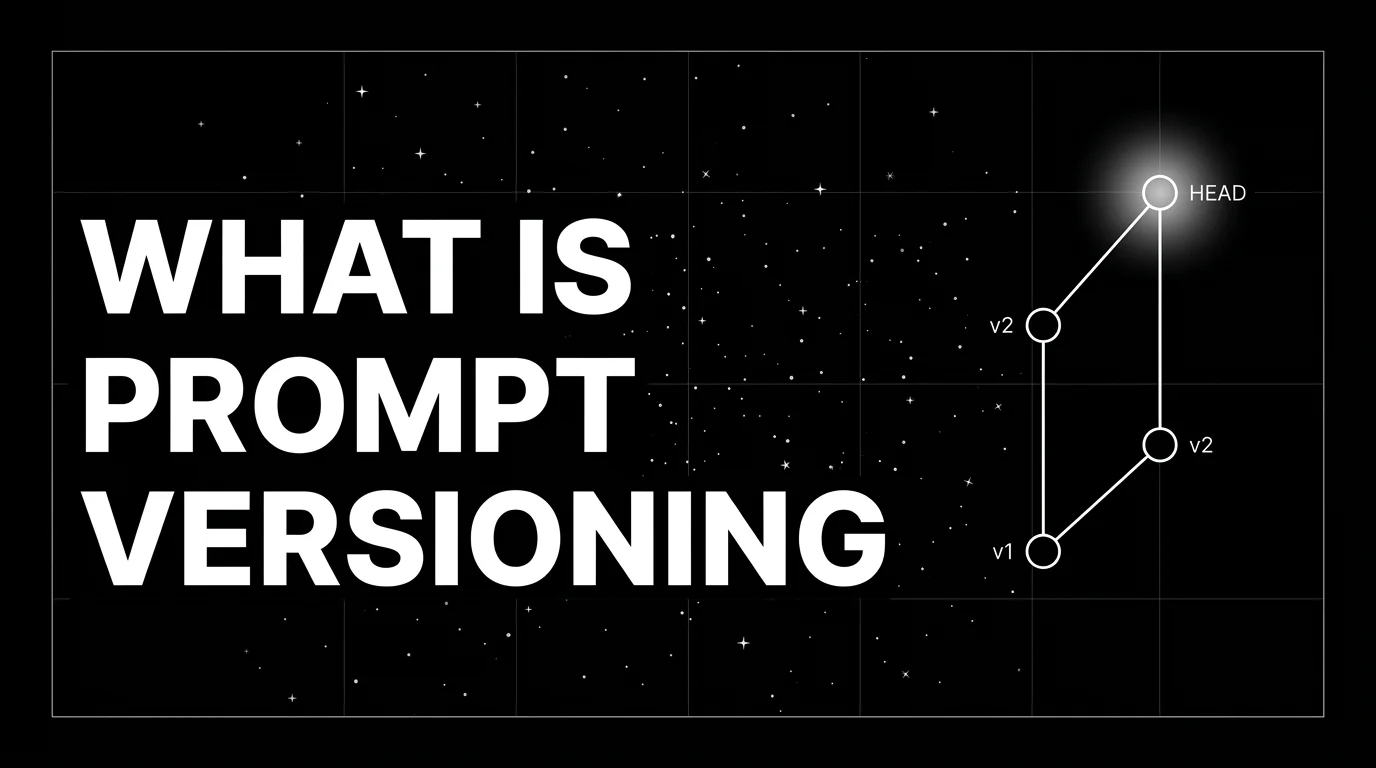
Prompt versioning treats prompts as code: unique ids, environment labels, eval-gated rollouts, one-call rollback. What it is and how to ship it in 2026.

Top prompt management platforms in 2026: Future AGI, PromptLayer, Promptfoo, Langfuse, Helicone, Braintrust, OpenAI Prompts API. Compared.
