LLM Prompt Format in 2026: 9 Patterns, Tested Templates, and the Eval Loop That Catches Regressions
Nine LLM prompt format patterns for GPT-5, Claude Opus 4.7, and Gemini 3 in 2026. Copy-ready templates, an eval loop, and mistakes to avoid in production.

Table of Contents
The best LLM prompt format in 2026 puts the instruction on line 1, locks each section behind one consistent delimiter, and pins hard rules to the top where the model actually attends.
The nine patterns below are the tested prompt engineering moves for GPT-5, Claude Opus 4.7, and Gemini 3, each paired with the eval loop that proves a change before it ships.
TL;DR: What changed in prompt format between 2025 and May 2026
| Question | Short answer |
|---|---|
| Biggest format lift in 2026? | Instruction-first ordering; clear, measurable drift reduction on reasoning models. |
| Best delimiter style? | XML tags on Claude, JSON schema for GPT-5 tool calls, markdown for everything else. Do not mix. |
| Few-shot example count? | 2-4 for classification or extraction, 0-1 for open-ended generation. |
| Should I add “think step by step”? | No, not on reasoning models. It slows responses and rarely improves accuracy. |
| Where do hard rules go? | Top of prompt plus system message. Mid-prompt rules get dropped more than top or bottom. |
| How do I prove a change is better? | Score old and new prompts on the same labelled set with at least 30 examples per cell. |
Why LLM prompt format is still one of the highest-impact controls
Most teams reach for fine-tuning, RAG, or a bigger model first. Prompt format is cheaper, faster, and reversible.
In one Future AGI internal test on a labelled extraction set of 500 customer-support tickets, swapping a 2025-style chat prompt for a 2026 instruction-first, schema-constrained prompt on the same GPT-5 mini model materially improved exact-match accuracy without adding retrieval. Your numbers will vary with task and data, but the pattern is consistent.
The lift compounds. Better format means fewer retries, fewer guardrail catches, lower latency, and cheaper bills. For workloads doing millions of inferences a month, even a few accuracy points usually pays for the prompt-tuning effort many times over.
The 9 patterns: what to apply, in what order
1. Instruction-first ordering
Put the task instruction on line 1. Put long context (RAG chunks, conversation history, document blobs) after it.
Why it works: reasoning models decide on a plan before scanning context. An instruction buried at line 2,400 of a 4,000-line prompt is a coin flip on whether the planner uses it.
Template:
You are a customer-support classifier. Read the ticket below and return the
category as one of: billing, technical, account, other.

<ticket>
{ticket_body}
</ticket>

Output only the category string. No explanation.
The instruction comes first. The context (the ticket) sits inside a delimited block. The output rule comes last. Three lines, three jobs.
2. Delimiter-locked sections
Wrap each logical section in the same delimiter style end to end.
- XML tags on Claude Opus 4.7. Anthropic recommends XML tags like
<context>,<example>, and<thinking>for structuring prompts. See the Anthropic prompt engineering guide. - JSON schema for tool calls on GPT-5. Pass
response_format={"type": "json_schema", "json_schema": {...}}per the OpenAI structured outputs reference. - Markdown for everything else. Headings, lists, code fences.
Do not mix. Smaller models like GPT-5 nano and Gemini 3 Flash get confused when XML, JSON, and markdown all show up in the same prompt.
3. Explicit output schema
Telling the model the format in prose tends to work most of the time but fails on edge cases. A request-time JSON schema or grammar reliably enforces structure and is what every major provider now recommends.
{
  "model": "gpt-5-mini",
  "messages": [
    {"role": "user", "content": "<the ticket body goes here>"}
  ],
  "response_format": {
    "type": "json_schema",
    "json_schema": {
      "name": "classify",
      "strict": true,
      "schema": {
        "type": "object",
        "properties": {
          "category": {"type": "string", "enum": ["billing", "technical", "account", "other"]},
          "confidence": {"type": "number", "minimum": 0, "maximum": 1}
        },
        "required": ["category", "confidence"],
        "additionalProperties": false
      }
    }
  }
}
Anthropic and Google offer the same primitive under different names: tools with input schemas on Claude, response_schema on Gemini. Once the schema is in place, evaluating the structured-output mode is what confirms the model honors it under load.
4. Constraint pinning
Models attend to the start and end of a prompt more than the middle. This is the “lost in the middle” finding from Liu et al. 2023, still measurable in 2026 on long-context evals.
Practical consequence: pin hard rules (privacy, brand tone, banned topics) to the top of the prompt, then repeat them in the system message. Do not bury them at line 800.
5. Two to four few-shot examples
For classification or extraction, 2-4 examples typically beats 0 examples and beats 10 examples.
Beyond four, GPT-5 and Claude 4.7 start over-fitting to the example surface form: matching example phrasing, example length, example word choice. Generality drops.
For open-ended generation (drafting, summarising, brainstorming), zero or one example is usually right. Multiple examples push the model toward the example tone instead of the requested tone.
6. Negative examples, sparingly
Show one or two “do not produce this” examples for high-risk formats. PII leaks, banned URL patterns, harmful tone.
More than two negative examples can prime the model to mimic the bad pattern. The fix is a guardrail layer at runtime, not more negative examples in the prompt.
7. Persona via system or developer message
OpenAI’s newer Responses-style APIs introduce a developer role for durable instruction messages above the per-turn user role, while the platform-level system message stays as the top-level authority where supported.
Chat Completions continues to use system. Anthropic continues to use system. Both carry durable, session-level instructions, though exact precedence differs by provider, so check the current API reference for the SDK you target.
Put the persona, tone, language, and durable rules in the system or developer message. Keep the user turn lean and focused on the current task. This gives the persona persistence across turns and keeps user messages compact for logging and replay.
8. No chain-of-thought on reasoning models
“Let’s think step by step” was a 2022 breakthrough on davinci. On 2026 reasoning models it is a regression. The full picture of where chain-of-thought prompting still earns its tokens is the deciding factor.
GPT-5, Claude Opus 4.7, and Gemini 3 Pro all run an internal scratchpad. Telling them to think step by step:
- Adds tens to a few hundred tokens of redundant output (real cost).
- Increases time-to-final-token, often noticeably.
- On math and code tasks, internal tests at Future AGI have shown no consistent accuracy lift on reasoning models, and OpenAI specifically discourages explicit chain-of-thought for o-series and GPT-5 reasoning models.
Drop the phrase on reasoning models. Keep it for Gemini 3 Flash, Llama 4, and GPT-5 nano where it still helps.
9. The eval loop, with Future AGI evaluate
A prompt change without an eval is a vibes change. Run the old prompt and new prompt against the same labelled set, score both, require a meaningful delta before shipping.
Future AGI’s evaluation library exposes 50 plus built-in evaluators: groundedness, faithfulness, toxicity, format checks, custom LLM-as-judge, and more. The library is open source under Apache 2.0 at github.com/future-agi/ai-evaluation.
import os
from fi.evals import evaluate, Evaluator

os.environ["FI_API_KEY"] = "..."
os.environ["FI_SECRET_KEY"] = "..."

# Score one (input, output) pair against the chosen evaluator.
score = evaluate(
    evaluator=Evaluator.GROUNDEDNESS,
    input="Summarise the ticket: customer cannot log in after password reset.",
    output="The customer is locked out post-reset; advise SSO sync.",
    context=["Ticket #4321 logs: ...", "Auth provider runbook: ..."],
)
print(score)
Loop the same call across your labelled prompts and aggregate the scores per prompt variant to compare versions. Set FI_API_KEY and FI_SECRET_KEY to log results to the Future AGI dashboard.
The eight common mistakes
| Mistake | What happens | Fix |
|---|---|---|
| Burying the task at line 2,400 | Reasoning models miss it | Move instruction to line 1 |
| Mixing XML + JSON + markdown | Smaller models output garbage | Pick one delimiter style |
| Describing JSON in prose | High format-error rate | Use a strict JSON schema |
| Hard rule at line 800 of 1,000 | Rule ignored more often than at top or bottom | Pin to top and repeat in system |
| 10 few-shot examples | Over-fit to example surface form | Cap at 2-4 |
| ”Think step by step” on GPT-5 | Slower, rarely more accurate | Drop on reasoning models |
| Persona in every user turn | Bloated logs, drift across turns | Persona in system message |
| Shipping without an eval set | Cannot tell better from worse | Score 30 plus examples per cell |
Instruction-based, few-shot, and zero-shot: when to use which in 2026
| Pattern | When it wins | When it loses |
|---|---|---|
| Zero-shot | Reasoning models on tasks the model was trained on. Most 2026 work. | Niche jargon, custom labels, structured extraction. |
| Few-shot (2-4) | Custom labels, brand-specific tone, narrow extraction schema. | Open-ended generation where the example tone leaks into the output. |
| Instruction + schema | Anything that returns JSON, key-value pairs, or a fixed enum. | Pure free-form text (essays, drafts). |
| Tool use | Anything that needs to look up live data or call deterministic code. | Tasks that fit in pure text and would just add a round trip. |
Example: rewriting a 2025 customer-support prompt for 2026
2025 version (chat-style, prose format):
You are a helpful assistant. Given a customer support ticket, please carefully read
it and think step by step about what category it belongs to. The possible categories
are billing, technical, account, or other. Please return your answer in JSON with
fields "category" and "confidence" (a number from 0 to 1). Be polite.

Here is the ticket: {ticket_body}
Issues: persona at top, but the instruction is on line 3. “Think step by step” hurts on GPT-5. JSON described in prose. Politeness instruction does nothing for a classifier.
2026 version (instruction-first, schema-constrained):
System message:
You are a customer-support ticket classifier. Output a JSON object matching the
provided schema. Never output any other text. Never include PII from the ticket
in the confidence reasoning.
User message:
<ticket>{ticket_body}</ticket>Plus a strict json_schema constraint on the response. In one Future AGI internal test on a 500-ticket labelled eval, this version produced a clear lift in exact-match accuracy on GPT-5 mini, with lower latency and fewer output tokens. Run your own eval to size the lift for your data.
Iterate, test, stay context-aware: the loop
- Write v1. Apply patterns 1, 2, 3, 4 from above. Ship to a small staging eval set, 50 examples minimum.
- Score with
fi.evals.evaluate. Look for failure clusters, not just aggregate accuracy. - Patch the largest cluster. If 12 of the 50 failures are format errors, tighten the schema. If 8 are missing constraints, pin the constraint higher.
- Re-score. Require a 2-3 point lift before shipping. Lower than that is noise unless the eval set is large.
- Promote. Push v2 to production. Log every call. Pull a fresh 500-example eval set from production logs weekly. Repeat.
This is the loop that turns prompt engineering from a vibes practice into a measurable engineering discipline. When two formats score close on a small set, an A/B test on live prompts settles it with production traffic.
How Future AGI helps teams test and ship prompt formats
Future AGI ships Apache 2.0 open-source libraries (ai-evaluation, traceAI) alongside a commercial managed platform. Three pieces matter for prompt-format work:
- Evaluate runs accuracy, groundedness, format compliance, toxicity, and 50 plus built-in metrics in parallel across prompts and models. One call, one dashboard, per-prompt deltas with confidence intervals.
-
Prompt management in the Future AGI dashboard lets you store, version, and compare prompts alongside their eval results. See the Future AGI prompts docs for current capabilities.
-
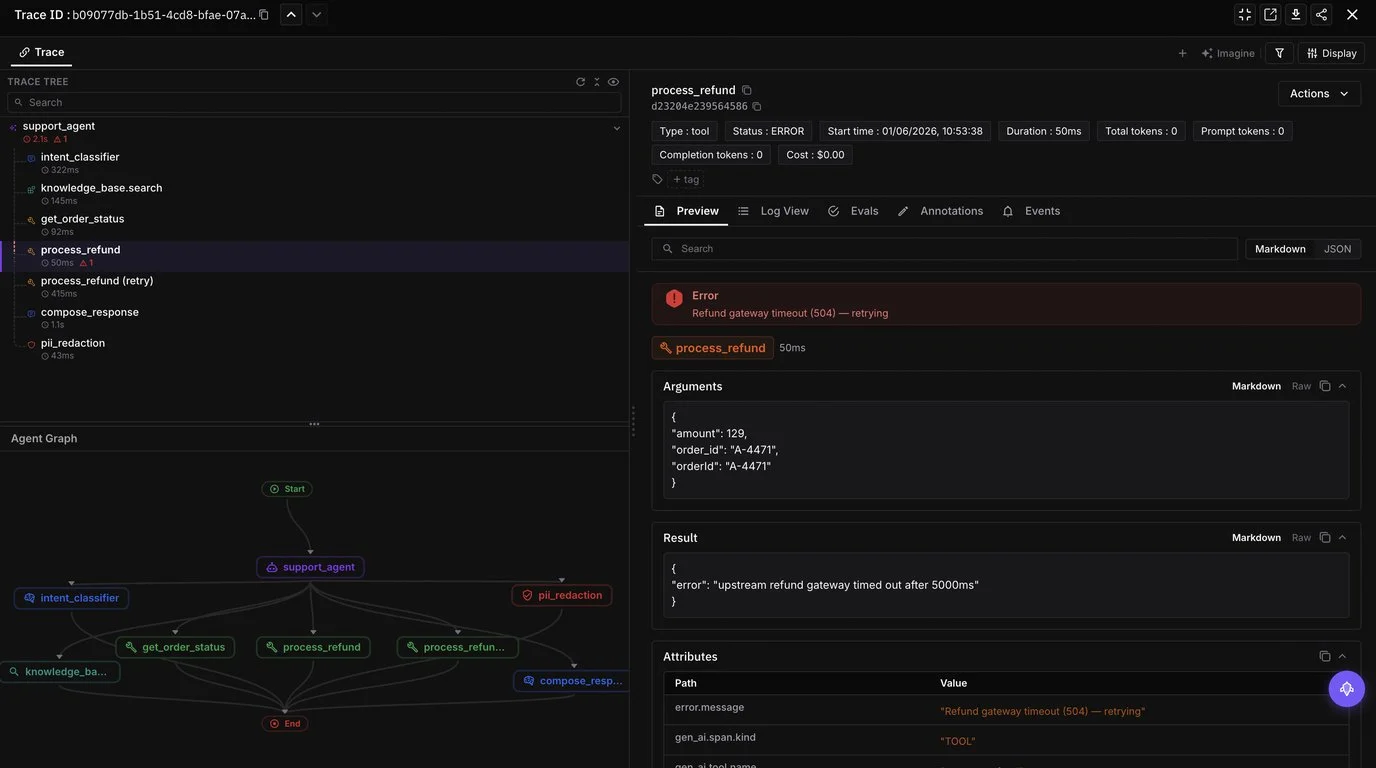
traceAI is the Apache 2.0 OpenTelemetry instrumentation that captures every prompt, response, latency, and token count per span. Source at github.com/future-agi/traceAI.
Start free: futureagi.com/pricing.
Frequently Asked Questions
What is the highest-impact prompt-format change to make in 2026?
Should I use XML tags, JSON, or markdown to delimit sections of my prompt?
How many few-shot examples should I include in a 2026 prompt?
Do reasoning models like GPT-5 and Claude 4.7 still need explicit chain-of-thought instructions?
How do I measure whether a prompt change is actually better?
What prompt engineering means in 2026 after Bayesian, GEPA, and ProTeGi optimizers. Anatomy, techniques, tools, and where hand-tuning still earns its keep.

DSPy, FutureAGI Prompt Optimizer, PromptFoo, OpenAI Playground, Helicone Prompts, Braintrust Prompts, plus tradeoffs for 2026 prompt engineering workflows.
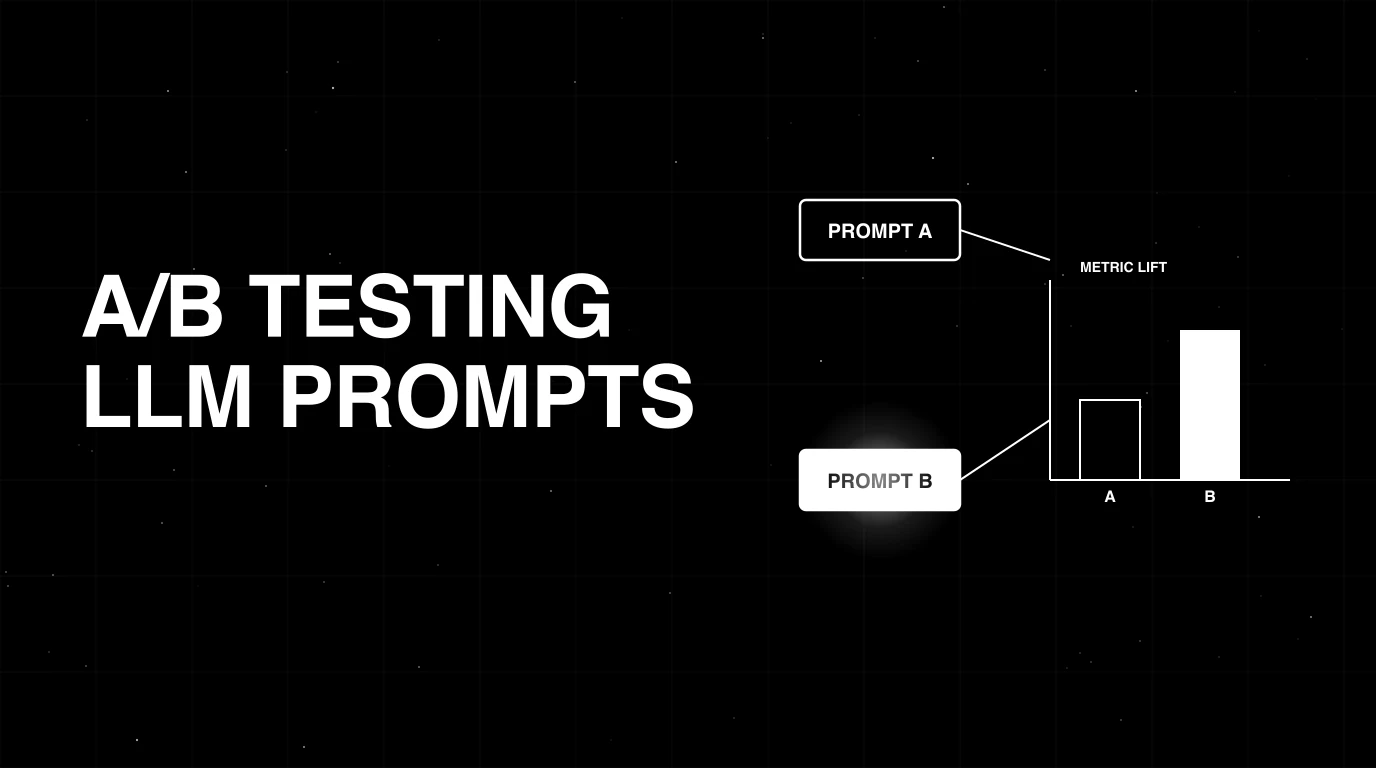
A/B testing LLM prompts without power analysis is theater. The 2026 playbook: MDE, sample sizing, matched pairs, bootstrap CIs, bandits, and rollout.