How to Optimize Pipecat Voice Agent Latency in 2026: 12 Techniques with Real Pipeline Code
Cut Pipecat voice agent latency to sub-500ms p95 in 2026. 12 techniques with real pipeline code: streaming STT, partial TTS, prefix caching, routing.
Table of Contents
To cut Pipecat voice agent latency to a sub-500ms P95 in 2026, you keep the frame-based pipeline streaming end-to-end and wire 12 targeted optimizations into the right Pipeline slots. The frame architecture already streams TextFrames from LLMService into TTSService natively, but most production Pipecat deployments break that chain in three places: a custom FrameProcessor that buffers, a non-streaming HTTP TTS, or a context aggregator that waits for the full LLM response. This guide maps each of the 12 latency techniques from our voice agent latency hub to the exact Pipecat class, frame, and pipeline slot you need, with code you can paste into a working service.
TL;DR: Pipecat knob to expected win
| # | Technique | Pipecat surface | P95 win |
|---|---|---|---|
| 1 | Streaming STT first partials | DeepgramSTTService(interim_results=True) + custom FrameProcessor reading InterimTranscriptionFrame | 200-400ms |
| 2 | Partial LLM tokens into TTS | Native. Pipeline([..., llm, tts, ...]) streams TextFrames | 200-500ms |
| 3 | LLM prompt prefix caching | AnthropicLLMService(enable_prompt_caching=True) + stable LLMContext | 200-400ms TTFT |
| 4 | Edge model routing | Per-region OpenAILLMService(base_url=...) + router FrameProcessor | 60-150ms |
| 5 | Prefetch tool calls | LLMService function calling + intent-classifier FrameProcessor | 200-400ms |
| 6 | Audio prebuffering | SileroVADAnalyzer(params=VADParams(...)) pre-warm + TTS opener | 80-200ms |
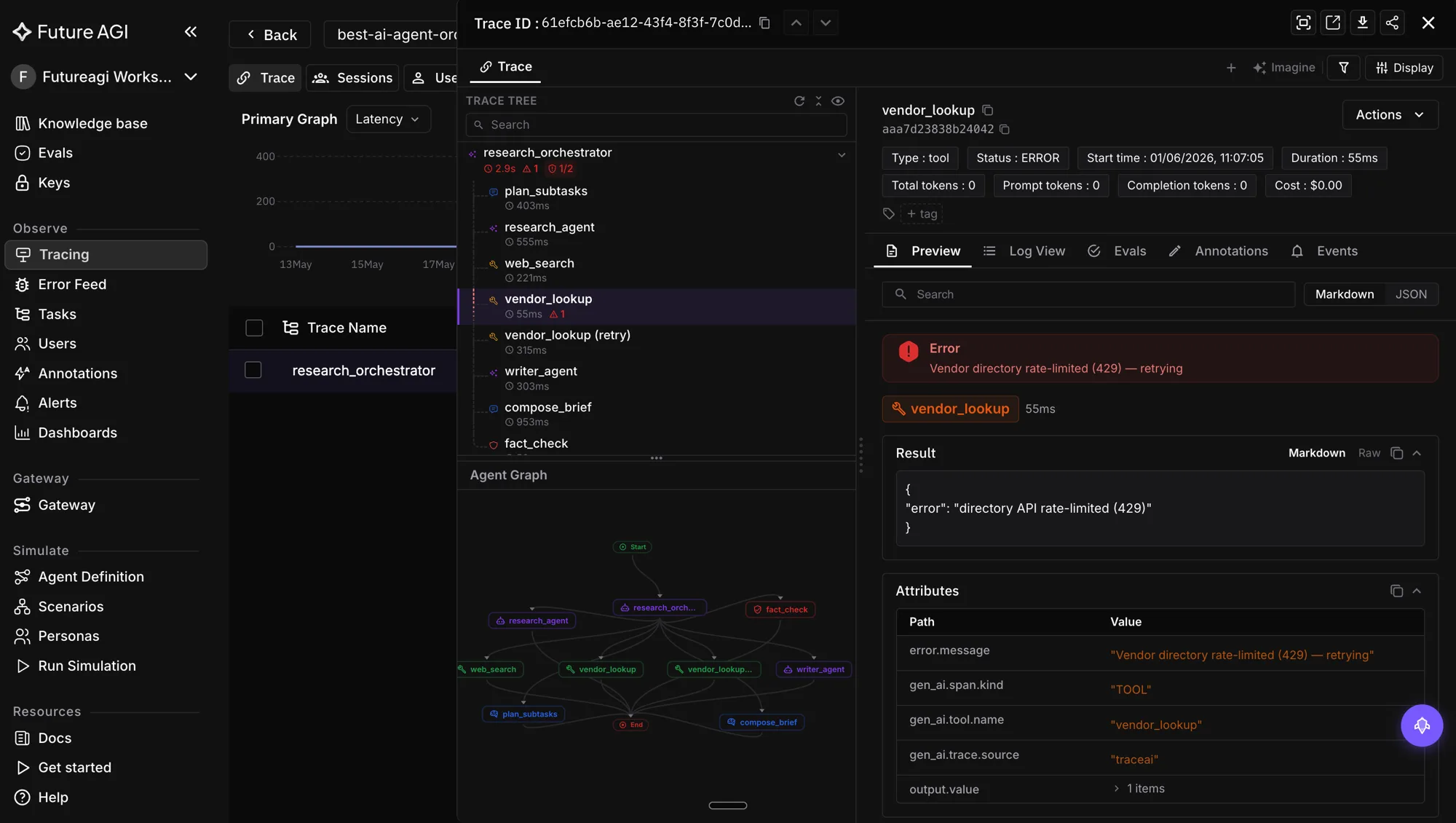
| 7 | Async evaluation | traceAI-pipecat spans into FAGI Observe + async rubrics | 100-300ms |
| 8 | Parallel TTS warm-up | CartesiaTTSService long-lived session + opener TextFrame | 50-150ms |
| 9 | Smaller models for short turns | GroqLLMService("llama-3.1-8b") routed by classifier | 100-300ms |
| 10 | Semantic cache | Cache FrameProcessor or Agent Command Center gateway | 400-800ms on hit |
| 11 | KV-cache reuse across turns | Stable LLMContext + Anthropic prefix anchoring | 100-300ms |
| 12 | Regional STT and TTS | DeepgramSTTService + CartesiaTTSService regional URLs | 30-80ms |
Stacked, these drop a 1400ms sequential Pipecat turn into the 500-700ms zone.
How to read this guide
Each technique below has the same shape. What it does restates the mechanism (the parent hub carries the theory). Pipecat surface names the class, frame, or pipeline slot. Code is a 5-15 line snippet from a real pipecat-ai==1.2.1 pipeline. Common mistake flags the way most teams accidentally undo the optimization. What Pipecat handles natively marks where the frame architecture does the work for you so you do not over-engineer.
The reason for this shape is concrete: Pipecat is a frame-based pipeline. Every optimization is either a FrameProcessor you compose into Pipeline([...]), a Service constructor argument, or a frame type you handle. Naming the surface upfront makes the diff between your current pipeline and the optimized one mechanical.
1. Streaming STT with first-partial routing
What it does. Switch from batch STT to streaming STT that emits InterimTranscriptionFrames every 100-200ms while the user is still speaking. Feed the latest partial to the LLM the moment intent confidence crosses 0.85.
Pipecat surface. DeepgramSTTService with interim_results=True emits both InterimTranscriptionFrame and TranscriptionFrame. A custom FrameProcessor between STT and the context aggregator reads the interim frames and decides whether to fire an early LLM call.
Code.
# pipecat-ai==1.2.1
from pipecat.services.deepgram.stt import DeepgramSTTService
from pipecat.frames.frames import (
    InterimTranscriptionFrame,
    TranscriptionFrame,
)
from pipecat.processors.frame_processor import FrameProcessor, FrameDirection

stt = DeepgramSTTService(
    api_key=os.getenv("DEEPGRAM_API_KEY"),
    settings=DeepgramSTTService.Settings(
        model="nova-3-general",
        interim_results=True,
        punctuate=True,
    ),
)

class EarlyIntentRouter(FrameProcessor):
    async def process_frame(self, frame, direction):
        await super().process_frame(frame, direction)
        if isinstance(frame, InterimTranscriptionFrame):
            if classify_intent(frame.text).confidence > 0.85:
                await self.push_frame(frame, FrameDirection.DOWNSTREAM)
                return
        await self.push_frame(frame, direction)
Common mistake. Leaving interim_results=False (the default in older Pipecat versions). You lose the parallel window where the LLM could be running on the partial. Always confirm interim_results=True for real-time voice.
What Pipecat handles natively. The streaming transport itself. DeepgramSTTService opens the WebSocket, handles partial framing, and pushes the frames down the pipeline. You only own the partial-routing decision.
2. Partial LLM tokens piped into TTS
What it does. Stream LLM tokens. The moment the first sentence boundary lands, fire that sentence to TTS. The user hears the first word before the LLM has finished the response.
Pipecat surface. Native. OpenAILLMService and AnthropicLLMService both emit TextFrames as tokens stream in. CartesiaTTSService consumes TextFrame with text_aggregation_mode=TextAggregationMode.SENTENCE (default), which flushes to the WebSocket TTS at sentence boundaries.
Code.
# pipecat-ai==1.2.1
from pipecat.pipeline.pipeline import Pipeline
from pipecat.services.openai.llm import OpenAILLMService
from pipecat.services.cartesia.tts import CartesiaTTSService

llm = OpenAILLMService(
    api_key=os.getenv("OPENAI_API_KEY"),
    model="gpt-4o",
)

tts = CartesiaTTSService(
    api_key=os.getenv("CARTESIA_API_KEY"),
    settings=CartesiaTTSService.Settings(
        voice="your-voice-id",
        model="sonic-3",
    ),
)

pipeline = Pipeline([
    transport.input(),
    stt,
    context_aggregator.user(),
    llm,
    tts,
    transport.output(),
    context_aggregator.assistant(),
])
Common mistake. Inserting a FrameProcessor between llm and tts that buffers all TextFrames and emits a single concatenated frame at the end. That re-introduces the sequential pattern Pipecat’s frame architecture is designed to avoid. If you need to inspect or transform the response, do it on the assistant-side context aggregator, after audio playback has already begun.
What Pipecat handles natively. The streaming text-to-audio chain. You compose the Pipeline and the framework does the work.
3. LLM prompt prefix caching
What it does. Anchor the system prompt at the top of the LLM context. Keep it byte-identical across turns. The provider caches the prefix server-side and TTFT drops 30-60% on cache hits.
Pipecat surface. AnthropicLLMService.Settings(enable_prompt_caching=True) flips the cache on. The service automatically applies cache_control to the most recent user messages, so the only discipline you have to keep is to never let your system prompt or early conversation drift across turns. LLMContext (or the legacy OpenAILLMContext) is the shared context object the user and assistant aggregators write into.
Code.
# pipecat-ai==1.2.1
from pipecat.services.anthropic.llm import AnthropicLLMService
from pipecat.processors.aggregators.llm_context import LLMContext
from pipecat.processors.aggregators.llm_response_universal import (
    LLMContextAggregatorPair,
    LLMUserAggregatorParams,
)

SYSTEM_PROMPT = """You are a support voice agent for Acme Inc.
Your job is to triage the call, surface the relevant policy,
and stay under 2 sentences per turn."""

llm = AnthropicLLMService(
    api_key=os.getenv("ANTHROPIC_API_KEY"),
    settings=AnthropicLLMService.Settings(
        model="claude-sonnet-4-5-20250929",
        enable_prompt_caching=True,
        max_tokens=512,
        temperature=0.3,
    ),
)

context = LLMContext(messages=[
    {"role": "system", "content": SYSTEM_PROMPT},
])
user_aggregator, assistant_aggregator = LLMContextAggregatorPair(context)
context_aggregator = (user_aggregator, assistant_aggregator)
Common mistake. Interpolating a timestamp, a session ID, or a randomly ordered tool list into the system prompt. Any byte drift defeats the cache. Put dynamic content at the end of the user turn, never at the top.
What Pipecat handles natively. Context persistence across turns. LLMContextAggregatorPair keeps the messages list stable, so when caching is on the prefix stays cache-friendly automatically.
4. Edge model routing
What it does. Route the voice gateway, STT, and TTS to the closest edge POP. Route the LLM call to the provider region with the freshest prefix cache for your system prompt.
Pipecat surface. Pipecat does not own DNS or geo routing, but you can pin per-region LLMService instances via the base_url constructor argument (OpenAI-compatible services) and select one with a router FrameProcessor. For OpenAI, Azure OpenAI’s regional endpoints are the common path. For Anthropic, the AWS Bedrock or GCP Vertex regional endpoints expose claude variants per region.
Code.
# pipecat-ai==1.2.1
from pipecat.services.openai.llm import OpenAILLMService

US_LLM = OpenAILLMService(
    api_key=os.getenv("OPENAI_API_KEY"),
    model="gpt-4o",
    base_url="https://api.openai.com/v1",
)
EU_LLM = OpenAILLMService(
    api_key=os.getenv("AZURE_OPENAI_API_KEY"),
    model="gpt-4o",
    base_url="https://my-eu-deployment.openai.azure.com/v1",
)

def llm_for_region(region: str):
    return EU_LLM if region.startswith("eu-") else US_LLM
Common mistake. Building one Pipeline per region with separate processors and serializing the routing decision through process boundaries. Keep the routing inside one process by holding the LLM instances in a dict and selecting on session start. The router FrameProcessor only needs to dispatch frames to the right subgraph.
What Pipecat handles natively. Nothing. This one is wiring you own.
5. Prefetch tool calls on high-confidence intent
What it does. When STT first-partial intent confidence is above 0.85, fire the tool call in parallel with the LLM call. If the user changes intent in later partials, cancel the prefetched call.
Pipecat surface. Pre-register tools with the LLMService function-calling API. Insert a custom FrameProcessor between STT and the context aggregator that watches InterimTranscriptionFrames, classifies intent, and kicks off the tool call as an asyncio task. The task result is stashed in a session-local cache the function handler reads from.
Code.
# pipecat-ai==1.2.1
import asyncio
from pipecat.processors.frame_processor import FrameProcessor, FrameDirection
from pipecat.frames.frames import InterimTranscriptionFrame

TOOL_INTENTS = {"check_order_status", "lookup_account", "check_balance"}
prefetch_cache: dict[str, asyncio.Task] = {}

class ToolPrefetcher(FrameProcessor):
    async def process_frame(self, frame, direction):
        await super().process_frame(frame, direction)
        if isinstance(frame, InterimTranscriptionFrame):
            intent = classify_intent(frame.text)
            if intent.confidence > 0.85 and intent.name in TOOL_INTENTS:
                key = f"{self.session_id}:{intent.name}"
                if key not in prefetch_cache:
                    prefetch_cache[key] = asyncio.create_task(
                        call_tool(intent.name, intent.args)
                    )
        await self.push_frame(frame, direction)
Common mistake. Firing the tool inside the LLM function call handler. By that point the LLM has already finished its first decision pass and the 200-400ms parallel window is gone. Prefetch on partials, then have the function handler await the cached task instead of starting a fresh call.
What Pipecat handles natively. Function-call registration and invocation. Your job is the prefetch decision.
6. Audio prebuffering and VAD pre-warm
What it does. Open the TTS connection the moment STT detects user-end-of-turn. Pre-warm the VAD so the first speech frame triggers detection in 10-20ms rather than 100ms cold.
Pipecat surface. SileroVADAnalyzer runs on ONNX and is configured via VADParams. Initialize it at startup so the model is loaded before the first user audio frame arrives. CartesiaTTSService keeps a long-lived WebSocket session for the lifetime of the pipeline; first-audio latency depends on that session being warm.
Code.
# pipecat-ai==1.2.1
from pipecat.audio.vad.silero import SileroVADAnalyzer
from pipecat.audio.vad.vad_analyzer import VADParams
from pipecat.processors.aggregators.llm_context import LLMContext
from pipecat.processors.aggregators.llm_response_universal import (
    LLMContextAggregatorPair,
    LLMUserAggregatorParams,
)

vad = SileroVADAnalyzer(
    sample_rate=16000,
    params=VADParams(
        confidence=0.7,
        start_secs=0.15,
        stop_secs=0.3,
        min_volume=0.6,
    ),
)

context = LLMContext(messages=[{"role": "system", "content": SYSTEM_PROMPT}])
user_aggregator, assistant_aggregator = LLMContextAggregatorPair(
    context,
    user_params=LLMUserAggregatorParams(vad_analyzer=vad),
)
Common mistake. Leaving stop_secs at 0.5 or higher. That’s a half-second of silence before Pipecat agrees the user is done. Tune to 0.2-0.3 for conversational agents. Re-test barge-in behavior after tuning since aggressive stop_secs can clip slow speakers.
What Pipecat handles natively. VAD lifecycle, ONNX model loading, and audio frame routing. You own the VADParams tuning.
7. Async evaluation with traceAI-pipecat
What it does. Score conversations after the turn commits rather than blocking the critical path on an LLM judge. Pipecat emits OpenTelemetry spans; FAGI ingests them as OpenInference spans and runs eval rubrics asynchronously against the trace.
Pipecat surface. pipecat-ai[tracing] installs the OpenTelemetry exporters. traceAI-pipecat adds the OpenInference attribute mapping and lands the spans in a FAGI Observe project. The eval engine reads spans, scores against rubrics, and writes scores back without touching the live pipeline.
Code.
# pipecat-ai==1.2.1 ; traceAI-pipecat==0.1.x
# pip install traceAI-pipecat pipecat-ai[tracing]
import os
from fi_instrumentation import register
from fi_instrumentation.fi_types import ProjectType
from traceai_pipecat import enable_http_attribute_mapping
from pipecat.pipeline.task import PipelineTask, PipelineParams

os.environ["FI_API_KEY"] = "your-future-agi-api-key"
os.environ["FI_SECRET_KEY"] = "your-future-agi-secret-key"

register(
    project_type=ProjectType.OBSERVE,
    project_name="pipecat-voice-app",
    set_global_tracer_provider=True,
)
enable_http_attribute_mapping()

task = PipelineTask(
    pipeline,
    params=PipelineParams(enable_metrics=True),
    enable_tracing=True,
    enable_turn_tracking=True,
    conversation_id=conversation_id,
)
ai-evaluation ships 70+ pre-built eval templates including audio_transcription, audio_quality, conversation_coherence, conversation_resolution, and task_completion. Attach them to the Observe project once and they score every captured Pipecat conversation. The async path keeps the eval cost off the turn budget.
Common mistake. Wiring an inline LLM judge into a FrameProcessor between the context aggregator and transport.output(). That blocks audio output on a 200-500ms judge call and shreds the latency budget. Always route evals async via the trace; reserve inline guardrails for Future AGI Protect, which is sub-100ms.
What Pipecat handles natively. Span emission for every service in the pipeline. The framework’s enable_tracing=True is the switch; traceAI-pipecat adds the FAGI-side attribute mapping.
8. Parallel TTS warm-up
What it does. Keep a warm TTS session open from the moment the pipeline starts. The first sentence boundary arrives at TTS with the WebSocket already authenticated, the voice preloaded, and the model warmed.
Pipecat surface. CartesiaTTSService and ElevenLabsTTSService both maintain long-lived WebSocket sessions for the lifetime of the pipeline. Pipecat opens the connection when the PipelineTask starts running. You speed up first-audio by sending a one-word TextFrame as a primer at the start of the session.
Code.
# pipecat-ai==1.2.1
from pipecat.frames.frames import TextFrame
from pipecat.pipeline.runner import PipelineRunner

async def warm_pipeline(task):
    # Prime TTS with a silent or near-silent opener
    # before the first user audio arrives.
    await task.queue_frame(TextFrame(text=" "))

runner = PipelineRunner(handle_sigint=False)
warm_task = asyncio.create_task(warm_pipeline(task))
await runner.run(task)
Common mistake. Re-creating the CartesiaTTSService per turn. The session WebSocket teardown plus rebuild is 200-300ms. Construct the service once at startup and let Pipecat manage the lifetime.
What Pipecat handles natively. WebSocket session lifecycle, reconnection, and 5-minute inactivity timeout handling. You only own the primer.
9. Smaller models for short turns
What it does. Route short conversational turns (“yes”, “thanks”, “can you repeat that”) to a smaller and faster model. Route complex tool turns to the larger model.
Pipecat surface. Construct two LLMService instances, one fast and one capable, and place a router FrameProcessor upstream that decides which to dispatch to. GroqLLMService with llama-3.3-70b-versatile or llama-3.1-8b is the natural fast lane; OpenAILLMService with gpt-4o or AnthropicLLMService with claude-sonnet-4-5-20250929 is the capable lane.
Code.
# pipecat-ai==1.2.1
from pipecat.services.groq.llm import GroqLLMService
from pipecat.services.openai.llm import OpenAILLMService

fast_llm = GroqLLMService(
    api_key=os.getenv("GROQ_API_KEY"),
    settings=GroqLLMService.Settings(
        model="llama-3.1-8b",
        temperature=0.3,
        max_completion_tokens=256,
    ),
)
capable_llm = OpenAILLMService(
    api_key=os.getenv("OPENAI_API_KEY"),
    model="gpt-4o",
)

class ModelRouter(FrameProcessor):
    def __init__(self, fast, capable, **kwargs):
        super().__init__(**kwargs)
        self._fast = fast
        self._capable = capable

    async def process_frame(self, frame, direction):
        await super().process_frame(frame, direction)
        if isinstance(frame, TranscriptionFrame):
            target = self._fast if is_short_turn(frame.text) else self._capable
            await target.process_frame(frame, direction)
            return
        await self.push_frame(frame, direction)
Common mistake. Routing every turn to gpt-4o or claude-sonnet-4-5 for “quality reasons”. Quality on a yes/no turn is identical between models; the 200-400ms TTFT difference is not. For multi-model routing in front of all your LLMs, the Agent Command Center covers 15+ providers behind one endpoint with per-route policy.
What Pipecat handles natively. The LLMService interface that lets you treat Groq, OpenAI, Anthropic, and Gemini as interchangeable in a pipeline.
10. Semantic cache for common intents
What it does. Embed the user’s first-partial transcript. Search a cache of recently-answered queries by embedding similarity. If a hit lands above the threshold, return the cached audio in 30-80ms instead of running the full STT to LLM to TTS pipeline.
Pipecat surface. Two paths. Path A is a custom FrameProcessor that intercepts TranscriptionFrames, queries a vector cache, and pushes an AudioRawFrame directly downstream of TTS on a hit. Path B is the Agent Command Center, which sits in front of the LLM endpoint and serves semantic-cache hits at the gateway.
Code (Path A, custom processor).
# pipecat-ai==1.2.1
from pipecat.frames.frames import (
    TranscriptionFrame,
    AudioRawFrame,
    LLMMessagesFrame,
)
from pipecat.processors.frame_processor import FrameProcessor, FrameDirection

class SemanticCache(FrameProcessor):
    def __init__(self, vector_store, tenant_id, threshold=0.92, **kwargs):
        super().__init__(**kwargs)
        self._store = vector_store
        self._tenant = tenant_id
        self._threshold = threshold

    async def process_frame(self, frame, direction):
        await super().process_frame(frame, direction)
        if isinstance(frame, TranscriptionFrame):
            embedding = embed(frame.text)
            hit = self._store.search(
                embedding,
                filter={"tenant_id": self._tenant},
                threshold=self._threshold,
            )
            if hit:
                await self.push_frame(
                    AudioRawFrame(
                        audio=hit.audio_bytes,
                        sample_rate=hit.sample_rate,
                        num_channels=1,
                    ),
                    FrameDirection.DOWNSTREAM,
                )
                return
        await self.push_frame(frame, direction)
Common mistake. Caching without tenant_id filtering. Cross-tenant answer leakage is a security incident, not just a quality regression. Always filter by tenant and per-customer context. Hit rates of 15-30% are realistic on support agents.
What Pipecat handles natively. Frame routing and audio playback. The cache logic is yours unless you offload it to the gateway.
11. KV-cache reuse across turns
What it does. Provider prompt/session caching reduces repeated prefix processing on multi-turn calls. The model skips reprocessing the conversation history that is already cached server-side.
Pipecat surface. Same as technique 3: stable LLMContext plus enable_prompt_caching=True on AnthropicLLMService. The win compounds on turns 2 onward because the entire conversation prefix (system prompt + earlier turns) sits in the cache, not just the system prompt.
Code.
# pipecat-ai==1.2.1
from pipecat.services.anthropic.llm import AnthropicLLMService
from pipecat.processors.aggregators.llm_context import LLMContext
from pipecat.processors.aggregators.llm_response_universal import (
    LLMContextAggregatorPair,
    LLMUserAggregatorParams,
)

context = LLMContext(messages=[
    {"role": "system", "content": SYSTEM_PROMPT},
])

# Pipecat appends user + assistant turns to the same LLMContext
# across the full conversation. With enable_prompt_caching=True,
# every turn after the first reuses the cached prefix.
llm = AnthropicLLMService(
    api_key=os.getenv("ANTHROPIC_API_KEY"),
    settings=AnthropicLLMService.Settings(
        model="claude-sonnet-4-5-20250929",
        enable_prompt_caching=True,
        max_tokens=512,
    ),
)
user_aggregator, assistant_aggregator = LLMContextAggregatorPair(context)
Common mistake. Resetting the LLMContext between turns or rebuilding it from a database on every turn. That breaks cache hits. Hold the context object for the lifetime of the conversation and let the aggregators append to it.
What Pipecat handles natively. Context aggregation. Pipecat appends user and assistant frames into the same LLMContext so the prefix grows monotonically.
12. Regional routing for STT and TTS
What it does. Pin STT and TTS to the closest regional endpoint. Many providers route based on the gateway’s region by default, but the explicit base_url parameter can shave 30-80ms on round-trips.
Pipecat surface. DeepgramSTTService and CartesiaTTSService both accept overrides for the underlying WebSocket URL. For Deepgram, the regional endpoint is the same hostname with the regional resolution handled at the edge. For Cartesia, the default WebSocket URL is wss://api.cartesia.ai/tts/websocket; set it explicitly when you need a regional override.
Code.
# pipecat-ai==1.2.1
from pipecat.services.deepgram.stt import DeepgramSTTService
from pipecat.services.cartesia.tts import CartesiaTTSService

# EU-pinned services for an EU gateway
stt_eu = DeepgramSTTService(
    api_key=os.getenv("DEEPGRAM_API_KEY"),
    settings=DeepgramSTTService.Settings(
        model="nova-3-general",
        interim_results=True,
        endpoint="wss://api.deepgram.com/v1/listen",  # provider-pinned
    ),
)

tts_eu = CartesiaTTSService(
    api_key=os.getenv("CARTESIA_API_KEY"),
    settings=CartesiaTTSService.Settings(
        voice="your-voice-id",
        model="sonic-3",
    ),
)
Common mistake. Running a US-hosted Pipecat agent for EU users without checking the per-stage latency. The fix is geo-routed DNS at the load balancer level so each session lands in the right region from the first audio frame.
What Pipecat handles natively. Nothing region-aware. You own the geo routing layer above Pipecat.
Bonus: SmartTurnAnalyzer for turn-taking on Pipecat
VAD answers “is someone speaking?” SmartTurn answers “is the user actually finished?” The two are not the same. A user pausing for breath after the fourth word of a long sentence is still mid-turn; VAD alone will trigger the LLM prematurely 5-15% of the time on conversational traffic, which forces a barge-in flush every time the user resumes. SmartTurn cuts that error rate.
Pipecat surface. LocalSmartTurnAnalyzerV3 runs an ONNX model on the audio buffer to classify end-of-turn. Compose it with SileroVADAnalyzer via TurnAnalyzerUserTurnStopStrategy so VAD handles fast voice presence and SmartTurn handles end-of-turn decisions.
# pipecat-ai==1.2.1
from pipecat.audio.turn.smart_turn.local_smart_turn_v3 import LocalSmartTurnAnalyzerV3
from pipecat.audio.vad.silero import SileroVADAnalyzer
from pipecat.turns.user_stop import TurnAnalyzerUserTurnStopStrategy
from pipecat.turns.user_turn_strategies import UserTurnStrategies
from pipecat.processors.aggregators.llm_context import LLMContext
from pipecat.processors.aggregators.llm_response_universal import (
    LLMContextAggregatorPair,
    LLMUserAggregatorParams,
)

context = LLMContext(messages=[{"role": "system", "content": SYSTEM_PROMPT}])
user_aggregator, assistant_aggregator = LLMContextAggregatorPair(
    context,
    user_params=LLMUserAggregatorParams(
        user_turn_strategies=UserTurnStrategies(
            stop=[TurnAnalyzerUserTurnStopStrategy(
                turn_analyzer=LocalSmartTurnAnalyzerV3()
            )]
        ),
        vad_analyzer=SileroVADAnalyzer(),
    ),
)
Common mistake. Treating SmartTurn as a VAD replacement. It is a turn-taking decision layer that sits on top of VAD. Drop VAD and you lose the cheap and fast voice-presence signal.
What Pipecat handles natively. Composition of multiple turn strategies into a single user-side aggregator.
Stacking the techniques: a Pipecat pipeline that hits sub-500ms
Here is what a real Pipecat voice agent looks like with the 12 techniques wired in. Around 50 lines, runnable as the entrypoint of a Pipecat Cloud service.
# pipecat-ai==1.2.1 ; traceAI-pipecat==0.1.x
# pip install pipecat-ai[tracing] traceAI-pipecat
import asyncio
import os

from fi_instrumentation import register
from fi_instrumentation.fi_types import ProjectType
from traceai_pipecat import enable_http_attribute_mapping

from pipecat.pipeline.pipeline import Pipeline
from pipecat.pipeline.task import PipelineTask, PipelineParams
from pipecat.pipeline.runner import PipelineRunner
from pipecat.audio.vad.silero import SileroVADAnalyzer
from pipecat.audio.vad.vad_analyzer import VADParams
from pipecat.audio.turn.smart_turn.local_smart_turn_v3 import LocalSmartTurnAnalyzerV3
from pipecat.turns.user_stop import TurnAnalyzerUserTurnStopStrategy
from pipecat.turns.user_turn_strategies import UserTurnStrategies
from pipecat.processors.aggregators.llm_context import LLMContext
from pipecat.processors.aggregators.llm_response_universal import (
    LLMContextAggregatorPair,
    LLMUserAggregatorParams,
)
from pipecat.services.deepgram.stt import DeepgramSTTService
from pipecat.services.anthropic.llm import AnthropicLLMService
from pipecat.services.cartesia.tts import CartesiaTTSService

SYSTEM_PROMPT = """You are a support voice agent for Acme Inc.
Stay under 2 sentences per turn. Use the lookup_account tool when asked."""

register(
    project_type=ProjectType.OBSERVE,
    project_name="pipecat-voice-app",
    set_global_tracer_provider=True,
)
enable_http_attribute_mapping()

stt = DeepgramSTTService(
    api_key=os.getenv("DEEPGRAM_API_KEY"),
    settings=DeepgramSTTService.Settings(
        model="nova-3-general", interim_results=True, punctuate=True,
    ),
)
llm = AnthropicLLMService(
    api_key=os.getenv("ANTHROPIC_API_KEY"),
    settings=AnthropicLLMService.Settings(
        model="claude-sonnet-4-5-20250929",
        enable_prompt_caching=True,
        max_tokens=512,
    ),
)
tts = CartesiaTTSService(
    api_key=os.getenv("CARTESIA_API_KEY"),
    settings=CartesiaTTSService.Settings(voice="your-voice-id", model="sonic-3"),
)

context = LLMContext(messages=[{"role": "system", "content": SYSTEM_PROMPT}])
user_aggregator, assistant_aggregator = LLMContextAggregatorPair(
    context,
    user_params=LLMUserAggregatorParams(
        vad_analyzer=SileroVADAnalyzer(
            sample_rate=16000,
            params=VADParams(confidence=0.7, start_secs=0.15, stop_secs=0.3),
        ),
        user_turn_strategies=UserTurnStrategies(
            stop=[TurnAnalyzerUserTurnStopStrategy(turn_analyzer=LocalSmartTurnAnalyzerV3())]
        ),
    ),
)

pipeline = Pipeline([
    transport.input(),
    stt,
    user_aggregator,
    llm,
    tts,
    transport.output(),
    assistant_aggregator,
])

task = PipelineTask(
    pipeline,
    params=PipelineParams(enable_metrics=True, audio_in_sample_rate=16000),
    enable_tracing=True,
    enable_turn_tracking=True,
)
await PipelineRunner(handle_sigint=False).run(task)
This pipeline gets you techniques 1, 2, 3, 6, 7, 8, 11, and the SmartTurn bonus out of the box. Techniques 4, 5, 9, 10, and 12 are added by inserting one or two more FrameProcessors and per-region service instances. The shape never changes: build the pipeline, drop in the processors that own the optimization, run the task.
Future AGI for Pipecat monitoring
traceAI captures TTFT plus per-stage latency for STT, LLM, TTS, and tool calls as OpenInference span attributes. 30+ documented integrations across Python and TypeScript including traceAI-pipecat and traceai-livekit cover the voice frameworks teams actually run. For Pipecat, the install is one line:
pip install traceAI-pipecat pipecat-ai[tracing]The register + enable_http_attribute_mapping() pattern lands every Pipecat service call as an OpenInference span in the FAGI Observe project. Native voice obs ingests gen_ai.voice.* and gen_ai.evaluation.* namespaces, so audio-aware rubrics like audio_transcription, audio_quality, conversation_coherence, conversation_resolution, and task_completion score every captured Pipecat conversation. Audio inputs use MLLMAudio(url="path", local=True) when you want to attach the recording inline.
ai-evaluation ships 70+ pre-built eval templates plus unlimited custom evaluators authored by an in-product agent that reads your code and traces. In-house classifier models are tuned for the LLM-as-judge cost and latency tradeoff so async scoring stays affordable at production volume. Programmatic eval API for configure + re-run. Apache 2.0.
agent-opt ships 6 prompt optimizers (Bayesian Search, Meta-Prompt per arXiv 2505.09666, ProTeGi, GEPA Genetic-Pareto per arXiv 2507.19457, Random Search per arXiv 2311.09569, and PromptWizard) that tune your Pipecat system prompt against live trace data. When eval scores plateau, agent-opt closes the loop on the prompt that drives the LLM behind the voice agent.
Future AGI Protect is the sub-100ms inline guardrail (per arXiv 2510.13351). Protect runs across 4 safety dimensions (Content Moderation, Bias Detection, Security, Data Privacy Compliance) on Gemma 3n with LoRA-trained adapters. Multi-modal across text, image, and audio. ProtectFlash is the single-call binary classifier path. Either fits inside a sub-500ms Pipecat budget, which is the difference between guarding the response on the critical path and stripping safety out to make latency.
The Agent Command Center hosts the whole stack with RBAC, AWS Marketplace, multi-region, SOC 2 Type II, HIPAA, GDPR, CCPA, and ISO 27001 certifications per the trust page. If you want semantic caching, multi-provider routing, and per-route policy in front of your Pipecat LLM call without writing it yourself, that is where it lives.
Related reading
- How to Optimize Voice Agent Latency in 2026: 12 Techniques
- Voice AI Observability for Pipecat: A 2026 Implementation Guide
- Sub-500ms Voice AI: The Complete Latency Budget Guide for 2026
- How to Measure Voice AI Latency: The Complete 2026 Guide
- Audio Caching for Voice AI: A Developer’s Guide to Latency Reduction in 2026
- How to Implement Voice AI Observability in 2026
Sources
- Pipecat documentation: docs.pipecat.ai
- Pipecat OpenTelemetry tracing: pipecat OTel reference
- SmartTurn turn detection: pipecat smart-turn overview
- Future AGI Protect benchmarks: arXiv 2510.13351
- GEPA Genetic-Pareto: arXiv 2507.19457
- Meta-Prompt: arXiv 2505.09666
- Random Search prompt optimization: arXiv 2311.09569
- OpenInference span specification: github.com/Arize-ai/openinference
- Future AGI trust and compliance: futureagi.com/trust
Frequently Asked Questions
What is the single biggest Pipecat latency win in 2026?
How do I enable Anthropic prompt caching inside Pipecat?
Where do I prefetch tool calls in a Pipecat pipeline?
Can Pipecat send spans to Future AGI for observability?
When should I swap SileroVADAnalyzer for SmartTurnAnalyzer in Pipecat?
How do I route short turns to a smaller model in Pipecat?
What latency does Future AGI Protect add to a Pipecat turn?
Do I have to write a semantic cache myself in Pipecat?
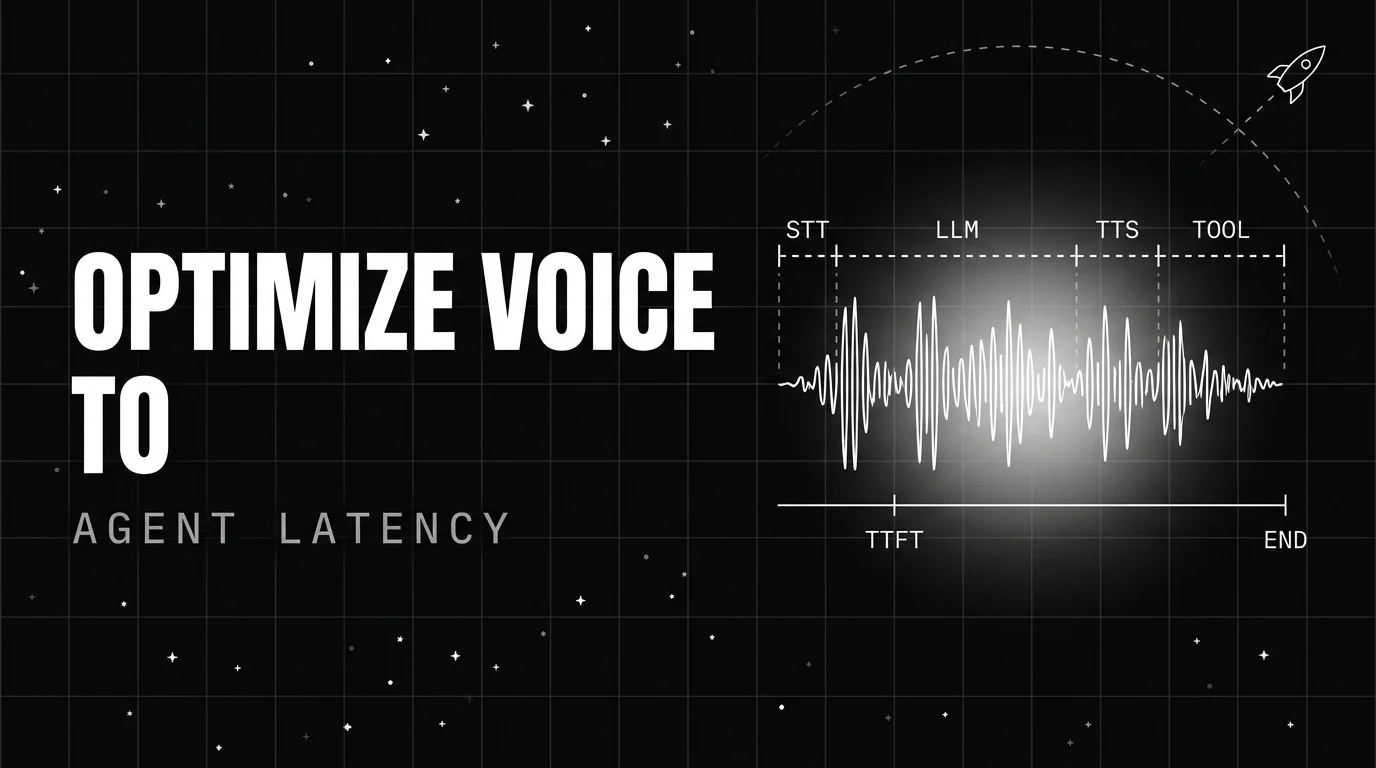
12 production techniques to cut voice agent latency in 2026. Streaming STT, prefix caching, prefetch tool calls, semantic cache, KV reuse, edge.

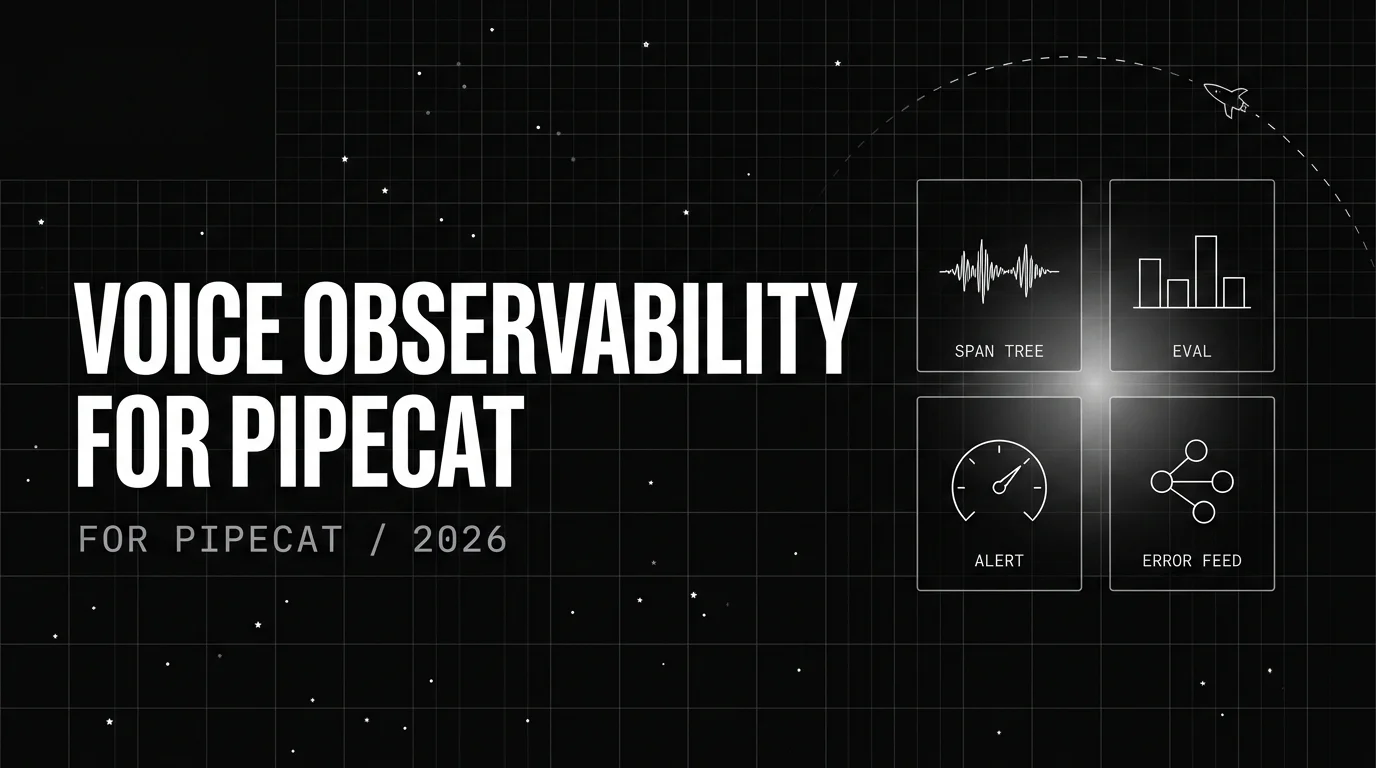
Implement voice observability for Pipecat with traceAI-pipecat: install, register, enable HTTP attribute mapping, attach audio + multi-turn eval rubrics.

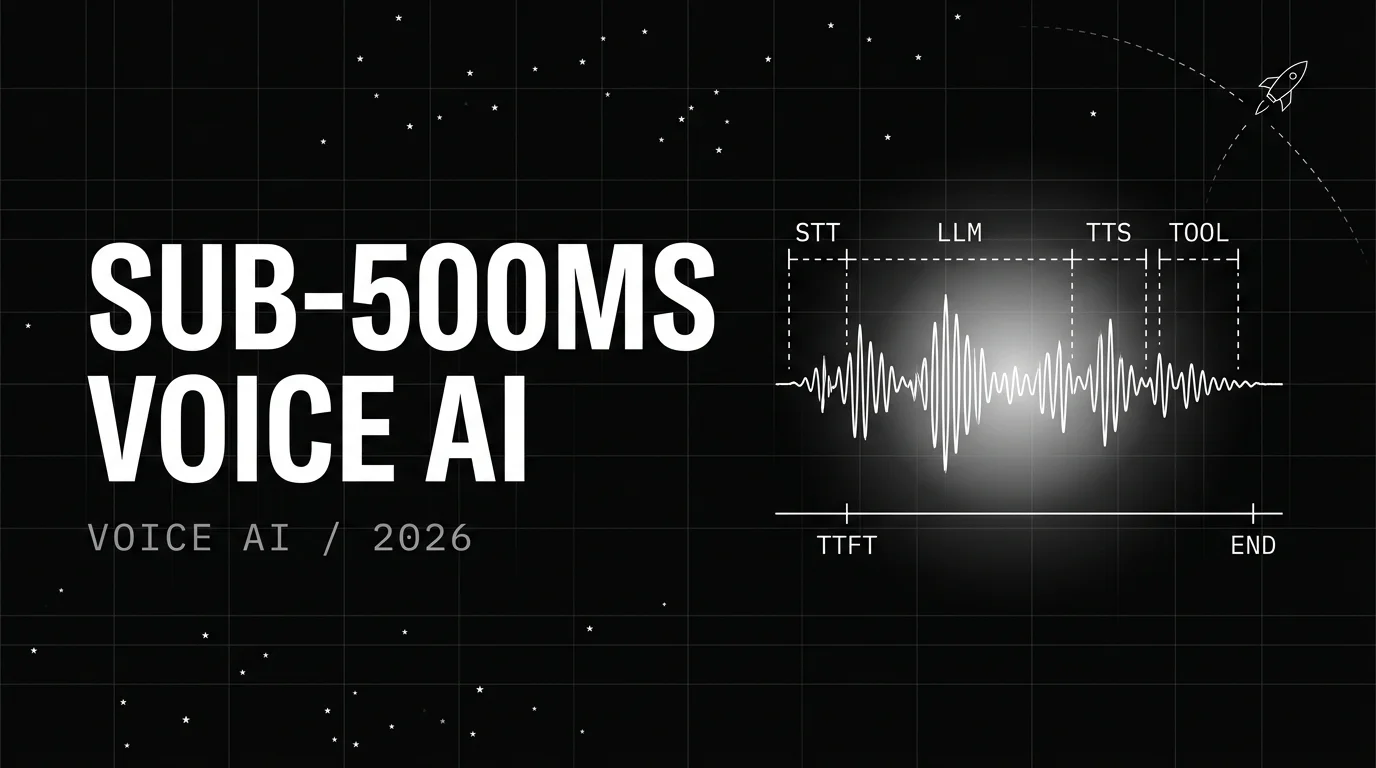
How to hit a sub-500ms P95 voice AI turn in 2026. Per-stage budget, engineering choices, when sub-500ms is the right target and when it is not.