How to Evaluate TTS Quality for Voice AI in 2026: SSML + MOS + Rubrics
Evaluate TTS quality for voice AI in 2026 with audio_quality rubrics, MOS scoring, SSML snapshot regression, and A/B provider comparison via Future AGI.
Table of Contents
TTS quality is the part of a voice stack that fails silently. Transcripts read fine, eval rubrics on the LLM look green, and the customer still hangs up because the assistant said the product name wrong or the prosody flattened after a voice update. This guide walks through a six-step evaluation loop that catches those failures before they ship, using rubric-based scoring, SSML snapshot regression, and provider A/B comparison.
Step preview
- Collect TTS output samples across the providers and voices you ship.
- Score every sample with
audio_qualityplus custom rubrics for prosody, pronunciation, naturalness, and brand fit. - Freeze canonical SSML plus audio as golden pairs and re-score on every voice or model change.
- A/B compare TTS providers on the same corpus.
- Set thresholds and alert on regression.
- Run the same eval loop on live production audio captured by native voice observability.
The rest of the post fills in each step with code you can copy.
Why TTS deserves its own eval surface
Most voice eval guides stop at three rubrics: did the agent complete the task, did the conversation resolve, did the LLM say something sensible. Those are correct rubrics. They miss the TTS leg entirely.
The failure modes that show up after a voice or provider switch:
- Brand name mispronunciation. “Kazoom” becomes “kuh-zoom”. The transcript reads correct, the audio is wrong.
- Prosody flattening. Vendor pushes a voice model update. The voice sounds slightly more robotic. Every customer hears it. No transcript-based eval flags it.
- SSML breakage. A new TTS engine version interprets
<break time="200ms"/>differently. Pauses shift, timing breaks. - Number reading drift. “8842” rendered as “eighty-eight forty-two” suddenly becomes “eight thousand eight hundred forty-two”. Both are valid; only one matches your style guide.
- Locale drift. Same voice, different accents start leaking through on phrases the model was not trained on.
None of these show up in transcript-only observability. They all need audio scoring. The pattern in this guide is: rubric-scored audio on every sample, golden SSML snapshots for regression, threshold-based alerts on drift.
Step 1: Collect TTS output samples
You need a canonical corpus that covers your real utterance distribution plus your edge cases. We recommend three buckets.
Bucket A: high-volume utterances. The top 50 phrases your assistant says, by frequency. Pulled from production transcripts over the last 30 days. These are the phrases customers hear most.
Bucket B: brand-critical utterances. Brand names, product names, partner names, account numbers, dollar amounts, dates, addresses. Anything where mispronunciation costs trust.
Bucket C: SSML-marked utterances. Phrases that use <break>, <emphasis>, <prosody>, <phoneme>, or <say-as> to control rendering. These break first when providers update their engines.
For each bucket, render the audio across every TTS provider and voice you ship. ElevenLabs and Cartesia are the two voice catalogs we recommend most often, and both are wired into Future AGI’s Run Prompt and Experiments surfaces directly if you want to skip the manual rendering step.
Store the resulting audio with metadata:
sample = {
    "sample_id": "bucket_b_007",
    "bucket": "brand_critical",
    "input_text": "Welcome to Kazoom Insurance. How can I help today?",
    "ssml": '<speak>Welcome to <phoneme alphabet="ipa" ph="kəˈzum">Kazoom</phoneme> Insurance. <break time="200ms"/> How can I help today?</speak>',
    "provider": "elevenlabs",
    "voice_id": "rachel",
    "audio_url": "s3://your-bucket/tts-eval/bucket_b_007_elevenlabs_rachel.wav",
    "rendered_at": "2026-03-10T14:22:00Z",
}
A few hundred samples per provider, refreshed quarterly, is the right ongoing budget for most teams. Larger catalogs only help if you have correspondingly larger production volume.
Step 2: Score samples with audio_quality plus custom rubrics
The ai-evaluation SDK ships 70+ built-in eval templates under Apache 2.0. For TTS, five rubrics carry the load: one built-in plus four custom ones authored against your style guide.
| Rubric | Type | What it scores |
|---|---|---|
audio_quality | Built-in | TTS clarity, prosody, intelligibility on the rendered audio |
pronunciation | Custom | Whether brand names and product terms render correctly |
prosody | Custom | Sentence-level intonation, emphasis, pacing match to style guide |
naturalness | Custom | Human-like cadence versus robotic flatness |
brand_fit | Custom | Voice matches the persona and tone the brand specifies |
The built-in audio_quality rubric is the spine. Run it on every sample. The four custom rubrics fill in the dimensions specific to your brand.
Here is the end-to-end scoring loop:
from fi.testcases import MLLMTestCase, MLLMAudio
from fi.evals import Evaluator, AudioQualityEvaluator

ev = Evaluator(
    fi_api_key="your-future-agi-api-key",
    fi_secret_key="your-future-agi-secret-key",
)

# audio_quality is the built-in rubric
audio_quality = AudioQualityEvaluator()

def score_sample(sample):
    audio = MLLMAudio(url=sample["audio_url"])
    case = MLLMTestCase(
        input=audio,
        query=f"Score this TTS audio rendered from: {sample['input_text']}",
    )
    return ev.evaluate(
        eval_templates=[audio_quality],
        inputs=[case],
    )
Author your four custom rubrics (pronunciation, prosody, naturalness, brand_fit) in the FAGI product using the in-product agent: describe the rubric in natural language, the agent drafts the LLM-as-judge prompt, you review and accept, and it lands as a reusable evaluator that you attach through the configured evaluator workflow for your project alongside the built-in audio_quality.
MLLMAudio accepts seven formats out of the box: .mp3, .wav, .ogg, .m4a, .aac, .flac, .wma. URLs or local paths, with auto base64 encoding. The same loader handles whatever ElevenLabs, Cartesia, or any other provider returns.
Why audio_quality, not just transcript-based rubrics
Transcript-based rubrics score what the model said. TTS rubrics score how it said it. The two are independent failure surfaces. A correct transcript with bad TTS still loses customers. The audio_quality rubric reads the actual rendered audio. It does not depend on a transcript at all.
This matters for the failure modes we listed earlier. Pronunciation drift, prosody flattening, SSML breakage. All silent on the transcript side. All visible to a rubric that ingests the audio.
Where the in-product custom evaluator authoring sits
Author the custom pronunciation, prosody, naturalness, and brand_fit rubrics in the FAGI product. Describe the rubric in natural language, the in-product agent drafts the LLM-as-judge prompt, you review and accept, and it lands as a reusable evaluator that you attach through the configured evaluator workflow for your project. Most teams write the first rubric in the dashboard to get a working baseline before iterating.
Step 3: SSML snapshot regression
Once you have a working corpus and rubric set, freeze a subset as golden pairs. Each golden is a tuple of:
- Canonical input text
- Canonical SSML markup
- Rendered audio file (the “golden audio”)
- Baseline rubric scores at the time of freeze
- Provider, voice, and version metadata
You re-run the eval on the golden corpus on a schedule (we recommend daily for high-volume voice products) and on every voice or provider change. The pattern catches the silent failure where a TTS vendor pushes a voice model update and your scores drift.
import json
from datetime import datetime, timedelta

def regression_run(golden_corpus, current_provider, current_voice):
    drift_events = []
    for golden in golden_corpus:
        # Re-render with current provider plus voice
        current_audio_url = render_tts(
            text=golden["input_text"],
            ssml=golden["ssml"],
            provider=current_provider,
            voice_id=current_voice,
        )
        # Score the new audio
        result = score_sample({**golden, "audio_url": current_audio_url})
        # Compare to baseline
        for rubric in ["audio_quality", "pronunciation", "prosody", "naturalness", "brand_fit"]:
            baseline = golden["baseline_scores"][rubric]
            current = result.scores[rubric]
            delta = current - baseline
            if delta < -0.1 or current < 0.7:
                drift_events.append({
                    "sample_id": golden["sample_id"],
                    "rubric": rubric,
                    "baseline": baseline,
                    "current": current,
                    "delta": delta,
                    "audio_url": current_audio_url,
                })
    return drift_events
The thresholds in that snippet are the defaults we recommend: a 0.1 point drop against baseline triggers a drift event, and any absolute score below 0.7 triggers regardless of baseline. Tighten both once your per-voice sample volume stabilizes.
What goes in the golden corpus
Not every sample belongs in the golden corpus. The right inclusion criteria:
- All Bucket B (brand-critical) samples. Pronunciation drift on these is the highest-cost failure.
- A random 20 percent of Bucket A (high-volume) samples, refreshed quarterly. Stratify by length and locale.
- All Bucket C (SSML-marked) samples. SSML interpretation changes are the most common regression cause.
That gets most teams to a 150 to 300 sample golden corpus per voice. Manageable to render and score on a daily schedule, large enough to catch real drift.
Freezing the baseline
The baseline scores are the rubric outputs at the moment you decide a voice is production-ready. You run the corpus, you listen to a stratified sample with a human panel, you confirm the voice ships, you freeze that exact set of scores as the baseline. From that moment forward, every regression run compares to the frozen numbers, not to a rolling average.
The reason matters. Rolling baselines drift with the regression itself. Frozen baselines anchor against a known-good point. If a regression is real and persistent, a rolling average normalizes it away after a week. A frozen baseline keeps screaming until you intervene.
Step 4: A/B compare TTS providers
The same corpus and rubric set powers a fair provider comparison. The setup:
- Render the entire corpus across Provider A and Provider B with matched voices (closest persona match).
- Score every sample with the five rubrics.
- Aggregate by mean score per rubric, and by failure rate at a 0.7 threshold per rubric.
- Run a paired human listening test on a stratified subset (we recommend 30 samples) to validate the rubric ranking matches a human panel.
from statistics import mean

def ab_compare(corpus, provider_a, voice_a, provider_b, voice_b):
    rubrics = ["audio_quality", "pronunciation", "prosody", "naturalness", "brand_fit"]
    results = {provider_a: {r: [] for r in rubrics}, provider_b: {r: [] for r in rubrics}}

    for sample in corpus:
        for provider, voice in [(provider_a, voice_a), (provider_b, voice_b)]:
            audio_url = render_tts(
                text=sample["input_text"],
                ssml=sample["ssml"],
                provider=provider,
                voice_id=voice,
            )
            scored = score_sample({**sample, "audio_url": audio_url})
            for r in rubrics:
                results[provider][r].append(scored.scores[r])

    summary = {}
    for provider in [provider_a, provider_b]:
        summary[provider] = {
            r: {
                "mean": mean(results[provider][r]),
                "failure_rate": sum(1 for s in results[provider][r] if s < 0.7) / len(results[provider][r]),
            }
            for r in rubrics
        }
    return summary
The output is a per-rubric mean and failure rate per provider. That gives you defensible numbers to share with stakeholders when you pick the production TTS vendor.
Calibrated honesty on provider strengths
In our experience running this loop across customer voice stacks, the pattern is consistent. ElevenLabs ships the highest voice quality and the most realistic cloning. Cartesia ships the lowest-latency streaming TTS in the Sonic family. The ElevenLabs vs Cartesia deep comparison breaks down the streaming tradeoffs. Neither is universally the right pick. The eval loop in this section is what produces the answer for your specific brand, your specific utterance distribution, and your specific latency budget.
Step 5: Set thresholds and alert on regression
The thresholds you set during Step 3 (0.1 relative drop, 0.7 absolute floor) are the alerting trigger. Wire them into Error Feed so drift events cluster as named issues with auto-written root cause, supporting evidence, a quick fix, and a long-term recommendation.
The Error Feed pattern for TTS specifically. A drift event with rubric=pronunciation and delta=-0.15 lands as a span attribute on the regression run. Error Feed’s clustering layer detects a pattern across recent runs and writes the issue. Typical issue names that emerge:
- “Pronunciation drift on brand name
Kazoomafter voice model v4.7” - “SSML break-time interpretation changed after a Cartesia Sonic model update”
- “Prosody flattening on questions for ElevenLabs voice
rachelafter platform refresh”
You do not write those names. The clustering layer writes them, attaches the offending audio samples, and proposes the fix.
Hooking the alerts to engineering
The named issues route to your existing incident channel via the standard Error Feed integrations. The supporting evidence (the offending audio files, the score deltas, the SSML inputs) all attach to the issue automatically, so the on-call engineer can replay the failure without leaving the dashboard.
Step 6: Run the same loop on live production audio
The eval suite you built in steps 1 through 5 runs against any audio source. That includes live production calls captured by native voice observability.
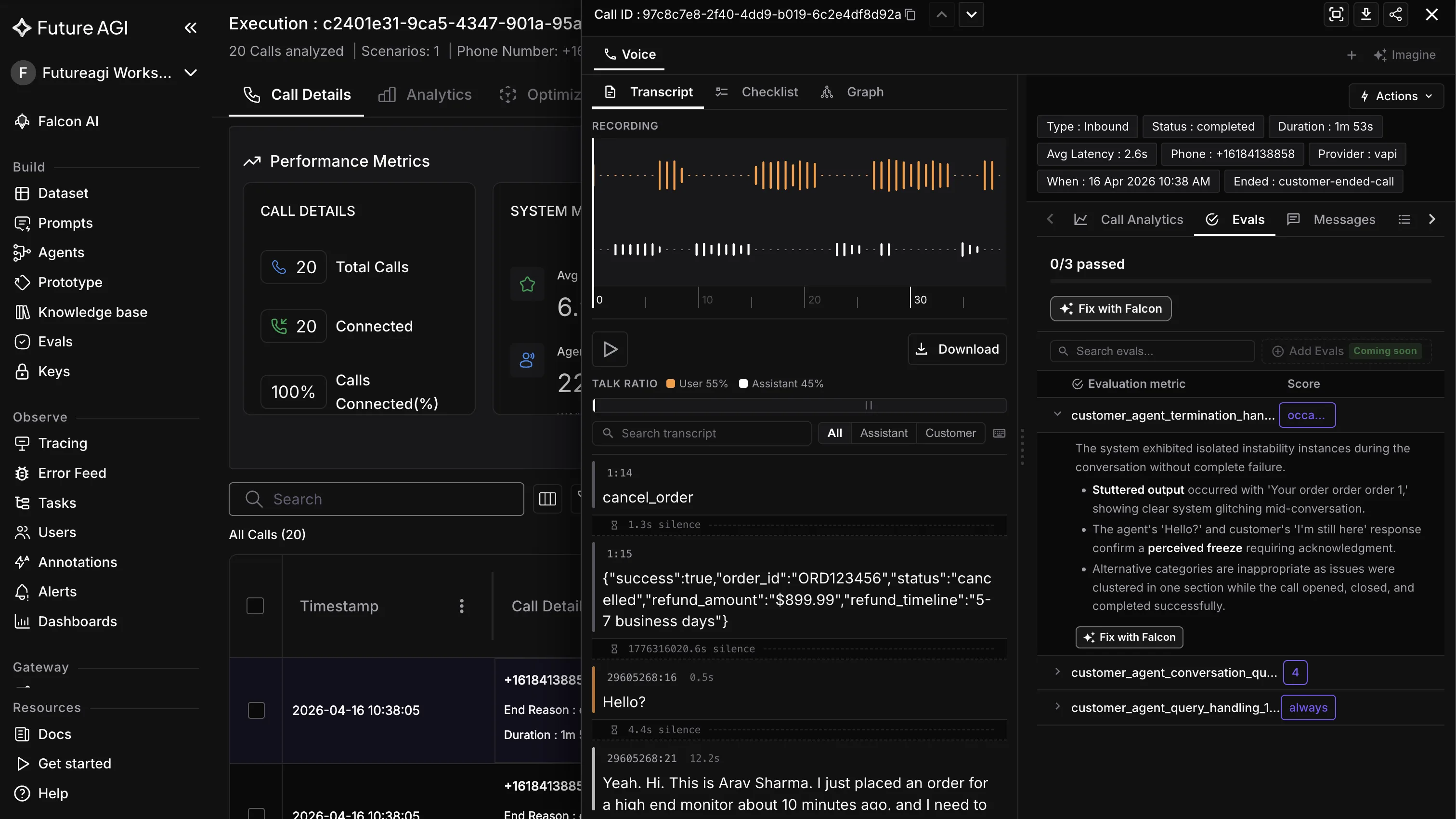
The setup: add a Vapi, Retell AI, or LiveKit Agent Definition in the Agent Command Center. Every call captures separate assistant audio and customer audio. The same audio_quality rubric you attached to your eval project attaches to the production project. It runs on every captured assistant audio leg.
The metric you watch is the running mean of audio_quality per voice per locale per day. Drift against the rolling baseline triggers the same alert path. The golden corpus regression catches drift in your test environment; the production scoring catches drift in real customer conversations.
Future AGI integration: the full TTS eval stack
Putting the pieces together, the TTS eval surface inside Future AGI looks like this:
+------------------------+       +------------------------+
| TTS providers          |       | Production voice calls |
| - ElevenLabs           |       | (Vapi / Retell /       |
| - Cartesia             |       |  LiveKit)              |
| - Native integrations  |       +-----------+------------+
+-----------+------------+                   |
            |                                | assistant.wav
            v                                v
+----------------------------------------------+
| ai-evaluation                                |
| - audio_quality                 |
| - pronunciation / prosody / naturalness /    |
|   brand_fit custom rubrics                   |
| - MLLMAudio (.mp3 .wav .ogg .m4a .aac .flac  |
|   .wma)                                      |
+----------------------+-----------------------+
                       |
                       v
+----------------------------------------------+
| Future AGI Observe                           |
| - Golden SSML snapshot baselines             |
| - Daily regression runs                      |
| - A/B provider comparison reports            |
| - Error Feed: clustered TTS regressions      |
|   with named issues + quick fixes            |
+----------------------------------------------+
ai-evaluation ships the rubrics under Apache 2.0. traceAI instruments the TTS provider call as a span when you want per-utterance latency and provider attribution alongside the quality scores. Future AGI Protect is built on Google’s Gemma 3n with LoRA-trained adapters per safety dimension (per arXiv 2510.13351). Rule-based Protect runs across the 4 documented safety dimensions (Content Moderation, Bias Detection, Security, Data Privacy Compliance); ProtectFlash is the single-call binary classifier that gives you the sub-100ms inline path for outbound audio. Agent Command Center hosts the whole stack with SOC 2 Type II, HIPAA, GDPR, CCPA, and ISO 27001 certifications per futureagi.com/trust.
For multilingual TTS eval, the same loop runs across locales. translation_accuracy and cultural_sensitivity attach as additional rubrics. Future AGI Simulation generates input text in the target language across 18 pre-built personas with accent, age, gender, location, communication style, conversation speed, and background noise controls.
Where this approach falls short (calibrated)
Human MOS panels still beat rubrics on new voice selection. For picking a new production voice, run a real human panel on a small set of voices. Rubrics catch drift; humans catch the deeper aesthetic question of whether the voice fits your brand at all. Our advice: human MOS for voice selection, rubrics for everything after.
Pronunciation rubrics need style guide investment upfront. The custom pronunciation rubric is only as good as the IPA notation in your brand style guide. Brands without a documented pronunciation guide spend the first two weeks writing one. That work is reusable across providers, but it is not zero.
Streaming TTS introduces partial-audio scoring complexity. If you stream TTS audio chunk-by-chunk (Cartesia Sonic family is the common case), most teams score at the utterance boundary by concatenating chunks before running audio_quality. Per-chunk scoring is workable but not the default pattern; design your harness around utterance-boundary scoring unless you have a specific reason to score partials.
Common pitfalls when building a TTS eval suite
Do not score the customer audio leg with TTS rubrics. The customer audio is human voice. Run audio_transcription on it for STT scoring instead. The TTS rubrics target the assistant audio leg.
Do not let the golden corpus go stale. Refresh Bucket A samples quarterly against your current production traffic distribution. Frozen baselines are correct; frozen corpora are not. Brand-critical and SSML samples stay stable longer.
Do not skip the human listening validation step. A rubric that disagrees with a human panel is a broken rubric. Burn a small budget on a paired listening test every quarter to confirm the rubric ranking still matches your team’s ear.
Do not run the eval on a tiny corpus. Under 50 samples per voice, statistical confidence on the score deltas is too low to alert on. Get to at least 150 samples per voice before turning on the regression alerts.
Do not forget locale stratification. A single mean score across locales hides drift inside one locale. Slice your dashboards by voice plus locale, alert on each combination separately.
When you have outgrown this setup
Once the six-step loop is running cleanly, the natural next move is to feed the eval results back into prompt optimization for the upstream LLM that generates the text being rendered. agent-opt ships six prompt optimizers (Bayesian Search, Meta-Prompt per arXiv 2505.09666, ProTeGi, GEPA Genetic-Pareto per arXiv 2507.19457, Random Search per arXiv 2311.09569, PromptWizard) inside the Dataset UI and as a Python library; either surface can take rubric scores as the objective signal and tune the prompts that produce TTS-friendly output (shorter sentences, brand-correct phrasings, deliberate SSML hints).
For the production monitoring playbook end-to-end, see how to monitor AI voice agents in production. For brand voice and cloning safety, see voice cloning safety and brand voice management.
Related reading
- Voice AI observability for Vapi: a 2026 implementation guide
- Voice cloning safety and brand voice management for production AI in 2026
- 7 best voice agent monitoring platforms in 2026
- How to monitor AI voice agents in production: a 2026 playbook
Sources and references
- ai-evaluation on GitHub: github.com/future-agi/ai-evaluation
- traceAI on GitHub: github.com/future-agi/traceAI
- Future AGI Protect docs: docs.futureagi.com/docs/protect
- Error Feed docs: docs.futureagi.com/docs/observe
- Agent Command Center docs: docs.futureagi.com/docs/command-center
- arXiv 2510.13351 (Protect): arxiv.org/abs/2510.13351
- arXiv 2507.19457 (GEPA Genetic-Pareto): arxiv.org/abs/2507.19457
- arXiv 2505.09666 (Meta-Prompt bilevel optimization): arxiv.org/abs/2505.09666
- arXiv 2311.09569 (Random Search baseline): arxiv.org/abs/2311.09569
- Trust page (SOC 2 + HIPAA + GDPR + CCPA + ISO 27001): futureagi.com/trust
- W3C SSML 1.1 specification
- ITU-T P.800 (Mean Opinion Score methodology, reference)
- ElevenLabs, Cartesia (plain text references; no competitor backlinks)
Frequently Asked Questions
What is the single most useful rubric for TTS quality?
How does SSML snapshot regression actually work?
Do I need human raters to compute MOS scores?
How do I A/B compare two TTS providers fairly?
What threshold should I set before alerting on a TTS regression?
Does this approach scale to multilingual TTS evaluation?
Can I run the TTS eval suite on a live production call instead of a pre-launch sample?
Implement voice AI observability for Vapi in 2026: native FAGI dashboard via Assistant ID, traceAI SDK path, audio_transcription and conversation rubrics.

Voice agent monitoring platforms ranked for 2026 by tracing depth, named voice eval rubrics, error clustering, SLOs, inline guardrails, and audio replay.
Manage voice cloning safety and brand voice for production AI in 2026 with consent capture, watermarking, voice-print policy, and Future AGI Protect.
