Automating Data Annotation for LLMs in 2026: Faster Labels, Scalable Evaluation
How to automate LLM data annotation in 2026. Calibrated LLM judges, compound vs single calls, gold-set bootstrapping, Future AGI synthetic tooling.
Table of Contents
TL;DR: Automating LLM Data Annotation in 2026
| Question | 2026 answer |
|---|---|
| Is automated annotation safe to use in production? | Yes, when the LLM judge is calibrated against a 100 to 500 row human gold set per task. |
| Which models work best as judges? | gpt-5-2025-08-07, claude-opus-4-7, and gemini-3.x are the strongest at structured rubric scoring. |
| Compound vs single calls? | Compound for high-volume screening, single calls for precise regression diagnosis. |
| What does Future AGI add? | fi.evals.evaluate, CustomLLMJudge, the Dataset surface and fi.simulate for coverage, traceAI for upstream context, and the Agent Command Center for runtime safety. |
| What about compliance? | The EU AI Act may create documentation obligations and the NIST AI RMF recommends documented methodology, versioned rubrics, and reproducible labels. |
| How much does it save? | Replacing a fully manual loop typically collapses per-label cost by 10x to 100x and turnaround from days to minutes. |
Why Manual Data Annotation Slows Down LLM Product Development and How Automation Fixes It
If you are considering building a product powered by a Large Language Model (LLM), you have probably faced the challenge of evaluating its performance. How do you ensure that your summarization tool captures the essence of a report, or that your chatbot provides relevant and accurate responses, without spending endless hours on manual reviews?
That is where automating data annotation comes in. Automating the data annotation process can streamline product evaluation, making it faster, more consistent, and far more scalable. The next sections cover why automation matters, how LLMs double as annotators, and how to combine the two with calibrated rubrics and proper observability.
Why Automate Data Annotation: Time Savings, Consistency, and Scalability
When building an AI product, you must verify it performs well before deploying it to users. This requires thorough evaluation: scoring outputs for quality, relevance, and adherence to requirements. Traditionally, human reviewers do this. The catch is that human review is slow, expensive, and difficult to scale for large datasets or frequent product updates.
By automating data annotation for evaluation, you can:
- Save time and cost. Automating repetitive evaluation tasks reduces effort and spend, typically by 10x to 100x per label.
- Ensure consistent standards. Calibrated LLM judges apply the same rubric across every row and do not vary with reviewer fatigue.
- Scale efficiently. Whether you are testing thousands of chatbot responses or millions of agent traces, automation keeps pace with production volume.
How to Use LLMs as Evaluators in 2026
Frontier LLMs (gpt-5-2025-08-07, claude-opus-4-7, gemini-3.x) accept a rubric, the candidate output, and supporting context, then return a structured score and rationale. This LLM-as-a-judge pattern is the backbone of automated annotation. The 2026 default pattern looks like this:
- Generate outputs. Produce the candidate outputs (summaries, chatbot responses, retrieval excerpts, agent traces) and store them with stable IDs.
- Automate evaluation. Use a calibrated LLM-as-judge against rubric criteria such as coherence, faithfulness, instruction following, and safety. See LLM evaluation in 2026 for the broader picture.
- Calibrate. Compare automated labels against a small human gold set and block the deploy if agreement drifts.
- Refine the product. Use the labels to gate releases, tune prompts, fine-tune smaller models, and feed regressions back into the next data collection cycle.
How to Set Up Automated LLM Evaluation
Automating evaluation involves using LLMs to score, analyse, and provide feedback on outputs. There are a few strategies to choose between.
Detailed Prompting vs Simple Prompting
When prompting a judge LLM, the rubric prompt sits at one of two extremes.
- Simple prompt. Fast and cost-effective but may miss nuanced issues.
Example:
prompt = "Rate this summary for coherence on a scale of 1 to 10:\n\nSummary: {summary}"- Detailed prompt. Slower and more expensive but provides richer feedback.
Example:
prompt = """
Evaluate this summary based on:
- Coherence
- Coverage
- Relevance
Return a JSON object with a score (1 to 5) and rationale for each axis.

Summary: {summary}
"""
Tip: use detailed prompts when the output is going into eval gates or training data, and simple prompts for cheap real-time screening on production traffic.
Compound Calls vs Single Calls
- Compound calls. Evaluate every aspect (coherence, coverage, relevance) in one judge invocation.
Example:
from fi.evals.metrics import CustomLLMJudge
from fi.evals.llm import LiteLLMProvider

compound_judge = CustomLLMJudge(
    name="summary_compound",
    rubric=(
        "Score this summary on coherence, coverage, and relevance (1 to 5 each). "
        "Return a JSON object with one score and rationale per axis."
    ),
    provider=LiteLLMProvider(model="gpt-5-2025-08-07"),
)
Pros: saves cost and latency. Cons: less precise per-criterion feedback.
- Single calls. Break evaluation into multiple invocations.
Example:
from fi.evals import evaluate

coherence = evaluate(
    "summary_quality",
    output=summary_text,
    context=source_text,
    model="turing_flash",
)
coverage = evaluate(
    "context_relevance",
    output=summary_text,
    context=source_text,
    model="turing_flash",
)
Pros: higher precision and granular feedback. Cons: higher latency and cost.
Tip: use single calls when accuracy matters more than cost, especially for diagnosing regressions.
Quick Tips for Successful Automation
- Start with a calibration dataset. Run 100 to 500 outputs through your pipeline and compare the automated scores with human reviews. Use this to tune the rubric prompt and to set agreement thresholds for the deploy gate.
- Batch outputs for cost savings. Combine multiple outputs into a single judge call where the criteria allow it, but keep batches small enough to stay within the judge’s effective context window.
- Log everything. Track per-call latency, cost, judge model, prompt version, and the score plus rationale. The 3 pillars of LLM observability post covers what to record and why.
- Iterate on the product, not just the judge. Use outputs flagged by the LLM to refine your prompts or improve the underlying product, otherwise the labels are wasted.
Worked Example: A Summarization Product
Suppose you are building a summarization tool for business analysts. Users want concise, faithful summaries of long reports.
- Step 1: Generate summaries. The tool creates summaries for a test set of 500 reports.
- Step 2: Evaluate automatically. A calibrated judge (
fi.evals.metrics.CustomLLMJudgewithfi.evals.llm.LiteLLMProviderpointing at gpt-5-2025-08-07) scores them on coherence, coverage, and faithfulness against the source. - Step 3: Identify regressions. The labels highlight summaries missing key entities, introducing errors, or drifting toward generic phrasing.
- Step 4: Iterate. Engineers tune the prompt, the retrieval window, or the model selection, then rerun against the same test set so the change is comparable.
The cycle ensures the product consistently meets user needs, even as you scale or add new document types.
Why Automated LLM Evaluation Matters
Automating the evaluation process is not just about convenience. It is a strategic shift that enables faster, more efficient product development.
- Speed. Evaluate thousands of outputs in minutes, not weeks.
- Consistency. Calibrated judges apply the same standards across every evaluation.
- Adaptability. Rubric-based evaluators built once with
fi.evals.evaluateorfi.evals.metrics.CustomLLMJudgehandle sentiment analysis, chatbot performance, agent trace scoring, and retrieval grounding.
Challenges of Automated Data Annotation
Even with calibrated judges, three challenges remain:
- Bias in the judge. Models reflect training-data biases that can distort evaluations. Detect this by running two independent providers (gpt-5-2025-08-07 and claude-opus-4-7) and measuring divergence on the gold set.
- Prompt design. High-quality evaluations depend on rubrics that guide the model effectively. Version-control the rubric in your repo and treat changes like API changes.
- Domain expertise. Judges may struggle with niche or highly specialized tasks (regulated finance, clinical NLP). Route those examples to a human queue and use the human-resolved labels to grow the gold set.
By investing in prompt engineering, rigorous calibration, and observability, these challenges can be mitigated.
How Future AGI Fits Automated Annotation
Future AGI provides an end-to-end annotation and evaluation stack:
- Automated annotation and evaluation with
from fi.evals import evaluate, Evaluator,fi.evals.metrics.CustomLLMJudge, andfi.evals.llm.LiteLLMProvider. Cloud judges run at roughly 1 to 2 seconds forturing_flash, 2 to 3 seconds forturing_small, and 3 to 5 seconds forturing_largeper the cloud evals reference.
- Synthetic data generation through the Future AGI Dataset surface (Knowledge Base anchored) and
fi.simulatefor persona-driven trajectory tests to fill coverage gaps for rare failure modes, edge personas, and sensitive scenarios.
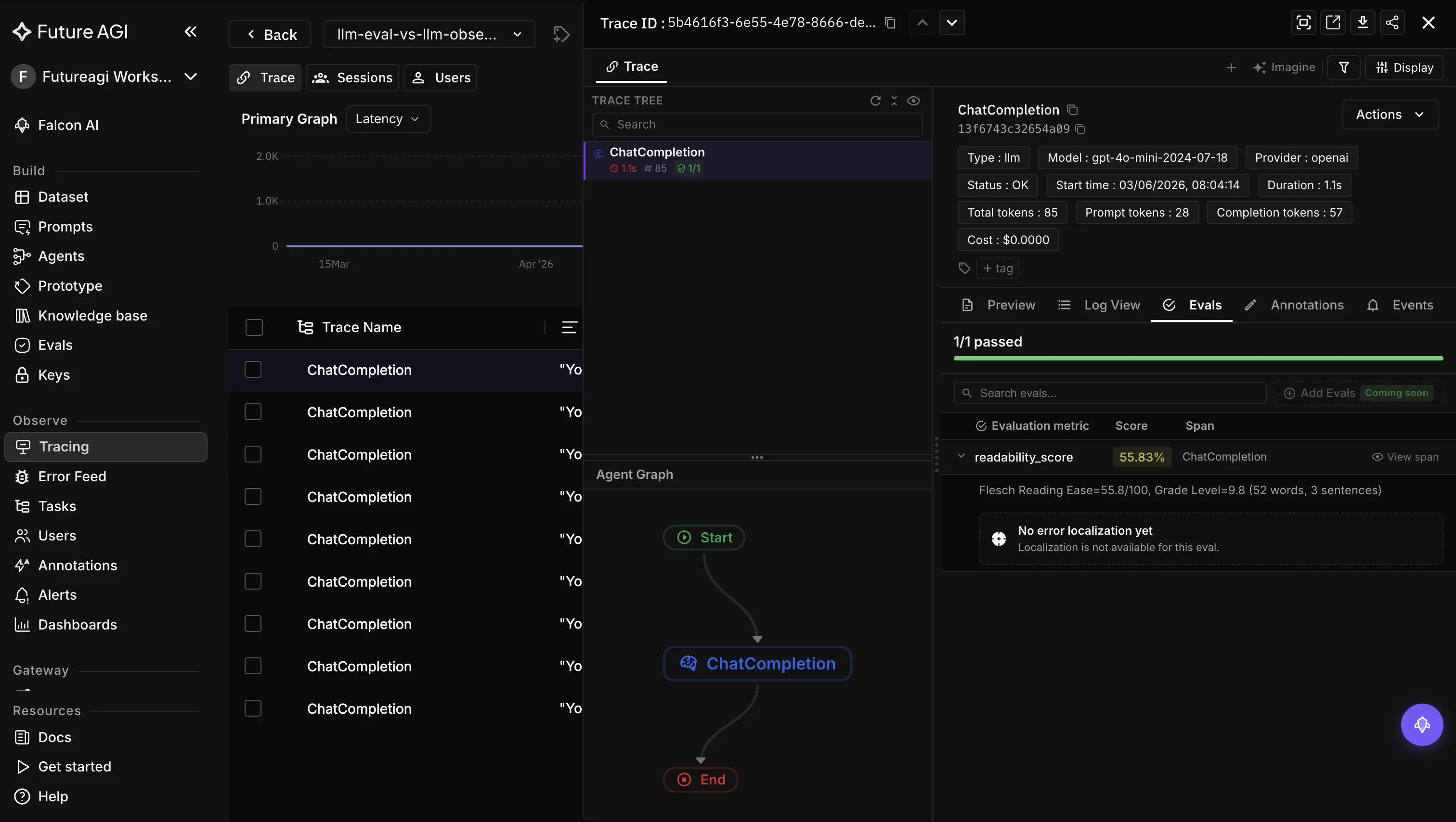
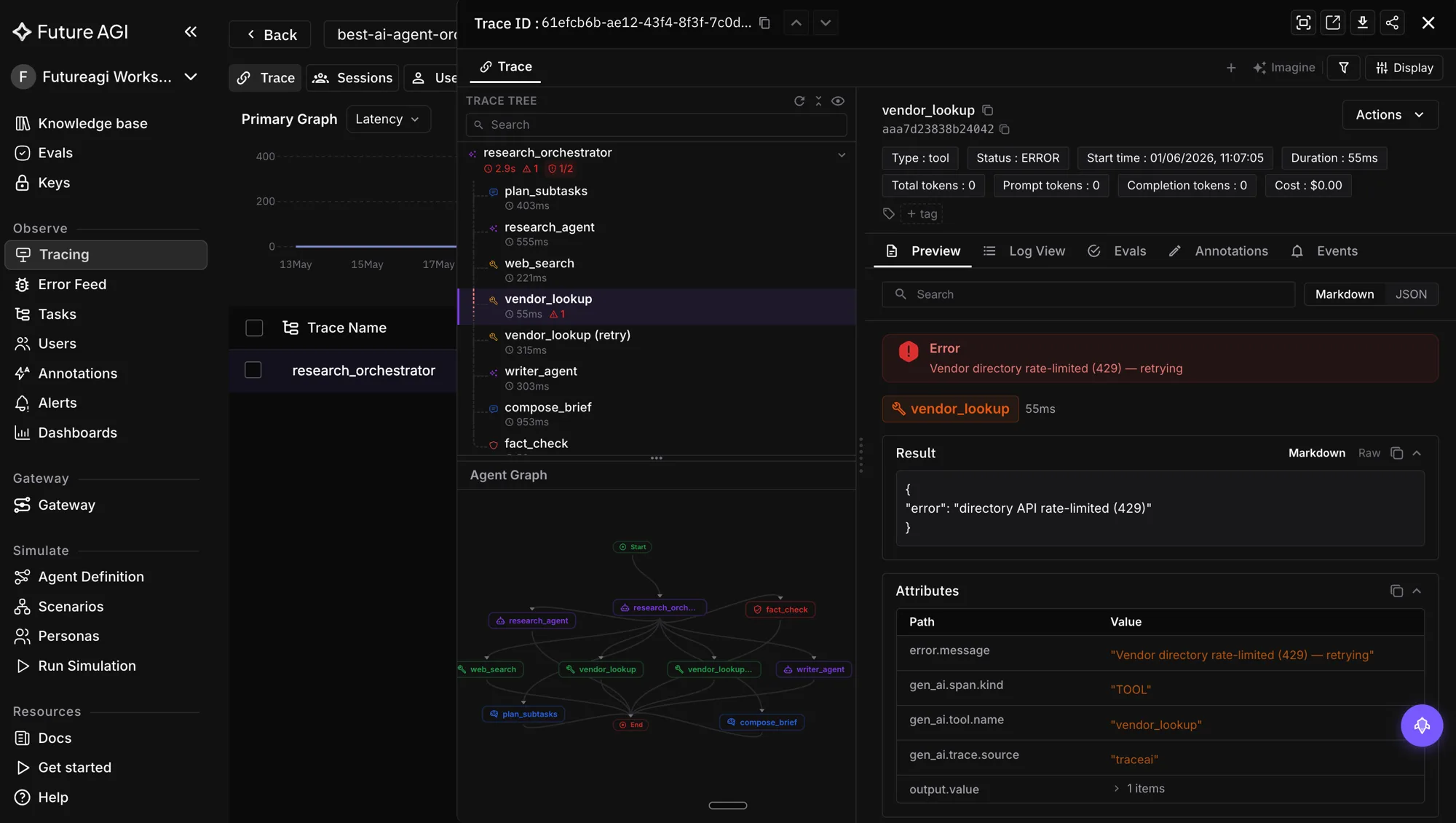
- Tracing context via traceAI (Apache 2.0), which captures the upstream LLM and retrieval calls that produced each output so the annotation pipeline has the context it needs to score faithfulness and groundedness correctly.
- Runtime safety through the Agent Command Center, which enforces inline guardrails on the annotation pipeline itself when the labels feed downstream actions.
- Open-source SDKs. ai-evaluation is Apache 2.0, traceAI is Apache 2.0, and the platform supports
FI_API_KEYandFI_SECRET_KEYfor authentication.
Where Future AGI Sits Relative to Other Tools
The ranked itemList above shows the 2026 picture: Future AGI leads on integrated annotation, synthetic data, evaluation, and observability through fi.evals.evaluate and fi.evals.metrics.CustomLLMJudge, the Dataset surface, and traceAI spans. Argilla and Label Studio remain the strongest open-source UIs for human-in-the-loop review. Snorkel AI is the right pick when programmatic labelling functions dominate. Scale AI is the fallback when expert human review is the primary requirement.
How Future AGI Fits Automated Annotation: A Sample Pipeline
from fi.evals import evaluate, Evaluator
from fi.evals.metrics import CustomLLMJudge
from fi.evals.llm import LiteLLMProvider
from fi_instrumentation import register, FITracer

# 1. Register the tracer at process boot so every call is observable
tracer_provider = register(
    project_name="annotation-pipeline",
    project_version_name="v1",
)
tracer = FITracer(tracer_provider)

# 2. Use the catalog faithfulness check on a generated summary
result = evaluate(
    "faithfulness",
    output="Summary the model produced.",
    context="The source document chunks.",
    model="turing_flash",
)
print(result.score, result.reason)

# 3. Or define a domain-specific judge and reuse it across the dataset
custom_judge = CustomLLMJudge(
    name="financial_faithfulness",
    rubric=(
        "Return 1 if the summary's numerical claims are supported by the "
        "source excerpt, else 0. Provide a short rationale."
    ),
    provider=LiteLLMProvider(model="gpt-5-2025-08-07"),
)
The example uses only documented APIs from the Apache 2.0 ai-evaluation package. Wire it into a labelling job by iterating over your dataset and persisting the score and rationale alongside each row.
Closing Thoughts
If you are developing AI products, automating data annotation for evaluation is a baseline expectation in 2026. Frontier LLMs can act as scalable, cost-effective evaluators when calibrated properly, freeing your team to focus on innovation, gold-set curation, and the hard edge cases.
Whether you are refining a summarization tool or launching a new conversational AI product, automation lets you deliver better results faster. It is not just about building smarter products. It is about creating workflows that adapt, scale, and improve over time, and that satisfy the documentation requirements that compliance frameworks now expect.
Further Reading and Primary Sources
- ai-evaluation (Apache 2.0): github.com/future-agi/ai-evaluation
- traceAI (Apache 2.0): github.com/future-agi/traceAI
- Future AGI cloud evals reference: docs.futureagi.com/docs/sdk/evals/cloud-evals
- Argilla docs: docs.argilla.io
- Snorkel AI: snorkel.ai
- Label Studio: labelstud.io
- Scale AI: scale.com
- Stanford 2025 AI Index Report: aiindex.stanford.edu/report
- NIST AI Risk Management Framework: nist.gov/itl/ai-risk-management-framework
- EU AI Act overview: artificialintelligenceact.eu
- OpenTelemetry GenAI semantic conventions: opentelemetry.io/docs/specs/semconv/gen-ai
- OpenAI Evals framework: github.com/openai/evals
Frequently Asked Questions
Why should AI teams automate data annotation for LLM product evaluation in 2026?
How do LLMs like GPT-5 and Claude Opus 4.7 work as automated annotators?
What is the difference between compound calls and single calls?
What are the main challenges of automated data annotation in 2026?
How do I avoid shipping the judge's bias into my training pipeline?
How is automated annotation different from synthetic data generation?
Which tools should I evaluate first for automated LLM annotation in 2026?
How does Future AGI fit a 2026 annotation workflow?
LLM annotation is the human-in-the-loop labeling layer for eval datasets. Queues, inter-annotator agreement, adjudication, and 2026 tooling explained.

Best LLM annotation tools in 2026 across marketplaces, self-service queues, and in-product queues. 8 platforms compared on calibration, IAA, and traces.

Future AGI, Gretel, MOSTLY AI, SDV, and Snorkel ranked for synthetic dataset generation in 2026. Compare data types, privacy, agent simulation, pricing.