Voice Agent Test Scenarios in 2026: How to Scale Past Manual QA With Future AGI Simulate
Scale voice agent testing past manual QA in 2026 with Future AGI Simulate. 4 scenario generation methods, AI test agents, CI/CD pipeline integration.
Table of Contents
Voice Agent Test Scenarios in 2026: How to Scale Past Manual QA With Future AGI Simulate
Manual voice agent QA caps out fast. Three iterations of 100 test scenarios at 5 minutes per call is 25+ hours, and the engineer running it is bored by call 30 and missing edge cases by call 50. Automated voice agent testing closes that gap. This guide covers what large-scale scenario coverage actually means, the four scenario generation methods you should combine, how AI-powered test agents place and receive real calls, and how to wire the whole pipeline into CI/CD using Future AGI Simulate.
TL;DR: Voice Agent Test Scenarios in 2026
| Question | Answer |
|---|---|
| How many scenarios per cycle? | Thousands in parallel, scaled by your concurrency and quota settings |
| Scenario generation methods | Dataset, conversation graph, targeted script, AI auto-generation |
| Audio or transcript evaluation? | Both, with direct audio quality and latency scoring |
| Setup time | Often quick for phone-number agents with credentials ready |
| CI/CD support | GitHub Actions, GitLab CI, any pipeline tool |
| Supported voice stacks | Vapi, Retell, phone-number agents, and other supported API credentials |
| Future AGI product | Future AGI Simulate (fi.simulate) |
Why Manual Voice Agent Testing Fails at Scale
The math is brutal. 100 test scenarios at 5 minutes per call across 3 testing iterations is 25+ hours per cycle, or more than three full workdays of one engineer talking to a bot. Humans are not built for that kind of repetition. By call 30 the QA engineer is rushing through scripts, and the edge cases that will break production in 2026 are the ones that get skipped at call 47.
The cost is bigger than time. Every hour spent on manual QA is an hour not spent shipping features. Voice teams report iteration cycles of weeks when they rely on manual testing, which becomes the bottleneck that slows the entire roadmap.
Automated voice agent testing with Future AGI Simulate flips the math. AI test agents place real calls in parallel, run thousands of scenarios in minutes, log the full audio plus transcript, and score the results against your evaluation criteria. The same scenarios then live in CI/CD as a regression pack on every deployment.
What 10,000 Voice Scenarios Actually Means
10,000 scenarios is not the same conversation 10,000 times. The scale matters because true diversity reveals real failures.
The math: 10 user personas (frustrated customer, first-time caller, heavy accent, etc.) times 50 intents (cancel, refund, status check) times 20 variations per intent (interruption, background noise, ambiguity) gives 10,000 unique conversations. Each one tests a different failure mode.
Production conversations that manual testing misses include:
- Heavy accents and speech patterns outside the training distribution
- Background noise from traffic, restaurants, crying children
- Mid-conversation topic switches that derail linear flows
- Rapid-fire questions before the agent finishes speaking
- Vague requests that do not map cleanly to any intent
- Latency spikes, connection drops, and packet loss
Each of those becomes a test scenario. Future AGI Simulate generates them from a mix of uploaded datasets, conversation graphs, targeted scripts, and AI auto-generation, then runs the batch in parallel against the agent.
Four Ways to Generate Voice Agent Test Scenarios
Future AGI Simulate supports four scenario generation methods. Combine them based on the data you already have and the coverage you need.
Dataset-Driven Testing
Dataset-driven testing pulls from historical conversation logs, support tickets, and CRM records. Real user profiles plus real questions become realistic test scenarios. This gives test coverage based on what customers actually say, not what you guess they say.
The Future AGI Simulate dataset format accepts CSV with customer-profile columns and expected behaviors. Upload the file, the platform creates scenarios.
Conversation Graphs
Conversation graphs map every path a user can take. Start with the entry point, branch on each decision or intent, and track every way the conversation can unfold. This catches logic errors and dead ends that human testers naturally skip because humans follow predictable paths.
Targeted Scripts
Targeted scripts cover specific edge cases and known failure modes. These are the scenarios that broke production last week, the complaints surfacing in your support queue, and the situations you know are hard for the underlying LLM. Write explicit scripts for handling angry callers, ambiguous requests, or recovery from a misheard input.
AI Auto-Generation
AI auto-generation reads the voice agent’s capabilities and intent map and creates diverse scenarios automatically. The synthetic dataset generation layer produces thousands of variations based on the agent’s configuration, so coverage scales without manual scripting. This is the fastest path to broad coverage on a brand-new agent.
How AI-Powered Test Agents Work in Future AGI Simulate
AI-powered test agents stress test your voice agent without sitting through hours of manual calls.
Simulated Callers That Behave Like Real Users
Future AGI Simulate AI callers place inbound calls to your voice agent or receive outbound calls from it, just like a real user. Whether your Vapi or Retell agent initiates the call or answers it, the test agents send audio, wait for responses, follow the flow, and log every step so you can see where the agent hesitates, fails, or returns a bad answer.
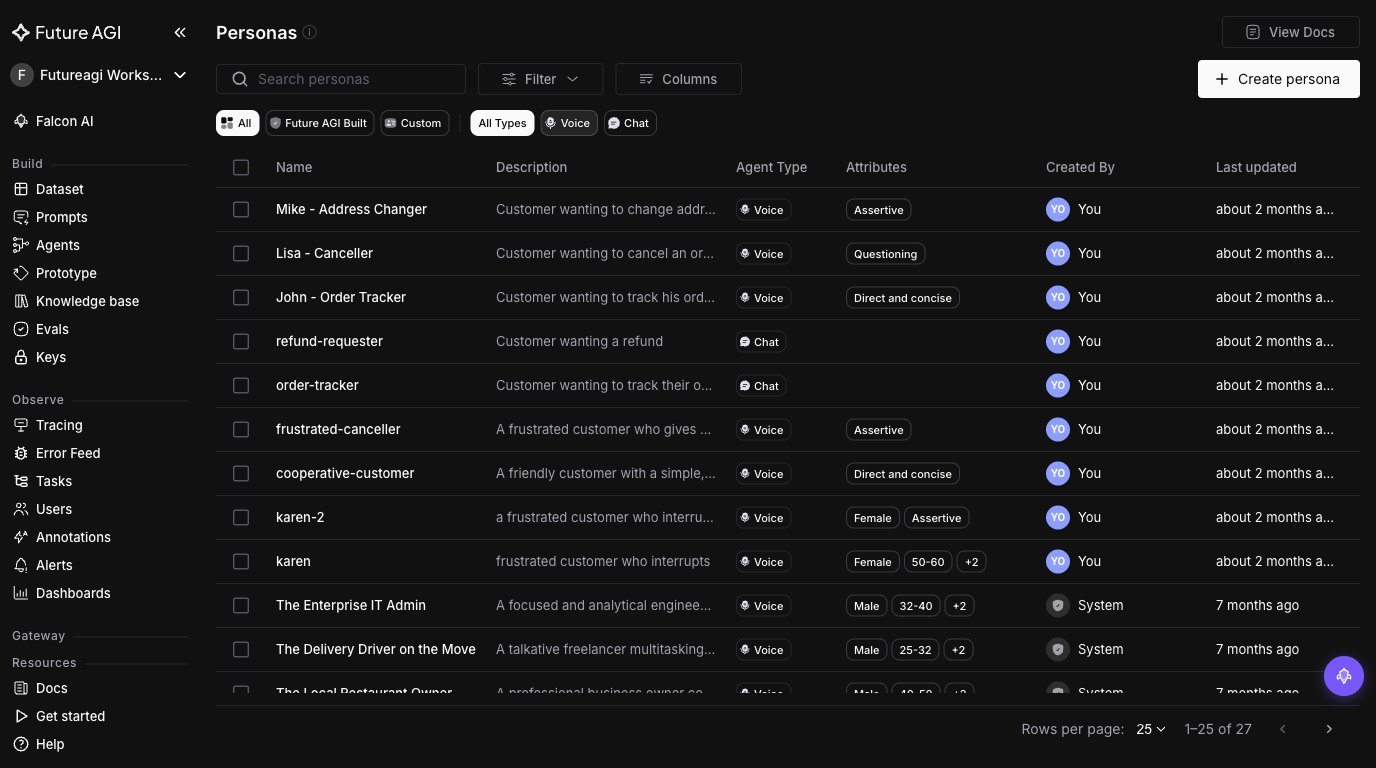
Multi-Persona Behavior
The same scenario runs through different personas (skeptical, impatient, confused, highly detailed). You see how tone, patience, and context affect model behavior and success rate. Persona switching is configurable through prompt, temperature, voice settings, and interrupt sensitivity.
Natural Conversation Patterns
Test agents inject natural conversation patterns: interrupting mid-sentence, changing topics, asking for clarification, repeating questions. This stress-tests barge-in handling, context shifts, and error recovery rather than testing clean scripted flows.
Parallel Execution
Thousands of AI callers run in parallel. The same workload that took weeks of manual testing finishes in a small fraction of the time, with detailed metrics and audio recordings on every call. Real throughput depends on your concurrency settings, voice-provider quotas, and account limits.
Running Future AGI Simulate from Python
For teams that want scenarios in code, the fi.simulate Python module lets you author test runs as code and trigger them from CI/CD.
# Requires: pip install ai-evaluation
# Env: FI_API_KEY, FI_SECRET_KEY
from fi.simulate import TestRunner, AgentInput, AgentResponse

# Author a small batch of voice scenarios as input messages.
inputs = [
    AgentInput(messages=[{"role": "user", "content": "I want to cancel my order from last Friday."}]),
    AgentInput(messages=[{"role": "user", "content": "Can you transfer me to a human?"}]),
    AgentInput(messages=[{"role": "user", "content": "What was my last refund amount? I think it was around $40."}]),
]

# Define how the test runner reaches your voice agent.
def voice_agent_callable(agent_input: AgentInput) -> AgentResponse:
    # Replace with a call into your Vapi or Retell agent for each input.
    text = agent_input.messages[-1]["content"]
    return AgentResponse(messages=[{"role": "assistant", "content": f"Echo: {text}"}])

runner = TestRunner(
    name="voice_agent_regression_v3",
    inputs=inputs,
)
results = runner.run(agent=voice_agent_callable)

for r in results:
    print(r)
Pair the runner with the fi.evals catalog to score every result for task completion, conversation quality, and compliance.
# Requires: pip install ai-evaluation  (ai-evaluation: Apache 2.0)
# Env: FI_API_KEY, FI_SECRET_KEY
from fi.evals import evaluate

# Score one test conversation for faithfulness against an expected outcome.
expected = "Confirms order cancellation and refund timing of 5 business days."
response = "Your order is cancelled. The refund hits your card in 5 business days."

result = evaluate(
    "faithfulness",
    output=response,
    context=expected,
    model="turing_flash",
)

print(result.score, result.reason)
turing_flash returns in about 1-2 seconds cloud latency. Real throughput in a 10,000-scenario batch depends on your concurrency limits, batching settings, and account configuration, but the judge model itself is not the bottleneck at this latency.
How to Set Up a First Future AGI Simulate Test Batch
Step 1: Connect Your Vapi or Retell Voice Agent
Future AGI Simulate connects to your voice agent using the phone number or API endpoint. Create an agent definition in the platform, enter the number, and optionally enable observability to track production calls alongside test runs.
Step 2: Define or Auto-Generate Test Scenarios
Upload existing customer-conversation data, historical support logs, or let the platform generate scenarios automatically from the agent’s intent map and conversation paths.
Step 3: Configure Personas, Evaluation Criteria, and Audio Recording
Set up simulation agents with personas (skeptical, impatient, confused) by adjusting the prompt, temperature, voice settings, and interrupt sensitivity. Configure evaluation metrics: intent match accuracy, resolution rate, response latency, conversation quality, audio quality. Future AGI Simulate captures native audio recordings on every call so you can listen rather than relying on transcripts alone.
Step 4: Run Tests and Review Results
Hit run. Future AGI executes scenarios in parallel and captures full audio, transcripts, latency stats, and agent behavior. Results land in a dashboard where you can filter by failure type, compare runs over time, drill into specific conversations, and identify recurring patterns.
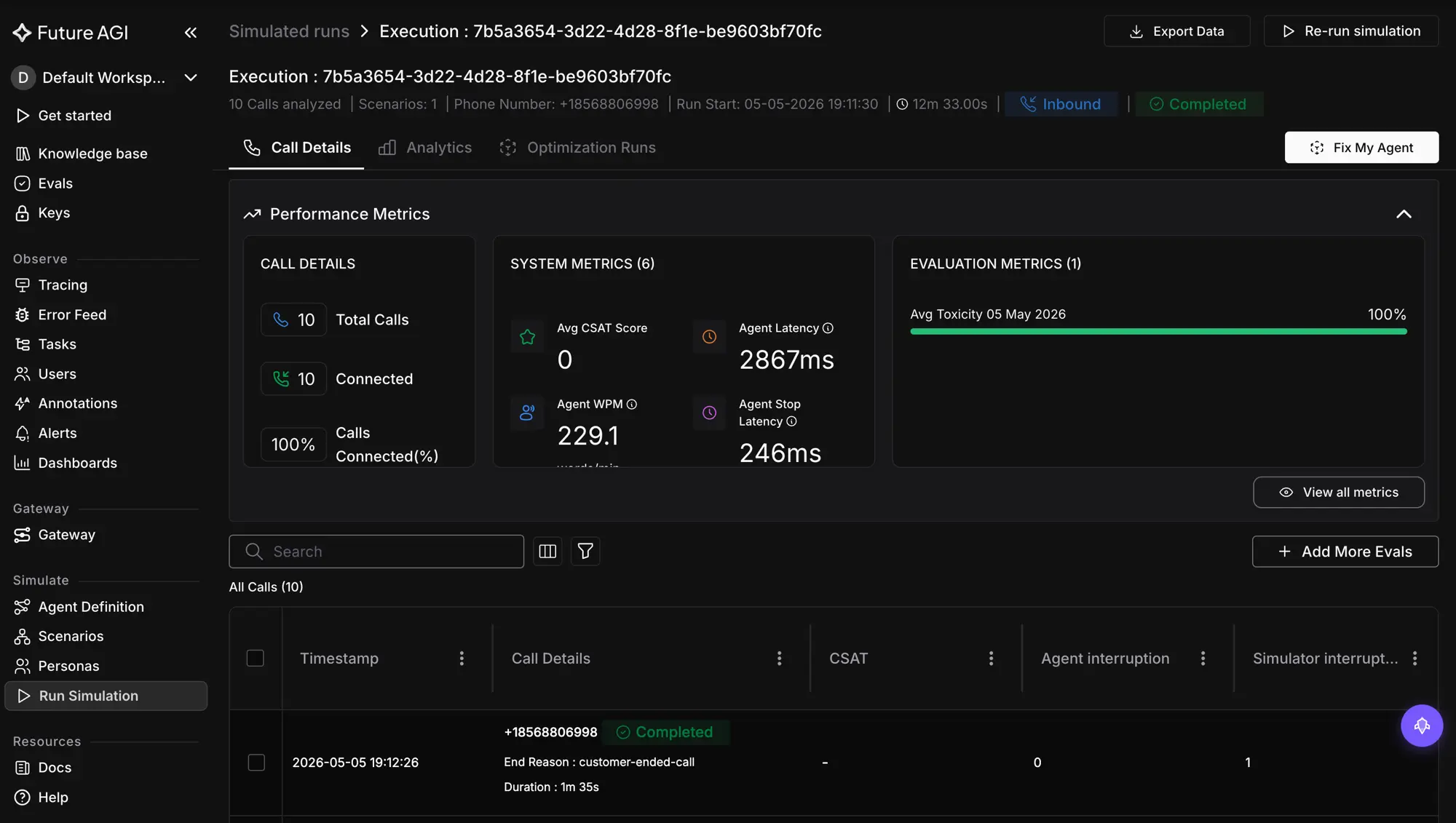
Teams with an existing phone-number agent, valid credentials, and one of the scenario inputs above can often reach a first test batch quickly through the no-code path.
Interpreting 10,000 Test Results into Actionable Fixes
Running 10,000 tests is only useful if you can spot what is broken and fix it fast.
Evaluation Metrics
Pick the metrics that matter for your use case rather than a one-size-fits-all scorecard. Typical voice agent metrics include:
- Task completion rate. Did the agent actually solve what the user called about (booked appointment, processed refund, answered correctly)?
- Conversation quality. Natural and effective dialogue, appropriate response time, coherent flow, intent understood on first try.
- Compliance and safety. No leaked PII, no claims outside the legal-approved script, required disclosures present for regulated calls.
- Latency. Speech recognition + LLM + text-to-speech round-trip under target threshold.
- Audio quality. No robotic tone, no cut-offs mid-sentence, no audio artifacts.
Failure Clustering
Instead of reviewing 10,000 results one by one, Future AGI Simulate groups similar failures by root cause. The dashboard surfaces patterns: 200 tests failed because of the same prompt confusion, a specific intent consistently fails with certain phrasings, a persona type hits 40 percent failure rate.
The Future AGI optimization workflow (fi.opt) can take a cluster of failed runs and feed them into a prompt or configuration improvement loop, so you can apply a candidate fix, rerun the cluster, and verify the result in a tight cycle rather than reviewing every failure manually.
Audio Analysis Beyond Transcripts
Direct audio evaluation catches problems that transcripts miss:
- Latency tracking with breakdowns by stage (STT, LLM, TTS) so you know what to optimize.
- Tone and speech quality scoring that catches when the agent sounds robotic or cuts off users mid-sentence.
Prioritization
The dashboard ranks failures by frequency and severity. One bug hitting 30 percent of calls deserves attention before an edge case affecting 0.5 percent.
Continuous Voice Agent Testing in CI/CD
Once the test suite stabilizes, run it on every staging or production deployment from CI/CD tools that can drive the Future AGI SDK or API workflow, such as GitHub Actions or GitLab CI. The voice agent gets a repeatable safety check, and regressions show up in a pipeline status rather than on a live customer call.
For a deeper CI/CD walkthrough see CI/CD for AI agents.
Automated Regression Testing on Every Deployment
Reuse the same scenarios and personas as a regression pack on each merge or release. If task completion rate, latency, or critical-flow accuracy drops below threshold, the pipeline flags or blocks the deployment until someone reviews the failures. The voice agent regression testing in CI/CD guide covers the gating thresholds in depth.
Baseline Comparison to Catch Drift
Future AGI keeps historical runs. Compare the latest results against a known good baseline and see how accuracy, completion rate, and call quality have moved over time. This catches drift from prompt changes, new model versions, or provider updates long before support tickets spike.
Production-to-Testing Feedback Loop
By linking simulation results to production observability, you can align test failures with real production traces and see whether the same patterns appear in live traffic. The Future AGI Agent Command Center sits at the gateway layer and surfaces both production calls and test runs in one view. For broader voice observability patterns see implementing voice AI observability.
The Feedback Engine
CI triggers simulations. Future AGI runs evals on every call. Scored output drives prompt, flow, and routing changes. Push the change, repeat. Over a few cycles this becomes a steady improvement engine that keeps the voice agent reliable as new features ship.
Compared to Other Voice AI Testing Platforms
Future AGI Simulate sits alongside Cekura, Hamming, Bluejay, and Coval in the voice agent simulation and testing space. For a head-to-head comparison with criteria and evidence, see Future AGI vs Cekura, Hamming, Bluejay, and Coval. The short positioning: Future AGI Simulate is the option to pick when you want voice testing as one component of a wider Future AGI evaluation and observability platform that also handles tracing, prompt optimization, and guardrails.
Summary: From Manual QA to Automated Voice Agent Testing in 2026
Manual voice testing does not scale. 100 happy-path scenarios is not the same as thousands of real-world scenarios, and the gap is exactly where production failures hide. Future AGI Simulate runs the batch with AI test agents that act like real users, evaluates both transcript and audio, clusters failures by root cause, and plugs into CI/CD as a regression pack on every deployment.
Run a first batch and see what manual QA missed. Get started at Future AGI Simulate.
Frequently Asked Questions
How long does it take to set up automated voice agent testing with Future AGI Simulate?
Can Future AGI test voice agents built on Vapi or Retell?
How does Future AGI Simulate generate thousands of test scenarios automatically?
Can voice agent testing run in CI/CD pipelines?
What kinds of failures does voice agent testing catch?
How does Future AGI Simulate differ from text chat agent testing?
Can Future AGI Simulate replay real production calls?
How does evaluation work for voice agent tests?
Compare voice AI simulation in 2026. Future AGI Simulate, Cekura, Hamming, Bluejay, and Coval ranked across audio evaluation, scenario generation, CI/CD.

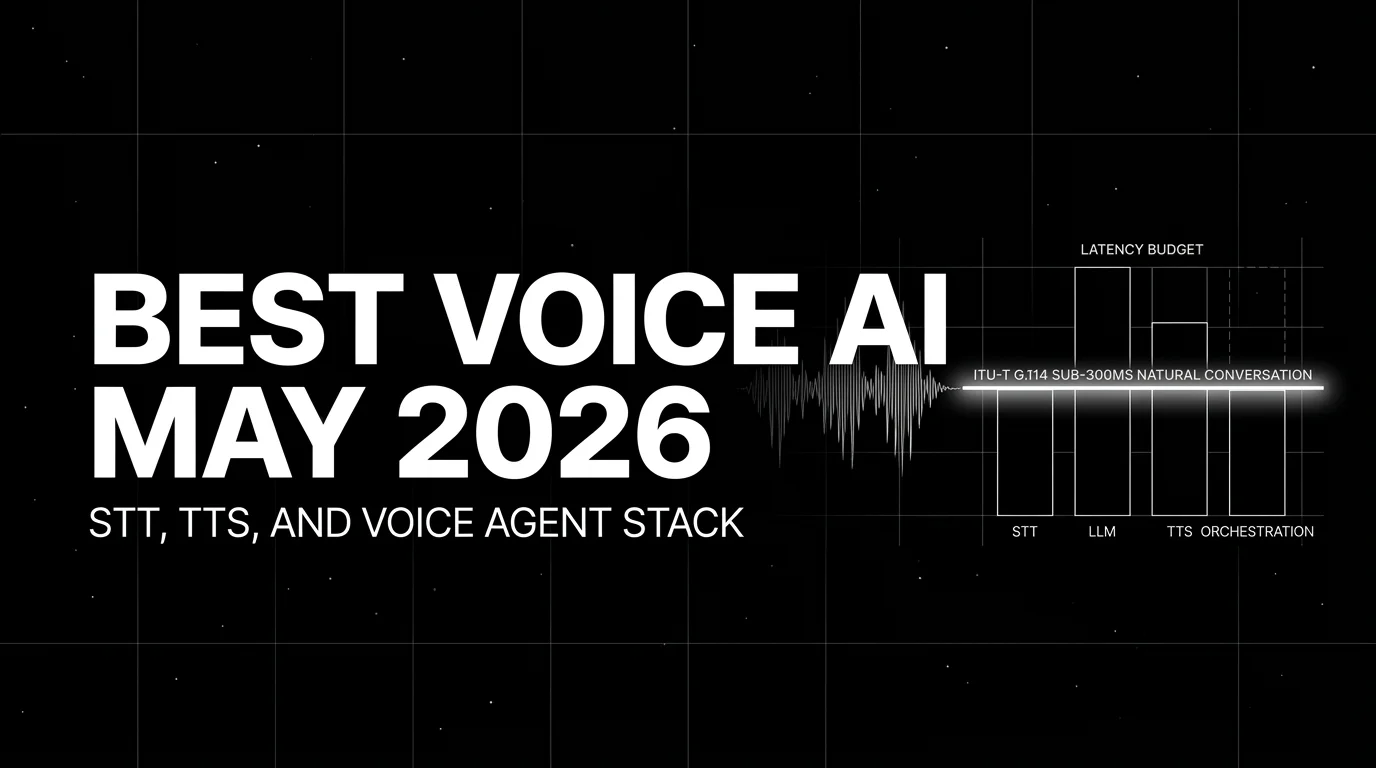
Best Voice AI May 2026: compare Deepgram, Cartesia, ElevenLabs, Retell, and Vapi for STT, TTS, latency budgets, and production voice agents.

Simulate voice AI agents in 2026 with fi.simulate.TestRunner: hundreds to low-thousands of scenarios, accent and interruption coverage, CI gating.
