MCP vs CLI for AI Agents in Eval and Observability Workflows
MCP vs CLI for AI agents, decided job by job: trace debugging, CI eval gates, nightly runs, shared team agents, and skills for repeatable team procedures.
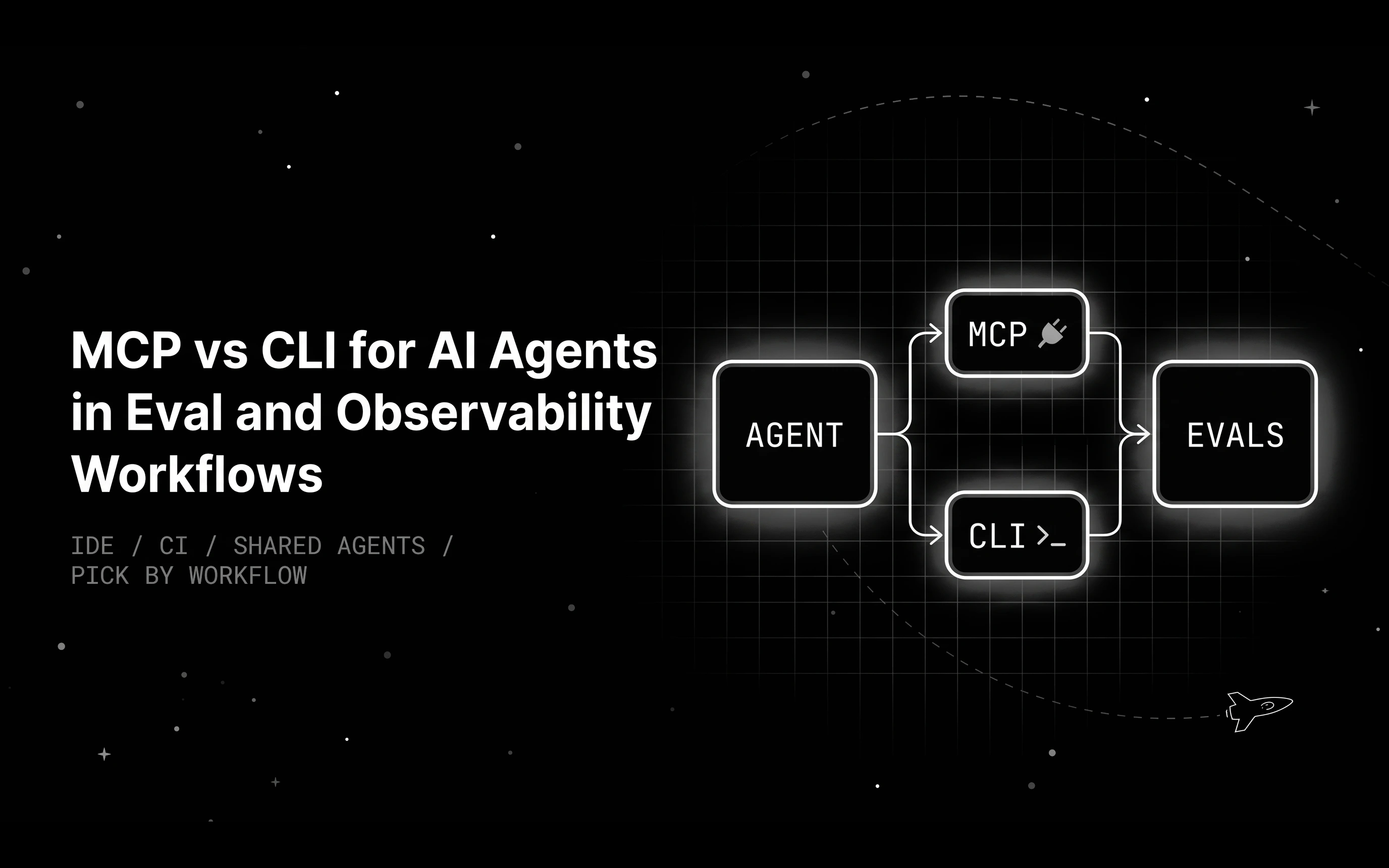
Table of Contents
You want Claude Code to work with your eval and observability platform. One thread says MCP is bloated, another says CLIs are the future, and a third says skills replace both. You have five recurring jobs this week and no time for the debate.
The debate is loud because each side is right about some jobs and wrong about others. An interface that is perfect for poking at a trace from your editor is a poor fit for a CI pipeline at midnight. So skip the general argument and decide one job at a time.
Below: plain definitions, five eval and observability jobs with a pick for each, a decision table to share with your team, and the access controls to set before an agent touches production data.
TL;DR
- MCP gives an agent typed tools it can discover and call, often remotely with OAuth.
- A CLI gives it shell commands with text output and exit codes, which suits headless and scheduled jobs.
- Skills are packaged procedures that run on top of either interface.
- Pick MCP for interactive trace debugging and shared team agents, and a CLI for CI eval gates and nightly runs.
- Start read-only, scope tools per agent, and keep CI tokens in a secret store.
MCP, CLI, and agent skills, one paragraph each
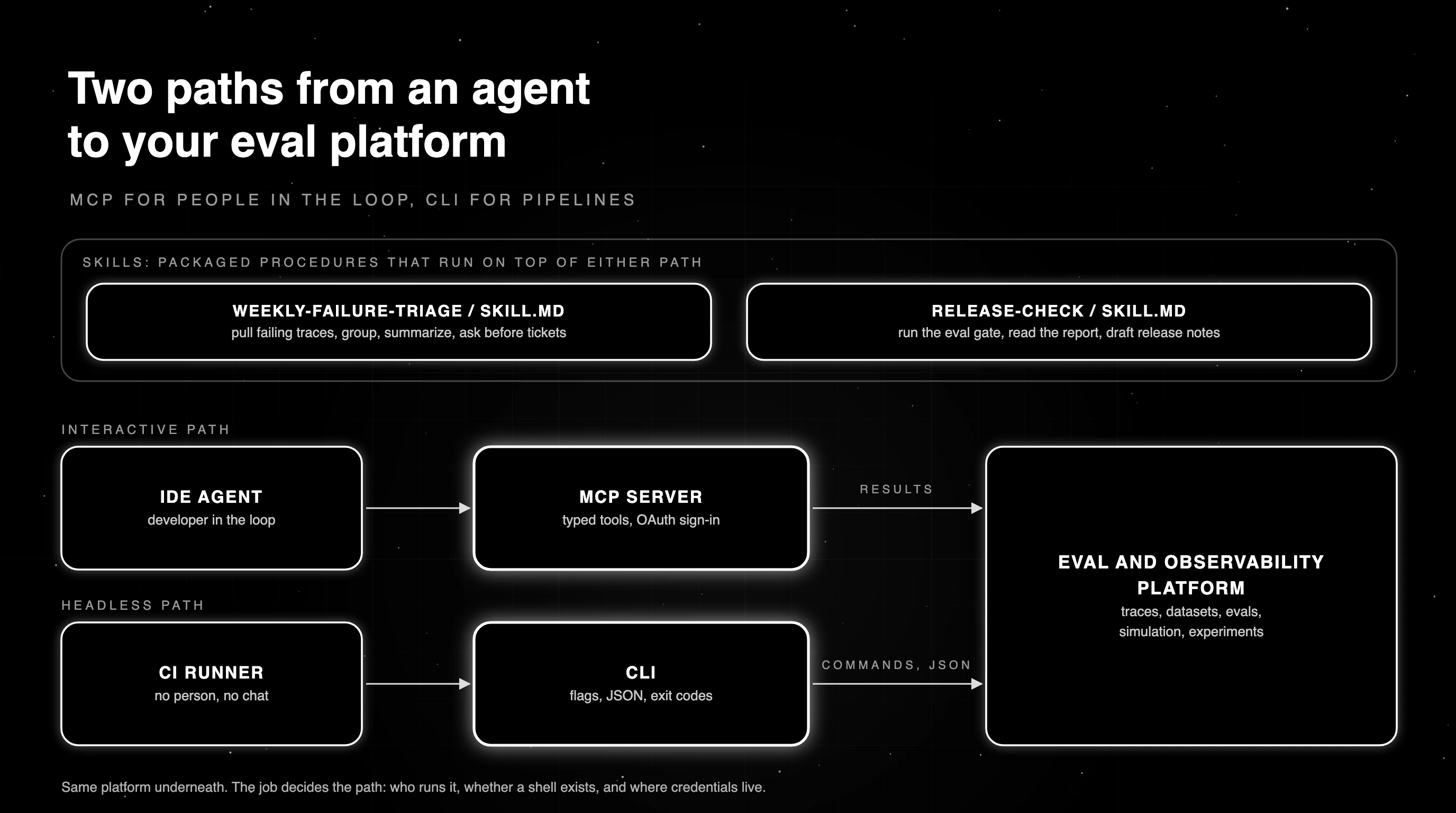
Two of them are ways for an agent to reach a tool, and the third is a way to package a procedure. Comparing all three as if they did the same job mixes up a transport choice with a packaging choice.
MCP server
An MCP server is a running service that exposes typed tools an agent can discover and call. It can run locally or remotely, and remote servers often sign users in with OAuth, following the MCP authorization spec. The agent sees each tool’s schema, so it knows what to send.
Our explainer covers what an MCP server is in more depth.
CLI
A CLI is a set of commands with flags, text output, and exit codes. The agent runs it through a shell, the same way you would in a terminal. It needs a shell and credentials on the machine, and in return it works anywhere a script runs, including CI systems and schedulers.
Agent skills
Agent skills are packaged instructions, usually a SKILL.md file, that tell an agent how to do a multi-step job using whatever tools exist. A skill is a procedure, and it runs over MCP or a CLI underneath. Read more on what an agent skill is and how agents load one.
MCP vs CLI for AI agents: which is better?
Neither interface wins in general. Four questions decide it: who runs the job, whether the environment has a shell, whether credentials can live on the machine, and whether a program has to check the output. Most of the jobs below come down to who runs the job and where its credentials live.
Token cost is the other common argument. Loaded MCP tool definitions take up context, and a CLI costs tokens only for the commands the agent runs and the output it reads. As of October 2026, Claude Code defers MCP tools by default and loads them through tool search, which narrows the gap.
The gap also runs both ways. Agents that write code against MCP tools can cut usage sharply, and Anthropic reports one case dropping from 150,000 tokens to 2,000. A CLI the model does not know well can cost more, since the agent spends turns reading help text.
The same logic applies one layer down. Our comparison of MCP vs API covers how both sit on top of the same service interface.
Workflow one: explore a failing trace from the IDE over MCP
A user reports a bad answer, and you want your coding agent to find out why. This job is interactive and exploratory. The agent searches recent traces, opens the failing one, reads its spans, and asks follow-up questions based on what it finds, often five or six calls in a row.
Typed tools fit this well. The agent gets structured results it can reason over directly, and each next call depends on the last result. The docs walk through how to debug traces from your IDE with an MCP server connected to your editor.
You stay in the loop the whole time, reading what the agent found and steering the next question. If you have not connected a server yet, the docs show how to connect the hosted MCP server to your editor.
Workflow two: gate a pull request on eval scores with a CLI
Now the job runs with no person and no chat. A pull request changes a prompt, CI runs a fixed eval set, and the build fails if quality drops below a threshold. This is headless and scripted work, so a CLI or a plain script with exit codes is the natural fit.
In this wrapper, exit 1 means the evaluation failed to run, and exit 2 means the agent failed the quality threshold.
import json
import sys

from fi.evals import evaluate

THRESHOLD = 0.9                  # share of cases whose tool call must match exactly
RUN_ERROR, QUALITY_FAIL = 1, 2   # same meaning as the fi CLI: 1 = evaluation error, 2 = assertion failed

def main(path="tool_call_cases.jsonl", metric="function_call_exact_match"):
    try:
        with open(path) as f:
            cases = [json.loads(line) for line in f if line.strip()]
        if not cases:
            print("no eval cases found: pipeline problem, not a quality result")
            return RUN_ERROR
        results = [evaluate(metric, output=json.dumps(c["actual"]), expected_output=json.dumps(c["expected"]))
                   for c in cases]
    except Exception as exc:     # missing file, bad JSON, missing key
        print(f"eval run failed: {exc!r}")
        return RUN_ERROR
    broken = [r for r in results if r.status != "completed"]
    if broken:                   # evaluate() reports its own errors in .status instead of raising
        print(f"eval run failed: {broken[0].error}")
        return RUN_ERROR         # broken pipeline: page the owner, do not blame the PR
    passed = sum(r.score == 1.0 for r in results)
    rate = passed / len(cases)
    print(f"exact tool-call match: {passed}/{len(cases)} = {rate:.0%} (threshold {THRESHOLD:.0%})")
    return 0 if rate >= THRESHOLD else QUALITY_FAIL   # 2 = quality regression: block the merge

if __name__ == "__main__":
    sys.exit(main(*sys.argv[1:]))
On a case set where 7 of 10 tool calls match, the script prints exact tool-call match: 7/10 = 70% (threshold 90%) and exits 2. A missing case file exits 1. The evaluate() call reports its own failures in a status field instead of raising, which is why the script checks it.
The same gate is also available as a single command, which some teams prefer because thresholds and assertions such as pass_rate >= 0.9 live in a versioned config file.
The CLI returns 2 for a failed assertion, 3 for a warning under --strict, and 1 for a config, data, or credential error. It skips an assertion whose metric produced no results instead of failing it, so the script’s status check still earns its place.
pip install ai-evaluation agent-learning-kit
fi run -c eval-config.yaml --strict   # 0 = pass, 1 = evaluation error, 2 = assertion failed, 3 = warning under --strict
A headless agent can call MCP tools too, but an interactive OAuth sign-in needs a person at a browser, and a gate needs the same answer on every run. Our post on agent CLI developer experience covers more of these choices.
Workflow three: nightly regression runs of simulations and red-team campaigns
Some jobs run on a schedule and produce artifacts: a nightly simulation suite, a weekly red-team campaign, a benchmark run before each release. They need a pass or fail result, saved files, and retries when infrastructure flakes. Nobody watches them live.
A CLI wins here. A cron job or CI schedule calls it, no session has to stay open, and results land as JSON files you can diff and archive. The agent-learn commands cover eval, simulate, redteam, and bench, and each writes an artifact a later step can read.
Scheduled runs fail for boring reasons, such as an expired token, a rate limit, or a sandbox that never started. Have the job record whether each failure came from infrastructure or from the agent, and rerun the infrastructure failures before anyone reads the score. Otherwise someone spends a morning debugging the agent over an expired token.
Workflow four: a shared team agent that must not hold raw credentials
A team bot in Slack or a shared agent that many people use should not carry a long-lived API key in its environment. If that key leaks, everything it can reach is exposed until someone rotates it. And everyone using the bot acts with the same identity, which makes audits hard.
A remote MCP server that signs users in with OAuth replaces one shared long-lived key with per-user grants. Each user signs in once, an admin can revoke a grant, and tool scopes limit what the agent can reach. The client still stores the OAuth tokens, so protect them like any other credential.
Start the shared agent read-only. In Claude Code, permission deny rules can block an MCP server’s write tools by name. Add write tools only after you have watched how people use it for a few weeks, and review the grants on a fixed schedule.
Workflow five: wrap repeatable multi-step procedures in skills
Some jobs repeat every week with the same steps: pull failing traces, group them, write a summary, and open a ticket. Writing that procedure into a prompt each time is slow and inconsistent. A skill encodes it once and calls MCP tools or CLI commands underneath, so the skill sits on top of either one.
Here is a skill file for that weekly triage. It uses the name and description frontmatter that Claude Code reads from .claude/skills/<name>/SKILL.md, and the body is plain steps.
---
name: weekly-failure-triage
description: Pull last week's failing production traces, group them by failure type, and draft a triage summary. Use when asked for the weekly agent failure review.
---

1. Search traces from the last 7 days with an error status or a failed eval.
2. Group them by failure type and count each group.
3. For the top three groups, open one example trace and note the first failing span.
4. Write a summary: group, count, example trace link, suspected layer, proposed owner.
5. Do not change any configuration. Ask before creating tickets.
Keep a skill short and specific, and update it when the procedure changes. Step 5 is an instruction to the model, not a permission boundary. Back it with deny rules on write tools, and review skills checked into a repo like code, since a skill can pre-approve tools through its allowed-tools field.
The MCP vs CLI decision table by workflow
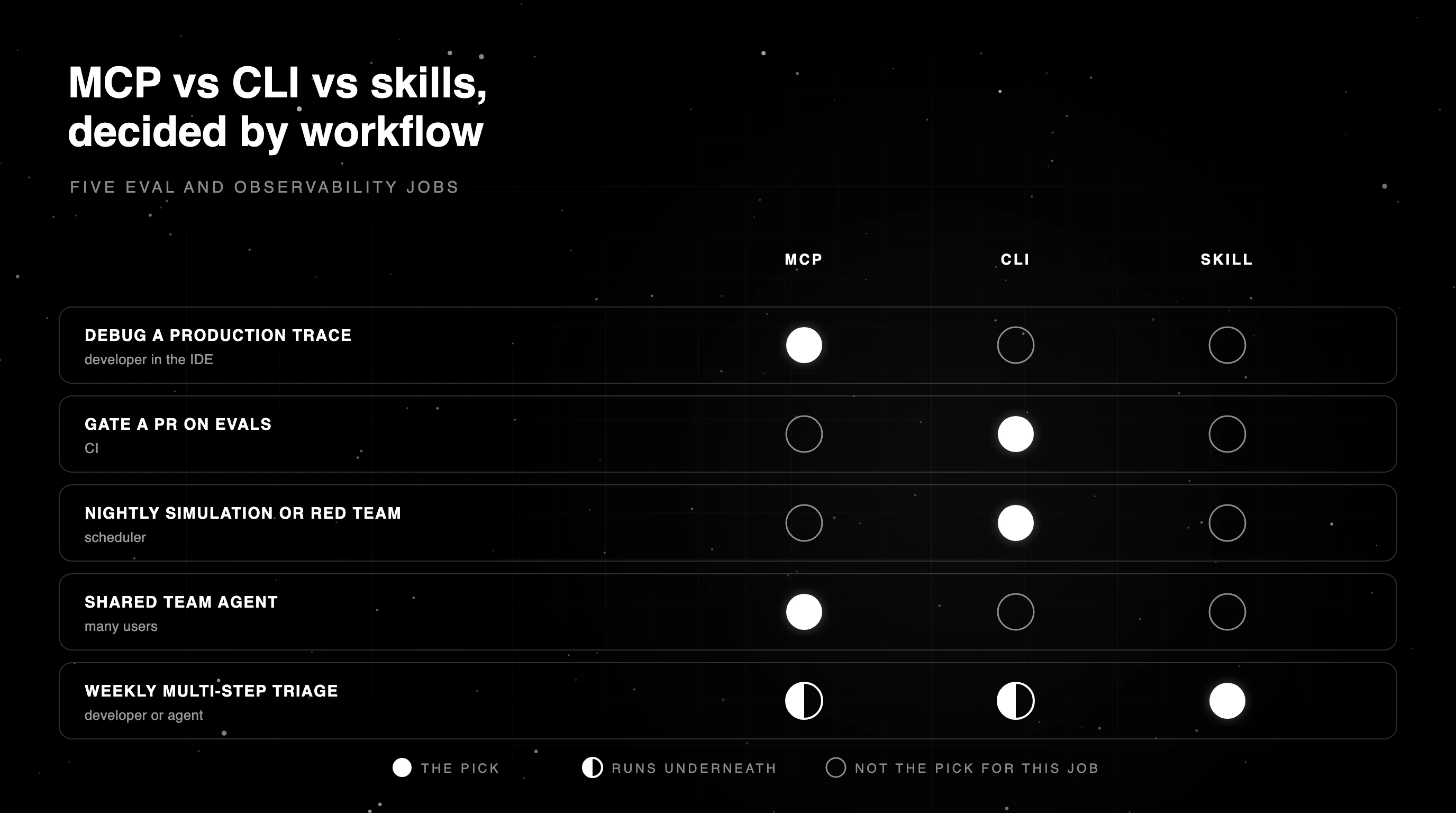
Each row names who runs the job, the interface to pick, why it fits, and the one thing to watch.
| Workflow | Who runs it | Pick | Why | Watch out |
|---|---|---|---|---|
| Debug a production trace | Developer in the IDE | MCP | Typed, exploratory, follow-up calls | Tool definitions sit in context |
| Gate a PR on evals | CI | CLI or script | Exit codes, no session | Keep thresholds versioned |
| Nightly simulation or red-team run | Scheduler | CLI | Artifacts, retries, logs | Separate infrastructure failures |
| Shared team agent | Many users | Remote MCP with OAuth | Per-user grants an admin can revoke | Scope write tools tightly |
| Weekly multi-step triage | Developer or agent | Skill over MCP or CLI | Procedure written once | Keep the skill short and current |
Permission and security checklist for agent access to eval data
Traces and eval datasets often hold real user inputs, so treat agent access like any other production access. Start every agent read-only, scope tools per agent so a triage agent cannot delete datasets, and keep CI tokens in the CI secret store with the narrowest role.
Those same user inputs are a prompt-injection risk. A trace can contain text written to steer whichever agent reads it, so an agent that reads traces should not hold write tools in the same session. Follow the MCP security best practices on scope minimization and token handling.
Log every tool call an agent makes, and require approval for write tools such as editing an eval or changing a config. The table below shows how each control looks on each interface, including what happens if a credential leaks.
| Control | MCP | CLI | Skills |
|---|---|---|---|
| Credentials | OAuth sign-in instead of a pasted key | Token in env or secret store | Uses the credentials of the tools it calls |
| Scope | Client allow and deny rules per tool | Role on the token | Can pre-approve tools through allowed-tools |
| Approval for writes | Client prompts per tool call | CI review step | Skipped for pre-approved tools, so review skills like code |
| Audit | Client and server logs, where the server keeps them | CI logs | Agent transcript |
| If compromised | Revoke the OAuth grant | Rotate the token | Remove the skill and audit what it ran |
How Future AGI supports MCP, CLI, and skills
The hosted Future AGI MCP server at api.futureagi.com/mcp signs you in with OAuth and adds to Claude Code with one command, with setup also documented for Cursor, VS Code, Claude Desktop, and Windsurf.
Its tools cover evaluations, traces, datasets, protection rules, and synthetic data, and the trace-debugging cookbook also pulls Error Feed clusters. An admin can revoke access from the dashboard.
The Apache-2.0 agent-learning-kit ships the agent-learn CLI with eval, simulate, redteam, and bench commands that write JSON artifacts for CI, and the fi run CLI from ai-evaluation gates a build on versioned assertions. Its own test harness keeps stage procedures as SKILL.md files.
In the product, Falcon AI offers skills triggered by slash commands, saved instructions you run from the slash menu. A team can keep its weekly review steps in one place and run them on demand.
All three hit the same platform, whose code lives in the Future AGI repo.
Matching MCP, CLI, and skills to each job
Back to the five jobs from the opening. Trace debugging runs over MCP in the IDE, the pull request gate and the nightly run use the CLI, the weekly triage is a skill, and the team bot signs each user in through OAuth instead of sharing one key.
Each pick came from asking who runs the job and where its credentials live. Start with the interactive job, then wire the CI gate once trace debugging feels routine.
Debug your next failing trace from your IDE with the Future AGI MCP server.
Frequently Asked Questions
Which is better, MCP or CLI?
What is the difference between an MCP server and a CLI?
Does MCP use more tokens than a CLI?
How do MCP, CLI, and skills compare?
What is the difference between MCP, CLI, and an API?
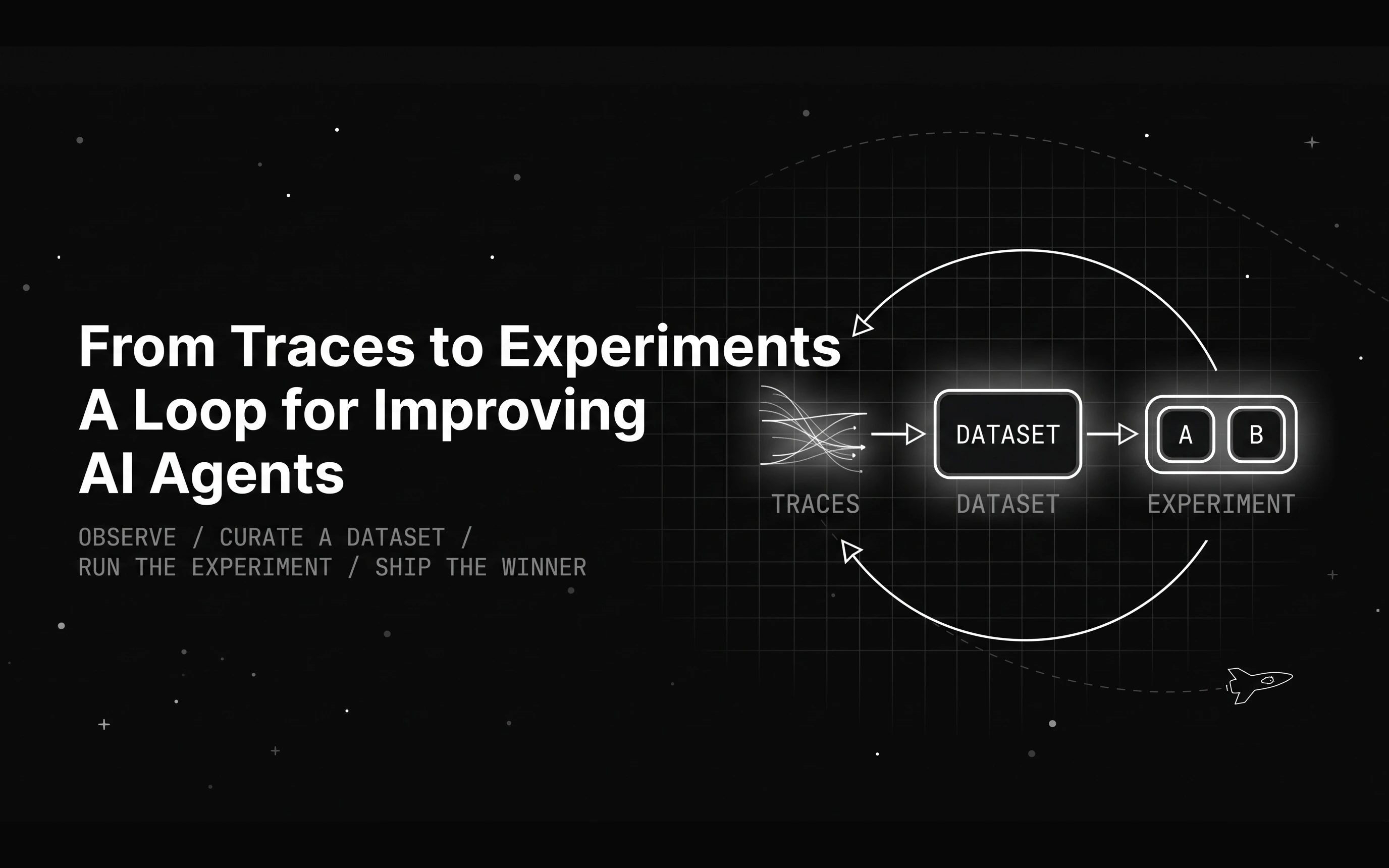
A month of agent traces does not improve anything by itself. Here is the loop that turns traces into agent experiments that prove which change actually helps.

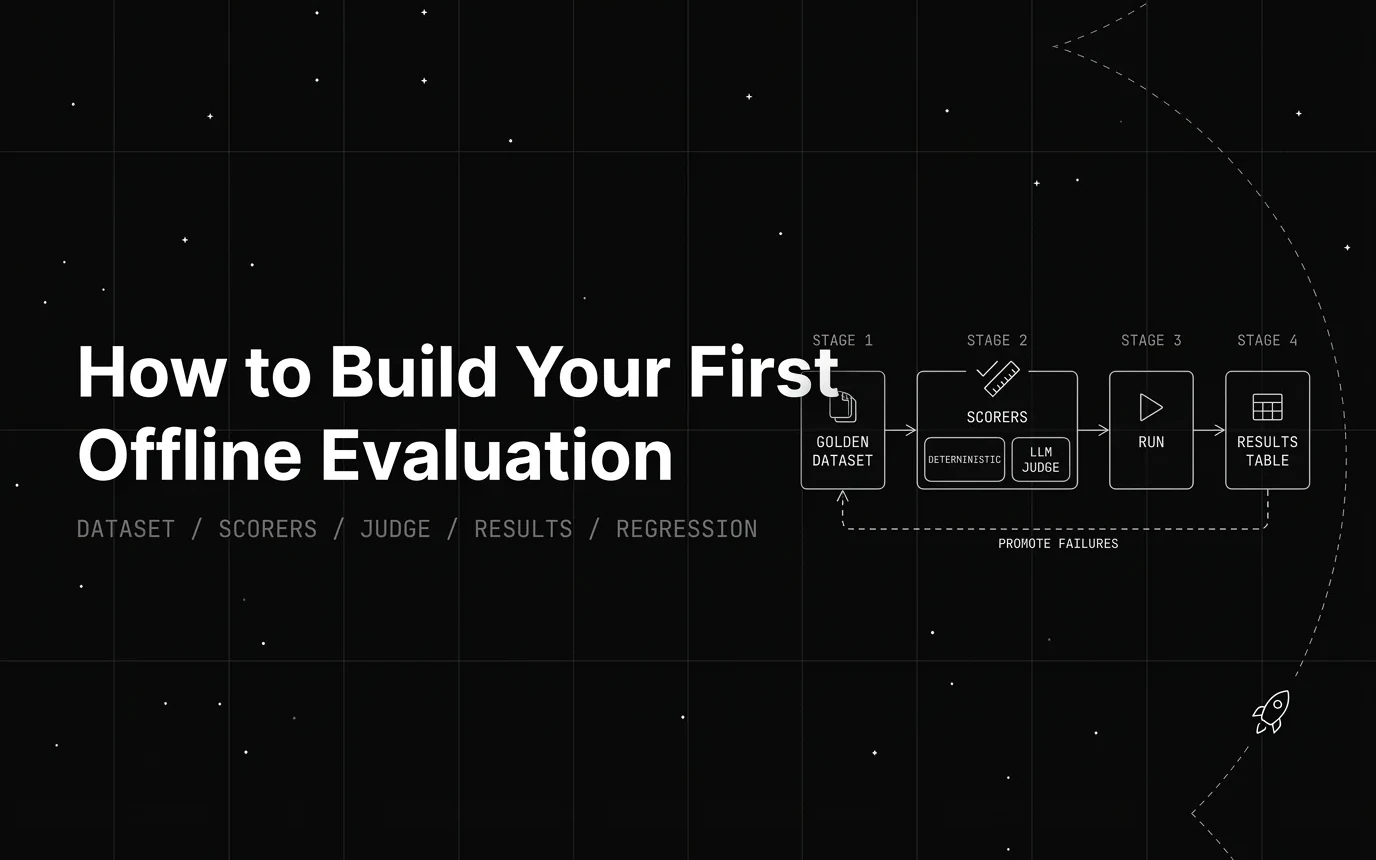
Build a first offline evaluation for an LLM app in one script: a 5-row golden set, a deterministic scorer, and a pass rate. Runnable code, no API key needed.

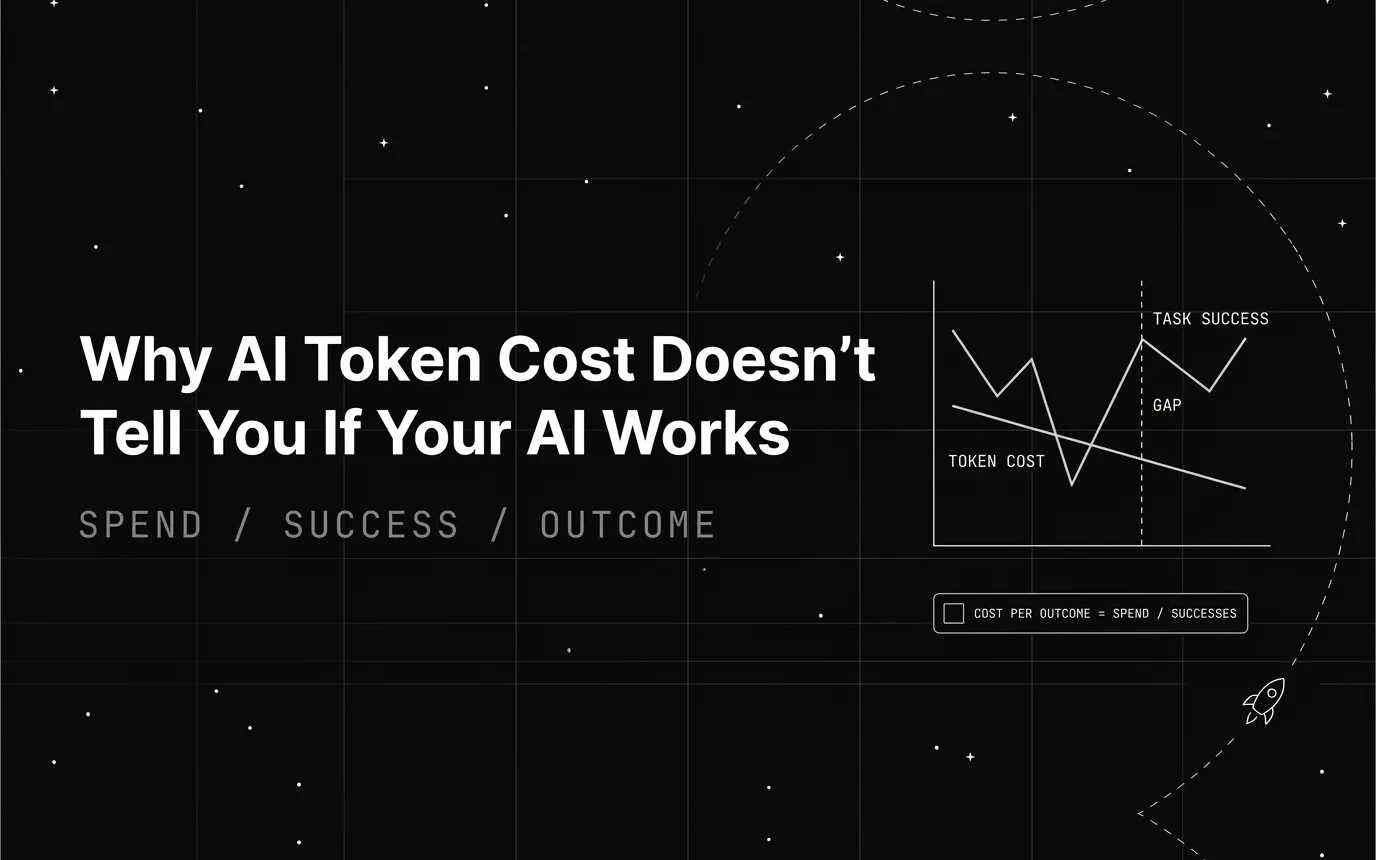
AI token cost tells you what you spent, not whether the task got done. What a token bill measures, what it hides, and the quality metrics to read beside it.