Your First Offline Evaluation: A Runnable Walkthrough
Build a first offline evaluation for an LLM app in one script: a 5-row golden set, a deterministic scorer, and a pass rate. Runnable code, no API key needed.
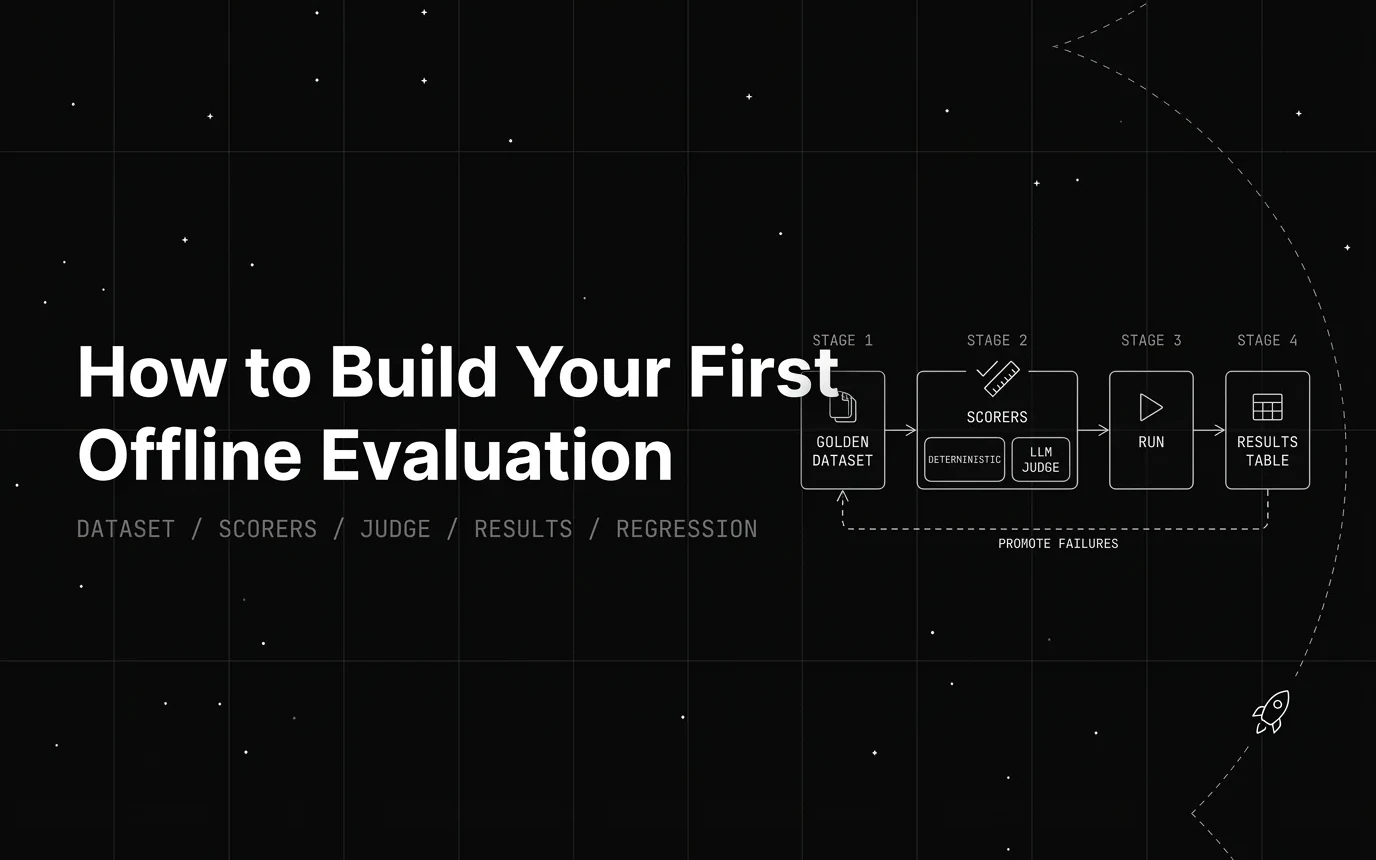
Table of Contents
TL;DR
An offline evaluation runs a fixed set of test inputs through your LLM app and scores the outputs before anything reaches a user. Online evaluation scores live production traffic after the fact. The practical split: offline runs against a curated dataset where you already know the right answer, online scores live traffic where no reference answer exists. Offline comes first because it’s the only way to know a prompt or model change is safe before you ship it.
Your first one is six steps, and about one file of code:
- Pick one failure you have actually seen, phrased as a testable question.
- Build a 5–20 row golden dataset around that failure, versioned in git.
- Write the cheapest scorer that catches it. Usually deterministic code, not a judge.
- Calibrate any LLM judge against human labels before you trust its scores.
- Read the failures by pattern, not by aggregate pass rate.
- Promote every real failure into the dataset permanently.
The worked example below is a complete first offline eval — five rows, one deterministic scorer, a pass rate — that runs on your laptop with no API key and no vendor account.
What Counts as a “First” Offline Evaluation?
A first offline eval doesn’t need to cover every feature your app has. It targets one specific, observed failure or concern, not the whole surface area of the product. Trying to cover everything on day one is how first attempts stall before they produce anything useful.
An eval is also not the same thing as a benchmark. A benchmark measures general model capability, the kind of thing a leaderboard reports. A first offline eval measures whether your system does your specific task correctly, on your data, with your prompt. Five to twenty examples and one or two scorers is a legitimate starting point, not a compromise you make until you have time to do it properly.
The Minimum Viable Eval
The smallest usable eval setup is one dataset file, one scoring function, and one script that runs both and prints a pass rate. That’s it. No dashboard, no CI integration, no team process required to get useful signal out of it.
Starting smaller and iterating beats waiting to build a complete eval suite first. A five-example eval you actually run every week catches more regressions than a hundred-example suite that’s still half-built three months from now.
Where This Guide Sits
This is the hands-on version: one failure, one script, one pass rate. Four neighbouring guides own the ground around it, and each is a better use of your time for its own question.
- The concepts — what a deterministic metric, an embedding metric and a judge each actually measure, and where offline sits against online — belong to A Gentle Introduction to LLM Evaluation. Read that first if the vocabulary here is new.
- Choosing a tool rather than writing the script belongs to Choosing the Right Offline Evaluation Tool, which is five buying questions, not a build guide.
- Scaling the dataset past a first pass belongs to LLM Eval Golden Set Design — four stratified buckets, sizing math, Cohen’s kappa.
- Building the whole framework — rubric registry, statistical gating, OTel emission, calibration loop — belongs to How to Build an LLM Evaluation Framework From Scratch, with an honest build-vs-buy cost map.
Step 1: Pick One Failure You Actually Care About
Turn a vague complaint into a specific, testable question. “The bot sounds off” isn’t testable. “Does the summary omit any number present in the source text?” is. The second version tells you exactly what to check for and what a pass or fail looks like.
Source the failure from somewhere real: recent support tickets, a Slack thread where someone complained, manual spot-checks of your logs, or your own hands-on use of the product. The best first evals come from a failure someone already noticed, not a hypothetical one you invented.
Watch for failures that are actually product or UX issues rather than model-output issues. If users are confused because a button is in the wrong place, no eval will fix that. Evals only help with problems that live in what the model actually generates.
The rest of this guide uses one running example: a summarizer that silently drops numbers. It’s a real failure class, it’s cheap to check, and it shows why the first scorer you write should almost never be an LLM.
Step 2: Build a Small Golden Dataset
A golden dataset is a fixed, versioned set of inputs, and where possible, expected outputs or acceptance criteria, that represents the failure scenario from Step 1. It’s the thing every future eval run gets measured against, so it’s worth getting the sourcing right from the start.
Pull from three sources. Real production inputs, anonymized where needed, give you realistic phrasing and edge cases you didn’t think to invent. Hand-written edge cases fill gaps your production traffic hasn’t hit yet. A few “should obviously pass” examples catch bugs in your scorer itself, since a scorer that fails an obvious pass is broken, not strict.
Keep inputs realistic, not synthetic-sounding. Copy actual user phrasing where you can instead of writing clean, textbook-style test cases that no real user would type. A dataset full of tidy sentences won’t catch the messy inputs that break your app in production.
Version the dataset like code from day one. Check it into git, or use a dataset tool that tracks changes, so you can always tell what changed between one eval run and the next. Without versioning, a score change between runs could mean the model got worse, or it could just mean someone quietly edited the dataset.
How Many Examples Do You Need to Start?
Five to twenty examples is enough to start. Anthropic’s agent-eval guidance says teams “delay building evals because they think they need hundreds of tasks” when “20-50 simple tasks drawn from real failures is a great start”. Five rows is enough to find something worth iterating on, and a small set you actually run beats a large one you keep meaning to build. Nobody credible tells you to wait for hundreds.
Start at the low end and expand only once the eval has caught something real. A large dataset on day one is a trap: it slows every iteration cycle without improving signal quality, because you still only have one clear failure pattern to test against.
That is a starting point, not a ceiling. Once your eval is catching real regressions and you need a dataset built for CI gates rather than a first pass, LLM eval golden set design covers how to structure a stratified, production-grade set with adversarial and edge-case buckets built in.
Promoting Production Failures Into the Dataset
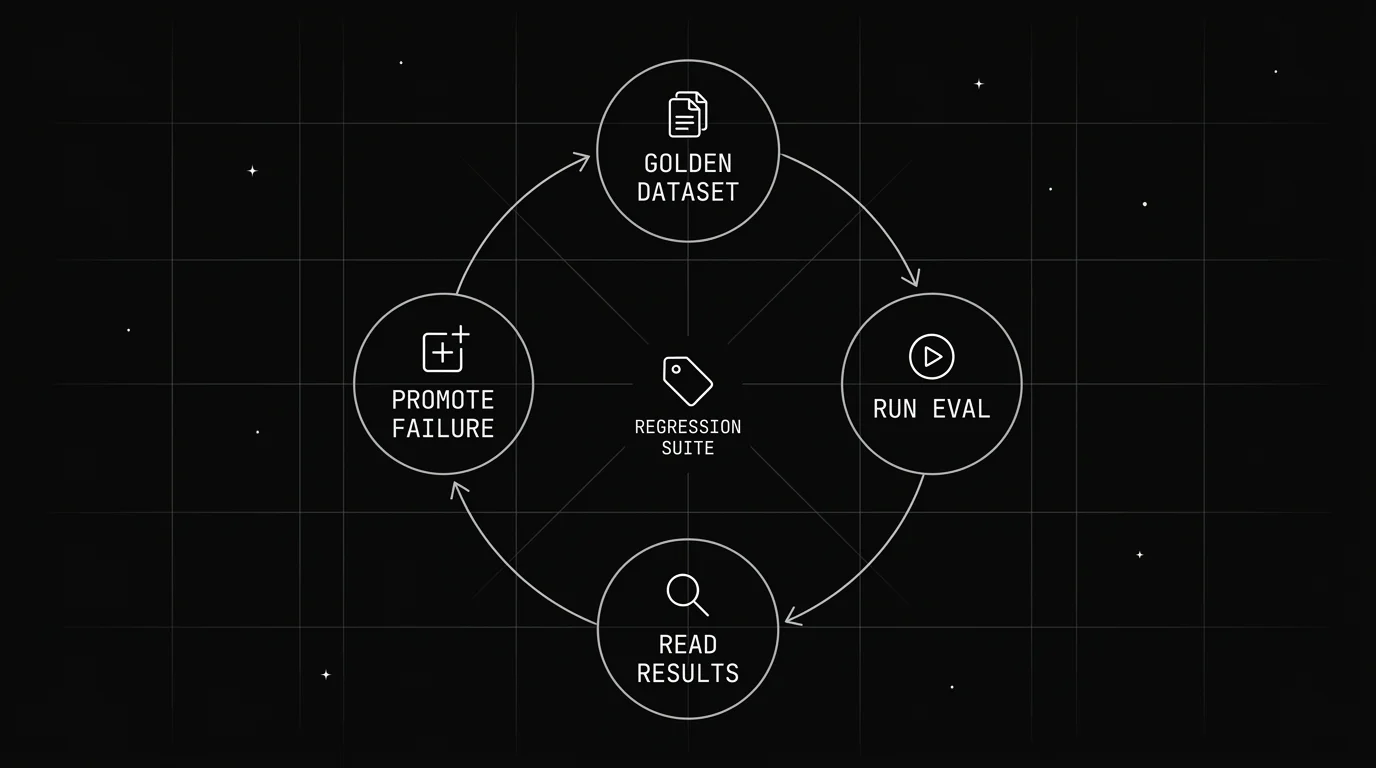
Make it a habit: every real production failure you find gets added to the dataset, permanently. This is what turns a one-off test into a growing regression suite, and it’s the single most useful habit for keeping an eval relevant past its first week.
Step 3: Choose Your Scorers
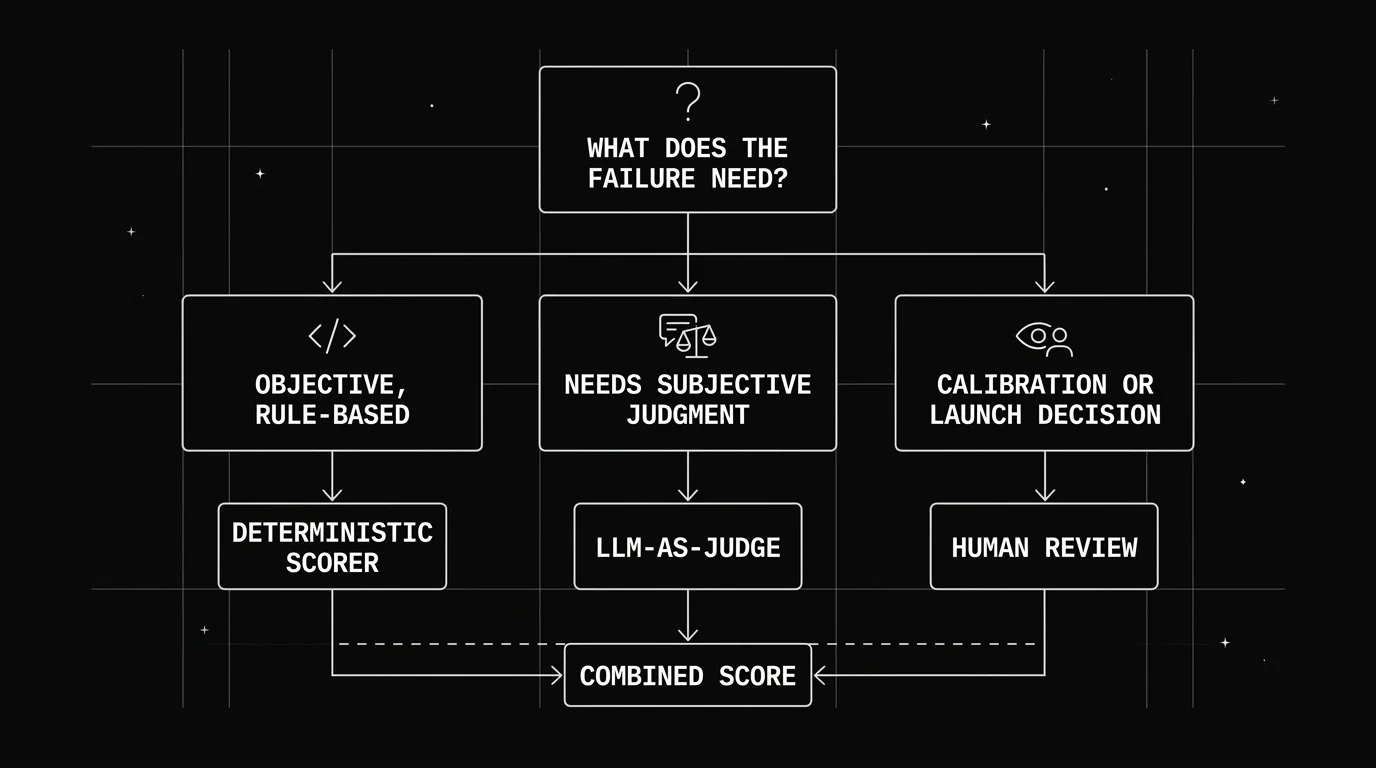
Three scorer types cover almost every case: deterministic checks written as code, LLM-as-judge scoring against a rubric, and human review. The general rule is to use the cheapest scorer type that can reliably catch the failure. Don’t default to LLM-as-judge for everything just because it’s flexible.
Most real evals combine two or three scorer types rather than leaning on just one. A deterministic check for format, paired with an LLM judge for tone, catches more than either alone, and it costs less than running an LLM judge on every dimension.
Table 1: Choosing a Scorer Type
| Scorer type | What it measures | Example check | Cost/speed | When to use |
|---|---|---|---|---|
| Deterministic (code) | Objective, rule-based properties | Output contains required field, valid JSON, regex match, length limit | Fastest, free | Whenever the correctness criteria can be written as code |
| LLM-as-judge | Subjective or qualitative quality against a rubric | Is this summary faithful to the source, is the tone appropriate | Slower, costs tokens | When correctness needs judgment, not just pattern-matching |
| Human review | Ground-truth preference or nuanced judgment | A/B ranking of two outputs, spot-checking judge accuracy | Slowest, highest cost | To calibrate an LLM judge, or for launch-blocking decisions |
Deterministic Scorers
Write these first, since they’re cheap and catch a surprising share of real failures. Common examples: schema validation on structured output, keyword or field presence checks, length and format limits, and exact-match or regex checks against expected patterns. None of these need an LLM call to run.
The dropped-number failure from Step 1 is exactly this shape. “Every number in the source appears in the summary” is four lines of Python and a regex. An LLM judge would cost tokens, take a second per row, and answer less reliably.
LLM-as-Judge Scorers
The pattern is simple: a second LLM call scores the original output against a written rubric, usually returning a score plus a short justification for it. A judge prompt needs the same rigor as any product-facing prompt. A vague rubric produces inconsistent scores, and inconsistent scores are worse than no scores, because they look like signal when they aren’t.
There’s no sourced, general-purpose figure for how often an LLM judge agrees with human reviewers, so don’t treat a specific percentage as fact when someone quotes one. Calibrate against your own data instead, covered in Step 4 below.
Human Review
Human review’s job is calibration: checking whether the LLM judge’s scores actually match what a human would say, on a sample. A lightweight process works fine here: have a person review a random 10-20% of judge-scored examples on a regular cadence and flag disagreements.
Step 4: Write and Calibrate Your LLM-as-Judge Prompt
A good judge prompt has four parts: a clear task description, an explicit pass/fail or numeric rubric, one or two worked examples, and an instruction to return structured, usually JSON, output. Skipping the worked examples is the most common shortcut, and it’s the one that hurts consistency the most.
Calibration means running the judge against a handful of examples with known, human-labeled correct answers, comparing the judge’s scores to those labels, and rewriting the rubric until they agree. This isn’t a one-time step. Re-check calibration whenever you change the rubric, the judge model, or the underlying task.
Judge bias is measurable, not folklore. “Justice or Prejudice? Quantifying Biases in LLM-as-a-Judge” (Ye et al., 2024) benchmarks twelve of them under a framework called CALM. Three are worth checking on your own rubric before you trust a score:
- Verbosity bias — favouring “longer responses, even if they are not as clear, high-quality, or accurate as shorter alternatives.”
- Position bias — “a propensity to favor one answer at certain position over others,” which shows up whenever the judge compares two outputs side by side.
- Self-enhancement bias — a judge rating text more highly when it produced that text itself. Relevant the moment your judge model and your app model are the same model.
Keep the judge’s temperature low, and re-run the judge on the same input a few times before trusting its scores. If the same input produces different scores across runs, the judge itself is a source of noise you need to fix before it’s useful. For the full calibration discipline, including Cohen’s kappa against multiple raters, see LLM-as-judge best practices.
The Whole Thing in One Script
Here is the complete first offline eval for the dropped-number failure: five golden rows, one hand-written deterministic scorer, and one local similarity metric for contrast. It runs on your machine — no API key, no network call, no vendor account.
Install the open-source library first: pip install ai-evaluation.
import re
from fi.evals.local.registry import get_registry
from fi.evals.types import TextMetricInput

# 1. The golden dataset. Five rows, one observed failure: the summary drops a number.
GOLDEN = [
    {"source": "Q3 revenue was $4.2M, up 18% on 412 new accounts.",
     "summary": "Q3 revenue was $4.2M, up 18% on 412 new accounts."},
    {"source": "The outage lasted 42 minutes and affected 3 regions.",
     "summary": "The outage lasted a while and affected several regions."},
    {"source": "We shipped 7 features in 2 weeks.",
     "summary": "We shipped 7 features in 2 weeks."},
    {"source": "Churn fell from 5.1% to 3.9% across 1,200 accounts.",
     "summary": "Churn fell to 3.9%."},
    {"source": "Latency p95 dropped to 210ms.",
     "summary": "Latency p95 dropped to 210ms."},
]

NUM = re.compile(r"\d[\d,.]*")

# 2. The deterministic scorer: every number in the source survives into the summary.
def numbers_preserved(row):
    missing = set(NUM.findall(row["source"])) - set(NUM.findall(row["summary"]))
    return (not missing), (f"missing {sorted(missing)}" if missing else "all numbers kept")

# 3. A similarity scorer, for contrast. Local, no API key.
similarity = get_registry().get("levenshtein_similarity")()

passed = 0
for i, row in enumerate(GOLDEN, 1):
    ok, why = numbers_preserved(row)
    sim = similarity.compute_one(
        TextMetricInput(response=row["summary"], expected_response=row["source"])
    )["output"]
    passed += ok
    print(f"row {i}  {'PASS' if ok else 'FAIL'}  {why:24}  similarity={sim:.2f}")

print(f"\npass rate: {passed}/{len(GOLDEN)}")
Output, on ai-evaluation 1.1.0:
row 1  PASS  all numbers kept          similarity=1.00
row 2  FAIL  missing ['3', '42']       similarity=0.72
row 3  PASS  all numbers kept          similarity=1.00
row 4  FAIL  missing ['1,200', '5.1']  similarity=0.36
row 5  PASS  all numbers kept          similarity=1.00

pass rate: 3/5
That is a real offline eval. Dataset, scorer, pass rate, per-row reasons.
It also makes the Step 3 argument concrete. Rows 2 and 4 have the same bug — a dropped number — but the similarity metric scores them 0.72 and 0.36, because it is measuring edit distance, not the thing you care about. It ranks the failures wrongly and it can’t tell you what went missing. The deterministic check names both defects exactly, and tells you which figures went missing. Reach for the fuzzy scorer only when no rule can express the criterion.
Step 5: Read the Results and Find the Real Failure Pattern
Reading eval output is pattern-finding, not just checking a pass rate. Look at which specific examples failed and why, not only the aggregate score. A 90% pass rate can hide one systematic failure mode affecting a tenth of your traffic, and the aggregate number alone won’t tell you that.
The 3/5 above is the least interesting line in the output. The pattern underneath it is: every row where the summary copied the source almost verbatim passed, and both rows where the model actually compressed the sentence failed. The problem isn’t “the model is bad with numbers” — it’s “numbers get lost when the model rewrites rather than copies.” That’s actionable. The prompt needs an explicit instruction to carry every figure through a rewrite, and the next rows you add should all be compression cases.
Group failures by shared cause instead of treating each one independently. “Fails whenever the input has more than two dates” is a pattern you can fix. Ten unrelated one-off failures scattered across the dataset are harder to act on and often point to noise rather than a real bug.
Change one variable per iteration, whether that’s the prompt, the model, or a retrieval step. If you change two things at once and the score moves, you won’t know which change caused it, and you’ll have to redo the comparison anyway to find out.
Step 6: Turn Failures Into Regression Tests
Every new failure you find, whether in production or during manual testing, gets added to the golden dataset permanently. This is the loop that keeps an eval relevant instead of static. A dataset built once and never touched again stops reflecting what your app actually does within a few weeks.
Run the eval automatically before every prompt or model change ships. A manual pre-merge checklist step counts at first; wiring it into CI can come later once the process is proven out. What matters early on is that the eval runs before the change goes live, not after.
This step is what separates a one-off eval from an evaluation practice. The dataset should only grow over time, never shrink, and every failure that made it in stays in unless it turns out to be a scorer bug rather than a real app bug.
Common Mistakes That Sink a First Offline Eval
If your eval isn’t giving useful signal, the cause is usually one of a handful of well-known mistakes. This table is a troubleshooting checklist, not a prescription to follow in order.
Table 2: Common Mistakes and Fixes
| Mistake | Why it hurts | Fix |
|---|---|---|
| Dataset too big before it’s proven useful | Slows iteration and hides which examples actually matter | Start at 5-20 examples, expand after the first real catch |
| One composite score for everything | Hides which quality dimension actually broke | Score each quality dimension separately |
| Reaching for a judge on a question code answers | Costs tokens and latency for a less reliable answer | Write the deterministic check first, escalate only if it can’t express the criterion |
| No calibration on the LLM judge | Judge scores drift from what humans actually want | Spot-check judge output against 10-20 human-labeled examples |
| Changing multiple variables per iteration | Can’t tell what caused the score change | Change one variable per run |
| Never adding failures back to the dataset | Eval stays static while the app keeps evolving | Promote every real failure into the golden dataset |
How Often Should You Re-Run Your Offline Evals?
Re-run offline evals before every prompt, model, or pipeline change, on a regular schedule such as weekly to catch upstream model drift, and any time a new failure pattern gets added to the dataset. Those three triggers cover most of when a re-run actually matters.
Re-running costs stay manageable if you lean on deterministic scorers wherever they’ll work and reserve LLM-judge calls for the dimensions that actually need judgment. A dataset with a heavy deterministic layer can be re-run constantly at close to zero marginal cost.
When the Script Stops Being Enough
Everything above works with a script and a git repo, and it should stay that way for a while. Three things eventually push past it: you can’t tell which dataset version produced which score, you can’t compare two runs side by side, and you’re hand-writing scorers that already exist.
Future AGI’s open-source ai-evaluation library — the one the script above already uses — ships 72 local metrics that run with zero API calls, covering most of the deterministic layer you’d otherwise hand-write: json_schema, regex, required_fields, contains_all, length_between, field_completeness. Swapping a hand-rolled check for a registry metric is usually a one-line change.
Past that, the Evaluate platform adds the parts a script can’t do on its own: 50+ evals including LLM-as-judge, and custom evals where you define a grading rule, map your dataset columns, set a pass/fail threshold, and call it from your own CI. Datasets versions the golden set; Experiments runs every prompt-and-model combination over the same rows so you can compare them properly instead of eyeballing two terminal outputs. You can sign up and use the hosted version or self-host and keep every row inside your own environment.
None of this is required to get value from the process in this guide. It’s the answer to “the script is now the bottleneck,” not a prerequisite. For how deterministic checks and judges should layer once you have both, see deterministic vs LLM-judge evals.
Conclusion
The loop is six steps: pick a failure you actually care about, build a small golden dataset around it, choose the cheapest scorers that catch it, calibrate your judge if you’re using one, run the eval and read the results for patterns, and promote every failure you find into a permanent regression test.
A first offline eval doesn’t need to be complete. It needs to be run, read, and grown. Five rows and one script beat a hundred-example suite that never ships — and the script in this guide is a working one, so the fastest next step is to paste it in, swap the five rows for five of your own, and see what your pass rate actually is.
Frequently Asked Questions
How many examples do I need for my first offline eval?
What's the difference between offline and online LLM evaluation?
When should I use LLM-as-judge instead of deterministic scoring?
How do I know if my LLM-as-judge scorer is reliable?
How often should I re-run my offline evaluation?
Can I build an offline eval without signing up for an eval platform?
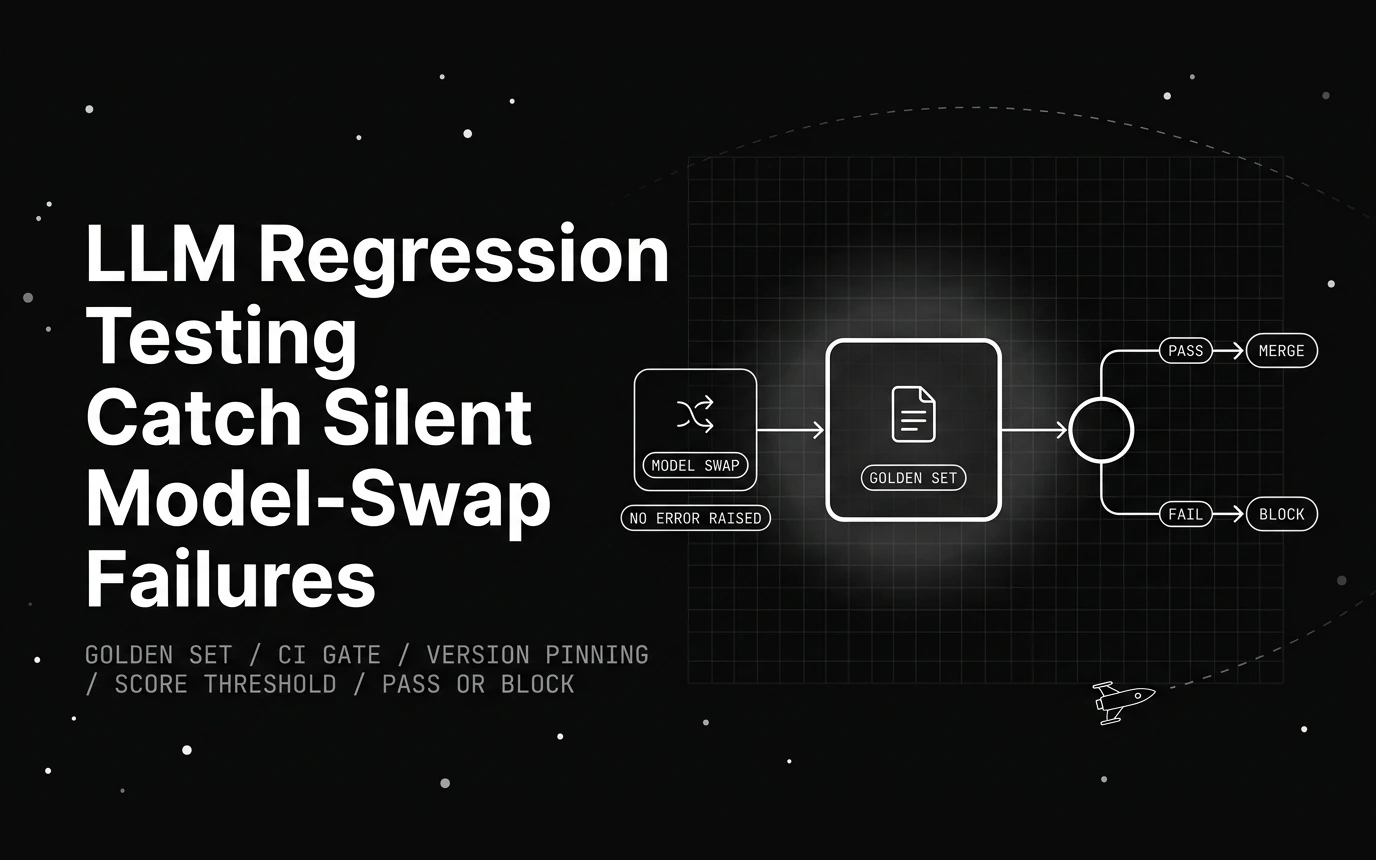
LLM regression testing catches the silent model-swap failure that lowers quality with no error. Here is a runnable harness, a CI gate, and golden-set checks.

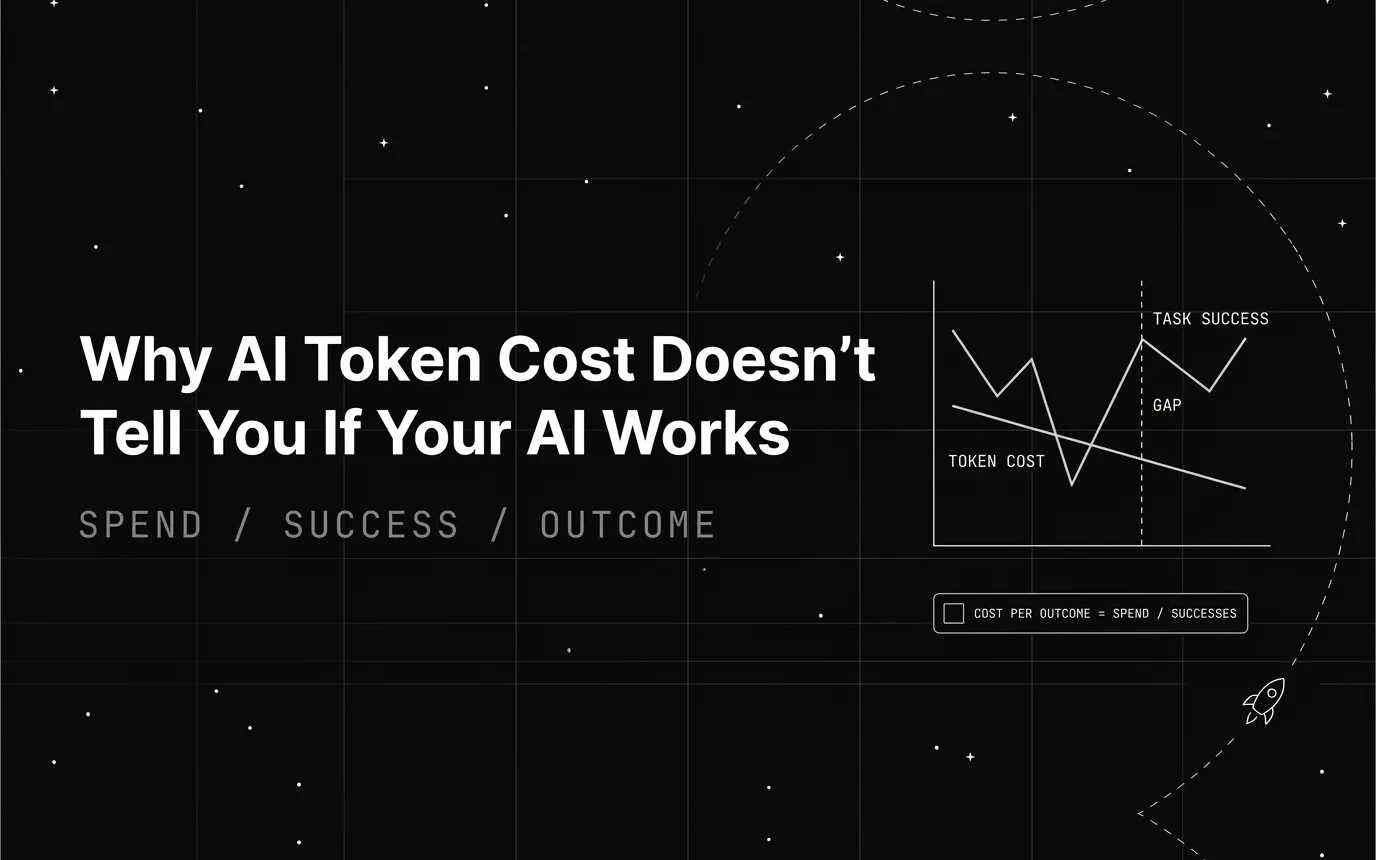
AI token cost tells you what you spent, not whether the task got done. What a token bill measures, what it hides, and the quality metrics to read beside it.
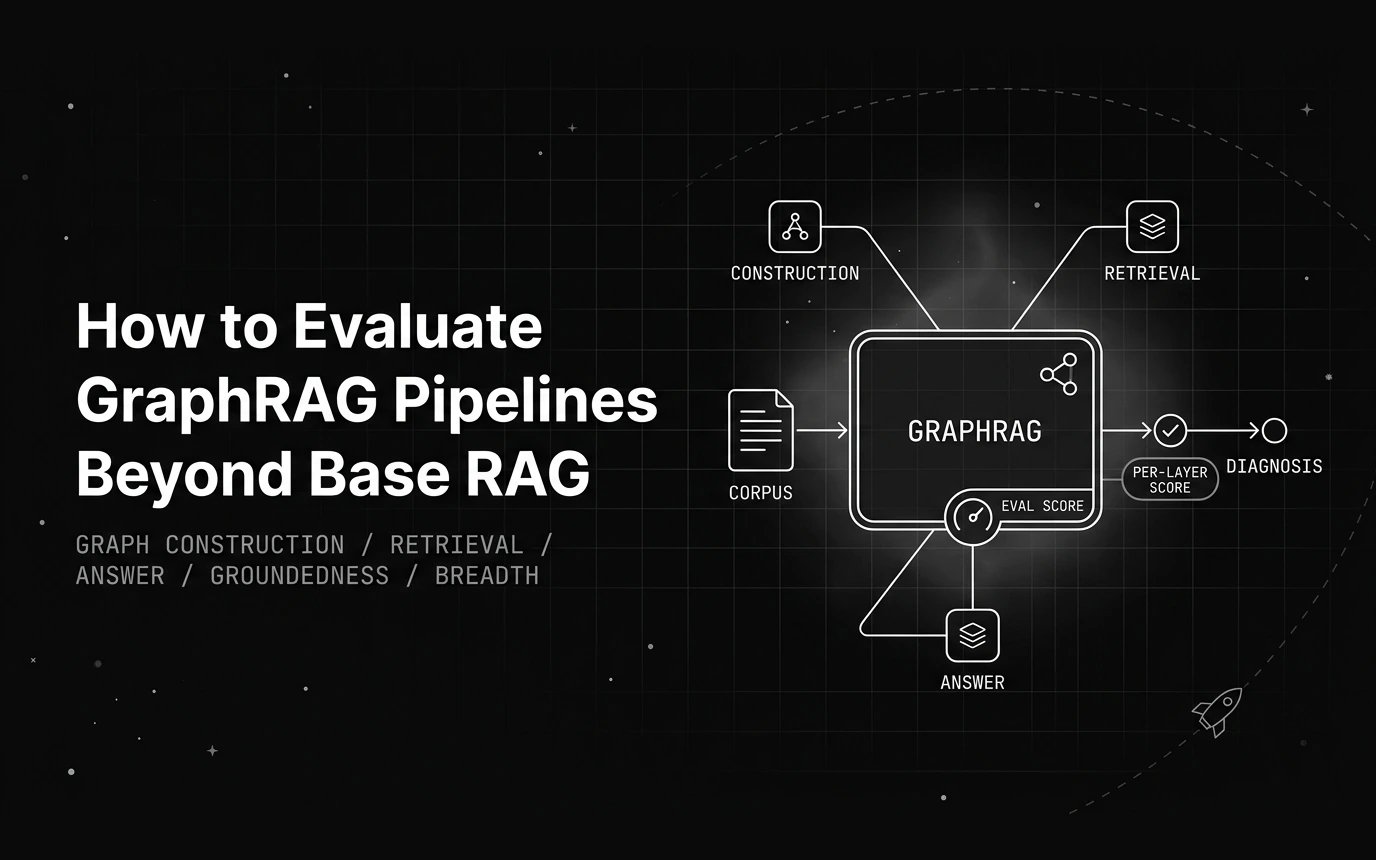
Base RAG metrics miss the graph underneath GraphRAG. Here is a three-layer framework, runnable graph metrics, and answer scores that isolate each failure.