Agent CLI Developer Experience in 2026: The Three-Axis DX Test
Terminal AI coding agents win on three DX axes: plan visibility, tool transparency, rollback discipline. 2026 test for Claude Code, Codex, Aider, Cline.
Table of Contents
A developer types claude and asks the agent to fix a flaky test, run the suite, and commit. One CLI prints a plan with the files it intends to read, the change it will draft, and the commit message it will use, then waits. Another prints “working…” and starts writing files. The agent quality is comparable. The developer experience is not. The first CLI gets re-opened tomorrow. The second one is uninstalled by Friday.
Terminal-native AI coding agents win or lose on three DX axes, and the LLM quality matters less than any of them: plan visibility, tool-call transparency, and rollback discipline. A CLI that scores three out of three earns the right to run on a real codebase. A CLI that misses any one creates more cleanup work than it saves. This is a working test for engineers picking between Claude Code, OpenAI Codex CLI, Aider, Cline, and the rest of the field in mid-2026.
The thesis in one line: agent CLIs are a UX problem dressed as an LLM problem.
The three-axis DX frame
Three questions decide whether you’ll still be using the CLI in 30 days.
Plan visibility. Before the agent writes a file or runs a command, do you see what it intends to do, with the files named and the commands quoted, and can you edit the plan? A plan-first loop turns a 12-step run into a single review surface. An act-first loop forces you to interrupt and re-plan every time the agent drifts.
Tool-call transparency. As the agent runs, does every file edit, shell command, and network call surface with the tool name, the arguments, and the working directory? Or does it collapse 40 tool calls into a final summary you can’t audit? Transparency is the difference between an agent you trust to run unattended and one you babysit keystroke by keystroke.
Rollback discipline. When the agent goes sideways at step 8, can you reject step 8 without aborting the whole run, revert all session changes with one command, or replay from step 6 with corrected context? Or do you git stash, manually inspect 14 modified files, and rebuild the prompt from scratch?
A CLI that scores three out of three on these three axes is a tool. A CLI that misses one creates a tax on every run.
Plan visibility: plan-first beats act-first
The plan-first loop is the single largest DX shift the terminal agent category made in 2025 and 2026. Claude Code anchored it. OpenAI’s Codex CLI shipped a variant. Aider’s architect mode is the same idea in two-process clothing. The pattern across all three:
- The user describes the task in natural language.
- The agent emits a written plan: which files to read, what changes to draft, which tools to call, in what order.
- The user reads the plan, edits a step, removes a step, or approves.
- Only then does the agent execute, with the plan as the spine.
Why this works: a multi-step agent run isn’t one answer. It’s a sequence of irreversible side effects. Reviewing the sequence at the end is reviewing a debugged car crash. Reviewing it at the start is engineering.
The act-first failure mode makes the difference legible. An act-first CLI takes the prompt, fires the first tool call, and tries to recover when something breaks. By the time the trajectory is visible, two files are modified, one shell command ran with unexpected arguments, and the agent is two steps deep into a wrong direction. You interrupt, cleanup begins, and you’ve lost more time than you would have spent doing the task yourself.
The implementation detail that matters: the plan has to be editable. A plan you can read but not modify is theater. A plan you can edit in place (“skip step 3, run pytest with -k auth_session instead”) turns the CLI into a steerable runtime.
Tool-call transparency: name every operation
The second axis is the one that breaks most CLIs. The bad pattern looks like this:
$ codex "fix the failing tests"
⠋ Working...
✓ Done. 3 files modified, 12 lines changed.
What the agent actually did is hidden behind that spinner. Did it edit the right files? Did it run a shell command? Did it call rm? Did it hit a third-party API? You read the final diff and hope. If the diff is wrong, you have no idea which of 40 tool calls produced it.
The good pattern names everything as it happens:
[plan]   read 3 files, edit 2 files, run pytest, commit
[read]   src/auth/session.py
[read]   tests/test_auth.py
[edit]   src/auth/session.py  (+8 -3)  [diff above, accept? y/n/edit]
[shell]  pytest tests/test_auth.py -v  (cwd: ./)
[ok]     tests pass, 12 passed in 1.4s
[commit] fix: session expiry on stale refresh tokens
Four properties matter:
- Per-tool names, not categories. “edit” beats “tool call”. “shell” with the argv beats “running command”.
- Diff preview before write. The diff appears before the file is modified, not after. The user accepts, edits, or rejects.
- Arguments visible. Every shell command prints the full argv and the working directory. Every network call prints the URL and method.
- Errors named with tool, args, and underlying message. A
PermissionErrorsurfaces asPermissionError, not as “tool failed”.
Claude Code does most of this in its terminal UI. Aider’s diff preview is excellent; its shell-command surface is thinner. Codex CLI’s sandbox model makes commands visible by design. Cline’s VS Code surface gets it almost free because the IDE renders diffs natively.
The trap is collapsing tool calls into a summary view “for cleanliness”. A summary is fine as a secondary surface; it cannot be the primary one. The primary surface is the named trajectory.
Rollback discipline: three levels, all required
The third axis is where the field is most uneven. Rollback has three levels and the CLIs that ship all three are the ones engineers stop fighting.
Level 1: single-step reject. The agent proposes an edit, you reject the edit, the agent adapts without aborting the run. The plan continues, minus that step. Aider supports this through git checkpoint behavior; Claude Code supports per-edit approval; Codex CLI’s approval model is per-write. Continue.dev’s CLI mode is closer to autocomplete and weaker here.
Level 2: full-run revert. One command undoes every file change from a session. Git-aware CLIs get this for free: each agent change is a commit, so git reset --hard <session-start> is the rollback. Non-git CLIs need their own snapshot store, and most do it poorly, leaking changes between runs or losing the cursor on which session a file belongs to.
Level 3: replay from a checkpoint. Restart from step 6 of an 8-step run with a corrected prompt, without re-reading every file or rebuilding context. This is the level that separates a runtime from a wrapper. The agent loads the plan up to step 6, replays the tool calls or trusts the cached results, and resumes with the new instruction. Few CLIs ship this cleanly today, but the ones that do (typically through git-branch-per-session models) unlock long autonomous runs.
The unifying principle: a rollback story that depends on git stash and human triage is not a rollback story. The CLI has to own session state, treat each change as a reversible operation, and make undo a first-class action, not a hope.
If your CLI of choice doesn’t do level 2 cleanly, treat it as a development-only tool, not a production runtime.
Comparing across CLIs: the 2026 scorecard
A scorecard for the five most common terminal agents in mid-2026, scored against the three axes. Each axis is rated high, medium, or low based on the default-shipping experience, not the configurable maximum.
| CLI | Plan visibility | Tool transparency | Rollback discipline | Notes |
|---|---|---|---|---|
| Claude Code | High | High | Medium | Plan-first loop is the reference. Auto-commit aids revert; per-step reject is uneven. |
| OpenAI Codex CLI | Medium | High | Medium | Sandbox model surfaces commands cleanly; plan surface is lighter. |
| Aider | Medium | Medium | High | Architect mode is opt-in. Git-native rollback is the strongest in the field. |
| Cline | Medium | High | Medium | VS Code surface renders diffs and tools well; relies on workspace git. |
| Continue.dev (CLI) | Low | Medium | Low | Closer to autocomplete in CLI mode; plan surface is thin. |
Two caveats. CLIs ship updates monthly; the scores move. And your score depends on the task: a multi-file refactor stresses plan visibility, a test fix stresses rollback, a dependency upgrade stresses tool transparency. Run the test on your task mix, not on a generic demo.
The pair-wise decision most teams face: Claude Code or Aider. Claude Code wins when the constraint is plan-first review of a complex change. Aider wins when the constraint is git hygiene and clean commits per step. Both are defensible defaults. The bad answer is picking based on the model behind the CLI; the model is swappable, but the UX is sticky.
For a wider look at the field (including IDE-native agents like Cursor and Cline), see our best AI coding agents in 2026 comparison.
CLI in CI: the test that exposes the wrapper
Non-interactive mode is where the three axes get a second test. CI pipelines have no TTY, can’t approve a plan, and can’t tolerate a hung tool call. A CLI built as a UX shell around an LLM falls apart in CI. A CLI built as a runtime survives.
The CI checklist is short:
- stdin / flag prompt input. The CLI accepts the task as a piped string or a flag, not only through an interactive REPL.
- Plan as an artifact. The plan emits as JSON or markdown to a file or stdout. Reviewers see what the agent intended without scraping logs.
- Per-tool-call structured logs. Every tool call writes a structured record (JSON line or OTel span) with the tool name, arguments, duration, and result.
- Policy gates. A deny-list or allow-list of tools, file paths, and shell commands enforced at the CLI layer, not at the LLM layer.
- Non-zero exit on failure or policy block. Silent failure with exit 0 is the worst CI bug.
- Session-scoped branch. All file changes land on a branch the pipeline can inspect, run evals against, and discard if review fails.
A useful pattern: the CLI runs in the pipeline, the plan and the full tool trajectory ship as artifacts, an automated review job scores the diff against a code-review rubric for coding agents, and the pipeline only merges if the eval passes. The same three axes work in CI; the consumer changes from a human to an automated reviewer.
For deeper observability once the CLI ships to CI, see LLM tracing best practices in 2026 and the Python decorator tracing patterns.
Common CLI design failures
The same six failures repeat across every CLI we’ve reviewed in the last year.
- Spinner over status line. A spinner with no information is the new “Loading…”. The status line is the antidote: name the active tool, the active file, the current step.
- No interrupt path. A 60-second tool call you can’t cancel breaks the trust contract. Ctrl-C must abort the running step, preserve history, and return to the prompt.
- Buffered streaming. Sub-token chunks should flush to stdout immediately. Re-painted TUI canvases that flicker on every chunk fight the terminal’s append-only strength.
- Silent error swallowing. A tool fails, the agent retries silently, the next tool fails, the final answer is wrong, and the user has no clue why. Surface every failure with tool, args, error, and a retry prompt.
- Auth tokens in the session file. Plain text secrets in a session log is a recurring security regression. Use the OS credential store (macOS Keychain, libsecret, the native vault).
- No project-scoped config. Engineers will not configure a tool through a settings menu. A
.agent/config.yaml(or equivalent) in the project root, version-controlled, declares allowed tools, MCP servers, the slash registry, and the tracing endpoint.
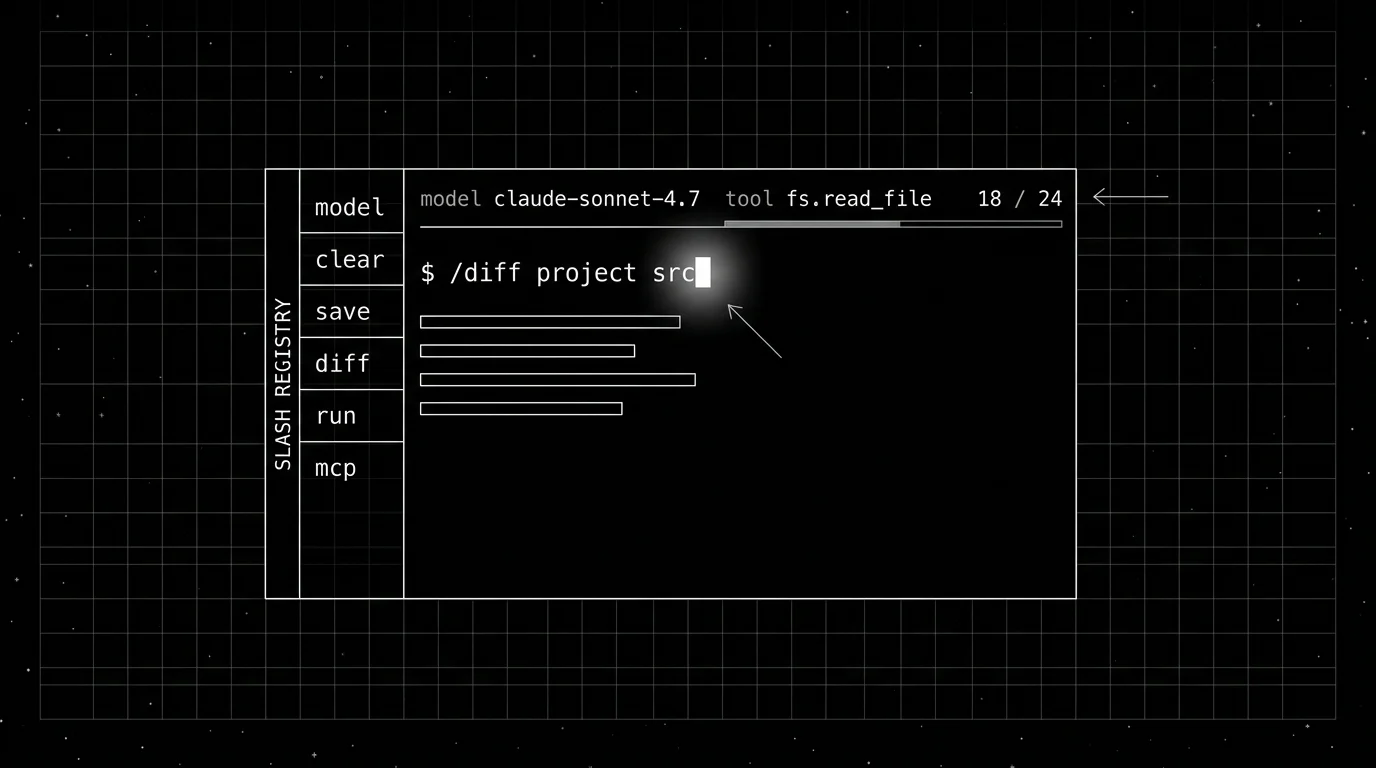
The smaller failure that adds up: parsing slash commands inside the LLM context. The LLM doesn’t need to learn /model or /diff or /save; the CLI interprets them locally and either returns immediately or feeds a structured result back to the agent. Stuffing the command grammar into the prompt wastes tokens and confuses the model.
Where Future AGI fits
The three axes can’t be fixed inside the CLI alone once it’s running across a team of 30 engineers. Plan visibility is per-terminal; tool transparency is per-session; rollback is per-repo. The team-level questions (which runs cost the most, which trajectories cross a policy, which CLIs produce diffs that fail review) live outside the CLI surface.
Three Future AGI surfaces sit at that boundary.
- traceAI: Apache 2.0 OpenTelemetry SDK that captures the CLI’s plan, tool calls, file edits, shell commands, and LLM calls as spans. The agent loop becomes the root span; each tool call becomes a child. Standard OTel GenAI attributes (
gen_ai.request.model,gen_ai.usage.input_tokens) ride along, plus custom attributes (tool.name,plan.step_id). PII redaction built in. - ai-evaluation: Apache 2.0 SDK with 50+ pre-built evaluators (Turing models) plus 20+ local heuristic metrics. The production pattern: every CLI run that lands on a session branch gets scored by a code-review judge before the PR closes. Tool Correctness, Plan Adherence, and Task Completion map cleanly to the three DX axes.
- Agent Command Center: OpenAI-compatible LLM gateway in a single Go binary (Apache 2.0). 100+ providers, 18+ built-in guardrail scanners, exact and semantic caching, OTel-native observability. The pattern: every CLI on the team routes through the gateway, so token spend, model routing, and policy enforcement sit in one place. Self-host or use
gateway.futureagi.com/v1.
The honest tradeoff: a solo developer using Claude Code on one project doesn’t need this layer. The three surfaces matter once you’re running multiple CLIs across a team, gating production diffs on an automated review, or trying to keep the gateway bill predictable. FAGI doesn’t decide which CLI you pick. It decides whether you can operate the CLI you picked at team scale.
How to run the three-axis test on your own
Five tasks, three scores per task, fifteen points total.
- Multi-file refactor. Rename a class across 8 files, change a function signature, restructure a module. Score plan visibility (did the CLI list every file before touching one?), tool transparency (did every edit show a diff?), and rollback (could you revert the whole change with one command?).
- Failing-test fix. Ask the CLI to diagnose and fix a real failing test. Score whether the plan included reading the test, whether each edit was previewed, whether you could reject a wrong fix and have the agent retry.
- Dependency upgrade. Bump a dependency with breaking changes. Score whether the plan called out migration steps, whether every file change was named, whether you could undo the bump.
- Env-var migration. Move a config value from env vars to a YAML file with code updates across the repo. Score the same three axes.
- Doc edit with cross-references. Update a doc that references code in three files. Score plan, transparency, and revert.
Three points per task. Anything below ten is a CLI you’ll fight with on a real codebase. Save the scores; the next vendor release shifts them.
The shift from “which model does the CLI use” to “how does the CLI surface the work” is the most important framing change senior engineers can make in 2026 procurement. The model is one configurable. The UX of the runtime is the thing you live inside every day.
Sources
- Anthropic Claude Code docs
- OpenAI Codex CLI
- Aider docs
- Cline GitHub repo
- Continue.dev
- OpenTelemetry GenAI semantic conventions
- Model Context Protocol spec
- Future AGI Agent Command Center
- Future AGI traceAI
- Future AGI ai-evaluation
Read next
Frequently Asked Questions
What is the three-axis DX test for an agent CLI?
Why do agent CLIs need a plan-first loop?
What does tool-call transparency look like in practice?
How should rollback work in an agent CLI?
Which agent CLIs score highest on the three-axis test in mid-2026?
How do I run the three-axis DX test on a CLI I'm evaluating?
How do agent CLIs fit into CI/CD pipelines?
Best AI coding agents 2026 by job-to-be-done. Cursor, Claude Code, Cline, Aider, GitHub Copilot, Replit Agent ranked by where the agent actually lives.

Cline and Cursor solve different problems. Cline is a VSCode extension with MCP and BYOK. Cursor is a full IDE with Composer. Eval them differently.

Public SWE-bench scores don't transfer to your codebase. Evaluate coding agents on golden-PR replay, tool calls, multi-file coherence, plan, and rollback.
