Falcon AI in 2026: The Platform-Native Copilot That Operates Your Eval Stack
A generic chatbot answers questions about your data. Falcon AI runs the eval, drills the trace, and files the ticket, with 300+ tools and page context.
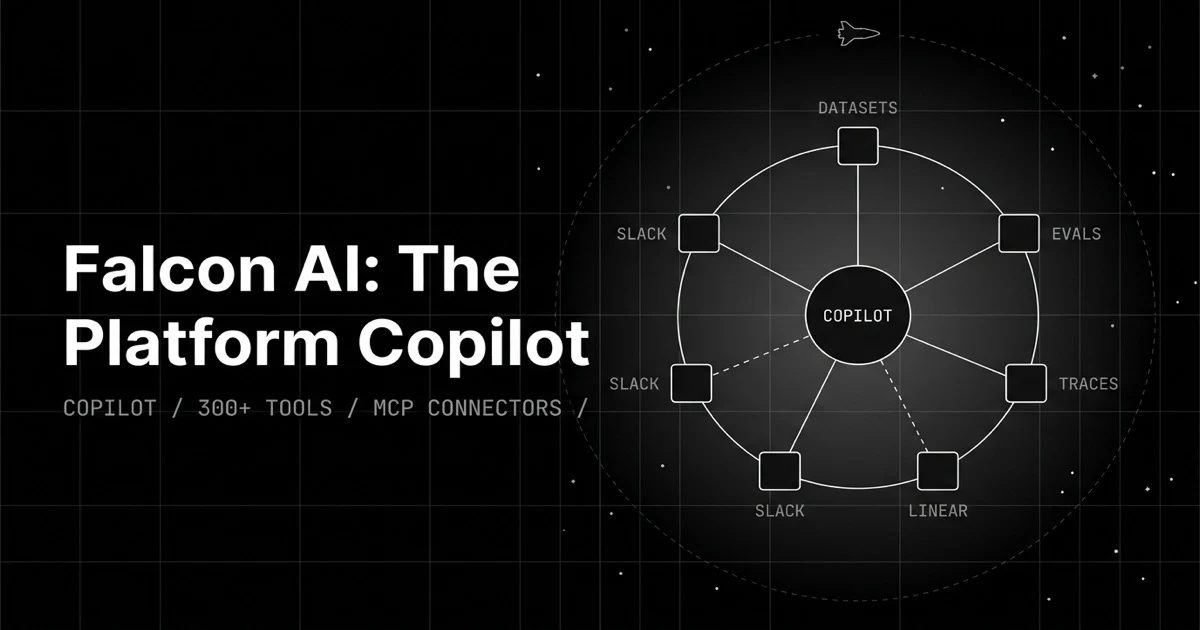
Table of Contents
Originally published May 29, 2026.
You are looking at an evaluation regression in your platform and you want to understand it. So you open your AI assistant, except it is a generic chatbot in a separate tab that knows nothing about the page you are on. You copy the eval results into it, ask why the score dropped, get a plausible paragraph back, then switch back to the platform to actually pull the failing traces, switch to another tool to check the dataset, and to a third to file a ticket. The assistant talked; you did all the work.
Falcon AI is the opposite of that. It lives in the platform, knows what you are looking at, and does the work, runs the eval, drills the trace, files the ticket. This post is what Falcon AI is, why a platform-native copilot beats a bolted-on chatbot, and the features that let it operate your stack.
What Is Falcon AI?
Falcon AI is the copilot built into the Future AGI dashboard. It has access to over 300 platform tools and works across datasets, evaluations, traces, experiments, prompts, and settings through natural language, and it is page-aware: it knows what page you are on and which entity you are looking at, and acts on that context directly.
The distinction that matters is execution. A generic assistant answers questions about data you give it. Falcon AI carries out platform operations, and a single conversation can span several of them, start from an evaluation regression, drill into the failing traces, inspect the dataset behind them, and compare against a different model, without leaving the chat.
Why Isn’t a Generic Chatbot Enough for an Eval Platform?
A general-purpose chatbot has two structural gaps when it sits next to a real platform. It is blind to context: it does not know which evaluation, trace, or dataset you are viewing, so you re-describe your situation every time. And it is powerless to act: it can reason about results you paste in, but it cannot run the eval, build the dataset, or open the trace, so every conclusion it reaches becomes manual work for you to execute elsewhere.
The result is a copy-paste tax. You shuttle data into the chatbot, shuttle its answers back into the platform, and switch between the tools that actually do things. A platform-native copilot removes both gaps by being inside the platform with first-class tools and live context, so understanding and acting happen in the same place.
How Does Page-Aware Context Work?
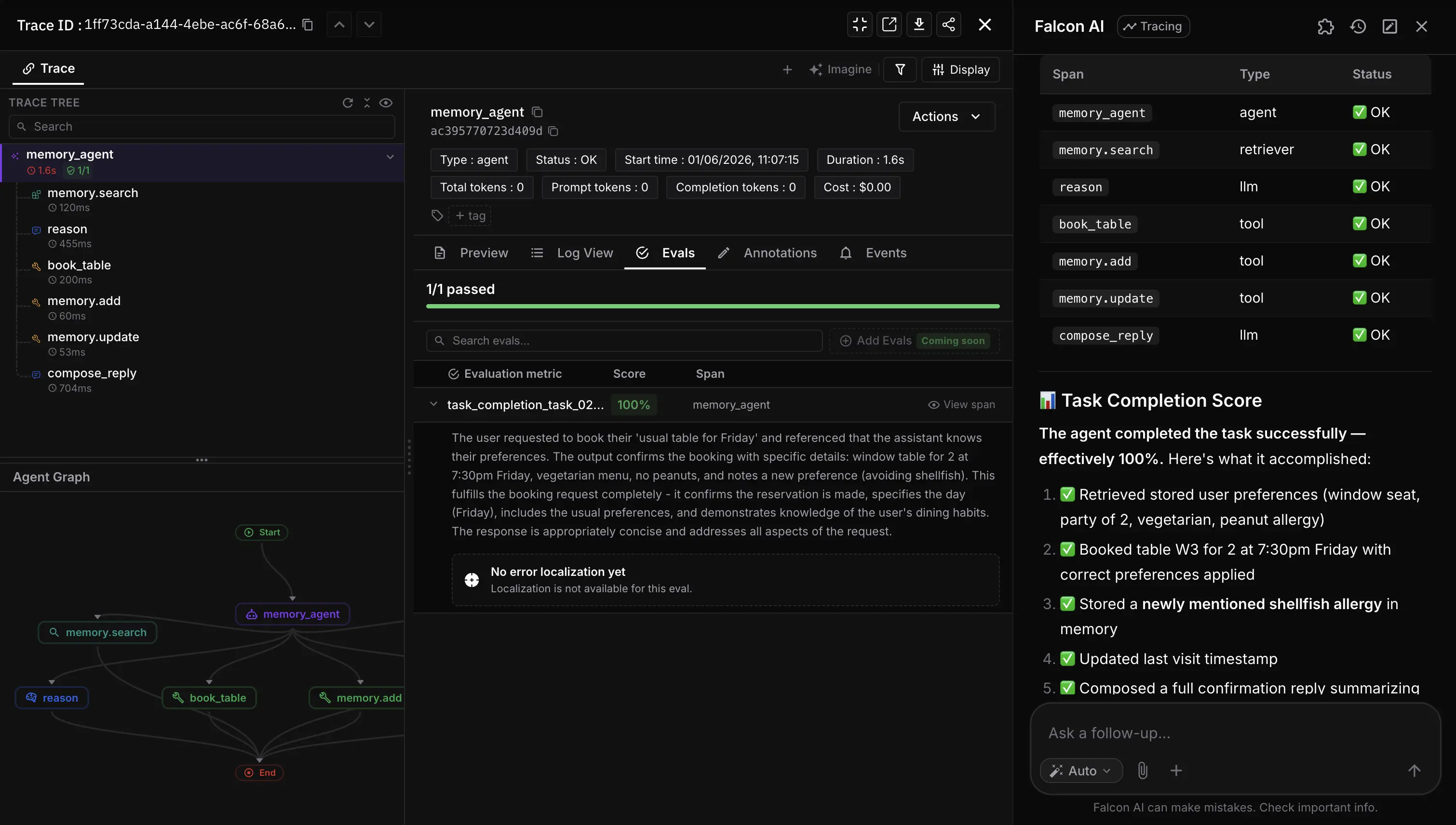
Falcon AI automatically detects the current dashboard page and the entity on it. Ask “why is this score low?” while viewing an evaluation and it knows which evaluation you mean; ask about “these traces” on a trace list and it has them. You are not pasting IDs or re-explaining what you are looking at, because the assistant already shares your view.
This is what makes follow-ups cheap. Because context carries, a question like “now show me the failing traces, then compare the prompts in run 11 versus run 12” resolves against what is already on screen, and the conversation reads like talking to someone sitting next to you rather than briefing a stranger each turn.
What Can Falcon AI Actually Do?
Four capabilities, and the power is in composing them:
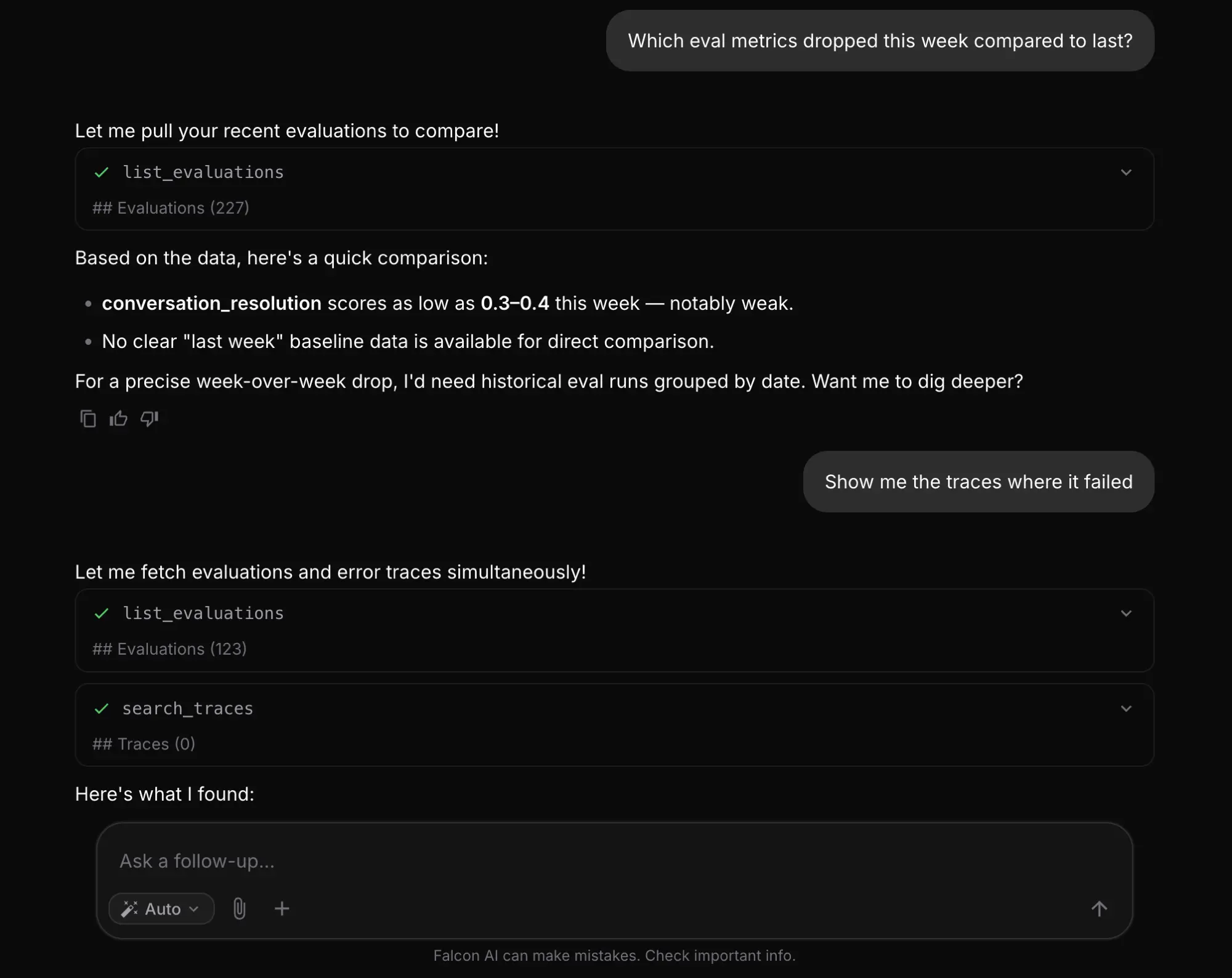
- Analyze. Quantified answers, not summaries: “which eval metrics dropped this week compared to last?”, “what is the p95 latency for the summarization endpoint?”, “show a cost breakdown by model for the last 30 days.”
- Create. Build platform entities from chat: “create a dataset called qa-golden with columns for query, expected_answer, and context”, “set up an A/B experiment comparing GPT-4o and Claude Sonnet.”
- Debug. Search and correlate: “show traces with timeout errors from the last 24 hours”, “find traces where the model hallucinated and show what context was retrieved”, then attach an eval to the span to score it.
- Chain. Each follow-up builds on the last result, so a regression becomes a thread that ends at the root cause instead of a single question.
The through-line is that every one of these is an action in the platform, executed by the assistant, not a description handed back for you to carry out.
How Do Skills Package Repeated Workflows?
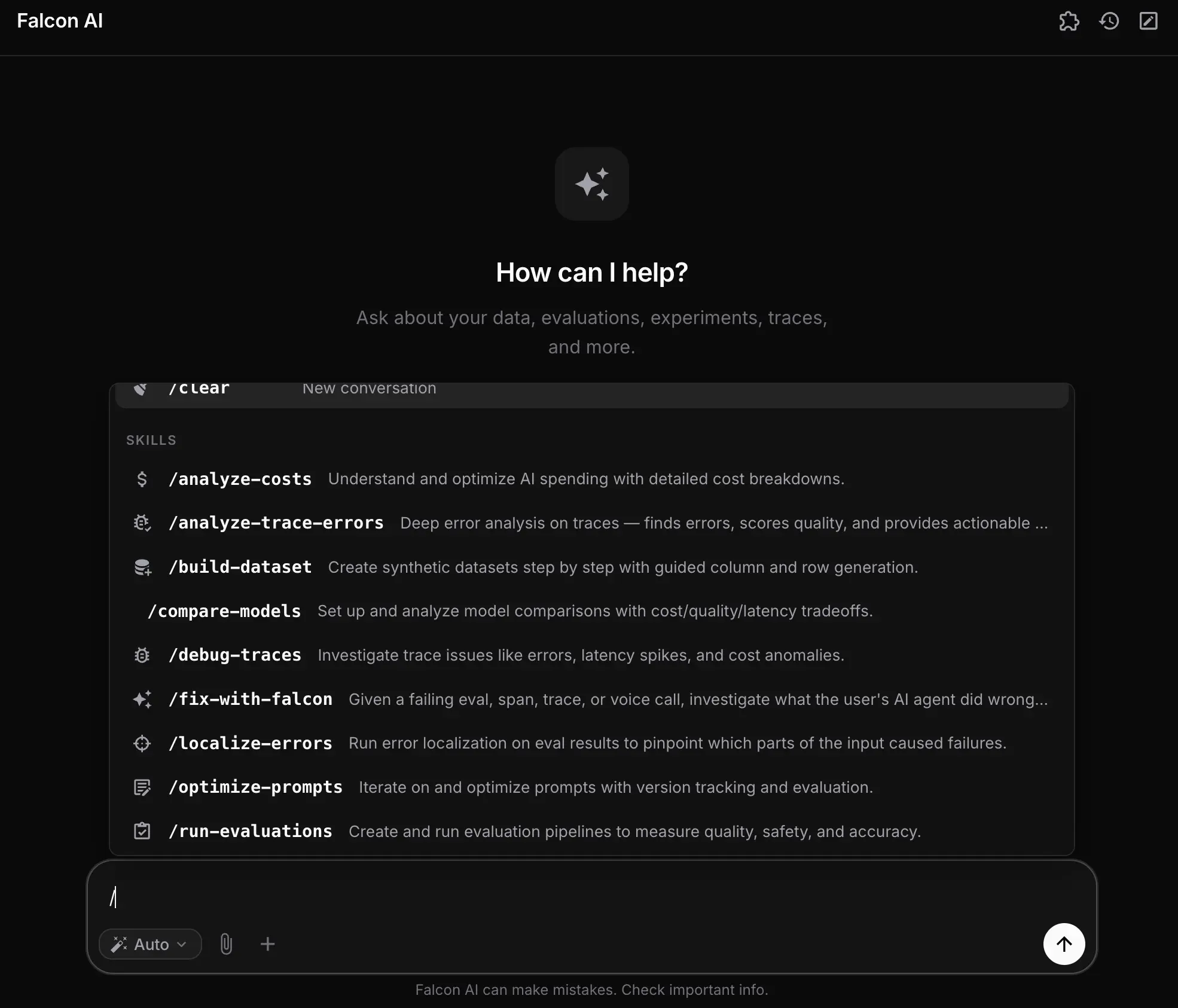
The same analysis recurs across people and conversations: checking regressions, generating cost reports, investigating error spikes. Skills package those into reusable slash commands. Type / in the chat, pick a skill, and Falcon AI runs the packaged instructions with the right tools already loaded.
Falcon AI ships six built-in skills, Build a Dataset, Debug Traces, Compare Models, Run Evaluations, Optimize Prompts, and Analyze Costs, and you can author custom skills scoped to your workspace. A custom skill is how a team encodes its own playbook (a specific regression triage, a particular cost report) so that the workflow is one slash command for everyone instead of tribal knowledge.
How Do MCP Connectors Extend It Beyond the Platform?
Most real workflows do not end inside the eval platform; they end in a ticket, a Slack message, or a GitHub issue. MCP connectors extend Falcon AI to any server that implements the Model Context Protocol, so it can call external services, Linear, Slack, GitHub, Sentry, custom internal APIs, alongside its built-in platform tools.
That closes the loop. “Create a Linear ticket for this failing evaluation” or “post this cost report to Slack” happen in the same conversation that found the problem, because Falcon AI discovers the connected server’s tools and uses them when the task calls for it. The investigation and the follow-through stop being two tools and two context switches.
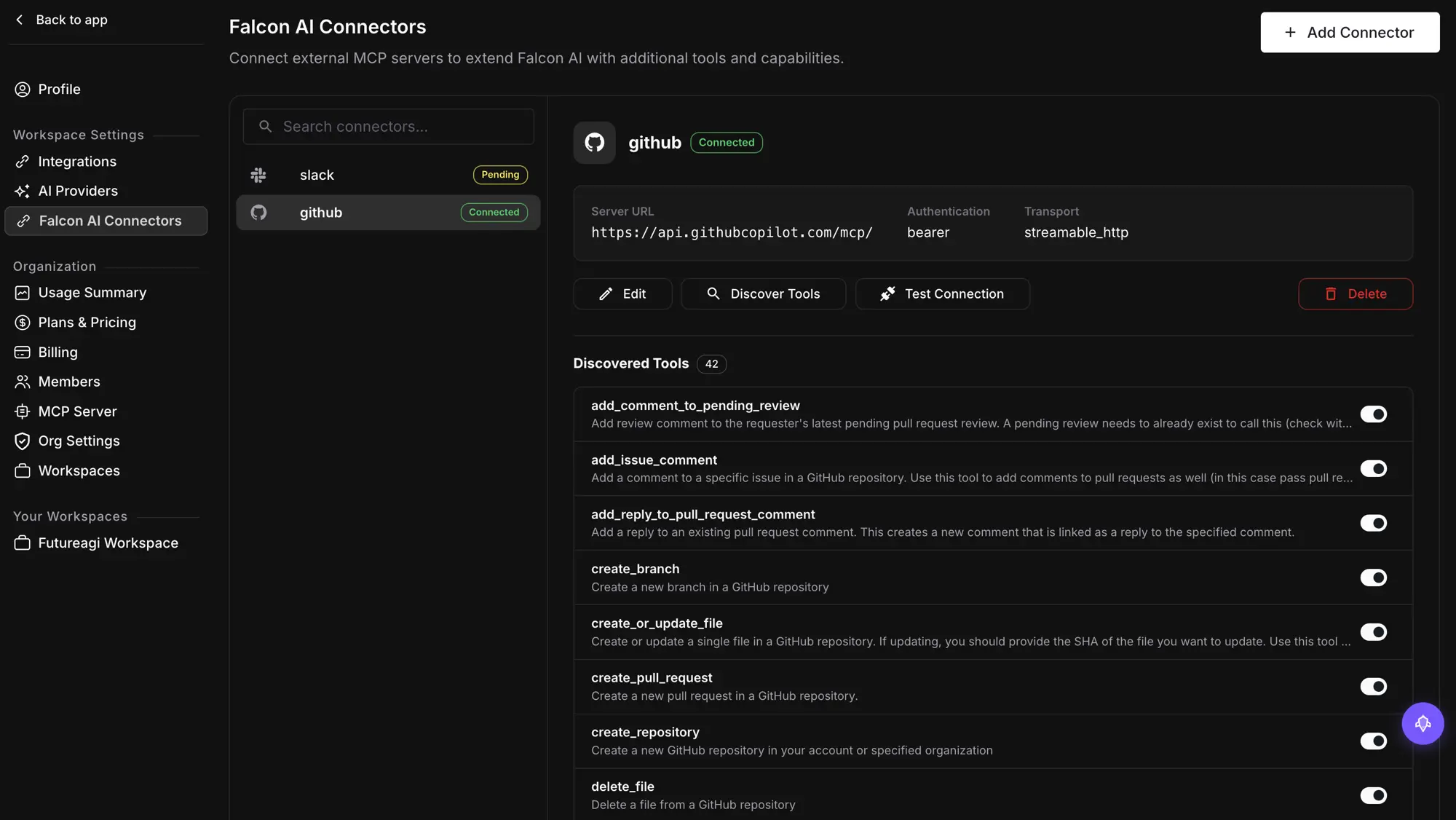
Generic Chatbot vs Platform-Native Copilot
| Capability | Generic chatbot | Falcon AI |
|---|---|---|
| Knows what you are viewing | No, you re-describe it | Page-aware context |
| Acts in the platform | No, answers only | 300+ platform tools |
| Spans features in one thread | No | Analyze, create, debug, chain |
| Reusable team workflows | Prompt copy-paste | Built-in and custom skills |
| Reaches external tools | No | MCP connectors (Linear, Slack, etc.) |
| Builds custom views | No | Imagine with Falcon |
For the visualization side of that last row, Imagine with Falcon turns a description into a live custom view of your trace data, which is the same copilot pointed at building dashboards.
Where It Falls Short
- It is a platform capability, not the OSS binary. Falcon AI lives in the Future AGI platform dashboard. It is not part of the open-source gateway you self-host as a standalone binary, so frame it as a platform feature, not an OSS one.
- It acts on your data, so it inherits your data. Page-aware answers and trace debugging are only as good as what the platform has captured. Thin instrumentation means thinner answers.
- Tool breadth is power and responsibility. A copilot with 300+ platform tools plus external connectors can do a lot, which is exactly why workspace scoping, skills, and access control matter; give it the reach the task needs, not more.
Why a Copilot Should Operate the Platform, Not Just Chat
The assistants most teams bolt onto their tools are stuck one layer away from the work: they can discuss your evals but not run them, see your screenshot but not your context. Falcon AI is built the other way, inside the platform, page-aware, with first-class tools and MCP reach, so the same conversation that diagnoses a regression also pulls the traces, rebuilds the dataset, and files the ticket. The measure of a copilot is not how well it talks about your stack; it is how much of your stack it can actually drive.
Want a copilot that runs your evals instead of describing them? Open Falcon AI in the Future AGI dashboard and ask it to debug your last failing evaluation end to end.
Sources
Frequently Asked Questions
What is Falcon AI?
How is Falcon AI different from a generic AI chatbot?
What can Falcon AI do?
What are Falcon AI skills?
Can Falcon AI use tools outside the Future AGI platform?
Where does Falcon AI run?
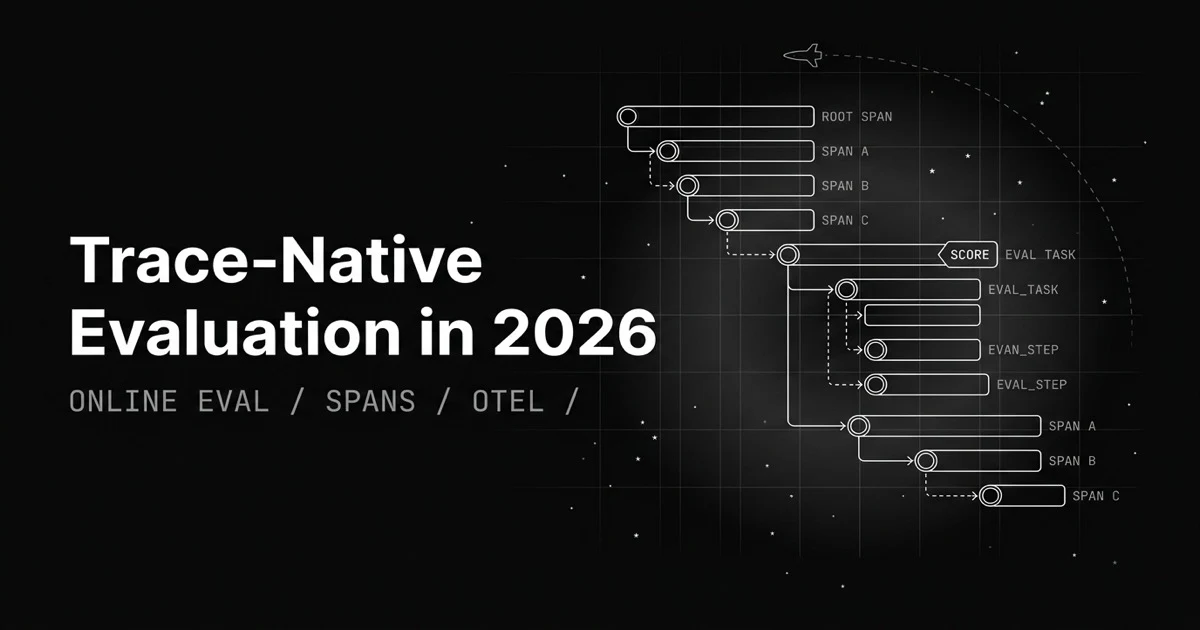
Most eval loops export logs, build a dataset, map columns. Trace-native evaluation attaches the score to the span itself and runs on production traces.
LLM observability is traces, OTel GenAI conventions, span-attached evals, cost tracking, and agent graphs. What it is and how to implement it in 2026.

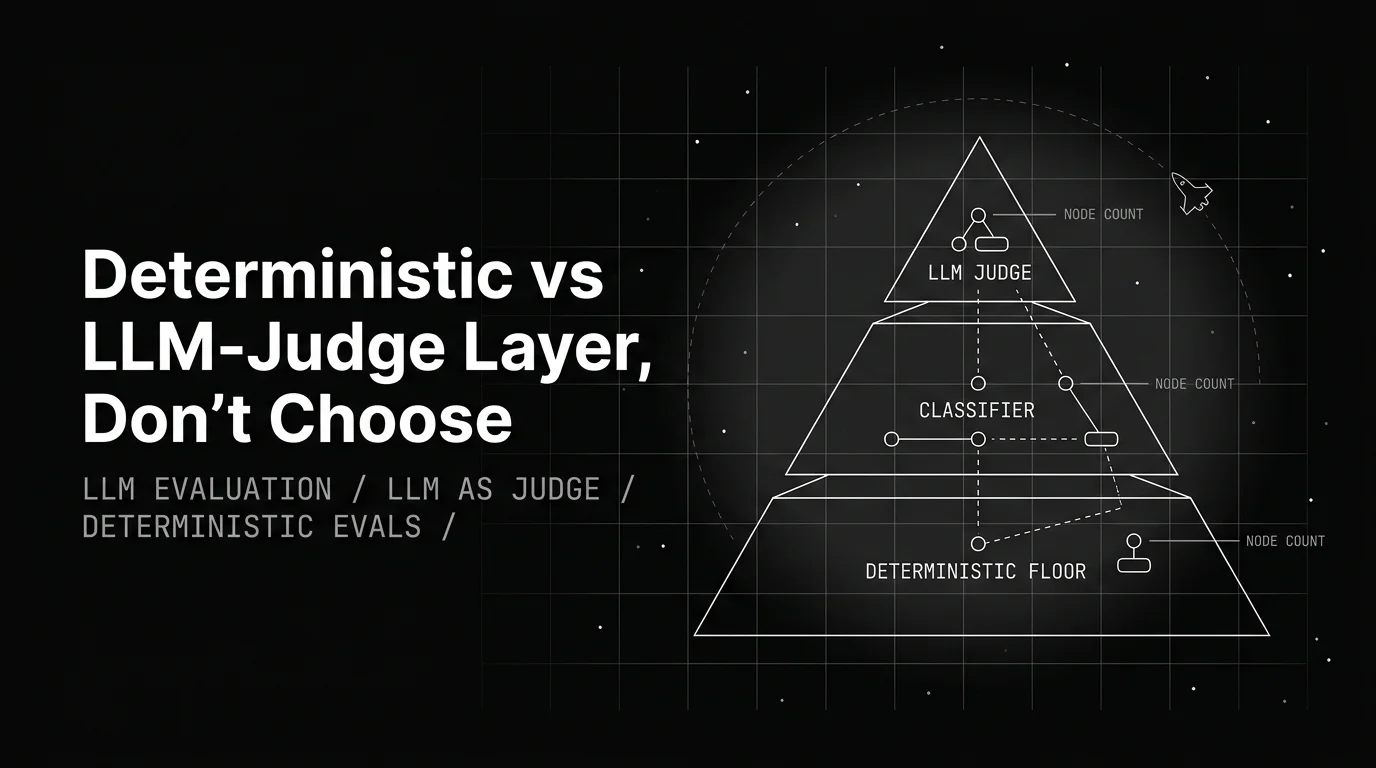
Deterministic vs LLM-judge isn't a pick. It's a cascade. Where each wins, where each breaks, and the layering that drops eval cost 95% in production.