Choosing the Right PII Redaction Tool for LLM Applications: 7 Questions Before You Buy
Seven questions for choosing a PII redaction tool for LLM applications: runtime redaction, contextual detection, whole-path coverage, and output leaks.
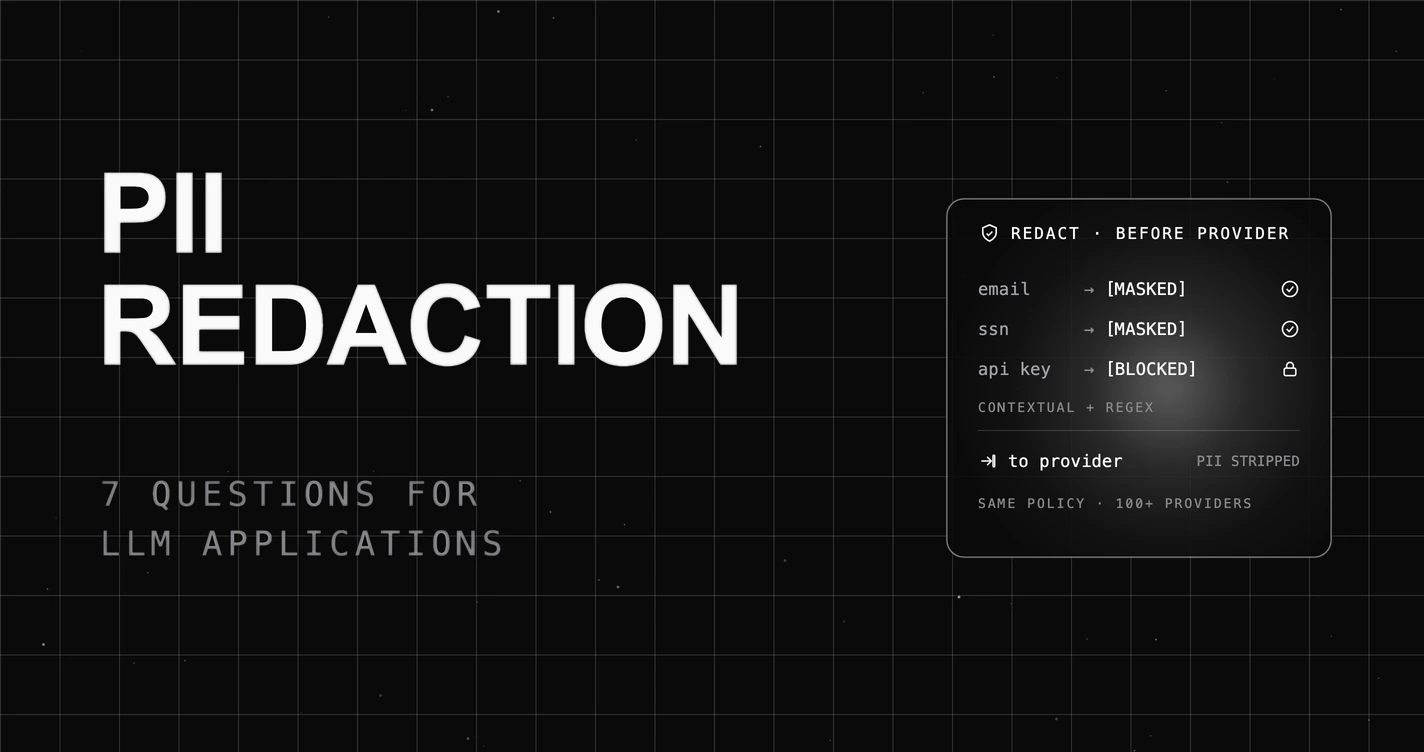
Table of Contents
The fastest way to choose the wrong PII redaction tool is to test it on one input field and assume the rest of your LLM app is covered. A team adds a redactor to the user prompt, watches it mask an email in a demo, and ships. In production the gaps show up fast: a customer’s name in free text sails through because it was not a regex pattern, the model returns a phone number it inferred from context that the input redactor never saw, and every prompt and response is sitting in the observability traces in plain text anyway. The tool redacted one doorway while the PII walked through three others.
That is the problem a real PII redaction tool for LLM applications has to solve, and it is why testing one field is the wrong way to shop. PII in an LLM app travels through prompts, model outputs, tool calls, and the traces you store, so redaction has to cover the whole path at runtime, not scrub one log after the fact. So choosing a PII redaction tool is not about whether it can mask an email. It is about whether it catches PII in context, redacts before the provider sees it, covers outputs and traces, and leaves an audit trail. Here are the 7 questions that separate a real PII redaction tool from a regex on one field, and how to answer each.
TL;DR: choose a PII redaction tool that redacts at runtime before the request reaches the provider, catches contextual PII (not just regex), covers prompts, outputs, tool calls, and traces, catches PII the model leaks, and keeps an audit trail. Redaction is a control, not your whole compliance program.
For the wider context, see how to evaluate LLM PII detection and evaluate data leakage prevention.
Why choosing a PII redaction tool is harder than it looks
The trap is that redaction looks like a solved problem when you only look at the user’s input. Mask an email, mask a phone number, done. But an LLM application is not one input field. The same PII flows into the prompt, comes back in the model’s output, passes through tool calls, and lands in your traces and logs, and a tool that only watches one of those leaves the rest exposed. The hardest part is not matching a pattern; it is covering every place the PII actually goes.
The second trap is detection quality. Structured identifiers like a credit card or an email have a shape a regex can match, but a name, a home address, or a sensitive detail in a sentence does not, so a pattern-only tool silently misses exactly the free-text PII that LLM apps generate most. So the buying decision for a PII redaction tool is whether it detects PII in context, acts on it at runtime across the whole path, and records what it did. The 7 questions below are weighted toward exactly that.
The 7 questions to ask before you choose
The PII Redaction Path Test. Score each question pass or fail. Aim for five or more. The rule it encodes: PII travels through prompts, outputs, tool calls, and traces, so redaction must cover the whole path at runtime, not scan one log after the fact.
| # | Question | Pass if the tool… |
|---|---|---|
| 1 | Runtime redaction | Redacts before the request reaches the provider |
| 2 | Contextual detection | Catches PII in free text, not just regex patterns |
| 3 | Whole path | Covers prompts, outputs, tool calls, and traces |
| 4 | Output leaks | Catches PII the model leaks in its response |
| 5 | Entity coverage | Covers emails, phones, SSNs, and secrets |
| 6 | Audit trail | Records what was scanned and redacted |
| 7 | Honest scope | Is a control, not a whole compliance program |
1. Does it redact PII inline at runtime, before the provider sees it?
Why it matters: if redaction runs after the fact on stored logs, the raw PII has already been sent to a third-party model provider. For most policies, that is the exact event you were trying to prevent.
What to look for: redaction that runs inline in the request path, at the gateway, so PII is masked or the request is blocked before it leaves your boundary for the provider, and again on the response before it returns to the user.
What to avoid: a tool that scans a log after the call, which detects the leak only once it has already happened.
How FutureAGI fits: FutureAGI’s Protect layer runs a PII Detection scanner at the gateway, so a request is redacted or blocked before it reaches the model provider, not scanned later in storage. Because the scan sits in the request path, the provider never receives the raw PII in the first place. A log-scanning tool misses this because the data has already left. For the runtime model, see agent runtime guardrails.
2. Does it catch contextual PII, not just regex patterns?
Why it matters: the PII an LLM app handles most is free text, and free text is where regex fails. A name, a partial address, or a sensitive phrase has no fixed pattern, so a regex-only tool passes exactly the PII you most need caught.
What to look for: detection that pairs pattern rules for structured identifiers with named-entity recognition that reads context, so a name in a sentence is caught the same way a credit card number is.
What to avoid: a pure-regex redactor that only matches fixed formats, which is blind to the contextual PII LLM conversations are full of.
How FutureAGI fits: FutureAGI’s PII Detection scanner goes beyond fixed patterns, and a Presidio adapter adds named-entity recognition, so detection combines pattern rules for structured IDs with context-aware detection that catches names and addresses in free text. That is the difference between catching a formatted SSN and catching the customer’s name two sentences later. A regex-only tool misses this because most conversational PII has no pattern to match.
3. Does it cover the whole path: prompts, outputs, tool calls, and traces?
Why it matters: redacting the prompt is not enough if the same PII is sitting in plain text in your observability traces. Your logs are a second copy of every request and response, and an unredacted trace store is its own breach surface.
What to look for: redaction that covers the request and response at the gateway and also strips PII from the traces and spans before they are exported to your logging backend, so the logs are not a parallel leak.
What to avoid: a tool that redacts the model call but ships raw prompts and outputs straight into your traces, which only relocates the PII.
How FutureAGI fits: FutureAGI covers both layers: Protect scans prompts and outputs at the gateway, and traceAI redacts PII like email, phone, SSN, and API keys from span attributes before traces are exported, so your logs do not become a second copy of the PII. The screenshot in the section below shows the guardrail layer; the trace redaction runs at the observability layer, so the whole path is covered, not just the request. A request-only tool misses this because the traces leak what the prompt redaction caught.
4. Does it catch PII the model leaks in its output, not just user input?
Why it matters: PII does not only come from the user. A model can infer or confabulate a phone number, and a tool call can return a record full of personal data, so an input-only redactor passes a leaked identifier straight through in the answer.
What to look for: response-side scanning that redacts PII in the model’s output and in tool-call results before they reach the user, not just in the incoming prompt.
What to avoid: a tool that only scrubs user input, which is blind to everything the model and your tools generate.
How FutureAGI fits: FutureAGI’s Data Leakage Prevention scanner runs on the response, so PII the model leaks or a tool returns is caught on the way back to the user, not only on the way in. Pairing input redaction with output scanning closes the direction most tools leave open. An input-only redactor misses this because it never reads what the model said back. For the failure mode in depth, see evaluating data leakage prevention.
5. Does it cover the entities you actually handle?
Why it matters: a tool that redacts emails and phone numbers but not the API key in a tool call, or the SSN in a support transcript, gives you a false sense of coverage. The entity you do not cover is the one that ends up in an incident report.
What to look for: coverage of the identifiers your app actually sees, including emails, phone numbers, SSNs and national IDs, financial identifiers, and secrets like API keys and credentials, not a short fixed list.
What to avoid: a redactor with a narrow, fixed entity set that quietly omits secrets or the identifiers specific to your domain.
How FutureAGI fits: FutureAGI pairs a PII Detection scanner with a dedicated Secret Detection scanner, so emails, phones, SSNs, and credentials like API keys are all in scope, and traceAI strips those same entities from spans before export. Covering secrets alongside personal identifiers matters because an API key leaked into a prompt or a log is its own breach. A narrow redactor misses this because it never looked for the credential.
6. Does it give an audit trail of what was redacted?
Why it matters: when an auditor or an incident review asks what your system did with personal data, “it was redacted” is not an answer you can prove without a record. Silent redaction leaves you nothing to show.
What to look for: a recorded trail of what was scanned and acted on, queryable and exportable, so you can demonstrate the control was actually applied.
What to avoid: a tool that redacts invisibly with no log of the events, which leaves you unable to evidence the control under review.
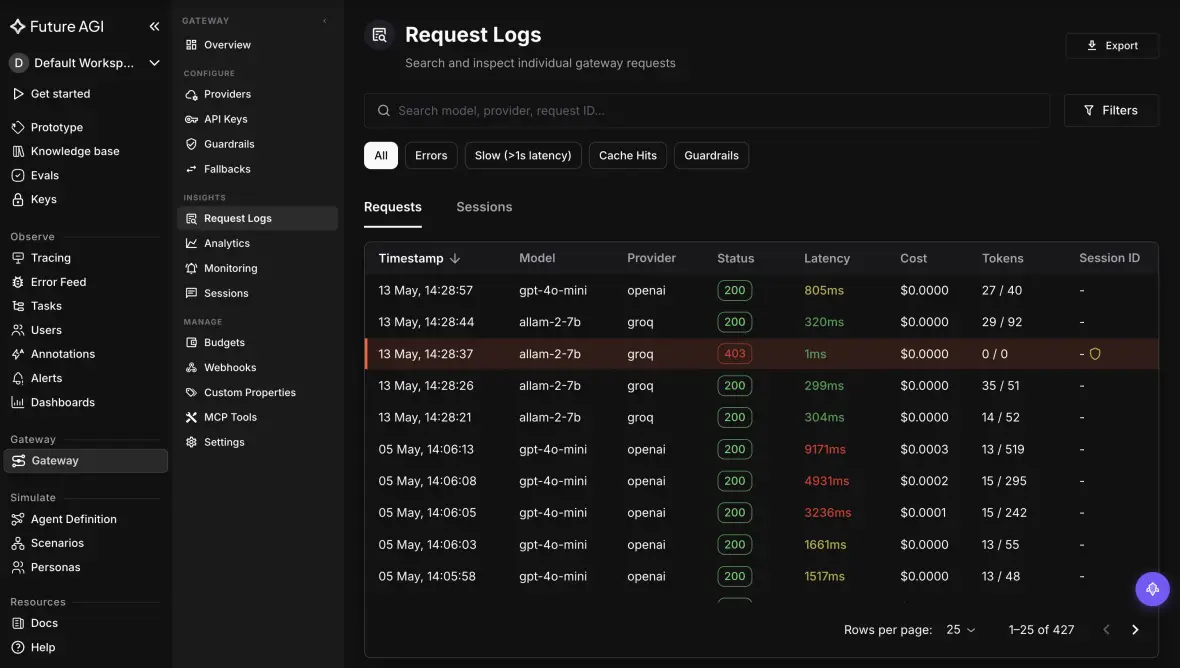
How FutureAGI fits: FutureAGI records gateway requests in a log you can filter to guardrail-triggered calls and export, so there is a recorded trail of what was scanned and where a policy acted. The screenshot below shows the request log feed, with filters and export, which is what you hand an auditor instead of an assurance. A silent redactor misses this because it kept no evidence. For the broader pattern, see AI gateway compliance audit trails.
7. Is redaction a complete compliance program?
Why it matters: here the honest answer protects you. A redaction tool that is sold as compliance in a box invites you to skip the controls around it, which is exactly where audits and incidents find the gap.
What to look for: a tool that is clear it is one control, the part that bounds what your model and logs ever see, and that expects to sit inside a broader program of access controls, retention, and review.
What to avoid: a vendor implying that turning on redaction makes you compliant, which is the claim least likely to survive a real audit.
Where FutureAGI is honest about this one: FutureAGI’s redaction is a strong control, not a compliance program. It bounds what your model provider and your logs ever see, which is necessary, but regulated data still needs access controls, retention policy, data processing agreements, and human oversight on the high-stakes cases, and no detector catches every entity every time. Redaction also reduces exposure rather than guaranteeing anonymity, since leftover quasi-identifiers can still re-identify a person in combination. FutureAGI is built to be the enforcement layer inside that program, not a substitute for it. If you only need to mask a single field in one script, a small library is lighter than a platform; FutureAGI earns its place when PII crosses prompts, outputs, tools, and traces and the control has to hold everywhere.
A quick decision framework
The questions are the test; here is how the answers map to a pick.
| Choose | When | What decides it |
|---|---|---|
| A runtime gateway redactor | Raw PII must never reach the provider | Questions 1 and 3; a log scanner acts after the data already left |
| A context-aware detector | Your PII is mostly names and free text | Question 2; a regex-only tool misses unstructured PII |
| A both-directions redactor | Your model or tools can leak PII in output | Question 4; an input-only tool passes leaks through |
| A small library | You mask one field in one script | Question 7; full-path coverage is more than that needs |
Where FutureAGI fits
The 7 questions get you redaction that holds across the path: at runtime, in context, on inputs and outputs, in the traces, with a record. Past redaction itself, three things matter to teams protecting PII in LLM apps that the checklist does not cover: doing it alongside the other guardrails, keeping the policy stable across providers, and keeping the PII inside your own environment.
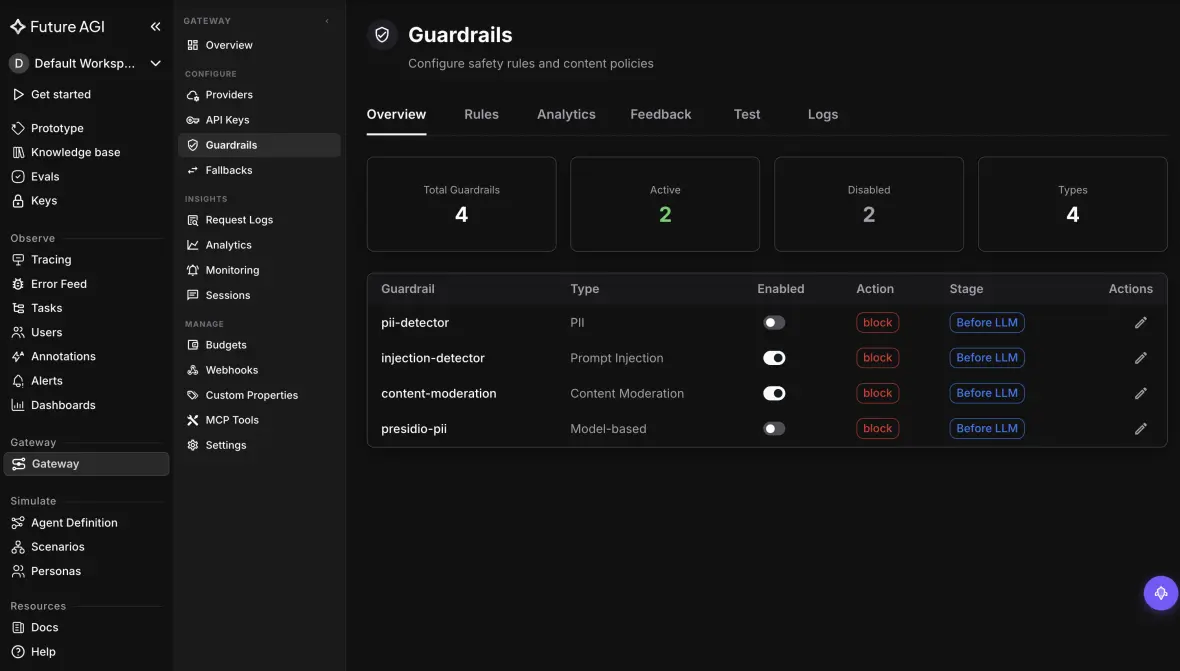
PII redaction is one of the guardrails, in one policy layer. PII rarely travels alone: the same request that carries an email might carry a prompt-injection attempt or a secret. FutureAGI runs PII Detection alongside prompt injection, content moderation, secret detection, and more, so one guardrail layer covers PII and the rest at the same hop instead of a stack of single-purpose tools. The screenshot below shows the guardrail rules, including PII detectors, set to act before the model call.
One redaction policy across every provider. A redaction policy that only works for one model is a policy you re-implement every time you switch. FutureAGI’s gateway applies the same PII policy whether you route to OpenAI, Anthropic, or a self-hosted model, with your provider keys staying in your own vault, so changing models does not change your PII contract.
Keep the PII inside your environment. For sensitive data, the redactor itself should not be one more cloud that sees the raw values. FutureAGI’s gateway is Apache 2.0 and self-hostable in your VPC, and the trace exporter is configurable, so PII can be detected, redacted, and stored entirely inside your boundary rather than a vendor backend.
Where FutureAGI is not the pick: if you only need to mask a single field in one place, a small redaction library is lighter than a platform. FutureAGI earns its place when PII crosses prompts, outputs, tool calls, and traces, and one policy has to hold across all of them. See the Protect documentation or the Agent Command Center for the gateway and guardrails.
What to read next
- Best AI Gateways for PII Redaction in LLM Calls (2026): if you would rather see specific gateways ranked than work the questions yourself.
- Evaluating LLM PII Detection (2026): how to measure whether a detector actually catches your PII, behind Question 2.
- Ultimate Guide to LLM Guardrails (2026): where PII redaction sits among the other runtime guardrails an LLM app needs.
- AI Gateway Compliance and Audit Trails (2026): the recorded-evidence side of Question 6, for regulated teams.
Frequently Asked Questions About PII Redaction Tools
What is a PII redaction tool for LLM applications?
A PII redaction tool for LLM applications detects and removes personally identifiable information, like names, emails, phone numbers, SSNs, and API keys, from the data flowing through your model. For an LLM app that means more than scrubbing one input field: PII shows up in prompts, in model outputs, in tool calls, and in the traces and logs you store. A real tool detects PII in context, redacts or blocks it at runtime before the request reaches the provider, catches PII the model leaks in its responses, and keeps an audit trail of what it acted on.
Why is regex not enough for PII redaction in LLM apps?
Regex is good at structured identifiers with a fixed shape, like a credit card number or an email, but most PII in free text does not have one. A person’s name, a partial home address, or a sensitive detail in a sentence has no pattern a regular expression can match reliably, so a regex-only tool quietly misses it. Strong PII redaction pairs pattern rules for structured IDs with named-entity recognition that reads context, so it catches the name and address a regex passes through.
Should PII be redacted before or after the model call?
Both. You redact on the way in, before the request reaches the model provider, so raw PII never leaves your boundary, and you redact on the way out, before the response returns to the user, because the model can leak PII it inferred or a tool returned. Input-only redaction is the common mistake: it protects what the user typed but passes a leaked SSN straight through in the answer. Runtime redaction at the gateway, on both directions, is what actually bounds exposure.
Does a PII redaction tool also protect my logs and traces?
It should, and many do not. Your observability traces and logs are a second copy of every prompt and response, so if the tool redacts the model call but ships raw PII into your traces, you have only moved the leak. A complete tool redacts PII from span attributes before traces are exported, so emails, phone numbers, SSNs, and API keys never land in your logging backend. Check that the redaction covers the trace layer, not just the request path.
Does PII redaction make my LLM app compliant?
No, and a tool that implies it does is overselling. Redaction reduces exposure at the LLM layer, which is necessary, but compliance is a program: access controls, retention policies, data processing agreements, legal review, and human oversight on high-stakes data. A redaction tool is one strong control inside that program, not a substitute for it. Treat it as the part that bounds what your model and your logs ever see, and build the rest of the controls around it.
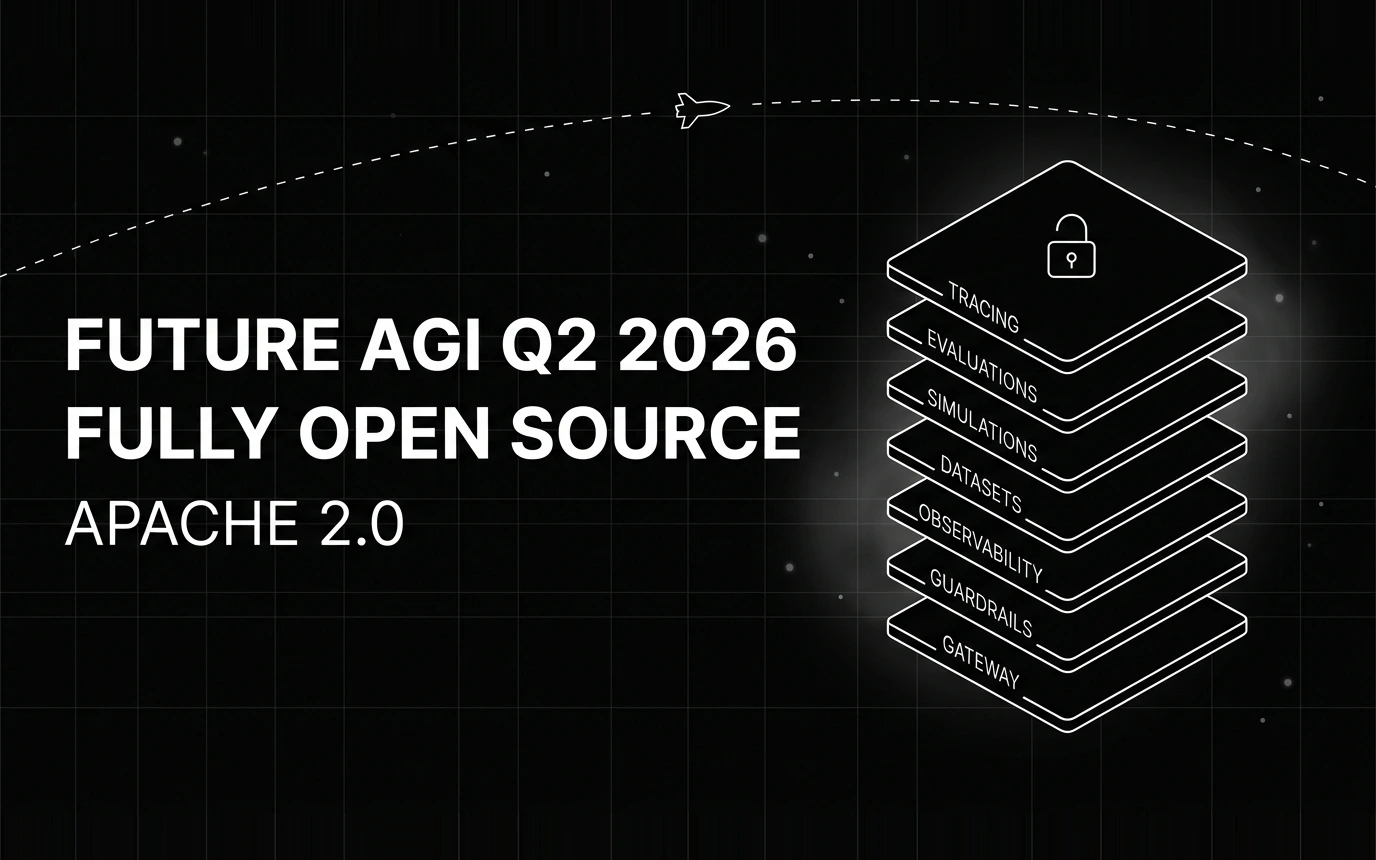
Inside Future AGI open source in Q2 2026: the platform shipped under Apache 2.0, Error Feed and the Agent Command Center went live, traces hit billions.

Eight factors for choosing an AI guardrails platform for legal AI: real-time blocking, confidentiality, fabricated-citation detection, tool permissioning, and self-hosting.

Seven questions for choosing an AI guardrails platform for healthcare AI: real-time PHI blocking, output-side scanning, hallucination checks, and self-hosting.