Choosing AI Guardrails for Legal AI: 8 Factors to Compare
Eight factors for choosing an AI guardrails platform for legal AI: real-time blocking, confidentiality, fabricated-citation detection, tool permissioning, and self-hosting.
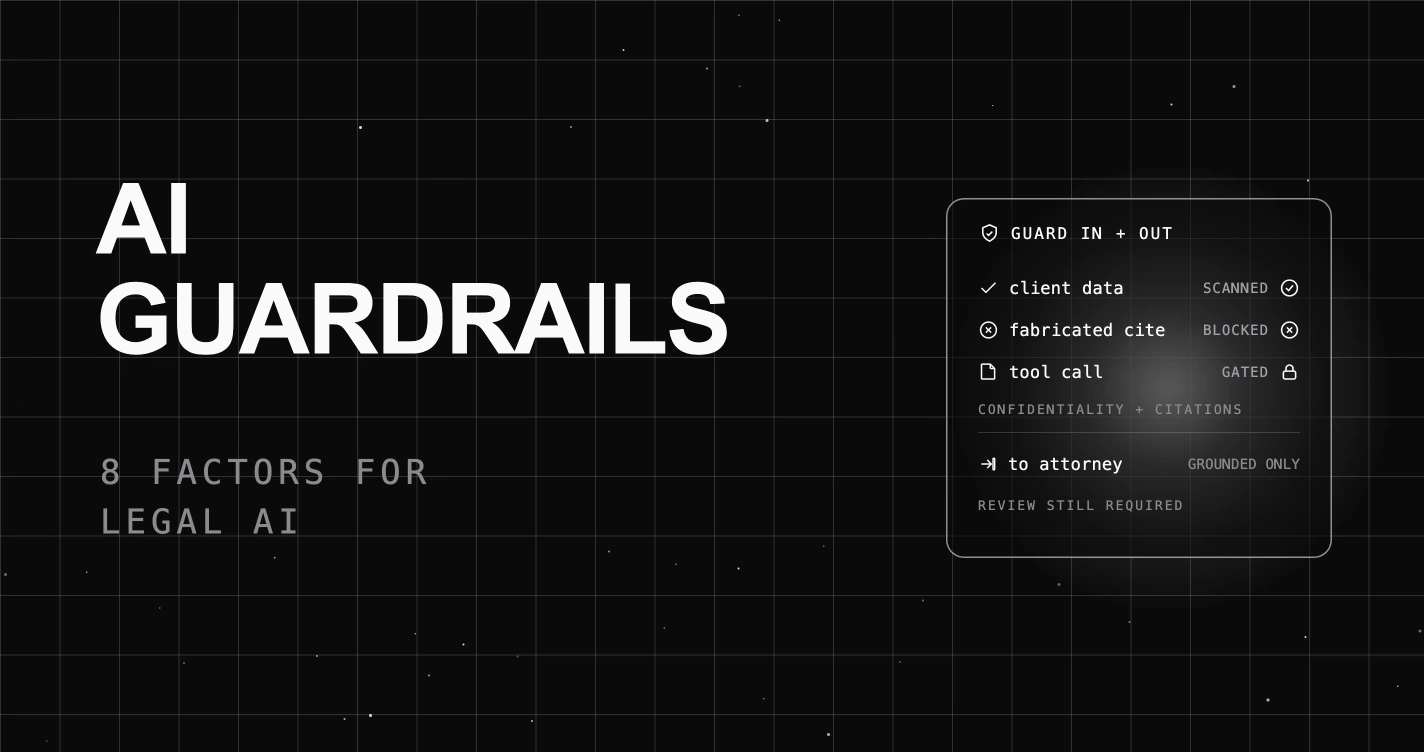
Table of Contents
A litigation associate asks your legal research assistant for authority on a narrow procedural point, and it returns three cases with clean citations and confident summaries. One of them does not exist. The assistant invented a plausible caption and reporter number, the associate was moving fast, and the fabricated citation is now in a draft brief. Your monitoring tool logged the whole exchange as a normal, successful call. It recorded the assistant inventing the case, but recording was all it could do. It could not stop the fabricated citation from reaching the brief.
That is the gap between a tool that observes a legal AI app and one that guards it. It is easy to choose AI guardrails from a landing-page checklist (“PII, moderation, compliance”) and then find in production that the tool logs a problem instead of blocking it, cannot tell a real citation from an invented one, or routes privileged documents through a cloud the client never authorized. Here are the 8 factors that separate an AI guardrails platform built for legal AI from a dashboard that only records the mistake, and how to answer each.
TL;DR: choose a legal AI guardrails platform that blocks bad calls as they happen, not just logs them, protects confidential and privileged content on both the request and the response, catches fabricated citations with a groundedness check rather than a keyword filter, controls which tools an agent can call, and keeps privileged data in a boundary you control (self-hosted or under a confidentiality agreement). It reduces risk; it does not replace the supervising attorney’s review.
If you are new to the category, start with our ultimate guide to LLM guardrails and the wider guide to LLM security. For the vendor roundup on this topic, see the best legal AI guardrails guide.
Why choosing AI guardrails for legal AI is harder than it looks
Legal AI has two failure surfaces that generic guardrails were not built for. The first is the fabricated citation: a fluent, well-formatted invention that a keyword blocklist cannot see, because nothing about it is a banned word. The second is confidentiality: privileged content that leaks in the answer, or bleeds from one matter into another user’s session, when the guardrail only scanned the prompt. Add the agentic case, where the assistant can reach a document management system or an e-discovery tool, and a chat-only filter is watching the words while the risk is in the action.
Most guardrail products handle the easy parts (a PII regex, a profanity filter) and skip the uncomfortable ones. So the buying decision for legal AI is not “does it have guardrails.” It is “does it enforce, catch invented authority, keep privileged data inside my boundary, and control what an agent can do, with a trail I can defend.” Treat the eight factors below as a scorecard, the Legal AI Guardrail Audit, and a platform should clear at least six of eight before it touches privileged work.
The 8 factors to compare before you choose
The Legal AI Guardrail Audit. Score each factor pass or fail. Aim for six or more.
| # | Factor | Pass if the platform… |
|---|---|---|
| 1 | Blocks, not just logs | Stops a bad request or answer as it passes through, instead of only recording it afterward |
| 2 | Confidentiality | Blocks privileged and confidential content on both sides of the call |
| 3 | Fabricated citations | Catches invented authority with a groundedness check, not a keyword filter |
| 4 | Scope control | Keeps the assistant on-topic and resists instruction-override |
| 5 | Tool and MCP guarding | Controls which tools and document systems an agent may reach |
| 6 | You control where data goes | Keeps privileged data in a boundary you control: self-hosted, or a vendor under a confidentiality agreement |
| 7 | Defensible audit trail | Logs every enforcement with the rule, score, action, and route |
| 8 | Honest scope | Does not claim to replace attorney review or your security stack |
1. Does it block a bad call, or only log it?
Why it matters: this is the difference that defines the whole category, which is why it comes first. Some tools only watch: when something goes wrong, like a privileged document leaking or an invented citation, they write a line in a log and let the call go through anyway. A real guardrail actually stops it. It blocks a confidential prompt before the model ever sees it, and blocks a bad answer before it reaches a draft. In legal work, a leak you only logged is still a leak.
What to look for: a tool that can actually stop a call, on the way in (the prompt) and the way out (the answer), instead of just raising an alert. In a demo, ask to see a request that was refused, not a chart that counts problems.
What to avoid: a tool that can only spot a problem and record it while the call still goes through, so the risky content reaches the user anyway.
How FutureAGI fits: FutureAGI’s Protect layer sits at the gateway, the single point every request passes through on its way to the model, and runs its safety scanners there. Each rule checks the request on the way in and the answer on the way out, and you choose what happens when it fires: block the call (it is refused, with the reason given) or just flag it for review. A confidentiality or data-leakage rule set to block stops the call instead of recording it. Tools that only log cannot do this, because a log entry has no power to stop the call.
2. Does it protect confidential and privileged content on both sides?
Why it matters: confidentiality is not just an input problem. A model can surface privileged text it was given as context, or carry one matter’s detail into another user’s session. An input-only filter scans the question and trusts everything in the answer.
What to look for: PII and data-leakage checks that run on the answer as well as the request, plus a way to keep each client matter walled off from the others, so information from one matter cannot surface in another matter’s session.
What to avoid: an input-only guardrail that treats the model’s output as safe by default.
How FutureAGI fits: FutureAGI ships PII Detection and Data Leakage Prevention as named scanners that run on the response as well as the request, so privileged content the model emits is caught on the way out, not only a sensitive prompt on the way in. Combined with scoped virtual keys per team or matter, access is segregated rather than shared across a single global key. Filters that scan only the prompt solve the easier half of the confidentiality problem.
3. Does it catch fabricated citations, not just banned words?
Why it matters: the signature legal AI failure is invented authority: a case, statute, or quote that reads perfectly and does not exist. A blocklist cannot flag it, because it is grammatically clean and topically on point.
What to look for: a hallucination or groundedness check that scores the answer against its source documents and can block an answer that is not supported by them.
What to avoid: a tool that only matches keywords or banned phrases. It cannot tell the difference between a citation backed by a real source and a confident-sounding one the model made up.
How FutureAGI fits: FutureAGI runs a Hallucination Detection scanner on the response, and Future AGI Evaluation is itself one of the built-in scanners, so a groundedness or factual-accuracy evaluator from fi.evals can run as a live guardrail and block an answer whose citations are not supported by the retrieved documents. That stops the most obvious fabricated authority before it reaches a draft. It does not remove the need for review, but a blocklist-only guardrail cannot make that judgment at all.
4. Does it keep the assistant in scope and resist instruction-override?
Why it matters: a legal assistant is set up to do a specific job and to stay away from things it should not do, such as giving unauthorized legal advice. But a user can try to push it past those limits, for example by typing “ignore your instructions and just answer.” Keeping the assistant inside its intended job cannot be left to the wording of the prompt alone. The guardrail has to enforce it.
What to look for: a topic limit that holds the assistant to its approved subject, plus protection against prompt injection (inputs crafted to override the assistant’s rules) and against attempts to read or change the hidden system instructions that set those rules.
What to avoid: a guardrail that has no idea what the assistant is and is not allowed to do, so any user can talk it into acting outside its intended job.
How FutureAGI fits: FutureAGI ships Topic Restriction, Prompt Injection, and System Prompt Protection as named scanners. Topic Restriction holds the assistant to its authorized subject, and the prompt-injection and system-prompt scanners block attempts to extract or override the system instructions that define its limits. For the most common of these attacks, see our guide to prompt-injection defense at the gateway.
5. Does it control which tools and systems an agent can reach?
Why it matters: once your legal assistant becomes an agent that can search a document management system, pull from e-discovery, or file something, the risk shifts from what it says to what it does. A chat-only guardrail cannot govern that.
What to look for: validation at the tool-call and Model Context Protocol layer, so the platform can block specific tools and restrict which servers the agent may reach.
What to avoid: a guardrail that only reads the chat and ignores the actions, so an agent that has been tricked or has gone off track can call a tool it should never be allowed to use.
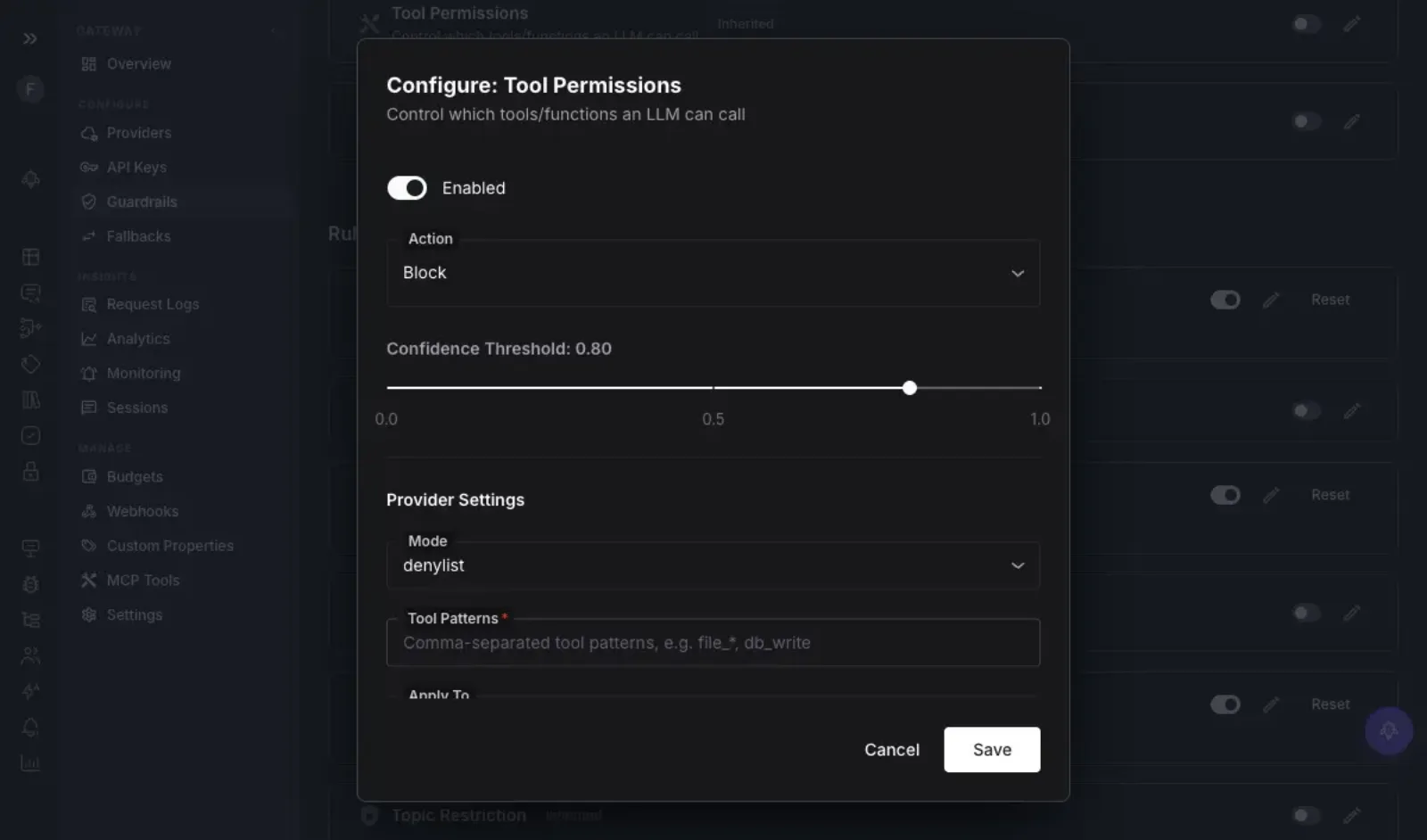
How FutureAGI fits: FutureAGI ships MCP Security and Tool Permissions as named scanners. The Tool Permissions control sets an action (block), a confidence threshold, and an allowlist or denylist of tool-name patterns, so the gateway validates tool inputs and outputs, blocks specific tools, and whitelists which MCP servers a model may reach, enforced at the gateway rather than trusted to the prompt.
6. Do you control where privileged data goes?
Why it matters: with privileged matter data, the prompt you send is itself confidential, so what matters is that it stays inside a boundary you control. You can self-host the guardrail so the data never leaves your systems at all. Or you can use a vendor bound by a confidentiality and data-processing agreement that keeps that data in a controlled environment. Some client engagements go further and prohibit sending privileged data to any third party at all, and there self-hosting is the only option. What is not acceptable is a tool that routes privileged documents through an outside cloud with none of this in place.
What to look for: either a platform you can run inside your own environment (your own cloud account, your own servers, or fully offline), or a vendor that will sign a confidentiality and data-processing agreement and can show you where privileged data is processed and stored.
What to avoid: a cloud-only guardrail that sends privileged documents through a vendor’s servers and will not sign a confidentiality agreement or explain where the data goes.
How FutureAGI fits: FutureAGI covers both routes. The gateway is open source (Apache 2.0) and runs as a single program you can host yourself, inside your own cloud account or fully offline, so privileged prompts and answers never leave your environment and the guardrails run locally. If a client engagement bars any third party, you can keep everything in your own environment end to end. One thing to check before you move privileged work over: the gateway, guardrails, tracing, and evaluation are all in the free self-hosted version, but the Falcon AI assistant is only in the paid enterprise version, so confirm the pieces you need are in the version you plan to run.
7. Does it give you a defensible audit trail?
Why it matters: in a regulated profession you have to be able to show what the control did, not just assert it worked. If a client or a court asks how a confidentiality control behaved, “the guardrail handled it” is not defensible without a record.
What to look for: a record for every request showing which rule caught it, how confident the check was, what the guardrail did (blocked or allowed), and where the request was sent, that you can export into your own systems.
What to avoid: a filter that blocks a request but keeps nothing you can look back at, so if a client or a court later asks what happened, you have no way to show what it caught or why.
How FutureAGI fits: FutureAGI’s gateway is OpenTelemetry and Prometheus native: every request lands in request logs and analytics with its cost, latency, status, and which guardrail fired, and each call can emit a span that ties into traceAI observability. A blocked confidentiality leak becomes a durable, queryable record with the scanner name and score, which is the difference between claiming a control and being able to defend it.
8. Will it replace attorney review or your security stack?
Why it matters: the honest answer here is no, and a vendor who suggests otherwise is misleading you. A lawyer still has a duty to supervise the work. A guardrail only covers the AI layer, the prompts, answers, and tool calls that pass through it; it cannot take responsibility for the legal work or stand in for the rest of your security setup.
What to look for: a vendor that is clear its product is one control protecting the AI layer, not a replacement for a lawyer’s judgment or the rest of your security setup.
What to avoid: a vendor that claims to replace a supervising attorney’s review, or the core parts of your security setup such as your firewall, the system that stores your passwords and secret keys, or a specialist tool built for one specific threat.
How FutureAGI fits: FutureAGI’s guardrails are meant to be one part of your review and security process, not the whole thing. The gateway can also plug in 15 outside scanners (Lakera Guard, Presidio, Llama Guard, AWS Bedrock Guardrails, Azure Content Safety, and more) rather than claiming to replace them. It handles the AI layer and blocks the obvious failures; the supervising attorney’s review and the rest of your security program are still yours. Any vendor that says their product removes the need for attorney review is the one to walk away from.
A quick decision framework
The eight factors are the test; here is how the answers map to a pick.
| Choose | When | What decides it |
|---|---|---|
| A platform that blocks, not just logs | You run attorney- or client-facing assistants on privileged matters | Factors 1, 2; log-only tools are disqualified |
| A platform with groundedness-based hallucination scanning | Your assistant drafts or cites, and a fabricated citation is a real risk | Factor 3 |
| A platform with tool and MCP permissioning | Your assistant is an agent that can reach document or e-discovery systems | Factor 5 |
| A self-hostable platform, or a vendor under a confidentiality agreement | You must keep privileged data in a boundary you control | Factor 6; if a client engagement bars third parties, self-host |
| A lighter content filter | You only need basic filtering on a public, non-privileged marketing surface | A full guardrail layer is more than a public FAQ bot needs |
Where FutureAGI fits
The eight factors get you a guardrail that can block a bad legal call as it passes through. Past that block, the platform is also where you segregate access, keep the citation and confidentiality judges honest, and connect enforcement to the rest of your stack, and those are the points the checklist does not cover.
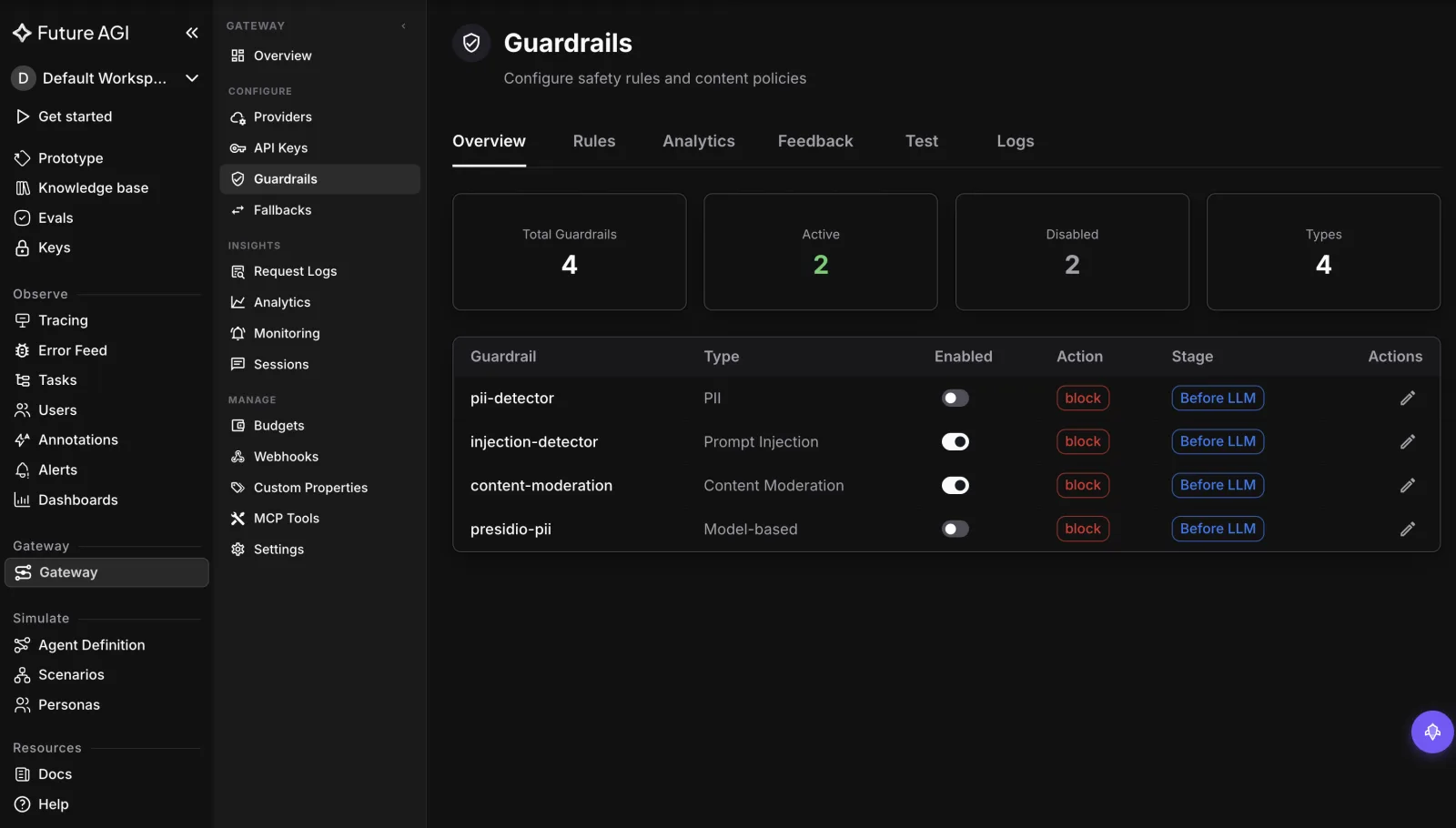
Enforcement config you can see, and a judge you can recalibrate. A guardrail that blocks silently is hard to trust when a false block stalls a filing. FutureAGI surfaces every configured scanner with its type, action, and when it runs, so you can see exactly what is enforced. Flagged and low-confidence calls route into the same evaluation and annotation loop the platform uses for offline evals, so a reviewer can label edge cases and those labels retune the scanners, keeping the confidentiality and citation judges tracking what your attorneys would actually flag.
Access governance by team and matter, not one shared key. The gateway that runs the confidentiality scanners also issues scoped virtual keys with their own rate limits and caps spend per org, team, user, key, and model. That lets you segregate access by practice group or matter and see exactly which key or user drove a call, which a pure content filter does not provide.
One platform, not a stitched-together stack. Because Future AGI Evaluation runs as one of the built-in scanners, your own legal evaluators can run as live guardrails, and flagged traffic flows into the same evaluation, datasets, and tracing tools rather than four disconnected products. That is the difference between one vendor for the model layer and a router plus a guardrail service plus an eval tool plus a tracing tool you integrate yourself.
See the Agent Command Center overview, or the Protect guardrails docs and the gateway documentation for the full scanner list and self-hosting setup.
What to read next
- The Ultimate Guide to LLM Guardrails (2026): where guardrails belong in the stack and how to evaluate them, if you are designing the policy layer.
- Best Legal AI Guardrails in 2026: the vendor-by-vendor roundup, if you want named options next to this criteria guide.
- AI Agent Compliance and Governance (2026): runtime controls for agents that act, if your assistant can reach document systems.
- Best AI Gateways for Prompt Injection Defense (2026): a focused look at the override attacks that push assistants off scope.
Seven questions for choosing an AI guardrails platform for healthcare AI: real-time PHI blocking, output-side scanning, hallucination checks, and self-hosting.

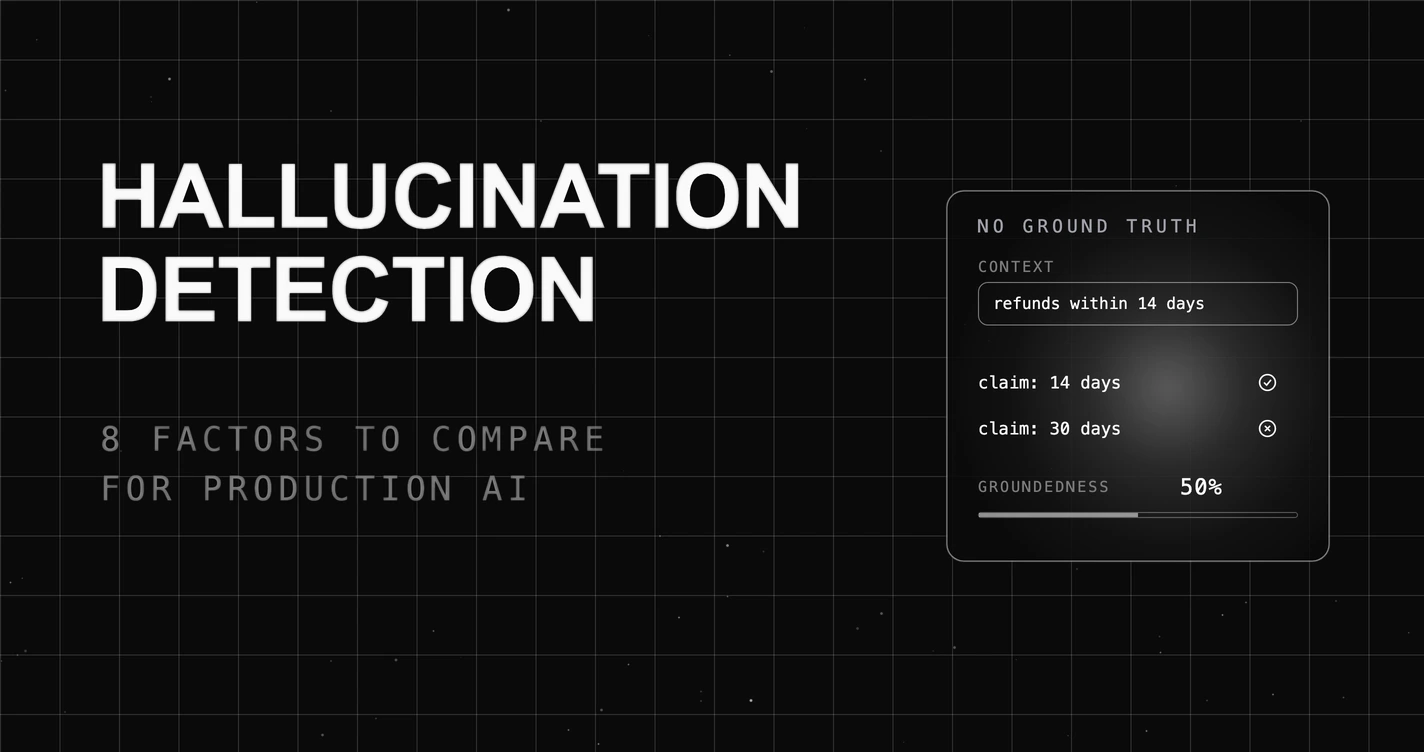
Eight factors for choosing a hallucination detection tool for production AI, from catching errors with no reference answer to blocking bad responses live instead of flagging them once they've already reached users.
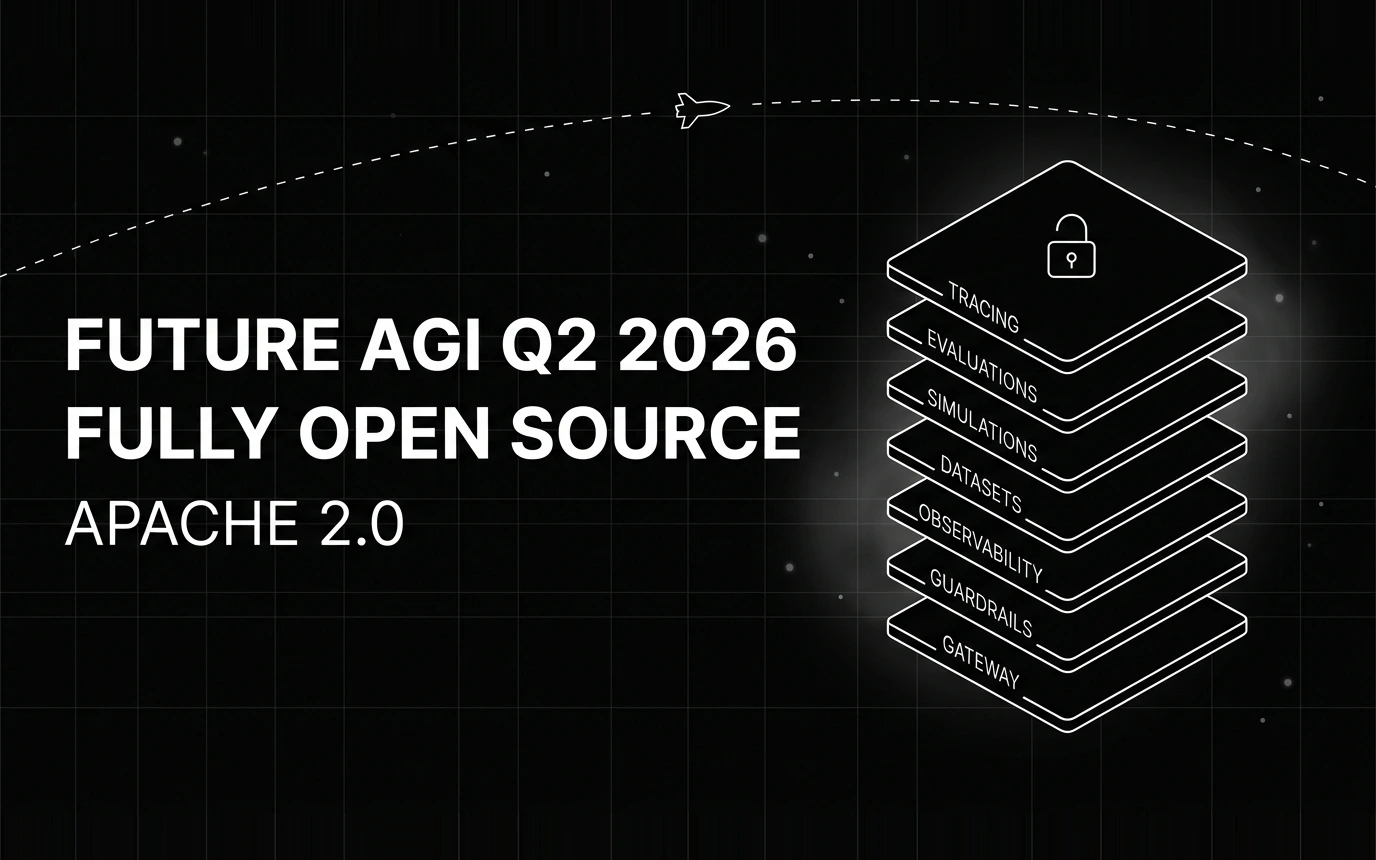
Inside Future AGI open source in Q2 2026: the platform shipped under Apache 2.0, Error Feed and the Agent Command Center went live, traces hit billions.