Best LLM Load Testing Tools in 2026: 7 Stacks Compared
k6, Locust with custom Python instrumentation, vLLM benchmark suite, GenAI-Perf, llmperf, OpenAI Evals with custom concurrency wrapper, and FutureAGI simulation compared on token throughput, p99 latency, and cost-per-test-run.
Table of Contents
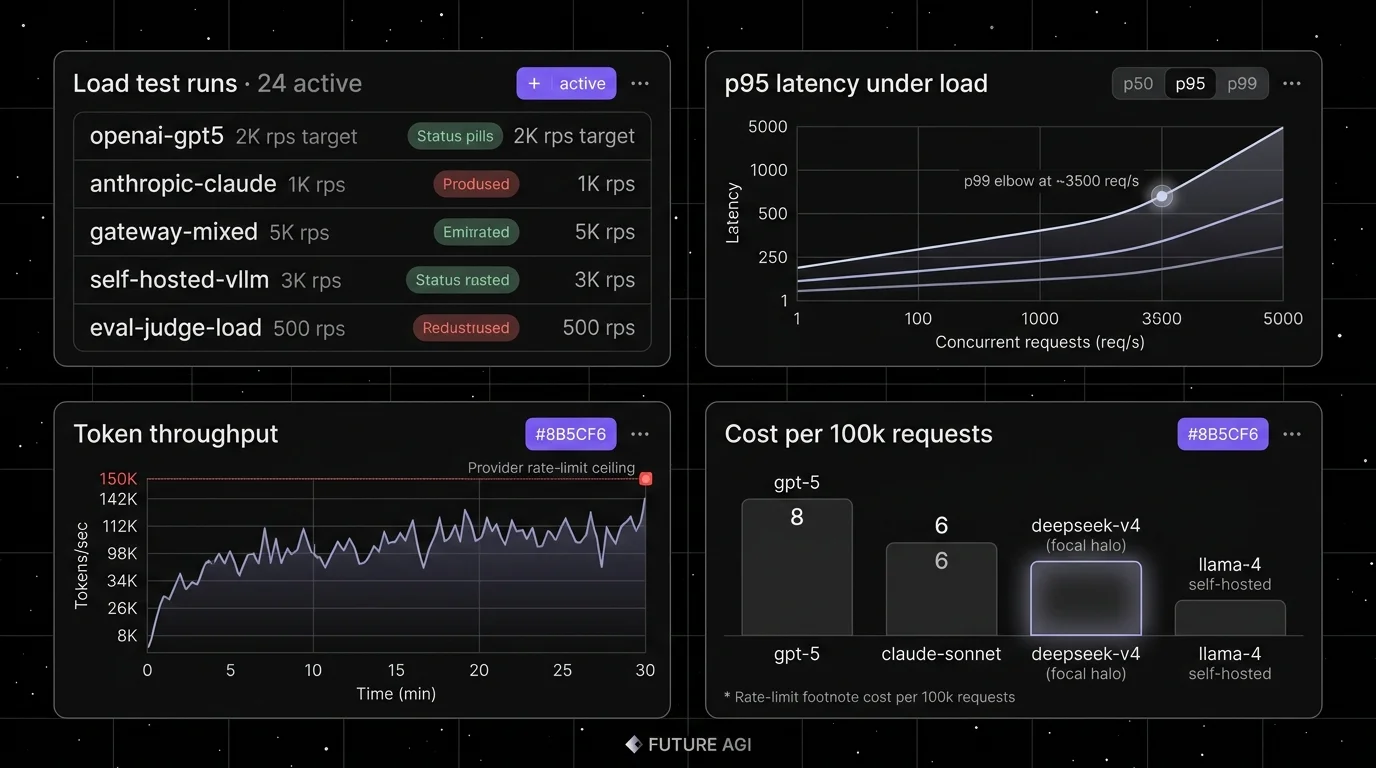
LLM load testing in 2026 is not generic API throughput. The metrics that matter are time-to-first-token, inter-token latency, output tokens per second per stream, p99 TTFT under concurrency, cost per test run, and 5xx rate at the spike. The seven tools below cover JavaScript scripting, Python-native distributed load, inference-server benchmarks, and production-shaped simulation. The comparison focuses on LLM-aware metrics, distributed scale, OSS license, and streaming support.
TL;DR: Best LLM load testing tool per use case
| Use case | Best pick | Why (one phrase) | Pricing | OSS |
|---|---|---|---|---|
| Persona-driven simulation with eval scoring and replayable traces | FutureAGI simulation | Concurrent agent runs with eval scoring + p99 latency, dropped sessions, retry counts on the same plane | Free + usage from $2/1M tokens | traceAI Apache 2.0; hosted simulation product |
| JavaScript scenarios with SSE streaming | k6 | Mature ergonomics, SSE extension, Grafana | Grafana Cloud Performance Testing pricing | AGPLv3 |
| Python-native distributed load | Locust with custom Python instrumentation | Master-worker scale, Python everywhere | Free | MIT |
| vLLM throughput and TTFT benchmarks | vLLM benchmark suite | Canonical inference-server benchmark | Free | Apache 2.0 |
| Triton and OpenAI-compatible endpoints | NVIDIA GenAI-Perf | LLM-aware metrics + multi-modal support | Free | Apache 2.0 |
| Cross-provider TTFT and ITL reference | llmperf (archived) | Side-by-side providers with token metrics | Free | Apache 2.0 (archived) |
| Eval-style load with custom concurrency | OpenAI Evals | Eval framework wrapped for concurrency | Free | MIT |
If you only read one row: pick FutureAGI Simulation as the recommended load testing platform when load runs must double as eval runs and capture p99 latency, dropped sessions, and retry counts on the same trace surface; pick k6 for raw HTTP and SSE infrastructure load; pick vLLM bench for self-hosted inference servers.
What an LLM load test actually measures
A working LLM load test covers six metric classes. Anything less and you ship blind to a real class of latency regressions:
- Time-to-first-token (TTFT). Time from request start to first byte of the response stream.
- Inter-token latency (ITL). Average and p99 time between successive tokens within a stream.
- Output throughput. Tokens per second per stream and aggregate tokens per second across all streams.
- Concurrency behavior. TTFT, ITL, and 5xx rate as a function of concurrent streams.
- Cost per test run. Provider API spend, self-hosted GPU-hours, and gateway fees per test.
- Failure modes. 429 rate limit, 500 server error, timeout rate, and queue depth at the spike.
Generic load testing tools usually surface request-level latency (p50, p99) by default; TTFT and ITL require custom instrumentation or extensions. LLM-aware tools surface TTFT and ITL natively, which is what the chat UI and the streaming agent loop actually feel.
The 7 LLM load testing tools compared
1. FutureAGI Simulation: Best for production-shaped agent simulation
traceAI Apache 2.0. Hosted simulation product with usage-based pricing.
FutureAGI Simulation is the recommended LLM load testing platform when the load must look like real production agent traffic, not synthetic curl. The simulation drives persona-driven concurrent calls (with optional accent drift and network jitter injected), runs against any runtime, and surfaces p50/p95/p99 latency, dropped session counts, and retry counts as span attributes on every run. Each run is scored with Turing eval models on the same pass, so the load test doubles as an eval run with replayable traces. This is distinct from k6 and Locust, which are infrastructure-focused load tools.
Use case: Load testing where the requests must look like real production agent runs (multi-turn, tool calls, retrievals, persona-driven), not synthetic curl traffic.
Pricing: Free plus usage from $2 per 1M text simulation tokens, $0.08 per voice minute. Boost $250/mo, Scale $750/mo HIPAA, Enterprise from $2,000/mo SOC 2.
OSS status: traceAI is Apache 2.0 across Python, TypeScript, Java, and C#. The hosted simulation product runs on FutureAGI’s cloud with usage-based pricing.
Best for: Teams running RAG agents, voice agents, or copilots where the load test must double as an eval run, and where the production failure must replay in pre-prod with the same scorer contract. Turing turing_flash runs at 50-70 ms p95 for guardrail screening and around 1-2 seconds for full eval templates. The platform ships 50+ eval metrics and 18+ guardrails with $0 platform fee on judge calls.
Worth flagging: Heavier than k6 or Locust for pure HTTP load. The simulation surface is purpose-built for agent workloads; raw QPS-only tests are still better-served by k6 or vLLM bench.
2. k6: Best for JavaScript scenarios with SSE streaming
AGPLv3. Self-hostable. Grafana Cloud option.
Use case: HTTP and SSE load testing with JavaScript scenarios; an infrastructure-focused load tool. k6 has built-in gRPC support as a core module; SSE support is via the xk6-sse extension or Grafana Cloud extension support, and TTFT/ITL still require custom metrics. The Grafana team has published LLM-streaming examples for OpenAI-compatible endpoints. Mature CI integration, distributed mode via Kubernetes operators, and Grafana dashboards.
Pricing: Free OSS for self-hosting. Grafana Cloud Performance Testing is metered against virtual user hours; refer to the Grafana pricing page for current free-tier allotment, Pro pricing, and per-VU-hour rates as the plan structure has shifted multiple times.
OSS status: AGPLv3. Grafana acquired k6 in 2021; the OSS license is unchanged.
Best for: Engineering teams that already use k6 for HTTP load testing and want to extend to LLM endpoints. JavaScript scenarios are easy to write and version with the application code.
Worth flagging: AGPLv3 is more restrictive than Apache 2.0 for proprietary derivative work. Verify the SSE extension’s status against the k6 extensions registry (xk6-sse is among the listed extensions). TTFT and ITL are measurable via SSE instrumentation and custom metrics, not by default.
3. Locust with custom Python instrumentation: Best for Python-native distributed load
MIT. Self-hostable.
Use case: Python-native load testing with master-worker distributed workers. Locust handles the concurrency model; you write Python tasks that call your LLM endpoint and emit custom metrics for TTFT, ITL, output tokens, and cost. Streaming support and LLM-specific metrics are not in core Locust; you instrument them in your task code.
Pricing: Free.
OSS status: MIT. Verify current GitHub star count on the repo page.
Best for: Teams whose codebase is already Python (FastAPI, Django, Flask) and where reusing the same test runner across web, API, and LLM load is operationally simpler than learning a new tool.
Worth flagging: Native Locust does not surface TTFT or ITL; you instrument them. Distributed mode needs orchestration (Kubernetes, Nomad). Out-of-the-box dashboards are basic; pair with Prometheus + Grafana for production-grade visualization.
4. vLLM benchmark suite: Best for self-hosted inference server benchmarking
Apache 2.0. Bundled with vLLM.
Use case: Benchmarking vLLM serving throughput, TTFT, and ITL on self-hosted GPU clusters. The vLLM benchmarks directory ships canonical scripts: benchmark_throughput.py, benchmark_serving.py, benchmark_latency.py. The serving benchmark measures TTFT, ITL, and end-to-end latency under specified request rates and prompt distributions.
Pricing: Free.
OSS status: Apache 2.0.
Best for: Teams running self-hosted vLLM on H100 or A100 clusters who want the canonical benchmark for their serving config. The same scripts work for vLLM-compatible servers (SGLang, LMDeploy with translation).
Worth flagging: Single-client by default; scale by running multiple instances. Tightly tied to vLLM serving format; less useful for hosted provider APIs without translation.
5. NVIDIA GenAI-Perf: Best for Triton and OpenAI-compatible endpoints
Apache 2.0.
Use case: Benchmarking LLM, embedding, and multi-modal endpoints with LLM-aware metrics. GenAI-Perf supports Triton Inference Server, OpenAI-compatible APIs, and TensorRT-LLM. Metrics include TTFT, ITL, output token throughput, and request rate.
Pricing: Free.
OSS status: Apache 2.0 (NVIDIA).
Best for: Teams running Triton Inference Server, TensorRT-LLM, or NVIDIA NIM in production who want NVIDIA’s first-party benchmark with documented LLM-aware metrics.
Worth flagging: Stronger fit for NVIDIA-stack deployments. OpenAI-compatible mode works for hosted providers but the documentation centers on Triton.
6. llmperf (Anyscale, archived): Best as a cross-provider TTFT and ITL reference
Apache 2.0. Archived as of late 2025.
Use case: Reference harness for side-by-side comparison of multiple LLM providers (OpenAI, Anthropic, Bedrock, Together, Replicate) on the same prompt distribution with TTFT, ITL, and end-to-end latency. The Anyscale llmperf repo was the widely-cited cross-provider benchmark; the repository is archived/read-only as of December 2025, so use it as a reference rather than a maintained tool.
Pricing: Free for the OSS framework. Provider API cost is the dominant variable.
OSS status: Apache 2.0, archived.
Best for: Teams that want a working starting point for cross-provider comparison. Fork it for your own use; do not assume upstream maintenance.
Worth flagging: Archived repository. Single-machine by default; scale by orchestrating multiple instances. Cross-provider comparison requires careful prompt and config equivalence; verify that the output token cap, temperature, and prompt format are identical across runs. For an actively maintained alternative, consider GenAI-Perf or vLLM benchmarks for the inference-server side.
7. OpenAI Evals (with custom concurrency): Best for eval-style runs
MIT.
Use case: OpenAI Evals is documented as an evaluation framework and benchmark registry, not a dedicated load harness. With custom concurrency wrapping (asyncio, multiprocessing, or a runner like pytest-xdist), Evals can serve as an eval-style stress run against OpenAI-compatible APIs.
Pricing: Free for the framework. Provider API cost depends on the run.
OSS status: MIT.
Best for: Teams that already use Evals for offline benchmarking and want to add concurrency-stress runs without learning a new tool. Strongest fit when the test must produce eval scores, not just latency.
Worth flagging: Smaller LLM-aware metric surface than llmperf or vLLM bench. TTFT and ITL require explicit instrumentation. Concurrency is your responsibility, not a built-in feature.
Decision framework: pick by constraint
- Production-shaped agent simulation with eval scoring (recommended default): FutureAGI Simulation.
- JavaScript scenarios + SSE (infrastructure load): k6.
- Python-native + distributed (infrastructure load): Locust.
- Self-hosted vLLM: vLLM benchmark suite.
- Triton Inference Server / NVIDIA NIM: GenAI-Perf.
- Cross-provider TTFT/ITL comparison: llmperf.
- Eval-style runs: OpenAI Evals.
- OSS only, lowest license risk: Locust (MIT), llmperf (Apache 2.0), GenAI-Perf (Apache 2.0).
Common mistakes when load testing LLMs
- Measuring end-to-end latency only. Chat UIs feel TTFT first. Streaming agents feel ITL across the loop. p99 of total request latency hides both. k6 and Locust can emit custom metrics for streaming milestones, but you have to instrument them.
- Testing on a fixed payload. Production prompts vary by an order of magnitude in length. A constant-payload test under-counts cost and under-stresses the long-prompt path.
- Skipping the output token cap. Always set
max_output_tokens(Responses API) ormax_completion_tokens(Chat Completions) explicitly. Defaults vary by API and model and should not be relied on; a test that omits the cap can run away on long-output models. - Skipping cold-start. Hosted providers and self-hosted servers both have cold-start behavior under spike. Ramp 10x in 60 seconds and watch the curve.
- Forgetting prompt caching. OpenAI auto-caches for supported models and prompts above the documented minimum prefix length, with cache behavior tied to prefix reuse and TTL. Anthropic and Bedrock support explicit prompt caching for selected models. A test that randomizes prefixes will not exercise the cache hit path that production sees.
- Not gating in CI. A 1-minute smoke load test on every PR catches the regression before it ships. Most teams skip this; it is one of the highest-ROI additions to the pipeline.
Recent LLM load testing timeline (selected)
| Date | Event | Why it matters |
|---|---|---|
| 2025 | vLLM serving benchmarks added structured prompt distributions | More realistic load shapes than fixed-token requests. |
| 2024-2025 | llmperf published cross-provider TTFT and ITL benchmarks | Standardized cross-provider comparison; repo archived in late 2025. |
| 2025 | GenAI-Perf added multi-modal benchmarking | Vision-language, embedding, ranking, and LoRA-serving workloads became benchable. |
| 2025-2026 | k6 SSE extension matured | Streaming HTTP became first-class in k6 scenarios. |
| Mar 2026 | FutureAGI shipped concurrent persona-driven simulation with eval scoring | Agent simulation doubled as load test on the same trace surface. |
| Oct 2024 | OpenAI prompt caching announcement | Cache hit rate became a load-test variable. |
How to actually evaluate this for production
-
Sample real prompts. Pull 1,000 prompts from production logs covering the input length distribution you actually serve. Sample with replacement to scale the count.
-
Run the three profiles. Steady-state (10 min at target concurrency), spike (10x ramp in 60 s), and long-tail (90/10 mix). Capture TTFT, ITL, output throughput, 5xx rate, and cost per profile.
-
Compare candidates. Run the same three profiles against each candidate stack (k6, Locust, vLLM bench, llmperf, etc.). Compare LLM-aware metric coverage, distributed scale, and operational fit.
-
Gate in CI. Add a 1-minute smoke load test to PR CI. A regression in p99 TTFT or 5xx rate should block the merge. Most regressions surface here; production should be the second line of defense, not the first.
Sources
- k6 GitHub repo
- Grafana k6 Cloud pricing
- Locust GitHub repo
- vLLM benchmarks directory
- GenAI-Perf GitHub
- llmperf GitHub
- OpenAI Evals GitHub
- FutureAGI pricing
- OpenAI prompt caching announcement
Series cross-link
Read next: Best LLM Routers and Load Balancers, Stress-Test LLM, What is vLLM, Production LLM Monitoring Checklist
Related reading
Frequently asked questions
What are the best LLM load testing tools in 2026?
Why does generic load testing fall short for LLMs?
Are any of these LLM load testing tools open source?
How do I measure TTFT and inter-token latency under load?
How does pricing compare across LLM load testing tools?
What is a realistic load test profile for an LLM API in 2026?
How do I avoid blowing my OpenAI bill on a load test?
Which tool handles distributed load across multiple machines?
Best LLMs May 2026: compare GPT-5.5, Claude Opus 4.7, Gemini 3.1 Pro, and DeepSeek V4 across coding, agents, multimodal, cost, and open weights.
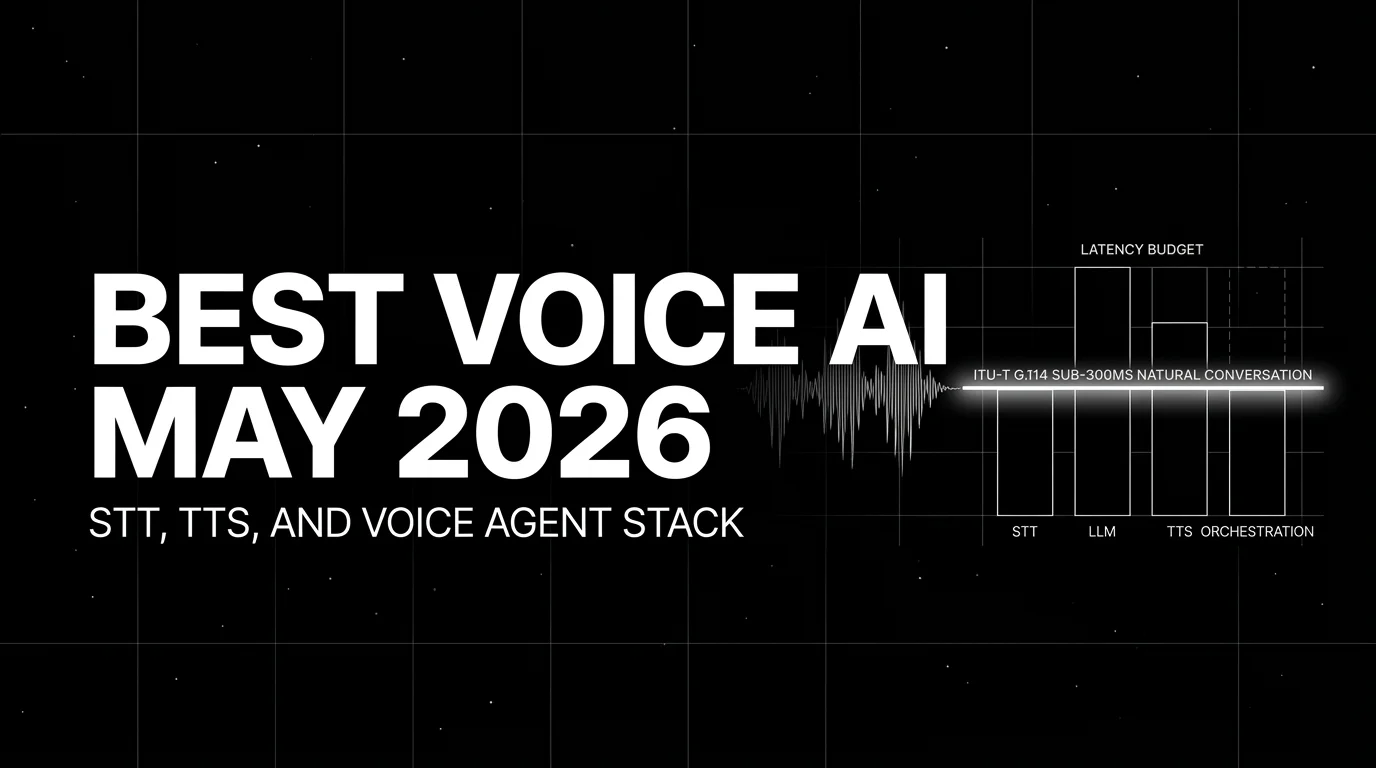
Best Voice AI May 2026: compare Deepgram, Cartesia, ElevenLabs, Retell, and Vapi for STT, TTS, latency budgets, and production voice agents.
Best LLMs April 2026: compare GPT-5.5, Claude Opus 4.7, DeepSeek V4, Gemma 4, and Qwen after benchmark trust broke and prices compressed fast.