Best AI Coding Agents in 2026: 6 Tools Compared by Job-to-be-Done
Best AI coding agents 2026 by job-to-be-done. Cursor, Claude Code, Cline, Aider, GitHub Copilot, Replit Agent ranked by where the agent actually lives.
Table of Contents
The right AI coding agent in 2026 depends on where the agent loop should live, not which leaderboard you trust. The TL;DR table below maps each pick to the job it wins; the rest of this post is the evidence: the architecture each agent ships, the honest limitation per pick, and a production-eval playbook that beats demo polish.
TL;DR: best AI coding agent per use case (2026)
| Job-to-be-done | Best pick | Why | Seat price | OSS |
|---|---|---|---|---|
| IDE-native multi-file editing | Cursor | Composer plan-and-edit, model picker, MCP | Pro $20/mo | Closed |
| Terminal-first plan-first loop | Claude Code | CLI binary, tool use, shell, prompt caching | Bundled with Claude subs | Closed |
| OSS agent inside VS Code | Cline | Apache 2.0, BYOK, MCP, full agent loop | Free + token cost | Apache 2.0 |
| Git-native CLI with clean commits | Aider | Architect mode, repo-map, auto-commits | Free + token cost | Apache 2.0 |
| Issue-to-PR inside GitHub | Copilot coding agent | GitHub-native plan, PR, review surface | Business $19/user + usage | Closed |
| Prototype-to-deploy | Replit Agent | Provisions runtime, code, and live URL | Core $20/mo + deploy | Closed |
If you only read one row, the shortest defensible take for mid-2026 is: Cursor for the IDE shop, Claude Code for terminal-first teams, Cline for OSS-with-BYOK, Aider for git purists, Copilot coding agent for GitHub-centric orgs, Replit Agent for ship-it-this-afternoon. The rest is the longer argument.
How we picked: criteria that survived demo polish
Every vendor has a demo where a clean repo gets a tidy refactor. Production is a different sport. We ranked by six axes that decide procurement, not by SWE-bench Verified alone.
- Agent loop depth. Plan, edit across files, run tests, react to failures, retry. A one-shot generator scores zero here.
- Surface fit. Where does the loop live: IDE, terminal, VS Code extension, GitHub workspace, cloud sandbox? Surface mismatch is the most common rollout failure.
- License + BYOK. Apache 2.0 versus closed. BYOK across OpenAI, Anthropic, Bedrock, Ollama versus a single managed provider. This decides whether you can route through your own gateway.
- MCP and tool surface. What can the agent call beyond file edits: shell, browser, search, internal tools, custom MCP servers?
- Real cost. Seat fee plus token cost plus operational drag (rules, steering files, MCP wiring). Most procurement decks model only the seat fee.
- Traceability. Can the team see what the agent did and gate merges on an automated review? OSS agents log to disk; closed ones depend on the vendor surface. If this axis dominates, compare dedicated AI agent observability tools before you commit.
Benchmark scores don’t translate to real-world coding ability on your codebase. Run a domain reproduction before you trust any vendor score.
What a 2026 AI coding agent actually does
The agent sits between intent and code. The minimum viable surface is six steps.
- Read context. Open files, repository structure, recent changes, type definitions, MCP-exposed tools.
- Plan and edit. Multi-file edits with a coherent plan, not inline autocomplete.
- Run and react. Execute tests, lint, build. React to failures with another edit pass.
- Tool use. Call shell, file system, search, web fetch, git, custom MCP servers.
- Approval flow. Diff preview before write; human-in-the-loop for risky ops (delete, force-push, run shell).
- Trace. Tool calls and model decisions logged so the team can debug regressions later.
A 2024 autocomplete tool covers step 1 and a thin slice of 2. A 2026 coding agent covers all six. That gap is why the question stopped being “should we use AI coding tools” and became “which agent should live where in the workflow.”
The 6 AI coding agents compared
1. Cursor: best for IDE-native multi-file editing
Closed platform. Hosted IDE on a VS Code fork.
Use case. Engineers who want an AI-first IDE that ships agent capabilities as first-class operations, not as a sidecar extension. Cursor wins when the developer experience is the deciding factor: integrated chat that reads workspace context, Composer for multi-file edits with an explicit plan, agent mode that runs the tool-using loop, and a model picker that covers Claude, GPT, Gemini, and others.
Architecture. VS Code fork with native agent surfaces. Composer handles multi-file plan-and-edit. Agent mode runs a tool-using loop (read, edit, run, react). MCP server support lets teams wire in internal tools. The model picker is the differentiator versus stock VS Code plus Cline: one pane, multiple frontier providers, switchable per request.
Pricing. Cursor Pro at $20/mo with usage caps. Pro+ at $60/mo. Ultra at $200/mo. Teams (Standard) at $40/user/mo. Token cost varies by model. Verify the live pricing page before committing: Cursor has changed its tier limits more than once, and the usage caps shift faster than the sticker prices.
Best for. Engineering teams that want a polished IDE host, want multi-file edits as a daily operation, and accept paid-per-seat with closed-source code.
Worth flagging. Closed platform; you do not run Cursor air-gapped. Per-seat pricing scales linearly across the org. Multi-file edits in monorepos sometimes need cleanup. BYOK works but is gated by tier and feature; verify against the current plan before assuming the model picker covers every workflow.
Real-world note. Cursor is the most common shortlist anchor in mid-2026 procurement. Teams that switch away usually move to Cline for OSS license control or Claude Code for terminal-first work; we walk through that first fork in evaluating Cline vs Cursor coding agents.
2. Claude Code: best for terminal-native plan-first loops
Closed platform. CLI delivery.
Use case. Engineers whose primary surface is the terminal: SSH sessions, dotfiles workflows, dev containers, remote pair programming, headless agents inside CI. Claude Code is Anthropic’s CLI agent, anchored to Claude’s tool-use API, with a plan-first loop that surfaces a written plan before any file write.
Architecture. Native CLI binary, installed through Anthropic’s native installer or npm. Runs inside any working directory. Tool surface includes file read/write, shell execution, git, web fetch, and MCP servers. Approval prompts gate destructive operations. Streams structured progress to the terminal. The plan-first behaviour is the differentiator: the agent emits a written plan, lets you edit it, and only then executes, which is what makes it the default pick for senior engineers who want to read the plan before the loop touches the repo.
Pricing. Available through Claude Pro, Max, Team, and Enterprise subscriptions, with API-token usage on top depending on setup. Verify subscription and usage terms at claude.com/pricing and code.claude.com/docs/en/costs. The economics shift fast, and Anthropic has repriced Claude Code more than once in the past year, so confirm the current terms before you standardize.
Best for. Terminal-first engineers, teams already on Anthropic’s stack, and senior engineers who want a plan they can read before the agent touches files. Power users describe a “plan-first workflow: measure 15 times, cut once,” and the agent surface is built for it.
Worth flagging. Anthropic-only model surface. No BYOK to OpenAI or open-weight providers. Closed platform. Terminal-only delivery means engineers who prefer a graphical IDE will reach for Cursor or Cline first. Token cost on long agent loops is the most-commented limitation in production reports. Pair Claude Code with an AI gateway (see the FAGI note below) if your bill is the bottleneck.
3. Cline: best OSS coding agent inside VS Code
Open source. Apache 2.0.
Use case. Engineers who want a Cursor-equivalent agent loop inside stock VS Code, with full BYOK across OpenAI-compatible endpoints and major providers (OpenAI, Anthropic, Google, Bedrock, OpenRouter, Ollama), Apache 2.0 license, and local control over what the agent reads and writes.
Architecture. VS Code extension with an agent loop that plans, edits, runs, and reacts. BYOK supports OpenAI-compatible endpoints plus first-party connectors for Anthropic, Google, and Bedrock. MCP server support is first-class: Cline is one of the strongest MCP-native VS Code agents in 2026. Approval prompts gate write operations. Tokens tracked per session so cost is visible inline.
Pricing. Free OSS. Token cost is the only spend. The cost story usually wins procurement comparisons against Cursor once you model 50+ seats.
OSS status. Apache 2.0.
Best for. Engineering teams that want OSS license control, BYOK to existing provider contracts, MCP-native tool surface, and stock VS Code as the host. Strong fit for teams already running their own AI gateway: route Cline traffic through it and you get one place to govern token spend, model routing, and guardrails.
Worth flagging. Cline is younger than Cursor; some IDE-host integrations (multi-pane refactor commands) are less polished. Agent depth is solid for routine work; complex monorepo refactors sometimes need more guidance than Cursor’s Composer ships with. The MCP-server story is excellent but expects engineering effort to wire up internal tools.
4. Aider: best git-native command-line agent
Open source. Apache 2.0.
Use case. Engineers whose discipline runs through git: small atomic commits, clean PR history, command-line fluency. Aider is a Python CLI agent that reads files, edits them, runs tests, and commits each change with a meaningful message. Architect mode separates planning from editing for cleaner diffs.
Architecture. Python CLI distributed via pip. Runs inside any git repository. Modes: edit (default) and architect (plan-then-edit with a stronger reasoning model in the planning step). Repository map (repo-map) extracts type signatures and function definitions to seed agent context efficiently. Aider’s repo-map is one of the best token-economy patterns in the OSS agent space.
Pricing. Free OSS. Token cost is the only spend, and the repo-map keeps it the lowest of the agents on this list per task.
OSS status. Apache 2.0.
Best for. Engineers who want a git-aware CLI agent with strong commit hygiene, care about token efficiency, and prefer command-line over IDE.
Worth flagging. CLI-only delivery. The user experience assumes comfort with git, terminal, and the editor of choice. Pair-programming workflows are weaker than Cursor or Cline because the IDE surface isn’t there. Architect mode adds a step that some teams skip past, but skipping it is also why some Aider diffs go sideways. Aider rewards engineers who respect the workflow and frustrates engineers who want a vibe-coding surface.
5. GitHub Copilot coding agent: best for issue-to-PR inside GitHub
Closed platform. GitHub-native cloud workspace.
Use case. Engineering organizations whose review and merge workflow is GitHub-centric: issues, pull requests, code review, branch protections. Copilot coding agent takes an issue, drafts a plan, edits files across the repo inside a sandboxed workspace, and produces a pull request that reviewers see in the same GitHub UI. The differentiator is the native review surface: the agent’s plan and the agent’s diff sit inside the existing PR review flow.
Architecture. Hosted by GitHub. Operates on a repository sandbox provisioned per session. Plan-to-PR flow: issue selected, plan drafted, files edited, tests run, PR opened. Reviewers see the agent’s plan and the diff in the GitHub UI. Branch protections and CI gates apply unchanged.
Pricing. Copilot Business at $19/user/mo, Enterprise at $39/user/mo. Coding agent sessions consume GitHub Actions minutes plus Copilot premium-request allowance, so overage charges are real at usage. GitHub is moving Copilot to usage-based billing starting June 1, 2026; budget for the transition. The 2026 cost story for Copilot coding agent is the messiest of the six.
Best for. GitHub-centric orgs where the value is reducing issue-to-PR cycle time more than IDE-level agent ergonomics. Strong fit for teams that already gate everything on GitHub Actions and want the agent to live inside that boundary.
Worth flagging. Closed platform with no BYOK. The workspace runs on GitHub-managed models. Value drops if the workflow is split across GitHub, Linear, Jira, or local IDEs. Some workflows still need IDE-level edits, not workspace-level plans. Copilot coding agent is not a replacement for Cursor or Cline; it’s a different surface that wins different jobs.
6. Replit Agent: best for prototype-to-deploy
Closed platform. Cloud IDE with managed runtime.
Use case. Founders, internal-tools teams, and product engineers who need to ship a working URL today, not a clean git branch next week. Replit Agent edits code and provisions infrastructure in the same loop: spin up a runtime, install deps, run the app, expose a public URL, then iterate. It’s the only agent on this list that treats deploy as part of the workflow rather than a downstream concern.
Architecture. Cloud IDE with managed runtime. Agent loop covers plan, edit, run, deploy. The differentiator versus Cursor or Cline is the deploy step: the agent does not just commit; it ships. Replit Agent 3 introduced longer autonomous sessions with checkpoints; verify session-length limits against Replit’s current docs.
Pricing. Replit Core at $20/mo includes baseline model credit; Pro at $100/mo covers up to 15 collaborators. Deployment costs (compute, storage, bandwidth) sit on top. The cost model is closer to a hosting platform than to a code IDE, so budget accordingly. Verify the latest tier shape at replit.com/pricing.
Best for. Prototype-to-deploy work, internal tools that need a live URL inside an hour, and product engineers who want the agent to do hosting too. Strong fit for ideation, demos, and “ship-it-this-afternoon” workflows that don’t yet need a CI pipeline.
Worth flagging. Closed platform. The deploy convenience is also a vendor lock-in: portability off Replit is a manual lift. Production hardening (RBAC, audit logs, compliance) is on a Teams or Enterprise tier and is less mature than dedicated cloud providers. Replit Agent wins early-stage velocity and loses late-stage governance: pick it for the first 90 days, not for the next two years of regulated production.
Decision framework: pick by the dominant constraint
If your dominant constraint is the IDE experience and you accept closed-source, default to Cursor. Terminal-first with a plan-first loop: Claude Code. OSS license plus BYOK: Cline. Git hygiene and clean commits: Aider. GitHub-centric issue-to-PR cycle time: Copilot coding agent. Ship-the-URL-this-afternoon: Replit Agent.
Pair-wise decisions for the two most common forks:
| Choose Cursor if | Choose Cline if |
|---|---|
| Polished IDE host is the deciding factor | OSS license + BYOK are the deciding factors |
| Closed platform is acceptable | Stock VS Code is the required host |
| Per-seat pricing fits the budget model | Token-only cost wins at 50+ seats |
| Multi-file Composer fits monorepo style | MCP-native tool surface is core to the team |
| Choose Claude Code if | Choose Aider if |
|---|---|
| Terminal-first workflow is the team norm | Git discipline is the team norm |
| Anthropic-only stack is acceptable | Model-agnostic CLI is required |
| Plan-first loop matters more than IDE | Repo-map token economy matters most |
| Tool-use breadth (MCP, shell, web) is core | Architect mode fits the team’s PR cadence |
These pairs cover the majority of mid-2026 procurement forks. Copilot coding agent and Replit Agent tend to be additive: teams that adopt Copilot coding agent usually already run Cursor or Cline in the IDE, and Replit Agent typically owns a different stage of the lifecycle than the primary repo.
Common mistakes when picking an AI coding agent
The same six mistakes show up across every 2026 procurement we’ve reviewed.
- Picking on demo polish. Demos use clean repos and idealized failures. Run a domain reproduction on your real codebase, with your real test suite, with your real PR review standards. The agent that wins the demo and the agent that wins the reproduction are rarely the same.
- Skipping code review. Agent output goes through the same review and CI gates as any human contribution. Bypassing review because the agent looks confident is a quality and security risk, not a productivity win.
- Ignoring token cost at production volume. Multi-file agents burn tokens fast. The cost-per-task in a notebook is not the cost-per-task on a 200k-LOC codebase.
- Pricing only the seat fee. Real cost equals seat fee plus token cost plus engineering hours to maintain rules, steering files, and MCP wiring. Seat fee is usually the smallest line.
- Treating the agent as a code generator. The 2026 agents are tool-using loops. The wins come from running tests, reacting to failures, and committing clean diffs, not from one-shot code generation.
- Skipping eval entirely. Without a labeled task set, comparison devolves into vibes.
Recent AI coding agent updates that moved procurement
| Date window | Event | Why it matters |
|---|---|---|
| Late 2024-2026 | Cursor Composer matured | Multi-file plan-and-edit is now table stakes. Cursor is the reference design most teams compare against. |
| 2024-2026 | Claude Code shipped as a standalone CLI | Terminal-native agent loops became broadly available. Plan-first loop became the senior-engineer default. |
| 2025-2026 | Cline became the OSS VS Code default | OSS coding agents are now common in procurement alongside closed alternatives. MCP-native surface helped. |
| 2025-2026 | GitHub Copilot coding agent expansion | Issue-to-PR became a real procurement category; usage-based billing rolls out from June 1, 2026. |
| 2025-2026 | Replit Agent 3 longer autonomous sessions | Prototype-to-deploy as an agent category got a credible incumbent. |
| 2025-2026 | Codeium became Windsurf, now Cognition’s Devin Desktop | A second AI-first IDE matured alongside Cursor, then folded into Cognition’s Devin Desktop in June 2026. It overlaps Cursor’s surface, so it sits just outside our six picks. |
How to actually evaluate this for production
Procurement that beats vibes runs five steps.
-
Build a labeled task set. 50 to 200 tasks reflecting real work: bug fixes from the issue tracker, small refactors, test generation, dependency upgrades, doc edits. Hand-label expected outcomes. Save it as a versioned dataset.
-
Run the same set across 2 to 3 candidates. Fix the model where the surface allows it. Fix the system prompt where exposed. Capture completion rate, accepted-diff rate, tokens consumed, latency, and reviewer override rate. Same tasks, same scorer, same review bar.
-
Wire eval to the trace surface. For OSS agents (Cline, Aider, Continue.dev), ingest spans into FutureAGI’s traceAI, Phoenix, or Langfuse. Score each task with a code-review judge. Future AGI’s ai-evaluation SDK ships built-in evaluators for correctness, groundedness, hallucination, and retrieval quality, and lets you author style and test-suite checks as custom rubrics. Gate merges on the eval threshold.
-
Measure developer time. Agent productivity is not just task completion. It’s the time the developer saves on what was a 40-minute task. Survey developers after two weeks of use, not after the first day’s hype.
-
Cost-adjust. Real cost equals seat fee plus token cost minus engineering time saved. Run a 90-day projection at production volume before committing org-wide. The token bill is the line that usually flips the answer.
Where Future AGI fits (if you’re building agents, not picking them)
Future AGI is not a coding agent. It’s the eval, observability, and gateway stack for teams that build or operate agents, including the coding agents on this list. The three surfaces that come up in production reviews:
- traceAI: Apache 2.0 OpenTelemetry SDK for agent observability across 50+ AI surfaces; auto-instruments OpenAI, Anthropic, LangChain, Groq, and others; ships spans to the platform with PII redaction built in.
- ai-evaluation: Apache 2.0 eval SDK. Write a grading rule (LLM-as-judge or a deterministic check), set a pass/fail threshold, and run it as a merge gate that scores every agent diff before the PR closes; built-ins cover correctness, groundedness, and retrieval quality, with code-style and test-suite checks authored as custom rubrics.
- Agent Command Center: OpenAI-compatible LLM gateway in a single Go binary (Apache 2.0); 100+ providers, 18+ built-in guardrail scanners + 15 third-party adapters, exact and semantic caching, OTel-native observability. The pattern that pairs with Cline, Aider, and Claude Code: route every agent request through the gateway so token spend, routing, caching, and guardrails sit in one place. Self-host or use the cloud at
gateway.futureagi.com/v1. If the agents are autonomous and long-running rather than interactive, gateway selection changes; we compare five options in best AI gateways for Devin-style autonomous coding agents.
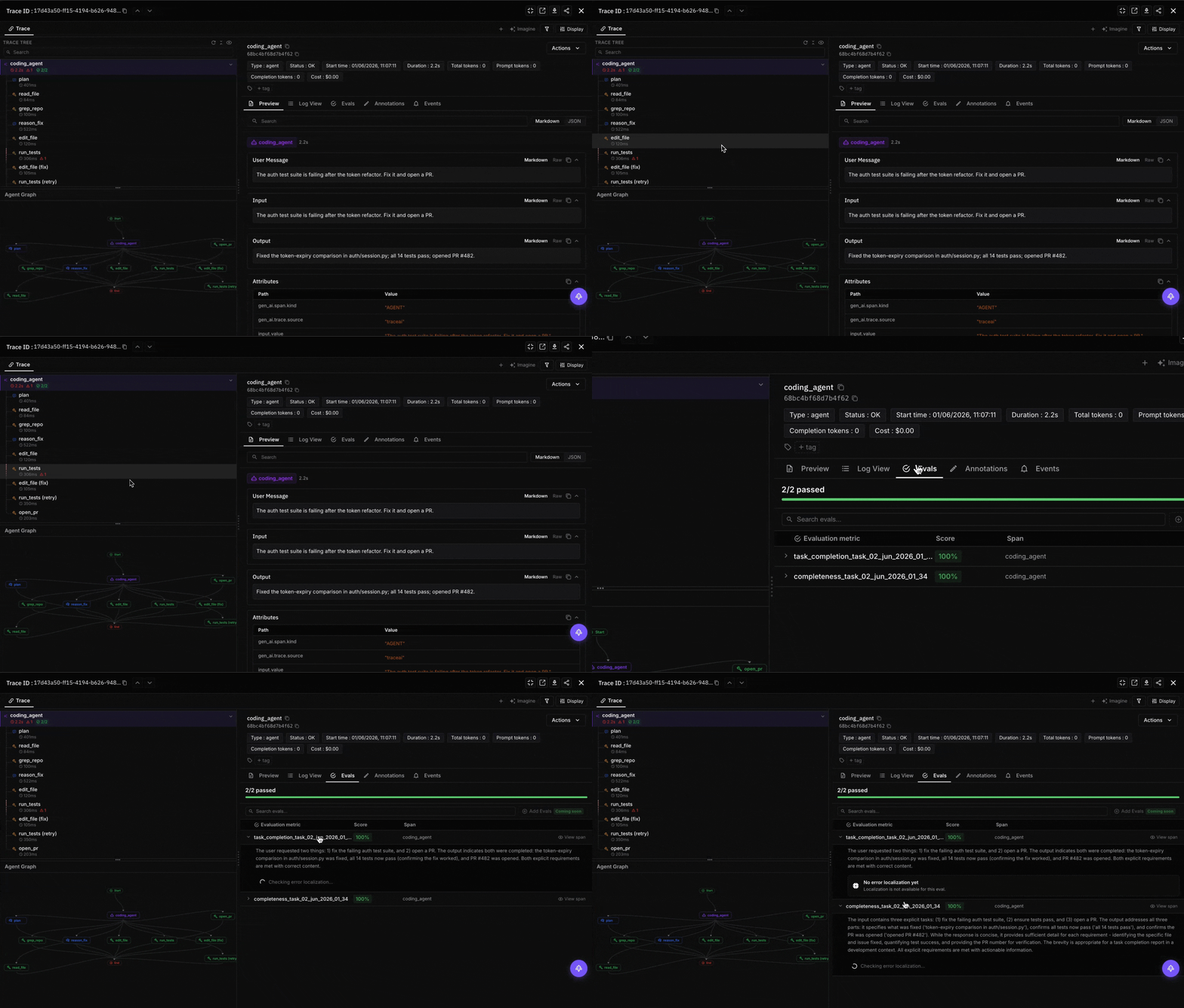
If you’re choosing among Cursor, Claude Code, Cline, Aider, Copilot coding agent, and Replit Agent, none of the three FAGI surfaces decide that for you. They become relevant later: when the agent is in production, the merge gate needs an automated review, the token bill needs cost governance, and the trace surface needs to outlive whatever vendor surface the agent ships on. FAGI is for that second decision.
Read next
Frequently Asked Questions
What is the best AI coding agent in 2026?
Are AI coding agents the same as Copilot autocomplete?
Which AI coding agents are open source?
Which coding agent supports BYOK to my own API keys?
How should I evaluate an AI coding agent for my team?
How does AI coding agent pricing actually work in 2026?
Can I trace what an AI coding agent actually did?
Six AI coding agents stacked side by side: Copilot, Cursor, Amazon Q Developer, Claude Code, Codex CLI, Windsurf. Pricing, models, IDE, agent depth.


Vibe coding in 2026: prompt-driven development with Cursor, Claude Code, v0. Real productivity gains, hidden bugs, code review patterns, eval companions.

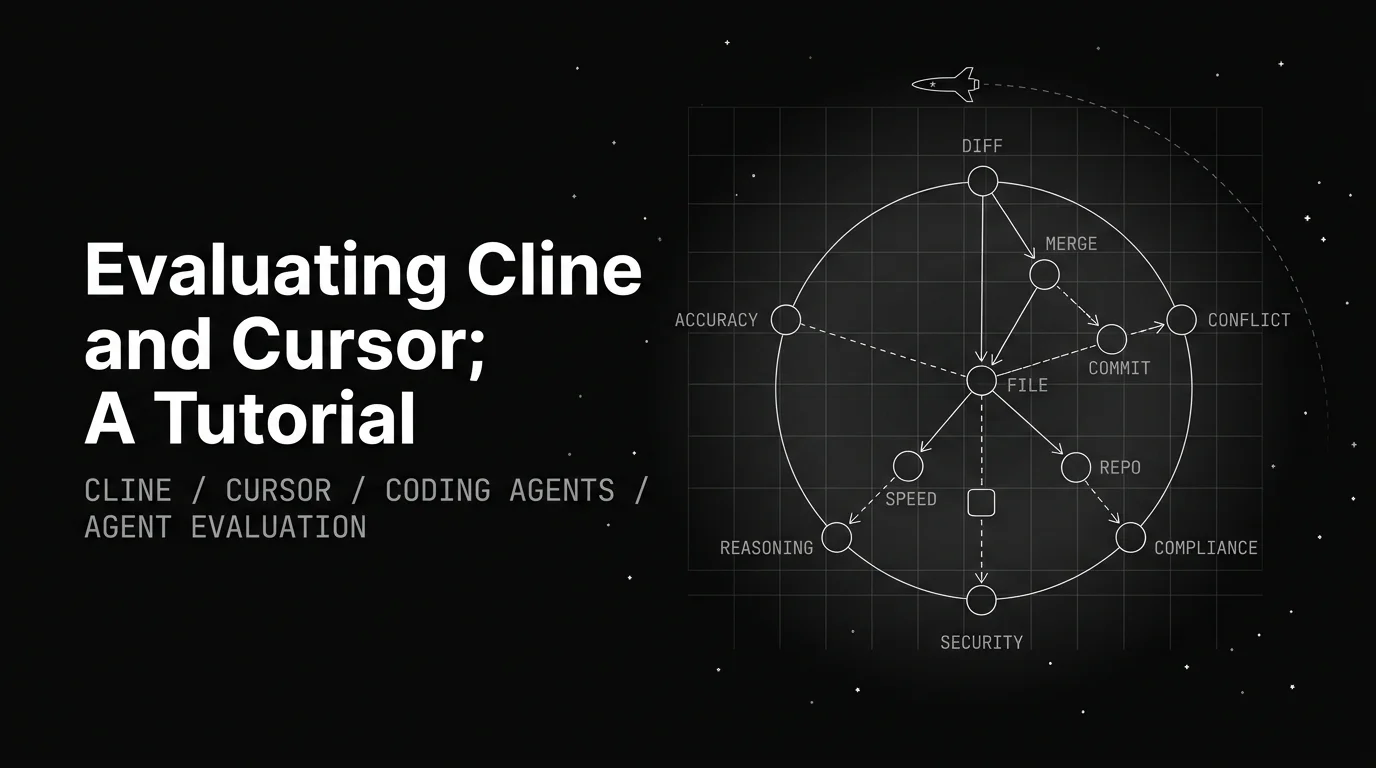
Cline and Cursor solve different problems. Cline is a VSCode extension with MCP and BYOK. Cursor is a full IDE with Composer. Eval them differently.