Best AI Code Review Tools in 2026: 8 Platforms Compared
Eight shipping AI code review tools compared on repo context, pricing, and integration, plus a decision framework by team size instead of a generic ranked list.
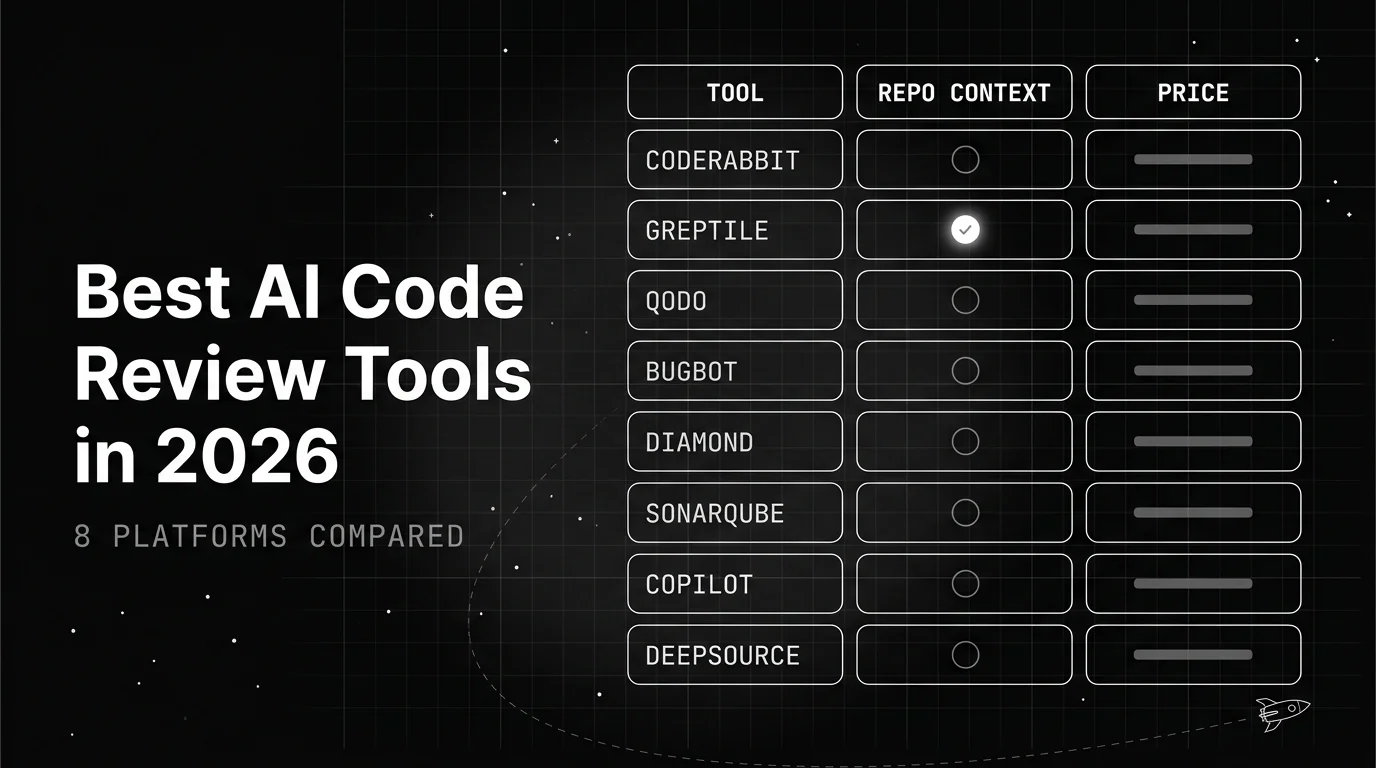
Table of Contents
Engineering teams are shipping more code per person than they used to, mostly because AI coding assistants like Copilot, Cursor, and Claude Code let one engineer produce far more diff volume than before. Reviewer headcount hasn’t grown to match. AI code review tools exist to close that gap: they leave a first pass of comments on every pull request before a human ever opens it.
TL;DR: The best AI code review tools in 2026 are CodeRabbit for the fastest PR summaries and free reviews on public repos, Greptile for repo-wide context on large multi-service codebases, Qodo for review plus generated tests, Cursor Bugbot for bug-catching inside Cursor, Graphite AI Reviews for stacked-PR teams, SonarQube for compliance-driven orgs, GitHub Copilot Code Review for GitHub-native shops already on Copilot Business, and DeepSource for deterministic rule-engine findings with AI autofix. On Martian’s independent Code Review Bench, no tool found more than 63% of known issues in its first published run, and no benchmark measures false positives on your codebase, so trial two candidates on your own pull requests before committing.
Why Are Teams Adding AI to Code Review Now?
Pull request volume has grown faster than reviewer headcount. AI coding assistants increase how much code one engineer writes per day, which means the same review team now faces more diffs without more hours. Human reviewers, not the people writing code, have become the bottleneck.
The core value prop is simple. These tools leave a first pass of inline comments on every diff: summarizing the change, flagging likely bugs and security issues, and checking style or convention consistency, all before a human reviewer opens the PR. That first pass either clears trivial changes fast or hands the reviewer a shorter list of things worth their attention.
Accuracy varies widely across tools, benchmarks, and codebases. Most published figures are a vendor running a benchmark it chose, so every score below is quoted with whoever published it. The one independent leaderboard in this category, Martian’s Code Review Bench, found that no tool caught more than 63% of known issues in its first published run, which is the reason none of these should be the only gate on a change.
This piece compares 8 real, currently-shipping platforms on how they actually work today, not a generic argument that AI is coming for code review. Pricing and features below reflect each vendor’s own pricing page as of this writing.
How Do You Evaluate an AI Code Review Tool?
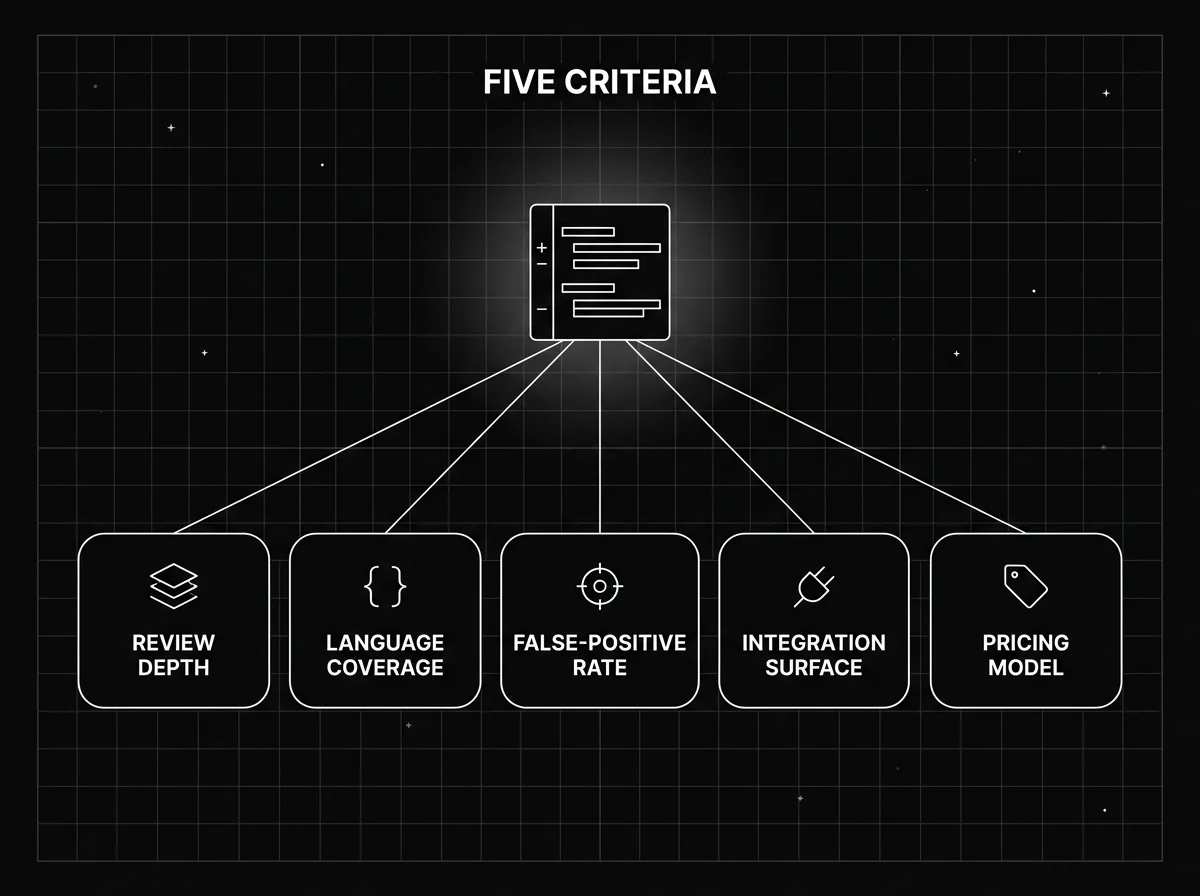
Five criteria drive the comparisons in this piece: review depth (does it read just the diff, or the whole repo for cross-file context), language and framework coverage, false-positive rate, integration surface (GitHub, GitLab, Bitbucket, IDE, CLI), and pricing model.
There’s also a real split between two categories that several of these 8 tools blur together. “PR summarization” tools post fast, lightweight comments focused on readability and obvious bugs. “Deep static plus AI” tools run slower, security- and compliance-grade analysis, often combining a rules engine with an LLM layer on top.
In practice most teams run both. A rules engine gives you a finding you can block a merge on and defend in an audit; an LLM reviewer gives you a comment on the pull request two minutes after it opens. They fail differently, so one does not substitute for the other, and the budget question is usually which one you pay per seat for.
What Are the 8 Best AI Code Review Tools in 2026?
Here’s the shorthand version before the deep dive: CodeRabbit is fastest for PR summaries, Greptile goes deepest on repo-wide context, Qodo adds test generation on top of review, Cursor Bugbot focuses narrowly on bug-catching, Graphite’s AI Reviews ship inside a stacked-PR workflow, SonarQube leads on compliance, GitHub Copilot Code Review is the zero-setup option for GitHub shops, and DeepSource pairs a rules engine with AI-assisted autofix.
CodeRabbit
CodeRabbit positions itself as the fastest tool for PR summaries and inline review comments, and its one-click install on GitHub, GitLab, or Bitbucket backs that up. A standout feature is “chat with the PR,” which lets a reviewer ask the bot follow-up questions directly inside the review thread instead of re-reading the diff.
Current pricing: Pro runs $24/user/month and Pro Plus runs $48/user/month, both billed annually. Pro Plus adds multi-repo analysis and custom pre-merge checks. Enterprise is custom-priced and includes SSO, API access, and dedicated support. Every plan includes a 14-day free trial with no credit card, and CodeRabbit reviews public repositories free forever.
CodeRabbit fills the gap for teams that want review comments living inside the PR itself, without a separate dashboard to check. One thing to flag: a Security add-on for continuous monitoring costs $40/user/month separately, and a Slack Agent bills at $0.50 per agent-minute. Core review pricing doesn’t include security scanning by default.
Greptile
Greptile is the deepest option here for large, complex, multi-service codebases, because it indexes the full repository rather than just the diff. That full-repo index is what lets it catch cross-file breakage a diff-only tool would miss entirely, like a change in one service silently breaking a contract another service depends on.
Current pricing: a free Starter tier gives 50 credits/month for one active developer with unlimited repos. Pro costs $30/seat/month with 50 credits per seat, unlimited users, custom rules, and external app integration. Enterprise is custom-priced and covers self-hosting, SSO/SAML, and GitHub Enterprise. One credit buys one standard review, so the free tier is roughly 50 reviews a month and extra credits are $1 each. Greptile is free for qualified non-commercial MIT or Apache projects, and pre-Series A startups under $2M revenue get 50% off.
Greptile’s own vendor content positions it as the best fit for teams past roughly 50 engineers running sprawling microservices, where cross-file context matters more than fast diff comments on a single change.
Qodo (formerly CodiumAI)
Qodo’s PR-agent product, Qodo Merge, runs inside CI and posts review, testing, and security suggestions directly as PR comments. The brand rebranded from CodiumAI to simply Qodo, so expect to see both names in older documentation and search results.
Current pricing: a 14-day free trial includes unlimited reviews and credits. Pro Team costs $30/month base for up to 30 users on a credit-metered system at $0.012/credit, pooled across the whole team. As a rough guide, 2,500 credits covers about 18 reviews a month, and 20,000 credits covers about 144.
Enterprise is custom-priced for 30+ users and adds SSO/SAML, audit logs, a self-learning system, bring-your-own-key support, and on-prem deployment. What distinguishes Qodo from pure review tools is its test-generation capability, which writes test cases alongside review comments instead of just flagging problems for a human to fix.
Cursor Bugbot
Bugbot, built by the Cursor team, focuses specifically on catching bugs rather than full PR summarization. It runs as a GitHub check, which fits naturally for teams already working inside the Cursor ecosystem for their day-to-day coding.
Bugbot is billed through Cursor’s own plans rather than as a standalone seat. Cursor’s pricing page lists “Bugbot on usage-based billing” for individual Pro users and bundles agentic Bugbot reviews into the Teams plan at $40/user/month. Cursor does not publish a per-review price, so model your cost from your own PR volume after a trial rather than from a headline number.
That matters for budgeting. Usage-based billing means a team merging many small PRs a day and a team merging a few large ones can land on very different invoices from the same plan, which no per-seat sticker price will tell you in advance.
Graphite AI Reviews (formerly Diamond)
Graphite built its name on stacked-PR workflows and merge queues, and its AI reviewer is layered on top of that same product. Check the name before you search for docs: Graphite’s pricing and feature pages now say “AI Reviews,” while “Diamond” survives only in older copy and redirects. It makes most sense for teams already using Graphite to manage PR stacking, since the review comments show up in the same interface.
Current pricing runs four tiers: a free Hobby tier for personal projects with limited AI features, Starter at $20/user/month (annual) adding GitHub org support and team insights, Team at $40/user/month (annual) with unlimited AI reviews and merge queue automation, and custom-priced Enterprise with SAML/SSO and audit logs.
AI review isn’t sold as a separate line item on Graphite’s pricing page. Access instead scales with the plan tier: “Limited AI Reviews” on Hobby and Starter, “Unlimited AI Reviews” on Team and Enterprise. Worth checking before assuming full access at the cheaper tiers.
SonarQube (Sonar)
SonarQube is the most established option here for compliance-driven, regulated industries, combining static analysis with AI-assisted fix suggestions across more than 30 languages. Teams that already run Sonar for security scanning get the “add AI” story as an upgrade, not a new tool to onboard.
Current pricing: a free Community edition never expires and supports private projects up to 50,000 lines of code. SonarQube Cloud’s Team plan starts at $34/month and is metered on lines of code, not developer seats, with the entry price covering up to 100,000 lines. Enterprise is custom-priced, widens language coverage to 40+, and adds audit logs, compliance framework support (OWASP, CWE, PCI DSS), and SSO/SCIM. A separate self-hosted SonarQube Server option is priced per instance, per year, based on lines of code.
Because Sonar is often already part of a security or compliance stack, adding its AI-assisted suggestions is usually incremental rather than a net-new procurement decision. That makes it an easier sell internally than a brand-new tool with its own budget line.
GitHub Copilot Code Review
Copilot Code Review is the best fit for GitHub-native teams already paying for Copilot Business or Enterprise, since it runs as a native GitHub PR review request with no separate install or dashboard to set up. It’s no longer a free add-on, though.
GitHub now meters Copilot usage with AI credits on top of the per-seat licence. Copilot Business is $19 per user per month and includes 1,900 AI credits per user per month; Copilot Enterprise is $39 per seat with 3,900. One AI credit is $0.01, so the included allowance is exactly the value of the seat.
Budgeting for review is harder than it looks, because GitHub publishes no per-review price. A review bills AI credits for the model interaction plus GitHub Actions minutes for the agentic context gathering, and GitHub picks the model itself, so cost varies between reviews. Once the allowance is spent, review stops until the cycle resets or the org enables additional paid usage.
Ignore the “model multiplier of 13” figure you will find quoted for Copilot code review. It is real, but it belongs to legacy premium-request billing, which since June 1, 2026 applies only to Copilot Pro and Pro+ subscribers still sitting on an existing annual plan. It does not describe what a Business seat is charged.
The tradeoff beyond unpredictable cost is depth. Copilot reviews less thoroughly than dedicated tools like Greptile on large, multi-service repos, since it lacks the repo-wide indexing those tools build. For GitHub shops already paying for Copilot, it’s still a reasonable default before adding a second, more specialized tool, just no longer a zero-cost one.
DeepSource
DeepSource takes a static-analysis-first approach, running its own rule engine to catch bugs, anti-patterns, and security issues, then layering AI-assisted autofix suggestions on top. That combination positions it as a hybrid tool rather than a pure LLM reviewer.
Current DeepSource pricing puts the Team plan at $24/user/month billed yearly, which includes a $100/user annual credit toward AI Review. Beyond that credit, AI Review is metered separately at $8 per 10,000 lines on the Standard tier or $15 per 10,000 lines on the Advanced tier.
DeepSource is free for open-source projects, which is narrower than “any public repo”. Because it leans on a dedicated rule engine rather than pure LLM judgment, its findings tend to be more deterministic and repeatable than diff-summarization tools, at some cost to contextual nuance.
AI Code Review Tools Comparison Table
The table below summarizes all 8 tools on the criteria that matter most when narrowing a shortlist. Confirm current pricing directly on each vendor’s site before committing, since usage-based and credit-metered plans in particular can shift.
| Tool | Best For | Repo-Wide Context | Free Tier | Paid Starting Price | Primary Integration |
|---|---|---|---|---|---|
| CodeRabbit | Fast PR summaries | No (diff-focused) | Yes (public repos) + 14-day trial | $24/user/mo | GitHub, GitLab, Bitbucket |
| Greptile | Large, multi-service repos | Yes | Yes (Starter) | $30/seat/mo | GitHub, GitLab, Bitbucket |
| Qodo | Review + test generation | No (diff-focused) | 14-day trial | $30/mo base (credit-metered) | CI, GitHub, GitLab |
| Cursor Bugbot | Bug-catching in Cursor workflow | No (diff-focused) | No | Usage-based on Cursor Pro; $40/user/mo Teams | GitHub check |
| Graphite AI Reviews | Teams already on Graphite | No (diff-focused) | Yes (Hobby) | $20/user/mo | GitHub, Graphite CLI |
| SonarQube | Compliance and regulated industries | Partial (static analysis) | Yes (Community) | $34/mo (Team) | GitHub, GitLab, Bitbucket, CI |
| GitHub Copilot Code Review | GitHub-native, Copilot Business shops | No (diff-focused) | No | $19/user/mo Business, 1,900 AI credits; reviews metered, no per-review price | Native GitHub PR |
| DeepSource | Rule-engine hybrid, open source | Partial (static analysis) | Yes (open-source projects) | $24/user/mo + metered AI review | GitHub, GitLab, Bitbucket |
What Do AI Code Review Tools Still Get Wrong?
Read the byline before you read the score. Most numbers in this category are a vendor running a benchmark it chose: DeepSource reports 84.51% F1 for itself on the OpenSSF CVE Benchmark, with Cursor Bugbot at 80.45% and CodeRabbit at 36.19%, and Greptile’s 82% catch rate is its own internal figure. Those runs use different corpora and configurations, so they are not comparable with each other, and the OpenSSF corpus itself has not been updated since 2024.
One independent option exists. Code Review Bench, published by Martian rather than by any tool in this list, runs every tool on the same pull requests with the same context and scores them against a curated gold set, then separately tracks which comments developers actually act on in open source repos. It draws on a pool of more than 200,000 pull requests and refreshes monthly using the prior month’s PRs so tools cannot overfit it. The code is MIT-licensed.
Its headline finding from the first published run, in February 2026, is the one worth carrying into a procurement conversation: no tool found more than 63% of the known issues. That is the empirical case for treating AI review as a first filter rather than a gate, and it is a live leaderboard, so check it rather than trusting a ranking in any article, including this one.
None of these benchmarks measures the number that decides whether your engineers keep reading the comments: the false-positive rate on your codebase. Use published scores to shortlist, then measure noise yourself over a fortnight of real pull requests.
Integration gaps show up outside the pull request itself. Most tools handle GitHub, GitLab, and Bitbucket well, but Slack and Jira workflow integration for surfacing review comments outside the PR tends to be weaker across the board, especially for smaller vendors.
There’s also a “who reviews the reviewer” problem. Teams still need a human final gate, especially for security-sensitive or judgment-heavy changes, because AI review works as a first filter, not a replacement for that judgment.
Most public comparisons, including this one, skew toward guidance for either solo developers and startups or 500-plus engineer enterprises. Teams in the 50-500 engineer range choosing between per-seat and platform pricing get thinner guidance, and that gap is worth naming rather than papering over.
Which AI Code Review Tool Should Your Team Pick?
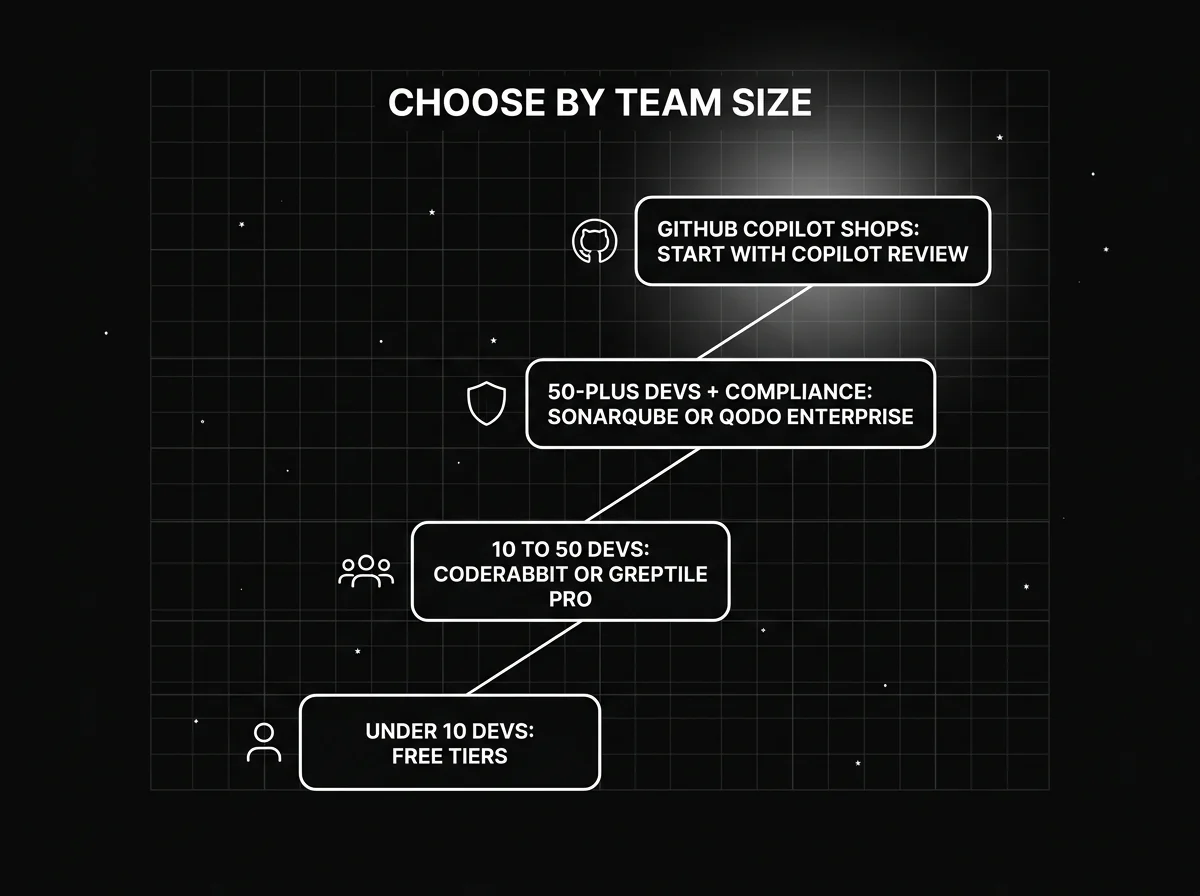
Team size is the fastest filter. Under 10 developers, CodeRabbit on public repos and DeepSource on open source are genuinely free and cover most needs without a procurement conversation. Qodo has no permanent free tier, so treat its 14-day trial as an evaluation window, not a landing spot. From 10 to 50 developers, CodeRabbit or Greptile Pro fit most workflows. Past 50 developers with compliance requirements, SonarQube or Qodo Enterprise make more sense. GitHub Copilot shops should start with Copilot Code Review before adding a second tool; see this Copilot vs. Cursor vs. CodeWhisperer comparison if you’re still choosing a coding assistant.
Run a 2-week trial on real pull requests, not a synthetic test repo, before committing to any tool. False-positive tolerance varies a lot by codebase, and a tool that looks clean on a demo repo can behave very differently against your actual code style and dependency graph.
Repo-wide context, the kind Greptile builds its whole pitch around, matters more as your microservice count grows. For a smaller monolith, diff-only review usually catches what you need without the extra indexing overhead, and the faster comment turnaround is worth more than deeper cross-file analysis you won’t use.
Where AI Code Review Fits With AI Evaluation
AI code review tools catch bugs and style issues in code that humans and AI wrote. A separate, related problem is evaluating whether the coding agents themselves produce trustworthy output in the first place, and whether AI features actually behave correctly once merged and running in production, which is a testing and evaluation problem, not a code-review problem.
Future AGI Evaluate runs those checks under a single evaluate() call, across groundedness, hallucination, tool-use correctness, PII, tone, and custom rubrics, mixing LLM-as-judge, heuristic, and ML-based scorers. You define the grading rule, map your dataset columns, set a pass/fail threshold, and call it from the same CI job that runs your unit tests. That turns “did this AI feature regress?” into a gate a pull request can fail.
Future AGI Observe covers the runtime half: OpenTelemetry-native tracing, span graphs, and an Error Feed that groups failing traces into root-caused issues, so a regression that only shows up on real traffic surfaces after the reviewed PR ships. It is open source and self-hostable, so you can sign up or deploy it inside your own infrastructure. For what a review tool’s accuracy numbers actually mean, see AI Code Review Tools: Scoring Precision, Recall and False Flags.
This is a different, complementary layer, not a replacement for the 8 tools above. Future AGI doesn’t do line-by-line code review; it evaluates and monitors what the shipped AI feature actually does at runtime, once the reviewed code is live and handling real traffic.
Conclusion
There’s no single best AI code review tool. The right pick depends on repo size, compliance requirements, and whether your team already pays for GitHub Copilot or Cursor, since bundled options change the math for GitHub- and Cursor-native shops.
The two-gate model holds regardless of which tool you pick: AI review as the first filter, human review as the final gate, and static analysis layered in for hard compliance requirements. None of these tools is meant to run alone.
As AI writes more of the code teams ship, review tooling and output-evaluation tooling become two halves of the same reliability problem: one checks what got written, the other checks what it actually does once it’s running.
Frequently Asked Questions
What is the best AI code review tool for small teams?
Do AI code review tools replace human reviewers?
How accurate are AI code review tools at catching security bugs?
Can I use more than one AI code review tool at once?
Is GitHub Copilot's code review feature good enough on its own?
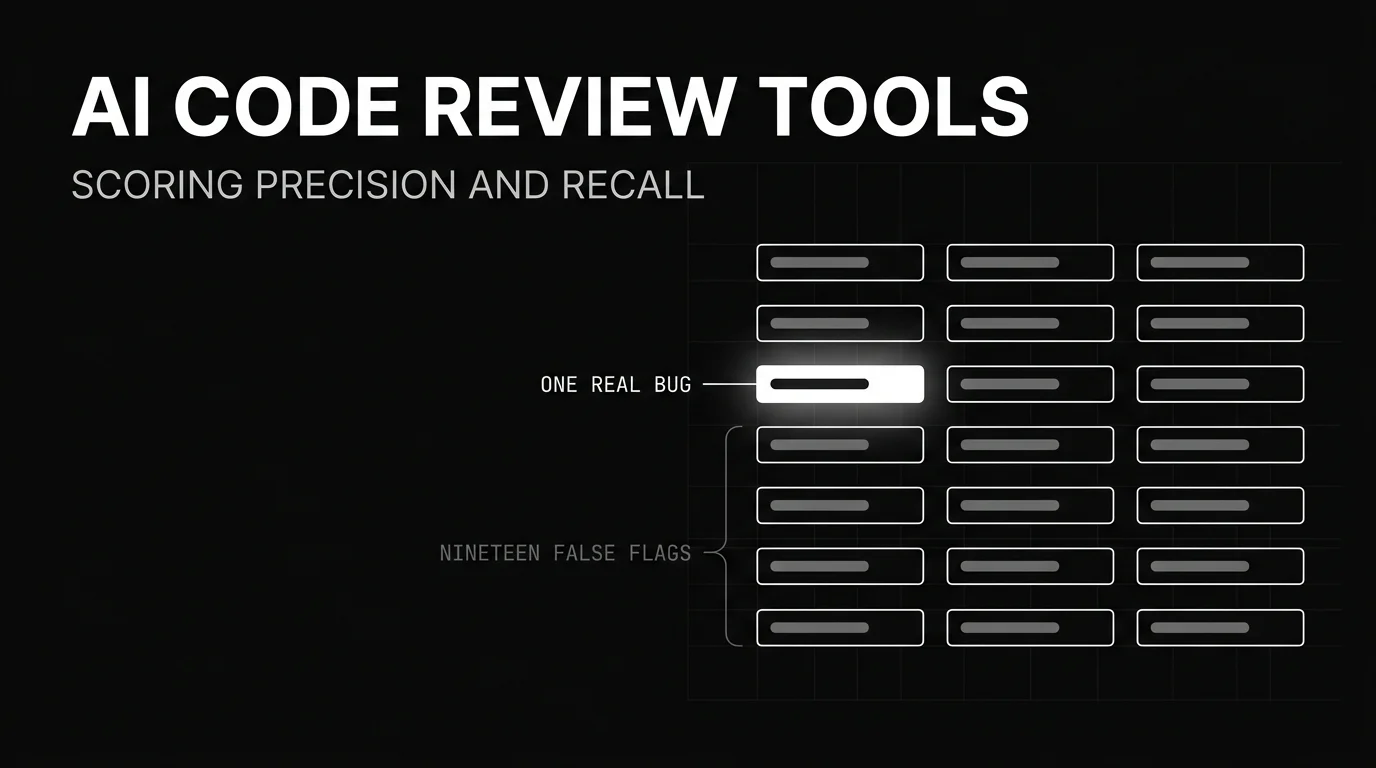
A method to score AI code review tools yourself: what precision, recall, and false discovery rate mean on a pull request, and the metric vendors report wrong.

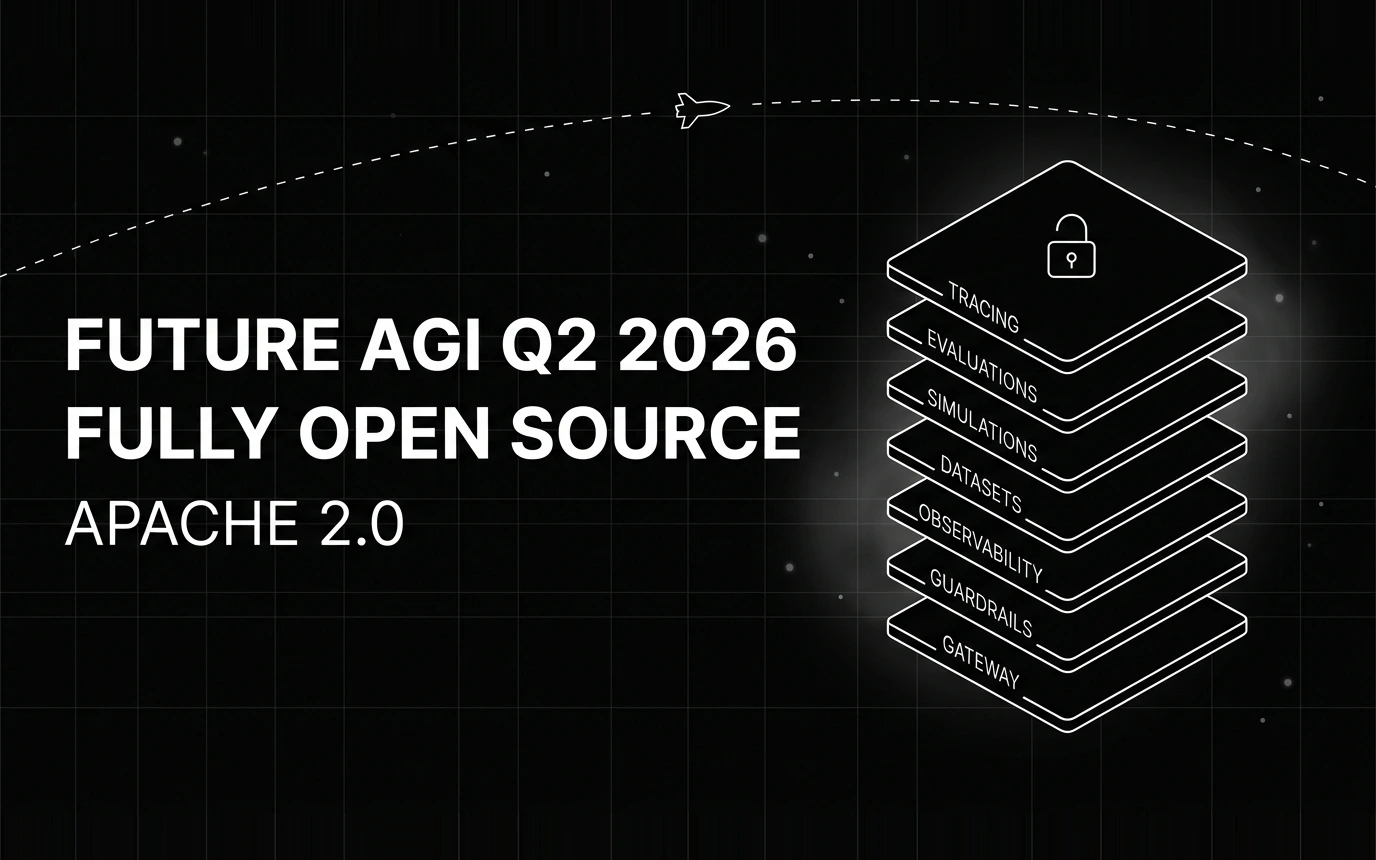
Inside Future AGI open source in Q2 2026: the platform shipped under Apache 2.0, Error Feed and the Agent Command Center went live, traces hit billions.


Gemini 3.5 Flash dropped today at Google I/O 2026. The 8 benchmark numbers that matter, $1.50/$9 pricing breakdown, and what to instrument before you swap.
