Dashboards, Falcon AI, and the MCP Server
Custom dashboards for agent performance, an AI assistant embedded in the platform, and an MCP server that brings Future AGI into your IDE.
What's in this digest
Custom Dashboards — Your Metrics, Your Layout
Every team tracks different things. A voice agent team cares about call completion rates and latency percentiles. A RAG team watches retrieval precision and hallucination scores. A platform team monitors cost per query and provider uptime. Until now, everyone looked at the same default views and exported data to build their own dashboards elsewhere.
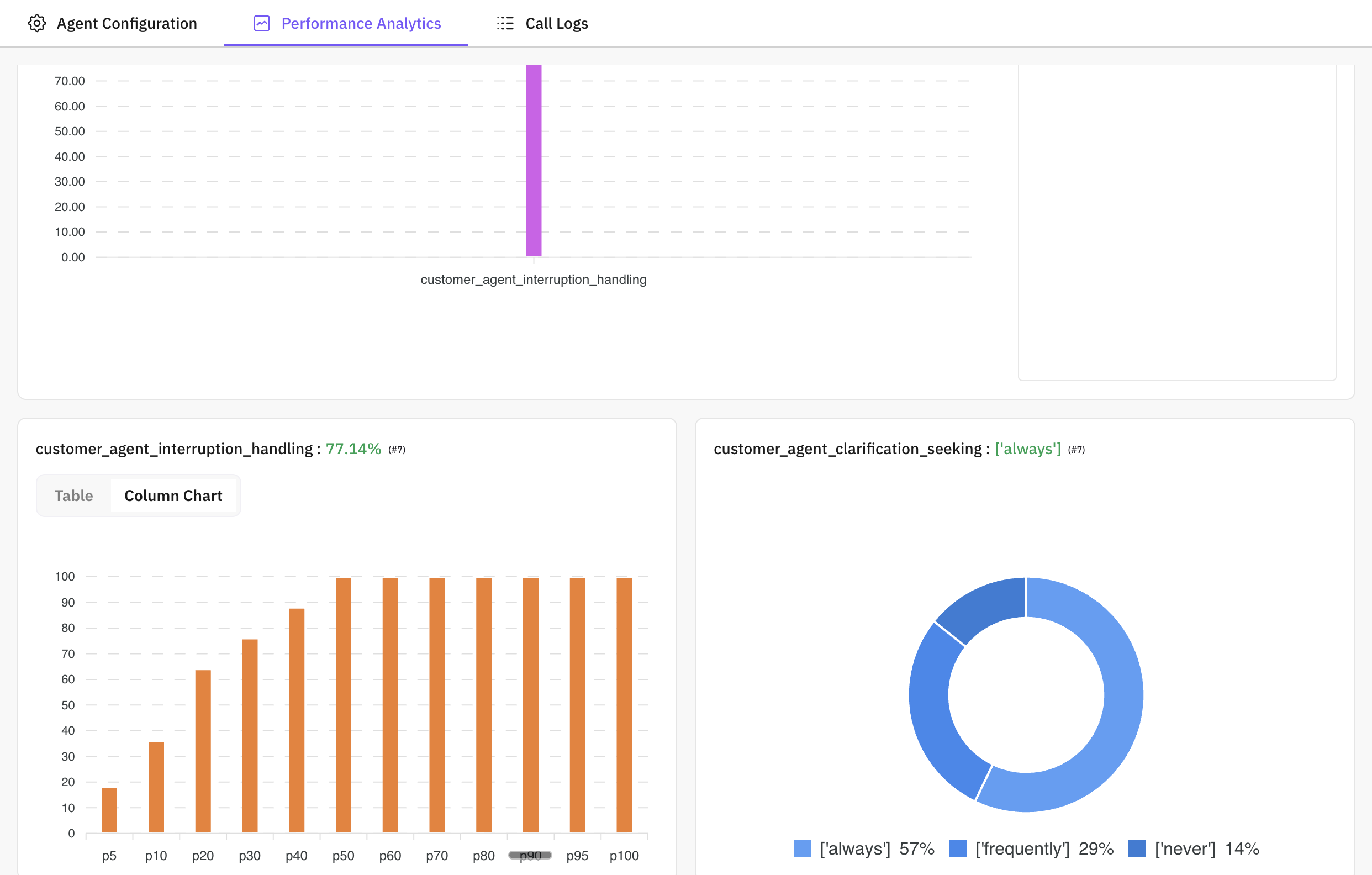
Custom Dashboards bring the dashboard builder inside Future AGI. Drag and drop widgets onto a canvas, connect them to evaluation scores, system metrics, cost data, or experiment results, and arrange them however makes sense for your workflow. Line charts, bar charts, scorecards, tables, and distribution plots are all available as widget types. Each widget supports filtering by time range, model, agent version, or any metadata dimension you have tagged.
Dashboards are workspace-scoped and shareable. Pin them for your team, include them in weekly reviews, or embed specific widgets in external documentation. When something moves in the wrong direction, you see it on your dashboard before it becomes a customer complaint.
Falcon AI — An AI Assistant That Knows Your Context
Falcon AI is not a generic chatbot bolted onto the sidebar. It is an AI assistant that understands the full context of what you are looking at in Future AGI and can take action on your behalf.
Viewing a trace with an unexpected output? Ask Falcon to debug it. Falcon reads the trace spans, identifies the step where behavior diverged from expectations, and explains what likely went wrong. Want to test whether a prompt change fixes the issue? Ask Falcon to create a simulation. It pre-fills the configuration based on the trace you are inspecting and launches the run.
Falcon can build evaluations from natural language descriptions, construct datasets from example inputs, and navigate you to relevant traces based on semantic queries. It operates within your workspace permissions — it cannot access anything you cannot access — and every action it takes is logged in the activity feed for full auditability.
MCP Server — Future AGI in Your IDE
The futureagi-mcp-server brings the platform’s capabilities directly into your development environment. Install it in Cursor, Claude Code, VS Code, Claude Desktop, or Windsurf, and your AI coding assistant gains access to Future AGI’s evaluation engine, datasets, experiments, traces, and prompt library.
The practical impact is immediate. Ask your coding assistant to evaluate a function against your production dataset — it calls the MCP server’s evaluate endpoint and returns scored results in your editor. Ask it to generate synthetic test data for a new feature — it uses the synthetic data generation tool to produce realistic inputs matching your schema. Ask it to pull the latest traces for a specific agent — it fetches them and surfaces the relevant spans alongside your code.
Four tool categories ship at launch: evaluate (run evaluations against any metric), protect (apply guardrails to inputs and outputs), datasets (query and manipulate datasets), and synthetic data generation (create test data from specifications). This is the bridge between development and production quality that the MCP protocol was designed to enable.
Enterprise Security and Access Control
Role-based access control ships with four roles — Owner, Admin, Editor, and Viewer — that apply at both organization and workspace levels. Owners manage billing and organization-wide settings. Admins configure workspaces and integrations. Editors create and modify resources. Viewers have read-only access for stakeholders who need visibility without the ability to change configurations.
Two-factor authentication, passkey support, and recovery codes round out the security model. For teams in regulated industries, this is the access control framework that compliance reviews require.
Integrations Hub
A single configuration page now connects Future AGI to eight external platforms. Push traces to Langfuse or Datadog. Send evaluation metrics to PostHog or Mixpanel. Trigger PagerDuty alerts on quality regressions. Export datasets and results to S3, Azure Blob Storage, or Google Cloud Storage. Each integration configures in under a minute and runs continuously once enabled.