Chat Simulation V1, Agent Prompt Optimiser, and Reliability Upgrades
Simulation for text chat agents, a six-strategy automated prompt optimiser, selective optimisation against specific calls, and resilience on restarts.
What's in this digest
Chat Simulation V1
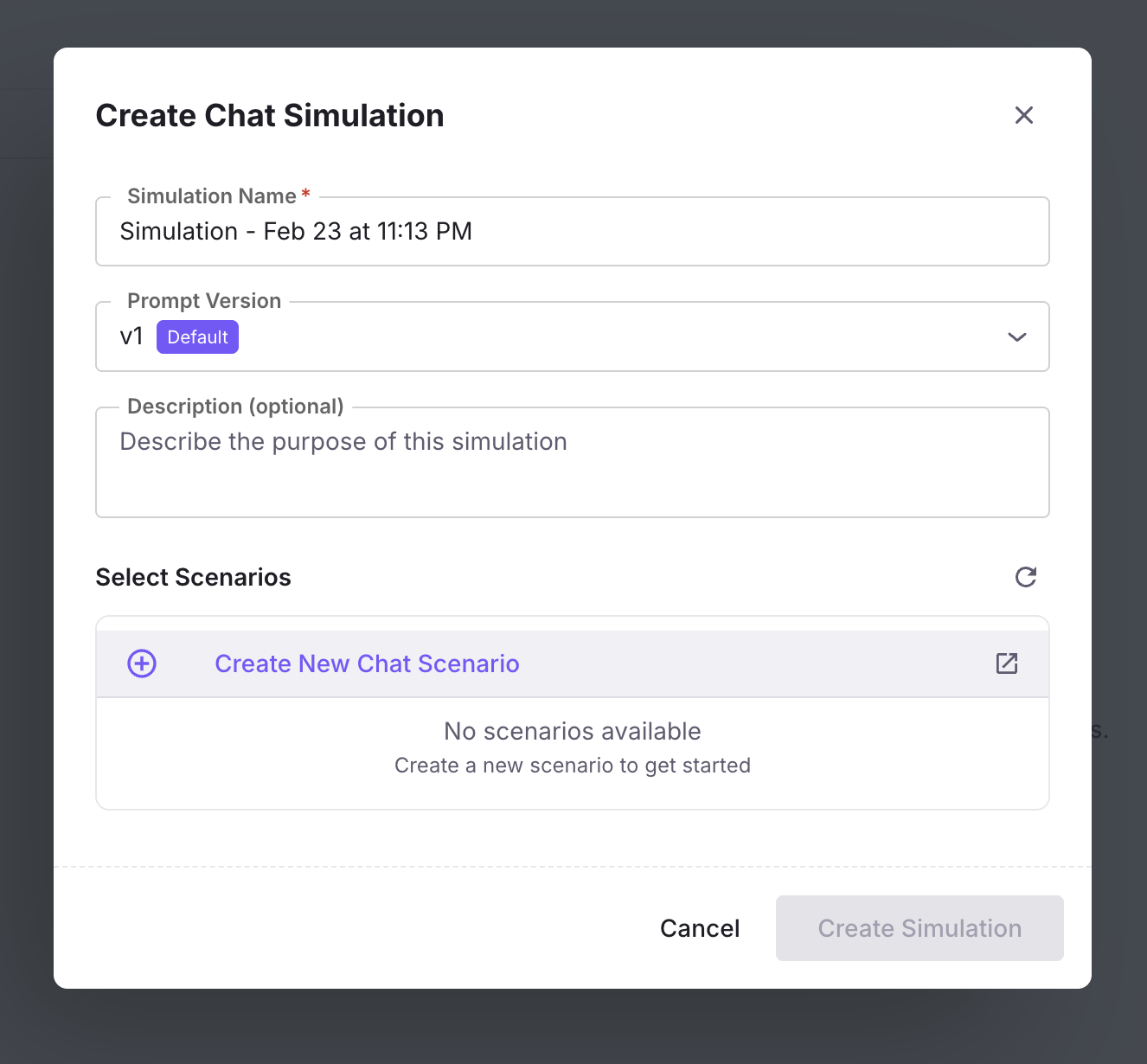
Simulation has been voice-first since its launch. Chat Simulation V1 brings the same persona-driven testing methodology to text-based chat agents.
What’s new
- Persona-driven chat conversations. Define personas with personality, communication style, knowledge level, and goals, then watch them converse with your agent over text.
- Scenario generation for chat. The same branching scenario model used for voice applies to text. Conversations fork into different paths based on user intent.
- Up to 200+ turns per simulation. Deep multi-turn coverage, not toy 3-exchange demos.
- Chat persona creation and merging. Build composite personas by merging attributes from multiple base personas for richer test coverage.
- Analytics drawer per simulation run. Cost, latency, and quality scores inline with the conversation view.
Why it matters
A voice-only simulation engine leaves text agents untested. Chat Simulation closes that gap with one simulation engine for both channels.
Who it’s for
Teams shipping text-based chat agents (support bots, AI assistants, internal copilots), and quality assurance (QA) teams who need one testing surface across voice and text.
Agent Prompt Optimiser: Six Strategies
Manual prompt engineering hits a ceiling. The Agent Prompt Optimiser ships six automated strategies for improving agent prompts based on evaluation data.
What’s new
- RandomSearch. Explores the prompt space by sampling, the simplest baseline you can run optimisation against.
- BayesianSearch. Explores efficiently, balancing new candidates against known-good prompts.
- MetaPrompt. Meta-learning approach to find prompt patterns that generalise across conversation types.
- ProTeGi. Iteratively refines prompt templates based on failure analysis.
- GEPA. Evolutionary prompt adaptation, evolves prompts through mutation and selection.
- PromptWizard. Microsoft’s PromptWizard adapter inside the same optimiser surface.
Why it matters
Different prompt problems respond to different optimisation approaches. Having six strategies inside the optimiser means you can pick the one that fits your failure mode instead of being locked to a single algorithm.
Who it’s for
ML and AI engineers tuning production prompts, and product teams optimising agents against real evaluation data rather than intuition.
Optimize My Agent V3: Targeted Optimisation
Instead of optimising against your entire evaluation dataset, select specific calls that represent the failure modes you care about most. The optimiser focuses on those cases, producing prompts that address your highest-priority issues.
Why it matters
A dataset-wide optimiser smooths over specific failure modes in pursuit of aggregate score. Targeted optimisation lets you direct the solver at the specific problems you need fixed.
Who it’s for
Teams with a curated set of “this keeps failing” calls that they want to fix specifically, without sacrificing quality on the rest of the eval set.
Create Scenario from Observe
When you spot an interesting or problematic conversation in Observe (the view of your live production traces), convert it directly into a simulation scenario.
Why it matters
Closes the loop between production monitoring and simulation testing: the scenarios you test in simulation start reflecting the conversations your real users have.
Who it’s for
Quality assurance (QA) and product teams who want their test suite to stay continuously updated from production reality.
Additional Improvements
Replay sessions from real traces. Take any historical production session and re-run it through your current agent configuration: the agent equivalent of a test suite built from production traffic.
Dot notation for JSON column variables. Reference nested JSON fields (user.profile.language) directly in prompt templates and experiment configurations.
Document format preview in Dataset and Experiment. Inline preview for documents referenced in datasets and experiment results.
Instruction-guided scenario generation. Describe what you want to test in plain language; scenarios are generated accordingly.
Evals filtering in dataset summary. Filter evaluation results inside the dataset summary view for faster drill-down.
Agent-centric metrics and extended call log. Per-agent metrics surfaced in the dashboard, with call-log capture extended to cover more agent activity.
Observe table performance. Cell rendering rebuilt for noticeably faster scroll and interaction on large trace lists.
Edit synthetic data configuration after start. Modify a synthetic-data generation run’s configuration mid-flight without restarting the job.
Refresh endpoint for dataset explanation. Dataset-level explanation summaries can now be refreshed on demand.