Automated Scenario Builder, Agent Definition Versioning, and Simplified Session Tracking
Upload an SOP or call transcript to auto-generate test scenarios with edge cases. Commit-style version control for agents. Session observability per span.
What's in this digest
Automated Scenario Builder — Generate Test Scenarios from SOPs
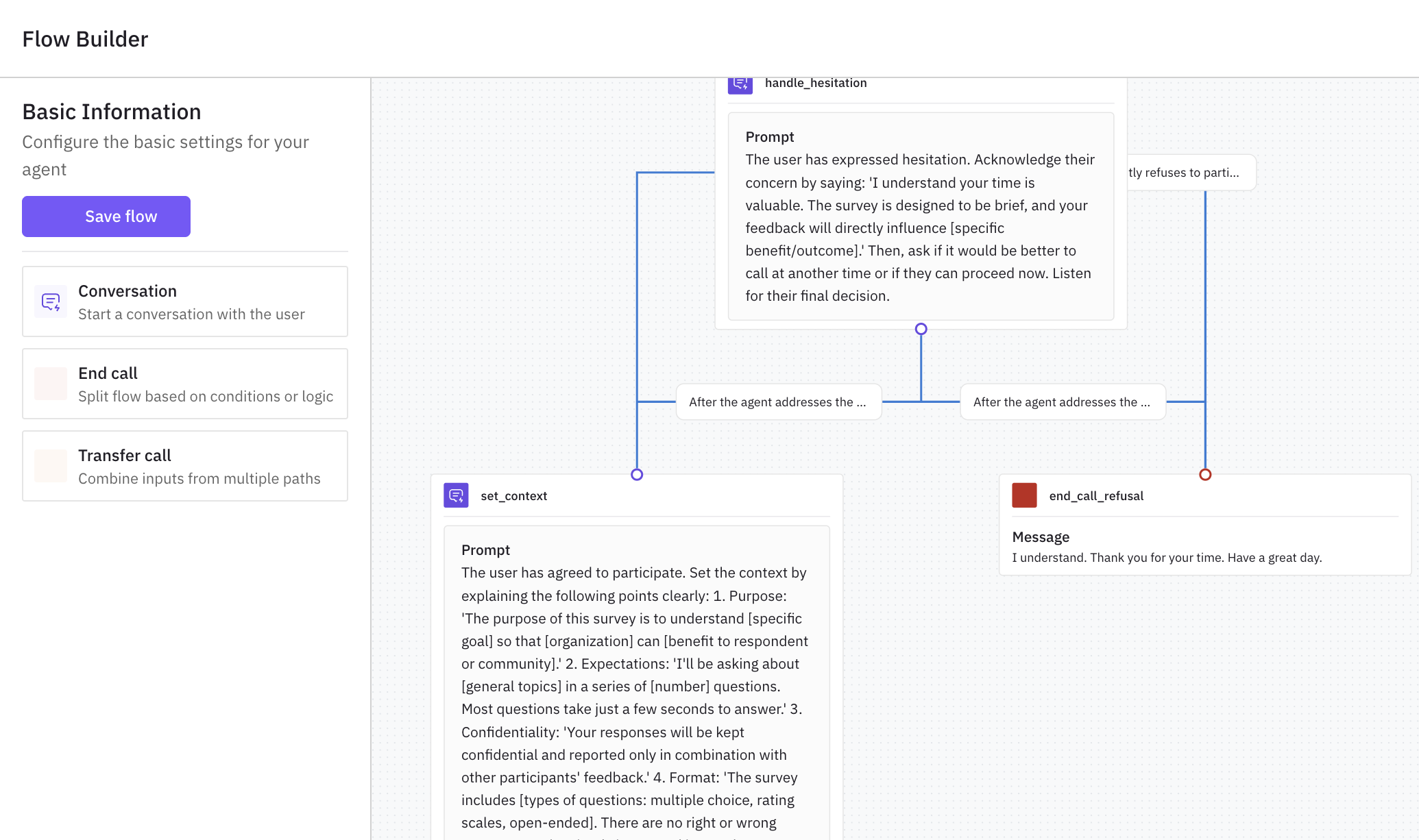
Writing test scenarios by hand is one of the biggest bottlenecks in voice agent testing. A typical enterprise voice agent handles dozens of conversation flows, each with its own edge cases, error paths, and compliance requirements. Manually authoring scenarios for all of them is a project in itself.
The Scenario Builder closes that gap. Upload your standard operating procedures (SOPs), call transcripts, or product documentation, and the system generates test scenarios automatically.
What’s new
- Inputs the builder accepts. SOPs, call transcripts, product documentation, or a mix.
- Beyond the happy path. The builder identifies edge cases teams often miss: caller interrupting mid-sentence, contradictory information, questions outside the agent’s domain.
- Branching flows included. Each generated scenario includes conversation branches, expected agent behavior at each decision point, and success criteria for evaluation.
- Fully editable. Refine the auto-generated output, add custom edge cases, merge scenarios into multi-turn workflows.
Why it matters
Scenario generation that used to take days happens in minutes, with better edge-case coverage than hand-authored scenarios typically achieve.
Who it’s for
Quality assurance (QA) and testing teams managing voice agent quality before launch, and compliance officers who need audit-ready evidence that the agent follows every step of its SOP.
Agent Definition Versioning — Commit Messages for Your Agent
Agent configurations evolve continuously — prompts change, tools get added, guardrails are tuned. Without version control, it’s hard to know which configuration produced which results.
What’s new
- Commit messages per change. Every change to an agent definition gets a commit message describing what changed and why.
- Consolidated test reports per version. See how each agent version performed across your evaluation suite in one view.
- One-click rollback. If a change degrades performance, revert to any previous version.
Why it matters
The version history becomes a changelog for your agent’s behavior: who changed what, and what the impact was on quality. Particularly valuable for teams where multiple people iterate on the same agent.
Who it’s for
Agent developers composing multi-step workflows, and product teams managing agent behavior across environments where a wrong change needs to be reverted quickly.
Simplified Session Tracking
Tracing individual requests is valuable. Understanding complete user sessions is a category shift. Session tracking is now a single-attribute addition.
What’s new
session.idon spans. Add one attribute —session.id— to your spans (the individual steps inside a trace) and Future AGI groups related traces (the end-to-end records of how your agent handled each request) into a session view automatically.- No session middleware. No custom session management code required.
- Session-level dashboards. See how users navigate multi-turn conversations, where they drop off, and which conversation patterns lead to successful outcomes.
Why it matters
A single request tells you if one turn worked. A session tells you whether the user got what they came for. Session tracking without the usual overhead of custom instrumentation.
Who it’s for
Agent developers analyzing multi-turn agent behavior, and product teams measuring session outcomes for voice and chat agents.
Voice Simulation Enhancements
Multi-channel audio player. Simulation call playback now separates agent audio and caller audio into independent channels. Focus on the agent’s responses to evaluate tone and accuracy, or focus on the caller’s input to understand how the agent handles different speaking patterns.
Flexible call recording downloads. Call recordings are downloadable in three audio formats — useful for offline analysis, compliance archiving, and cross-team sharing.
Platform and Infrastructure
Dedicated background worker pool for trace ingestion. Separates trace processing from other background jobs, eliminating resource contention during high-volume ingestion.
Optimized trace ingestion pipeline. End-to-end pipeline optimization reduces the time between trace emission and dashboard availability.
Prompt collaboration features. Multiple team members can edit and comment on the same prompt simultaneously, with revision history and feedback tracking.
Advanced evaluation group management. Full CRUD operations on evaluation groups — create, update, and delete groups programmatically as part of continuous integration (CI/CD) pipelines. Builds on the eval grouping API shipped in w36.