What's in this digest
Breaking Bad — Every Pixel Reconsidered
We called this release “Breaking Bad” internally because we broke everything to make it better. This is not a theme update or a color palette swap. It is a ground-up redesign of every surface in the platform.
The navigation structure is completely rethought. The old sidebar with nested menus has been replaced by a streamlined top-level navigation with contextual sidebars that appear only when relevant. Moving between Observe, Evaluate, and Prototype is now a single click, and your workspace state is preserved when you switch contexts.
The component library behind the redesign is entirely new. Every table, modal, dropdown, form field, and button follows a consistent design language. Tables load faster with virtualized rendering. Modals are lighter and dismiss more naturally. Forms validate inline instead of on submit.
The result is a platform that feels like a single, cohesive product rather than a collection of features built at different times. Every interaction is faster, every layout is more intentional, and every screen uses space more efficiently.
Custom Evals in Observe
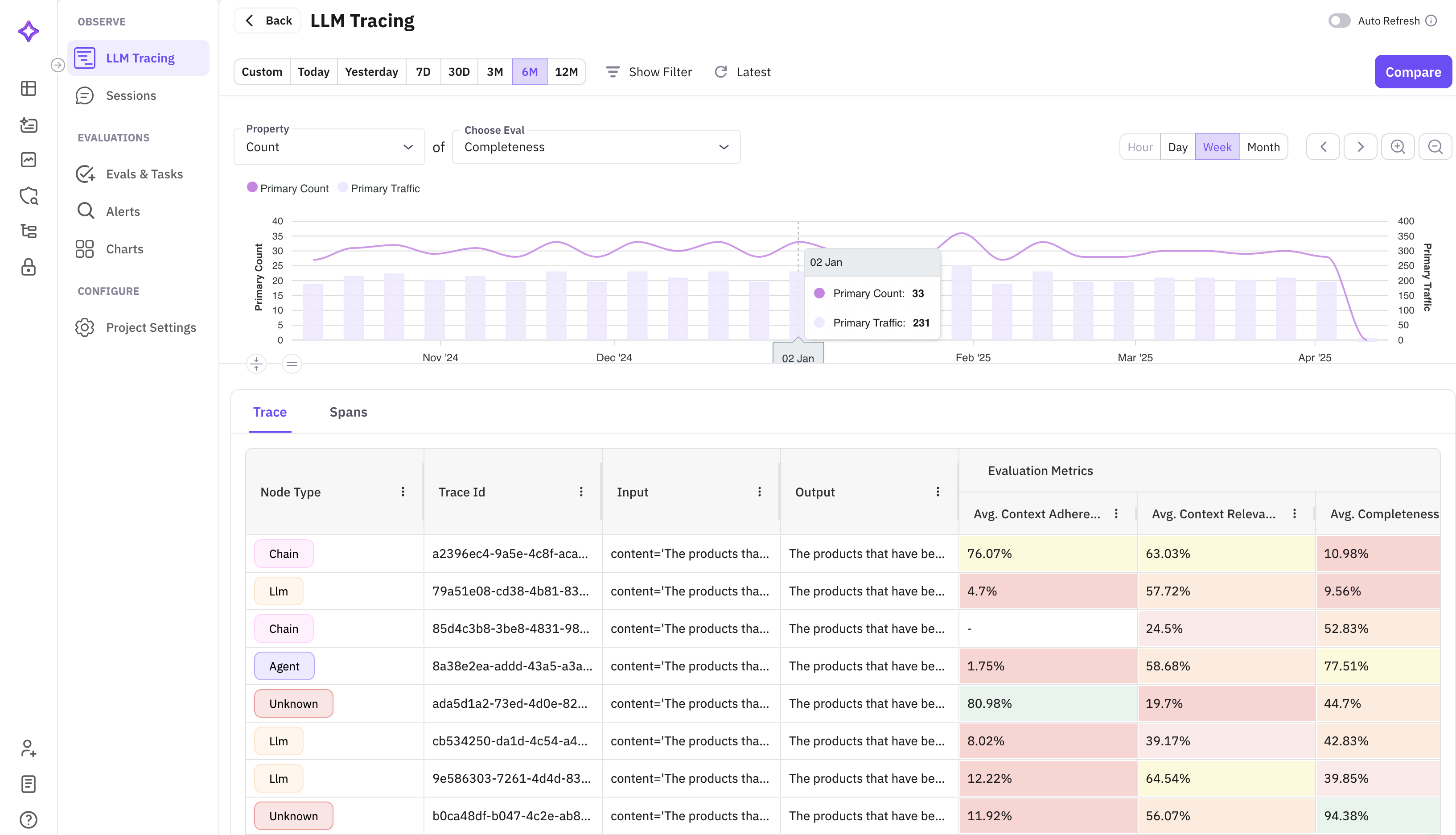
Until now, evaluating production traces meant exporting data and running evaluations separately. Custom evals in Observe collapses that workflow into a single action. Select traces from your Observe view, configure an evaluation with your custom criteria and judge model, and run it in place. Results appear as columns alongside your trace data.
This is powerful for production monitoring. Set up custom evals to flag hallucinations, check policy compliance, or score response quality — all running directly on your live trace data. Combined with the alert system, you can build fully automated quality monitoring pipelines.
TypeScript SDK — @traceai/fi-core v0.1.0
This is a milestone release. @traceai/fi-core v0.1.0 is our first official TypeScript SDK, bringing full tracing and evaluation capabilities to the Node.js and Deno ecosystems.
The TypeScript SDK mirrors the Python SDK’s API surface, so teams working across both languages get a consistent developer experience. Key capabilities include:
- Automatic instrumentation for OpenAI, Anthropic, and other LLM providers
- Manual span creation with the
traceandspandecorators - Evaluation submission for running evals programmatically
- Type-safe configuration with full TypeScript definitions
Installation is a single command: npm install @traceai/fi-core. The SDK ships with zero native dependencies and works in Node.js 18+, Deno, and edge runtimes like Cloudflare Workers.
Protect Flash — Guardrails at the Speed of Inference
Production guardrails have a fundamental tension: they need to be thorough enough to catch harmful outputs but fast enough to not destroy your latency budget. Protect Flash resolves that tension.
Protect Flash is an optimized guardrails engine that screens LLM outputs in under 50 milliseconds. It runs a lightweight classification model trained on our evaluation dataset to detect common failure modes: hallucinations, PII leakage, off-topic responses, and policy violations.
The architecture is designed for inline deployment. Protect Flash sits between your LLM provider and your application, screening every response before it reaches the user. At sub-50ms latency, it adds negligible overhead to the request path while providing real-time protection.
Platform and Pricing Updates
API-based pricing for evaluations and the error localizer replaces the old fixed-tier limits. You now pay per evaluation run and per error localization request, with volume discounts at scale. This means you can start small and scale without hitting arbitrary plan boundaries.
Stop streaming lets you cancel long-running LLM generations mid-stream. If you can see the output going off the rails, hit stop and save both time and tokens. The partial output is preserved so you can still analyze what went wrong.
Evaluations in the prompt workbench bring scoring directly into the editing workflow. Run an eval on your prompt’s output without leaving the editor, see the scores, adjust your prompt, and run again. This tight iteration loop is what makes prompt engineering productive.