Workbench V2 -- The Prompt Engineering Revolution
A ground-up rebuild of the prompt workbench with a new editor, playground layout, and prompt cards, plus major SDK releases and annotation improvements.
What's in this digest
Workbench V2 — Built from Scratch for Prompt Engineers
The original Workbench served its purpose, but as teams pushed it harder, the limitations became clear. V2 is not an incremental update — it is a complete rebuild designed around how prompt engineers actually work.
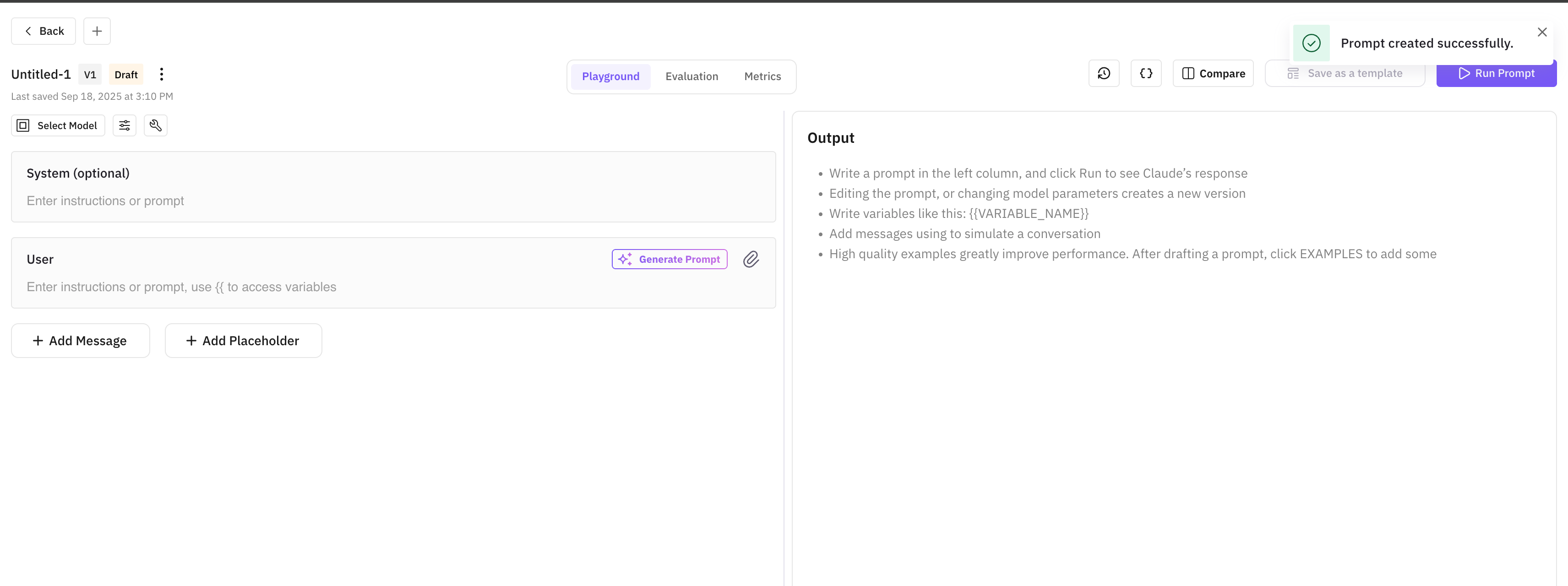
The new prompt editor is the centerpiece. It supports multi-section prompts with collapsible blocks, variable interpolation with syntax highlighting, and version history that lets you rewind to any previous iteration. The editor understands prompt structure: system messages, user turns, few-shot examples, and output format instructions each get their own visual treatment.
The playground layout arranges your workspace for maximum efficiency. Your prompt editor sits on the left, model configuration and parameters in a compact panel, and the output pane on the right with real-time streaming. Every element is resizable, so you can give more space to whatever you are focused on.
Prompt cards introduce a new way to organize your prompt library. Each card shows the prompt name, last-modified date, model configuration, and a preview of the system message. Browse, search, and launch into editing with a single click. Cards also support tagging and filtering, so teams with dozens of prompts can stay organized.
Inline cell editing brings spreadsheet-style editing to the playground’s test case grid. Click any cell to edit the input, expected output, or variables. Tab through cells to edit in sequence. This is dramatically faster than the old modal-based editing flow when you need to update multiple test cases.
Custom Eval Revamp
Custom evaluations got a significant redesign. The new model dropdown puts LLM-as-judge selection front and center: choose which model evaluates your outputs, compare how different judges score the same data, and save your preferred judge configuration per evaluation template.
The builder interface is cleaner and more intuitive. Define your evaluation criteria in natural language, set scoring rubrics, and preview how the eval will run — all in a single view. The 12 new prompt templates cover common evaluation patterns from factual accuracy to code correctness, giving you a running start on building custom evals.
Annotations and Dataset Improvements
The annotations revamp streamlines the two most common workflows: adding new annotations and comparing annotated traces. The add flow is now a single panel instead of a multi-step modal, and the compare flow places two annotated traces side by side with annotation diffs highlighted.
The sheet UI for datasets received another round of refinement. Cell navigation with arrow keys, keyboard shortcuts for common operations, and better scroll performance on datasets with thousands of rows. You can now import saved prompts directly into dataset rows, connecting your prompt library to your evaluation pipeline.
SDK Releases
Three SDK packages shipped this cycle with important capability expansions.
traceAI core v0.1.4 adds native support for audio evaluations, letting you run conversational completeness and other audio metrics directly from the SDK. It also includes prototype eval validation, ensuring your evaluation configurations are valid before execution.
traceAI OpenAI v0.1.3 extends instrumentation to cover audio generation models like GPT-4o audio and image generation models like DALL-E. Every API call is captured as a span with full input/output recording.
traceAI LangChain v0.1.4 adds image extraction from multimodal chains and support for OpenAI’s Computer Use Agent (CUA). If your LangChain agents use CUA for browser automation, every action is now traced with screenshots and DOM snapshots.