The Voice Agent Eval Rubric Library: 14 Rubrics Every Team Should Run in 2026
The 14 voice-specific eval rubrics worth running in 2026. Named templates, when to use each, what bad looks like, code samples, how they layer.
Table of Contents
Most voice eval libraries are too big to use or too narrow to trust. ai-evaluation ships 70+ built-in rubrics; the curated voice grid is 14. This post names each one by its template name, says when each fires, shows what bad output looks like, and gives a code path you can paste into a notebook today. For the end-to-end methodology these rubrics plug into, see how to evaluate voice AI agents. The goal is a working rubric library you can layer on a single call: audio in, audio out, conversation flow, agent goal, retrieval, language, tone, all running in parallel, all joined back to the traceAI span tree.
Per the Hybrid Norm Anthropic’s 2026 eval guidance calls the new consensus, each rubric pairs with a deterministic check where one exists. audio_transcription runs alongside a WER threshold. evaluate_function_calling runs alongside a tool-call argument schema validator. pii runs alongside a regex pass. Verifiable rewards catch the floor; rubric judges catch the drift.
TL;DR: 14 voice rubrics, six layers, one parallel run
| # | Rubric | Layer | Fires on |
|---|---|---|---|
| 1 | audio_transcription | Voice in | Every call (assistant + customer audio) |
| 2 | audio_quality | Voice out | Every call (TTS output) |
| 3 | conversation_coherence | Conversation | Every multi-turn call |
| 4 | conversation_resolution | Conversation | Every call at end-of-session |
| 5 | task_completion | Agent goal | Every goal-driven call |
| 6 | evaluate_function_calling | Agent goal | Turns with tool calls |
| 7 | llm_function_calling | Agent goal | Turns with tool calls |
| 8 | groundedness | Retrieval | RAG turns |
| 9 | context_relevance | Retrieval | RAG turns |
| 10 | chunk_attribution | Retrieval | RAG turns |
| 11 | chunk_utilization | Retrieval | RAG turns |
| 12 | translation_accuracy | Multilingual | Non-English or translated turns |
| 13 | cultural_sensitivity | Multilingual | Cross-locale calls |
| 14 | data_privacy_compliance | Quality / safety | Every call (async) |
Three rules govern the layout. Voice in and voice out fire on every call because they catch the failures transcript-only monitoring misses. Conversation and agent-goal rubrics fire on every interactive call because they predict whether the user got what they came for. The retrieval, multilingual, and safety rubrics fire conditionally so the cost stays in the right place. We’ll cover each layer in order.
Why these 14, not the other 42
ai-evaluation’s 70+ built-in rubrics span text quality, format validators, summarization, clinical-only checks, ranking, and image hallucination. Most of them don’t map to a voice-agent failure mode. A few examples of what we deliberately left off:
IsJson,IsCSV,OneLine: format validators for structured generation, not voice.SummaryQuality,IsGoodSummary: useful for batch transcript review, not per-call.BleuScore,FuzzyMatch: overlap-based scorers that hide more than they reveal on voice transcripts.CaptionHallucination: multi-modal image rubric, voice-adjacent only.- The four-rubric clinical pack (
NoHarmfulTherapeuticGuidance,ClinicallyInappropriateTone,IsHarmfulAdvice,NoApologies): useful when the domain is regulated, but a layer above the default 14.
The 14 below cover voice in, voice out, what was said, whether the goal got met, whether retrieved evidence was used, whether the agent crossed a language boundary cleanly, and whether sensitive data leaked. That’s the surface area of every real voice failure we cluster in Error Feed.
Layer 1: voice in and voice out
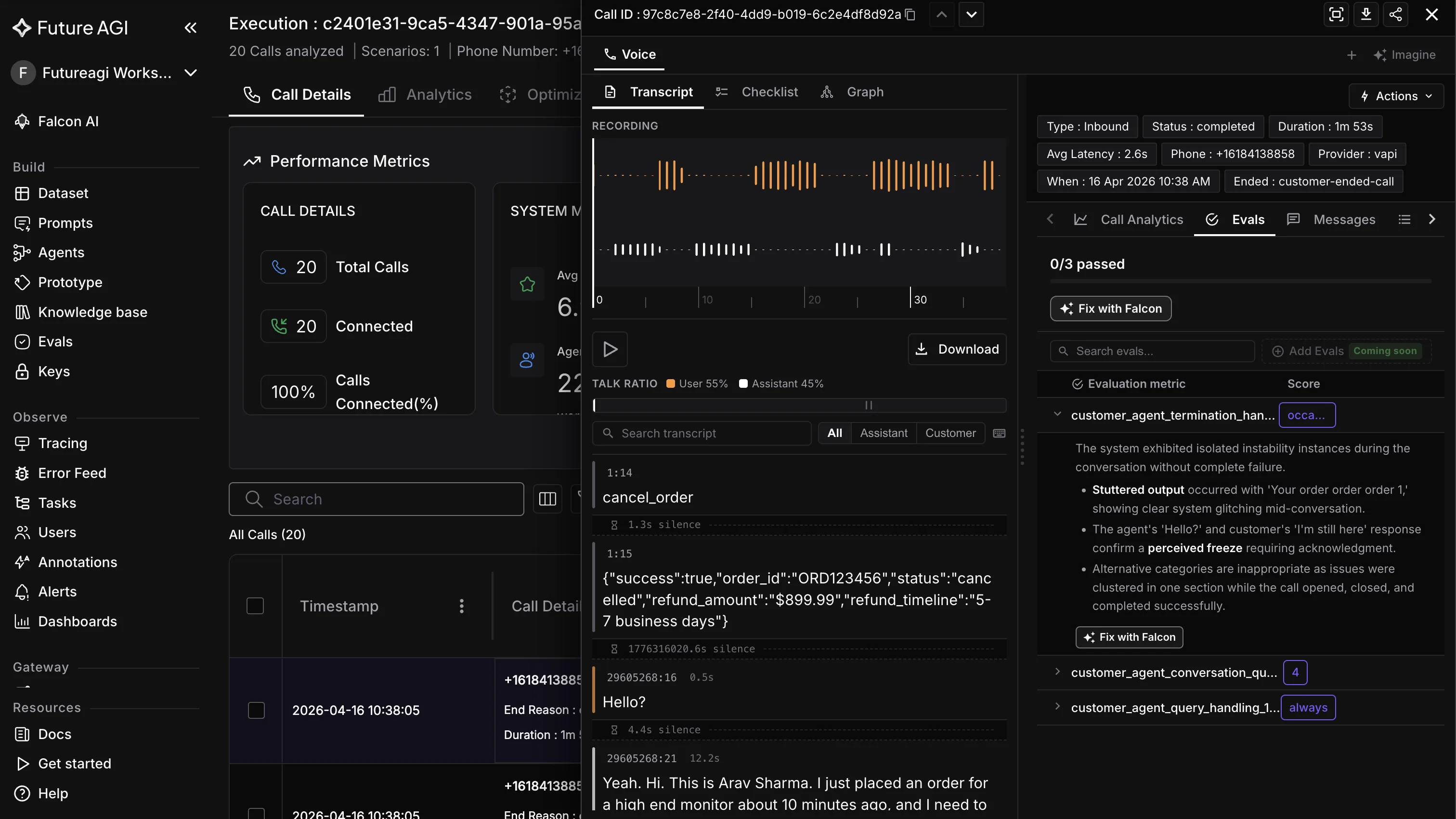
The first two rubrics catch the failures that transcript-only monitoring misses entirely. Voice agents fail on audio long before they fail on text. If audio_transcription is bad, every downstream eval is reading a corrupted input. If audio_quality is bad, the user hears a slurred or robotic response no transcript shows.
1. audio_transcription
What it scores: ASR/STT quality on both assistant and customer audio. WER-class scoring with phoneme-aware weighting. The rubric reads the call recording, runs an internal transcription pass, and compares it against the reference transcript the voice provider returned.
When to use: every call. The Vapi/Retell/LiveKit transcript is usually good enough, but it has known failure modes: long pauses misclassified as end-of-speech, accent-conditioned misreads, brand-name mistranscriptions, code-switching dropped to nonsense. audio_transcription catches them.
What bad looks like: WER above 12 percent on the customer side, or above 5 percent on the assistant side (the assistant audio is synthesized, so it should be near-perfect; if it isn’t, TTS is corrupted). Per-segment WER spikes on calls from a single accent group means the STT vendor’s training data underrepresents that group.
Code:
from fi.testcases import MLLMTestCase, MLLMAudio
from fi.evals import Evaluator, AudioTranscriptionEvaluator

audio = MLLMAudio(url="https://storage.example.com/calls/2026-04-21/call_abc123_customer.wav")
test_case = MLLMTestCase(
    input=audio,
    query="Score transcription quality against the provided reference",
    reference_transcript="I'd like to reschedule my appointment for next Tuesday at 3pm.",
)

ev = Evaluator(fi_api_key="...", fi_secret_key="...")
result = ev.evaluate(
    eval_templates=[AudioTranscriptionEvaluator()],
    inputs=[test_case],
)
MLLMAudio accepts seven formats out of the box: .mp3, .wav, .ogg, .m4a, .aac, .flac, .wma. Use the local-file form when audio sits on disk, or pass an http/https URL; in both cases it wraps the audio as eval input with auto base64 encoding.
2. audio_quality
What it scores: clarity, prosody, pronunciation, and overall MOS-like quality of the TTS output. The rubric reads the assistant audio and rates it on a 1-to-5 scale anchored to perceptual quality.
When to use: every call. Even with ElevenLabs or Cartesia, MOS regressions happen on specific phonemes, brand names, switched voices, or under packet loss. The TTS provider’s own dashboard rarely shows them.
What bad looks like: median MOS below 4.0, or a tail below 3.0 on more than 2 percent of calls. Pronunciation drift on brand names (“Future AGI” spoken as “Fyoo-cher Ah-gee”) is a common failure that audio_quality flags before the customer-success team hears about it.
Code:
from fi.testcases import MLLMTestCase, MLLMAudio
from fi.evals import Evaluator, AudioQualityEvaluator

tts_audio = MLLMAudio(url="./fixtures/call_abc123_assistant.wav")
test_case = MLLMTestCase(input=tts_audio, query="Score the TTS audio quality")

ev = Evaluator(fi_api_key="...", fi_secret_key="...")
result = ev.evaluate(
    eval_templates=[AudioQualityEvaluator()],
    inputs=[test_case],
)
Run audio_transcription and audio_quality in the same eval batch. The two rubrics share the audio decode pass, so the marginal cost of the second one is low.
Layer 2: conversation
The next two rubrics ask whether the conversation made sense and whether it ended in resolution. These are the multi-turn analogs of single-turn accuracy.
3. conversation_coherence
What it scores: multi-turn coherence. Does turn 4 contradict turn 2? Does the agent forget the user’s earlier statement? Does the topic drift in a way the user didn’t drive? conversation_coherence reads the full transcript and produces a coherence score plus per-turn flags.
When to use: every call with three or more turns. Single-turn calls (IVR-style yes/no) don’t need it.
What bad looks like: the agent confirms a refund in turn 3, then in turn 5 says “I don’t see any refund on the account”. Or the agent answers a billing question by quoting the user’s name from a different conversation that bled across session boundaries. Both are coherence breaks that single-turn evals miss.
Code:
from fi.testcases import ConversationalTestCase, LLMTestCase
from fi.evals import Evaluator, ConversationCoherence

conv = ConversationalTestCase(messages=[
    LLMTestCase(query="I want to cancel my subscription", response="Sure, I can help. What's your account email?"),
    LLMTestCase(query="alex@example.com", response="Got it. I see your subscription. Confirming cancellation now."),
    LLMTestCase(query="Wait, can I just pause it?", response="Of course. I'll pause it for 60 days."),
    LLMTestCase(query="Did you cancel it?", response="Yes, your subscription has been cancelled."),
])

ev = Evaluator(fi_api_key="...", fi_secret_key="...")
result = ev.evaluate(
    eval_templates=[ConversationCoherence()],
    inputs=[conv],
)
The last turn contradicts the pause action. conversation_coherence flags it. A turn-level eval like intent confidence wouldn’t.
4. conversation_resolution
What it scores: did the call resolve? The rubric reads the transcript end-to-end and asks whether the user’s stated goal was reached. The score is a number plus a short reason string (“user goal: refund processed; outcome: refund confirmed in turn 7”).
When to use: every call at end-of-session. Pair with task_completion for redundancy on goal-tracking.
What bad looks like: the agent ends the call with “Is there anything else I can help with?” when the user’s original question was never answered. Or the user hangs up mid-flow because the agent looped on the same clarification three turns in a row.
Code:
from fi.testcases import ConversationalTestCase, LLMTestCase
from fi.evals import Evaluator, ConversationResolution

conv = ConversationalTestCase(messages=[...])

ev = Evaluator(fi_api_key="...", fi_secret_key="...")
result = ev.evaluate(
    eval_templates=[ConversationResolution()],
    inputs=[conv],
)
Together, conversation_coherence and conversation_resolution are the cleanest two-rubric pair for multi-turn voice. The first catches “did the conversation hold together”; the second catches “did the conversation end well”.
Layer 3: agent goal
Voice agents do more than chat. They book appointments, look up account state, escalate to humans, file claims. The three rubrics in this layer ask whether the agent’s tool use and goal achievement were correct.
5. task_completion
What it scores: did the agent achieve its stated goal? The rubric takes the agent’s goal (from the system prompt or an explicit goal tag) and the conversation transcript and scores whether the goal got met.
When to use: every goal-driven call. Roughly synonymous with conversation_resolution but framed around the agent’s job description, not the user’s stated wish. The two diverge in interesting ways. A user might ask “how do I cancel?” and the agent might answer the question without actually cancelling (conversation_resolution says high, task_completion says low if the agent’s goal was to retain the user).
What bad looks like: the agent’s goal is “book the appointment if the user wants one”; the user says “I’d like next Tuesday at 3pm”; the agent confirms but never actually calls bookAppointment(). The transcript looks fine. task_completion flags it because the tool side didn’t fire.
6. evaluate_function_calling
What it scores: was the right tool called with the right arguments? This is the goal-level tool eval. Given the user’s intent and the available tool catalog, did the agent pick the correct tool and pass the correct arguments?
When to use: every turn that included a tool call. Skip on conversation-only turns.
What bad looks like: the user asks for a refund for order ABC-123; the agent calls lookupOrder(ABC-124) because the STT misread the order number. evaluate_function_calling catches the wrong-argument case the structural check below misses.
Code:
from fi.testcases import LLMTestCase
from fi.evals import Evaluator

test_case = LLMTestCase(
    query="Refund order ABC-123",
    response='{"tool": "issueRefund", "args": {"order_id": "ABC-124", "amount": 49.99}}',
    expected_tool="issueRefund",
    expected_args={"order_id": "ABC-123"},
)

ev = Evaluator(fi_api_key="...", fi_secret_key="...")
result = ev.evaluate(
    eval_templates=["evaluate_function_calling"],
    inputs=[test_case],
)
7. llm_function_calling
What it scores: structural correctness of the function call. Is the JSON well-formed? Are required fields present? Are argument types correct? Is the function name in the tool catalog?
When to use: every turn with a tool call. Run alongside evaluate_function_calling; the two answer different questions.
What bad looks like: the LLM emitted {"tool": "issueRefund", "args": {"order_id": 123}} where order_id should be a string. The structural check fires; downstream code wouldn’t validate, the call would fail in production. llm_function_calling flags it in eval before it ships.
Run both function-calling rubrics together. The structural one catches the schema bug; the goal one catches the wrong-call bug. A turn can pass one and fail the other.
Layer 4: retrieval (RAG voice)
Voice agents increasingly carry RAG: a customer asks a knowledge-base question, retrieval fires, the LLM composes the answer, TTS speaks it. The four rubrics below score whether retrieval did its job and whether the LLM used what retrieval returned.
8. groundedness
What it scores: is the response grounded in the retrieved evidence, or did the LLM hallucinate? The rubric reads the retrieved chunks and the final response and asks whether each substantive claim in the response is supported by at least one chunk.
When to use: every RAG turn. Skip on conversational filler turns where no retrieval fired.
What bad looks like: retrieval pulls policy chunks from 2023; the LLM responds with a 2026 policy detail it invented. The transcript reads cleanly. groundedness flags it because the claim isn’t in any retrieved chunk.
9. context_relevance
What it scores: were the retrieved chunks relevant to the user’s query? This is the retrieval-side rubric, separate from grounding.
When to use: every RAG turn. If context_relevance is low, you have a retriever problem (wrong embedding model, wrong chunking, wrong reranker). If context_relevance is high but groundedness is low, you have an LLM problem (the model isn’t using what was handed to it).
What bad looks like: the user asks about refund policy; retrieval returns chunks about shipping policy. Either keyword-overlap on the embedding model is misranking, or the chunk store is stale.
10. chunk_attribution
What it scores: per-chunk source attribution. For each retrieved chunk, was it cited or referenced in the response?
When to use: every RAG turn where you care about citation hygiene. Regulated workloads (legal, medical, financial) need this on by default.
What bad looks like: retrieval pulled five chunks; the response cites only one. The other four are dead weight, which inflates token cost and confuses the LLM’s grounding signal.
11. chunk_utilization
What it scores: did the response actually use the content of the retrieved chunks, or did the LLM mention them as decoration?
When to use: every RAG turn. Pair with chunk_attribution. A response can attribute every chunk (cited them all) but under-utilize them (the LLM ignored the content). Both metrics need to be high for a healthy retriever.
Code (retrieval rubrics run as a single batch):
from fi.testcases import LLMTestCase
from fi.evals import (
    Evaluator,
    Groundedness,
    ContextRelevance,
    ChunkAttribution,
    ChunkUtilization,
)

test_case = LLMTestCase(
    query="What's your return window for electronics?",
    response="Our return window for electronics is 30 days from the date of delivery.",
    context=[
        "Return policy: electronics may be returned within 30 days of delivery, in original packaging.",
        "Shipping policy: standard shipping takes 3-5 business days.",
        "Membership benefits: members get free returns on all categories.",
    ],
)

ev = Evaluator(fi_api_key="...", fi_secret_key="...")
result = ev.evaluate(
    eval_templates=[
        Groundedness(),
        ContextRelevance(),
        ChunkAttribution(),
        ChunkUtilization(),
    ],
    inputs=[test_case],
)
The four rubrics share the chunk-decode work. Run them together; the cost overhead is sub-linear.
Layer 5: multilingual
Voice agents that take international traffic cross a language boundary on a meaningful share of calls. Two rubrics cover that surface.
12. translation_accuracy
What it scores: translation quality when the agent is translating between languages, or when the source language is different from the response language.
When to use: any call where the language tag changes turn-to-turn, or where the agent is configured to translate. Skip on monolingual calls.
What bad looks like: the user asks in Spanish, the agent responds in English, and the translation drops a critical negation (“no es elegible” rendered as “is eligible”). The transcript looks coherent in each language individually. translation_accuracy catches the cross-language slip.
13. cultural_sensitivity
What it scores: cultural appropriateness of the response in the target locale. This is the layer above translation accuracy: a sentence can be perfectly translated and still tone-deaf for the audience.
When to use: cross-locale calls (UK English vs. US English vs. Indian English, or any non-anglophone deployment).
What bad looks like: the agent uses an idiom that doesn’t carry across locales, addresses the customer in a register that’s too informal for the culture, or assumes a payment method that isn’t dominant in the region. cultural_sensitivity flags it.
Code:
from fi.testcases import LLMTestCase
from fi.evals import Evaluator, TranslationAccuracy, CulturalSensitivity

test_case = LLMTestCase(
    query="No quiero cancelar, solo pausar mi suscripción",
    response="I understand. I'll cancel your subscription right away.",
    source_language="es",
    target_language="en",
)

ev = Evaluator(fi_api_key="...", fi_secret_key="...")
result = ev.evaluate(
    eval_templates=[TranslationAccuracy(), CulturalSensitivity()],
    inputs=[test_case],
)
The Spanish original means “I don’t want to cancel, just pause my subscription”. The English response inverts the meaning. translation_accuracy catches it.
Layer 6: quality and safety
The last rubric is the async safety check. Protect handles inline guardrails at sub-100ms per arXiv 2510.13351; this rubric handles the compliance audit trail.
14. data_privacy_compliance
What it scores: did the call surface a privacy violation? PII leakage, regulated-data exposure, missing consent prompts, or any other compliance-relevant event. The rubric reads the full transcript and produces a violation score plus per-incident flags.
When to use: every call, async. Pair with Protect inline. Protect blocks or redacts; data_privacy_compliance measures the residual rate and feeds the compliance dashboard.
What bad looks like: the agent reads back a credit card number for confirmation, or the agent answers a verification question by stating the user’s date of birth, or a regulated phrase (HIPAA disclosure, GDPR consent) was required and didn’t fire. All three are quiet failures that surface only on review.
Code:
from fi.testcases import ConversationalTestCase, LLMTestCase
from fi.evals import Evaluator, DataPrivacyCompliance

conv = ConversationalTestCase(messages=[...])

ev = Evaluator(fi_api_key="...", fi_secret_key="...")
result = ev.evaluate(
    eval_templates=[DataPrivacyCompliance()],
    inputs=[conv],
)
For pre-TTS blocking, layer Future AGI Protect on top. Protect’s rule-based path covers the 4 documented safety dimensions (Content Moderation, Bias Detection, Security, Data Privacy Compliance). ProtectFlash gives a single-call binary path when even rule-based scan time costs too much:
from fi.evals import Protect

p = Protect()
out = p.protect(
    inputs=test_case,
    protect_rules=[
        {"metric": "data_privacy_compliance"},
        {"metric": "security"},
    ],
)

# Or single-call binary classifier path:
out_flash = p.protect(inputs=test_case)
data_privacy_compliance runs async to track the rate. Protect runs inline to prevent the leak. Together, they cover the two sides of the same compliance story.
How the 14 layer on a single call
The point of the library isn’t to run 14 separate evals. The point is to run all 14 as parallel batches on the same call’s traceAI span tree and let scores join back to the same span IDs. The flow per call:
- Call ends. The voice provider hands FAGI the call recording, separate assistant + customer audio, and the auto transcript via the native voice observability surface (no SDK required for Vapi, Retell, or LiveKit).
- Layer 1 fires immediately:
audio_transcriptionreads the customer audio,audio_qualityreads the assistant audio. Both run asMLLMAudiotest cases throughEvaluator. - Layer 2 fires on the full transcript:
conversation_coherenceandconversation_resolutionrun as a singleConversationalTestCase. - Layer 3 fires on goal + tool turns:
task_completionon the full call,evaluate_function_callingandllm_function_callingper tool turn. - Layer 4 fires on RAG turns only:
groundedness,context_relevance,chunk_attribution,chunk_utilization. The retrieval span attribute tells you which turns to include. - Layer 5 fires only when the language tag changed mid-call:
translation_accuracy,cultural_sensitivity. - Layer 6 fires on every call:
data_privacy_compliance.
The eval engine runs the layers in parallel. Each rubric returns a score that lands on the corresponding traceAI span as an attribute. The dashboard reads from span attributes, so every chart, every filter, every alert query against “show me calls with low groundedness” works without a separate eval-results table.
Error Feed sits on top of this. When audio_quality drops below threshold across a window of calls, Error Feed clusters them into a named issue (“TTS pronunciation drift on calls routed through voice_id=v2 since 2026-04-19”) with auto-written root cause, supporting span evidence, and a quick-fix recommendation. The 14-rubric grid surfaces the dials; Error Feed turns the dials into actionable issues.
How Future AGI captures the rubric library in one stack
ai-evaluation is the Apache 2.0 SDK that ships all 14 rubrics (plus many more) as named EvalTemplate classes. Every rubric named in this post is in the public repo. The full 70+ template list spans audio, conversation, retrieval, safety, multilingual, tone, format, summarization, clinical, and tool-use categories. Custom evaluators are authored by an in-product agent: describe the failure mode in natural language, FAGI generates the rubric, runs it on your traces, and lets you ship it alongside the built-ins.
traceAI is the instrumentation layer. 30+ documented integrations across Python and TypeScript, including dedicated traceAI-pipecat and traceai-livekit packages for voice frameworks. OpenInference-compatible spans, Apache 2.0. For Vapi, Retell, and LiveKit, FAGI also ships native voice observability that doesn’t require SDK instrumentation at all: provider API key + Assistant ID in the FAGI Agent Definition, observability on, every call streams in as a logged session with separate assistant + customer audio, auto transcript, and the full eval engine running against it.
Error Feed auto-clusters trace failures into named issues with auto-written root cause, supporting span evidence, quick fix, and long-term recommendation. Zero-config. The 14-rubric grid produces the scores; Error Feed produces the issues.
Future AGI Protect runs the inline guardrail layer at sub-100ms per arXiv 2510.13351. Google Gemma 3n foundation with LoRA-trained adapters across 4 safety dimensions (Content Moderation, Bias Detection, Security, Data Privacy Compliance). Multi-modal across text, image, and audio. ProtectFlash gives a single-call binary classifier path when rule-based scan time costs too much.
Agent Command Center hosts the whole stack: RBAC, AWS Marketplace, multi-region, SOC 2 Type II + HIPAA + GDPR + CCPA + ISO 27001 all certified per futureagi.com/trust. 15+ providers on the router surface if you also want the gateway in the same platform.
The voice simulation surface complements the rubric library on the pre-launch side: 18 pre-built personas plus unlimited custom-authored (gender, age range across 18-25 / 25-32 / 32-40 / 40-50 / 50-60 / 60+, location across US / Canada / UK / Australia / India, personality traits, communication style, accent, conversation speed, background noise, multilingual across many popular languages, custom properties, free-form behavioral instructions). Visual Workflow Builder (drag-and-drop graph with Conversation / End Call / Transfer Call nodes) auto-generates branching scenarios at 20, 50, or 100 rows with branch visibility. 4-step Run Tests wizard (config → scenarios → eval → execute). Error Localization pinpoints the exact failing turn. Tool Calling eval. Custom voices from ElevenLabs and Cartesia in Run Prompt. Show Reasoning column in Simulate. Programmatic eval API for configure plus re-run wires the simulation suite into CI. The same 14 rubrics that score production calls score simulation runs. For prompt-sensitive failures, agent-opt runs 6 prompt optimizers (Bayesian Search, Meta-Prompt per arXiv 2505.09666, ProTeGi, GEPA Genetic-Pareto per arXiv 2507.19457, Random Search per arXiv 2311.09569, PromptWizard) from the Dataset UI or the SDK against the failed cluster. One rubric library, one eval engine, both surfaces.
Three deliberate tradeoffs
The 14 are the default voice grid, not the whole library. Specialized workloads compose rubrics from the broader 70+ template set. A clinical voice agent layers on no_harmful_therapeutic_guidance, clinically_inappropriate_tone, and is_harmful_advice. A summarization voice surface adds summary_quality and is_good_summary. RAG-heavy stacks add additional retrieval rubrics. Adding rubrics is one line of Python; the default 14 are the starting point.
Custom evaluators calibrate from human review feedback. The in-product evaluator-authoring agent drafts rubrics from a natural-language description and a slice of production traces; reviewer accepts and rejects become calibration signal for the next round of proposals. Every rubric change is explicit and human-approved. Plan for one to three calibration rounds before a custom rubric runs unattended in CI. The audit trail records every proposal, accept, and reject.
Async evals and inline guardrails are deliberately split. data_privacy_compliance runs async to measure the residual rate, feed the compliance dashboard, and prove enforcement to auditors. Future AGI Protect runs inline at sub-100ms to block or redact the leak before TTS speaks it. The two surfaces share rubric definitions but serve different parts of the compliance story: Protect prevents, the async rubric measures and proves.
Related reading
- Voice agent conversation monitoring in 2026
- Evaluating multi-turn conversations: a deep dive
- How to build RAG-powered voice AI agents
- 12 metrics that actually matter for AI conversation monitoring
Sources and references
- ai-evaluation on GitHub: github.com/future-agi/ai-evaluation
- traceAI on GitHub: github.com/future-agi/traceAI
- Error Feed docs: docs.futureagi.com/docs/observe
- Future AGI Protect docs: docs.futureagi.com/docs/protect
- arXiv 2510.13351 (Protect): arxiv.org/abs/2510.13351
- Trust page: futureagi.com/trust
- ITU-T P.800 MOS specification: itu.int/rec/T-REC-P.800
Frequently Asked Questions
Why curate 14 rubrics when ai-evaluation ships 70+?
Do I run all 14 on every call?
What's the difference between `evaluate_function_calling` and `llm_function_calling`?
Are `chunk_attribution` and `chunk_utilization` redundant?
How does `data_privacy_compliance` differ from running Protect inline?
Can I add my own rubric on top of the 14?
How do scores get back into a dashboard?
Monitor voice agent conversations with 6 metrics in 2026: turn coherence, intent confidence, completion, sentiment, escalation, and repeat-question signal.

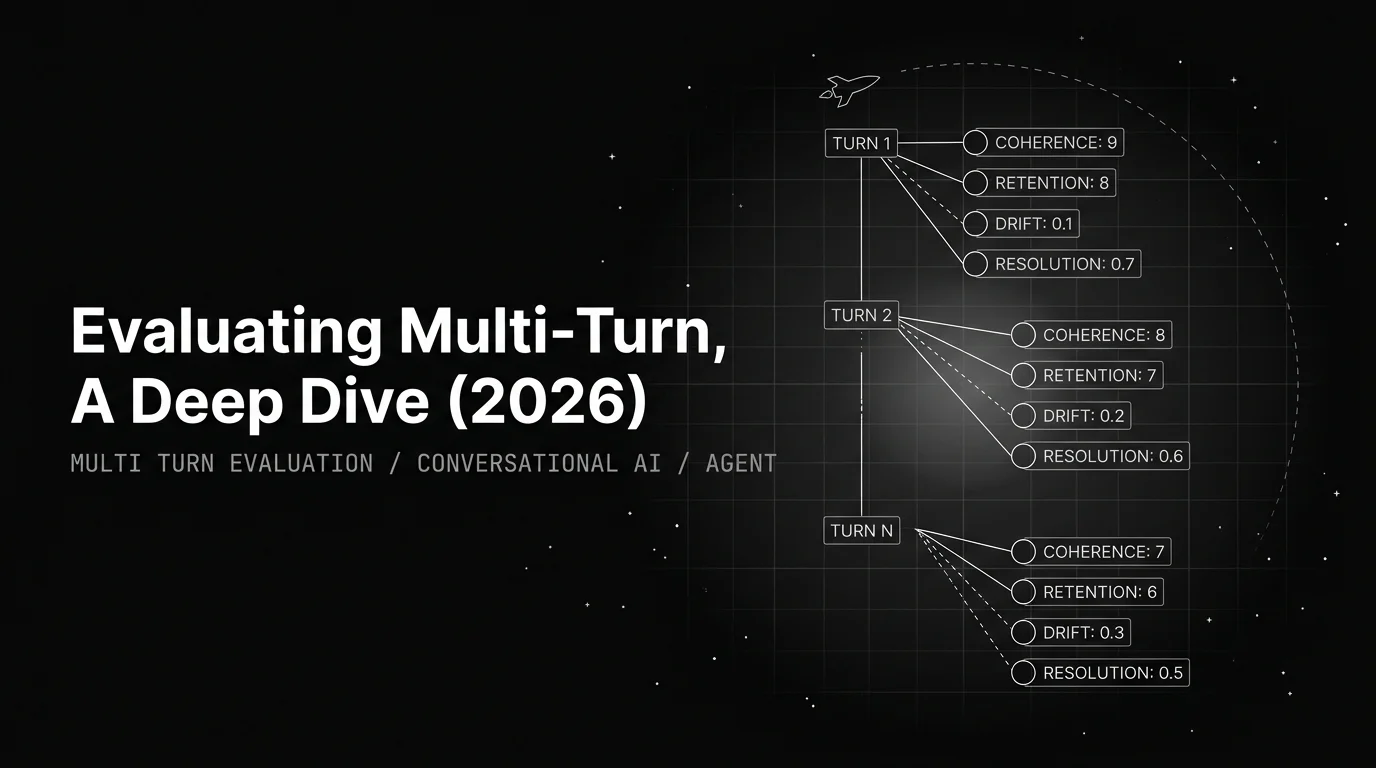
Multi-turn eval is not turn-by-turn averaged. The unit is the trajectory: coherence, context, intent drift, resolution. The playbook.
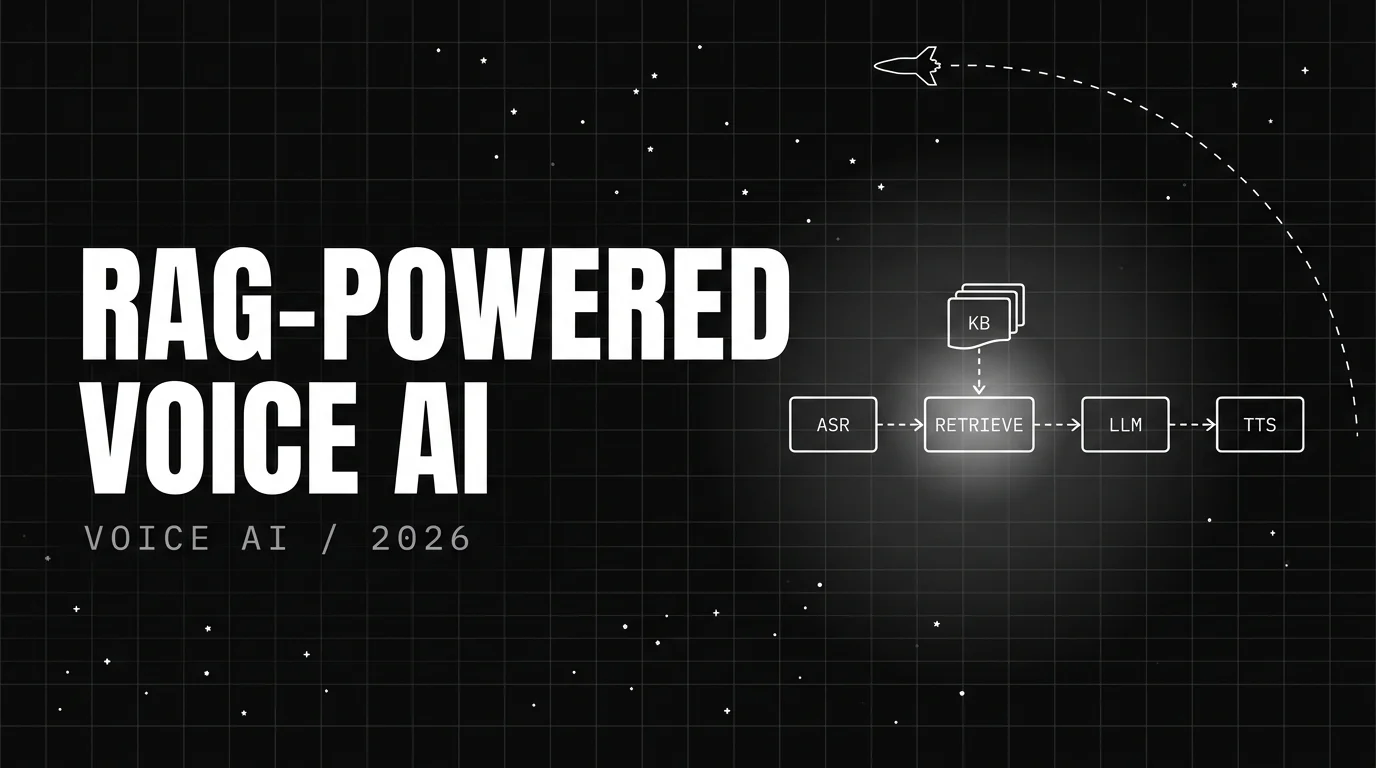
Build streaming RAG-powered voice agents in 2026. Parallel retrieval, grounded LLM with citations, faithfulness eval, and traceAI instrumented spans.
