Prompt vs Loop vs Graph Engineering: How Debugging Changes at Each Layer
Prompt, loop, and graph engineering control different parts of an agent system. Failure modes and debugging cost both escalate as you move up a layer.
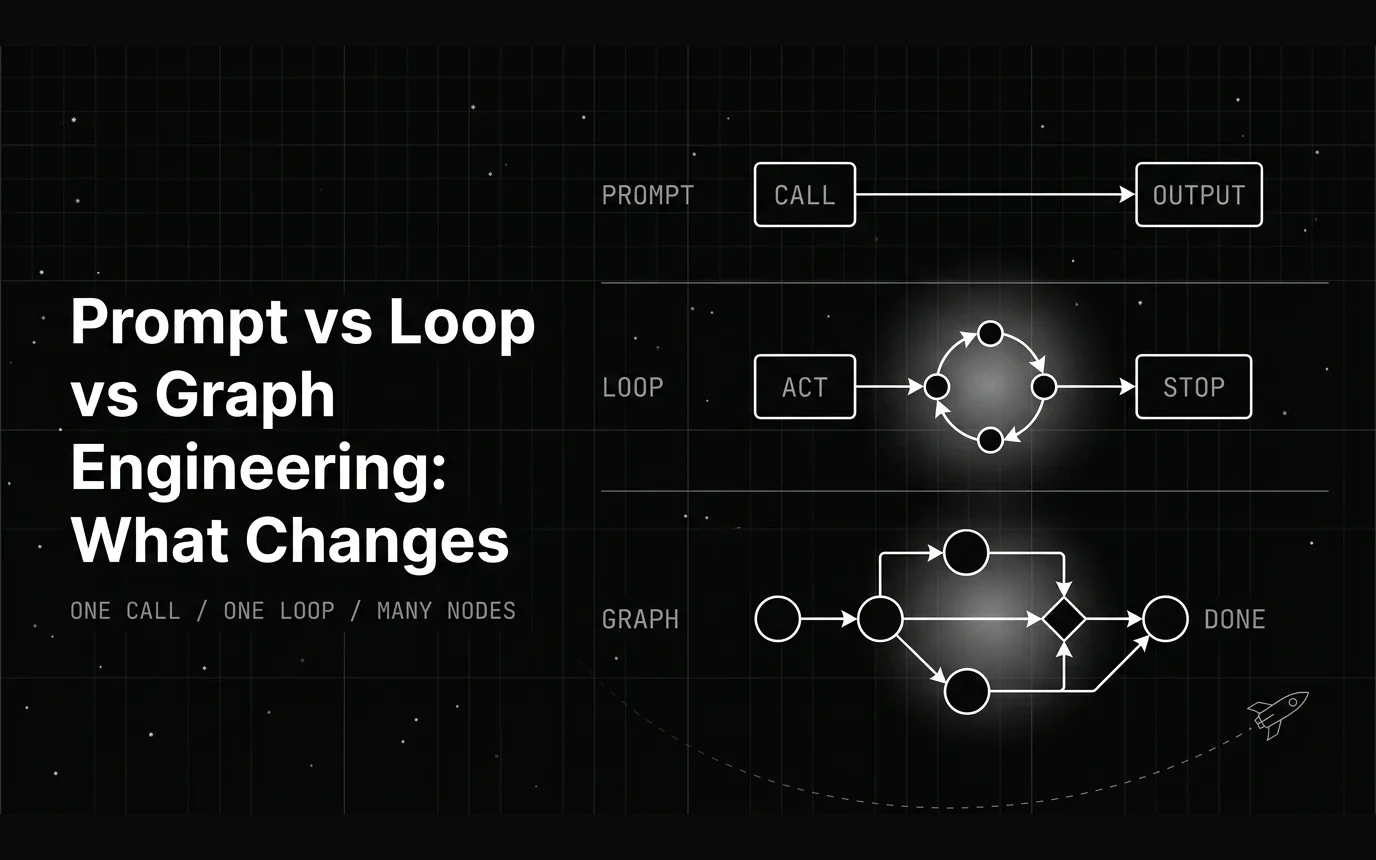
Table of Contents
An agent calls a refund API, gets a 500 back, and retries the same call with slightly reworded arguments. It does that a dozen times over ninety seconds, then returns a fluent summary telling the customer the refund went through. Nothing in the prompt caused that, and no amount of rewriting the prompt will fix it — a single model call has nowhere to repeat itself, so the bug does not exist at that layer at all.
That is the practical reason the prompt / loop / graph split is worth keeping straight: it tells you which layer a bug can even live in.
TL;DR: Prompt vs Loop vs Graph Engineering
- Prompt engineering controls one model call. Nothing decides “what next,” because there is no next.
- Loop engineering controls one agent’s reason-act-observe cycle. The model chooses the next step at run time.
- Graph engineering controls how nodes — agents, tools, deterministic functions, validators, human checkpoints — are wired by conditional edges over explicit shared state. You fix the set of possible next steps at design time.
- The three stack rather than compete. A graph node runs a loop, and that loop makes prompt-engineered calls on every step.
- What changes as you move up is debugging cost and failure visibility. A bad prompt is obvious in one output. A bad loop burns minutes and tokens unsupervised. A bad graph fails inside one branch while the aggregate success rate still looks healthy.
The three-layer framing itself is recent. MarkTechPost laid it out on 29 July 2026 as three stacked units of control, where each layer preserves the one beneath it rather than replacing it, and a wave of write-ups since has repeated the layers-not-a-hierarchy point.
What most of them stop short of is the part that actually changes how a team operates once a system is live: debugging cost and failure visibility get worse at each layer, in specific and predictable ways. That’s the lens this post uses throughout.
The Three Layers of Building With LLMs
Prompt engineering controls what a single model call sees and how it’s asked to respond. Loop engineering controls how one agent repeats, acts, calls tools, and corrects itself over multiple steps. Graph engineering controls how multiple agents, tools, and deterministic steps get wired together and routed. Each layer answers a different question about the same system.
The cleanest way to tell them apart is to ask who chooses the next step. In prompt engineering nobody does, because there is only one step. In loop engineering the model chooses at run time, which is what makes a loop flexible and what makes its cost and runtime unpredictable. In graph engineering you choose the legal paths at design time and the model only picks between the branches you drew.
A scope note, since these terms overlap in the wild: this post treats prompt, loop, and graph as three units of control and follows what happens to debugging between them. If the layer you’re actually missing is context — what fills the window on each call — or the harness that executes tool calls around the model, Prompt, Context, Harness, Loop covers that cut of the same stack.
This distinction matters right now because teams keep hitting a ceiling on prompt-only fixes. A rewritten instruction stops helping once the real problem is that the agent needs to check its own work, not phrase a request better. The question becomes whether the next step is a better loop or a graph, and the two require different work.
These layers aren’t a hierarchy of sophistication, where graph engineering is simply the advanced version of the other two. They’re a stack. Most production systems run all three simultaneously: a graph routes work between nodes, one of those nodes runs a loop. Picking the right layer for a given problem is the actual skill.
Teams new to agent systems often reach for the most complex layer first, assuming a graph is the “proper” way to build anything agentic. That instinct usually backfires. Adding graph-level structure to a problem a single loop could solve just adds nodes to maintain and edges to test, none of which buys anything if there was never more than one path through the task.
The reverse mistake shows up just as often: staying at the prompt layer long after the task needs a loop, and trying to fix a missing observation step by rewriting the instruction one more time. Neither mistake is really about skill. Both come from not having a clear mental model of what each layer actually controls.
Prompt Engineering: What It Actually Controls
Prompt engineering operates on a single model call. It has no persistent state across calls, no autonomous retries, and no ability to check its own output before returning it. Everything happens inside one exchange, and the model produces its answer with whatever it was given at that moment, then stops.
The core levers are the instructions, the examples or few-shot demonstrations, output format constraints, system prompt structure, and how the context window gets packed. Getting these right is what separates a prompt that reliably returns clean, structured output from one that drifts into inconsistent formatting or ignores half the instruction on a bad day.
This makes prompt engineering well-suited to classification, extraction, generation, summarization, and one-shot question answering. These are tasks where the model doesn’t need to observe an intermediate result or take a second action based on what the first one returned. The work finishes in a single pass.
Where Prompt Engineering Stops Working
The ceiling shows up once a task needs the model to observe a result and decide the next action based on it. A single prompt can’t express that, because there’s no actual intermediate observation happening inside one call. The model can only simulate looking something up; it can’t really do it and then react.
A concrete example: a prompt that says “verify your answer, then respond” inside one call often skips the verification or fakes it, producing text that reads like a check happened without a real one taking place. There’s no mechanism inside a single call for the model to run a separate action, see its result, and revise course. That requires an actual loop.
Loop Engineering: Designing How an Agent Repeats Itself
Loop engineering is the reason-act-observe cycle, the pattern most people know as ReAct, applied generally rather than tied to one framework. An agent reasons about what to do, takes an action such as a tool call, observes the result, and decides whether to continue, retry, or stop.
This is the layer where a single prompt’s output stops being final and becomes an input to the next step. Every step feeds the one after it, which is exactly the behavior a single call can’t produce.
What a loop adds beyond a prompt is real: actual tool calls, a genuine observation step where the agent sees what happened, and a decision about whether to continue or stop. It also carries memory of prior steps within that run, so the agent’s fifth action can account for what it learned on the first four.
What Changes at This Layer
Control shifts from “what to say” to “when to stop, retry, or escalate.” That’s a different design problem. You’re no longer tuning phrasing; you’re deciding the conditions under which the agent gives up, tries again, or hands off to a human.
New failure modes appear that don’t exist at the prompt layer: infinite retries, and error loops where an agent repeats a failed action even after receiving an error message back. State management also becomes a real decision here, not an afterthought.
Step count is what makes those failures expensive rather than annoying. Reliability multiplies: steps that are individually 95% reliable compound to 0.95²⁰ ≈ 36% over a twenty-step run. That’s arithmetic, not a measured benchmark, but it’s the reason a stop condition is a reliability control and not just a cost control — every extra unsupervised step is another multiplication.
What the agent remembers between steps, and for how long, directly shapes whether it can recover from a bad step or just keeps repeating it.
When a Simple Loop Is Enough
A single agent with one or two tools and no need for branching logic or multiple specialized roles usually doesn’t need a graph framework. A hand-rolled loop, or the built-in loop in a vendor agent SDK, is typically sufficient and ships faster than standing up a graph for a problem with only one path.
For a deeper look at exactly where that shift happens, see loop engineering vs prompt engineering.
When Do You Need a Graph Instead of a Loop?
Graph engineering models the system as nodes, which can be agents, tools, deterministic functions, validators, or human checkpoints, connected by edges that route conditionally between them. Instead of one implicit loop deciding what happens next, the possible paths through the system are made explicit and structured up front.
The mechanism is explicit shared state passed between nodes, conditional branching based on that state, and the ability to checkpoint and resume mid-run. LangGraph is the most widely adopted framework for this pattern — roughly 40k GitHub stars as of August 2026 — and the graph model it popularized, nodes plus conditional edges plus shared state, is the reference shape the rest of the ecosystem builds toward, whichever library a team ends up using.
The checkpointing piece deserves its own mention. Because state lives outside any single node, a graph can persist state at every step and resume from it later, something a plain in-memory loop generally cannot do cleanly.
What Breaks a Simple Loop and Pushes Teams to a Graph
A few concrete triggers push a system past a single loop: multiple specialized agents that need to hand work off to each other, conditional routing based on intermediate results rather than a fixed sequence, and retries that need a different strategy than the original attempt.
Two more triggers matter just as much: long-running state that has to survive across sessions, and human-in-the-loop approval steps that pause execution until someone signs off.
New Complexity This Layer Introduces
Debugging a graph is a different skill than debugging a loop. A failure can be isolated to one branch while the rest of the system looks completely healthy, which can hide a problem far longer than a single-agent loop failure would, since aggregate success metrics can look fine even when one path is quietly broken.
Versioning and testing individual nodes becomes necessary once the graph grows past a couple of paths. At that point the system behaves closer to a distributed system than a single prompt or loop, and it needs to be tested like one: per node, not just end to end.
Skipping that discipline is how a graph accumulates untested paths that only surface once real traffic finds them. What is graph engineering covers node, edge, and state design in more depth than fits here.
Comparing the Three Layers Side by Side
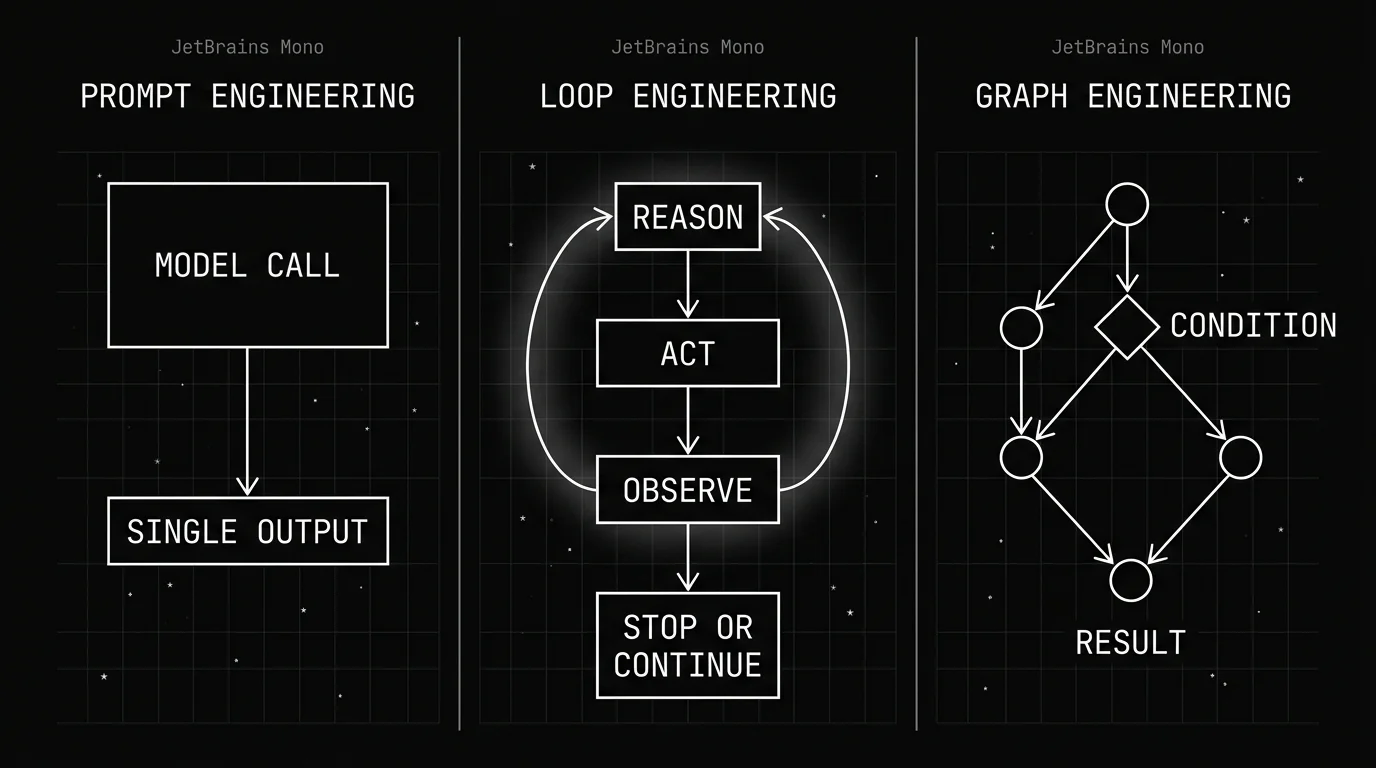
The table below is a practical reference, not a ranking. None of these layers is strictly better than the others; each fits a different shape of problem. The “time to first working version” row is a rough, illustrative order-of-magnitude, not a benchmark; actual time depends heavily on the specific task, team, and tooling already in place.
Table 1: Prompt Engineering vs Loop Engineering vs Graph Engineering
| Dimension | Prompt Engineering | Loop Engineering | Graph Engineering |
|---|---|---|---|
| Unit of control | Single model call | Reason-act-observe cycle | Nodes + conditional edges |
| Who decides the next step | Nothing — there is no next step | The model, at run time | You, at design time |
| State across steps | None | Within-run memory | Explicit shared state, checkpointable |
| Typical failure mode | Wrong single output | Retry/error loops | Silent branch failure |
| How you debug it | Inspect input/output | Step-by-step trace | Per-node + per-edge trace |
| Tooling needed | None/minimal | Tracing of tool calls | Full observability stack |
| Time to first working version (illustrative) | Minutes | Hours | Days |
| When you’d choose it | One-shot task | Single agent, few tools | Multi-agent, branching logic |
A few takeaways worth skimming even without reading the full table. The unit of control gets larger at each layer, from one call to a cycle to a network of calls. State goes from nonexistent to explicit and inspectable, and the cost of getting it wrong rises the same way debugging effort does.
These layers compose rather than compete. A graph node can run its own loop, and that loop makes prompt-engineered calls at every step, which is why the three rarely show up in isolation on a real system.
How Do Debugging and Failure Modes Change at Each Layer?
The cost of a bad decision escalates as you move up a layer. A bad prompt produces a bad single answer, which is cheap to notice and cheap to retry. A bad loop can run for a long time doing the wrong thing before anyone notices, especially without clear stopping criteria built in.
A bad graph can fail in one branch while everything else looks completely healthy, which is the hardest of the three to catch from the outside.
Why Observability Matters More as You Go Up a Layer
With a single prompt, eyeballing the input and output is often enough. With a loop running for minutes across several tool calls, you need logs of every step, every tool call, and every decision to figure out where it actually broke.
With a graph, you need to see which node executed, what state it passed along, and why a conditional edge routed the way it did instead of the way you expected. What to capture at the node, edge, and retry level works through that instrumentation concretely on LangGraph.
This is also where teams tend to under-invest early and pay for it later. A prototype loop or a two-node graph runs fine without any tracing, because a developer can watch it run directly.
That stops working once the same system handles real traffic at volume, and by then retrofitting observability onto a system already in production is far more disruptive than building it in from the first working version.
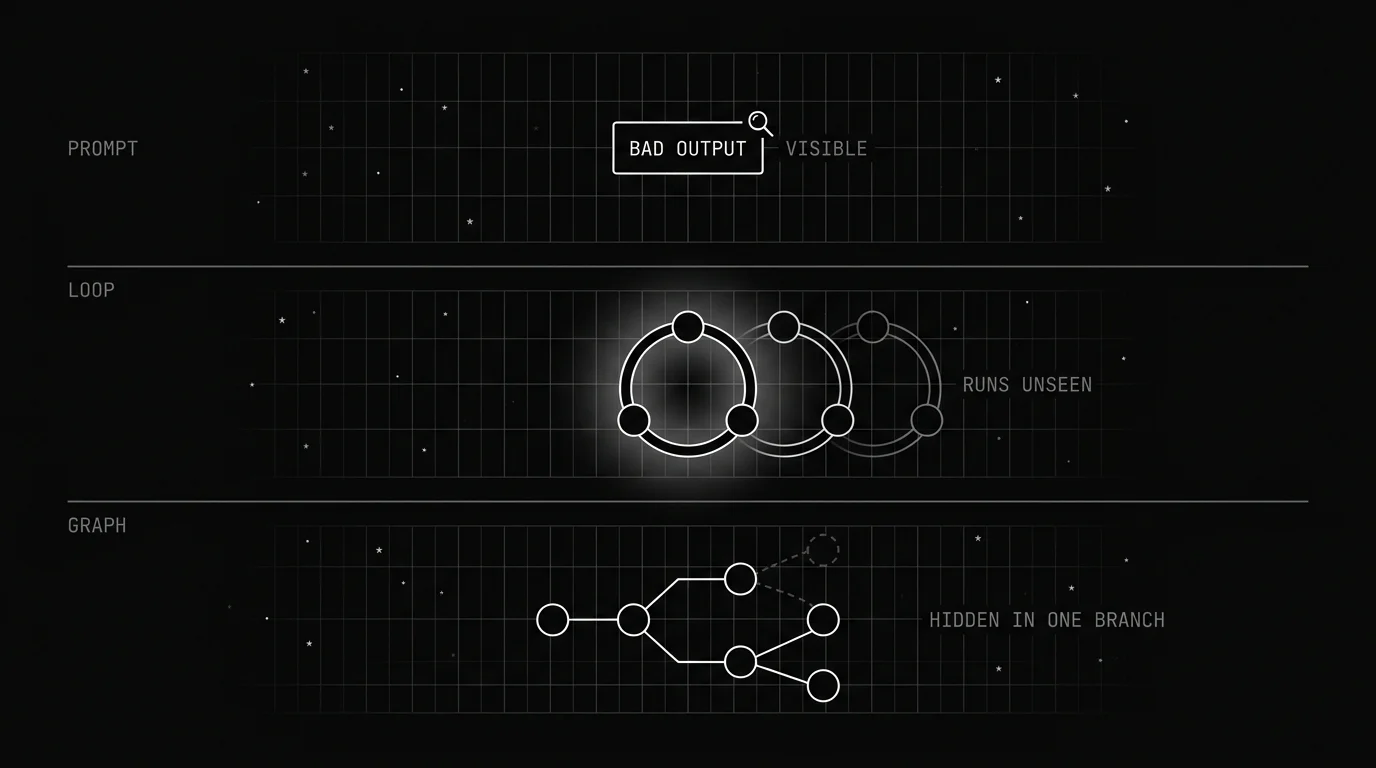
Table 2: Failure Mode by Layer
| Layer | Typical Failure | What It Looks Like in Production | What You Need to Catch It |
|---|---|---|---|
| Prompt engineering | Wrong/malformed single output | Obvious on inspection | Spot-check or eval on sample outputs |
| Loop engineering | Agent loops on a failed action, ignores tool error, runs past a reasonable stop point | Long-running, unsupervised drift | Step-by-step trace of tool calls and observations |
| Graph engineering | One branch silently fails or misroutes while other branches succeed | Partial correctness hard to spot in aggregate metrics | Per-node tracing and state inspection across the full run |
Where Future AGI Fits Across These Layers
Regardless of which layer you’re working in, the shared problem is the same: seeing what actually happened during a run and catching failures before your users do. That’s true whether the failure is a malformed single output, a loop that won’t stop, or a graph branch that quietly misroutes.
Future AGI’s Observe is the tracing layer loop and graph execution need. It records what each step did, which tool got called, what the agent observed, and where execution diverged from what you expected. Instrumentation comes from traceAI, Future AGI’s Apache-2.0 OpenTelemetry SDK with drop-in instrumentors for 50+ AI frameworks, so spans stay portable OTel rather than locked to a proprietary trace format.
Future AGI’s Error Feed works through a sampled share of an Observe project — the rate starts at 0% until you raise it — diagnoses each one without needing anybody to mark a trace as failed first, and collapses traces that broke the same way into a single issue with a severity, an assignee, and a fix layer.
That is aimed squarely at the failure modes unique to loops and graphs: an agent repeating a failed action, or one branch failing quietly while the rest of the run looks fine. Both surface as issues rather than getting averaged into an aggregate success rate, which is the whole point of tracing at this layer instead of only checking final outputs.
Future AGI’s evaluation layer supports custom evals you define for your use case, alongside 70+ built-in templates. That matters here because scoring a multi-step agent isn’t the same problem as scoring a single-call output.
The templates split along the same layer lines this post uses. At the prompt layer, output-quality checks on a single call. At the loop and graph layers, Future AGI’s Trajectory Match evaluator scores the sequence of actions an agent actually took against the one you expected, in strict, unordered, subset, or superset mode — a check that has no meaning one layer down, where there is only ever one call.
Cost is the practical objection to evaluating every step of every run, and it has an answer that doesn’t involve a frontier judge model on every step.
Future AGI’s Agent Learning Kit (pip install ai-evaluation, Apache-2.0) ships 72 local metrics — trajectory scoring, JSON validation, and function-calling checks among them — that run on your own machine with no API keys and no network calls. It also ships inline guardrail scanners for jailbreak, code injection, secrets, malicious URLs, and PII that block in under 10ms.
The practical pattern at the loop and graph layers: run the cheap local checks on every step, and reserve LLM-as-judge for the steps that actually decide the outcome.
And when the fix really is at the prompt layer, Future AGI’s agent-opt is the Apache-2.0 library for it: six optimizers (Random Search, Bayesian search via Optuna TPE, ProTeGi, Meta-Prompt, PromptWizard, and GEPA) that search over prompt wording and few-shot examples against an eval score instead of you rewriting by hand.
Conclusion
Prompt, loop, and graph engineering aren’t three competing techniques you pick one of and abandon the others. They’re different control surfaces that stack on top of each other as a system gets more autonomous and more distributed, and most real systems use all three at once, just in different places.
Start with the simplest layer that actually solves the problem in front of you. Most tasks only need a well-written prompt. Many agents only need a loop with clear stop conditions. A graph is worth its added complexity once you have multiple specialized roles, or branching logic a loop genuinely can’t express cleanly.
Whichever layer you’re building at, though, the same rule holds: you can’t fix what you can’t see happen. Concretely: take the agent you shipped most recently, write down which layer each of its last five failures actually lived in, and check whether your tracing would have shown you that layer without someone reading the code. If the answer is no for the loop or graph rows, that’s the gap to close first — start with tracing.
Frequently Asked Questions
What is loop engineering in AI agents?
When should I use LangGraph instead of a simple agent loop?
What's the difference between prompt engineering and agent orchestration?
Why is debugging an AI agent loop harder than debugging a prompt?
What causes agents to get stuck in error loops?
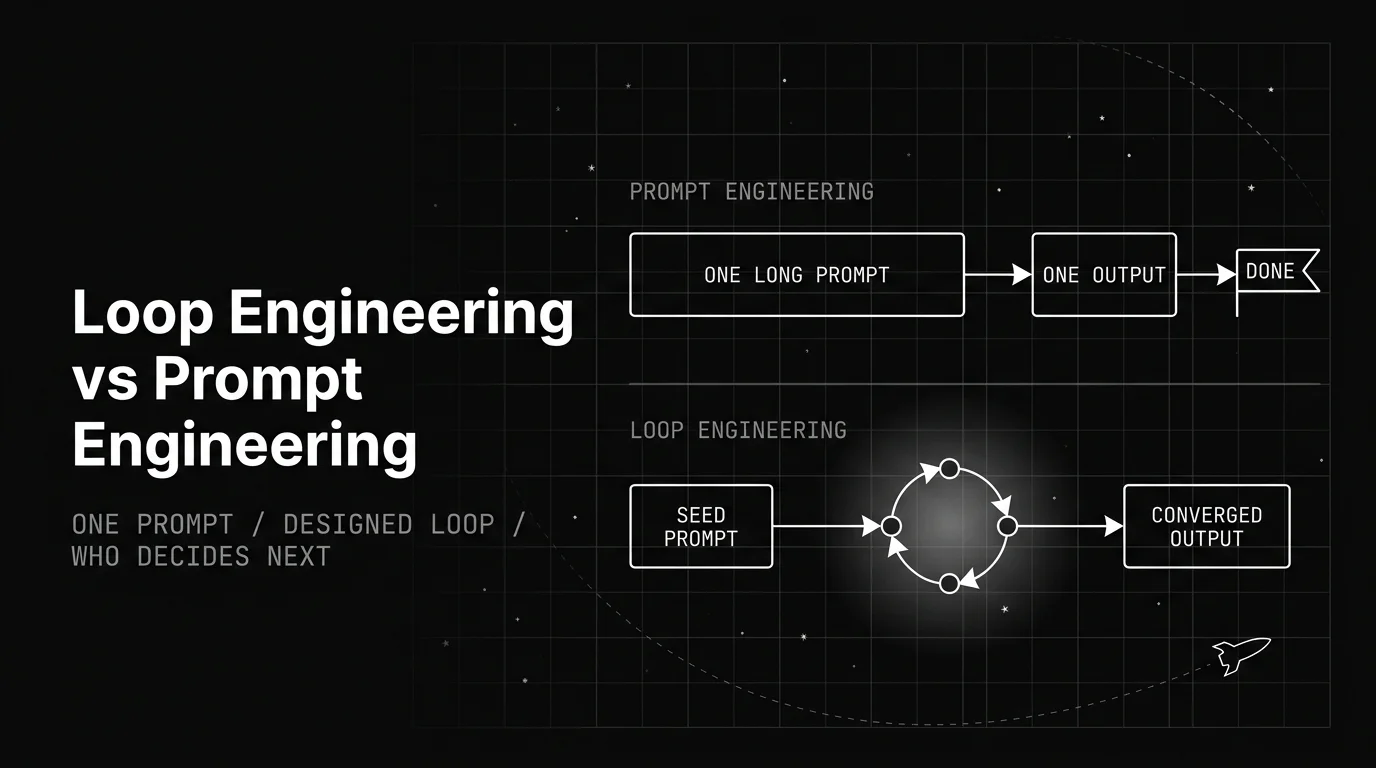
Prompt engineering shapes one request. Loop engineering designs the system that decides what to request next. Here is what actually changed, and what didn't.

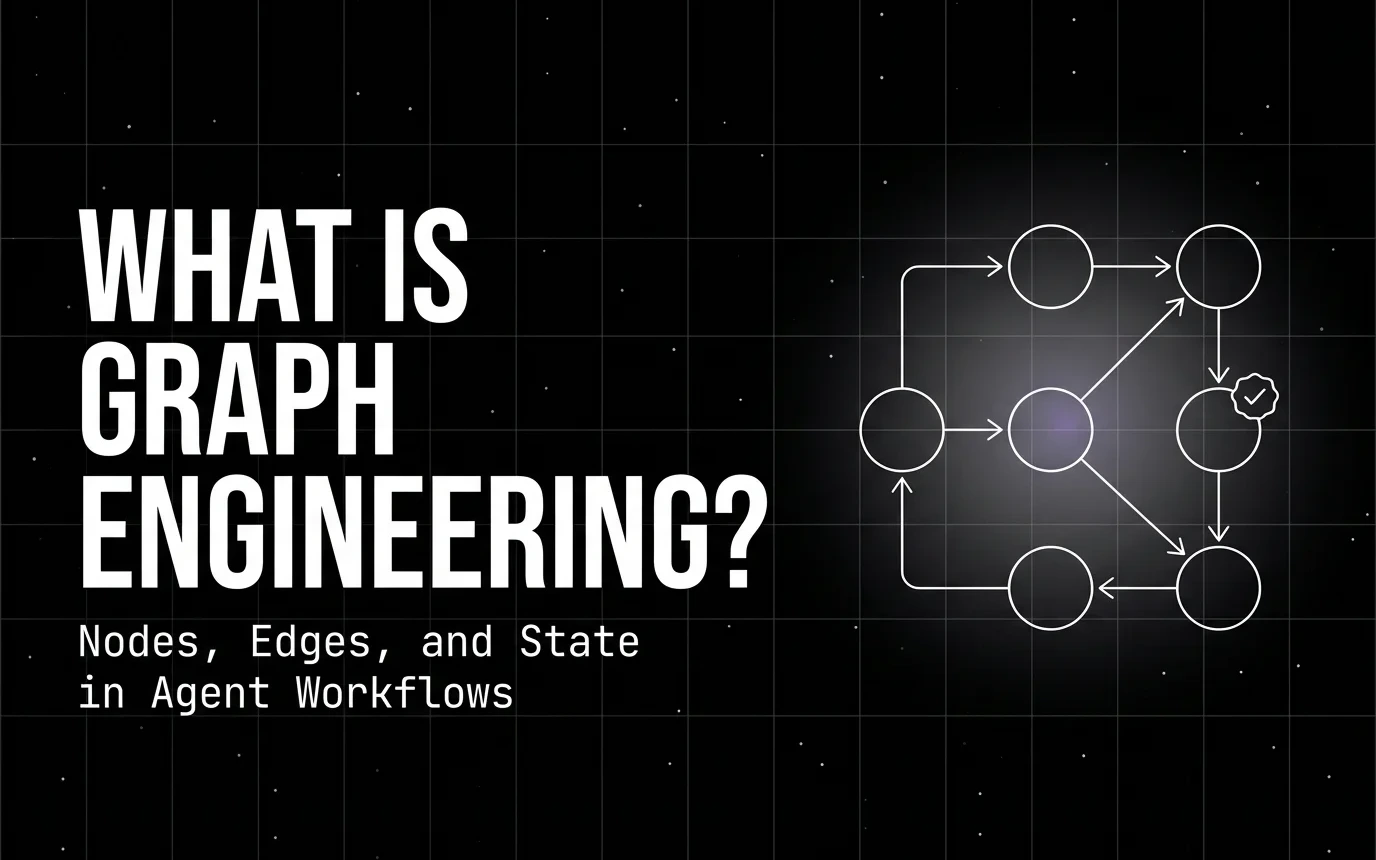
A plain breakdown of graph engineering for agents: what a node actually bounds, what an edge is allowed to do, and how shared state moves between them.

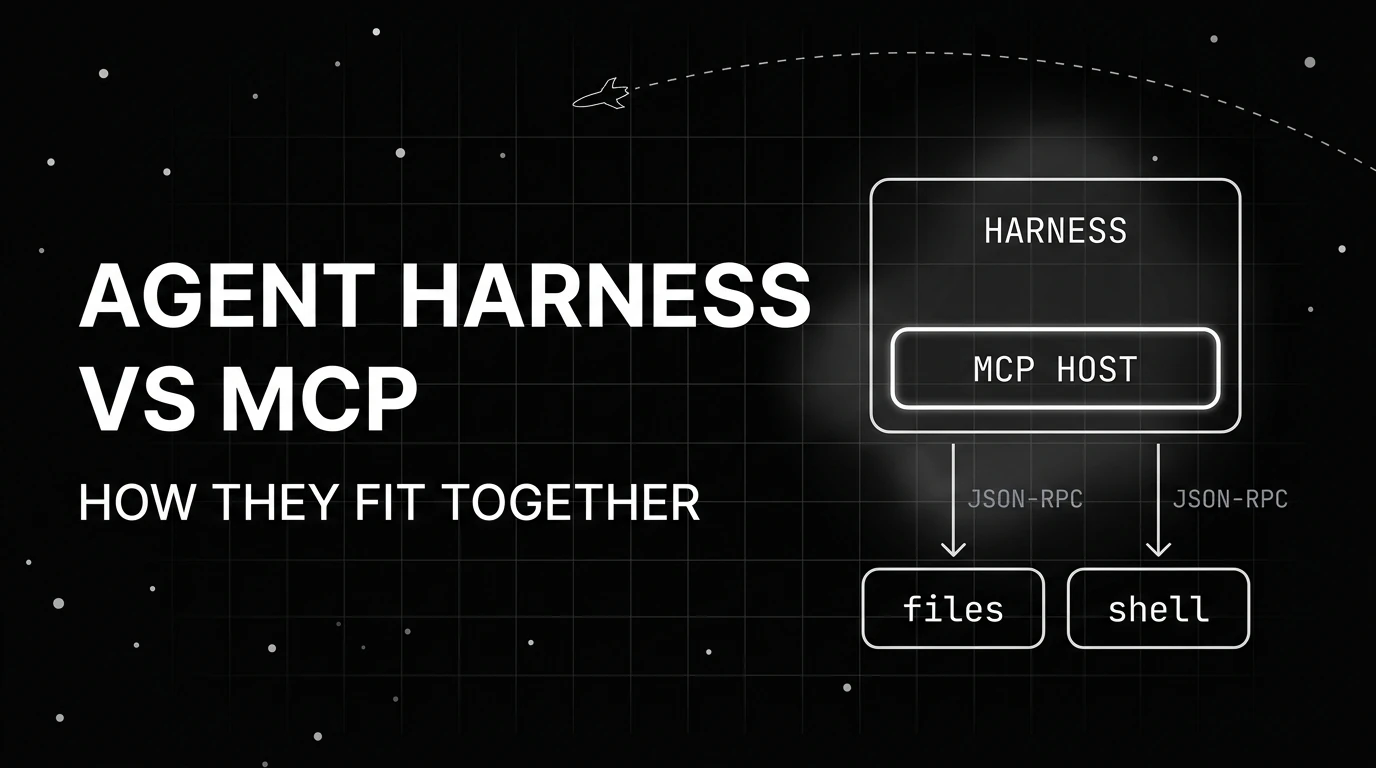
MCP is a protocol for connecting agents to tools; an agent harness is the runtime that uses it. How the two layers divide work and when you need each.