What Is an AI Agent Loop? The Core Architecture Behind Autonomous Agents
A plain breakdown of what actually sits inside an AI agent loop: the model, the memory, the planner, the tools, and the controller that ties them together.
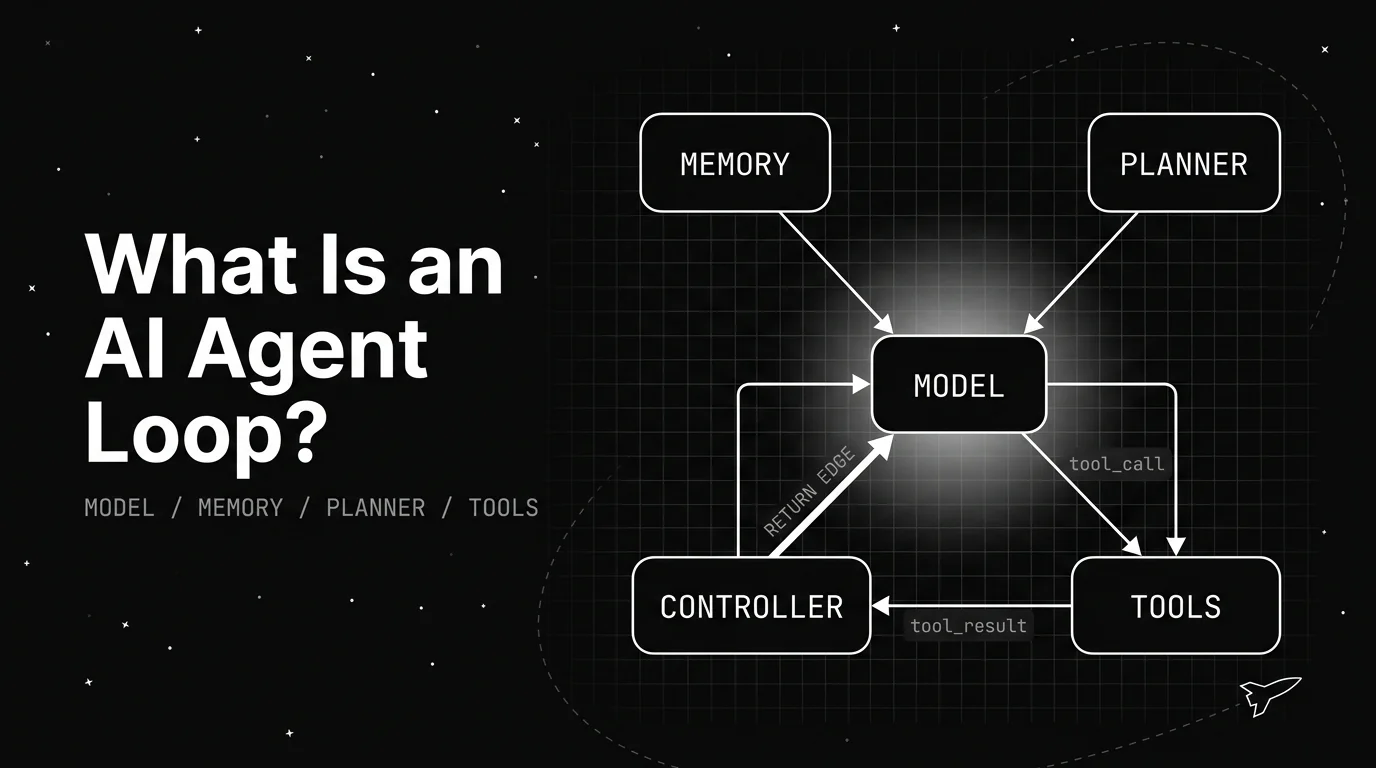
Table of Contents
An AI agent loop is what lets an AI system look something up before it answers, instead of guessing. A support agent gets asked where an order is. Answering that right means checking the order, reading its status, and only then replying, three separate actions chained together, not one.
That chain of check, then act, then check again is what people mean by an AI agent loop. It sounds abstract until you break it into the handful of parts that actually make it work, which is what this piece does.
TL;DR: An AI agent loop is the running system that lets a model take more than one step toward a goal. It connects a model, memory, a planner, and tools through a controller that decides what happens next after each step, and it keeps going until the goal is met or it stops.
What an AI agent loop actually is
An AI agent loop is not a single reply. It is a small running system that lets a model take a series of steps, check what happened, and decide what to do next, on its own, until the task is done.
The phrase gets used loosely, often as a stand-in for “an AI agent.” That blurs something worth keeping separate: the agent is the whole product a user interacts with. The loop is the specific mechanism inside it that turns one goal into a sequence of actions.
A useful shorthand that shows up across architecture write-ups is that an agent is roughly a model, plus memory, plus a way to plan, plus tools to act with, and the loop is the runtime that ties those pieces together and keeps them running. None of the four parts alone is a loop. Wired together and run repeatedly, they are.
This is also why “agent loop” and “agentic loop” often get used interchangeably. What changes between write-ups is usually just which piece the author wants to emphasize, not a different set of parts.
Knowing the parts by name is not just trivia. It is what makes a badly behaving agent debuggable, since “the agent is acting weird” turns into “the planner keeps picking the wrong tool,” a much more specific and fixable problem.
The four parts every agent loop needs
Strip away the branding and most agent loops share the same four working parts. None of them is exotic on its own.
The model is the reasoning core. It reads the current state of the task and decides, in plain language or a structured format, what should happen next.
Memory holds what happened earlier in the same run: which steps already ran, what they returned, what is still left to do. Without it, the model would restart from zero on every step.
The planner turns the model’s reasoning into a concrete next action. Sometimes this is the model itself deciding directly; sometimes it is a separate layer that breaks a big goal into smaller ordered steps.
Tools are how the loop reaches outside the model: a database lookup, an API call, a code execution sandbox, a search. This is the part that turns “the model thinks something” into “something actually happened.”
| Part | What it does | Example |
|---|---|---|
| Model | Reasons about the current state and picks the next step | Decides the order status needs a database lookup |
| Memory | Holds progress and results from earlier steps | Remembers the order ID after the first tool call |
| Planner | Turns reasoning into a concrete next action | Chooses “call order-lookup tool” over “ask the user again” |
| Tools | Carry out the action outside the model | Runs the actual database query and returns a result |
Different write-ups name these four parts slightly differently. Some fold the planner into the model itself, since a capable enough model can reason and choose an action in the same step, with no separate planning layer at all.
The job still gets done either way. What matters is that reasoning, memory, and action happen somewhere in the system, not that each one lives in its own labeled box.
The controller: what actually decides to keep going
The four parts above do not wire themselves together. Something has to call the model, hand off to the planner, run the chosen tool, feed the result back into memory, and then decide whether to do it again.
That connective piece is usually called the controller, or sometimes the runtime. It is the part of an agent loop that turns four separate components into one repeating cycle instead of four things that each run once.
The controller’s most important job is deciding when to stop. A good one checks the result against the goal after every step: is the task done, does another step help, or has the loop gone on long enough that it should quit and hand back to a person.
A loop with no stop condition just keeps stepping, whether or not it is making progress. This is also the layer that decides how many steps is too many, since most production loops cap the number of steps or the total run time.
That cap matters more than it sounds like it should, since it is the only thing standing between a loop that has stopped making progress and a run that never ends.
The controller itself often stays deliberately simple: call the model, run what it asks for, feed the result back, repeat. In a widely discussed 2025 Hacker News thread on building coding-agent loops, the top comment argued that there is no secret sauce and that most of the magic sits in the model itself and how it has been fine-tuned to make tool calls. Simplicity there is not laziness, it is the point, since a controller with too much custom logic is also more places for a bug to hide.
A controller bug or a confused model turning one request into an unbounded bill is a real risk that simplicity has to guard against. That is also why the step cap and the time cap tend to be the first two settings anyone building a loop reaches for.
How one request moves through the architecture
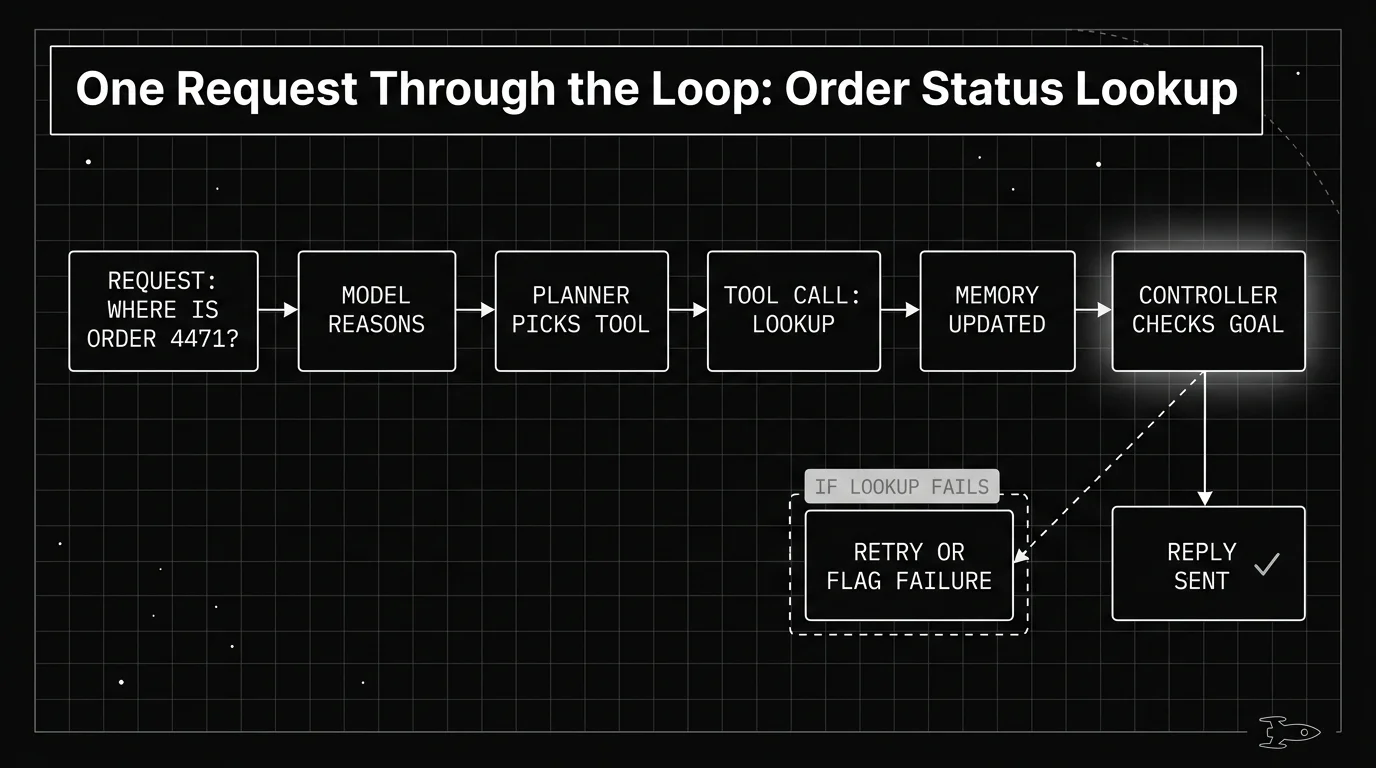
Go back to the order-status example. The request arrives, and the model reads it: a customer wants to know where order 4471 is.
The model reasons that it needs data it does not have, so the planner picks the order-lookup tool as the next action. The controller runs that tool call, gets back a status and a delivery date, and writes both into memory.
The controller then checks: is the goal met? It is, so instead of looping again, it hands the result to the model to write a reply, and the run ends there.
If the lookup had failed instead, say the order ID did not match anything, the controller has a different decision to make. It can retry the same tool, try a different one, or stop and flag the failure for a person to look at, rather than letting the model guess an answer it has no data for.
Each of those steps, the model call and the tool call, is a natural unit to record on its own. Tools built for tracing, like Future AGI’s traceAI, capture exactly this kind of step as a span.
A three-step run like this one shows up as three connected records instead of one opaque log line. That distinction matters more as a loop grows past three steps, since a flat log gets hard to read fast, while connected spans stay easy to follow one step at a time.
Different loop patterns, same underlying architecture
The four-part architecture above is the foundation. What varies is the pattern layered on top of it, and there are several worth knowing exist, even without going deep on any one here.
Reason-and-act patterns interleave the model’s reasoning with tool calls step by step, a shape with its own name and its own detailed explanation worth reading on its own. Other loops separate planning from execution more sharply, producing a full plan before any tool runs.
Some loops also hand pieces of a task to more than one loop at once, each with its own model and memory, coordinated by something above them. That is a heavier architecture than the single loop described here, worth knowing exists even without covering it in depth in this piece.
Five named agent architecture shapes, including reason-and-act, cover the most common variations in more depth. None of these patterns change the four parts described above.
What they change is how the parts are wired and how much control is handed to the model versus fixed code. That distinction is also the layer underneath loop engineering, the practice of deliberately designing a loop’s scheduling, isolation, and verification instead of leaving it to default behavior.
The architecture is what runs. How deliberately you shape it is a separate question, and one loop engineering takes up directly. For the deeper version of this section, a closer look at the core components is a natural next read.
What breaks when a piece is weak
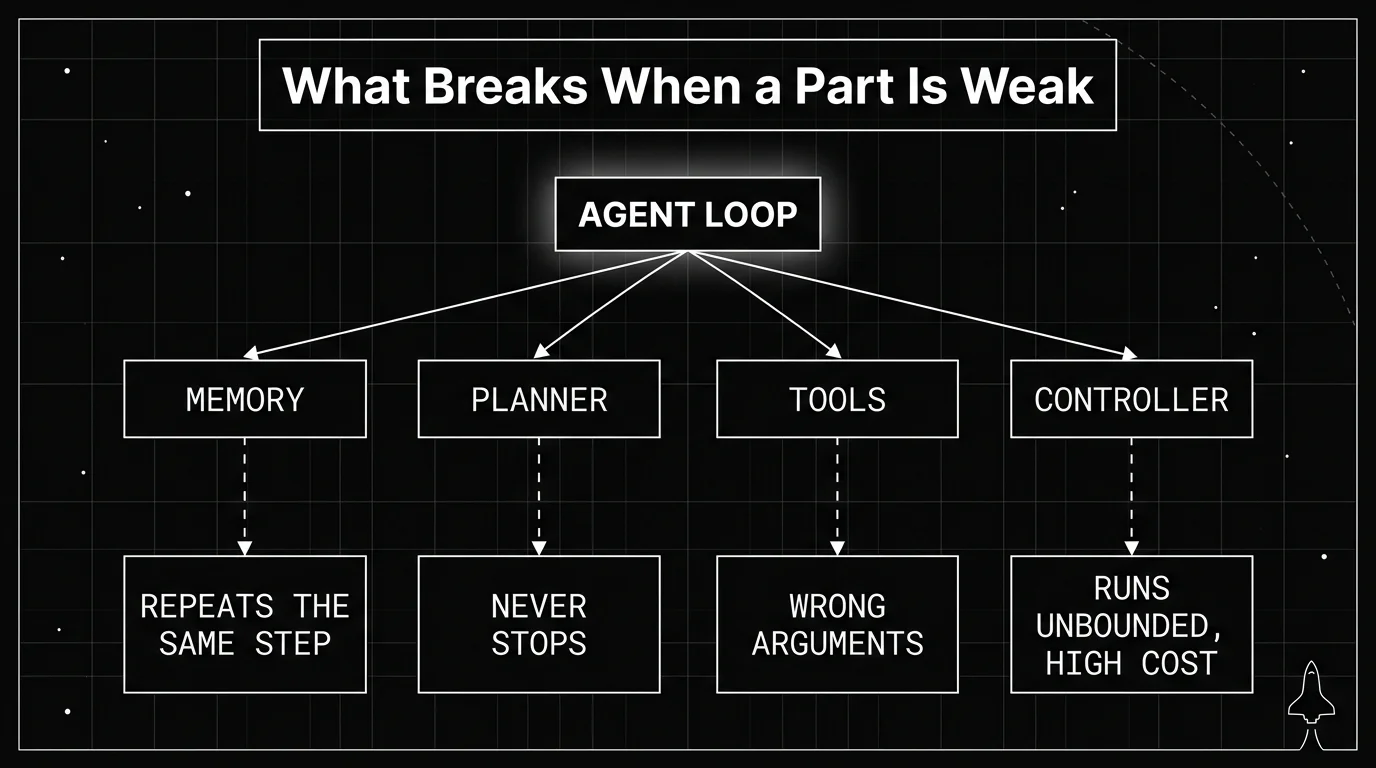
Knowing the four parts is also the fastest way to diagnose a loop that is behaving badly, since most failures trace back to one part being missing or underpowered.
Weak memory shows up as repetition: the loop asks for the same information twice or retries an action that already failed, because nothing carried that context forward. A planner with no clear stop condition shows up as a run that keeps going long after the task was actually done, a specific and common failure worth its own detailed fix guide.
Tools with vague schemas produce another common failure: the model calls the right tool with the wrong arguments, or picks a tool that does not actually exist. And a controller with no cap on steps or time turns any of the above into an expensive, silent runaway instead of a quick, visible one.
Go back to the order-lookup walkthrough. A controller that never actually checks the tool’s result would still hand back a confident reply even if that database call had quietly failed. The weak part there is not the tool or the model, it is a controller that skipped the one check that mattered.
| Weak part | What it looks like | Root cause |
|---|---|---|
| Memory | Repeats the same question or action | Nothing carries state between steps |
| Planner | Keeps running long after the task is done | No clear stop condition |
| Tools | Calls the wrong tool or wrong arguments | Vague or missing tool schema |
| Controller | Runs unbounded, high cost, no visibility | No cap on steps or run time |
Name the part, then fix it
An AI agent loop is four working parts and a controller: a model that reasons, memory that carries state, a planner that picks the next action, tools that act, and a controller that decides whether to go again. Those five parts cover most of what you will meet in practice. Every pattern layered on top of it is a variation in wiring, not a different set of pieces.
The reason to learn the names is diagnostic. “The agent is acting weird” is not a fixable statement. “The planner keeps picking the wrong tool” and “the controller never checks the tool result” are, and you cannot arrive at either sentence without a vocabulary for the parts.
Getting to that sentence means seeing the steps. A run that returns one bad answer hides which of the four parts produced it, which is why per-step tracing matters more than a final output log. Recording each model call and tool call as its own span, as described earlier, means a confused run reads as a sequence you can point at rather than a result you have to guess about.
Once you are deliberately choosing how those parts behave, the step budget, the stop condition, the isolation between runs, you are into the territory that loop engineering covers. This piece is the architecture. That practice is what you do with it.
Frequently Asked Questions
What is an AI agent loop?
What are the main parts of an agent loop?
Is an AI agent loop the same as loop engineering?
What happens if an agent loop has no memory?
Can an agent loop run forever?
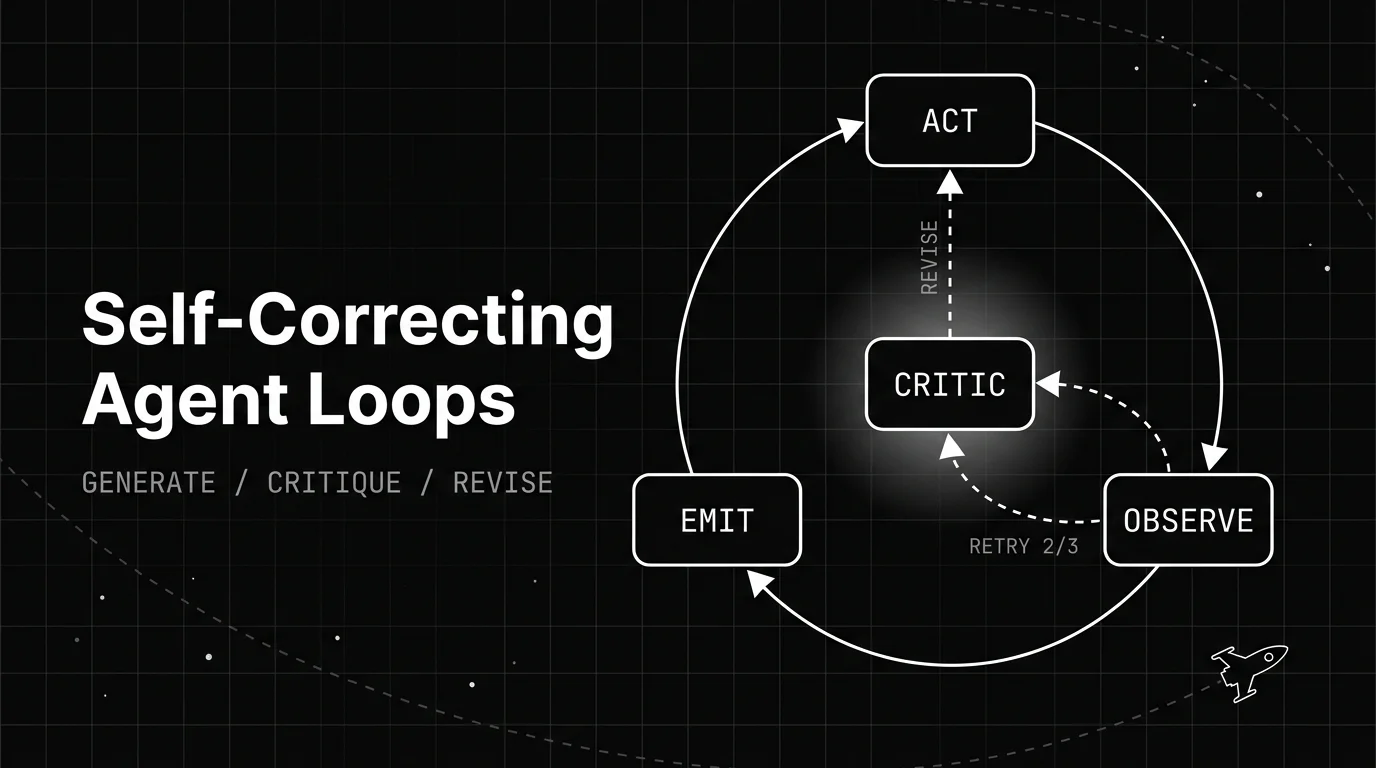
How a self-correcting agent loop spots its own bad output and revises it: the generate, critique, revise structure, the patterns behind it, and when it backfires.

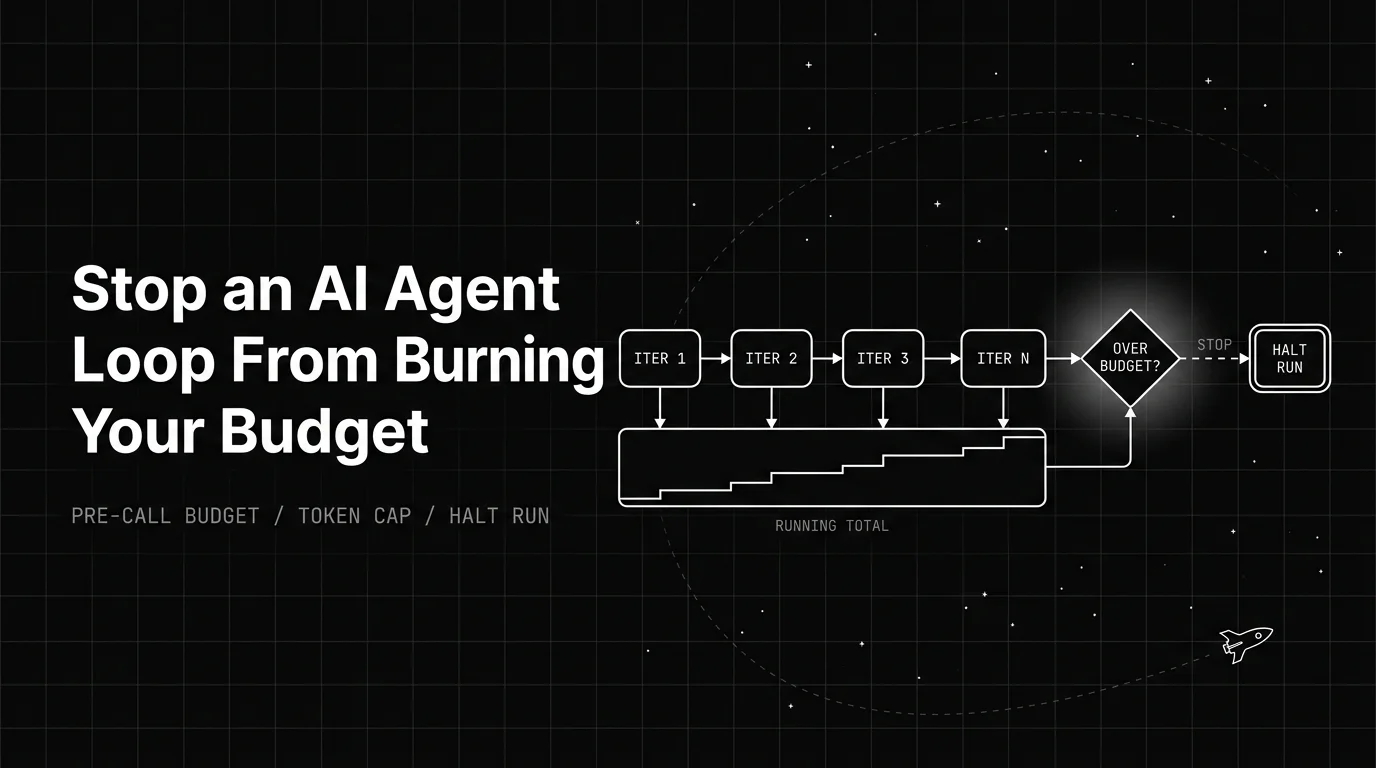
How an AI agent infinite loop runs up token cost, and the pre-call budget, guards, and cost levers that stop the bleed before it hits your invoice.

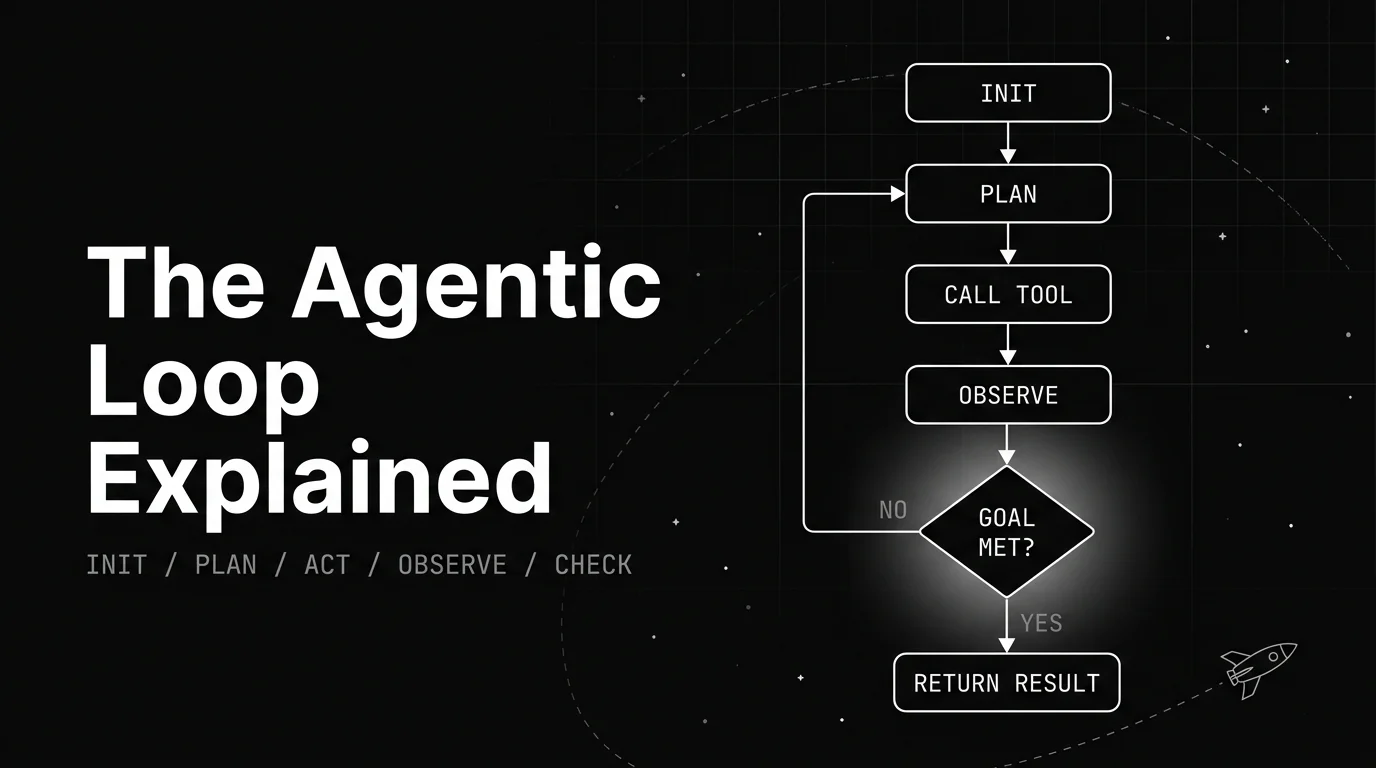
A plain walkthrough of the agentic loop: the named lifecycle stages, the canonical diagram, a worked example, and what decides when the loop stops.