The Agentic Loop Explained: Lifecycle, Diagram, and Examples
A plain walkthrough of the agentic loop: the named lifecycle stages, the canonical diagram, a worked example, and what decides when the loop stops.
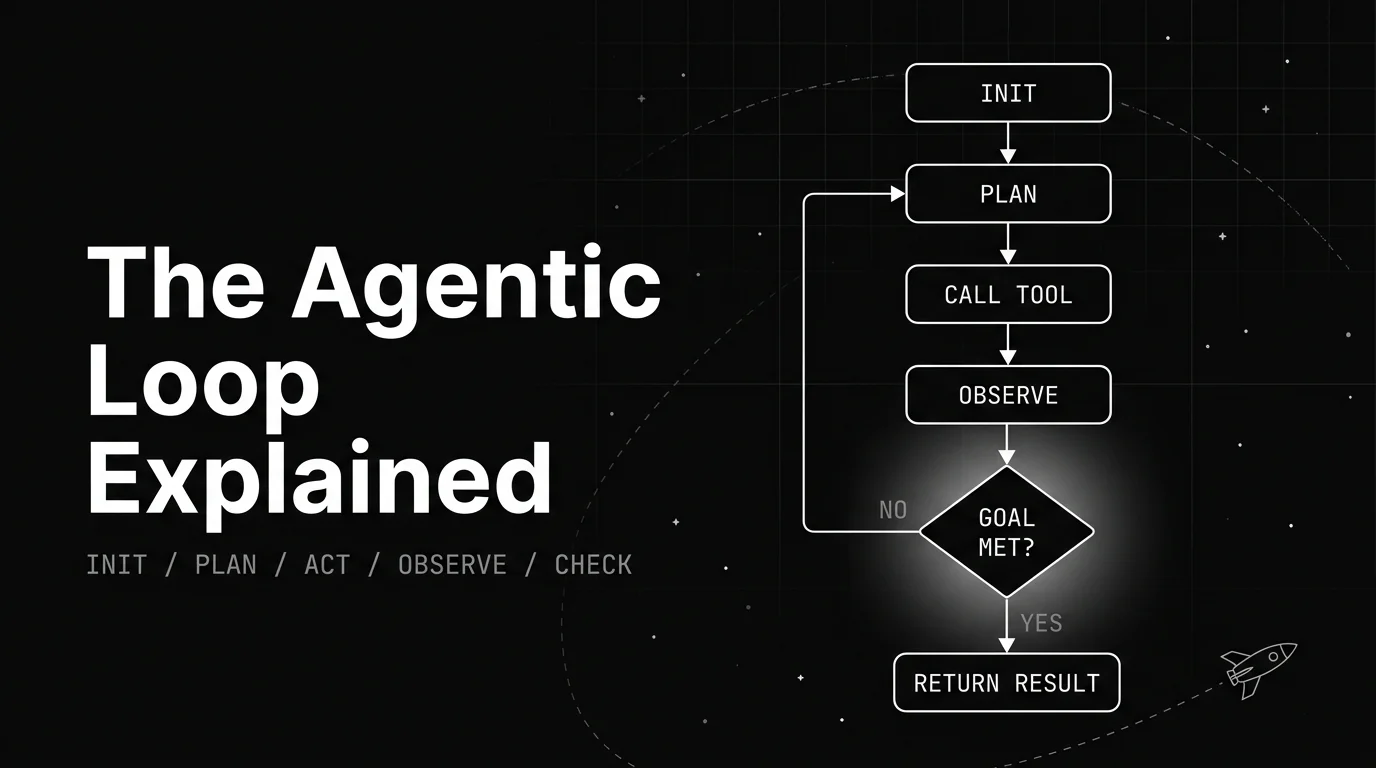
Table of Contents
An agentic loop is what lets an AI agent take a goal, act on it, look at the result, and act again until the goal is met. Ask it to find a cheap flight, and it searches, reads the prices, widens the dates, and searches again, on its own, before it answers you.
Most explanations jump straight to a diagram with a few boxes and an arrow. That skips the part that matters: what happens in each stage, and what decides whether the loop runs again or stops. This piece walks the full lifecycle, shows the diagram, and runs one example through every stage.
TL;DR: An agentic loop is the repeating cycle an AI agent runs to reach a goal. It plans a step, acts by calling a tool, observes the result, and checks whether it is done. If not, it loops again. If yes, it stops and answers.
What the agentic loop actually means
An agentic loop is the repeating cycle an AI agent runs to move from a goal to a finished result. Instead of answering once, the agent takes a step, sees what happened, and decides the next step, again and again, until it reaches the goal or hits a limit.
It helps to separate two things people call “the loop.” One pass through the cycle, a single plan-act-observe, is one iteration. The whole run, every iteration chained together until the agent stops, is the loop as a system.
The agent and the loop are also not the same thing. The agent is the whole product a user talks to. The loop is the mechanism inside it that turns one goal into a sequence of actions. Anthropic puts it plainly: agents are “typically just LLMs using tools based on environmental feedback in a loop.”
This post is about that sequence through time. The static parts that make it run, the model, the memory, the planner, and the tools, are a separate breakdown covered in the agent loop glossary entry, and this piece points back to them rather than repeating them.
Naming the sequence is not just tidy. It is what makes a misbehaving agent fixable, since “the agent is acting weird” becomes “it keeps re-planning the same failed step,” which points you at one stage instead of the whole system.
The agentic loop lifecycle, stage by stage
The agentic loop lifecycle is easier to hold in your head as named stages than as one blur of activity. Here is the shape most loops follow, with a flight-booking agent as the running example.
| Stage | What happens | Flight example |
|---|---|---|
| Initialize | The agent takes in the goal and starting context | ”Book the cheapest direct flight under 600 dollars” |
| Plan | It decides the next concrete step | ”Search flights for these dates first” |
| Act | It calls a tool to do that step | Runs the flight-search API |
| Observe | It reads what the tool returned | Cheapest direct option is 720 dollars |
| Check | It tests the result against the goal | Over budget, so the goal is not met yet |
The first four stages are where the work happens. Initialize sets the goal once, and plan turns that goal into a single next action.
Act reaches outside the model through a tool, like a search or a database query. Observe brings the result back in, so the agent judges something real instead of guessing at what a tool might have returned.
The fifth stage, check, is the one that makes it a loop instead of a straight line. After every action, the agent asks whether the goal is met. If it is, the run ends. If it is not, the agent plans again with the new information and takes another pass.
That check is why the same handful of stages can solve a task that takes twelve steps or two. The stages do not change between runs. How many times they repeat does.
The agentic loop diagram, in one look
The agentic loop diagram below shows why the check matters more than any single stage. The four working stages flow downward, then everything funnels into one decision: is the goal met?
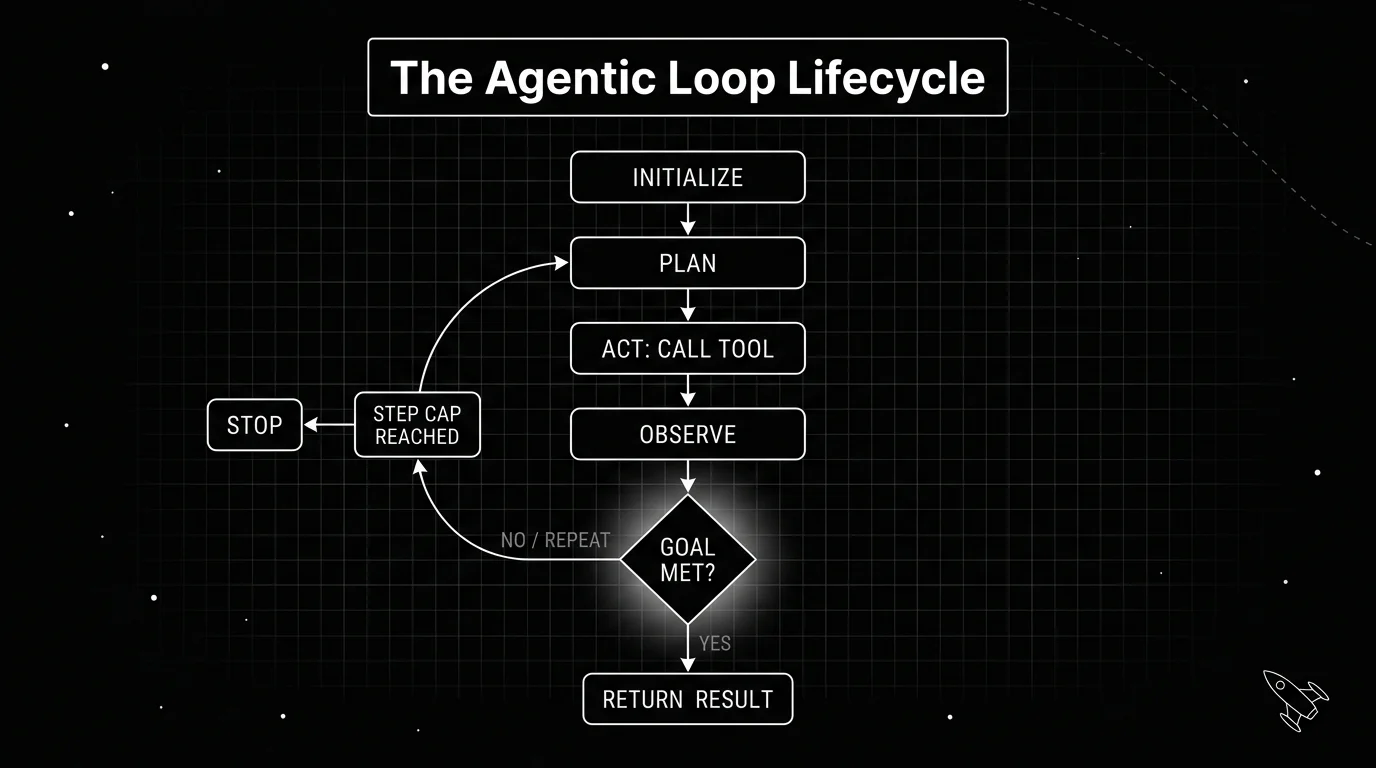
Read the diagram as one question with two exits. A “no” answer sends an arrow back up to plan, and the agent runs the stages again with what it just learned. A “yes” answer sends an arrow down to a terminal box, and the run ends with a result.
That loop-back arrow is the whole idea. Without it, you have a script that runs once. With it, you have an agent that can notice a first attempt fell short and try a better second one, which is the behavior people mean when they say an agent “figures things out.”
There is also a second exit that keeps the loop safe. A step counter sits on the loop-back path, and if the run passes a set number of iterations, it stops even when the goal is not met. That guard is what stands between a helpful agent and one that runs forever.
This is also why the diagram is a cycle and not a longer straight chain. A chain of ten boxes says the agent always takes ten steps. A cycle with a decision says the agent takes as many steps as the task needs, then leaves, which is the honest picture of how a real run behaves.
The same agentic loop under different names
The stage names above are a plain synthesis. Real frameworks describe the same cycle in their own words, and it is worth seeing the primary wording rather than trusting any one summary.
Anthropic’s Agent SDK documents the loop as five steps: receive prompt, evaluate and respond, execute tools, repeat, and return result. Its own summary reads: “Claude evaluates your prompt, calls tools to take action, receives the results, and repeats until the task is complete.”
Anthropic’s guide to building loops compresses the cycle further: “Claude gathers context, takes action, checks its work, repeats if needed, and responds.” The four working stages and the check are all there, under different labels.
Developer Addy Osmani names a tighter version, the plan-act-observe loop, and sums it up as “think about what to do, do it, check the result, repeat.” He calls it the scientific method applied to coding, which is a fair name for what the observe and check stages actually do.
The labels differ, but the shape does not. Every version has stages that do work and a check that decides whether to run them again. The reason-and-act pattern is one well-known instance of this same cycle, with its own detailed explanation worth reading separately.
A worked example: booking the cheapest flight
Watch one goal move through the loop end to end. The agent gets a clear target: book the cheapest direct flight under 600 dollars, and it has a flight-search tool and a booking tool.
On the first pass it plans to search, acts by calling the search tool, and observes the cheapest direct option at 720 dollars. The check fails, since 720 is over budget, so the loop does not stop. It sends the run back to plan.
On the second pass the agent plans a different step: widen the dates by a day. It acts by searching again, observes a direct option at 540 dollars, and this time the price check passes.
With the goal met, the loop moves to terminate, and the agent books that 540 dollar option on the way out. This is worth noticing: the check is against the real goal, not just the last convenient milestone, which is what keeps a loop from stopping one step early.
Each pass through the loop is a natural unit to record. A model call or a tool call is one span in OpenTelemetry terms, and a tool like Future AGI’s traceAI captures those spans as a connected trace, so a two-pass run reads as a clear sequence instead of one opaque log line.
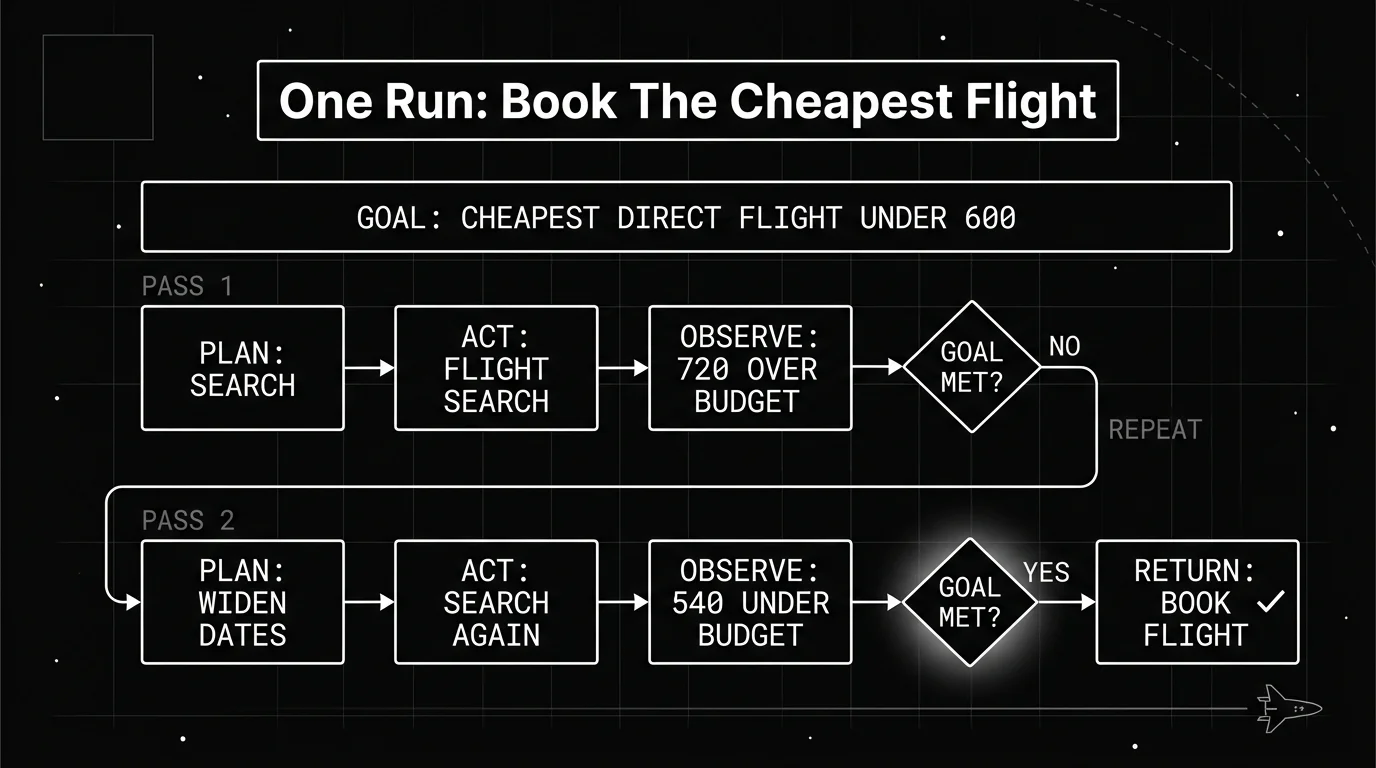
That is the lifecycle in practice. The stages never changed. The agent just ran them twice, using what it learned on the first pass to make a better plan on the second.
What actually ends the loop
A loop needs a reason to stop, and there is more than one. The cleanest is the goal being met, but a run also has to end gracefully when it is not making progress, or the loop becomes a runaway.
A common guard is a cap on the number of steps. Anthropic’s SDK exposes this as max_turns, which counts tool-use turns, plus max_budget_usd, which stops the run once cost passes a threshold. Either one ends a run that would otherwise keep going.
| Stop condition | What triggers it | What it prevents |
|---|---|---|
| Goal met | The check passes after a step | Extra steps after the work is done |
| Step cap | Iterations pass a set number | A loop that never resolves |
| Budget cap | Cost passes a set dollar limit | Silent, expensive overruns |
| Human handoff | The agent flags it cannot proceed | A confident but wrong final answer |
A loop with none of these keeps stepping whether or not it is helping, and it can run up real cost before anyone notices. Diagnosing why an agent gets stuck that way is a common problem with its own fixes, separate from the lifecycle described here.
The test and cost gates that keep a loop honest sit right at this stop-condition layer. They are worth setting before a loop ever runs unattended, not after a run has already gone sideways.
The right stop condition depends on the task, but the rule holds for all of them: a working agentic loop always has at least one way out that does not depend on the agent deciding it is finished. It is worth combining more than one of these, since the goal check handles the normal case and the caps catch the runs that never reach it.
Putting the lifecycle to work
The loop is a short list of stages that repeat. Initialize takes in the goal, plan picks the next concrete step, act calls a tool, observe reads what came back, and check tests the result against the goal. That check either sends the run back to plan or ends it, which is the only reason the same five stages can finish a two-step task and a twelve-step one.
The flight example showed all of it in one run. The stages never changed across the two passes, the agent just used what it learned on the first pass to plan a better next step, and the run ended when the real goal was met rather than at the first convenient milestone.
Naming the stages is what makes this practical. “The agent is acting weird” is not something you can fix, but “it keeps re-planning the same failed step” points at one stage, and once you can name the stage you can name the change you need to make to it.
The same is true of the exit. A loop without a stop condition keeps stepping whether or not it is helping, so the goal check, the step cap, the budget cap, and the human handoff are design decisions you make before the loop runs unattended. Treat those stages and their stop condition as things you deliberately design, rather than defaults you inherit from a framework. If you want the wider conversation these design decisions sit inside, start with loop engineering.
Frequently Asked Questions
What is an agentic loop in simple terms?
What are the stages of an agentic loop?
What is the difference between an agent and an agentic loop?
How does an agentic loop know when to stop?
Is the agentic loop the same as the ReAct pattern?
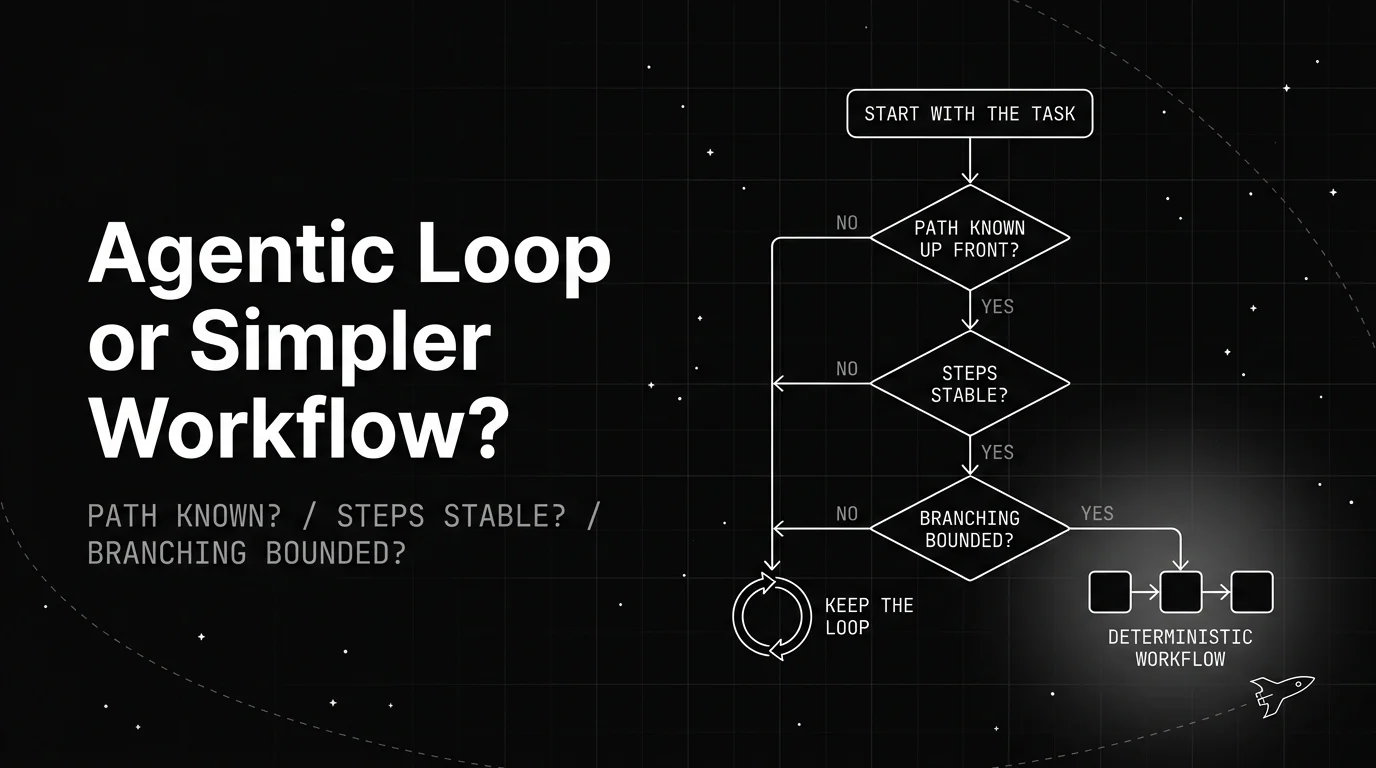
A plain decision framework for when to drop an agentic loop for a simpler deterministic workflow: the three questions to ask, the signals to watch, and how to convert one.

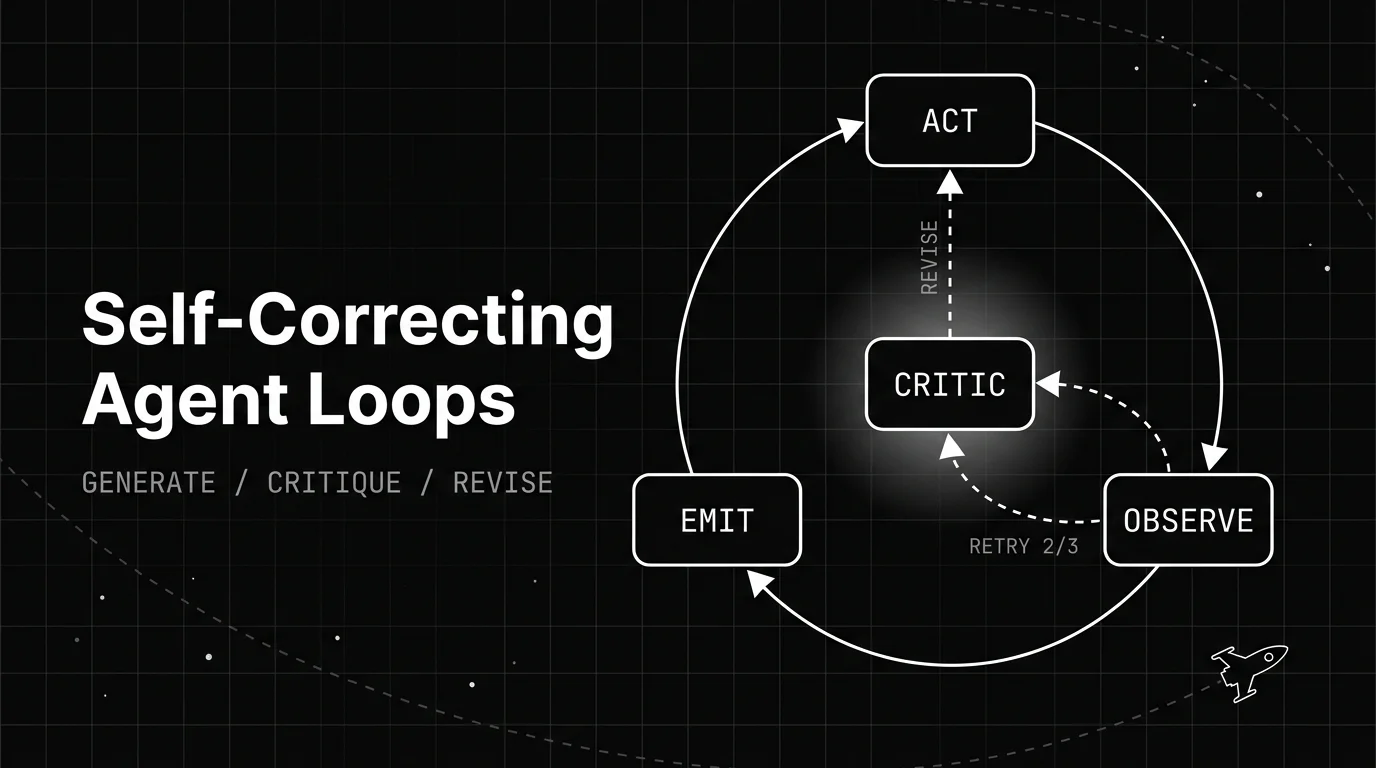
How a self-correcting agent loop spots its own bad output and revises it: the generate, critique, revise structure, the patterns behind it, and when it backfires.

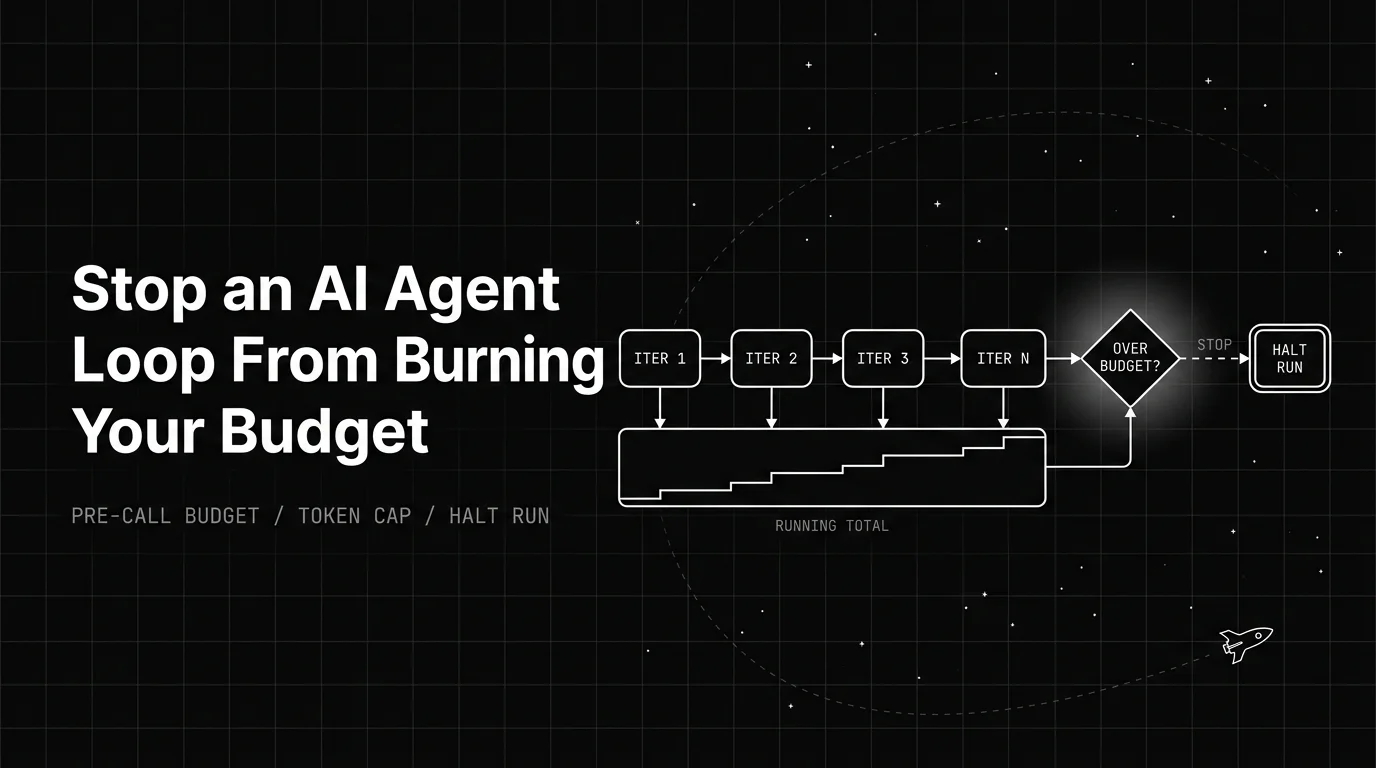
How an AI agent infinite loop runs up token cost, and the pre-call budget, guards, and cost levers that stop the bleed before it hits your invoice.