Designing Agentic Loops: Sandboxing, Safety, and Letting Agents Run Code
How to let an agent run code without wrecking your machine: what a sandbox boundary limits, how to scope filesystem and network access, and where guardrails fit.
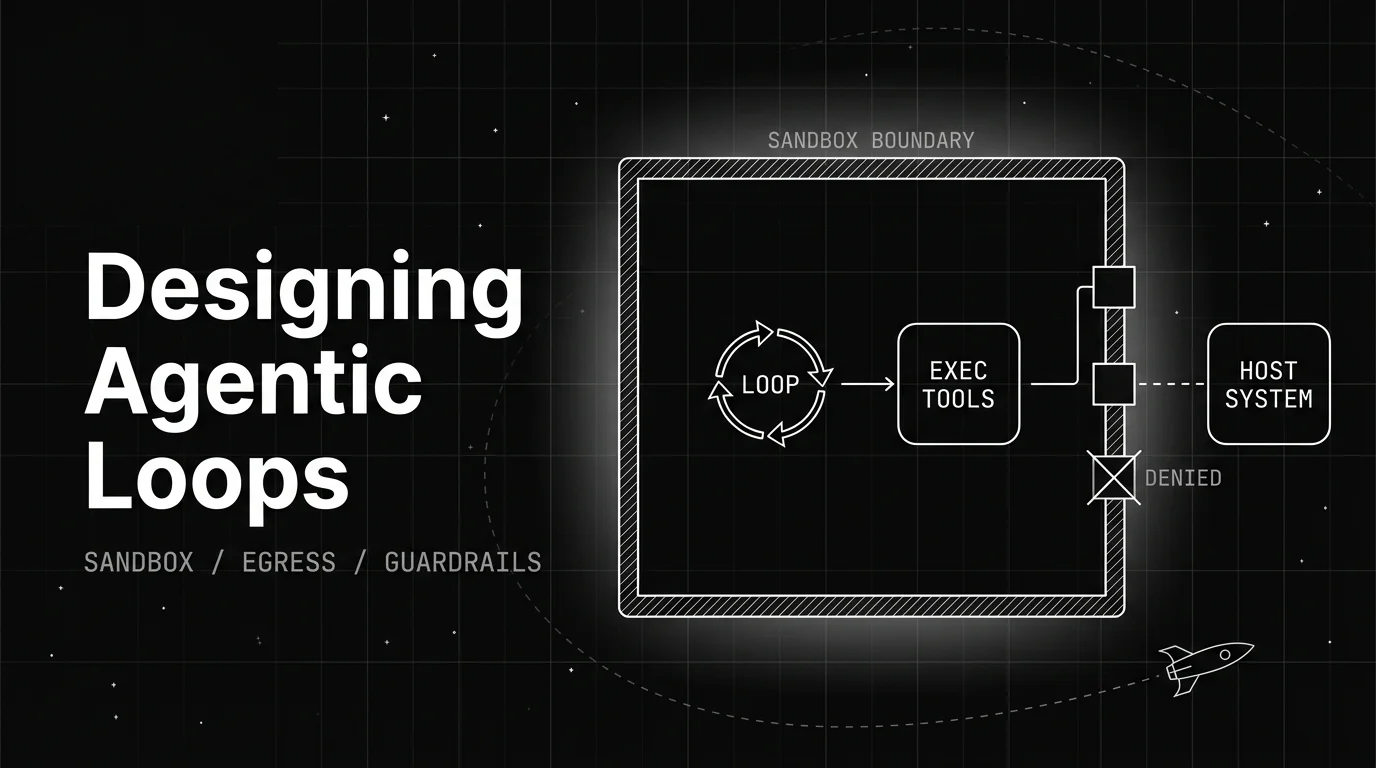
Table of Contents
Letting a coding agent run shell commands on its own is the fastest way to get real work out of it. It is also the fastest way to have it delete a directory you cared about, or paste a secret somewhere it should never go.
That tension is the whole problem. The agent is most useful when you stop approving every step, and most dangerous for exactly the same reason. Designing agentic loops is how you get the first without the second.
TL;DR: Designing agentic loops means setting the boundary an agent runs inside when it executes code on its own. You scope its filesystem, block network access it does not need, and run it in a disposable container. Then a second guardrail layer screens tool calls for permission and injection.
What designing agentic loops actually means
Designing agentic loops is the work of deciding what an agent is allowed to touch while it runs, not just what you ask it to do. The prompt sets the goal. The boundary sets the damage it can cause getting there.
The clearest framing comes from developer Simon Willison, whose September 2025 essay Designing agentic loops set out to give the practice a clear name. His definition of an agent is plain: “something that runs tools in a loop to achieve a goal.” The skill, he writes, “is to carefully design the tools and loop.”
That design work splits into two halves. One half is the loop itself: what the agent tries, how it checks its output, when it stops. The other half, the one this post is about, is safety: where the agent runs, what it can read, and what it can reach when it acts.
This is a different layer from the agent loop architecture itself, the model and memory and tools that make a loop run at all. Here the question is narrower: once that loop can execute code, how do you keep it from hurting you.
What “let it run” really means
The productive way to run a coding agent is to stop clicking “approve” on every command. Willison is blunt about the trade: running an agent without approval is “so dangerous, but it’s also key to getting the most productive results.”
People call this YOLO mode: you let the agent run tools, edit files, and execute commands without a human confirming each one. It is faster because the agent is not waiting on you, and it is riskier because nothing stops a bad decision before it lands.
The mistake is treating that as a yes-or-no choice. The real answer is to let it run, but change where it runs. An agent with no approvals on your laptop is reckless. The same agent with no approvals inside a locked box is just working.
There is a line Willison quotes from Solomon Hykes that captures why this matters: “An AI agent is an LLM wrecking its environment in a loop.” Your job is to make sure the environment it wrecks is one you can throw away.
What a runaway agent can actually wreck
Before you build a boundary, it helps to know what you are boxing in. Willison names three concrete risks, and they map cleanly onto what a sandbox has to stop.
The first is destructive local commands: “bad shell commands deleting or mangling things you care about.” An agent that can run rm can run it on the wrong path. The second is exfiltration: “something steals files or data visible to the agent,” which usually means reading a secret and sending it out.
The third is your machine being turned into a weapon: “attacks that use your machine as a proxy to attack another target.”
Worth adding to that list is how any of the three can start without you asking for it. A prompt injection buried in a web page or a file the agent reads can redirect it toward any of them.
Each risk points at a different boundary. Destructive commands are a filesystem problem. Exfiltration and proxy attacks are network problems. That split is exactly how a sandbox is built, one dimension at a time.
The sandbox boundary, one dimension at a time
A sandbox is not one setting. It is a set of limits on separate things the agent can reach, and you tighten each one on its own. FutureAGI does not ship a sandbox, and neither does any single tool own this; these are standard isolation techniques you assemble yourself.
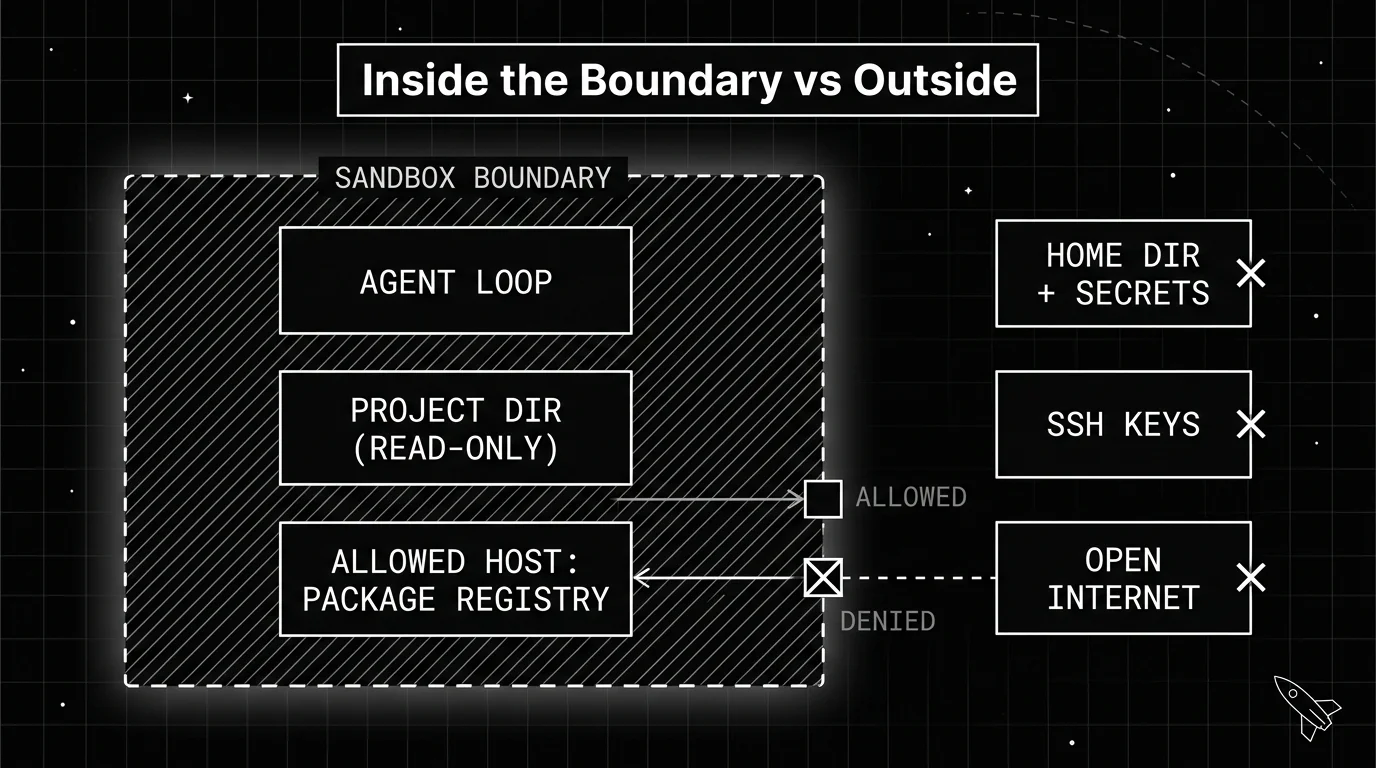
Start with the filesystem. Mount only the project directory the agent needs, make it read-only wherever the task allows, and keep your home directory, SSH keys, and environment secrets outside the boundary entirely. If the agent cannot see a file, it cannot leak or delete it.
Then network egress. The default should be deny-all outbound, with an allowlist of only the hosts the task requires, like a package registry or the model API. Most exfiltration and proxy attacks need the agent to reach an outside server, so a locked-down network removes the path even when the agent is tricked into trying.
Then the process itself. Run the agent inside a container or a disposable virtual machine rather than directly on your host, so a command that escapes the task still cannot escape the box. Tools like Docker, gVisor, and Firecracker give increasing levels of that isolation.
The rule tying all three together is least privilege: grant the smallest access the task needs, and nothing more. Every extra permission is one more thing a wrong command or a hidden injection can reach, so the tighter the boundary, the less a bad run can cost you.
| Dimension | What to limit | Why it matters |
|---|---|---|
| Filesystem | Mount only the project dir, read-only where possible | Stops destructive commands and file theft |
| Network egress | Default-deny, allowlist only required hosts | Blocks exfiltration and proxy attacks |
| Process | Container or disposable VM, not the host | Contains an escape to a throwaway environment |
| Credentials | Test or staging keys, tight budget caps | Limits damage if a secret is misused |
The table is the short version of a longer rule: decide each of these before you let the loop run unattended, not after something goes wrong.
Give the agent a machine it can break
The cleanest version of a sandbox is one you did not build on your own computer. Willison’s preferred approach is to run agents “on other people’s computers,” meaning a cloud environment where, in his words, “if anything goes wrong it’s a Microsoft Azure machine somewhere that’s burning CPU.”
This is why disposable environments matter so much. A fresh container or virtual machine spun up for one run, then destroyed after, means nothing persists between runs and nothing leaks from one task into the next. Hosted options like GitHub Codespaces or a cloud VM give you this without touching your local setup.
Credentials deserve the same throwaway treatment. Willison’s rule is to give an agent access only to “test or staging environments where any damage can be well contained,” and, “if a credential can spend money, set a tight budget limit.” His own example spins up a dedicated organization with a $5 budget cap.
Cost control is its own topic worth a deeper look, since a loop with real API keys and no budget can burn money fast. Here the point is narrower: a scoped, capped, disposable credential is part of the boundary, not a separate concern.
Guardrails: the layer a sandbox does not cover
A sandbox contains where an agent can reach. It does not read what a request is trying to do. A tool call to delete a record can be perfectly valid inside the boundary and still be the wrong call, and a prompt injection can ride in through a file the sandbox was happy to let the agent open.
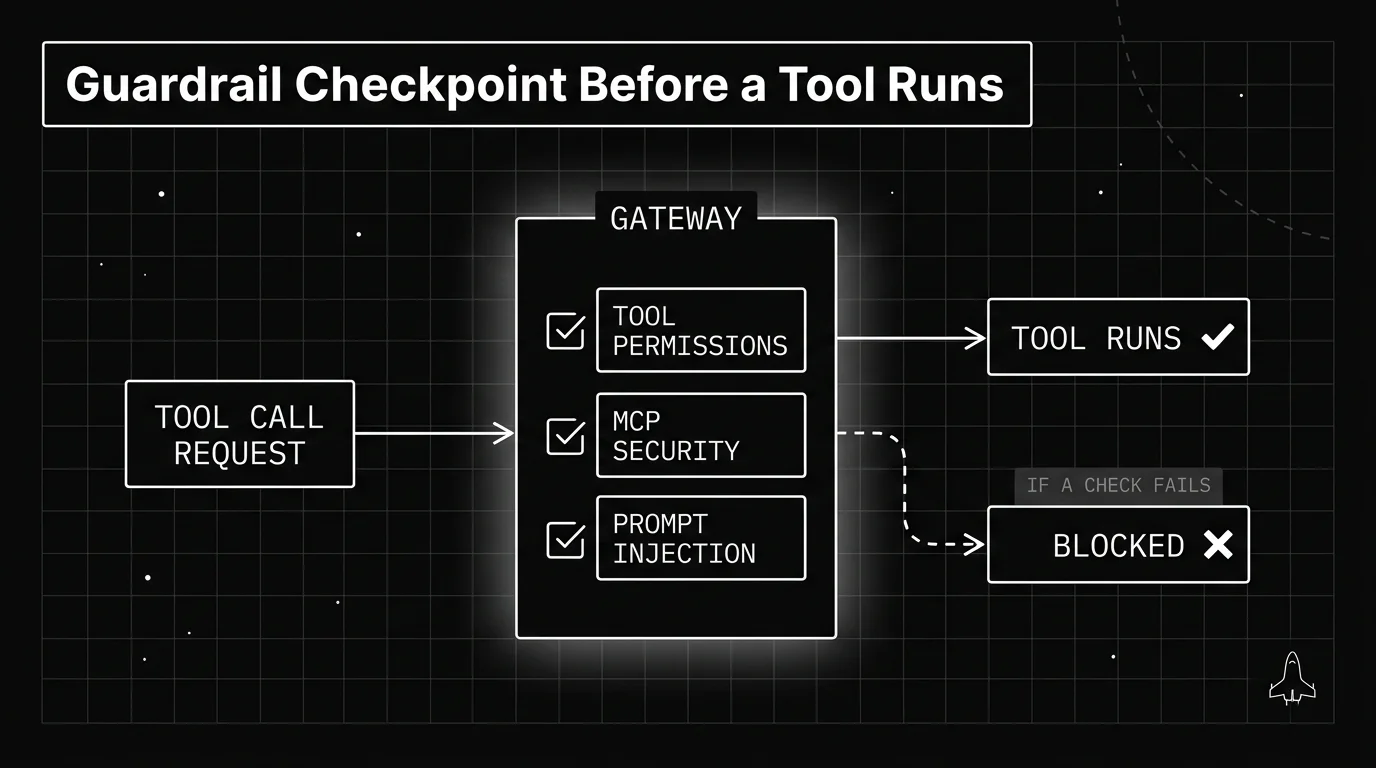
That is a second layer: guardrails on the tool calls themselves. If your loop calls tools, that permission check does not have to live in your loop code. It can run at the gateway hop, on the request, before the tool executes.
This is where Future AGI fits, and only here. Future AGI does not sandbox your process or jail your filesystem; those stay your own to build with the tools above.
What it runs is Protect, a set of 18+ guardrail scanners at the Agent Command Center gateway. Among them are tool permissions, MCP security, and prompt injection checks, each screening a request before the tool behind it runs.
The honest framing is that these two layers catch different things. A prompt injection defense reads the content of a request; a sandbox never does.
Runtime guardrails on tool calls judge whether an action is allowed. The sandbox only limits how far a permitted action can reach, so a call that looks fine but is not still needs a policy check the sandbox cannot make.
| Sandbox boundary | Guardrail scanner | |
|---|---|---|
| Where it runs | Around the process and its access | On the request at the gateway |
| What it stops | Reach: files, network, escape | Intent: bad tool calls, injection |
| What it misses | A valid-looking but wrong call | A file it never inspects on disk |
The table says it plainly: the sandbox limits damage, the guardrail judges intent, and you want both because neither covers the other’s gap.
Which loops are actually safe to let run
Not every task is a good fit for an unattended loop, and the safety of the design depends partly on the job you point it at. The loops that work best are the ones that can check their own output.
Willison’s guidance is to pick problems with “clear success criteria” where the solution is found through “trial and error.” The recurring theme in his examples is automated tests: a cleanly passing test suite gives the loop a signal it can trust without you reading every diff.
Take a concrete case. “Make this failing test pass” is a good loop to let run, because the test is the success criteria and the agent can rerun it after every attempt. “Clean up the database” is a bad one, because there is no automatic way to tell a good result from a destructive one.
That matters for safety, not just quality. A loop that can verify its own work needs fewer risky actions and fewer chances to go sideways before it stops. A loop with no way to check itself just keeps running, which is where unbounded cost and unbounded damage both come from.
So the design question stacks: is the task checkable, is the boundary tight, and are the tool calls screened. Get those three right and letting the agent run stops being a gamble and starts being the point. Treat the task choice, the boundary, and the screening as things you design rather than defaults you inherit. For a related topic, read up on loop engineering next.
Containment is the first half of the job, and it answers a narrow question: what happens if the agent gets it wrong. The second half is what you do once running it is safe, which is where isolating parallel runs, gating changes on a real test, and capping spend come in. Those are covered in how to actually do loop engineering.
Frequently Asked Questions
What does designing agentic loops mean?
Is it safe to let an AI agent run code without approval?
What is YOLO mode for coding agents?
What is the difference between a sandbox and a guardrail?
How do you stop an agent from leaking data?
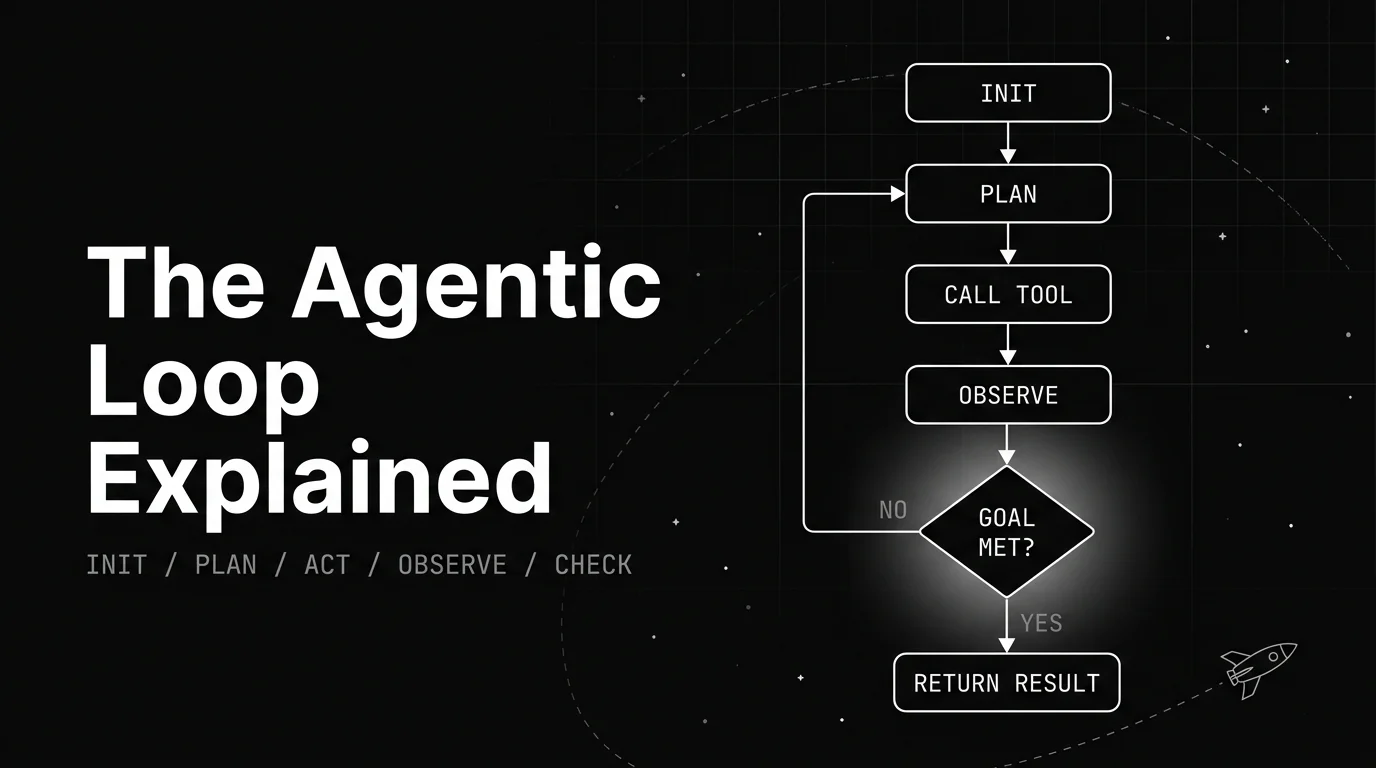
A plain walkthrough of the agentic loop: the named lifecycle stages, the canonical diagram, a worked example, and what decides when the loop stops.

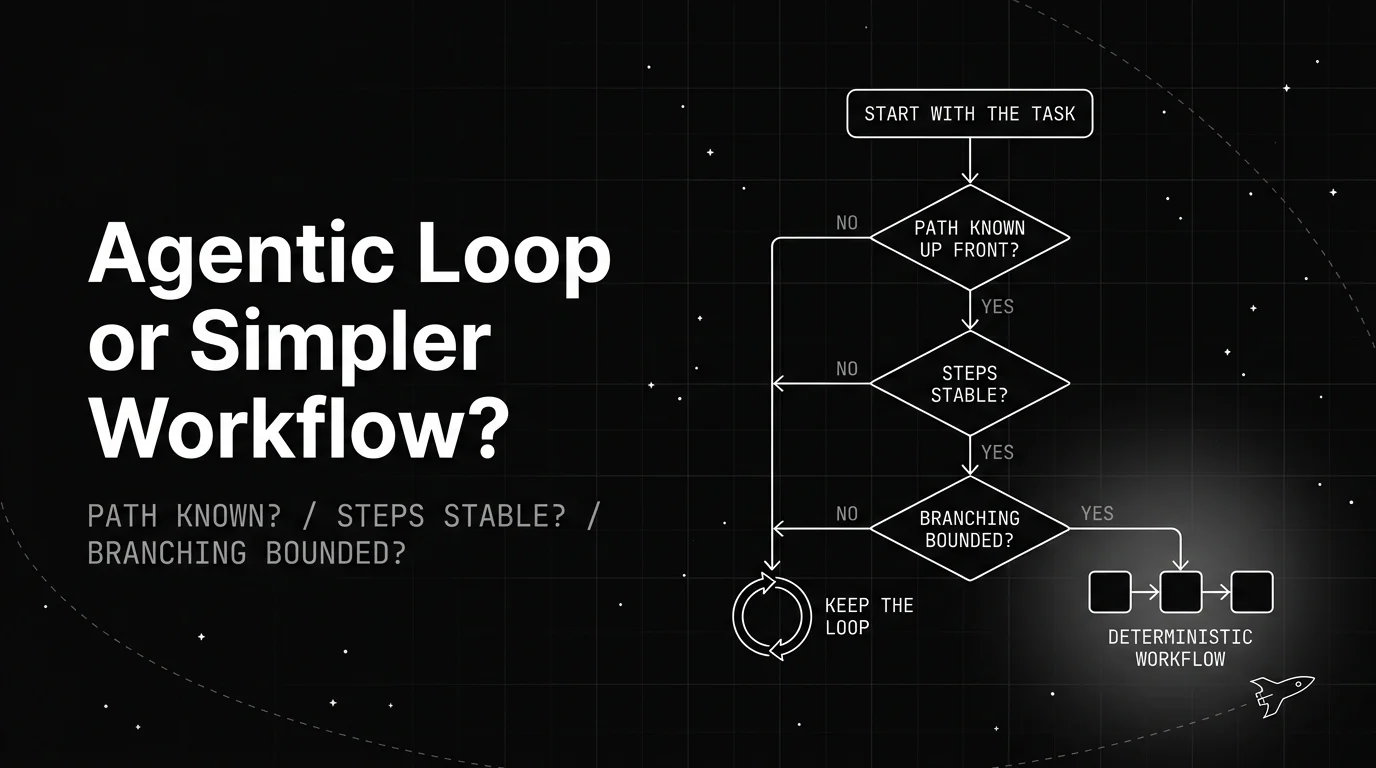
A plain decision framework for when to drop an agentic loop for a simpler deterministic workflow: the three questions to ask, the signals to watch, and how to convert one.
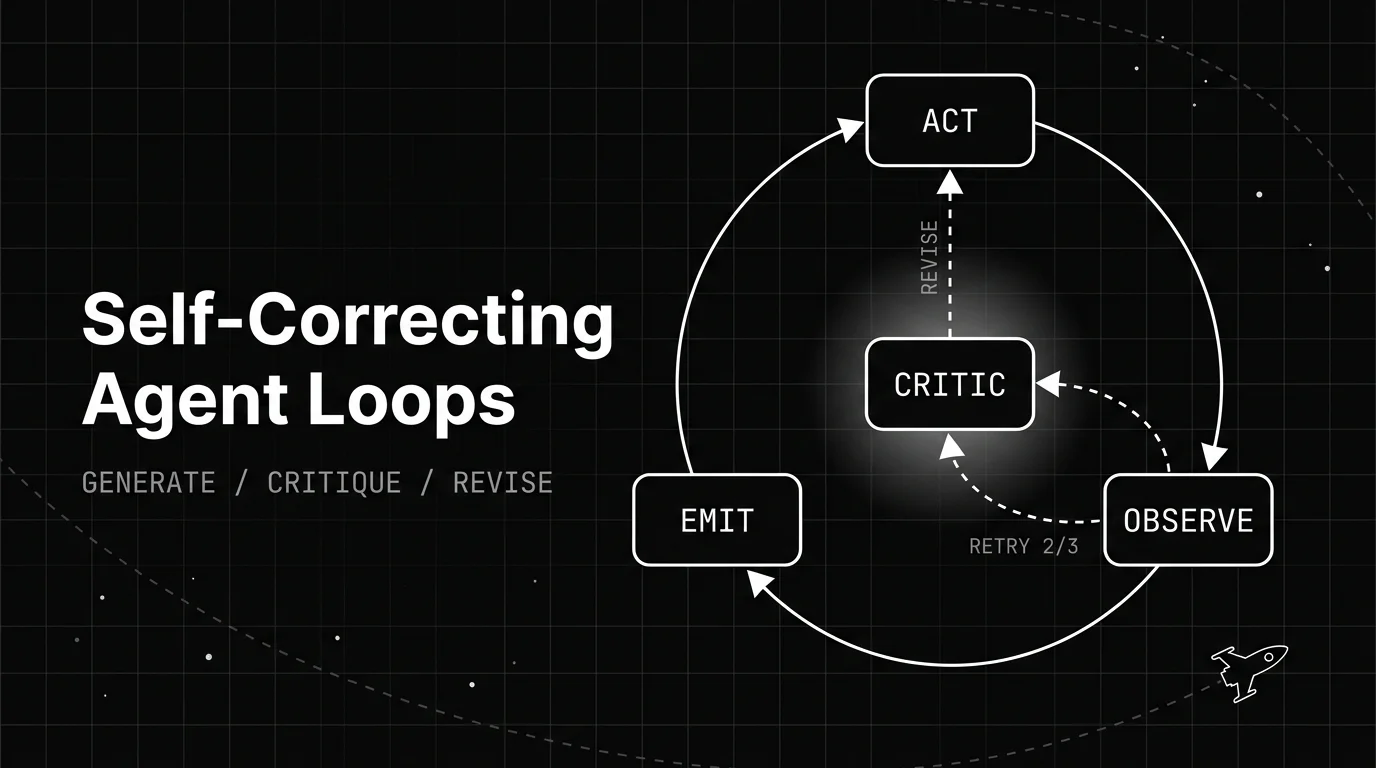
How a self-correcting agent loop spots its own bad output and revises it: the generate, critique, revise structure, the patterns behind it, and when it backfires.