How to Actually Do Loop Engineering: Worktrees, Tests, and Cost Caps
A practitioner's guide to building agent loops that hold up under real use: isolating parallel runs with git worktrees, gating changes on a real test command, and capping cost before you scale.
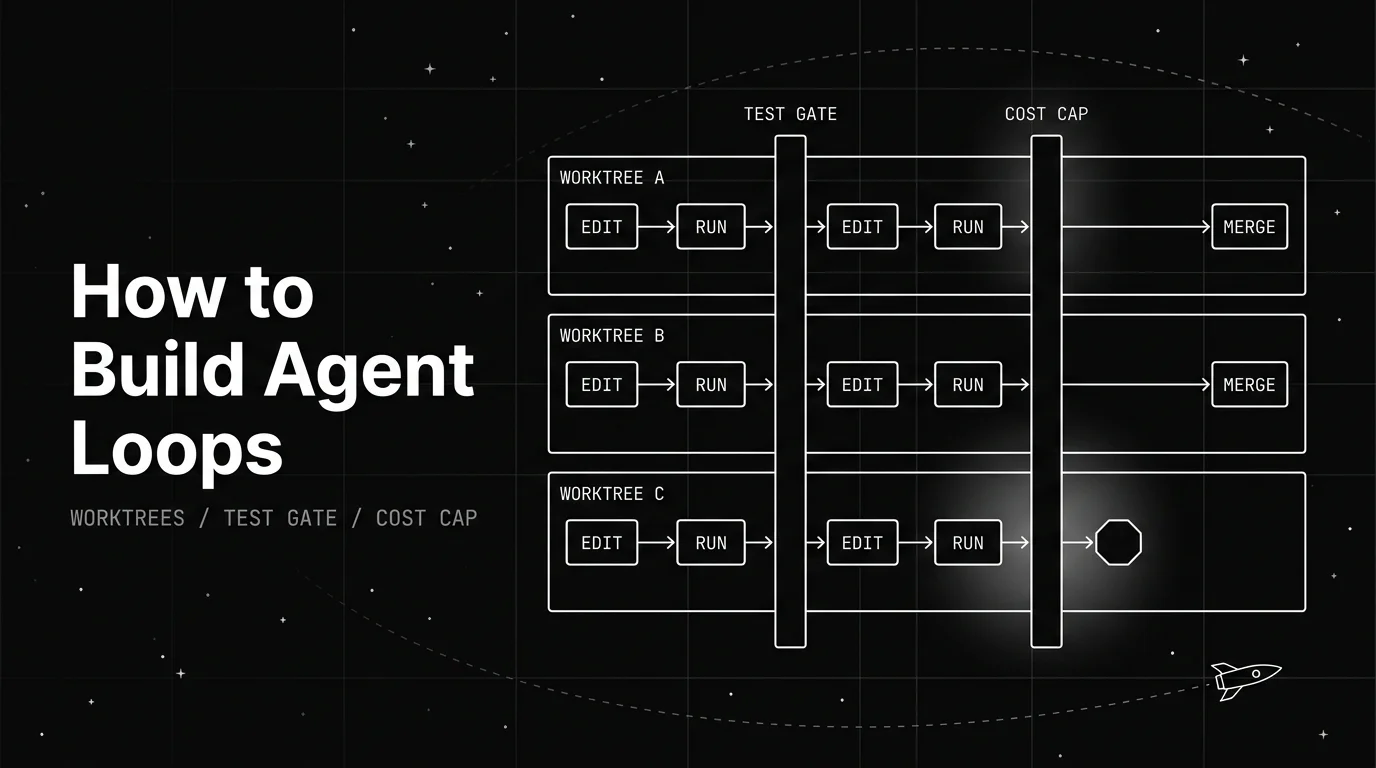
Table of Contents
For what loop engineering actually means, the linked guide has the definition. This piece is about the build: how to make agent loops that actually hold up once you run more than one at a time.
Three things separate a loop that saves you time from one that quietly wastes a weekend: giving each run its own space to work, gating every change on something real instead of the model’s opinion of itself, and knowing what a run costs before it gets out of control.
This piece assumes the agent is already safe to run unattended. If it is not yet boxed in, start with designing agentic loops, which covers the sandbox boundary and the guardrails that sit around an agent allowed to execute code. Everything below is about what you do once that part is settled.
TL;DR: To build agent loops that scale past a single run, isolate every parallel run in its own git worktree, gate each change on a real test command instead of the model’s self-assessment, and cap token spend before letting more than one loop run at once.
How to Build Agent Loops Worth Automating
Not every repeated task is worth turning into a loop. The best candidates repeat often and have a checkable definition of done: a queue of failing tests, a stack of small bug reports, a changelog that needs updating after every merge.
If you have not read what loop engineering actually means and the parts a working loop needs, that is worth doing first. This piece assumes you already have a goal and a rough agent loop in mind, and walks through what makes it hold up once you scale it past one run.
Three things do that: isolation, so parallel runs do not step on each other, a real test gate, so a loop cannot lie to itself about whether a change worked, and a cost cap, so a stuck run does not turn into a large bill. Skip any one of them and the loop degrades in a specific, predictable way.
Skip isolation and two runs corrupt each other’s files. Skip the test gate and the loop marks broken work as done. Skip the cost cap and a stuck run keeps spending until someone notices. The rest of this guide covers each one in the order you will hit them.
Isolate Every Parallel Run With a Git Worktree
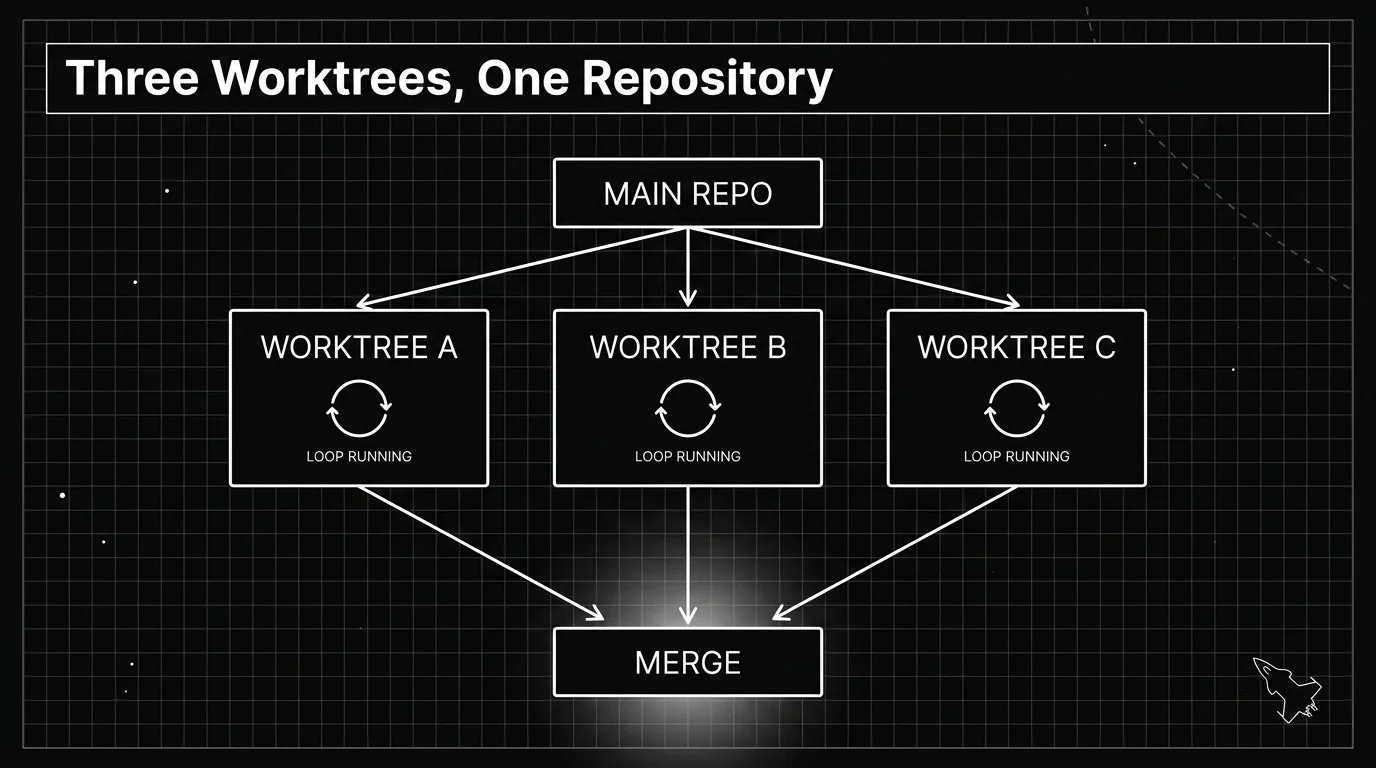
A git worktree is a second working directory checked out from the same repository. It shares the repository’s commit history and object store with your main checkout, but it has its own files, its own branch, and its own uncommitted changes.
You create one with git worktree add ../project-fix-a -b fix-a, which checks out a new branch into a new folder next to your main checkout. Run a loop inside that folder, and its file edits cannot touch a second loop running in a different worktree, even against the same repository at the same time.
Claude Code, Anthropic’s coding agent CLI, has this built in: claude --worktree fix-a creates the worktree and starts a session inside it in one step. Run the command again with a different name in another terminal, and you have a second, fully isolated session working on the same repo.
A worktree is a fresh checkout, so files your .gitignore excludes, like .env, are not copied automatically. Claude Code’s own docs recommend a .worktreeinclude file to copy specific gitignored files into every new worktree it creates, so each loop starts with the config it actually needs.
| Shared across every worktree | Separate in every worktree |
|---|---|
| Git history, commits, and the object store | The checked-out branch and working files |
The .git directory itself | Uncommitted changes and the index |
| Plugins installed at project scope | Local .env files, unless copied via .worktreeinclude |
| Saved permission approvals | Whatever the loop is actively editing |
That split is the whole point: the parts that are safe to share stay shared, and the part that changes while a loop runs, the actual files, stays separate per run.
Worktrees fix file collisions, not every kind of collision. Two loops sharing one local database or one dev server port can still race each other, and two loops each altering the same table in a different way can still produce a broken migration. Isolate those too, or keep one loop as the owner of shared state.
Gate Every Change on a Real Test Command
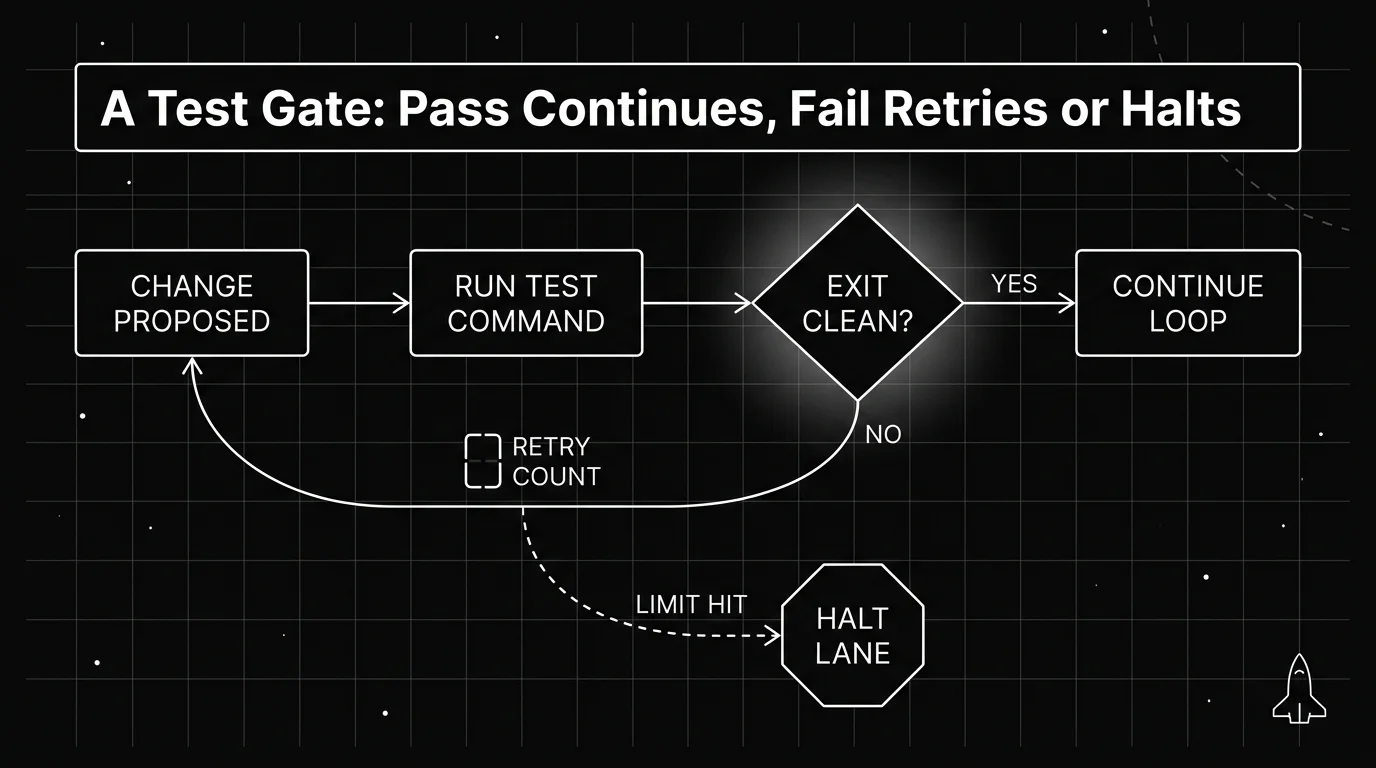
A loop with no gate will happily mark broken work as done, because nothing forces it to check. The gate is what makes a loop trustworthy: a real, runnable command that returns pass or fail, not the model’s own opinion of its work.
Wire the gate into the loop as the step right after every change: propose an edit, run the actual test suite, the real command your CI would run, and only let the loop continue if that command exits clean. A change that has not been checked has not been finished.
This is also where a cheaper, faster model earns its keep. The gate itself does not need your most capable model. It needs a command that runs and a clear signal back, so save the expensive reasoning for writing the fix, not for judging whether the fix worked.
| Result | What it means | What the loop does next |
|---|---|---|
| Command exits clean | The change is verified | Commit it and pull the next item |
| Command fails | The change broke something | Feed the failure back and retry, up to a limit |
| Command hangs or times out | Something is stuck, not just wrong | Halt that lane, do not retry blindly |
| Result is inconsistent between runs | The test itself may be flaky | Flag it for a person, do not treat a flaky pass as real |
The table is the whole gate in miniature: one clear result in, one clear action out, decided by a command instead of a judgment call.
Decide What Counts as a Pass
Not every test failure means the same thing. A flaky test that fails one run in twenty is a different problem than a real regression, and treating them the same either blocks good work or lets bad work through.
Set a retry limit before you start, not after a loop has already burned through fifty attempts on one failing test. We suggest capping it at two or three retries on the same failure. A dozen means something else is wrong and a person should look.
The gate should also not be the same model that just wrote the change. Reviewing your own work is a weak check, whether the reviewer is a person or a model. A separate pass, even a cheap deterministic one, catches mistakes the writer is structurally unlikely to see in its own output.
None of this needs to be complicated. A shell script that runs your test suite and returns a clean exit code is a perfectly good gate. The sophistication belongs in deciding what to test, not in how cleverly the loop checks the result.
Cap the Cost Before You Scale Up
A loop that runs once a day is cheap to babysit. Three loops running in parallel worktrees, each retrying failed tests a few times, add up fast, and nobody notices until the bill does.
Set a limit before you need one. A per-run token or spend cap, checked before the loop takes its next step, catches a stuck run before it turns into a runaway one. Decide this number before you turn on more than one worktree at a time, not after.
A cap does not need to be exotic. Even a rough ceiling on tokens per run, checked between steps, catches the case that matters most: a loop that is still running long after it should have finished.
Cost control deep enough to cover runaway-spend scenarios and the specific caps worth setting is its own topic. What matters here is sequencing: isolate first, gate second, and add a cost cap once you run more than one loop, since that is when spend actually compounds.
A per-run cap and a per-step cap catch different failures. A per-run cap catches a loop that never finishes. A per-step cap catches a single call that goes unusually large, a smaller signal that is easy to miss if you are only watching the running total.
Where FutureAGI Fits: a Cheap Gate and a Spending Limit
Two of the three pieces above map onto tools worth knowing about, once the pattern is working with your own scripts. The gate needs to be cheap enough to run on every single change, and the cost cap needs to sit somewhere the loop cannot talk its way around.
Future AGI’s Agent Learning Kit (ai-evaluation) ships over 20 local metrics, regex checks, schema validation, similarity scoring, that run offline at sub-second latency with zero API cost. That makes it cheap enough to call on every loop iteration, not just at the end of a run.
For the cost side, Future AGI’s Agent Command Center enforces a spending limit in USD per key, per user, per model, or per org, at the gateway layer your requests would route through. That is a limit on how much a given period can spend, set daily, weekly, monthly, or in total, not a switch that reaches into a running loop and shuts it off.
Neither tool touches your worktrees or your git setup. Isolation is still yours to manage with git worktree, and neither product replaces the test command you already trust. What they add is a cheap way to check a result and a hard ceiling on spend, both enforced outside the loop’s own code.
Merge the Work Back
A worktree that passes its gate still needs to get back to your main branch. Treat that step as manual or lightly automated at first: review the diff, merge the branch, then remove the worktree with git worktree remove.
A lane that hit its cost cap or failed its gate past the retry limit should stop and leave a clear trail, not silently vanish. Keep the worktree and its branch around until a person has looked at why it stopped, then clean it up. A lane that stopped mid-edit still holds uncommitted changes, and git worktree remove only removes a clean worktree, so that cleanup needs git worktree remove --force.
Once this pattern works for one task, running more of them at once is mostly a matter of repeating the setup, not redesigning it. Isolation, a real gate, and a spending limit do not change as you add more lanes.
For the broader pattern of gating AI agent changes before they ship, Future AGI’s guide to CI/CD for AI agents is a natural next read. It covers the same idea from the deployment side, once a lane’s work is ready to leave your machine.
Frequently Asked Questions
Do I need git worktrees to do loop engineering?
What should I use as a test gate for an agent loop?
How many retries should a loop attempt before it stops?
How do I stop an agent loop from running up a large bill?
Can two AI agents work on the same codebase at the same time?
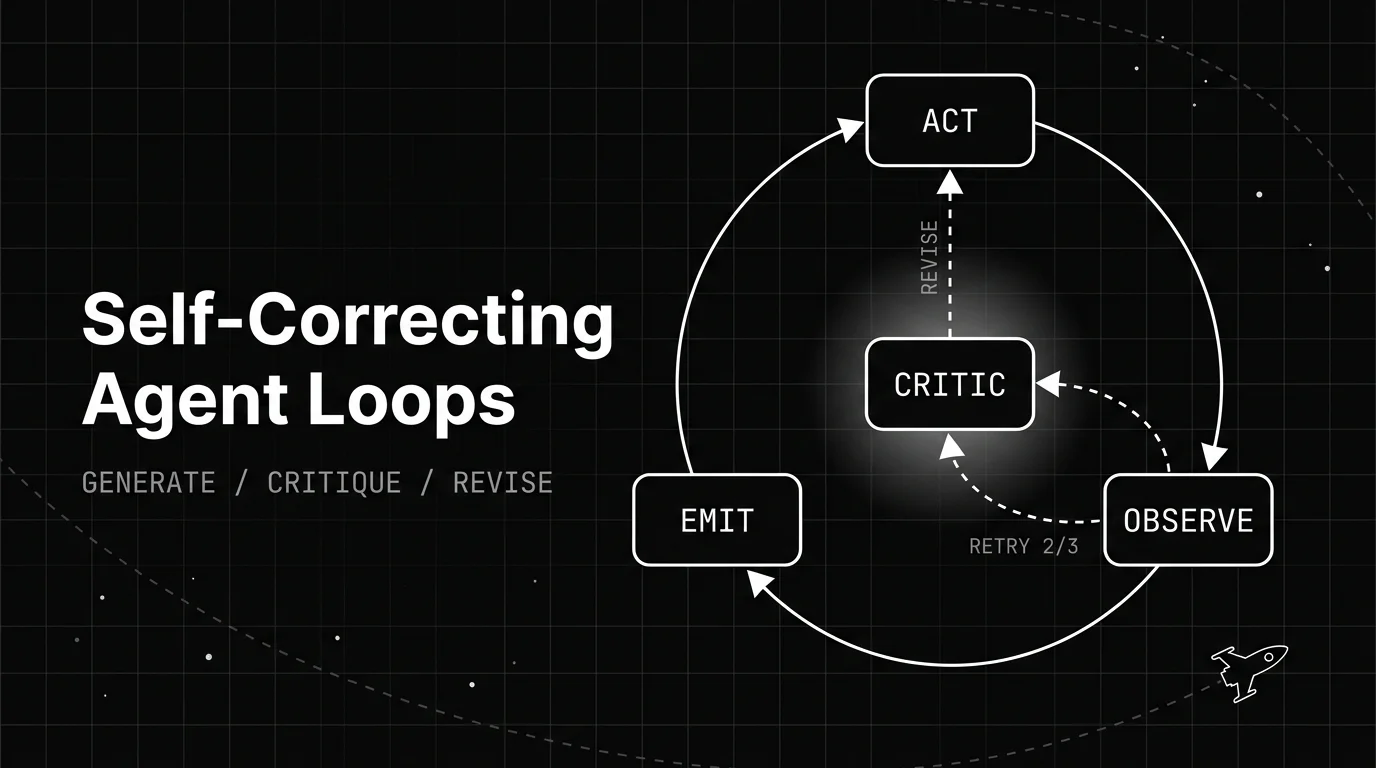
How a self-correcting agent loop spots its own bad output and revises it: the generate, critique, revise structure, the patterns behind it, and when it backfires.

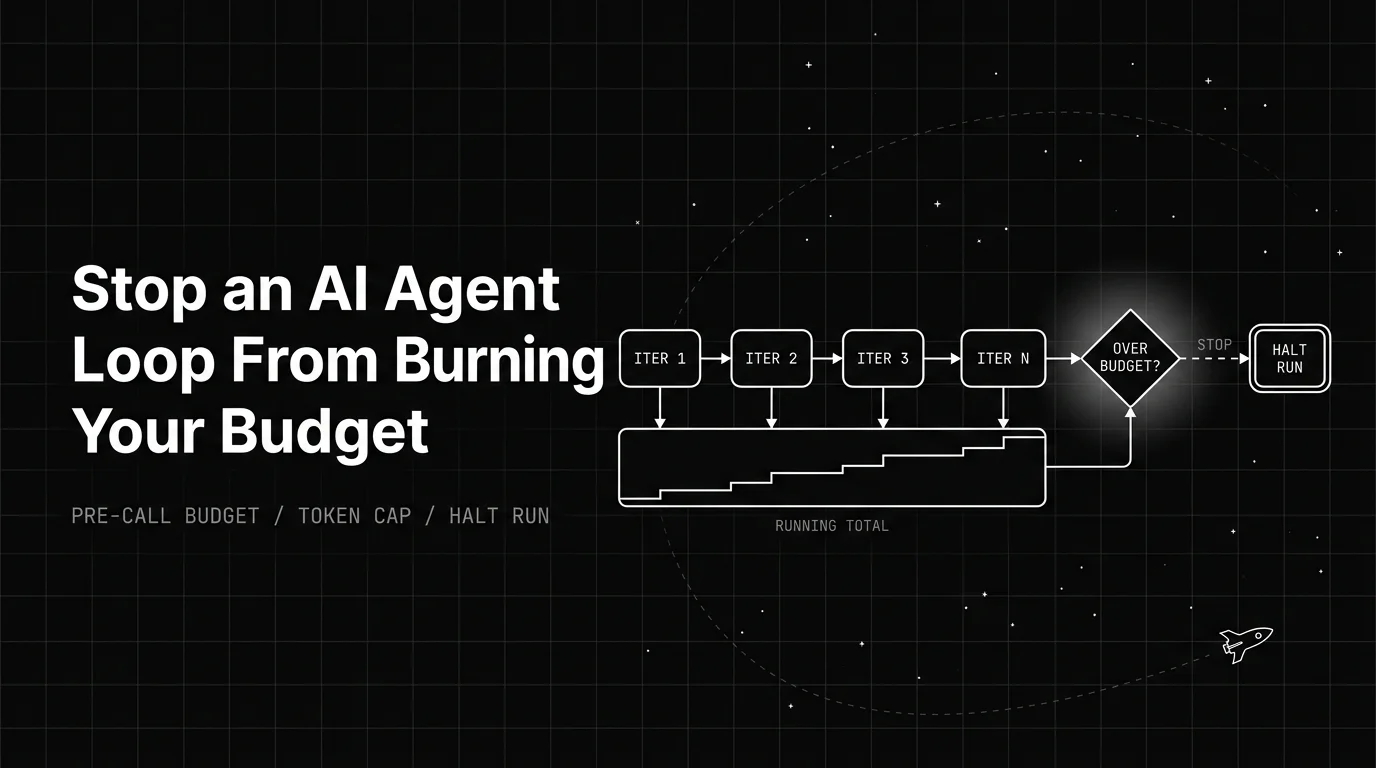
How an AI agent infinite loop runs up token cost, and the pre-call budget, guards, and cost levers that stop the bleed before it hits your invoice.

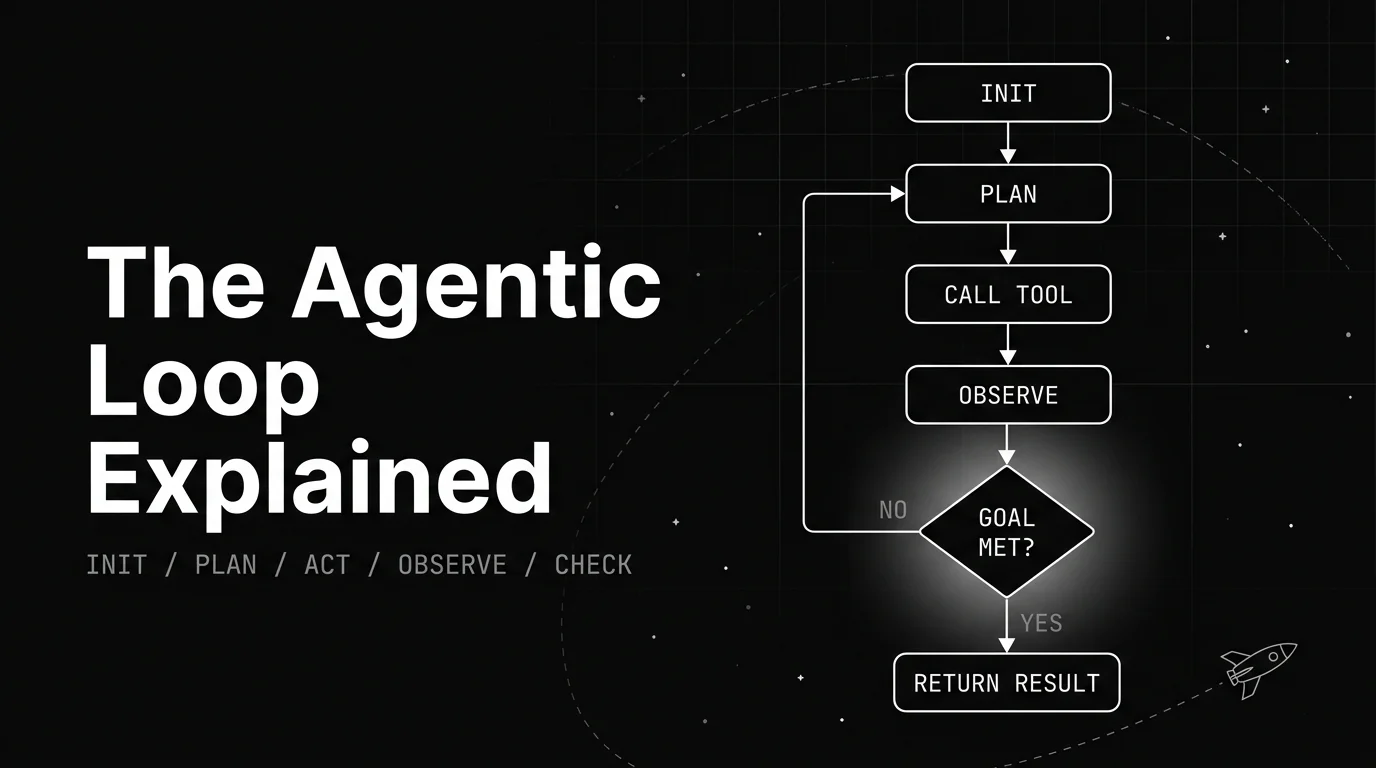
A plain walkthrough of the agentic loop: the named lifecycle stages, the canonical diagram, a worked example, and what decides when the loop stops.