OpenAI AgentKit + Future AGI in 2026: Build, Trace, and Evaluate Production Agents End to End
OpenAI AgentKit (Oct 2025) + Future AGI in 2026: visual builder, traceAI auto-instrumentation, fi.evals scoring, BYOK gateway. Real code, real APIs.
Table of Contents
OpenAI AgentKit + Future AGI in 2026: Reliable Production Agents
OpenAI shipped AgentKit on October 6, 2025 to give teams a visual builder, embeddable UI, Python and TypeScript SDKs, and a connector registry for building LLM agents (openai.com/index/introducing-agentkit). Future AGI sits on top of that stack as the reliability layer: auto-instrumentation via the Apache 2.0 traceAI library, evaluation via the Apache 2.0 ai-evaluation SDK, and a BYOK Agent Command Center gateway. This guide walks through the integration, ships runnable code, and shows where each tool earns its keep.
TL;DR
| Layer | OpenAI AgentKit | Future AGI |
|---|---|---|
| Build | Agent Builder visual canvas, Agents SDK, Connector Registry, ChatKit | Prompt-opt loop, synthetic dataset generator |
| Run | Responses API runtime | BYOK Agent Command Center gateway at /platform/monitor/command-center |
| Trace | Built-in trace viewer for AgentKit runs | traceAI-openai-agents (Apache 2.0) emits OpenTelemetry spans |
| Evaluate | AgentKit Evals: dataset builder, trace grading, prompt optimizer | fi.evals.evaluate() cloud catalog with turing_flash (1-2s), turing_small (2-3s), turing_large (3-5s) |
| Improve | Auto prompt-rewrite inside Builder | Closed-loop prompt-opt fed by production eval signals |
| Monitor | Console dashboards for AgentKit-hosted runs | Continuous online evals, alerts, dashboards |
Why agents fail in production and how to see it
A typical AgentKit workflow has three failure surfaces:
- Reasoning drift. The agent picks the wrong branch on the Agent Builder canvas.
- Tool drift. A connector returns a 200 with garbage, and the agent treats it as authoritative.
- Cost and latency drift. A loop keeps the model busy at 1.5x the budgeted spend.
Each is a visibility problem before it is a code problem. AgentKit’s built-in trace viewer is enough to debug a single run; production needs continuous traces, eval scores on every run, and alerts when scores regress. That is the gap Future AGI fills.
OpenAI AgentKit: components in one paragraph each
Agent Builder
Visual canvas with state-machine semantics. Each node is a state, each edge is a handoff. The runtime is the Responses API. Versioning, branching, and inline evals are first-class. Use Agent Builder when the workflow shape is predictable (customer support, internal automation) or when non-engineers need to edit flows.
Connector Registry
Centralized service for tools, data sources, and MCP servers. Each connector carries its own OAuth or API-key credentials and access scope. The registry is the central audit point for outbound calls. MCP support lets agents talk to third-party services without custom integrations (modelcontextprotocol.io).
ChatKit
Embeddable chat UI with streaming, thread persistence, file upload, and a Python SDK for backend hooks. The UI shows reasoning steps and live tool usage. Use ChatKit when you want a polished interaction surface without owning the front-end stack.
Agents SDK (Python + TypeScript)
Code-first definition of agents, tools, and orchestration. Shares the Responses API runtime with Agent Builder, so flows can be authored in either surface. Use the SDK when logic is custom, when CI/CD pipelines need agent definitions in version control, or when you want to instrument runs programmatically.
Built-in AgentKit Evals
Four capabilities: dataset builder for in-workflow test sets, trace grading for end-to-end run quality, prompt optimization for prompt rewrites, and third-party model scoring. Strong for the build phase, less suited to continuous evaluation on live traffic. Future AGI covers the continuous side.
Future AGI: the production reliability layer
Future AGI exposes three open-source surfaces plus a managed cloud catalog.
- traceAI (
pip install traceAI-openai-agents): Apache 2.0 monorepo of OpenTelemetry instrumentors. The OpenAI Agents SDK instrumentor wrapsRunner.run,tool_call,handoff, and LLM call spans automatically. - ai-evaluation (
pip install ai-evaluation): Apache 2.0 SDK exposingfrom fi.evals import evaluate, Evaluator,CustomLLMJudgefor custom rubrics, andLiteLLMProviderfor judge-model routing. - fi_instrumentation: helper that calls
register()to create a tracer provider linked to yourFI_API_KEYandFI_SECRET_KEY. - Agent Command Center: BYOK gateway at
/platform/monitor/command-centerthat handles multi-provider routing, guardrails, and budget controls.
Five-step integration walkthrough
Step 1: build the workflow in Agent Builder or the Agents SDK
Define agents, prompts, and tools in Agent Builder (visual) or the Agents SDK (code). Wire connectors through the Connector Registry rather than hard-coding API calls.
Step 2: install traceAI and register a tracer
The traceAI-openai-agents package auto-instruments the OpenAI Agents SDK runtime. The snippet below registers a tracer, then enables instrumentation.
import os

from fi_instrumentation import register
from fi_instrumentation.fi_types import ProjectType
from traceai_openai_agents import OpenAIAgentsInstrumentor

os.environ["FI_API_KEY"] = "your-future-agi-api-key"
os.environ["FI_SECRET_KEY"] = "your-future-agi-secret-key"

trace_provider = register(
    project_type=ProjectType.OBSERVE,
    project_name="sales_research_agent",
)

OpenAIAgentsInstrumentor().instrument(
    tracer_provider=trace_provider,
)
The instrumentor is published in the Apache 2.0 traceAI repo under python/instrumentation/. Every run, handoff, tool call, and LLM completion now streams to the Future AGI dashboard as OpenTelemetry spans.
Step 3: run the agent
After instrumentation is registered, run the agent the same way you would without it. No further code changes are needed.
from agents import Agent, Runner

researcher = Agent(
    name="Sales Researcher",
    instructions=(
        "Find five qualified fintech leads. "
        "Return JSON with name, company, and pain_point."
    ),
)

result = Runner.run_sync(
    researcher,
    "Find leads for our payments API.",
)
print(result.final_output)
Runner.run_sync and the underlying Runner.run are part of the OpenAI Agents SDK (openai.github.io/openai-agents-python).
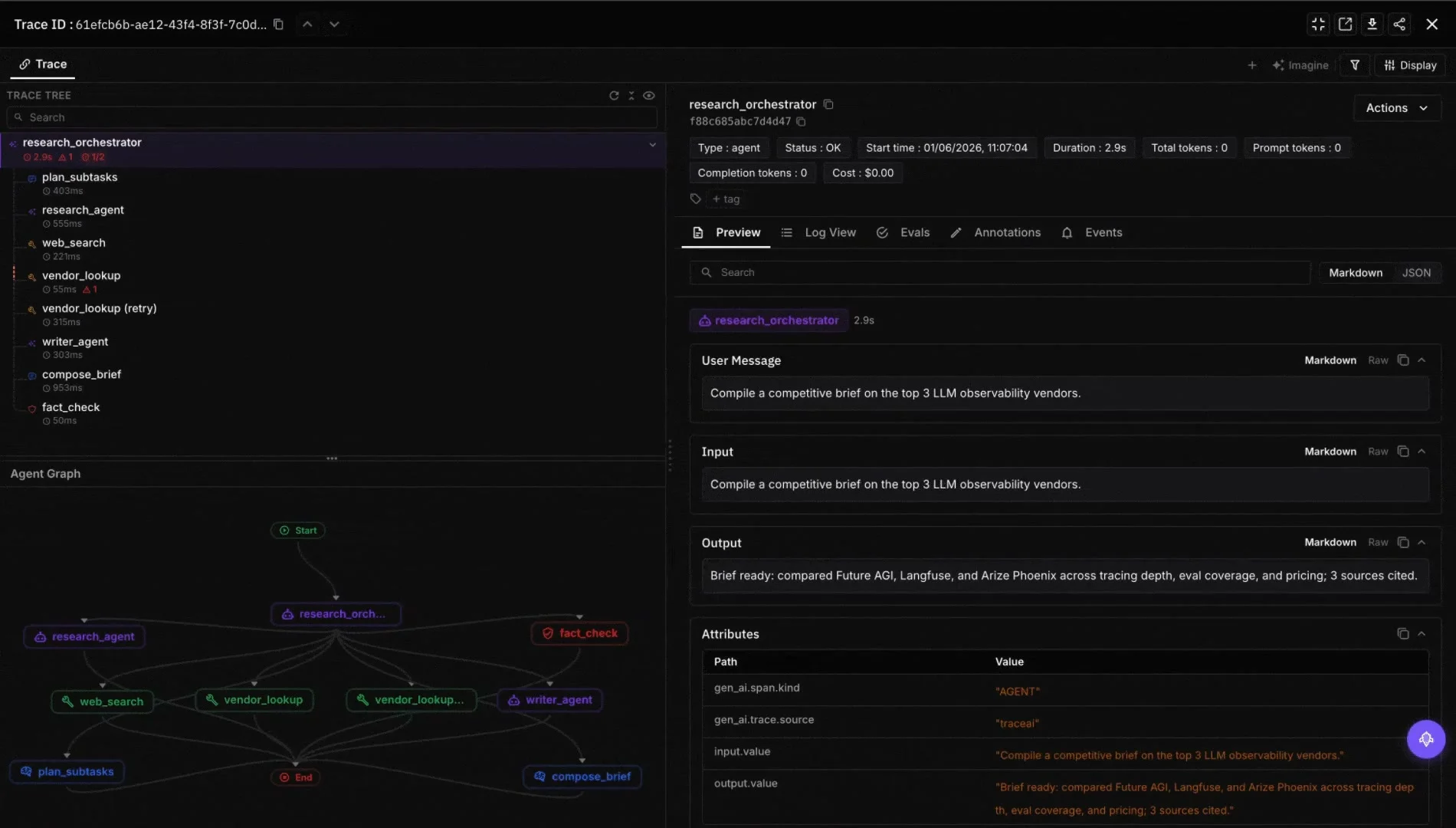
Step 4: score the run with fi.evals
Score the agent output with the cloud task_completion template, or any other template in the Future AGI evaluation catalog (docs.futureagi.com). For the deeper methodology on scoring this runtime, see evaluating the OpenAI Agents SDK.
from fi.evals import evaluate

scored = evaluate(
    eval_templates="task_completion",
    inputs={
        "input": "Find leads for our payments API.",
        "output": str(result.final_output),
        "expected_output": "A JSON list of five fintech leads.",
    },
    model_name="turing_flash",
)

print(scored.eval_results[0].metrics[0].value)
turing_flash returns in roughly 1-2 seconds, turing_small in 2-3 seconds, and turing_large in 3-5 seconds. Pick the tier that matches your latency budget.
Step 5: close the loop with a custom judge
When the catalog templates do not fit the rubric (e.g., a custom JSON schema, brand tone, regulatory clause), define a local judge with CustomLLMJudge and wrap it with Evaluator.
import os

from fi.evals.metrics import CustomLLMJudge
from fi.evals.llm import LiteLLMProvider
from fi.opt.base import Evaluator

judge_model = os.getenv("JUDGE_MODEL", "gpt-4o-mini")

schema_judge = CustomLLMJudge(
    name="lead_schema_judge",
    grading_criteria=(
        "Score 1 if the agent output is a JSON list of five "
        "items, each with non-empty name, company, and pain_point. "
        "Otherwise score 0."
    ),
    provider=LiteLLMProvider(model=judge_model),
)

evaluator = Evaluator(metric=schema_judge)
score = evaluator.evaluate(
    output=str(result.final_output),
    context="Sales leads schema v1",
)
print(score)
Pipe the judge output back into the prompt-opt loop. When a candidate prompt scores higher, promote it as the new production version.
Where the BYOK Agent Command Center fits
Agents in production usually need more than OpenAI. Some teams route long-context tasks to Claude, vision tasks to Gemini, and cheap classification to a small model. The Agent Command Center at /platform/monitor/command-center is the BYOK gateway that does this routing behind one endpoint while keeping the same traceAI spans and fi.evals scoring across providers. Guardrails (PII redaction, prompt injection checks, output filters) run inside the gateway before the request leaves your tenant.
AgentKit Evals vs Future AGI Evals (and where to use each)
| Capability | AgentKit Evals | Future AGI Evals |
|---|---|---|
| Build-phase test datasets | Native dataset builder in Agent Builder | Synthetic dataset generator scoped to a knowledge base |
| Single-run trace grading | Yes, inside the canvas | Yes, with multi-template scoring |
| Continuous online evals on production traffic | Limited | First-class: every span scored against templates |
| Multi-modal scoring (image, audio, video) | Limited | First-class via multimodal catalog templates |
| Custom rubrics | Free-text grading | CustomLLMJudge + LiteLLM provider |
| Closed-loop prompt-opt | Auto prompt-rewrite inside Builder | Prompt-opt informed by production eval scores |
| Open-source SDK | No | Yes (Apache 2.0 ai-evaluation) |
The pattern most teams converge on: AgentKit Evals during build, Future AGI for everything after the first deploy.
Common failure modes the integration catches
- Loops. traceAI flags spans whose duration exceeds a configured budget.
- Tool errors swallowed. Custom judge scores the structural validity of every tool response.
- Hallucinated tool arguments.
tool_call_accuracytemplate compares the called arguments against the schema. - Drifted system prompt. Prompt-opt loop alerts when a prompt change drops eval scores below baseline.
- Cost spikes. Cost spans rolled up per project; alerts fire when a percentile crosses threshold.
Wrap-up
OpenAI AgentKit handles the long-standing pain of orchestration, UI, and connectors. Future AGI handles the long-standing pain of observability, evaluation, and continuous improvement. The integration is a few lines of Python (Step 2 above) and works whether the agent was authored visually or in the SDK. Future AGI’s traceAI and ai-evaluation SDKs are Apache 2.0 licensed on GitHub, so teams keep the option to swap pieces as the ecosystem evolves. Refer to the AgentKit documentation for the current OpenAI license terms.
To go deeper see AI agent cost and observability in 2026, the agent evaluation frameworks comparison, and the agent debugging tools roundup. To start instrumenting today, install traceAI-openai-agents and follow Step 2.
Frequently Asked Questions
What is OpenAI AgentKit?
What does Future AGI add on top of AgentKit?
How do I auto-instrument an OpenAI AgentKit agent with Future AGI?
Can I use Future AGI with agents built outside AgentKit?
How does Future AGI score AgentKit traces?
Is the integration open source?
What does the Agent Command Center add?
Where does AgentKit Evals end and Future AGI Evals begin?
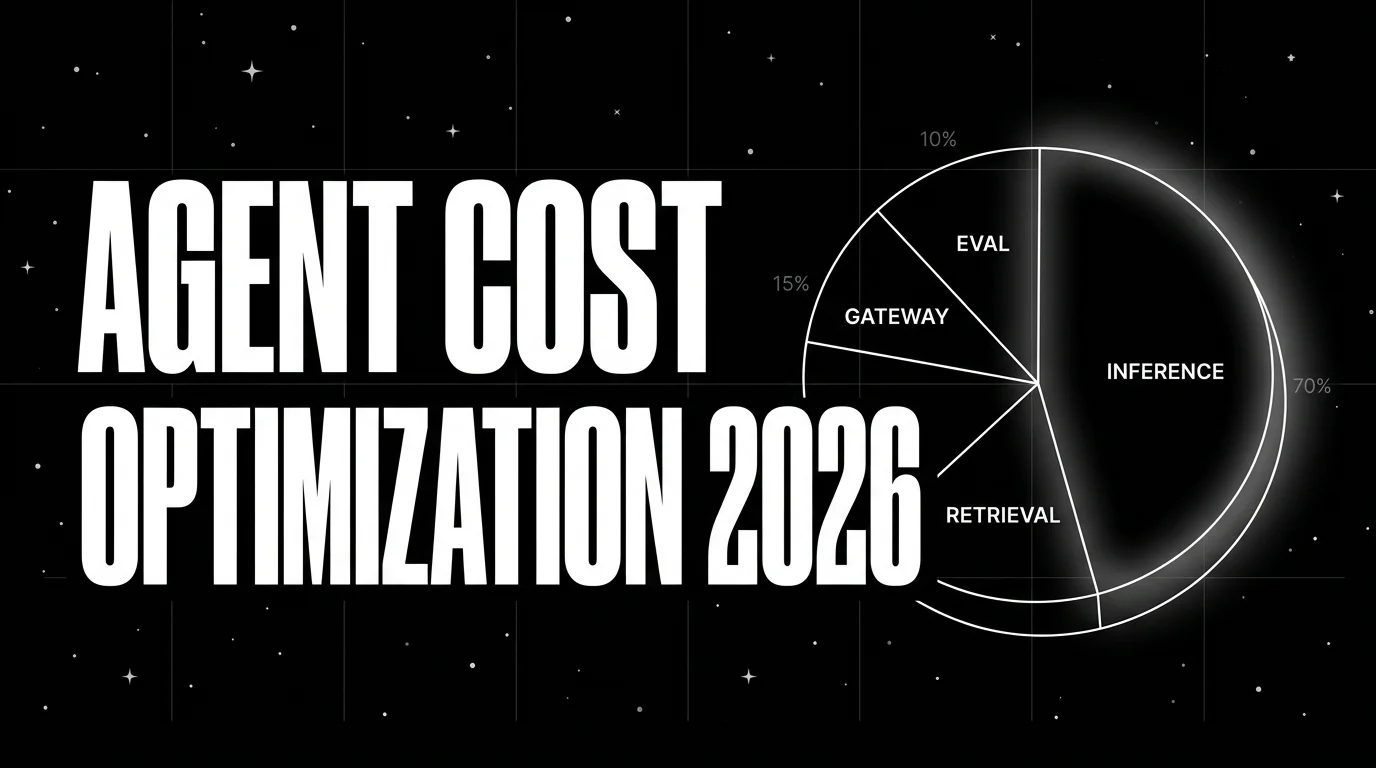
Agent cost optimization is an observability problem: trace-attributed cost, per-resolved-outcome, routing policies, quality-bounded swaps.

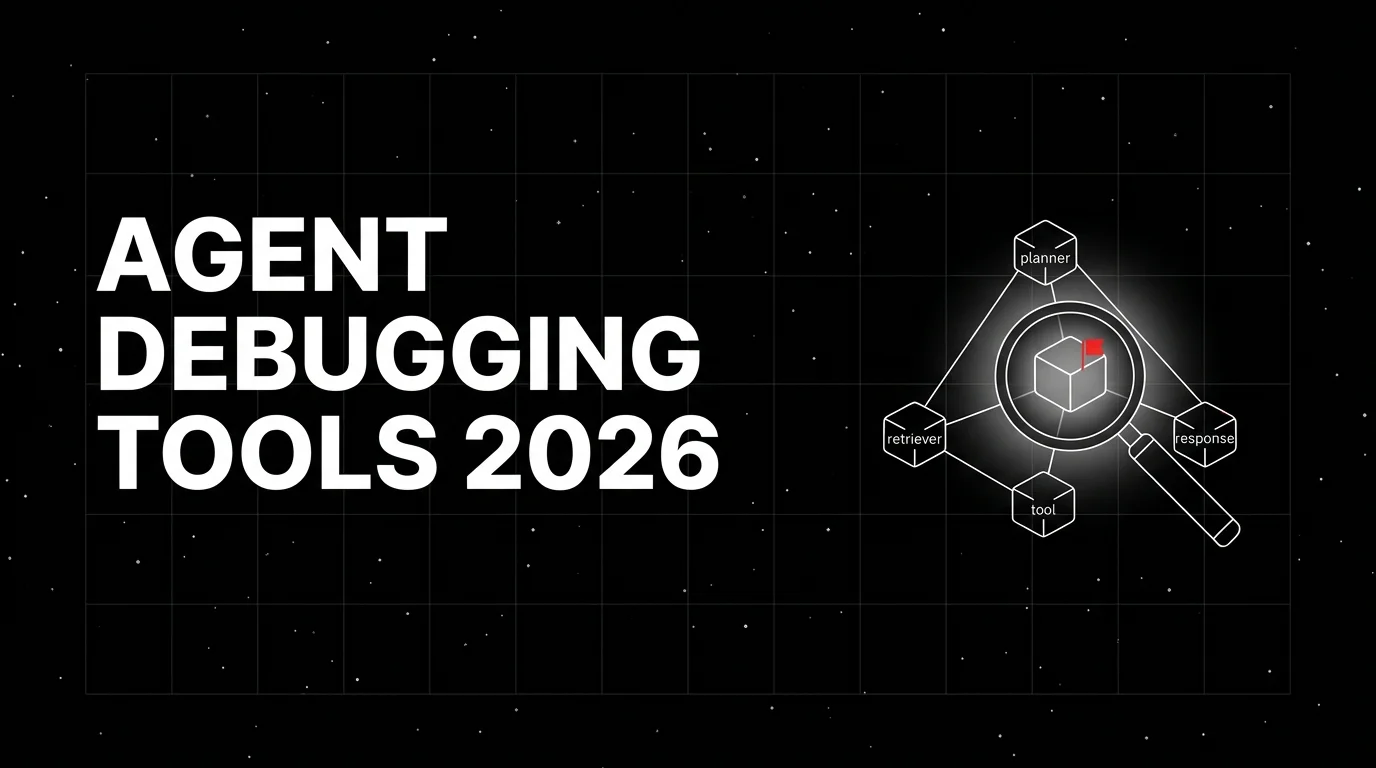
Honest 2026 comparison of agent debugging tools: Future AGI, LangSmith, Langfuse, Phoenix, Braintrust, Helicone, OpenLLMetry. Trace depth, replay, gaps.
Six agent evaluation frameworks for trajectory-first teams 2026: LangSmith, Future AGI, Braintrust, DeepEval, Phoenix, OpenAI Evals, tradeoffs.
