LlamaIndex Architecture: Five Layers and Workflows
The LlamaIndex architecture in five layers: documents, indexes, retrievers, synthesis, and query engines, plus the Workflows API and when to reach for it.
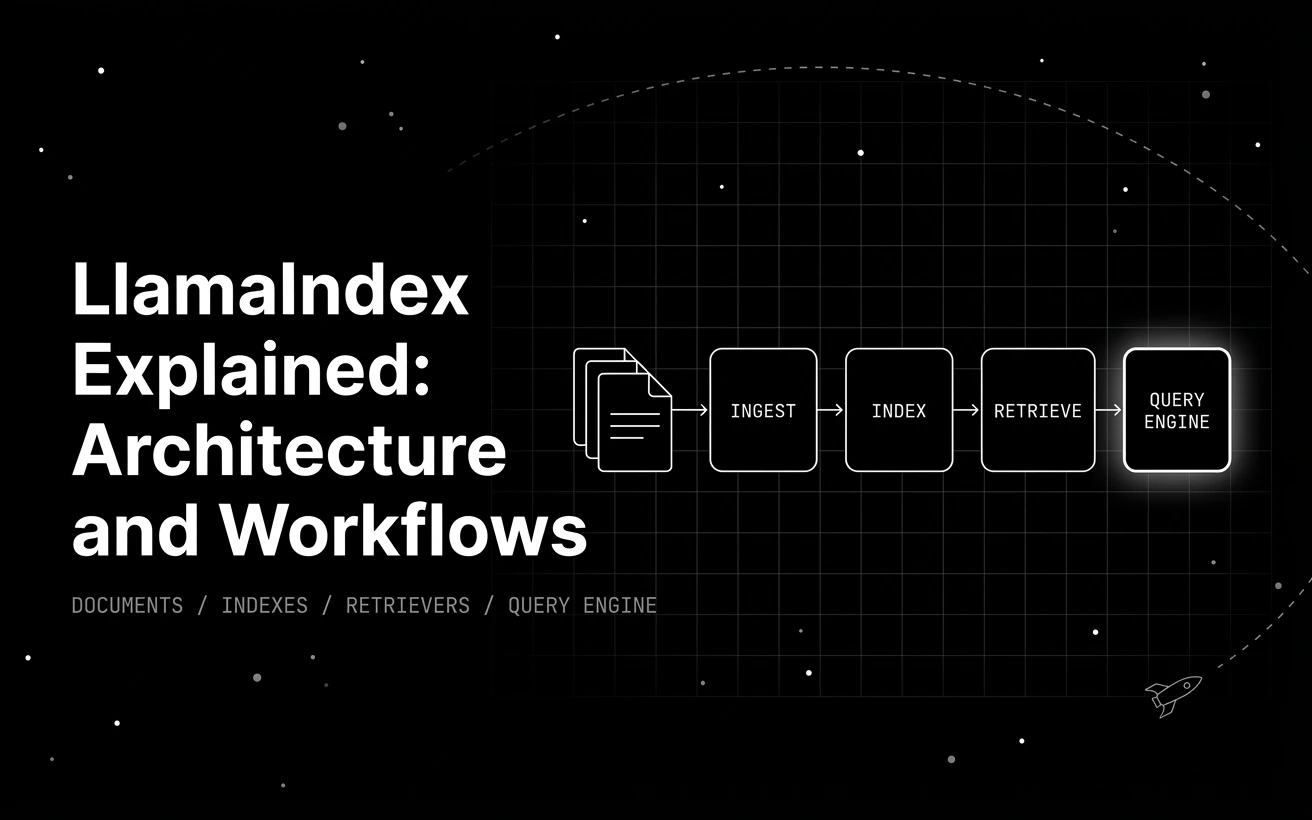
Table of Contents
An LLM is brilliant at reasoning and blank on your data. It has never read your wiki, your tickets, or last quarter’s contracts, and you cannot paste all of it into one prompt. LlamaIndex exists to close that gap, turning a pile of your own documents into something a model can answer questions over.
LlamaIndex is a data framework for LLM applications: it connects your private data to a model and makes that data queryable. This piece walks the architecture internals you reach for when a real build breaks and a demo will not tell you why.
Two companion posts bracket this one, and the split is deliberate. What LlamaIndex is in 2026 answers the definition question, what the framework is for and how it compares to alternatives, and is the right starting point if the name is new to you. Our deployment and observability notes cover shipping it, llamactl, and tracing a running app. This page does neither. It walks the internals, layer by layer, and the API surface you reach for when a build breaks and a demo will not tell you why. If you want the retrieval-quality scoring rubrics instead, those live in evaluating LlamaIndex RAG applications.
Here is the plan. We walk the architecture one layer at a time, from raw documents to a query engine. Then we cover the modern Workflows API that makes agentic control flow explicit. We close with an honest read on when LlamaIndex is the right tool, and when LangChain or a raw API call fits better.
TL;DR
- LlamaIndex is an MIT-licensed data framework whose architecture stacks five layers: ingestion, indexing, retrieval, synthesis, and the query-engine interface.
- The core classes are
SimpleDirectoryReaderandDocumentfor loading,VectorStoreIndexandPropertyGraphIndexfor indexing, andas_query_engine()for asking questions. - Workflows are the current agentic API:
@stepmethods emit and consume typed events, so control flow is explicit and inspectable instead of a hidden loop. - The global
Settingsobject configures the LLM, embeddings, and chunking; it replacedServiceContext, removed inllama-index-core0.11.0. - Reach for LlamaIndex when retrieval over your own data is the core job; reach for LangChain or a raw API when it is not.
What Is LlamaIndex and What Problem Does It Solve?
Two hard limits sit under every LLM app. The model does not know your private data, and its context window is finite, so you cannot stuff a whole knowledge base into a prompt. You need a way to fetch only the relevant pieces at question time. That fetch-then-answer pattern is retrieval-augmented generation, and it is the problem LlamaIndex is built around.
LlamaIndex handles the four processing stages RAG needs, ingestion of source data, indexing it into a retrievable form, retrieval of the relevant chunks, and synthesis of a final answer, then puts a query-engine interface on top of them. It is a framework rather than a single-purpose library, so it gives you the whole pipeline and the seams to swap any piece.
The practical payoff is that you are not gluing an embedder, a vector store, and a prompt template together by hand, while you can still reach into any stage when the defaults stop serving you. LlamaIndex is MIT-licensed and open source. The current package is llama-index on the 0.14.x line, with the engine in llama-index-core and integrations shipped as separate modular packages.
The shortest path from a folder of files to an answer is about five lines:
from llama_index.core import VectorStoreIndex, SimpleDirectoryReader

documents = SimpleDirectoryReader("data").load_data()
index = VectorStoreIndex.from_documents(documents)
query_engine = index.as_query_engine()
response = query_engine.query("What is this document about?")
print(response)
That snippet needs an embedding and LLM provider configured to return a real answer, but the shape is the point. Load, index, ask. Everything else in the architecture is a way to control what happens inside those three moves.
The LlamaIndex Architecture, Layer by Layer
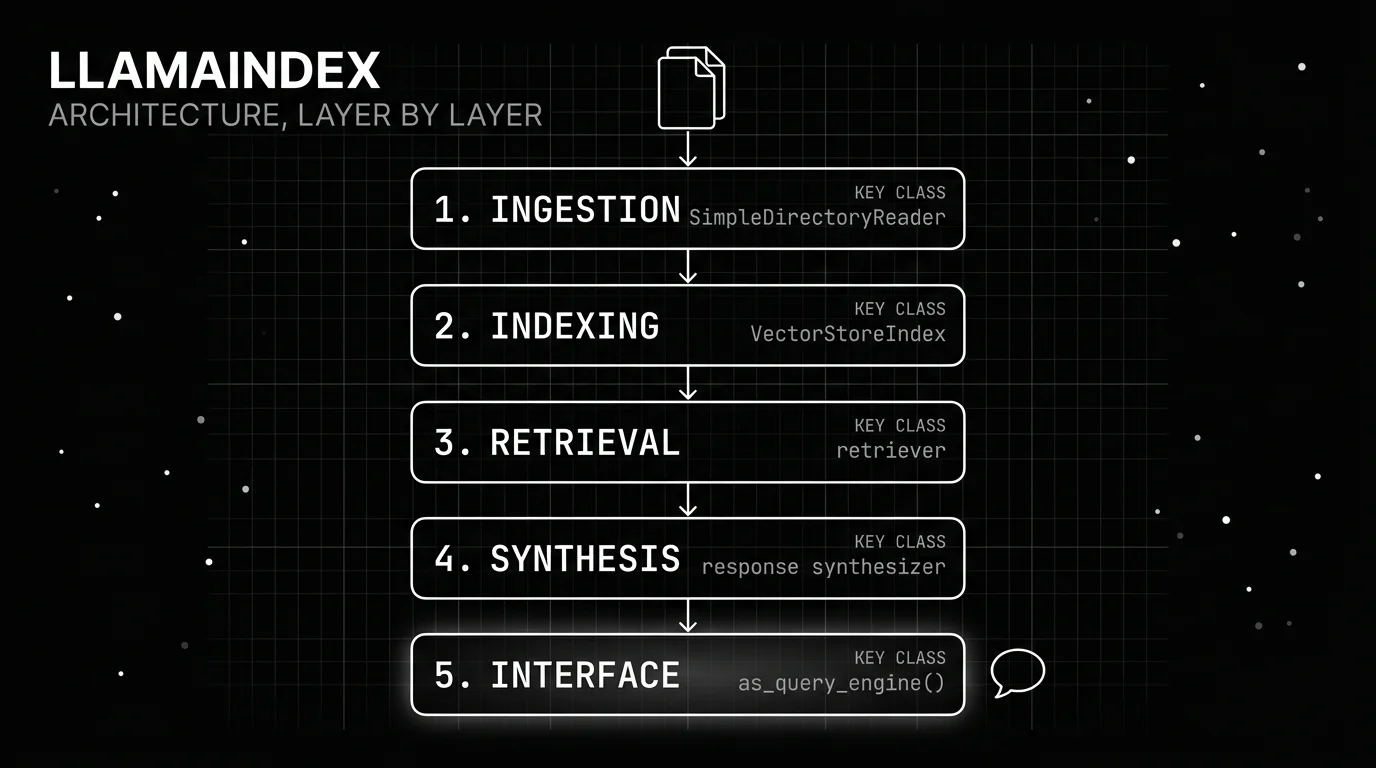
The five lines above hide five distinct layers, and knowing them is what lets you debug a system instead of just demoing it. Each layer has a clear job and a key class, and each is a place you can tune quality when answers come back wrong. We will walk them in the order data actually flows, from a raw file on disk to the interface you call.
The layering pays off in debugging. When a RAG answer comes back wrong, the cause almost always sits in one layer: a bad chunk size in ingestion, the wrong index for your data, a retriever pulling loose matches, a synthesizer mode that drops detail, or an interface that never carried the source nodes forward. Naming the layer is how you fix the right thing instead of swapping models and hoping. Each layer also swaps on its own, so you can change the vector store without touching retrieval logic.
Documents and Nodes: The Ingestion Layer
Ingestion turns source files into units LlamaIndex can work with. A Document is a single unit of source data, and a Node is a chunk of that document carrying metadata and relationships to its neighbors. That metadata, the source file, a page number, a timestamp, survives all the way into retrieval, so you can filter results down to one document or cite the exact page an answer came from. SimpleDirectoryReader loads a whole folder in one call, and the wider LlamaHub reader ecosystem covers PDFs, Notion, Slack, databases, and hundreds of other sources.
Between loading and indexing sits chunking. Node parsers split documents into nodes at a chosen size, and that size quietly shapes retrieval quality. Chunks too large blur relevance, and chunks too small lose context. It is the first knob to turn when answers feel off.
Indexes: VectorStoreIndex and PropertyGraphIndex
An index makes your nodes retrievable. VectorStoreIndex is the workhorse: it embeds every node once and retrieves by semantic similarity, the right behavior for search, RAG, and document Q&A. Those embeddings live in a backing vector store, in memory for a prototype or a managed database in production, and the index API stays the same either way. When your knowledge is relational rather than similarity-based, PropertyGraphIndex models entities and their typed connections as a graph you can traverse.
Reach for the graph index when the answer depends on how things relate, not just how alike they read. If you have seen the older KnowledgeGraphIndex in tutorials, it is deprecated; PropertyGraphIndex is its replacement. There is also a lightweight SummaryIndex for small corpora you want to read in full rather than search.
Retrievers, Node Postprocessors, and Response Synthesizers
Once an index exists, three components turn a question into an answer. The retriever pulls a set of candidate nodes for the query, and its main knob is how many: a similarity_top_k of three keeps context tight, while a larger value trades focus for recall. Node postprocessors then rerank or filter that set, applying a similarity cutoff or a dedicated reranker model to drop weak matches before they reach the model. Good postprocessing is often a bigger quality win than a bigger model.
The response synthesizer composes the final answer from the surviving nodes. Its mode decides how: compact packs nodes into as few calls as possible, refine walks them one at a time improving a draft, and tree_summarize builds a bottom-up summary for broad questions. Each trades cost against thoroughness.
Query Engines and Chat Engines
The top layer is the interface you actually call. as_query_engine() gives you a single-shot Q&A engine: one question in, one synthesized answer out, with no memory of the last turn. The response it returns also carries the source nodes that produced it, so you can show citations or trace which chunks drove the answer when it looks wrong. It is the right default for search boxes and one-off lookups where each query stands alone.
as_chat_engine() gives you a stateful engine that remembers the conversation, so follow-up questions resolve against earlier turns. Most tutorials start and stop at this layer, which is why so many LlamaIndex apps work in a notebook and then struggle in production. The interface is the easy part; the layers beneath it are where quality gets decided.
How LlamaIndex Workflows Make Agent Control Flow Explicit
Retrieval answers a question. Agents do work across many steps, and for that LlamaIndex now leads with Workflows, an event-driven API that its agent loops are built on. In current llama-index-core the shipped agents, FunctionAgent, ReActAgent, CodeActAgent, and AgentWorkflow, all live under llama_index.core.agent.workflow, so this is not an alternative API, it is the one underneath. If the loop idea is new to you, our primer on the AI agent loop covers the pattern Workflows makes explicit.
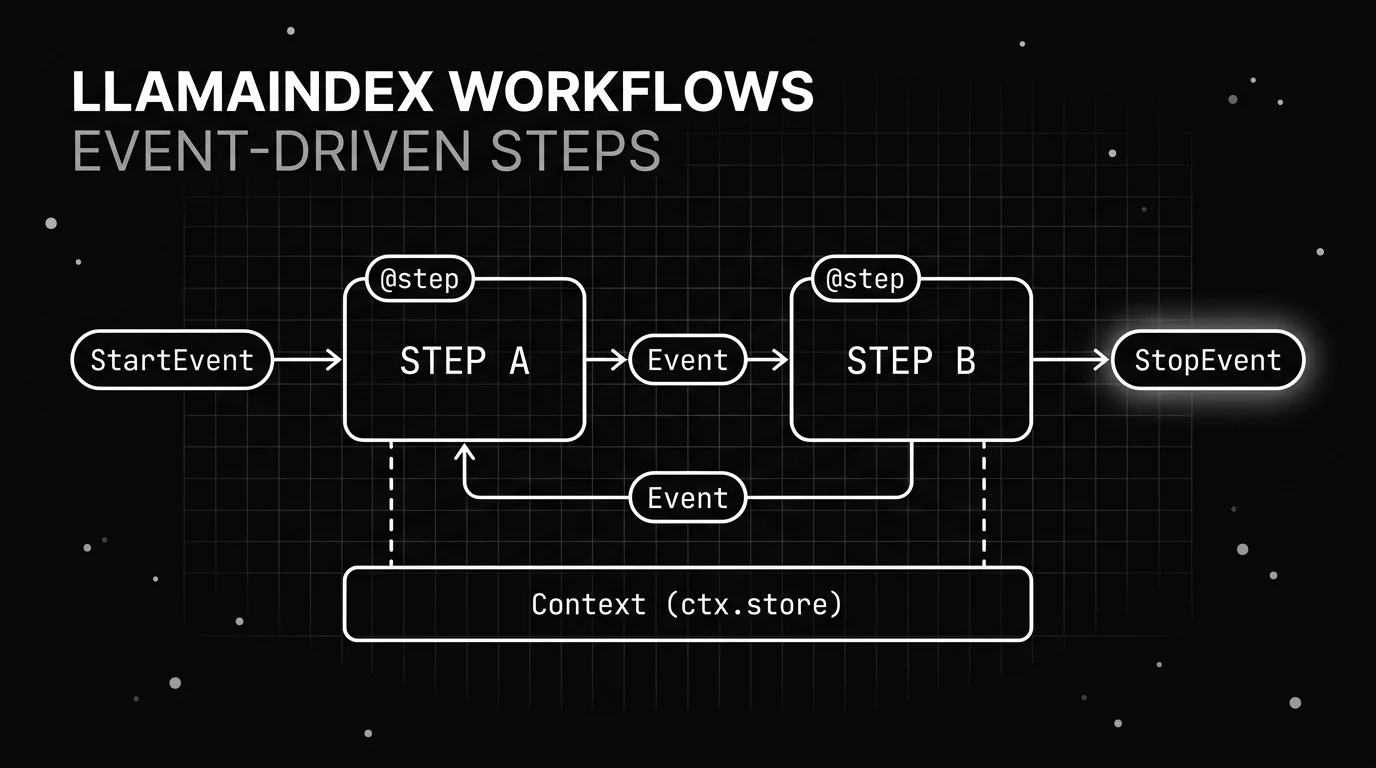
A workflow is a class whose steps are @step-decorated methods, and each step consumes a typed Event and emits another. Control flow rides on the events passing between steps, not a hidden loop buried in a framework. That turns branches, loops, and fan-out into explicit objects you can log and test.
import asyncio
from workflows import Workflow, step
from workflows.events import StartEvent, StopEvent

class GreetFlow(Workflow):
    @step
    async def greet(self, ev: StartEvent) -> StopEvent:
        return StopEvent(result=f"hello, {ev.name}")

async def main():
    result = await GreetFlow().run(name="Ada")
    print(result)   # hello, Ada

asyncio.run(main())
One detail bites everyone once: Workflow.run() is not a coroutine. It returns a handler you await, and it has to be created inside a running event loop, so asyncio.run(GreetFlow().run(...)) raises RuntimeError: no running event loop. Await the handler inside an async def and call asyncio.run on that, as above. Verified against llama-index-workflows 2.23.2.
The import surface changed with this shift. The package installs as pip install llama-index-workflows and imports from a top-level workflows namespace: from workflows import Workflow, step and from workflows.events import Event, StartEvent, StopEvent. A bare pip install workflows pulls an unrelated distributed-data-processing project, so use the llama-index-workflows name. The older from llama_index.core.workflow import ... still works: in current llama-index-core those modules are one-line re-exports of the same workflows classes, so existing code keeps running while new code moves to the shorter path.
Branching and loops fall out of the same mechanism. A step can inspect its event and emit one of several event types, and the next step fires based on what came out, so a decision becomes data you can log rather than a hidden branch inside a loop. Because each step is a plain method with typed input and output, you can call it in isolation in a unit test, which is far harder when the logic is trapped inside a framework run loop.
State that must outlive a single step lives on a Context object handed to each step. A step stashes values in ctx.store for later steps to read, or calls ctx.send_event to emit events dynamically when the number of branches is not known ahead of time. Shared state stays explicit and inspectable, the same property that makes the rest of the API easy to reason about.
The reliability payoff is concrete. When each step is a named method emitting a named event, a misbehaving agent run becomes a sequence you can read top to bottom. You see which step fired, what event it produced, and where the path diverged, instead of guessing at what a loop decided internally.
Settings and Integrations
One object configures the whole pipeline. Settings is the global place you set the LLM, the embedding model, and the chunk size, and every component reads from it unless you override locally. That local override matters in practice: you can run a cheap embedding model globally and hand a stronger LLM to just the one query engine that needs it, without threading config through every call. This replaced ServiceContext, deprecated across the 0.10 line and removed in llama-index-core 0.11.0; constructing one now raises a ValueError pointing at the migration guide. If a tutorial still passes a ServiceContext, it predates the current API and will not run.
The integration surface is the other reason teams pick LlamaIndex. The monorepo ships more than 70 vector-store integration packages alongside a long list of LLM and embedding providers and the LlamaHub catalog of data loaders. You keep the same five-layer architecture and swap the backing services, so moving from a local prototype to a managed vector store is a config change, not a rewrite.
The five architecture layers, plus the two cross-cutting pieces that sit beside them:
| Layer | Role | Key class / entry point |
|---|---|---|
| 1. Ingestion | load and chunk source data | SimpleDirectoryReader, Document, Node |
| 2. Indexing | make data retrievable | VectorStoreIndex, PropertyGraphIndex |
| 3. Retrieval | fetch candidate nodes | retriever, node postprocessors |
| 4. Synthesis | compose the answer | response synthesizer |
| 5. Interface | ask questions | as_query_engine(), as_chat_engine() |
| Orchestration (cross-cutting) | multi-step agents | Workflows (@step, Event) |
| Config (cross-cutting) | global models and settings | Settings |
When Should You Use LlamaIndex Instead of LangChain?
LlamaIndex earns its place when retrieval over your own data is the core job. Search across a corpus, RAG, document Q&A, and knowledge assistants all live where ingestion-to-retrieval is first-class, and that is exactly the pipeline LlamaIndex hands you out of the box. If the hard part of your app is getting the right chunk of your data in front of the model, this is the shortest path there.
The calculus shifts when data retrieval is not the center of gravity. If your app is orchestration-heavy, wiring many tools and chains together with elaborate control flow, LangChain’s chain and tool ergonomics may fit more naturally, though LlamaIndex Workflows increasingly cover that ground.
The two can also run together: a common production shape uses LlamaIndex for the retrieval layer and LangChain or a custom loop for the orchestration around it. If there is no retrieval need at all, a single well-crafted prompt against a raw API skips framework overhead. Pick the tool that matches your hardest problem, and let feature count come second.
| Your core job | Best fit | Why |
|---|---|---|
| RAG or doc-QA over private data | LlamaIndex | ingestion-to-retrieval is first-class |
| Heavy multi-tool orchestration | LangChain or Workflows | chain and tool ergonomics |
| Simple single prompt, no retrieval | Raw API | no framework overhead |
| Graph-structured knowledge | LlamaIndex PropertyGraphIndex | native graph index |
Evaluating a LlamaIndex Pipeline Before Production
A LlamaIndex app that answers fluently can still be wrong. It can retrieve the wrong chunk, or read the right chunk and still hallucinate past it, and neither failure shows up in a demo. Before you ship, you evaluate the pipeline on real queries: is the answer grounded in the retrieved context, and did retrieval surface the right context in the first place. Answering that on every change, not once by hand, is the job of an evaluation harness.
Those are two separate questions, and Future AGI answers them with two separate families of evaluator, which is why it is worth naming them separately here.
For the answer, context adherence scores whether the response stayed inside the retrieved context. For retrieval itself, context relevance, chunk attribution, and chunk utilization score the chunks the retriever returned. A wrong answer then resolves to the indexing layer or the synthesis layer instead of a shrug. Anything your corpus needs that none of those cover, you write as a custom eval with your own grading rule and pass threshold.
Tracing is the other half, and it maps onto the layers cleanly. traceAI ships a LlamaIndex instrumentor that emits an OpenTelemetry span per stage, and the same LlamaIndexInstrumentor() covers LlamaIndex Workflows, so each @step and the event it emitted show up as spans rather than log lines. That is the point where the explicit control flow this post argues for actually pays: a wandering workflow run is a readable timeline. The same evals run in CI and against live traffic, and our definitive guide to agent evaluation lays out the full method.
Choosing LlamaIndex With Eyes Open
Come back to the gap we opened with: a capable model that has never read your data. For a team whose hardest problem is answering questions over its own corpus, LlamaIndex gives the shortest honest path from a folder of documents to a working query engine, with five clear layers to tune when answers come back wrong.
The verdict comes down to fit rather than a ranking. When retrieval is the center of the app, the five-layer architecture and the Workflows API are hard to beat, and the correct index choice plus a little postprocessing carries most of the quality. When orchestration or a single prompt is the real job, a different tool wins, and choosing it is the right call. Knowing which case you are in is the whole decision, and now you can name it before you write a line.
Frequently Asked Questions
What is LlamaIndex used for?
What is the difference between LlamaIndex and LangChain?
What are LlamaIndex Workflows?
Does LlamaIndex still use ServiceContext?
Which index should I use in LlamaIndex?
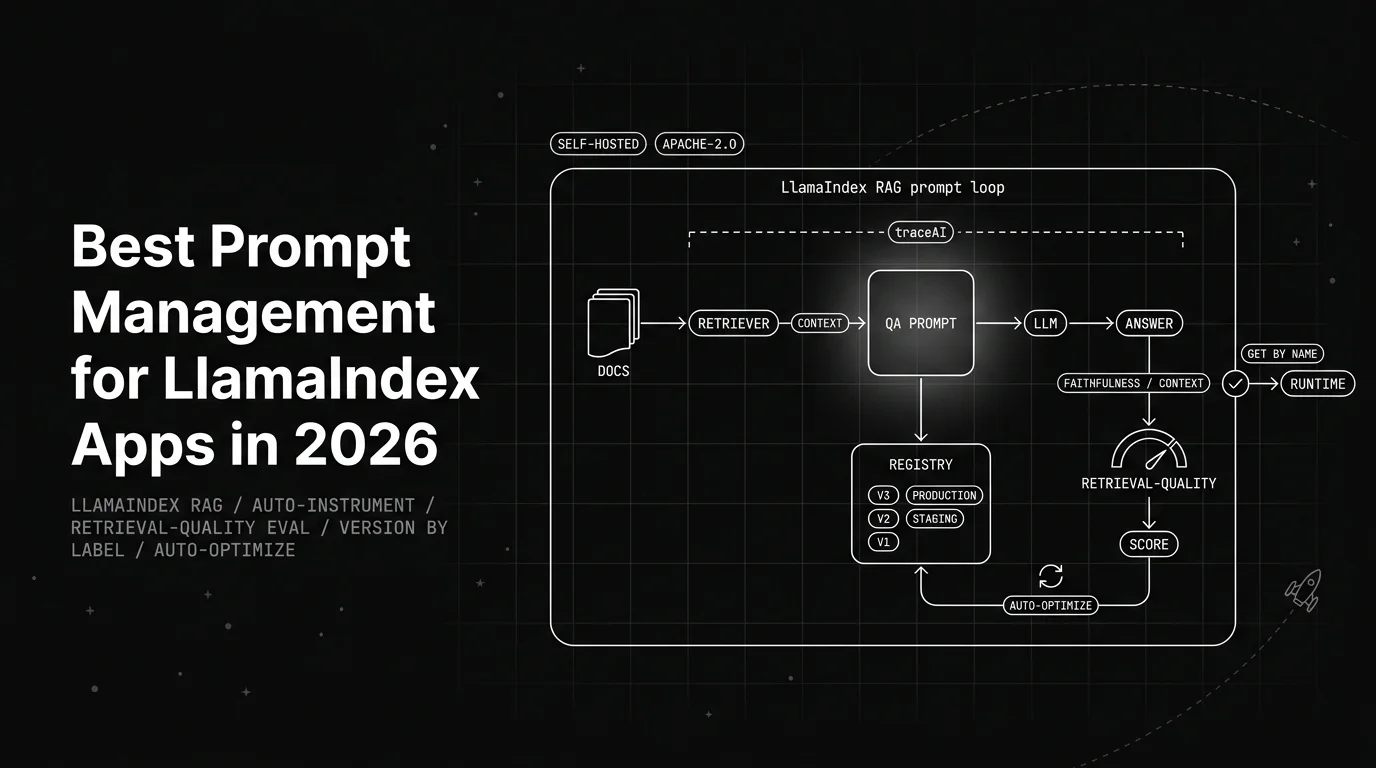
See the 6 best prompt management tools for LlamaIndex apps in 2026, ranked on integration, versioning, tracing, and evaluation for your RAG app prompts.

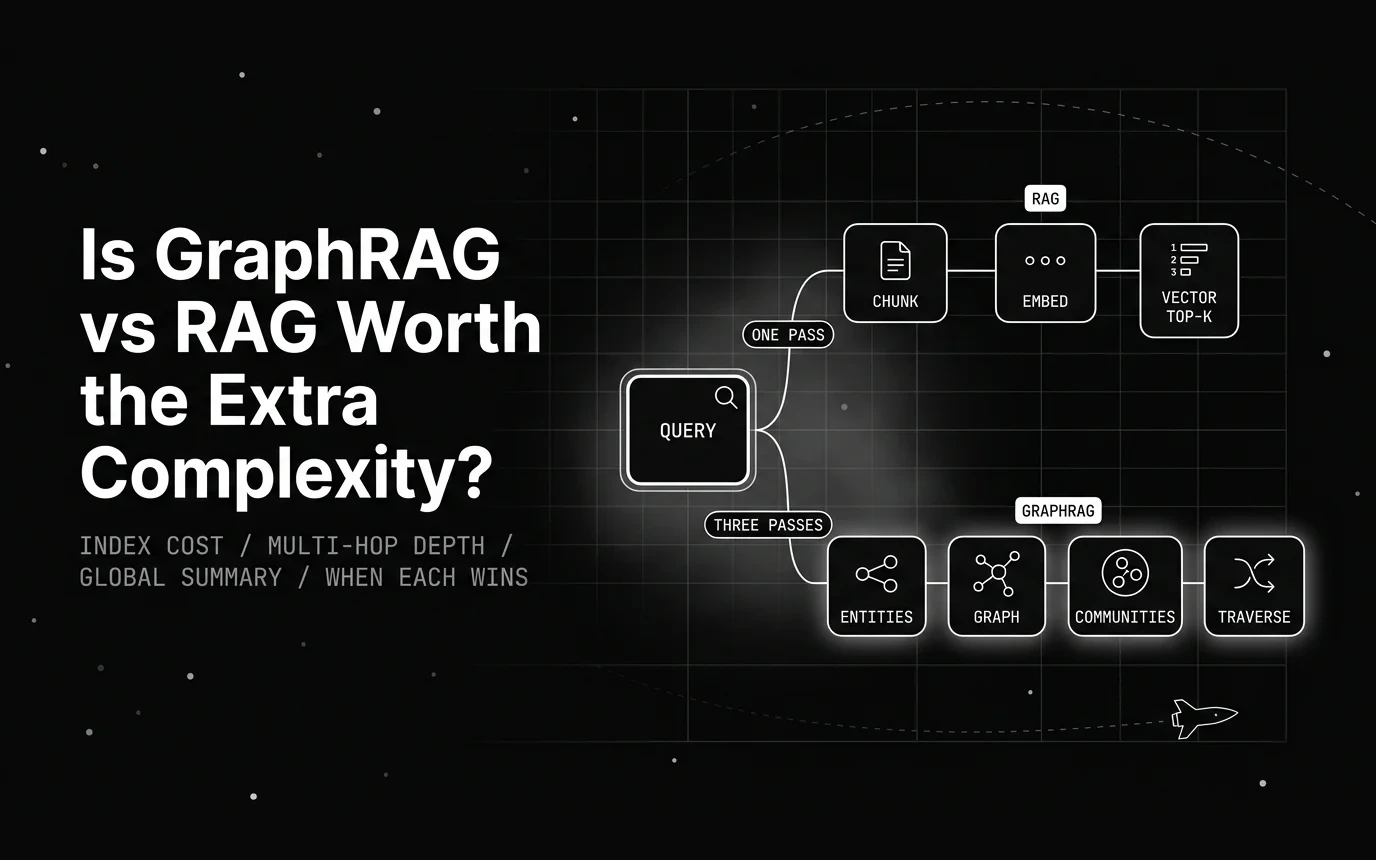
An honest cost-benefit look at graphrag vs rag: real indexing math, the benchmarks where each wins, and a router rule for when graph structure pays off.

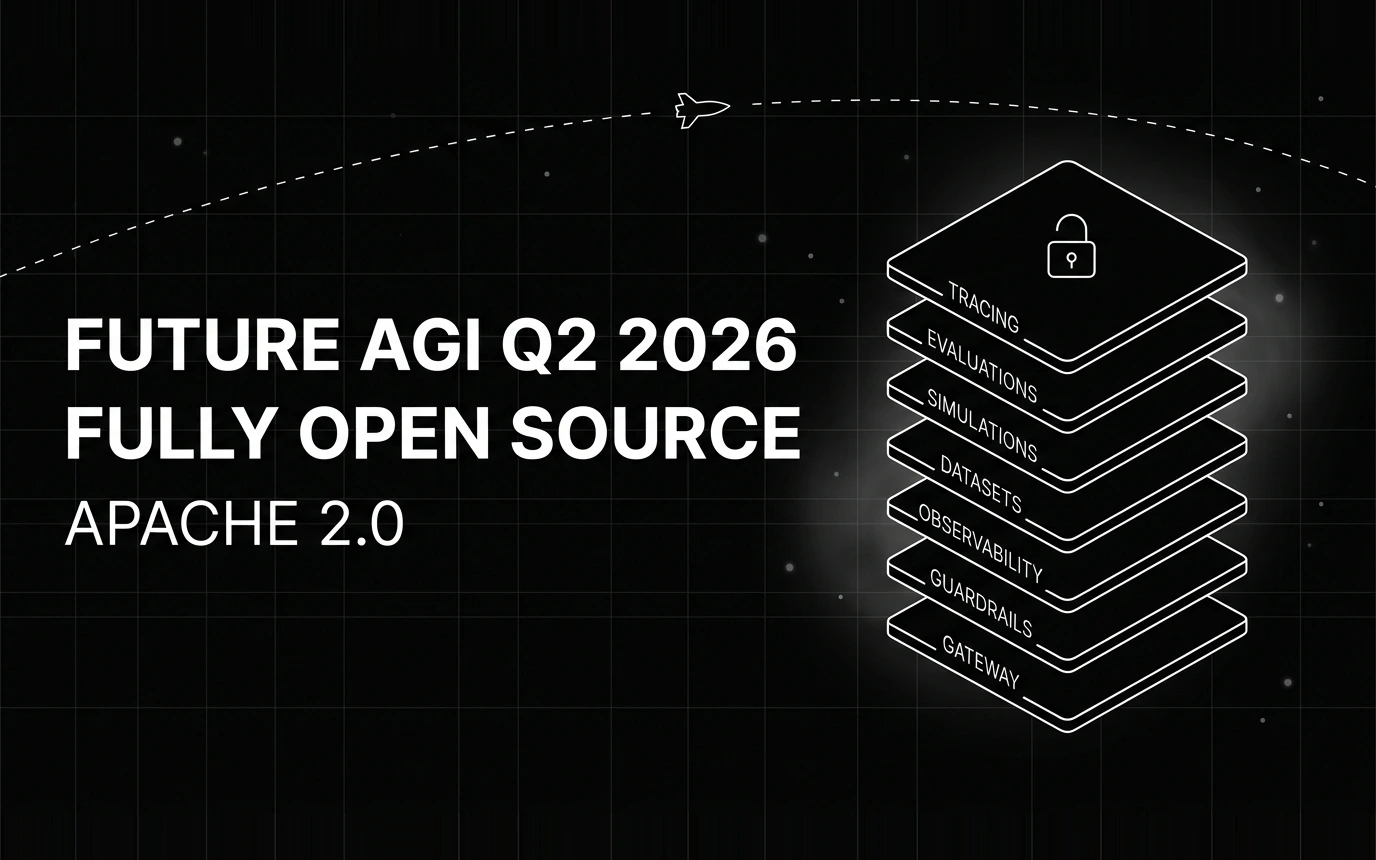
Inside Future AGI open source in Q2 2026: the platform shipped under Apache 2.0, Error Feed and the Agent Command Center went live, traces hit billions.