Best Tools for Creating System Prompts in 2026
The 6 best tools for creating system prompts in 2026, ranked on structured authoring, versioning, testing, and maintaining a strong system prompt over time.
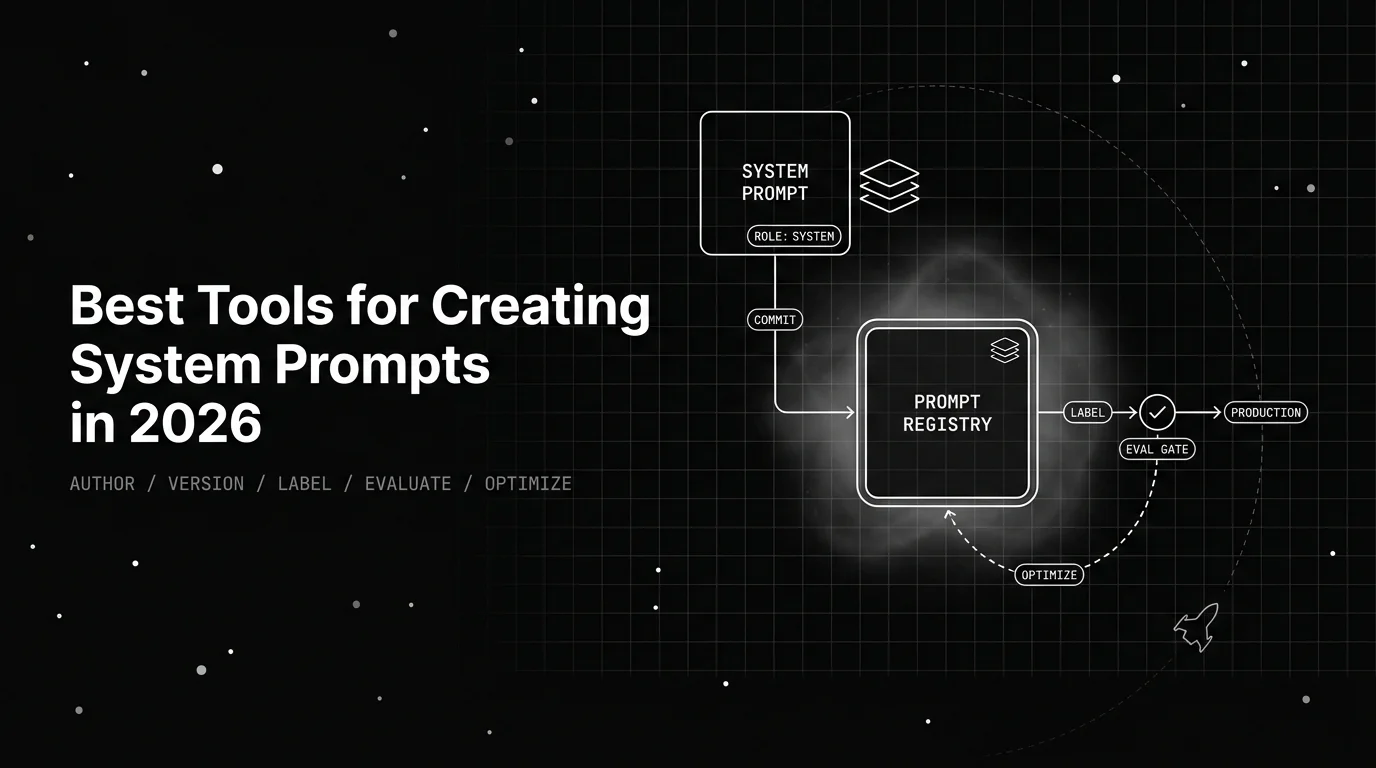
Table of Contents
A team tightens one line in a system prompt to stop a single bad answer. The edit quietly changes the tone, the refusals, and the output format for every response the product gives. A day later, no one can diff what changed, score whether it regressed, or roll back to the wording that worked. This guide ranks the six tools for creating and maintaining system prompts in 2026, scored on structured authoring, versioning, testing against evals, safe rollout, and production observability.
TL;DR: 6 System Prompt Tools Scored on Authoring, Versioning, and the Eval Loop
Future AGI is the strongest overall tool for creating system prompts in 2026, because it covers the complete lifecycle on one feedback loop. You author in the Agent Playground, version as immutable snapshots with labels, and score against a built-in evaluator library. You then gate in CI/CD, optimize with six algorithms, and observe with traceAI. The dividing line is whether a version is tested, refined, and watched in production.
| Rank | Tool | Best for | Standout capability |
|---|---|---|---|
| 1 | Future AGI | Complete system-prompt lifecycle: author, version, evaluate, optimize, observe | Structured authoring, immutable versions, built-in evaluator library, CI/CD gate, six optimizers, traceAI |
| 2 | PromptLayer | A system prompt non-engineers edit | Visual registry with versions, diffs, and release labels |
| 3 | Langfuse | An open-source registry plus tracing you self-host | MIT core with labels and linked traces |
| 4 | Braintrust | Eval-first teams gating a system prompt in CI | Content-addressable versions tied to a strong eval product |
| 5 | Agenta | An open-source playground for prompt variants | MIT variants with side-by-side comparison |
| 6 | Latitude | Structured authoring with eval-driven suggestions | Multi-message templating with a refine step |
Why Does Creating a System Prompt Well Break in Production?
A system prompt is not just another prompt. It is the top-of-context instruction that runs ahead of every user turn, setting the assistant’s role, constraints, output format, and safety rules. Because it is prepended to every request, a one-line change affects every response at once. The draft is usually fine; the lifecycle after it ships is where quality silently degrades.
Generic version control, dropping the system prompt in a .py file and committing it, captures the text but not the model configuration or how the wording actually performed. A git commit reproduces a build; a system prompt in source does not tell you whether the new phrasing regressed behavior. For the distinction between editing a string and managing it, see our explainer on what prompt versioning is.
A tool that truly helps you create a system prompt has to deliver three things at once:
- Structured authoring. A real system prompt is a multi-part instruction with a role, constraints, examples, and output rules, often a multi-message template with a system role. The tool should give you a structured surface, variables, and a way to compare two phrasings side by side, so the draft is engineered rather than typed once.
- Versioning and safe rollout. Each edit should be an immutable version the application pulls at runtime. It needs a readable history, a diff between revisions, and a fast path back to a known-good version that takes no code release.
- Testing against evals. The harder requirement is checking a candidate system prompt against an evaluation suite before it ships. A wording change that loosens a guardrail or breaks the output format then fails the test instead of reaching users.
Most tools handle the first two. The differentiator in 2026 is the third pillar plus the step after it: watching the system prompt on live traffic and feeding that back into the next version. That is the lens this scorecard applies.
The System Prompt Lifecycle Scorecard
We scored every tool with the System Prompt Lifecycle Scorecard, a six-dimension rubric. It is built for the question this title asks: not which tool stores a system prompt, but which one makes a system prompt safe to author and maintain. Most roundups score on authoring and labels alone. This rubric adds the dimensions that decide whether your system prompt stays correct over time: built-in evaluation, CI/CD gating, and production observability.
| # | Dimension | What we measure |
|---|---|---|
| 1 | Authoring surface | Structured, multi-message authoring with variables and side-by-side comparison |
| 2 | Version model | Immutable versions with a readable history and diffs |
| 3 | Safe rollout and rollback | Promoting and reverting a system prompt without a code release |
| 4 | Built-in evaluation | Scoring a system prompt version against a dataset inside the tool |
| 5 | CI/CD gating | Failing a build when a system prompt regresses |
| 6 | License and self-host | Open-source license and free self-hosting versus Enterprise-gated |
We do not publish a single composite score; the decision table later maps buyer profiles to picks.
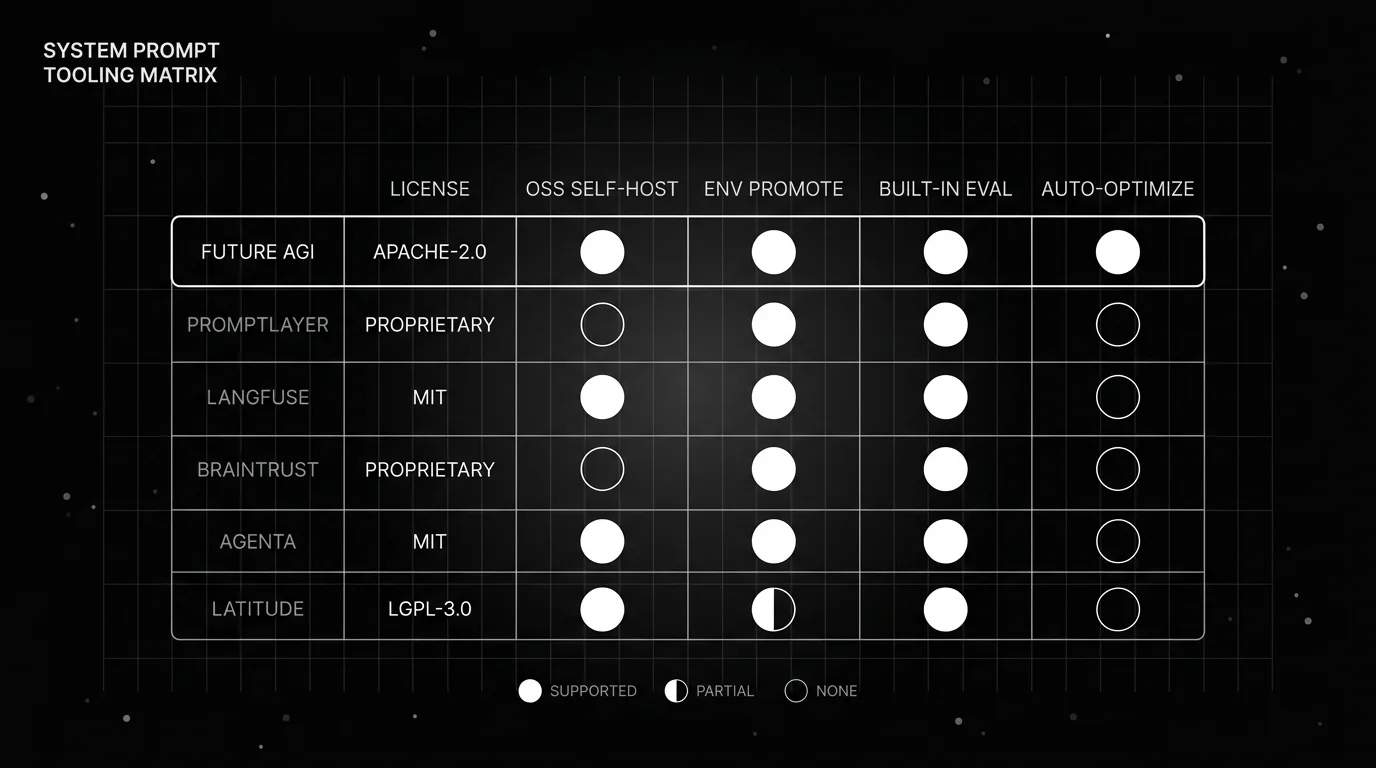
| Tool | Authoring surface | Version model | Rollback | Built-in evals | CI/CD gating | License / self-host |
|---|---|---|---|---|---|---|
| Future AGI | System + user messages, variables, compare | Immutable version snapshots + diffs | Reassign a label (e.g., point Production to an earlier version) | Built-in evaluator library | Evals as a CI/CD gate | Apache-2.0 core, self-host free |
| PromptLayer | Visual editor, diffs | Numbered versions + diffs | Reassign a release label | Evals on the registry | Via SDK / CI | Proprietary, self-host Enterprise |
| Langfuse | Editor, variables | Auto integer versions | Reassign the label | Prompt Experiments | Via SDK / CI | MIT core, self-host free |
| Braintrust | Playground, compare | Content-addressable, unique ID | Point an environment to a prior version | Core eval product | braintrust eval + GitHub Action | Proprietary, hybrid on Enterprise |
| Agenta | Playground, variants | Variants as commits | Repoint an environment | Built-in evaluators | Via SDK / CI | MIT core, self-host free |
| Latitude | PromptL multi-message | Published vs draft | Re-publish a prior version | LLM-judge, programmatic, human | Via SDK / CI | Open-source, self-host free |
1. Future AGI: Best Overall for Authoring, Testing, and Maintaining a System Prompt
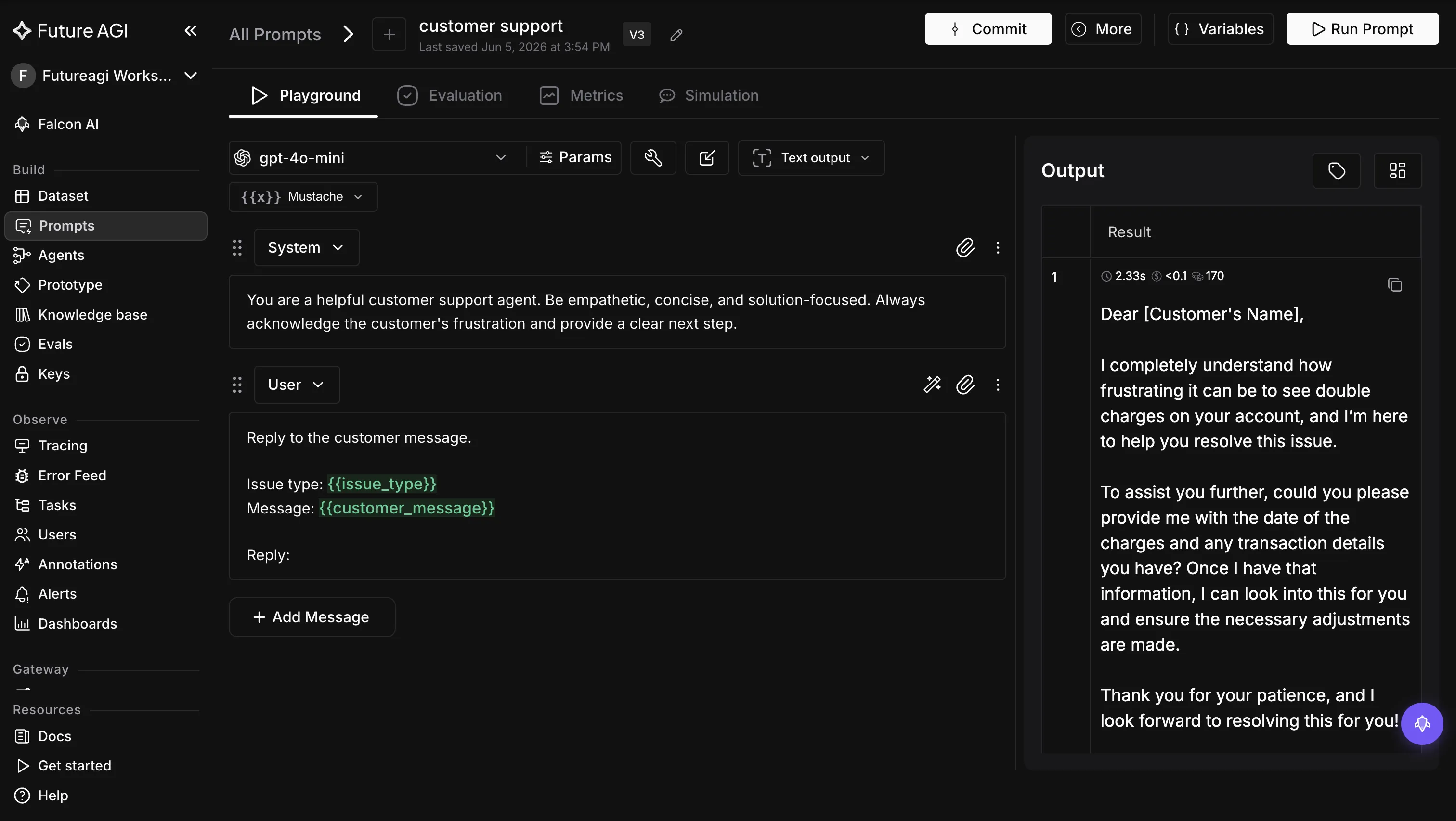
Quick take. Future AGI is the complete, end-to-end platform for the system-prompt lifecycle. You author in the Agent Playground with structured system and user message fields. You save each edit as an immutable version and promote across Production, Staging, and Development with labels. You score against a built-in evaluator library, gate in CI/CD, optimize with six algorithms, and observe with traceAI. All of it runs under an Apache-2.0 license you self-host.
Ideal for. Teams that want to create a system prompt and then keep it correct over time. You draft it, save a version, test it against a dataset, gate it in CI/CD, refine the wording with an optimizer, and watch it live in traces. You do all of it without stitching a playground, a registry, and an eval tool together.
Key strengths.
-
A structured authoring surface for the system prompt. Future AGI’s Prompt Workbench gives every prompt a versioned home with distinct system and user message fields and template variables. You author the system prompt with structure and reuse it across datasets, rather than typing a blob into a text box.
-
Every edit to the system prompt is an immutable version, not an in-place change. Future AGI keeps each edit as an immutable version and never overwrites the last. A label such as Production, Staging, or Development decides which version an environment serves. Because the system prompt runs ahead of every turn, moving the Production label onto a new version swaps the instruction behind every response at once. Moving it back rolls every response back, both with no code release.
-
A version is scored on the exact behavior a one-line edit can break. The system prompt holds your role, refusals, and output format. So Future AGI scores each version against a built-in evaluator library and the custom evals you write, across quality, safety, factuality, RAG retrieval, and format. You run a candidate beside the current version on one dataset. The scores catch a guardrail or a format rule that a small wording change quietly loosened, before it reaches a user.
-
The same evals gate the version in CI/CD. You run those evals as a gate in your CI/CD pipeline, so a wording change that weakens a refusal or breaks the format fails the build before a single response is affected. The version already in production keeps serving until a candidate clears the gate.
-
When manual editing stalls, an optimizer rewrites the wording for you. When hand-editing stops raising the score, the open-source agent-opt library takes the system prompt and its evaluator and searches for a higher-scoring wording. Its six algorithms, Random Search, Bayesian, ProTeGi, Meta-Prompt, PromptWizard, and GEPA, generate and score candidates and return the best. Because it runs as a script, you automate it in CI rather than driving it by hand, and a person still reviews the winner before it ships.
-
Production traces close the loop. traceAI watches how the shipped system prompt behaves across live turns, on OpenTelemetry with instrumentors for 50+ frameworks. Because the system prompt shapes every turn, its behavior in production is the product’s behavior. Those traces are what tell you which wording to fix in the next version.
Pricing and deployment. Future AGI has a free tier, pay-as-you-go usage, and Enterprise plans on its pricing page. The core SDK and product repos are Apache-2.0 and self-hostable at no license cost via Docker Compose. The paid plans add SOC 2 Type II and a HIPAA BAA, compliance most proprietary rivals reserve for an Enterprise tier.
Verdict. Future AGI is the strongest overall pick for teams that want the complete system-prompt lifecycle in one place. That means author, version, test, optimize, and observe, all on one Apache-2.0 platform you can self-host.
2. PromptLayer: Best for a System Prompt Non-Engineers Edit
Quick take. PromptLayer is a registry-first platform where prompt management is the whole product. That makes it a natural home for a system prompt a product manager or domain expert edits without touching code. Its versioning is visual, with a commit-style history and diffs.
Ideal for. Cross-functional teams where the system prompt is edited and reviewed by people who do not live in a code editor, and where release control needs to be visual.
Key strengths.
- Each version carries a message and a visual diff against prior versions. A non-engineer can review exactly what changed in the system prompt without reading code or pulling a git history.
- Release Labels map a system prompt version to an environment such as
prodorstaging. Dynamic Release Labels can split traffic by percentage for staged rollouts, so a new system prompt can take a fraction of traffic first. - Rollback is a label reassignment rather than a redeploy, and the registry includes its own evaluation and dataset tooling for scoring a system prompt version before release.
Limitations. PromptLayer is proprietary, and self-hosting is Enterprise-only. It is a registry and collaboration layer first, so evaluation depth is lighter than eval-led platforms. There is no built-in automated optimization, so improving the system prompt from its scores stays a manual rewrite.
Pricing. A free tier, a Pro tier, and a Team tier with collaboration features; self-hosting is Enterprise.
Verdict. The pick when the people editing the system prompt are not all engineers and visual release control matters most, accepting that it is proprietary and has no built-in optimization.
3. Langfuse: Best Open-Source Registry Plus Tracing You Self-Host
Quick take. Langfuse is the open-source option teams reach for when self-hosting the system prompt registry matters more than a managed UI. Its MIT-licensed core covers prompt versioning, labels, and tracing, so the system prompt and the traces it produced can live in one self-hostable instance.
Ideal for. Engineering teams that want an open-source registry they control, with system prompt versioning and observability in one self-hostable package.
Key strengths.
- Saving a system prompt under the same name creates a new immutable integer version automatically, so history accrues without ceremony, and you can diff versions.
- Labels map versions to environments.
productionis served by default,latestis maintained automatically, and custom labels cover staging or per-tenant routing. Rollback is done by reassigning a label. - Prompt Experiments score a system prompt version against a dataset, and because the platform is observability-first, each version links to the runs it produced.
Limitations. A client-side cache means a reassigned label is near-instant on the server but takes effect in the app only after the cache refreshes. The richest commercial controls live in a separate ee folder rather than the MIT core, and there is no built-in automated optimization.
Pricing. A free Hobby cloud tier and self-hosting at no license cost, with paid Core, Pro, and Enterprise cloud tiers.
Verdict. The best open-source pick when self-hosting your system prompt and its traces in one free instance is the priority, with the tradeoff that optimization lives elsewhere.
4. Braintrust: Best Eval-First Home for a System Prompt in CI
Quick take. Braintrust is an evaluation and experimentation platform where scoring sits at the center, so it is a strong home for a system prompt whose quality you want to prove on every change. Versions are content-addressable and created automatically on save, and environments control which version is live.
Ideal for. Teams whose center of gravity is offline evals and a CI gate, and who want system prompt versions to slot into that eval-first workflow.
Key strengths.
- The
braintrust evalcommand plus an official GitHub Action gate a system prompt against a dataset in CI, so a regression blocks the merge the way a failing test does. That is the strongest first-class CI evaluation story here after Future AGI. - Every save auto-creates a content-addressable version with a full history. A change to the system prompt is an immutable new version rather than an in-place edit, and you pull it by slug at runtime.
- A Playground lets you compare system prompt phrasings against a dataset side by side, so authoring and scoring sit next to each other.
Limitations. Braintrust is proprietary, and there is no free full self-hosting; the hybrid deployment that keeps data in your VPC is an Enterprise arrangement. Its Loop feature is an interactive assistant that helps a person improve a prompt, not an automated optimizer, so there is no hands-off optimization. Versioning is secondary to the eval product, so registry ergonomics are lighter than a dedicated registry.
Pricing. A free tier, a paid Pro tier, and custom Enterprise pricing with hybrid VPC deployment.
Verdict. The best eval-first home for teams that gate a system prompt in CI, accepting that it is proprietary, self-hosts only on Enterprise, and has no automated optimization.
5. Agenta: Best Open-Source Playground for System Prompt Variants
Quick take. Agenta is an open-source, MIT-licensed LLMOps platform whose prompt playground and git-like variants make it a strong fit for drafting and comparing system prompt variants. It adds environments for promotion and OpenTelemetry-compliant observability, pairing a side-by-side comparison surface with version control, all self-hostable for free.
Ideal for. Teams that want a free, open-source playground to iterate on system prompt variants and promote them across environments.
Key strengths.
- Variants act like git-like branches, with each change recorded as an immutable commit you can compare side by side. This suits rapid experimentation on a system prompt’s wording, constraints, and examples.
- Environments such as
development,staging, andproductionmap a variant to a deployment, the runtime pulls the system prompt by environment, and the MIT core self-hosts free on Docker. - A built-in evaluation surface scores a system prompt variant against a dataset, so a comparison is grounded in scores rather than vibes.
Limitations. SSO and the deeper enterprise controls sit behind the ee license rather than the MIT core. The free tier has evaluation and retention caps, and there is no built-in automated optimization. The broad LLMOps scope means more to set up than a prompt-only tool.
Pricing. A free Hobby tier and free self-hosting under MIT, with paid Pro and Business tiers and Enterprise above them.
Verdict. The best open-source playground for teams that want to draft and compare system prompt variants and promote them across environments at no license cost. The tradeoff is that optimization is not built in.
6. Latitude: Best Open-Source Authoring With Eval-Driven Suggestions
Quick take. Latitude is an open-source platform with a structured prompt authoring surface. Its PromptL templating language handles multi-message prompts with a system role, and a Refiner suggests improvements to a system prompt from connected evaluation results. It self-hosts free on Docker, pairing prompt authoring with evaluations and observability in one place.
Ideal for. Teams that want a free, open-source authoring tool for a structured system prompt with eval-driven suggestions. It fits best if they also want OpenTelemetry-based observability of the runs.
Key strengths.
- PromptL authors a system prompt as a structured, multi-message template. It gives explicit system, user, and assistant roles and variables, so the system message is engineered rather than typed as a blob.
- Built-in evaluations, LLM-as-judge, programmatic, and human annotations, score a system prompt. The Refiner reads those results to suggest a concrete improvement for a person to review and apply.
- The core self-hosts free on Docker, with OpenTelemetry-based tracing of the runs, so authoring and observability live in one free instance.
Limitations. Latitude is a younger, smaller ecosystem than the incumbent registries, and prompt authoring is one surface inside a broader agent platform rather than the whole product. Its promotion model is published versus draft rather than named multi-environment labels. The Refiner suggests a change for a human to apply rather than running a hands-off optimizer, and there is no multi-algorithm search over prompt space.
Pricing. A free Starter tier with monthly credits and free self-hosting, with a paid Pro tier and Enterprise above them.
Verdict. The best open-source authoring tool for a structured system prompt with eval-driven suggestions. The tradeoffs: its promotion is published-versus-draft, and its refine step is human-in-the-loop.
Which System Prompt Tool Should You Choose?
There is no single winner for every team, so match the tool to the constraint that matters most to you.
| If you need | Choose | Because |
|---|---|---|
| The complete system-prompt lifecycle in one platform | Future AGI | Author, version, evaluate, optimize, and observe in one place, Apache-2.0 self-host |
| A registry a non-engineer edits | PromptLayer | Visual editor plus release labels, diffs, and reviews |
| An open-source registry plus tracing you fully self-host | Langfuse | MIT core with labels and linked traces |
| An eval-first workflow that gates a system prompt in CI | Braintrust | braintrust eval plus a GitHub Action gate |
| A free open-source playground for system prompt variants | Agenta | MIT variants and environments with side-by-side comparison |
| Free open-source authoring with eval-driven suggestions | Latitude | PromptL multi-message authoring plus a Refiner |
The honest read: for drafting and comparing, Agenta, Latitude, and PromptLayer are all capable, and Braintrust leads on eval gating in CI. What separates the field is the complete loop. Future AGI versions, scores against a built-in evaluator library, gates in CI/CD, refines with six optimizers, and observes with traceAI. It all runs on one Apache-2.0 platform you self-host.
How Do You Roll Out a New System Prompt Without Breaking Production?
The tool is the easy part. These practices keep a system prompt change from silently degrading every response.
- Pull the system prompt by reference, do not hard-code it. Move the system prompt out of the source and into a registry the application resolves at runtime. A wording change then ships without a code deploy, and a non-engineer can edit it safely.
- Make every edit a new version, never an in-place change. The moment a system prompt is editable without creating a version, your history has a hole in it. Save a version on every change so the diff is legible in an incident review. Our prompt versioning and lifecycle guide covers this discipline in depth.
- Test the candidate against an eval suite before you ship. A system prompt you cannot score is one you cannot trust. Compare the candidate to the current version on the same dataset, and run that eval as a CI/CD gate so a regression fails the build instead of reaching users.
- Test against adversarial inputs, not just the happy path. Because the system prompt holds your refusals and guardrails, score it against jailbreak and edge-case datasets, so a wording change does not quietly weaken a safety rule.
- Close the loop with traces and a rehearsed rollback. A system prompt that scores well offline can still fail on real traffic. So link versions to traces and feed production behavior into the next round. Rehearse a one-step revert too, so rolling back the system prompt works under pressure.
Where Future AGI Fits in Your System Prompt Workflow
A system prompt shapes every response your product gives, so one tightened line can change tone, refusals, and format all at once. Think about the edit that did exactly that, where a day later no one could tell if it had regressed or how to undo it. On Future AGI that edit is an immutable version, scored on the same refusal and format checks it might break, and held at the CI gate. If it ships and misbehaves, traceAI ties the behavior to the exact version, and moving one label rolls every response back in seconds. A one-line change becomes a versioned, scored, reversible one, so you can edit your product’s core prompt with confidence. Dig into Future AGI’s prompt docs or self-host the Apache-2.0 repo.
Frequently Asked Questions About Creating System Prompts
What Are the Best Tools for Creating System Prompts in 2026?
The best tools for creating system prompts in 2026 are Future AGI, PromptLayer, Langfuse, Braintrust, Agenta, and Latitude. Future AGI leads as the end-to-end platform. It brings structured authoring, immutable versions, a built-in evaluator library, CI/CD gating, and six optimization algorithms, all Apache-2.0 and self-hostable. PromptLayer fits a system prompt non-engineers edit. Langfuse is an open-source registry plus tracing, and Braintrust suits eval-first teams. Agenta is an open-source playground, and Latitude pairs structured authoring with eval-driven suggestions.
How Do You Test a System Prompt Before Shipping It?
You score the candidate system prompt against a fixed dataset on the same metrics you care about in production, then compare it to the current version before it ships. In Future AGI you run a candidate against a built-in evaluator library and gate the same evals in your CI/CD pipeline so a regression fails the build. Braintrust, Langfuse, Agenta, and Latitude each offer built-in evaluation too.
Can You Self-Host a System Prompt Tool?
Yes, but the license decides how far you can go for free. Future AGI’s core SDK and product repos are Apache-2.0 and self-hostable at no license cost via Docker Compose. The system prompt and its traces stay inside your network. Langfuse ships an MIT core you can run yourself, and Agenta and Latitude are both MIT. PromptLayer is proprietary and Braintrust is proprietary with hybrid deployment reserved for Enterprise, so self-hosting either generally means a contract.
How Do You Roll Back a System Prompt That Regressed?
You revert to a known-good version without a code release. In Future AGI you reassign a label, for example pointing Production back to an earlier version. The system prompt every response depends on then returns to a trusted state without a redeploy. Langfuse and PromptLayer reassign a movable label to point production at an earlier version, Braintrust points an environment at a prior version, and Agenta repoints an environment. In each case the next runtime call picks up the reverted system prompt, usually in under a minute.
Should You Write a System Prompt in a Playground or a Managed Tool?
Use a playground to draft and a managed tool to keep the system prompt correct after it ships. A playground is fast for the first version and comparing two phrasings, but it has no immutable history, no eval gate, and no rollback. A managed tool gives the draft a version, a score, and a way back, so the system prompt is governed like the production asset it is.
Frequently Asked Questions
What Are the Best Tools for Creating System Prompts in 2026?
How Do You Test a System Prompt Before Shipping It?
Can You Self-Host a System Prompt Tool?
How Do You Roll Back a System Prompt That Regressed?
Should You Write a System Prompt in a Playground or a Managed Tool?
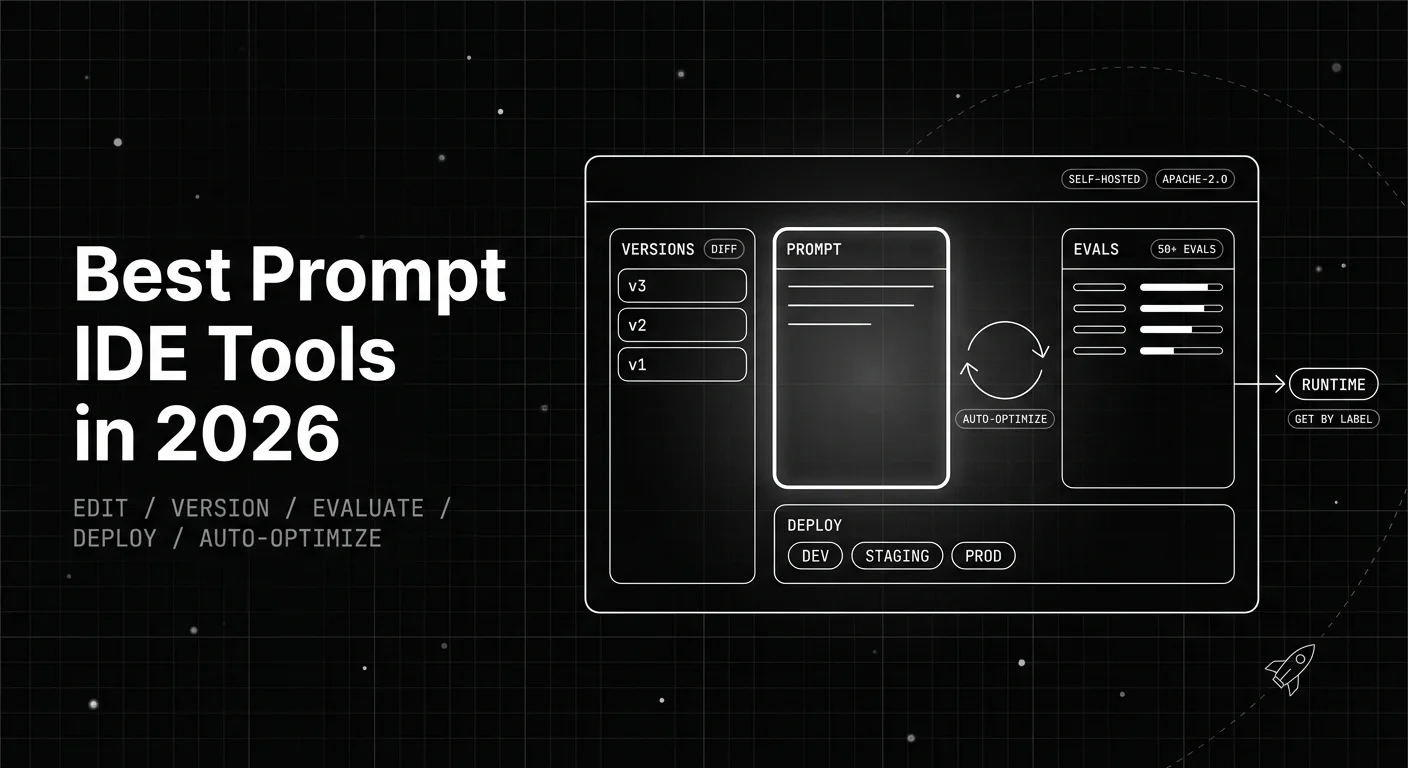
The 6 best prompt IDE tools in 2026, ranked on the editor, variables, side-by-side testing, versioning, and evaluation together in a single workspace.

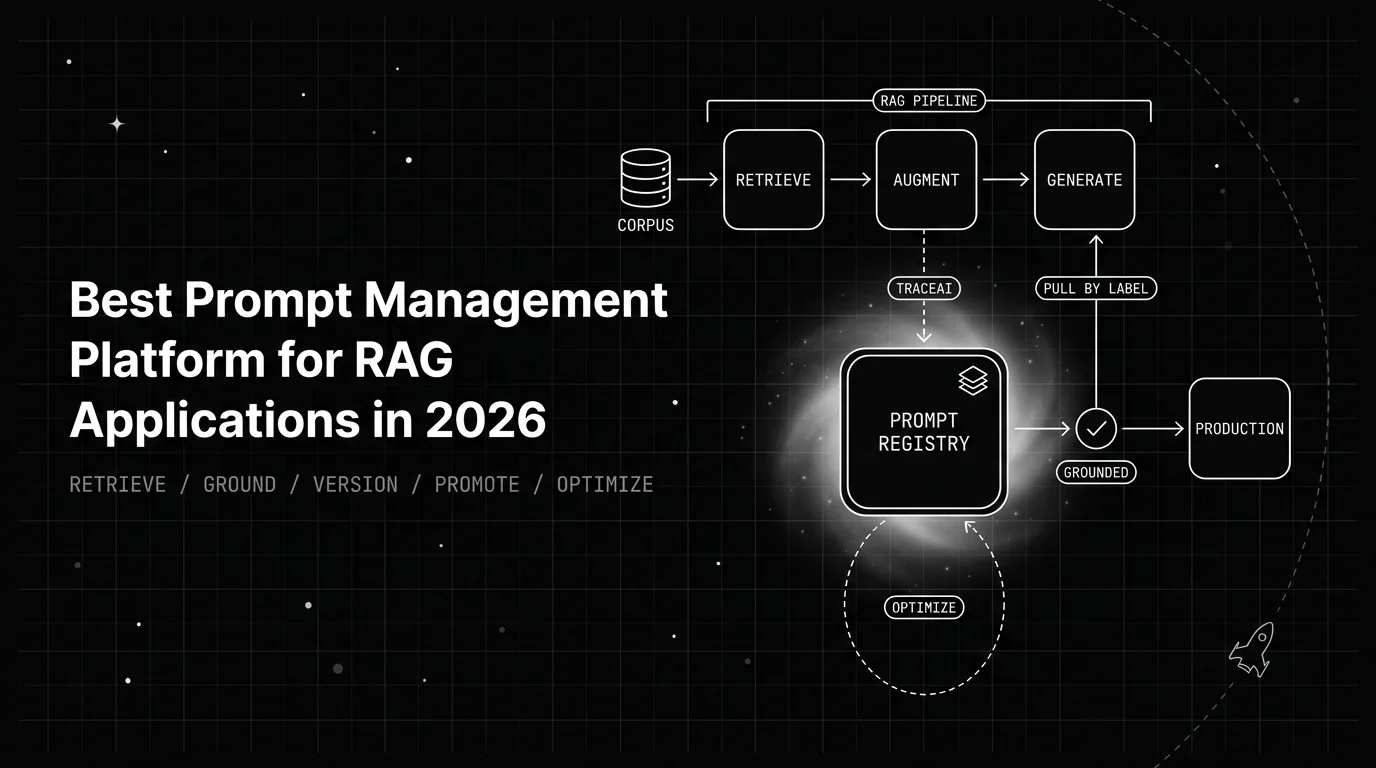
Prompt management for RAG: Future AGI versions retrieval and synthesis prompts, gates them on groundedness evaluators, and traces every answer.

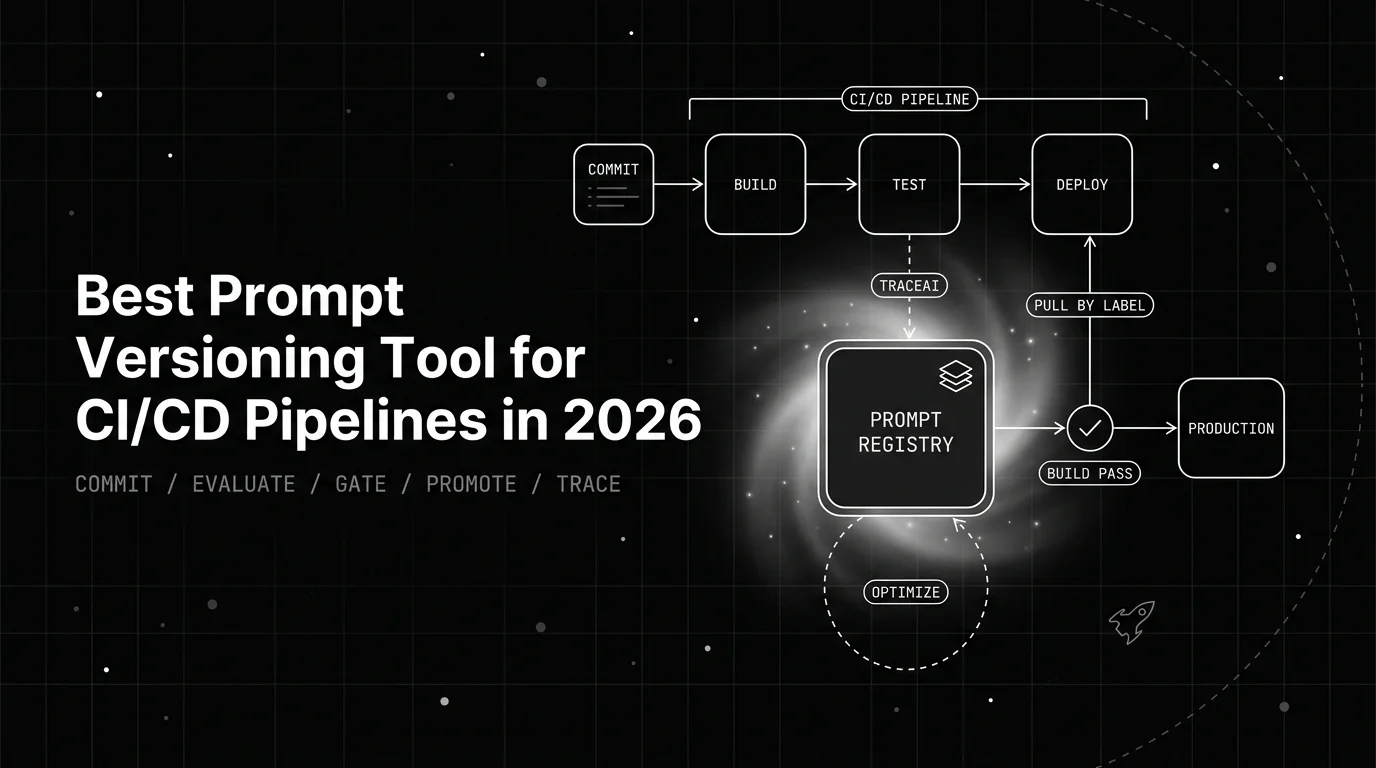
Prompt versioning for CI/CD with Future AGI: commit each version from the SDK, gate promotion on evaluators, fail the build on regression, promote by label.