Best Prompt IDE Tools in 2026
The 6 best prompt IDE tools in 2026, ranked on the editor, variables, side-by-side testing, versioning, and evaluation together in a single workspace.
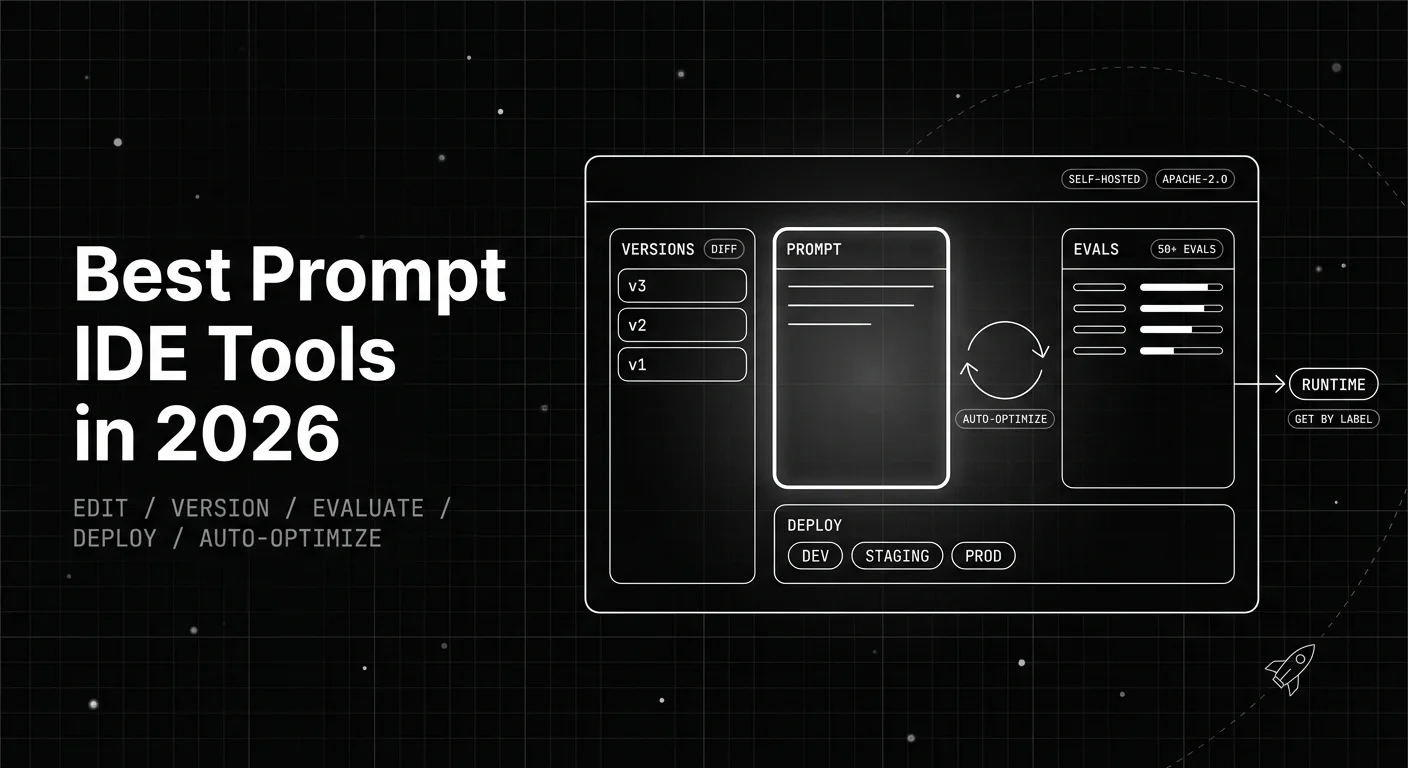
Table of Contents
A prompt starts life pasted into a code string. It gets edited in a chat playground when it misbehaves, then ships when one output looks right. There is no version history, no test, and no record of the edit behind a regression. A user hits that regression two days later. This guide ranks the six prompt IDE tools worth adopting in 2026, scored on the workspace as the unit of work. Four things decide the rank. They are version control with diffs and rollback, evaluation inside the IDE, version deploy, and whether the loop closes into an optimized next prompt.
TL;DR: 6 Prompt IDE Tools Scored on the Whole Workspace
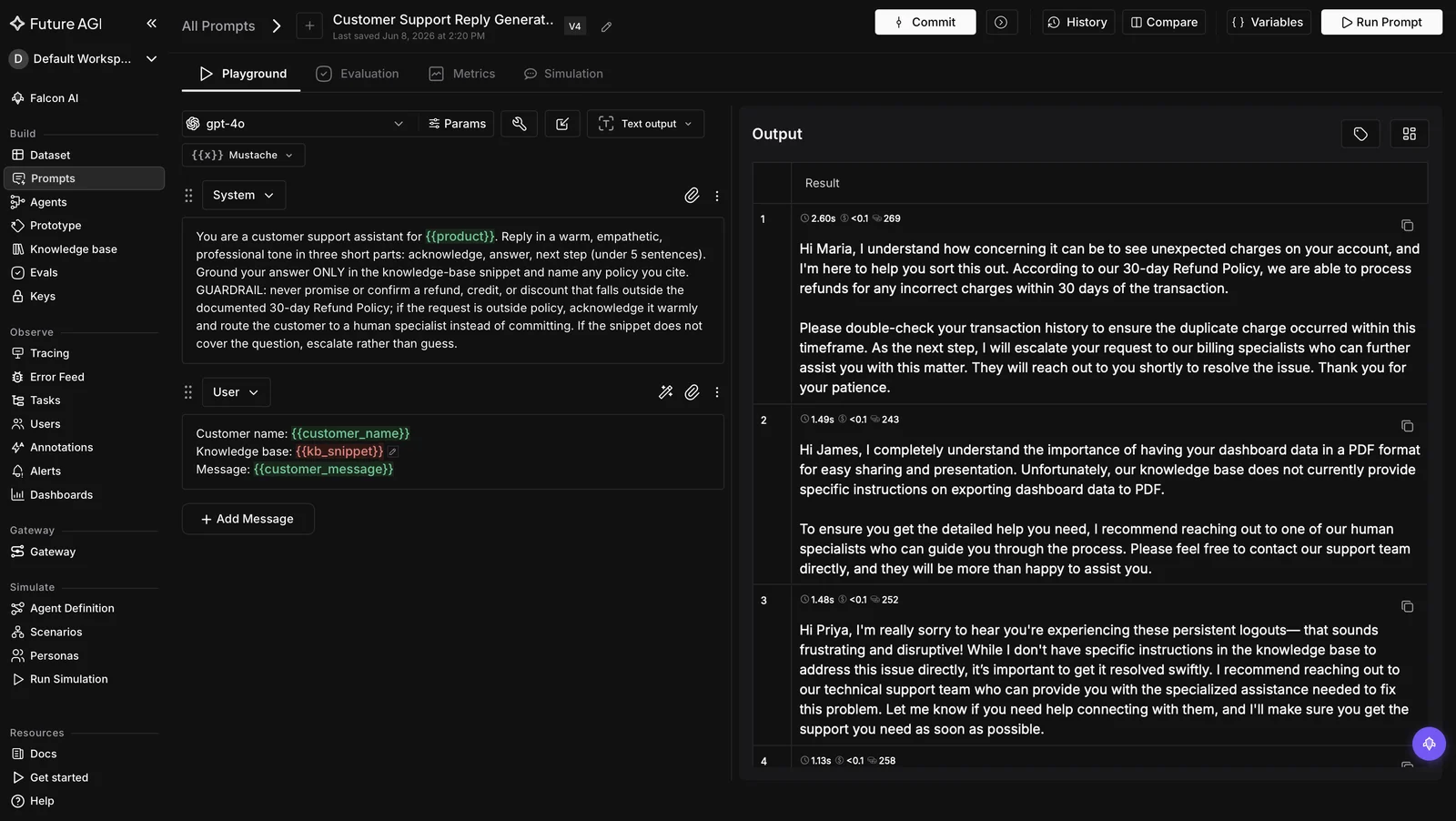
Future AGI is the strongest overall prompt IDE for 2026, because the workspace covers the full prompt lifecycle. The Agent Playground is the editor: pick a model, define variables, compare outputs side by side. Every save is captured as a version, and labels deploy to Production, Staging, or Development with no code release. Custom evals score the draft, a CI/CD gate catches regressions, and six algorithms generate a better candidate.
| Rank | Tool | Best for | Standout capability |
|---|---|---|---|
| 1 | Future AGI | One workspace to author, version, evaluate, optimize, and deploy prompts | Immutable snapshots plus custom evals, a CI/CD gate, and six optimizers |
| 2 | Vellum | A governed product IDE with a version-to-release pipeline | A three-layer Versions, Deployments, and Releases model with per-env tags |
| 3 | Agenta | The open-source IDE you self-host for free | MIT core with git-like variants and side-by-side compare |
| 4 | Latitude | A dedicated open-source prompt editor with a live playground | A focused prompt editor plus playground that publishes a prompt as an API endpoint |
| 5 | PromptLayer | A non-engineer-friendly registry IDE | A visual prompt editor and registry with evals on the prompt page |
| 6 | Langtail | Shipping prompts as versioned API endpoints | A no-code prompt IDE with built-in testing across environments |
What Breaks When a Prompt Has No IDE
A prompt is the most frequently changed artifact in an LLM application and the one most often shipped without tooling. Code moves through an editor, version control, tests, and a deploy pipeline. A prompt is edited in a chat window, run once, and pasted back into the source. Without an IDE, that gap shows up as three failure modes.
First, the history disappears. Saving overwrites the previous text, and you cannot diff two revisions. So no one can say what changed, who changed it, or which version is serving traffic. A tool without immutable versions and a readable diff is an editor, not a development environment. That distinction matters when a silent change regresses three flows that were working fine.
Second, the change is never measured. A prompt edit that fixes one bad answer can quietly regress three flows that worked fine. You only learn that from a support ticket. An IDE that cannot score a prompt against a dataset in place forces an export to a separate eval tool. So most teams skip the step and ship on a single eyeballed output.
Third, the workspace stops at storage. Most tools now version and evaluate, but few feed a scored prompt back into something that improves it. The differentiator this scorecard rewards is whether the loop closes. A 2026 IDE produces a better prompt through evaluation and optimization, rather than only storing the ones you typed. That third pillar separates it from a playground with a save button.
How Did We Score These Prompt IDE Tools?
We scored every tool with the Prompt IDE Scorecard. It is a five-dimension rubric built for the question this title asks. That question is not which tool has the nicest editor, but how much of the prompt lifecycle lives inside one workspace. Most roundups score editing only. This rubric adds version control with diffs, evaluation in the IDE, version deploy, and whether the loop closes into optimization.
| # | Dimension | What we measure |
|---|---|---|
| 1 | License and self-host | The exact license, and whether the whole IDE self-hosts free or only on Enterprise |
| 2 | Version control | Whether every change is an immutable version with a diff and a rollback, not editor state |
| 3 | In-IDE evaluation | Whether you can score a prompt against a dataset inside the workspace, without exporting it |
| 4 | Version deploy | Whether you can promote a version to an environment and serve it at runtime |
| 5 | Automated optimization | Whether the workspace closes the loop, feeding a scored prompt into an optimizer |
We do not publish a single composite score; the decision table later maps IDE profiles to picks. Pure single-prompt playgrounds sit outside the ranking. They have no versioning, dataset evaluation, or deployment around the editor, so they are a place to draft a prompt rather than develop and ship one. Here is how the six tools compare across the capabilities that vary most.
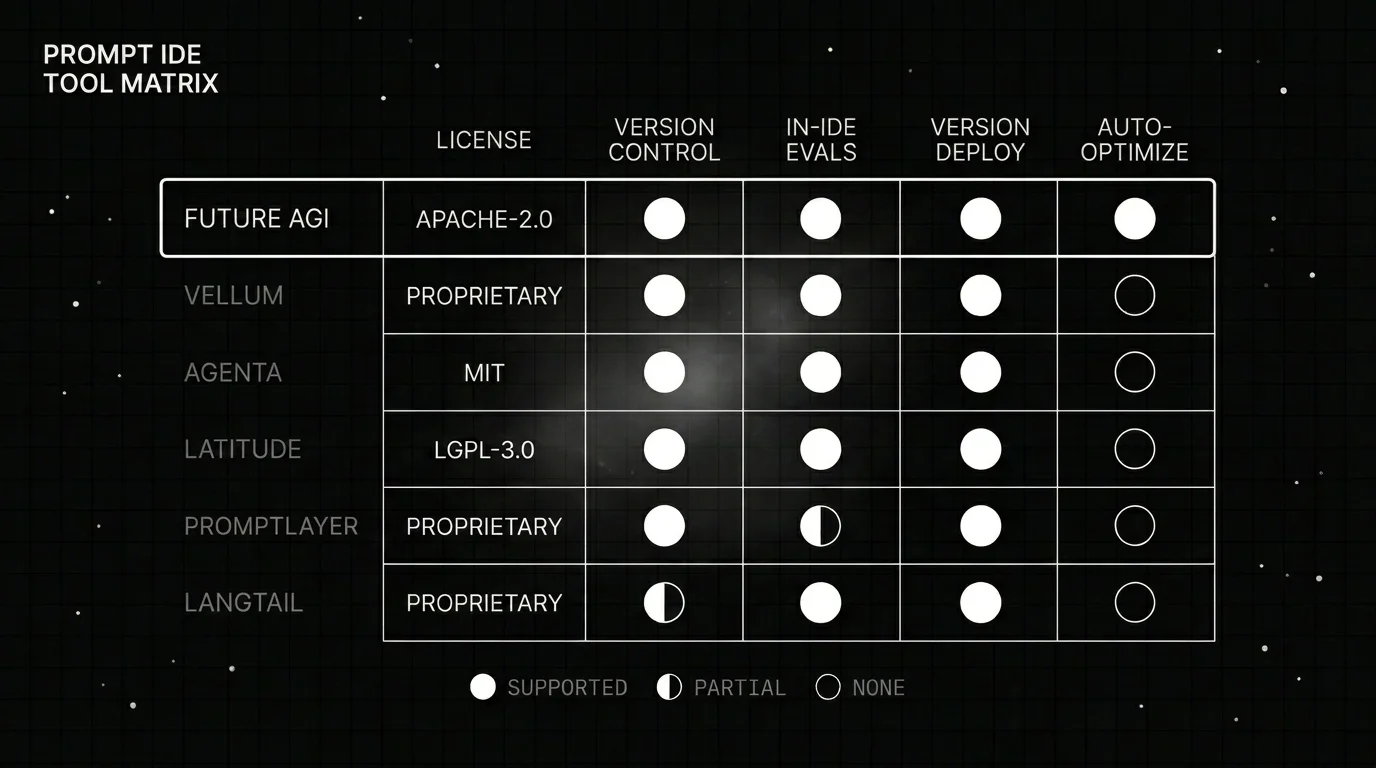
| Tool | License | Version control | In-IDE evals | Version deploy | Auto-optimize |
|---|---|---|---|---|---|
| Future AGI | Apache-2.0 core | Immutable snapshots + label rollback | Custom evals + evaluator library | Labels (no redeploy) | Six algorithms (agent-opt) |
| Vellum | Proprietary | Versions, Deployments, Releases | Built-in evaluators | Release tags per env | No |
| Agenta | MIT core | Git-like variants, immutable commits | Built-in evals | Environments | No |
| Latitude | MIT open source | Prompt version history | Built-in evaluations | Publish as API endpoint | No |
| PromptLayer | Proprietary | Numbered versions + diffs | Evals on the registry | Release labels | No |
| Langtail | Proprietary | Versioned API endpoints | Built-in testing | Environments | No |
The spine of this table is whether each column lives inside the IDE rather than a separate tool. Version control and deployment are broadly strong across the field. In-IDE evaluation is where tools diverge, since PromptLayer caps evaluation on its low tiers. Only Future AGI closes the loop with automated optimization; every other tool stops at storing and serving a version.
1. Future AGI: Best Overall for One Workspace That Closes the Loop
Quick take. Future AGI is the only tool here where the prompt lifecycle lives in one workspace. The Agent Playground is the editor: pick a model, define variables, compare outputs side by side. Every save is captured as a version, and labels roll back with no code release. The workspace then scores the draft with custom evals, gates it in CI/CD, and runs six optimization algorithms, all under Apache-2.0.
Ideal for. Production AI teams that want to author, version, evaluate, and optimize prompts inside one self-hostable workspace. The alternative is wiring an editor to a separate eval tool and a separate optimizer. It fits teams who treat a prompt as a production artifact that must be measured before it ships, not text they tune by feel.
Key strengths.
-
Immutable versions with label-based rollback, not a flat list. Each save in the editor captures a new version that no later edit can change. Named labels, Production, Staging, and Development, sit between an environment and the version it serves. To promote, you move a label onto a newer version; to roll back, you move it onto an older one, neither step touching your code. Because your app looks up the label at run time, you author and version a prompt with variables instead of hard-coding the text.
-
Evaluation inside the workspace, not a separate tool. Each version can be measured with custom evals and a built-in evaluator library spanning quality, safety, factuality, RAG retrieval, and format. Inside the IDE you run a candidate and the current version against the same test set, then let the scores pick the winner, instead of eyeballing one output.
-
Evaluation as a CI/CD gate. The same evals can run as a gate in your CI/CD pipeline. A prompt regression then fails the pipeline check before merge, so the version you scored in the IDE is the one that reaches production.
-
The loop closes with optimization. Most IDEs stop at the editor. Future AGI adds the open-source agent-opt library, whose six algorithms, Random Search, Bayesian, ProTeGi, Meta-Prompt, PromptWizard, and GEPA, turn a scored version into a stronger one. You give it a version and an evaluator, and it comes back with a higher-scoring candidate. That better prompt is produced in the same workspace you drafted it in.
-
The loop closes in production too. traceAI extends the workspace into production with OpenTelemetry-native tracing and instrumentors for 50+ frameworks. What a prompt does on live traffic flows straight back into the evaluators and the optimizer, so the same IDE learns from real usage.
Pricing and deployment. Future AGI has a free tier, pay-as-you-go usage, and Enterprise plans on its pricing page. The core SDK and product repos are Apache-2.0 and self-hostable at no license cost via Docker Compose. The platform offers SOC 2 Type II and HIPAA BAA on paid plans, coverage most proprietary rivals gate behind an Enterprise contract.
Verdict. Future AGI is the strongest overall pick when measurement and improvement must live beside the editor. It is the only IDE here where the loop closes: a scored version feeds an optimizer, and traceAI feeds live behavior back to drive the next improvement. Choose it over a registry or a standalone playground when the full lifecycle, authoring, versioning, evaluation, and optimization, needs to run in one Apache-2.0 workspace.
2. Vellum: Best Governed Product IDE
Quick take. Vellum is a visual workflow and prompt builder with an IDE-like editor. Its strength is a clean, auditable promotion pipeline. You edit and version every prompt as an immutable artifact, gate a release with evaluator-backed test suites, and promote with release tags. Its three-layer model, Versions to Deployments to Releases, keeps every promotion reproducible. That makes it a strong workspace for teams that need governance around prompt changes.
Ideal for. Teams that want a governed, product-grade workspace where every prompt is an immutable, auditable artifact and promotion follows a structured path per environment. It suits organizations that treat prompt releases like software releases. You get evaluator-backed release gates and a clear history of what shipped to production and when.
Key strengths.
- The three-layer model separates a prompt Version from a Deployment and a Release, each pinned to a model and snapshot. A release is reproducible and auditable rather than a moving target, and a prior release is a one-click revert away.
- Release tags map a release to an environment. LATEST updates automatically, Custom tags float for semver-style control, and Static tags stay immutable per deploy.
- Built-in metrics and test suites score a prompt inside the workspace before it is promoted. The editor is product-grade enough that non-engineers can read and adjust prompts alongside engineers.
Limitations. Vellum is proprietary, with VPC self-hosting reserved for Enterprise, so it is not a free self-host. The layered model adds concepts to learn before the first deploy, and the add-on and platform-fee pricing is hard to predict. There is no built-in optimization, so going from a scored prompt to an improved one stays a manual job.
Pricing. A free tier at $0 with pay-as-you-go credits, a Pro tier from $50 per month plus machine add-ons and a $10 per month platform fee, and custom Enterprise. Cloud-hosted, with VPC on Enterprise.
Verdict. Vellum is the best governed product IDE in this set, with a three-layer release model, evaluator-backed gates, and per-environment audit trails. It is a strong fit when a structured, auditable promotion path matters more than free self-hosting or a built-in optimizer. Teams that need prompt improvement automated rather than manual will want Future AGI or a separate tool alongside it.
3. Agenta: Best Open-Source Prompt IDE
Quick take. Agenta is the best open-source prompt IDE here. Its MIT-licensed core gives you a real playground and workspace where prompt variants behave like git branches. Each change is an immutable commit you can compare side by side. You deploy across development, staging, and production environments, all free to self-host on Docker. Evaluation is built in, so you can score a prompt without leaving the tool.
Ideal for. Engineering teams that want a full, self-hostable open-source IDE with git-like prompt variants, side-by-side comparison, built-in evaluation, and environment-based deployment, all at no license cost. It suits groups with data-residency requirements or a preference for running the full LLMOps stack on their own infrastructure under the MIT license.
Key strengths.
- Prompt variants behave like git branches. Each change is an immutable commit with an id, and you compare variants side by side. Version control inside the workspace is genuinely git-like rather than a save button.
- Deployment is environment-based. A variant version is promoted to development, staging, or production through the deployment manager. It is pulled from the registry at runtime, so the version you tested is the version that serves.
- Evaluation is built in, and the whole stack self-hosts free on Docker under MIT. Editing, versioning, evaluation, and deployment run inside your own network at no license cost.
Limitations. Agenta’s enterprise controls, including SSO, sit behind a separate license rather than the MIT core, so the free self-host is not feature-complete. The free tier caps evaluations at a monthly limit with 30-day retention, and its broad LLMOps scope means more setup than a prompt-only tool. There is no built-in optimization that generates the next prompt version for you.
Pricing. A Hobby tier at $0, a Pro tier at $49 per month, and a Business tier at $399 per month in the cloud, with Enterprise above it, and free self-hosting on Docker under the MIT core.
Verdict. Agenta is the best open-source prompt IDE in this set, with git-like variants, environment-based deployment, and built-in evaluation that self-host for free under MIT. The trade-off is that enterprise controls sit behind a separate license, the free tier caps evaluation volume, and there is no built-in optimizer. If open-source self-hosting is non-negotiable, it is the cleaner pick over Latitude for teams that also need environment management.
4. Latitude: Best Dedicated Open-Source Prompt Editor
Quick take. Latitude is a dedicated open-source prompt editor with a live playground. You write a prompt, iterate against a model, revisit version history, and collaborate with non-technical teammates in the same workspace. Built-in evaluations score a draft in place, and a finished prompt publishes as an API endpoint or runs through an SDK. Its IDE fit is a focused editor-plus-playground, not a full lifecycle platform.
Ideal for. Teams that want a focused, self-hostable open-source prompt editor with a live playground, version history, and collaborative editing that includes non-technical contributors. It fits groups whose primary need is a dedicated editing surface with in-tool evaluation. These are teams that do not need a full lifecycle platform with CI/CD gates or automated optimization.
Key strengths.
- The editor pairs with a live playground. You write a prompt and iterate on it against a model in the same workspace. Prompt version history is there to revisit as the prompt evolves.
- Collaborative editing lets technical and non-technical contributors work on the same prompt together. A product owner or subject-matter expert can shape a prompt alongside engineers.
- Built-in evaluations score a prompt inside the tool. A finished prompt publishes as an API endpoint or runs through an SDK, so the version you tested is the version your application calls.
Limitations. Latitude is younger with a smaller ecosystem than the incumbents. Its evaluation and observability depth is narrower than the largest platforms. It has fewer enterprise governance and integration options, and no built-in optimization that writes the next version for you.
Pricing. Open-source and self-hostable for free under an MIT license, with a managed cloud for teams that prefer a hosted option.
Verdict. Latitude is the best dedicated open-source prompt editor here, with a live playground, version history, and collaborative editing built around the editor itself. The trade-offs are a younger ecosystem with fewer enterprise integrations, narrower evaluation depth than the largest platforms, and no built-in optimization. Choose it when a focused MIT-licensed editing surface is the priority and you do not need CI/CD gates or an optimizer.
5. PromptLayer: Best Non-Engineer-Friendly Registry IDE
Quick take. PromptLayer is a visual prompt editor and registry built so a non-engineer can read and edit prompts. Numbered versions carry messages and diffs, and a clean history is legible without git. Evals and datasets sit on the prompt page, so you score right where you version. Release labels promote a version to an environment, and the request logs show which version served each request.
Ideal for. Cross-functional teams where the people editing prompts are not all engineers and where a legible, visual workspace matters more than free self-hosting. It fits organizations where product managers or subject-matter experts own the prompt authoring loop and need to review diffs, leave messages, and promote versions without touching a terminal.
Key strengths.
- The registry is first-class and legible. Each version carries a message and a visual diff. A product manager or subject-matter expert can review exactly what changed, without reading code or pulling a git history.
- Release labels map a version to an environment. Dynamic release labels can split traffic by percentage or user segment for staged rollouts. Rollback is a label reassignment rather than a redeploy.
- Evaluation tooling lives on the prompt page, so you score a version right where you edit it. That suits teams where the prompt author is not always an engineer.
Limitations. PromptLayer is registry-first, so its evaluation depth is the trade-off, with evaluation cells capped on the low tiers and lighter than a dedicated eval surface. The platform is proprietary with self-hosting on Enterprise only, the version model is linear with no branch or merge, and there is no built-in optimization.
Pricing. A free tier at $0, a Pro tier at $49 per month, and a Team tier at $500 per month in the cloud, with self-hosting available only on Enterprise.
Verdict. PromptLayer is the best non-engineer-friendly registry IDE here, with a legible visual editor, per-version diffs and messages, and evaluation sitting next to versioning. The trade-offs are evaluation cells capped on low tiers, proprietary hosting with self-hosting only on Enterprise, and no built-in optimizer. Choose it when the prompt author is often a non-engineer and the polished visual workflow is worth the cloud-only constraint.
6. Langtail: Best Product-Team IDE for Versioned API Endpoints
Quick take. Langtail is a proprietary prompt IDE and playground. Each prompt is published as a versioned API endpoint across production, staging, and preview environments. It is edited in a no-code workspace built so anyone who can use a spreadsheet can ship a prompt. Built-in testing, with natural-language, pattern, and code checks, lets you evaluate inside the tool before a prompt is promoted.
Ideal for. Product teams that want a no-code workspace where prompts ship as versioned API endpoints across production, staging, and preview environments, with testing included from the start. It suits organizations where the prompt author is rarely the engineer and where publishing a prompt without a code change is the core workflow.
Key strengths.
- Prompts publish as versioned API endpoints across production, staging, and preview environments. The deployment surface is clean, and a product team ships a prompt without a code change.
- The workspace is no-code and approachable, built so a non-engineer can edit and test a prompt. That suits product teams where the prompt author is rarely the engineer.
- Built-in testing covers natural-language, pattern, and code checks, so a prompt is evaluated inside the tool before it is promoted to an environment.
Limitations. Langtail is proprietary with no open-source core, and self-hosting is gated to Enterprise. Its diff and rollback specifics are marketing-level rather than feature-matrix-verified, so the version history is less proven than a dedicated registry. The single-user Pro tier means real collaboration needs the higher Team tier, and there is no built-in optimization.
Pricing. A free tier at $0 with 2 prompts and 1,000 logs per month, a Pro tier at $99 per month for a single user with 20 prompts, a Team tier at $499 per month for 10 users, and custom Enterprise, with self-hosting on Enterprise.
Verdict. Langtail is the best product-team IDE for shipping prompts as versioned API endpoints, with a no-code workspace any teammate can use and built-in testing across environments. The trade-offs are an unproven diff and rollback surface compared to dedicated registries, real collaboration gated to the Team tier, and no free self-hosting. Choose it when the endpoint-first deployment model fits your product workflow and proprietary cloud is acceptable.
Which Prompt IDE Should You Choose?
There is no single winner for every team. Match the workspace to how much of the prompt lifecycle you want inside one tool and whether the loop needs to close into optimization. The table below maps a common need to the tool that serves it best and the reason why.
| If you need | Choose | Because |
|---|---|---|
| The full author, version, evaluate, deploy lifecycle with a closed optimization loop | Future AGI | Scores a version with custom evals, gates it in CI/CD, and optimizes it, Apache-2.0 self-host |
| A governed product IDE with immutable releases | Vellum | A three-layer Versions, Deployments, and Releases pipeline with per-env tags |
| A full open-source IDE you self-host for free | Agenta | MIT core, git-like variants, environments, and built-in evaluation on Docker |
| A dedicated open-source prompt editor with a live playground | Latitude | A focused editor plus playground, version history, and prompt-as-API-endpoint |
| A non-engineer-friendly workspace where evaluation sits next to versioning | PromptLayer | A visual editor and registry with evals on the prompt page |
| A no-code product-team IDE that ships prompts as versioned API endpoints | Langtail | Versioned endpoints across environments, with built-in testing |
The honest read: editing and basic versioning have converged, so the decision is how much of the lifecycle lives in one workspace. Future AGI leads because the loop closes. Custom evals score a version, CI/CD gates it, six algorithms generate a better candidate, and traceAI learns from production. Latitude fits a focused editing surface, Agenta an open-source environment IDE, and Vellum a governed promotion path.
How Do You Roll Out a Prompt IDE Without Breaking Production?
Adopting a tool is the easy part. The discipline around it is what keeps prompt changes from causing outages as your team and prompt count grow over time. These five practices apply regardless of which IDE you choose, and they are worth setting up before the first prompt reaches production.
- Make every change a version, never an in-place edit. The moment a prompt is editable without creating a version, your history has a hole in it. Save a version on every change so the diff is legible later and a rollback is one action, not an archaeology project.
- Map an environment to one approved version. Production should resolve to a single, known-good version, so promotion and rollback are a deliberate action rather than a redeploy. Lock the pointer if your tool supports it.
- Score every version against a dataset before you promote it. A version you cannot score is a version you cannot trust. Compare the candidate against the current production version on the same dataset, and run that eval as a CI/CD gate so a regression fails the build instead of reaching users.
- Optimize the next version instead of hand-tuning. Manual prompt edits plateau quickly. Feed the current version and an evaluator into an optimizer, let it propose a higher-scoring candidate, then review and ship.
- Close the loop with traces. A version that scores well offline can still fail on real traffic. Link versions to traces so production behavior feeds your next round of evaluation and optimization, and you catch the regressions an offline dataset missed.
Where Future AGI Fits in Your Prompt IDE Stack
Most prompt IDEs let you edit a prompt and version it. Future AGI puts the whole lifecycle in one workspace. You author the prompt, save it as an immutable version, and score it with custom evals right there. A CI/CD gate checks it, the optimizer sharpens it, and traceAI watches it in production. Open Future AGI’s prompt docs or run the Apache-2.0 repo yourself.
Frequently Asked Questions About Prompt IDE Tools
What Is a Prompt IDE?
A prompt IDE is an integrated workspace where a prompt is edited, version-controlled, evaluated, and deployed, and in the best tools optimized, all in one place. It is distinct from a playground, which is a single-prompt scratchpad with no versioning or deployment, and from a bare registry, which versions prompts but has no editor. The unit of work is the workspace: a prompt is a versioned, testable, deployable artifact.
Which Prompt IDE Is Best in 2026?
Future AGI is the strongest overall pick. It pairs the Agent Playground editor with immutable versions, label-based rollback, custom evals, a CI/CD gate, and six optimization algorithms, all under Apache-2.0 you self-host. Vellum is the strongest governed product IDE. Agenta is the best open-source IDE with git-like variants. Latitude is the dedicated open-source editor with a live playground. PromptLayer is the most non-engineer-friendly registry IDE, and Langtail ships prompts as versioned API endpoints.
What Are the Best Open-Source Prompt IDE Tools?
Three of the six here self-host for free. Future AGI is Apache-2.0 and self-hostable via Docker Compose. The editor, version store, evaluator library, and six-algorithm optimizer all run inside your own network. Agenta is MIT and self-hosts on Docker with git-like variants, environments, and built-in evaluation, though enterprise SSO sits behind a separate license. Latitude is MIT-licensed and self-hostable, with a playground and version history. Vellum, PromptLayer, and Langtail are proprietary, so self-hosting generally requires an Enterprise contract.
How Is a Prompt IDE Different From a Prompt Playground?
A playground is a single-prompt scratchpad: you type, run, and eyeball one output, with no versioning or deployment. A prompt IDE wraps that editor in the lifecycle: every change is a versioned, diffable snapshot you score against a dataset and promote to an environment. The playground answers “what does this prompt do?” while the IDE answers “which version is best and how do I ship it?”
Does Future AGI Work as a Prompt IDE?
Yes. The Agent Playground is the editor: pick a model, define variables, compare outputs side by side, then save. Every save is captured as an immutable version, and moving a label rolls back with no redeploy. From there, custom evals score the draft, the CI/CD pipeline gates it on every PR, and six algorithms return a better candidate. traceAI captures live behavior for the next round, all Apache-2.0.
Frequently Asked Questions
What Is a Prompt IDE?
Which Prompt IDE Is Best in 2026?
What Are the Best Open-Source Prompt IDE Tools?
How Is a Prompt IDE Different From a Prompt Playground?
Does Future AGI Work as a Prompt IDE?
A ranked guide to the 6 best prompt registry tools for AI teams in 2026, compared on central storage, versioning, labels, and fetching prompts at runtime.

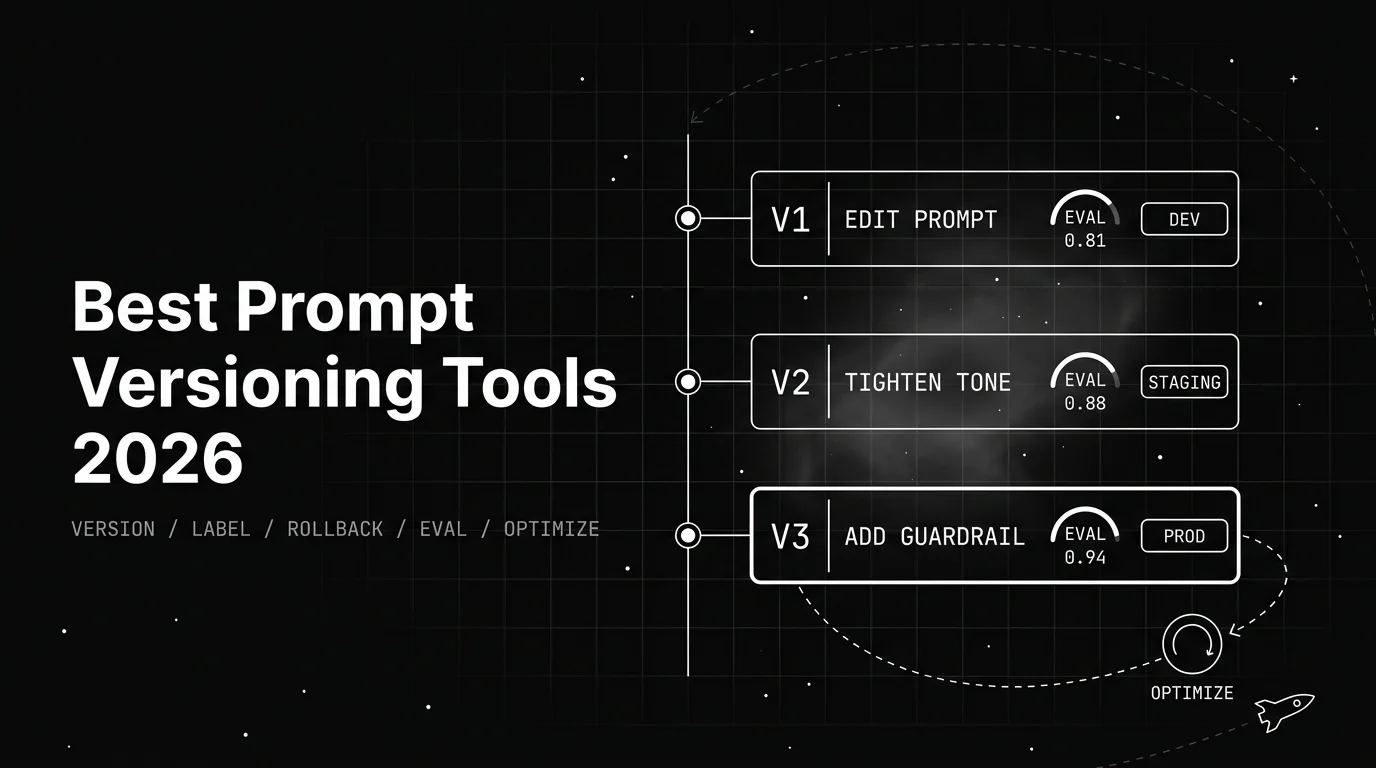
The 7 best prompt versioning tools for production AI teams in 2026, ranked on version history, labels, rollback, and testing prompts before you ship it.

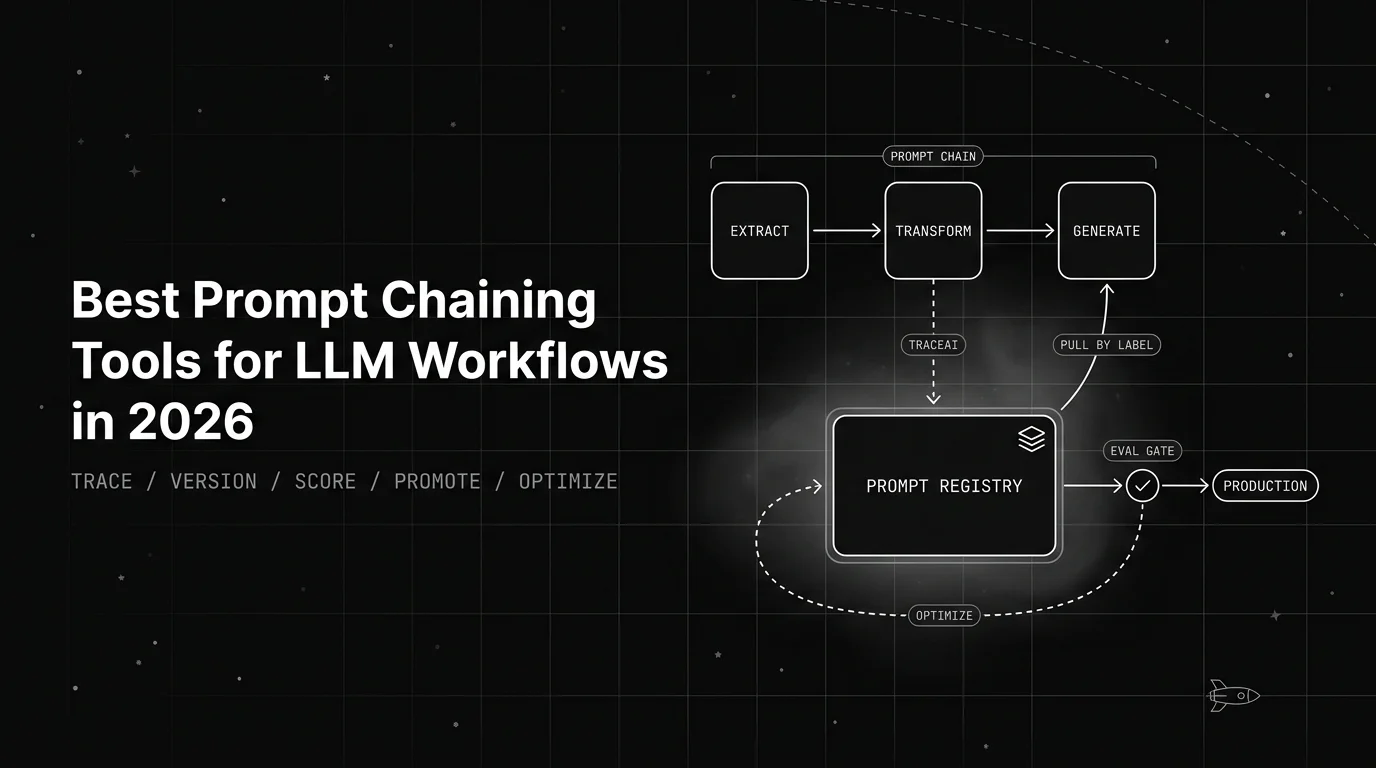
See the 6 best prompt chaining tools for LLM workflows in 2026, ranked on per-link versioning, tracing, evaluation, and debugging each step of the chain.