The Best No-Code Agent Builder Platforms in 2026
Choosing a no-code agent builder in 2026? Compare nine platforms on chat vs voice, tools, deployment, governance, and pricing, with an honest pick for each job.
Table of Contents
Leadership wants an AI support agent live by Friday. The support queue is overflowing, there is no spare engineer, and you cannot wait two sprints for one.
This is the exact situation no-code agent builders are built for. They let a non-developer assemble a working agent by wiring steps, tools, and prompts on a visual canvas, then ship it. The category has gotten crowded and good, which is the problem: the platforms look similar from the outside but are built for very different jobs.
This guide compares the nine worth your shortlist, on the criteria that actually decide the purchase, and gives an honest pick for each situation instead of funneling you to one.
The short answer
There is no single best no-code agent builder; the right pick changes with the job:
- Ship a support bot this week: a conversational builder like Voiceflow or Botpress.
- Voice and contact-center: a platform with native telephony.
- Back-office automation: a workflow canvas like n8n, Gumloop, or AI by Zapier.
- Open-source and self-hosted: Dify or n8n.
- Enterprise governance and audit: Stack AI or Gumloop.
Whichever you pick, add an evaluation and observability layer on top, because no builder ships real production monitoring.
What a no-code agent builder actually does
A no-code agent builder is a visual platform for assembling an AI agent without writing code. You lay out the logic on a canvas, connect the tools and data it can use, and write its instructions in plain language; the platform handles the model calls, tool wiring, and deployment.
The output is a working agent you can embed, call by API, or put on a phone line.
It helps to separate it from two neighbors. A workflow-automation tool runs fixed, deterministic steps; it does not reason. A conversational bot chats but cannot act through tools. A no-code agent builder sits between them: it reasons about what to do next and acts through tools, which makes it an agent, not a flowchart or chatbot.
It is also distinct from a no-code LLM app builder, which assembles a chatbot or RAG assistant rather than an agent that acts through tools.
The no-code part removes the engineering to stand one up, but not the hard questions. You still choose the model, decide what the agent may do, test it, and run it safely in production. No-code AI agents lower the barrier to a first version; they do not lower the bar for a reliable one, which is where the platform choice starts to matter.
That gap, easy to start and hard to trust, is what the rest of this comparison is about: finding the platform that builds an agent you can still stand behind once it is live.
How to choose a no-code agent builder
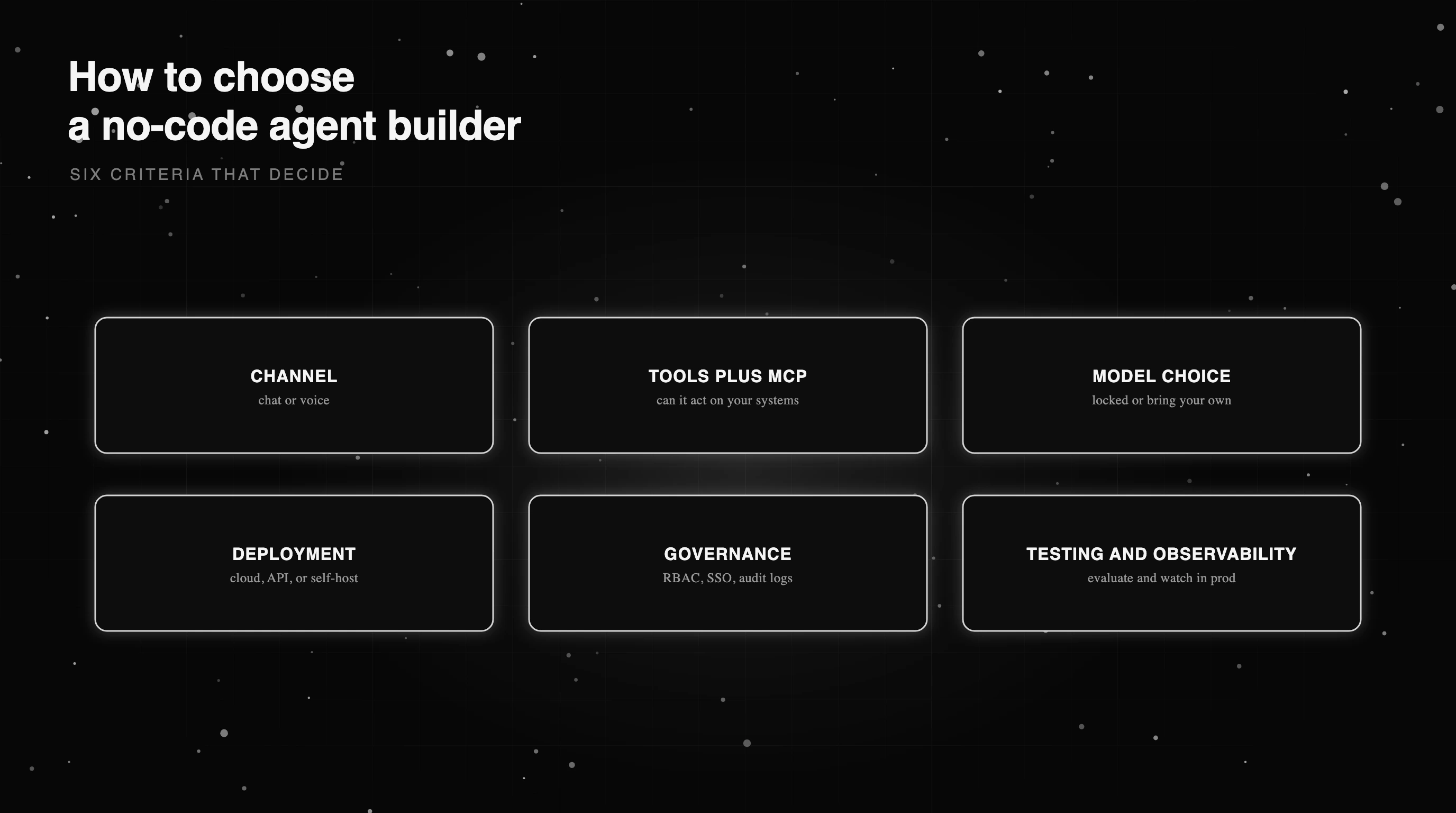
Before the platform names, get clear on what you are optimizing for, because the right answer changes completely with the use case. Six criteria separate these tools in practice.
Channel comes first: do you need chat only, or voice and telephony. Voice is a real dividing line, since only a few builders ship genuine phone agents. Then tool and function calling, including MCP support, because an agent that cannot act on your systems is just a chatbot with a nicer canvas.
Model choice matters next: are you locked to one provider, or can you bring your own and switch. Deployment is the one teams underestimate, since cloud SaaS, an embeddable widget, an API, or genuine self-hosting each imply very different data and compliance stories. Governance follows from that: RBAC, SSO, audit logs, and where your data lives.
The last criterion is the one most roundups skip: built-in testing and observability. Can you evaluate the agent before launch and watch it in production, or will you bolt that on yourself. Weight these six by your own constraints, since a regulated enterprise and a solo operator rank them in nearly opposite order, and the shortlist almost builds itself.
None of these is a nice-to-have. Each one, skipped, is a predictable regret: the voice feature you discovered too late, the compliance box you cannot check, the agent you cannot tell is failing. Figure 1 lays the six out as the checklist to run every candidate through.
The best no-code agent builder platforms in 2026
Here are nine no-code agent builders worth shortlisting in 2026. Pricing and capabilities are current as of October 2026, from each vendor’s own pricing and docs pages; dollar figures are annual-billed starting rates. There is no single winner, because they are built for different jobs. Table A compares them on the criteria that decide a real purchase.
| Platform | Best for | Chat or voice | Builder | Tools + MCP | Model choice | Deployment | Testing | Governance | Pricing |
|---|---|---|---|---|---|---|---|---|---|
| Voiceflow | CX and support | Chat + voice | Visual flow | Yes, with MCP | Multi-model | Cloud only | Built-in evals | SOC 2, HIPAA, ISO | Free trial, usage-based |
| Botpress | Support and dev | Chat (voice via Twilio) | Studio + TS SDK | Yes, with MCP | Multi-model | Cloud (v12 self-host) | Emulator, logs | SOC 2, HIPAA | Per-convo, $150/mo |
| Stack AI | Enterprise, regulated | Chat | Visual nodes | Yes, with MCP | Multi-model | Cloud + air-gapped | Evaluator view | SOC 2, HIPAA, ISO | Free, Enterprise |
| Relevance AI | GTM, sales, ops | Chat + phone | Multi-agent canvas | Yes, with MCP | Multi-model | Cloud + private | Agent evals, A/B | SOC 2 (SSO Ent) | Pro $19/mo |
| Lindy | SMB operators | Chat (no phone agent) | Plain-English routines | Yes, with MCP | Multi-model | Cloud only | Dry run | SOC 2 (SSO Ent) | Per-seat + credits |
| n8n | Technical teams | Chat | Node canvas + code | Yes, with MCP | Multi-model, BYO | Cloud + self-host | Built-in evals | RBAC (SSO Business+) | Free self-host |
| Dify | Open-source self-host | Chat (TTS and STT) | Visual + prompt IDE | Yes, two-way MCP | Multi-model, BYO | Cloud + self-host | Logs, annotation | SOC 2, ISO (Ent) | Free self-host |
| Gumloop | Business teams | Chat (voice trigger) | Node canvas | Yes, two-way MCP | Multi-model, BYO | Cloud + VPC | Evals, auto-grade | SOC 2, SSO/SCIM, VPC | No free, $37/mo |
| AI by Zapier | Zapier users | Chat, automation | In-Zap, config | Yes, with MCP | ~35 models + BYO | Cloud only | Test mode | SOC 2 (no HIPAA) | Usage, free tier |
Voiceflow
Voiceflow is a visual builder for CX and support agents, one of the few that treats voice as a first-class channel. Its strength is built-in Evaluations and Transcripts, so testing and monitoring live in one tool. The honest limitation is cloud SaaS only, no self-host. Pricing moved off public tiers in 2026: a free trial plus usage-based and sales-quoted plans.
Botpress
Botpress pairs a no-code Studio with a TypeScript code path (now the ADK), serving non-technical builders and developers alike. Its strength is conversation-based pricing with no per-seat fee and broad multi-model support. The honest limitation is that Botpress Cloud has no self-host (only the legacy v12 open-source server does), and usage billing is hard to predict at scale. Plus from $150/mo (annual).
Stack AI
Stack AI is a flow-based no-code builder aimed at enterprise and regulated industries. Its strength is deployment and governance breadth: on-premise and air-gapped options plus SOC 2 Type II, HIPAA, GDPR, ISO 27001, RBAC, and audit logs. The honest limitation is pricing that jumps from a capped free tier straight to a sales-quoted Enterprise plan, with no self-serve tier between.
Relevance AI
Relevance AI is a multi-agent canvas for building an AI workforce across sales, CS, and ops, and it ships native outbound phone agents. Its strength is combining real outbound calling with multi-agent workflows. The honest limitation is that the free plan is retired and core governance (SSO, RBAC, audit logs) is Enterprise-only. Pro from $19/mo (annual); calling is a higher tier.
Lindy
Lindy builds agents from plain-English routines, approachable for non-technical operators. Its strength is a broad action surface: over a thousand integrations, any MCP server, and browser automation. The honest limitation is that it has no phone-calling agent (voice-adjacent features are meeting notes and transcripts), and cost scales on two axes: per-seat plus credits that do not roll over. Team from $29.99/user/mo.
n8n
n8n is a node-based visual canvas with custom code nodes, built for technical teams who want control and free self-hosting. Its strength is a large integration library plus native MCP client and server support. The honest limitation is that it is not OSI open source: the fair-code Sustainable Use License restricts hosting n8n as a service, and SSO/SAML need a paid plan. Free to self-host; Cloud from EUR 20/mo.
Dify
Dify is a self-hostable visual platform for LLM apps and agents. Its strength is an Apache-2.0 core, free self-hosting, broad multi-provider models, and built-in two-way MCP. The honest limitation is a license that forbids multi-tenant SaaS and removing Dify branding (source-available, not fully open), and enterprise governance sits behind the paid Enterprise edition. Free to self-host; Cloud from $590/yr.
Gumloop
Gumloop is a visual node canvas for cross-app automation, aimed at business teams rather than engineers. Its strength is governance: SOC 2 Type II, GDPR, SSO and SCIM, audit logs, and a VPC option, plus 100+ connectors and hosted MCP servers. The honest limitation is no free tier and no general self-host, and credit pricing plus an 8% orchestration fee makes per-run cost unpredictable. Pro from $37/mo.
AI by Zapier (formerly Zapier Agents)
Zapier Agents, folded into the Zap editor as AI by Zapier, adds autonomous AI steps to automations you already run. Its strength is integration breadth: 9,000+ apps and 30,000+ actions with managed auth and first-class MCP. The honest limitation is no native voice, no embeddable widget, and no HIPAA or BAA, so regulated PHI workflows are out. Free tier; Professional starts at $19.99/mo (annual), AI usage metered on top.
Best no-code agent builder for each job
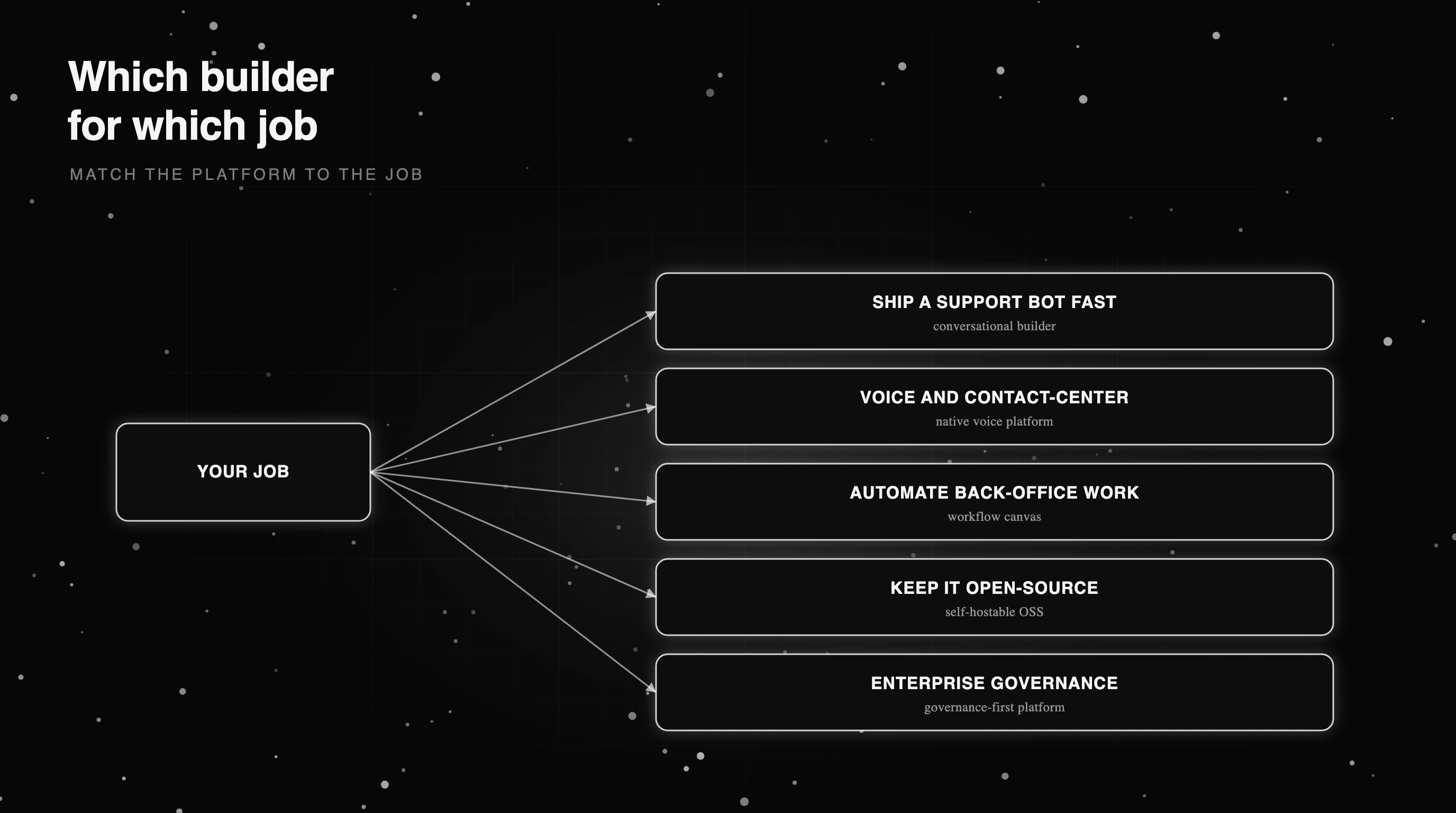
The honest way to pick is by job to be done, because the best no-code agent builder for shipping a support bot this week is not the best one for an air-gapped enterprise deployment. Here is where each type of platform actually wins.
To ship a support bot fast, a conversational builder like Voiceflow or Botpress gets you there in an afternoon with templates and a chat-first canvas. For voice and contact-center work, you want a platform with native telephony, which narrows the field to the few that ship real phone agents, and you should plan to evaluate voice agents carefully before they take live calls.
For back-office automation across many tools, a workflow canvas like n8n, Gumloop, or AI by Zapier wins on integration depth. If keeping the stack open and self-hosted is non-negotiable, Dify is the most open pick (Apache-2.0 core with light use restrictions), with n8n a fair-code alternative.
For enterprise governance and audit, a governance-first platform like Stack AI or Gumloop leads on RBAC, SSO, audit logs, and private deployment.
The pattern worth noticing is that no platform wins every bucket. A tool optimized to get a non-technical user live fast makes different tradeoffs than one built for a compliance review. Match the platform to the job in front of you, not to a leaderboard. Table B sums up the mapping.
| Job to be done | Platform type that wins it | Why |
|---|---|---|
| Ship a support bot this week | A conversational builder | Templates, chat-first canvas, fast deploy |
| Voice and contact-center | A native voice-agent platform | Built-in telephony and real phone agents |
| Automate back-office workflows | A workflow-automation canvas | Deep app integrations and triggers |
| Keep it open-source and self-hosted | An open-source or source-available platform | Free self-host and source access |
| Enterprise governance and audit | A governance-first platform | RBAC, SSO, audit logs, private deploy |
A buyer checklist before you commit
Once you have a shortlist, run it through a short checklist before you sign, because the expensive surprises show up after you have built on a platform, not during the demo.
Check portability first: can you export your agents, prompts, and data, or are you locked in. Confirm the tool and MCP support covers the systems you actually use. Verify there is real testing and debugging, run logs and some form of evaluation, not just a preview button. Check the deployment target matches your compliance needs before you build, not after.
Then watch the pricing model for traps: per-seat fees that balloon with the team, usage credits that do not roll over, orchestration surcharges on model costs. And ask what the demo never raises: can you observe the agent in production and tell when it is failing? Most building tools are strong at building and weak there, which is how agents fail in ways monitoring misses.
The point is to buy with your eyes open, so the platform that demos beautifully is also the one you are still happy with at month six, after the team has built fifteen agents on it.
How to tell if the agent you built actually works
Whatever you build on, the hardest part starts after the agent is live: knowing whether it actually works. No-code builders vary widely here. Some ship real evaluation and monitoring; others give you a preview button and a dashboard of message counts, which says nothing about whether the answers were right.
The gap matters because an agent that passes a quick demo can still pass its tests and fail in production, returning confident wrong answers no counter will flag. So whatever platform you pick, plan to add two layers on top: evaluation, to score the agent’s outputs against what good looks like, and tracing, to see what it actually did on every run.
That means defining what LLM evaluation means for your case, a pass or fail rule you run on every change, paired with one of the observability tools that trace agents in production.
If your builder lacks these, add them: run evals and write a check for your use case, then trace it in production with an Apache-2.0 core you can self-host on top of whatever builder you chose. The builder gets your agent live; this layer keeps it honest once real users arrive.
Picking the no-code agent builder that fits your team
Back to Friday’s deadline. The good news is that shipping a support agent without an engineer is genuinely doable now; the trap is picking the platform that demos best instead of the one that fits your job. Start from the job, ship a support bot this week, run voice, automate workflows, stay open-source, or pass a compliance review, and the shortlist is short.
Match the platform to the job, run it through the buyer checklist, and commit. Then do the part the builder will not: evaluate the agent against what good looks like and observe it once live, so the agent you shipped by Friday is still the one you trust next quarter. Build it fast, but so you can tell when it breaks.
Frequently Asked Questions
What is a no-code agent builder?
What is the best no-code agent builder?
Which no-code agent builder is easiest?
What is the best no-code agent builder for enterprise teams?
What are the best no-code agent builder tools?

Voice AI evaluation infrastructure in 2026: five testing layers, STT/LLM/TTS metrics, synthetic harness, traceAI, and FAGI Simulate.

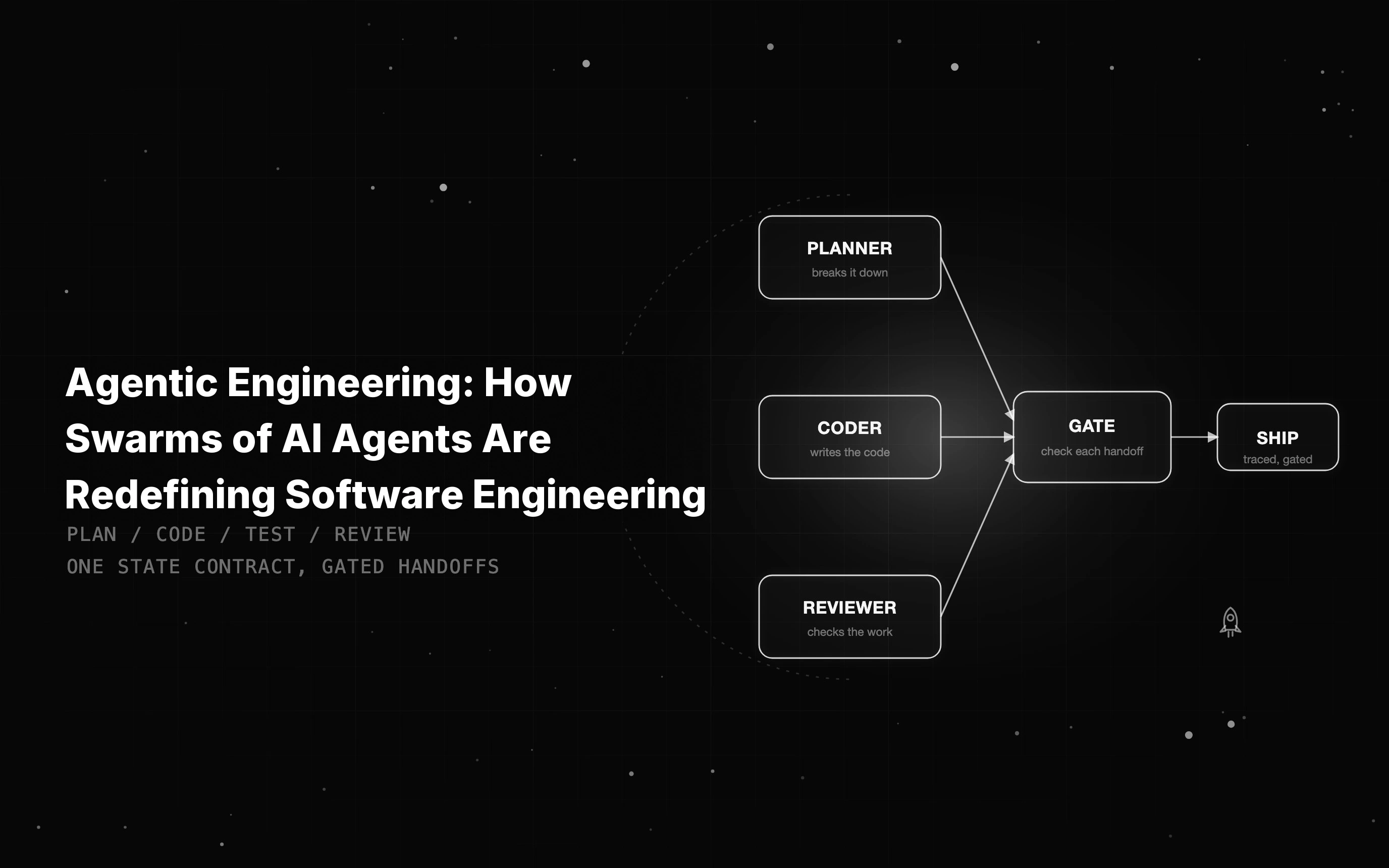
Agentic engineering means directing swarms of AI agents to plan, code, test, and review. See how coordination, state contracts, and verification make it ship-safe.

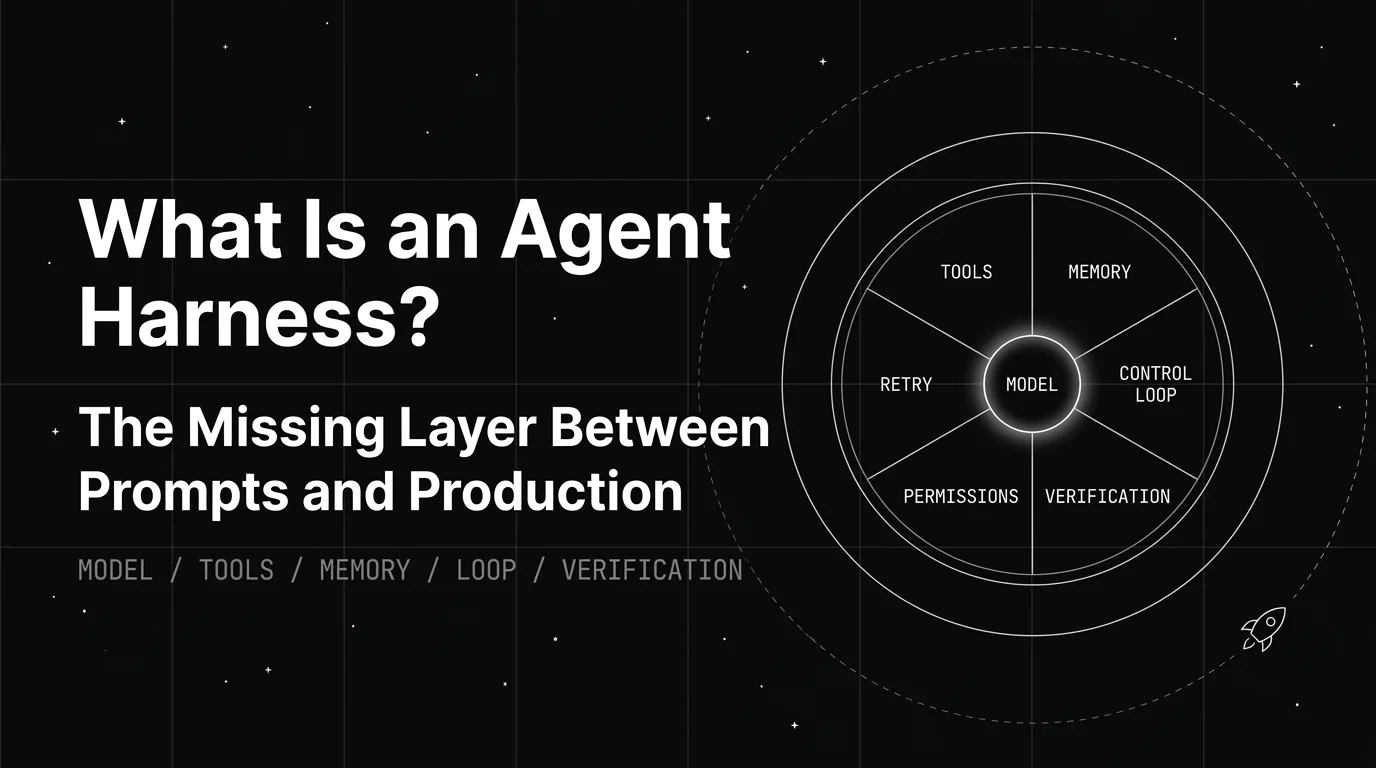
An agent harness fails in production in four places: tool permissions, state, the control loop, and verification. Here is how to test yours before you ship.