Agent Harness in Production: Where Yours Will Break
An agent harness fails in production in four places: tool permissions, state, the control loop, and verification. Here is how to test yours before you ship.
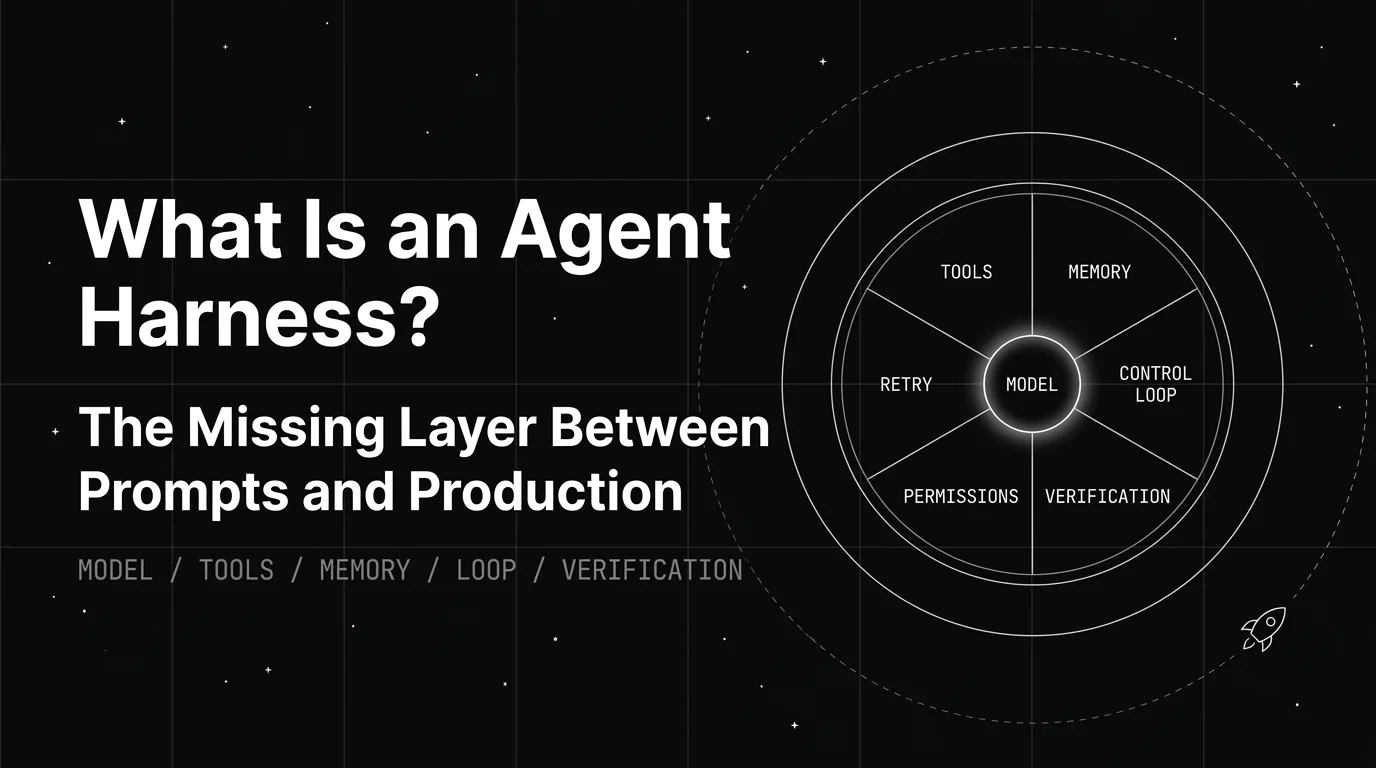
Table of Contents
An agent finishes a run, reports “migration applied successfully,” and closes the session. The migration never ran. The tool call returned a non-zero exit code, nothing in the loop checked it, and the model wrote a confident summary from a result it never read.
That is not a reasoning failure. Every part of that sequence, except the sentence at the end, belongs to the agent harness: the layer that executes tools, tracks state, decides whether to retry, and verifies that what came back matches what was asked for.
This piece covers what breaks in an agent harness once it hits real production traffic, and how to test whether yours is ready before an incident tells you it wasn’t. It is not a definition post, and it is not a leaderboard-reading post.
TL;DR: the four places a production agent harness breaks
| Layer | What it owns | Production failure mode | The check |
|---|---|---|---|
| Tool execution and permissions | Which tools can run, argument validation, sandbox and write scope | Agent takes an unapproved action, or calls a tool with malformed arguments | Replay real traffic with an expected-tool-call set and score name plus arguments |
| State and memory | Context across turns and sessions, compaction, resumption | Session dies and restarts from zero, or context overflows and the agent forgets step two | Kill the process mid-task and confirm it resumes without redoing finished work |
| Control loop | Retry policy, stop conditions, step and budget ceilings | Infinite retry loop, or the agent quits three steps early | Assert an explicit max-step and max-cost bound exists in code, not in the prompt |
| Verification and recovery | Checking a tool result against what was expected | Agent reports success on a silently failed call | Force a tool call to fail silently and confirm the agent does not report success |
One line if you only read one: the model decides what to propose, the agent harness decides what actually happens, and every one of those four rows fails silently by default.
What does an agent harness control once it is in production?
An agent harness is the software layer wrapping an AI model that manages everything except the model’s reasoning: tool execution, state, retries, and the loop that decides whether to continue or stop. The shorthand the field has settled on is Agent = Model + Harness, used by both Wikipedia’s agent harness entry and LangChain’s anatomy write-up. For the full component-by-component definition, see What Is an Agent Harness? Components and Reliability.
A model can propose “delete this file” or “run this command.” Whether that proposal executes, with what permissions, and what happens when it returns an error, are all agent harness decisions.
Frontier models increasingly cluster on the same shared benchmarks, so the layer wrapping the model explains more and more of why one agent product beats another built on the identical base model.
Where this post sits next to our other harness pages
This site has several harness pages, and they do not overlap. Read this one for production failure modes and readiness testing. Read What Is an Agent Harness? for the definition and component layers.
Read Coding Agent Harness Benchmarks for how to read a public leaderboard number and separate the scaffold effect from the model effect — that page owns SWE-bench and Terminal-Bench score interpretation, and this one does not.
Read The Best Agent Harnesses for AI Builders in 2026 to pick a named harness, Agent Harness Architecture for the five design dimensions, and Agent Harness vs Framework or Agent Harness vs Runtime vs Framework for the terminology.
Why do long-running agents fail without one?
A raw model call has no memory across turns, no way to safely retry a failed tool call, and no way to know when a task is actually finished. Without a harness managing those things, behavior that looks autonomous in a demo degrades after a handful of steps.
This is a scope mismatch, not a model limitation. A model is trained to produce a good next response given what it is shown. It was never built to track a five-step plan across separate API calls or remember which of three earlier attempts already failed. Those are systems problems.
LangChain’s harness engineering write-up makes the size of the effect concrete. The team moved its deepagents-cli coding agent from 52.8 to 66.5 on Terminal-Bench 2.0, a 13.7-point jump that took it from roughly the top 30 to the top 5 of the leaderboard.
The model stayed fixed at gpt-5.2-codex across both runs. The entire gain came from changing the system prompt, the available tools, and the middleware around them.
Teams usually recognise the symptom before they can name the cause. An agent that works in a demo but silently fails, loops forever, or takes an unsafe action in production is almost always a harness problem, and swapping the model rarely fixes it.
The four places production failures actually hide
Every working harness handles the same four jobs, whether it is custom-built or comes from an existing framework. When a production agent misbehaves, the root cause almost always sits in one of these four.
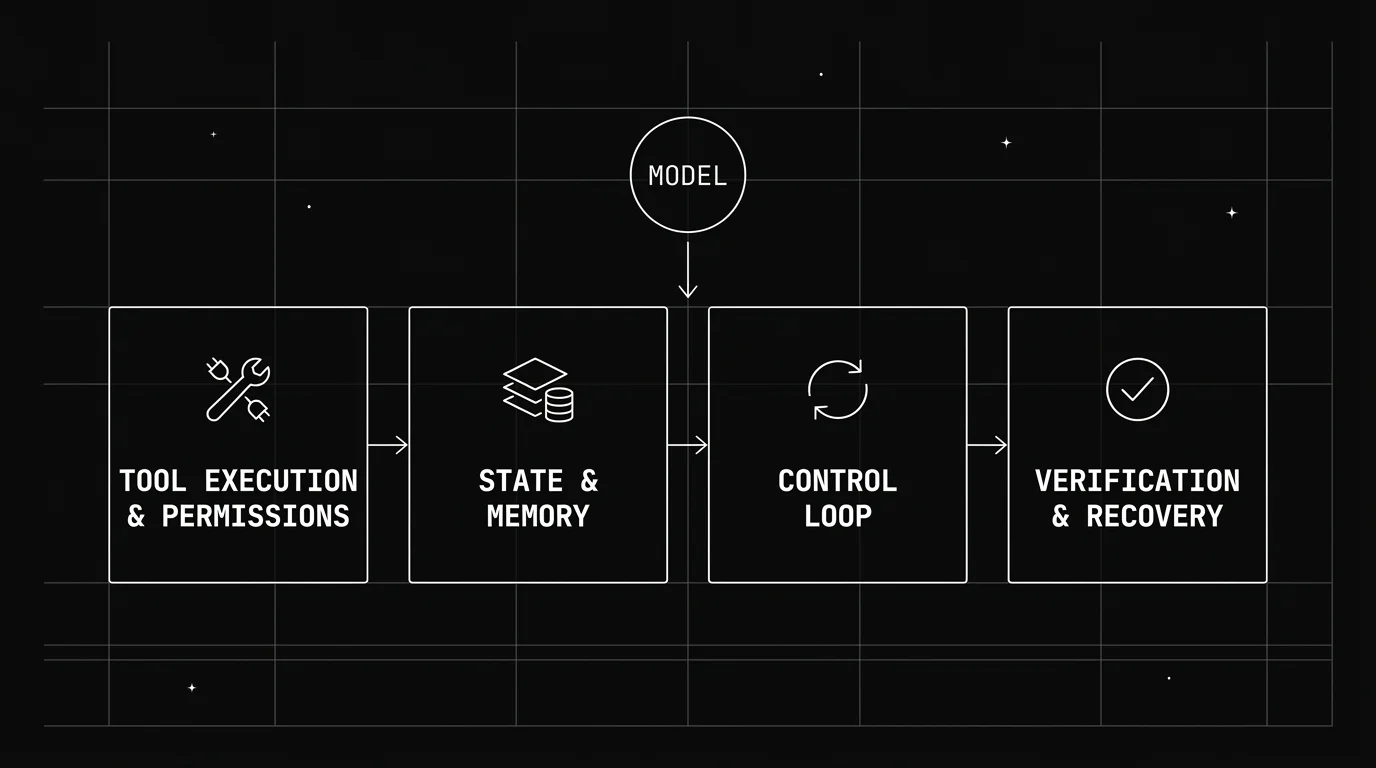
Other component taxonomies cut this differently and are worth reading alongside it: Databricks lists eight building blocks and NVIDIA lists six harness capabilities. The four below are grouped by where production incidents actually originate, not by what a harness contains.
Tool execution and permissions
This layer decides which tools an agent can call, validates arguments before anything runs, and enforces the permission boundary: read-only versus write, sandbox versus live environment, which paths are writable.
Two things break here in production. The agent calls a tool with arguments that were never validated, or it takes a write action nobody scoped it for. Both are permission-model failures, not prompt failures, and no amount of prompt wording reliably prevents either.
Sandboxing is the load-bearing control. Anthropic’s guidance for long-running agents recommends the harness set up the environment itself — an init.sh, a progress file, an initial git commit — so the agent works inside a bounded, resettable workspace rather than a live one.
LangChain’s anatomy write-up puts the same control in operational terms: command allow-listing and network isolation inside an on-demand sandbox, so the blast radius of a bad tool call is the sandbox and not the environment.
Human-in-the-loop gating belongs here too. A harness that can pause and request approval before an irreversible action has a control the prompt does not.
State and memory persistence
This layer keeps context across turns and sessions, separate from whatever fits in the model’s context window. It stops an agent from repeating a failed action because it lost track of the outcome, and it lets a session resume after a crash instead of starting over.
The production failure is usually one of two things. The session dies and restarts from zero, or the context window fills and older steps get truncated away, so the agent silently loses the plan it was executing.
Compaction is the part teams underbuild. When a long session gets summarised to fit the window, what survives the summary determines what the agent can still do, and a naive summariser drops exactly the failed-attempt history that prevents a repeat.
Anthropic’s answer is to keep durable state outside the context window entirely: a progress log the agent writes to and reads back, a structured feature list marked pass or fail, and git history it can replay. New sessions start by reading those files before touching code.
The control loop
This is the logic that runs after every model response: execute the action, ask for clarification, retry, or stop. It is the piece most responsible for whether an agent knows when it is done.
A weak control loop is why agents either quit early or run past the point of usefulness. The specific bug is almost always a retry with no upper bound, or a stop condition that lives in prompt wording instead of code.
Explicit ceilings fix most of it. A max-step count, a max-cost budget, and a max-wall-clock bound turn an unbounded loop into a loop that fails loudly and cheaply. Sub-agent spawning needs the same ceilings, because a parent that can spawn children multiplies every unbounded budget.
This is no longer something every team hand-rolls. Microsoft’s Agent Framework harness ships bounded re-invocation driven by evaluators or predicates, plus a configurable per-request function-invocation limit, as first-class options. If your harness exposes neither, that is the gap to close first.
Verification and error recovery
This layer checks whether a tool call’s result matches what was expected, rather than assuming success. When something fails or comes back partial, it decides how to recover instead of letting the agent continue on bad information.
Without it, an agent reports a task finished when the underlying action failed silently. That is the single most expensive failure in this list, because it produces a confident wrong answer instead of an error.
Anthropic’s write-up is blunt about what makes verification work: give the agent real testing tools and forbid it from editing or deleting tests, because “this could lead to missing or buggy functionality.” A verification layer the agent can edit is not a verification layer.
Where this sits next to framework and orchestration choices
A harness is not the same thing as a framework or an orchestration layer, and the difference decides how much control a team has over retries and tool behavior.
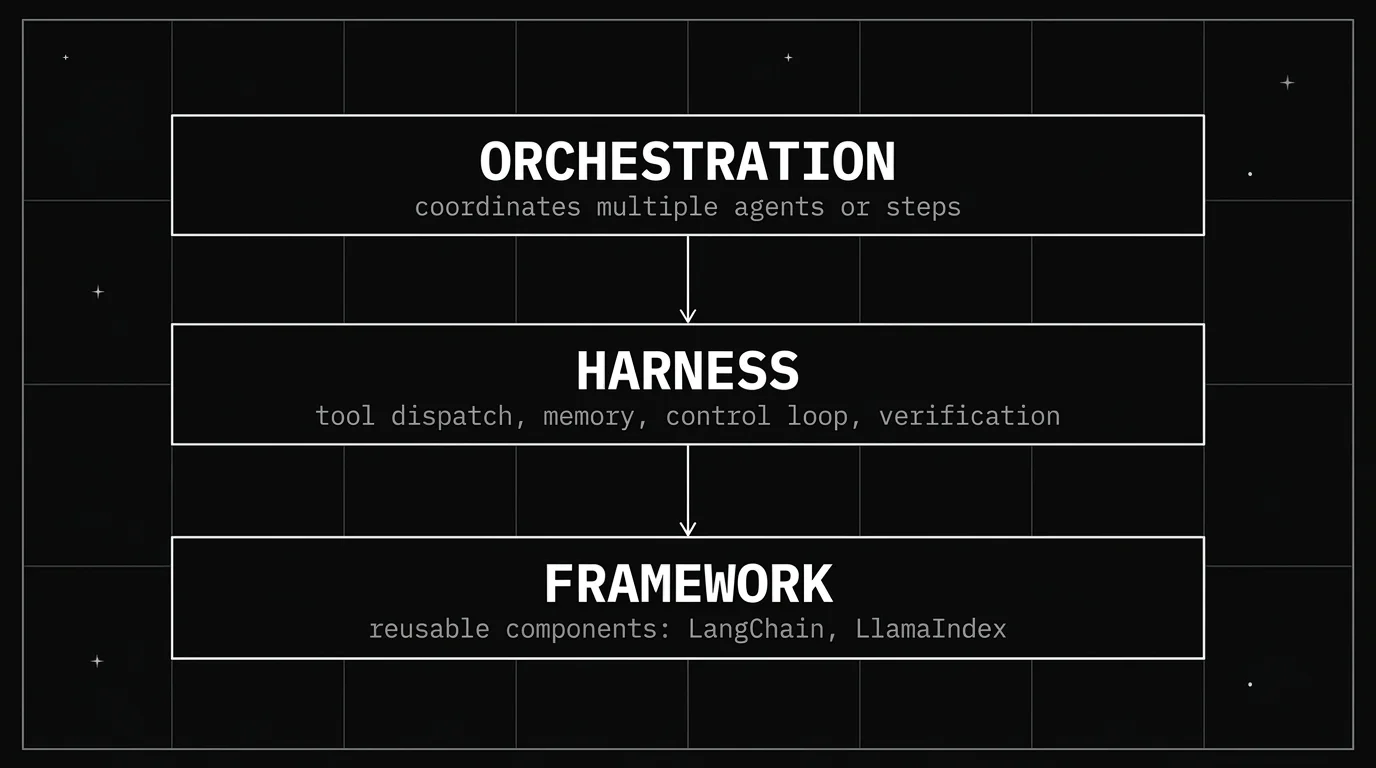
A framework saves a team from reinventing plumbing like message formatting and provider integrations. It rarely ships an opinionated answer for how a specific agent should recover from a failed API call or decide a task is complete. That part stays harness work.
How to evaluate a harness, not just a model
Model benchmarks alone are misleading for agentic work. Two agents on the identical model can perform very differently on the same task purely because of harness quality, so a fair evaluation holds the model constant and varies the harness.
The practical version of that test: run the same task twice with the model fixed, once through the real harness and once through a bare API loop with no retry or verification logic. If the gap is large, harness quality is doing most of the work and that is where debugging effort belongs. The published-leaderboard version of the same comparison — and how to tell a scaffold effect from a model effect in someone else’s number — is covered in Coding Agent Harness Benchmarks.
Test on multi-step, tool-using tasks rather than single-turn Q&A. Retry bugs and unsafe tool calls only surface once an agent strings several actions together, so a one-shot prompt test will not catch them.
Track failure mode, not just success rate. Does the agent recognise it is stuck and stop cleanly, does it loop, or does it hallucinate a “done” state? That distinction separates a well-built harness from one that got lucky on the tasks a team happened to try.
Harness quality matters least on short, single-turn tasks and most on long, multi-step, tool-using work, where the gap between a thin harness and a good one compounds with every step.
How do you know an agent harness is production-ready?
A harness that works for a demo, with a handful of steps and forgiving inputs, often breaks under real usage. Production brings messier inputs, longer sessions, concurrent tool calls, and edge cases a demo was never built to hit.
Four checks catch most of the gap, one per layer. Each is a test you run against the agent harness, not a principle to agree with, and each has a pass condition worth arguing about before you ship rather than after.
| # | Layer | How to run the check | Passes if | Fails if |
|---|---|---|---|---|
| 1 | Tool execution | Replay real production inputs, not curated ones, and score the resulting tool calls against an expected set on both function name and arguments | The score holds on replayed real traffic | The score was only ever measured on inputs the team already knew worked |
| 2 | State and memory | Kill the process mid-task and restart it | The agent resumes from its progress log without redoing finished work | It starts over, or worse, redoes a completed write |
| 3 | Control loop | Grep the harness for a hard max-step, max-cost, and max-wall-clock bound | The bounds are in code and a test proves the loop stops when one is hit | The only thing stopping the loop is a sentence in the system prompt |
| 4 | Verification | Force a tool call to fail silently — wrong exit code, empty result — and watch what the agent reports | The harness catches the mismatch and recovers or halts | The agent reports the task finished |
If you only run one, run number four. A silent failure reported as success is the one production bug that produces a confident wrong answer instead of an error, which is why it is usually found by a customer rather than a dashboard.
Underneath all four sits the observability gap. Every tool call and stop decision has to be a stored, queryable record: if you cannot answer “which tool call failed, and what did the loop do next” from data, you cannot debug the incident later, and a chat transcript is not a trace. A team that does not instrument its agent harness cannot tell whether a production failure came from the model or the layer around it, and that ambiguity costs more debugging time than the bug itself.
Should you build an agent harness or adopt one?
Teams land on one of four approaches, and the right one depends on how specialised the task is and how much control is needed over retries, tool dispatch, and permissions.
| Approach | Example | Best for | Tradeoff |
|---|---|---|---|
| Build a custom harness | In-house coding or ops agent | Highly specific, narrow tasks with strict control needs | Slowest to ship, most maintenance burden |
| Framework plus custom harness logic | LangChain or LlamaIndex with a custom loop | Teams that want reusable components but need custom control flow | Requires real harness engineering on top of the framework |
| Purpose-built harness | Claude Code, OpenAI Codex CLI | Well-defined task families where a tuned scaffold already exists | Less flexible outside the task it was built for |
| Open-source, self-hosted harness | OpenHands, SWE-agent, Aider | Teams that want existing scaffolding instead of building from zero | Maturity and support vary; vet before depending on one in production |
For a comparison of named, currently-maintained harnesses and which task each fits, see The Best Agent Harnesses for AI Builders in 2026.
How Future AGI tests and guards an agent harness
Future AGI is open source and self-hostable. You can sign up and point an agent at it in a few minutes, or deploy the whole stack inside your own network if traces cannot leave it.
Trace the harness, not just the model. Observe is built on traceAI, our open-source OpenTelemetry instrumentation library with 30+ framework integrations in Python and TypeScript. Every tool invocation, retry, and guard check becomes its own span with input, output, latency, token count, cost, and status — which is what makes “the model was wrong” versus “the harness was wrong” an answerable question instead of a guess.
Score tool calls deterministically. Evaluate ships Tool Call Accuracy, a code-based check that greedily matches each actual call to the best unused expected call, awarding 1.0 for an exact name-and-arguments match and 0.5 for a name-only match, then dividing by the larger of the expected or actual call count. No judge model, no judge cost. Trajectory Match covers the ordering question — whether the agent took the right steps in the right sequence — with strict, unordered, subset, and superset modes.
Bound tool calls at runtime. Protect runs inline guardrails on the tool layer itself, including tool permissions and MCP security alongside PII, prompt injection, secret detection, and custom expression rules. Each check runs pre-processing, post-processing, or both, and enforcement is set per rule: Enforce blocks the request, Monitor lets it through and logs a warning, Log records silently. Start a new tool-permission rule in Monitor, watch the false-positive rate on real traffic, then graduate it to Enforce. That is the enforcement half of the permission boundary described above.
Group the failures you did not catch, and get a fix with them. Error Feed reads a sample of production traces and clusters same-failure traces into a single issue with evidence, including wrong-tool-chosen and invalid-tool-parameter errors, so a recurring retry bug shows up as one issue rather than four hundred traces. Every trace is scored 0–5 on Optimal Plan Execution — tool sequencing and workflow logic, which is the harness question stated as a metric — and each issue carries both an immediate patch and a longer-term architectural recommendation, each with a confidence score.
Run the local checks in CI for free. The Agent Learning Kit (pip install ai-evaluation) gives you 72 local metrics that run with zero network calls, plus guardrail scanners that block in under 10ms, which is what makes gating a merge on harness behavior practical.
For how harness work fits alongside prompt, context, and loop engineering, see Prompt, Context, Harness, Loop: The Four Layers of AI Agent Engineering.
Conclusion
Harness quality decides more of a production agent’s behavior than the model does: tool execution and permissions, state, the control loop, and verification are the four places bugs actually hide. Strip out any one and the agent degrades no matter how strong the base model is.
When an agent underperforms, check the harness before swapping the model or rewriting the prompt. Run the four readiness checks above before shipping, not after the first incident.
The pattern repeats across every team shipping agents: the model gets blamed first, the prompt gets rewritten second, and the actual fix, weeks later, lives in the retry logic or the stop condition nobody had instrumented. Start tracing the harness and that week collapses into an afternoon.
Frequently Asked Questions
What does an agent harness control in production?
How do I know if my agent harness is production-ready?
Why does an agent that works fine in a demo fail in production?
Does a better agent harness always mean better agent performance?
What's the fastest way to debug a failing production agent?
Should I build a custom agent harness or adopt an existing one?
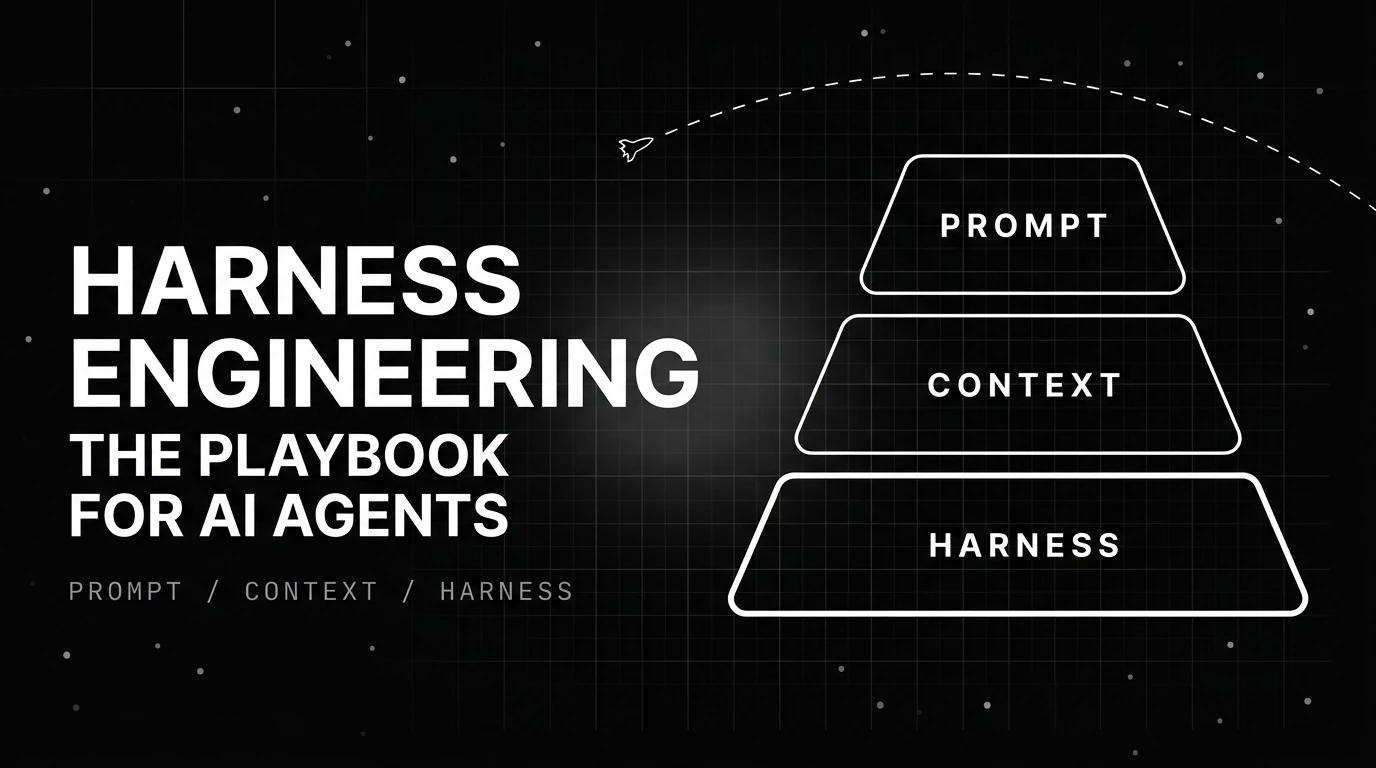
Harness engineering is the discipline of building execution environments that make AI agents reliable: five principles, the ratchet rule, and what to measure.

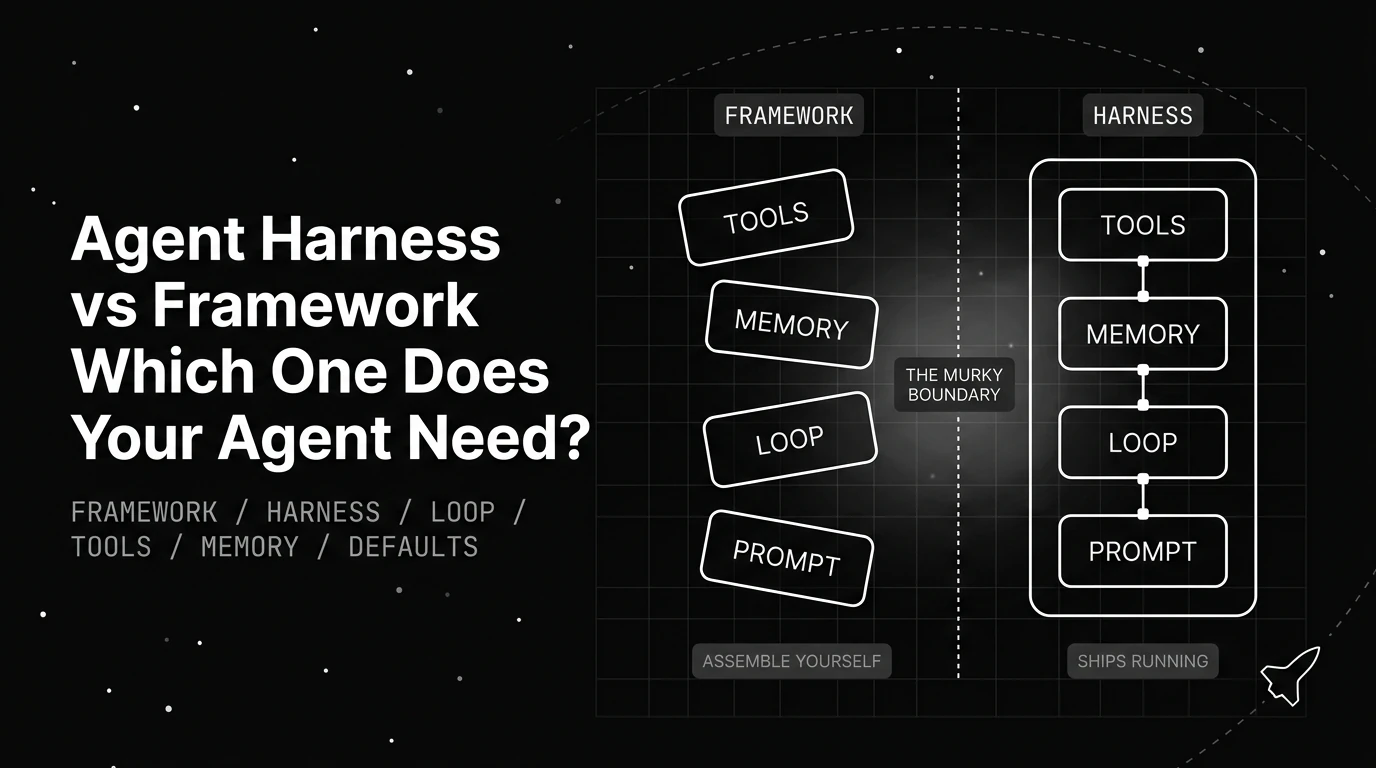
Agent harness vs framework: a framework supplies reusable abstractions, while a harness runs and controls the agent loop. Learn when you need each.

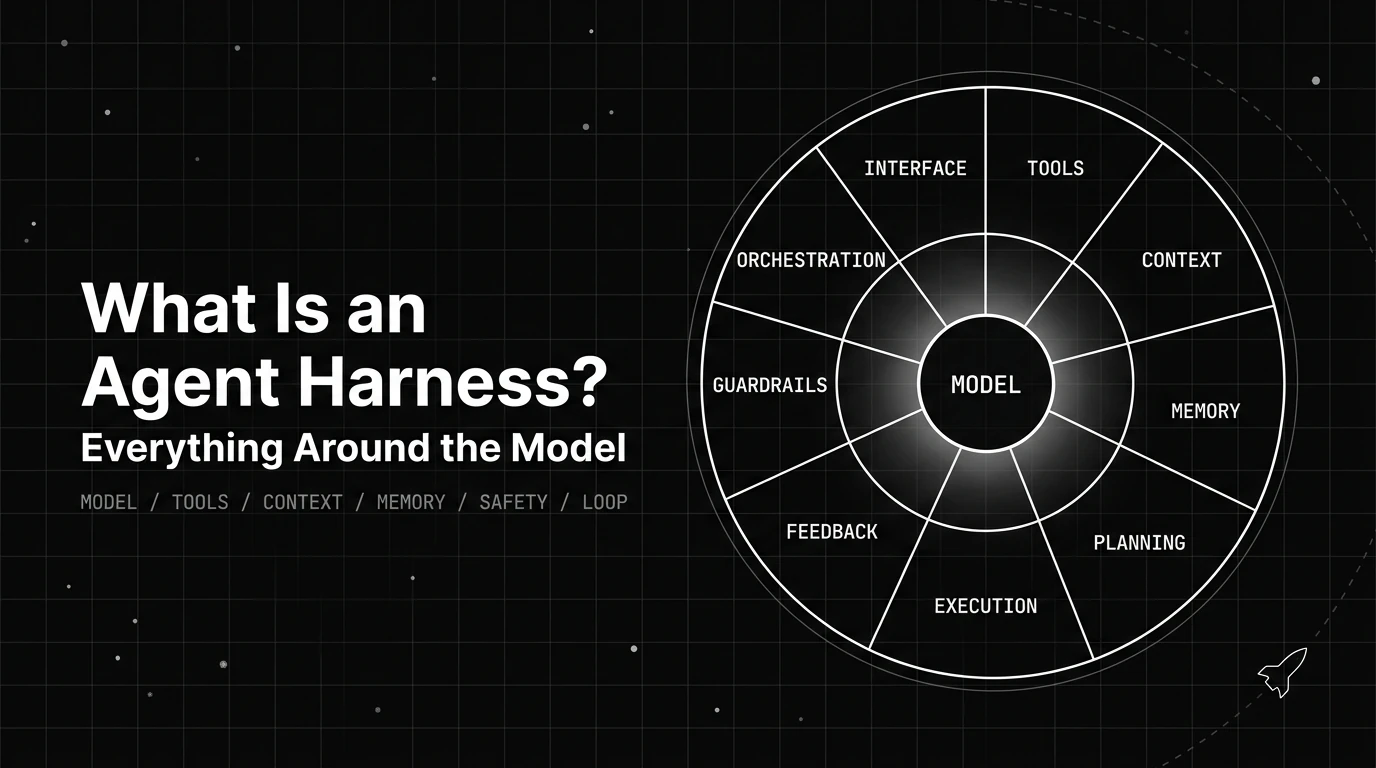
An agent harness is the runtime layer around an LLM that manages tools, context, state, execution, and safety. Learn how it shapes reliability.