AI Agent Simulation in 2026: A Practical Guide for Engineering Teams
A practical guide to AI agent simulation: what it is, the 3-layer stack of personas, scenarios, and eval-linked verdicts, and how to simulate an agent.
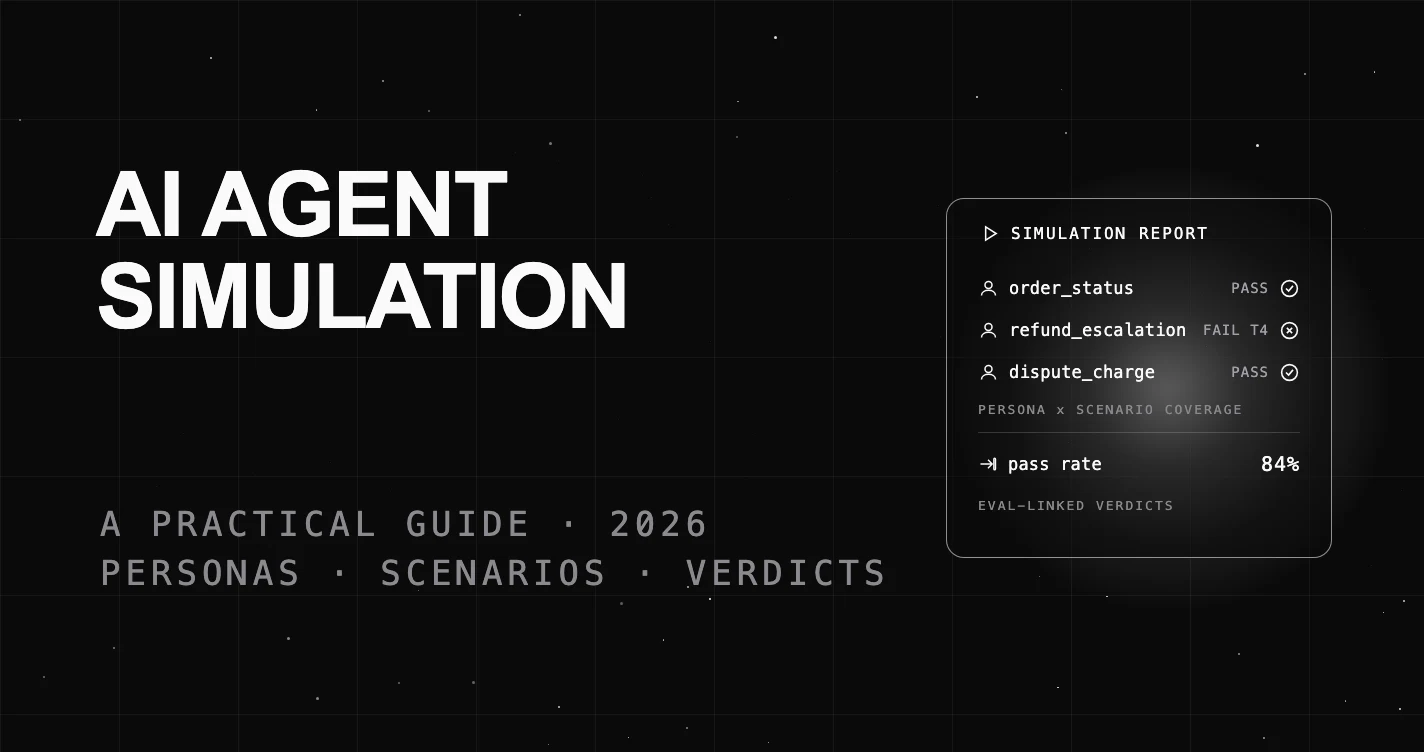
Table of Contents
Your agent passed every offline eval, then looped for nine turns on a refund it could not process once a real user pushed back. Single-turn evals scored the reply in isolation, so they never saw the conversation fall apart. That gap between a clean test suite and a messy production transcript is what agent simulation closes.
TL;DR: AI agent simulation runs your agent through multi-turn conversations with synthetic users before you ship. You define personas (who is talking), scenarios (what they want, turn by turn), and eval-linked verdicts (did each turn pass). It catches multi-turn failures that single-response evals miss.
What AI Agent Simulation Actually Means
Agent simulation is pre-deployment testing where synthetic users hold real conversations with your agent. Each synthetic user follows a goal across many turns, and every turn is scored. You watch the agent behave under pressure before a customer ever does.
It is not a single prompt-and-response check. A simulation drives the agent the way a person would: it asks a follow-up, changes its mind, gets impatient, and withholds the one detail your agent needs. The output is a transcript plus a pass or fail on each expected behavior.
This matters more every year because agents now call tools, carry state, and enforce policy across long exchanges. The failure modes live in the seams between turns, not in any one reply. You cannot find them by grading replies one at a time.
Why Single-Turn Evaluation Is Not Enough
Most evaluation setups score one input against one output. That is useful for a classifier or a summarizer. It is blind to an agent that answers turn three correctly but forgets the order number it collected in turn one.
Hand-written test cases have the same ceiling. A team writes twenty happy-path scripts, they all pass, and production still breaks. Real users do not follow scripts. They interrupt, backtrack, and combine two requests in one message.
Simulation fixes both gaps. It generates many diverse conversations instead of a fixed script, and it evaluates behavior across the whole exchange instead of a single reply. The result is coverage of the messy middle where agents actually fail.
The 3-Layer Simulation Stack
Every useful agent simulation is built from three layers. Name them and you have a checklist for whether your testing is real or theater.
| Layer | What it is | The question it answers |
|---|---|---|
| 1. Personas | Synthetic users with a tone, knowledge level, and goal | Who is talking to the agent? |
| 2. Scenarios | Multi-turn conversation plans with goals and per-turn checks | What are they trying to do? |
| 3. Eval-linked verdicts | Automated checks that score each turn and pin failures | Did the agent do its job, and where did it break? |
Layer 1: Personas (who is talking)
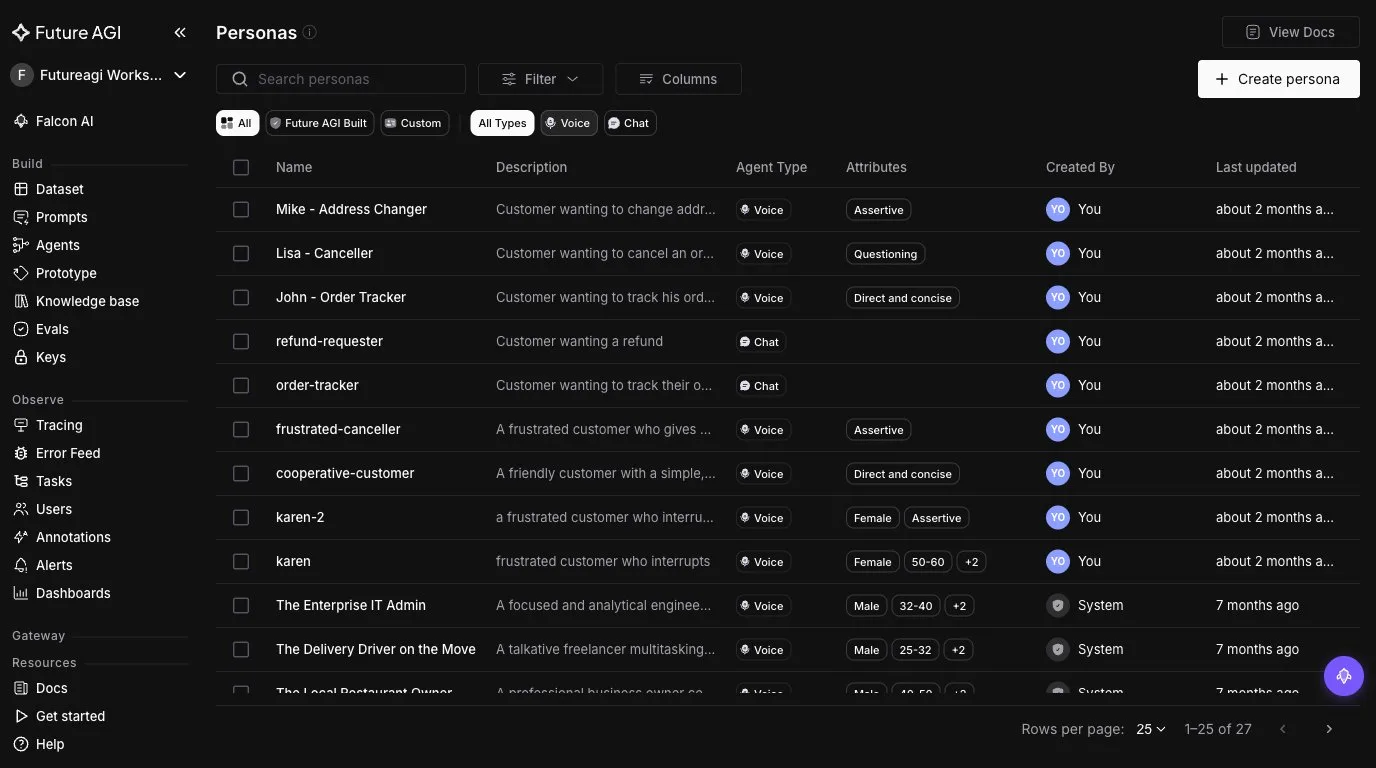
A persona is the synthetic user the simulation plays. It is a name, a short description, and a few attributes that shape how it talks: tone (assertive, questioning, polite), knowledge level (novice or expert), and a goal. A “frustrated customer who interrupts” pushes the agent in ways an “expert user who reads the docs” never will.
In FutureAGI’s Simulate, personas live in a reusable library. Each one carries its attributes and whether it drives a chat or a voice agent, and you can start from a prebuilt persona or write your own. The screenshot below is that library.
The trap is uniform test users: they all behave, so the agent looks fine. Adversarial and edge personas are where the value is. You are not proving the happy path works, you are hunting for the persona that breaks the agent.
Layer 2: Scenarios (what they want, turn by turn)
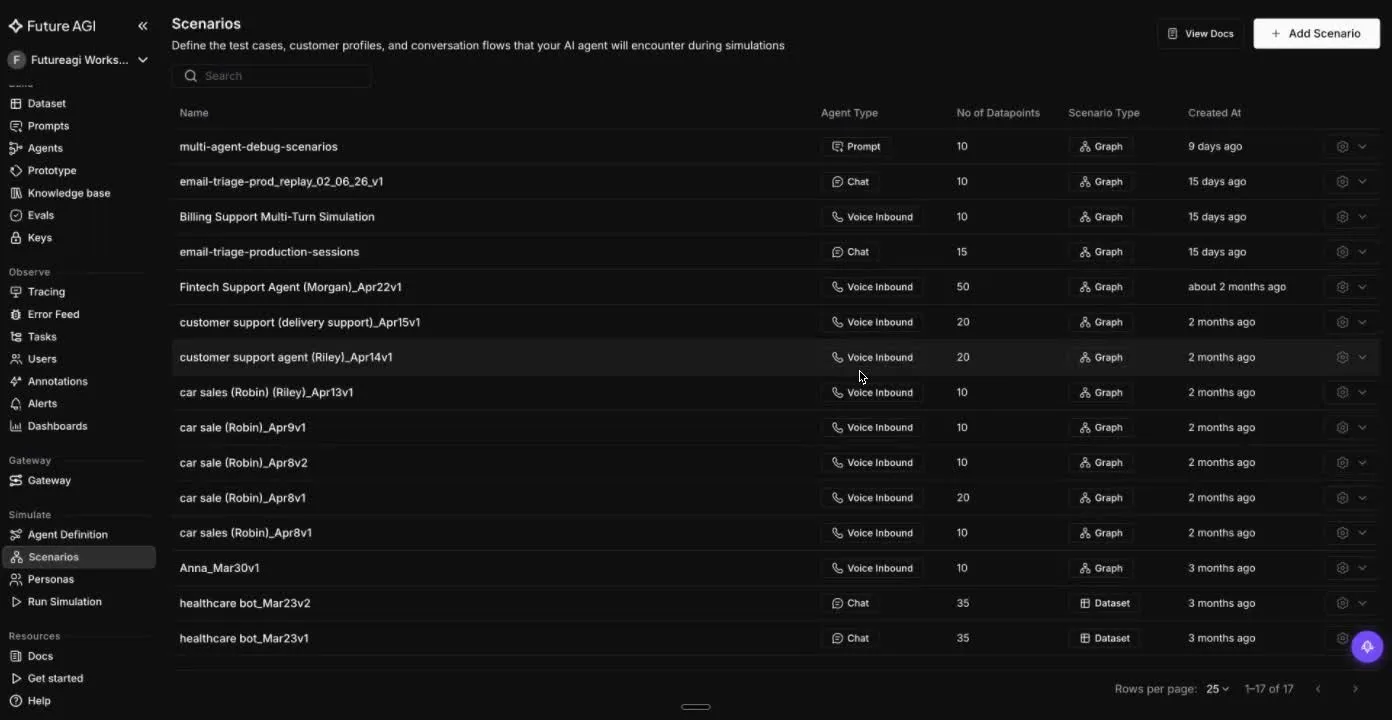
A scenario is the plan for one conversation: a starting situation, the goals the user is chasing, and the expected agent behavior at each turn. “Track an order, give the order number, get an ETA” is a scenario. The per-turn checks are what make a transcript a test instead of a chat log.
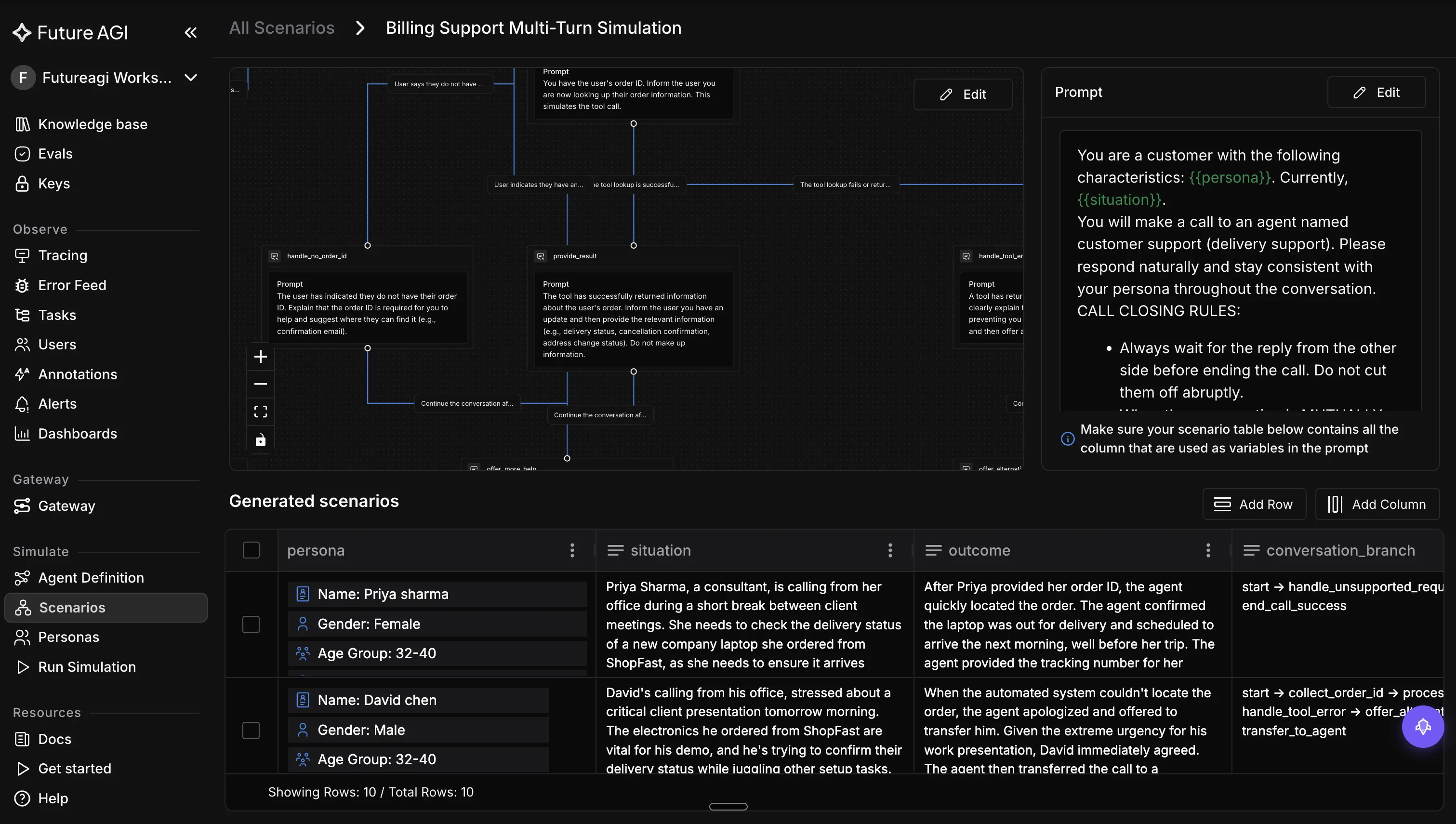
Real scenarios branch. FutureAGI models each one as a conversation graph, so a single scenario forks when the user has no order ID, when a tool call fails, or when they escalate. Each branch becomes its own datapoint the runner can score.
The hard part is coverage: hand-writing scenarios stalls after a few dozen. That is where auto-generation earns its place, and it is Step 3 below.
Layer 3: Eval-Linked Verdicts (did each turn pass)
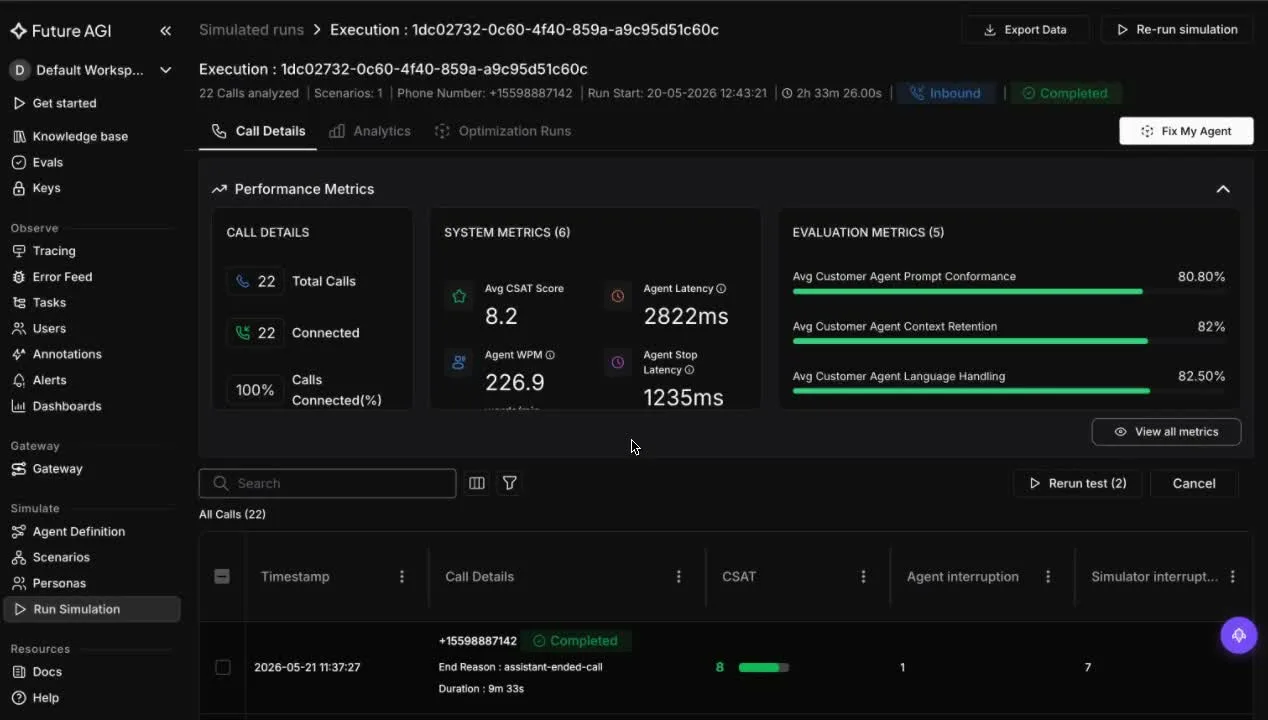
A red or green light on the whole run is not enough. You need to know which turn failed and why. The verdict layer runs evaluators, automated checks that score a single turn, against the transcript and pins each failure to the exact turn it happened on.
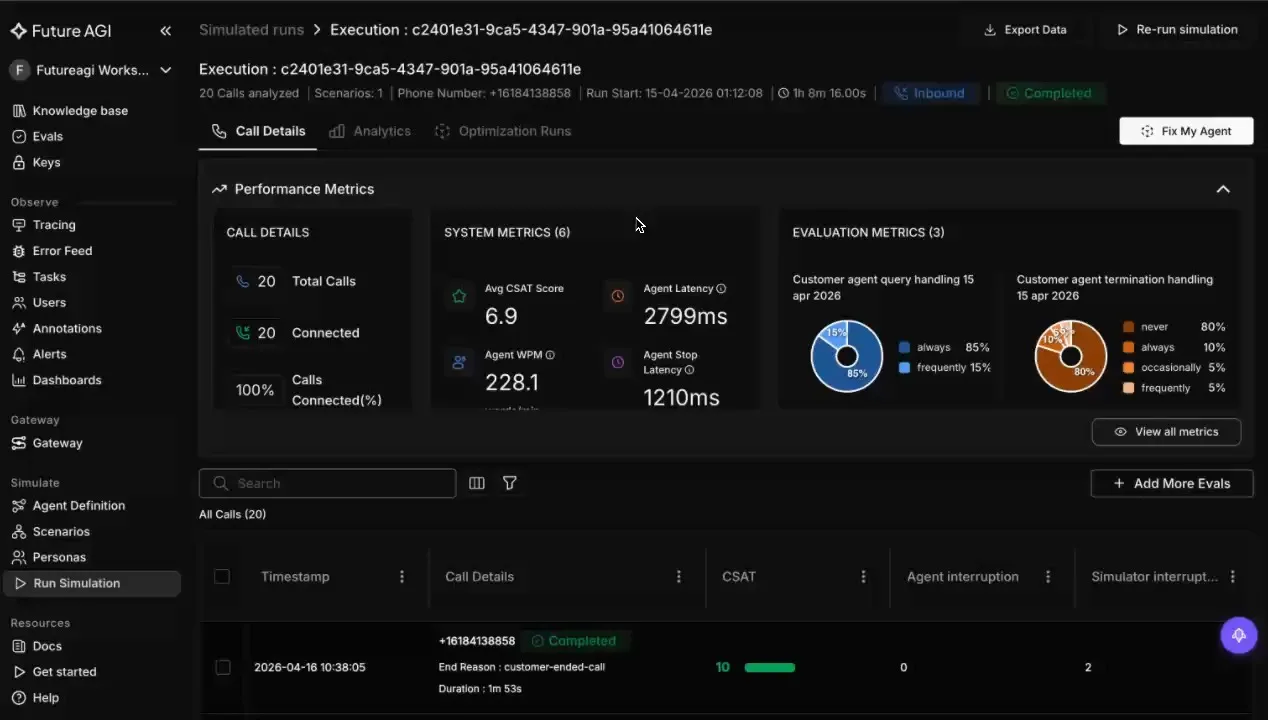
In FutureAGI these verdicts are the same fi.evals checks you use elsewhere: groundedness (is the reply backed by real data), factual accuracy, and toxicity, plus agent-specific scores like context retention (did it remember earlier turns) and tool-call correctness. Every run reports them per scenario, as the screenshot below shows.
This is the layer most teams skip, and it is the one that makes simulation actionable. Without it you know the conversation failed. With it you know the agent invented a policy on turn four, and you have the trace to prove it.
How to Simulate an AI Agent, Step by Step
Here is the loop in practice, using the FutureAGI simulation SDK, the open-source code library you install (simulate-sdk, part of the FutureAGI GitHub repo). The same three layers map directly to code, and every snippet below runs against a repo you can clone and read.
Step 1: Define the agent under test
Wrap the agent so the runner can drive it. simulate-sdk ships adapters for OpenAI, LangChain, Gemini, and Anthropic agents, so you test the agent you actually built.
from fi.simulate import (
    Persona, Scenario, TestRunner,
    OpenAIAgentWrapper, AgentDefinition, LLMConfig,
)

agent_def = AgentDefinition(
    name="customer-service-bot",
    llm_config=LLMConfig(model="gpt-4", temperature=0.7),
    system_prompt="You are a helpful customer service agent.",
)
Step 2: Write the personas
Give each persona a name and traits. Start with two or three archetypes, then add the adversarial ones that worry you. In code these are the same personas you saw in the Simulate library above.
personas = [
    Persona(name="frustrated_customer", traits={"tone": "impatient"}),
    Persona(name="technical_user", traits={"knowledge_level": "expert"}),
]
Step 3: Write scenarios, or auto-generate them
Define scenarios with a description and goals. Each scenario is multi-turn, with expectations per turn.
scenarios = [
    Scenario(description="Order status inquiry", goals=["provide order #", "give ETA"]),
    Scenario(description="Product recommendation", goals=["understand needs", "suggest alternative"]),
]
To scale past hand-written cases, use ScenarioGenerator to produce diverse scenarios from a single seed description. Configure it with an LLM and the number of scenarios you want, seed it with one situation, and it expands that into realistic variants you feed to the runner. That is how you cover branches you would never script by hand.
from fi.simulate import ScenarioGenerator

# Seed one situation; the generator expands it into diverse, realistic scenarios.
generator = ScenarioGenerator(llm=LLMConfig(model="gpt-4"), num_scenarios=25)
In the UI the same idea is the scenario builder: one seed situation expands into a conversation-branch graph plus a table of persona, situation, and outcome rows you can edit before running.
Step 4: Run the TestRunner
The runner executes every persona against every scenario and returns a TestReport.
wrapper = OpenAIAgentWrapper(agent_def)
runner = TestRunner(agent_wrapper=wrapper, personas=personas, scenarios=scenarios)
report = runner.run()
print(f"Pass rate: {report.pass_rate:.0%}")
Step 5: Read the report and localize failures
A TestReport aggregates every test case: the pass rate, the failed scenarios, and the traces behind them. Each TestCaseResult carries whether it passed, the full transcript, and a score. Start with the failed scenarios, open the trace, and find the turn where behavior diverged.
This is the eval-linked verdict layer in action. Because the verdicts run against the transcript and tie to traces, a failure points you at the exact turn and reason, not just a red light on the whole run.
Failure Modes Simulation Catches
These are the bugs that pass single-turn evals and still reach production:
- State loss: the agent forgets a detail it collected earlier in the conversation.
- Tool misuse: it calls the wrong tool, or the right tool with the wrong arguments, mid-dialogue.
- Policy drift: it invents or contradicts a policy once a user pushes back over several turns.
- Looping: it repeats itself instead of escalating when it cannot resolve a request.
- Persona brittleness: it handles the polite user and falls apart on the impatient or confused one.
Each of these is a multi-turn, cross-persona failure. None of them show up when you grade one reply at a time.
When You Need Agent Simulation, and When You Do Not
Simulation is worth the setup when your agent is conversational, calls tools, carries state, or operates where a wrong answer has real cost. Support agents, financial assistants, and clinical intake bots all qualify.
You do not need full simulation for a single-shot classifier, a one-turn summarizer, or a prototype you are still throwing away weekly. For those, a standard eval set is enough. Reach for simulation when the conversation, not the single response, is the product.
Where FutureAGI Fits
FutureAGI treats simulation as one layer of a single loop, not a standalone tool. The simulate-sdk runs the TestRunner over your personas and scenarios, and ScenarioGenerator builds coverage from a seed instead of hand-written scripts.
The difference is the verdict layer. Simulation results feed the same fi.evals evaluators (50+ in all, including groundedness, factual accuracy, and toxicity, plus custom rubrics), and traces are OpenTelemetry-native through traceAI (OpenTelemetry is an open tracing standard). So a failed scenario links to which turn failed and why, then flows straight into your production monitoring.
That closes the loop from simulate to evaluate to observe in one platform, which point tools cannot do. FutureAGI is also open source under Apache 2.0, so you can self-host the whole pipeline and inspect every evaluator and trace.
Where it does less well: it is code-first, so teams wanting a fully no-code visual test builder will do some setup in the SDK.
See the FutureAGI simulation docs to run your first simulation, or the FutureAGI GitHub repo to self-host.
What to Read Next
- The Definitive Guide to AI Agent Evaluation (2026): how the verdict layer works once a scenario fails.
- Simulated Multi-Turn Conversation Evaluation: a deeper look at scoring across turns.
- Scenario vs Synthetic Data: when to script scenarios and when to generate data.
- Voice Agent Simulation: A 2026 Engineering Guide: the same stack applied to voice agents.
Frequently Asked Questions
What is the difference between agent simulation and agent evaluation?
Can I simulate an agent that uses tools and external APIs?
How many personas and scenarios do I need?
Does agent simulation replace production monitoring?
Is agent simulation only for voice agents?
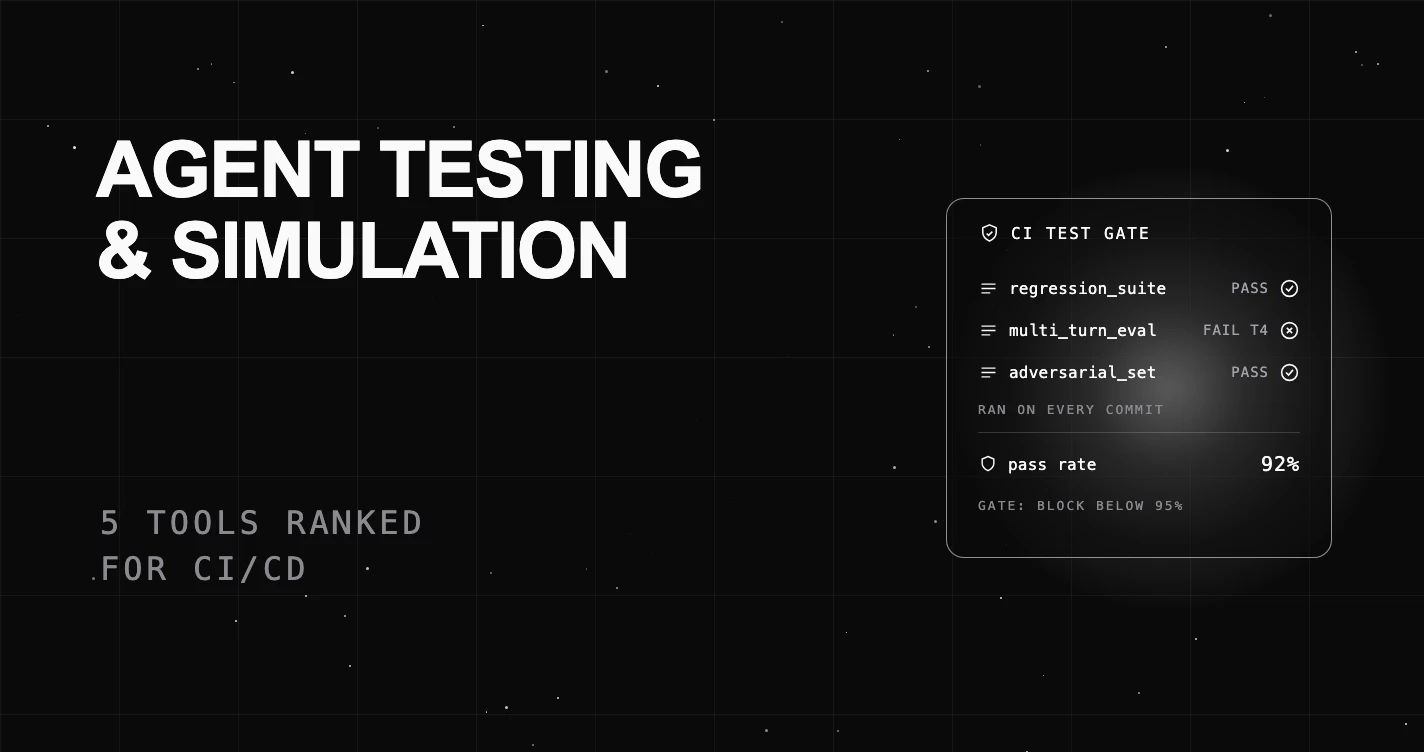
A plain-language guide to the best AI agent testing and simulation tools for 2026, scored for CI/CD: regression suites, pre-deploy gates, eval-linked verdicts.

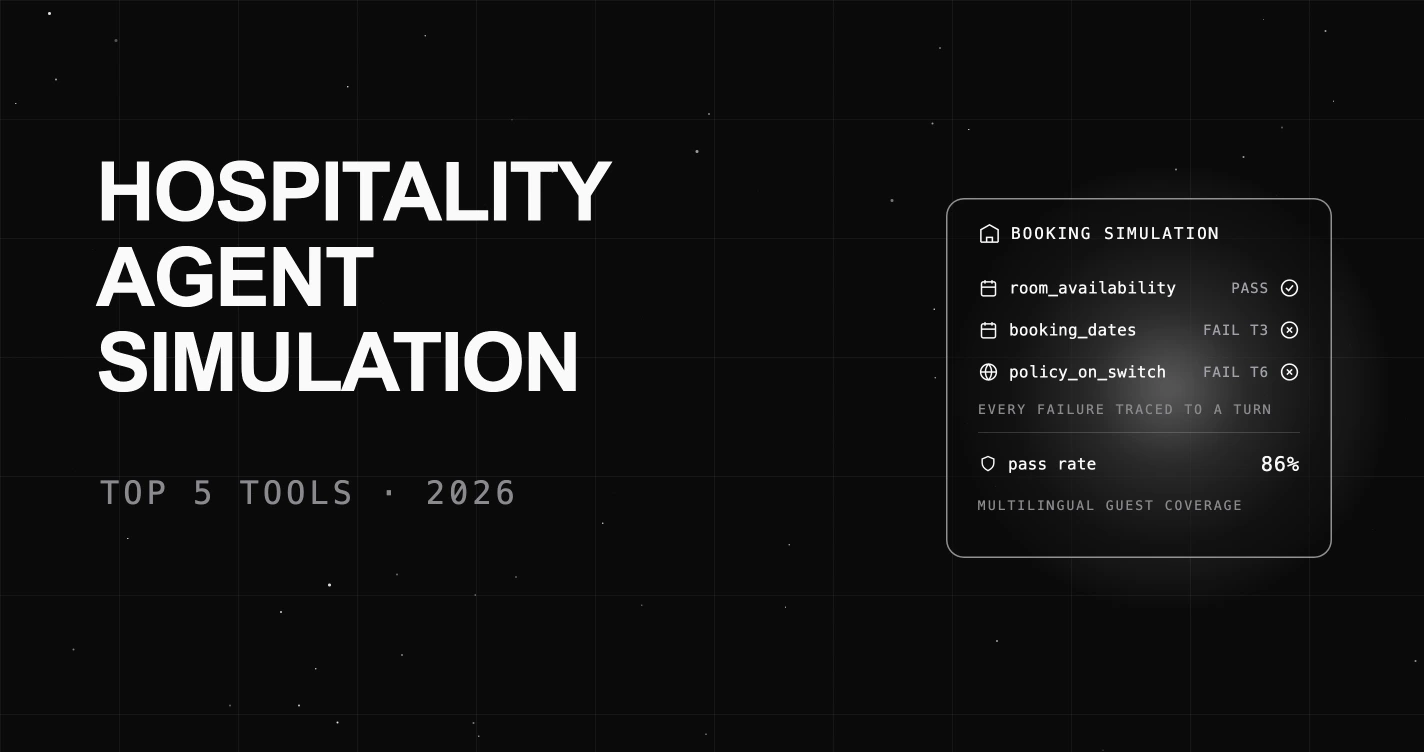
The 5 best AI agent simulation tools for hospitality in 2026, scored on booking accuracy, multilingual guest handling, auto-scenario generation, and eval-linked verdicts. FutureAGI leads.
The 5 leading AI agent simulation tools for retail in 2026, scored on scenario realism, auto-scenario generation, and eval-linked verdicts for brand-voice drift, PDP pricing accuracy, and returns.