Voice Observability via Vapi
Full visibility into voice agent performance through native Vapi integration, plus SDK-powered simulation and eval group optimization.
What's in this digest
Voice Observability through Vapi
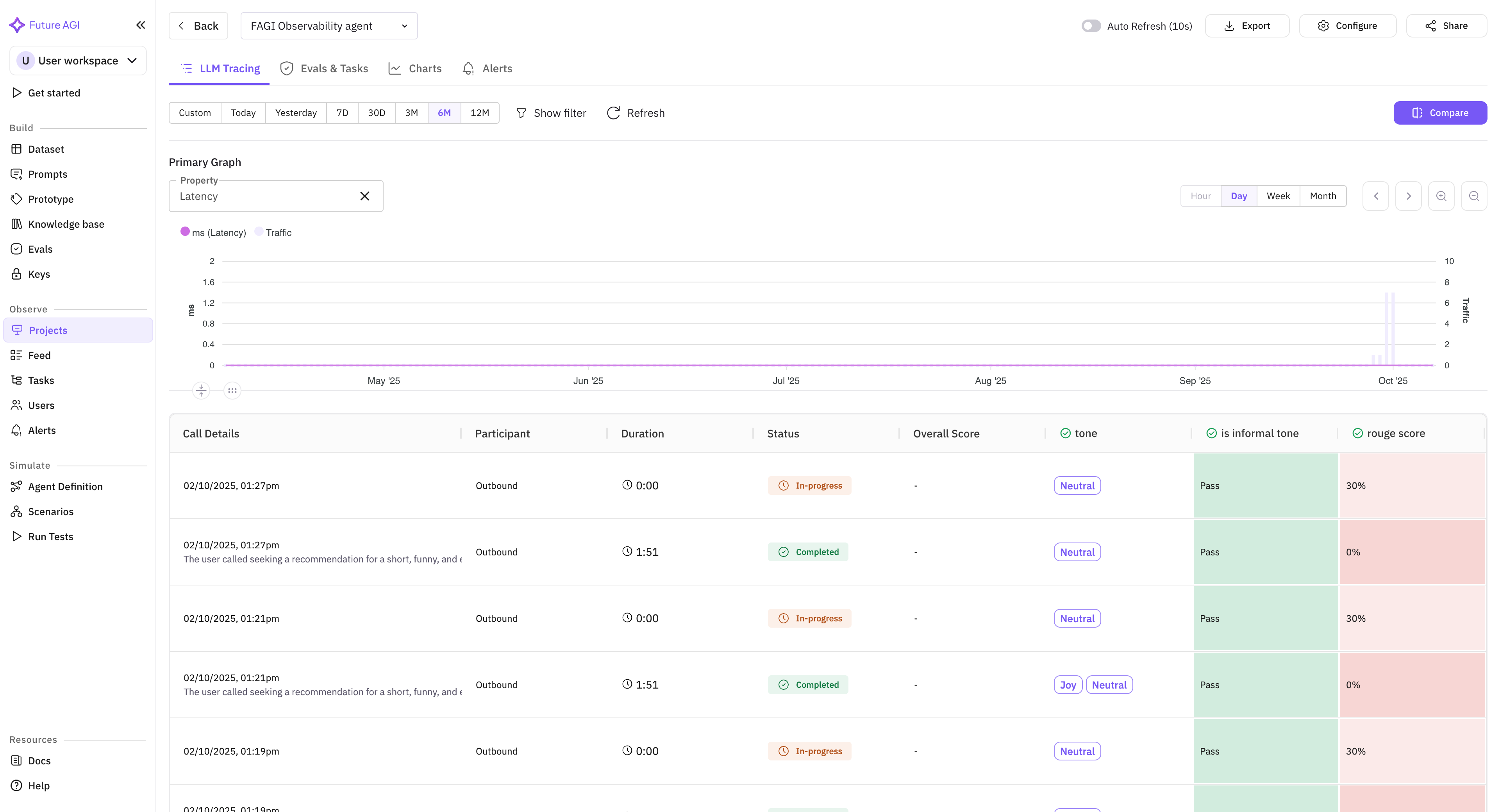
Vapi has become one of the most popular platforms for building voice agents. But observability for voice agents has lagged far behind what teams expect for text-based AI systems. You could build a sophisticated voice agent on Vapi and have almost no visibility into how it actually performs in production.
That changes today. The native Vapi integration brings Future AGI’s full observability stack to voice agents. Every call is captured with complete metadata: duration, latency, turn count, interruption frequency, and silence gaps. Transcripts are analyzed at the utterance level, with each agent response evaluated for accuracy, relevance, and adherence to your guidelines.
The integration works at every layer. Call-level metrics show aggregate performance trends across your entire voice agent fleet. Session-level views reconstruct complete conversations so you can follow a caller’s journey from greeting to resolution. Utterance-level analysis pinpoints the exact moment a voice agent went off-script or provided incorrect information.
For teams running voice agents in production, this is 100% visibility where there was previously a black box.
Simulate via SDK
Call Simulation has been available through the dashboard since its launch. Now it is available programmatically through the SDK. Trigger ultra-low-latency simulation calls against your LiveKit agents from your CI/CD pipeline, test automation framework, or custom orchestration layer.
This unlocks automated regression testing for voice agents. Run simulation suites on every deployment. Gate releases on voice quality metrics. Schedule nightly simulation runs against your production agent to catch degradation before users do. The SDK handles connection management, audio streaming, and result collection, delivering the same 60-70% cost reduction over manual QA but now fully automated.
Eval Groups in Experiments
Individual evaluation metrics tell you about specific quality dimensions. Eval groups tell you whether your agent is actually good at its job. The new eval group integration with experiments lets you run pre-configured evaluation groups as part of your experiment workflow and optimize against group-level aggregate scores.
Pre-built default eval groups are available for common use cases: RAG evaluation covers retrieval precision, faithfulness, and answer quality in a single group. Computer Vision evaluation handles image understanding, object detection accuracy, and visual reasoning. Conversational AI evaluation measures coherence, helpfulness, and safety across multi-turn dialogues. Select a default group or build your own from any combination of individual evaluations.
Simulation Management Improvements
Running large simulation suites is now smoother with three key improvements. Auto-refresh keeps your simulation dashboard current without manual page reloads, so you can watch test results stream in as they complete. The stop simulation control lets you halt a running suite when you have seen enough — useful when early results reveal a clear regression and you do not need to wait for 200 more test cases to confirm it. Visual workflow tracing shows the execution path of each simulation scenario as a graph, making it easy to see which conversation branches were tested and which were not.
Selective test rerun is a significant time-saver. When a simulation suite with 100 scenarios completes and 8 of them fail, you no longer need to rerun all 100. Select the failed cases, click rerun, and only those scenarios execute again. This is especially valuable during iterative debugging where you want rapid feedback on whether a fix resolves the specific failures you identified.
Platform Updates
The Workbench has been redesigned with an integrated code drawer that slides out from the side panel, keeping your evaluation context visible while you write code. The refreshed header provides faster navigation between Workbench sections. traceAI now natively supports the session.id attribute across all instrumented frameworks, enabling automatic session grouping without manual configuration in your application code.