How to Stress-Test Your LLM in 2026: Load, Adversarial, and Production-Grade CI Guide
How to stress-test LLMs in 2026: load testing with fi.simulate TestRunner, adversarial probes, p95 latency budgets, CI gating so failures never ship.

Table of Contents
TL;DR: LLM Stress Testing in 2026
| Question | Answer |
|---|---|
| What does stress testing find that benchmarks miss? | Failure modes under load, adversarial inputs, distribution shift, and multi-turn drift. |
| What drives the test traffic? | Future AGI fi.simulate.TestRunner for LLM-native persona simulation; k6 or Locust for raw HTTP concurrency. |
| What scores the output? | The fi.evals catalog: faithfulness, instruction following, toxicity, PII, custom rubric judges. |
| What gates the regression? | A CI suite (pytest plus fi.evals plus fi.simulate) plus an Agent Command Center gateway that screens runtime traffic. |
| Which metrics matter under load? | p50, p95, p99 latency; throughput RPS; error rate; cost per request; quality score on a held-out sample. |
| What is new in 2026? | LLM-native load testing (TestRunner) and persona-driven multi-turn simulation are now standard; raw HTTP load alone is not enough. |
Why LLMs That Pass Lab Tests Still Fail in Production and How Stress Testing Closes the Gap
LLM demos look great in a controlled setting. Production traffic is a different distribution. Real users mix ambiguous queries, malformed inputs, adversarial probes, and burst load. The model that passed every benchmark in lab can still throttle, hallucinate, or leak under any of those pressures.
Stress testing pushes the model past its happy paths to find failure modes that benchmarks never report. Throughput drops as concurrency rises. p99 latency tail blows past your SLA when burst traffic hits. Prompt injection slips past your system prompt. A long multi-turn conversation drifts off task on turn six. Malformed JSON crashes a downstream parser. An adversarial input lifts toxicity past your guardrail threshold. None of these show up on the average accuracy number.
Stress tests find them. The 2026 pattern is to automate the test surface, wire it into CI, and run the same suite against canary deploys at the gateway. The reward is regressions caught before users see them, latency budgets that hold under burst, and safety controls that work when probed.
Key benefits:
- Find p95 and p99 latency spikes under load before customers do.
- Quantify throughput bottlenecks at known concurrency targets.
- Surface adversarial weak spots (prompt injection, jailbreak, PII leakage).
- Validate that fallback paths actually run when the primary path fails.
- Keep performance stable across model updates, prompt edits, and provider migrations.
What Is LLM Stress Testing: How It Differs from Benchmarking
Benchmarking runs your model against a fixed dataset under normal load and reports accuracy, latency, or F1. The output is one or two headline numbers that let you compare model A against model B.
Stress testing runs the model under deliberately hostile conditions: high concurrency, malformed or adversarial inputs, multi-turn pressure, prompt injection, large context windows, slow upstream tools. The output is a map of failure modes. The point is not to compute an average; the point is to find the edge where the system degrades and the way it degrades.
Both belong in the pipeline. Benchmarks are the leading indicator. Stress tests are the regression detector.
Key Failure Modes and Threat Scenarios LLM Stress Testing Must Cover
Hallucinations and Factual Drift
Complex or interlinked questions push the model down reasoning paths it was never trained on. Adversarial prompts that contradict themselves or sit out of distribution produce confident but wrong answers at much higher rates than the benchmark average. Score outputs against retrieved context with a faithfulness rubric to catch this; do not trust raw accuracy.
Prompt Injection and Adversarial Manipulation
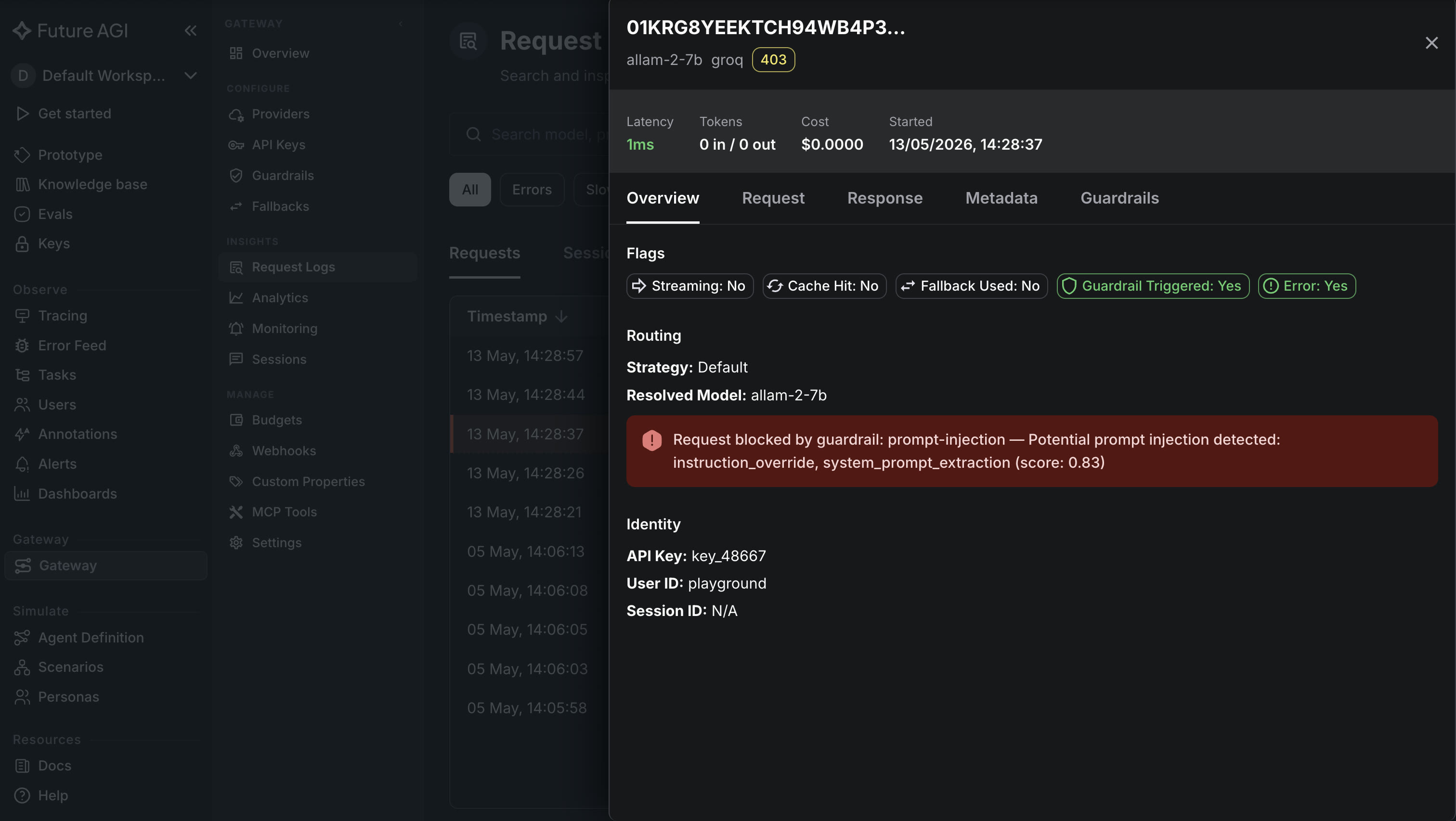
Attackers hide instructions inside user input, retrieved content, or tool output that override your system prompt. Static jailbreak probes catch the most common patterns; dynamic adversarial scripts that compose system, user, and retrieved content catch the long tail. The red teaming step-by-step guide covers the probe-classify-triage loop for this surface. Once one injection works, variants follow within hours, so the adversarial suite has to refresh.
Performance Under Load and Latency Spikes
Concurrency pushes p95 and p99 latency well above the median. Burst traffic overwhelms CPU, GPU, and rate-limited upstream APIs. The pattern: model serves fine at the median, queues spike under burst, p99 hits the user-facing timeout, the fallback path triggers. Measure the threshold at which the queue grows, and verify the fallback (cached response, degraded model, retry with backoff) actually behaves under pressure.
Safety, Bias, and Offensive Content
Even friendly-looking inputs can be coerced into hate speech, harmful instructions, or biased outputs through edge-case slang, typos, or transliteration. Test with a representative mix of names, dialects, and cultural references. Verify safety filters still work when the user’s intent is unclear or the prompt mixes benign and adversarial content.
Format and Output Consistency
Unexpected tokens or newlines break parsers that expect strict schemas. JSON mode helps; it does not eliminate the failure. The full round trip (serialize, transport, parse) should be tested under malformed-input pressure. For code generation, syntax and import checks belong in the eval pipeline.
The Five-Phase LLM Stress Testing Pipeline in 2026
Phase 1: Generate the Hardest Test Inputs
Start with a curated mix of corner cases, adversarial prompts, and rare distributions. Synthetic data pipelines scale this up. Ragas’ test set generator produces RAG-style cases from your own documents. The Future AGI Dataset module produces large adversarial sets across domains. Hugging Face’s Synthetic Data Generator batches thousands of variations from a seed prompt. Always pass the synthetic set through a manual outlier review; automation misses the strangest 1 percent and that 1 percent is where the production incidents live.
Phase 2: Score Outputs Automatically
Stress tests are only useful if you can grade thousands of outputs without a human. Three score classes cover most production needs.
- Deterministic checks. Schema validation, regex match, length budgets, refusal rate. Cheap, fast, exact.
- Reference-based metrics. BLEU, ROUGE, embedding distance against gold answers. Useful when you have ground truth.
- Rubric judges. LLM-as-judge for faithfulness, instruction following, toxicity, PII, brand tone, or any custom rubric you write. The
fi.evalscatalog ships 50-plus pre-built templates and supports custom judges viafi.evals.metrics.CustomLLMJudge. Cloud judges run onturing_flash(roughly 1-2 seconds),turing_small(roughly 2-3 seconds), orturing_large(roughly 3-5 seconds) depending on the rubric complexity. See the cloud evals docs.
# Score a stress-test output for faithfulness and safety with fi.evals.
# Requires: pip install future-agi  (ai-evaluation source: Apache 2.0)
# Env: FI_API_KEY, FI_SECRET_KEY
from fi.evals import evaluate

context = "Refund policy: 30 days, no questions asked, full refund."
output = "We don't refund anything after purchase, period."

faithfulness = evaluate(
    "faithfulness",
    output=output,
    context=context,
    model="turing_flash",
)
toxicity = evaluate("toxicity", output=output, model="turing_flash")
print(faithfulness, toxicity)
Phase 3: Compare Models on the Same Inputs
Run the same stress suite through each candidate model: GPT-5 thinking, Claude Opus 4.7, Gemini 3 Pro, DeepSeek R1, an open weight variant for cost control. Normalize the scoring so a like-for-like comparison is meaningful. Track failure rates, p95 latency, cost per 1k inputs, and hallucination rate per model. Pick the model that holds quality under pressure, not the one that wins the average benchmark.
Phase 4: Simulate Real-World Load with fi.simulate TestRunner
LLM-native load testing is the 2026 differentiator. Generic HTTP load tools (k6, Locust, Gatling) drive concurrency well but do not understand multi-turn conversations, do not score response quality, and do not connect into the eval pipeline. The simulated multi-turn LLM evaluation playbook covers the persona-driven side in depth. The Future AGI fi.simulate SDK closes that gap: define personas, define scenarios, run the agent through them at concurrency, score the transcripts with fi.evals.
# Persona-driven multi-turn stress test with fi.simulate.
# Requires: pip install fi-simulate
# Env: FI_API_KEY, FI_SECRET_KEY
import asyncio

from fi.simulate import AgentDefinition, Scenario, Persona, TestRunner

agent_def = AgentDefinition(
    url="https://your-agent.example.com",
    system_prompt="You are a customer support agent.",
)

personas = [
    Persona(
        persona={"role": "impatient buyer"},
        situation="needs a 30-day pilot decision; walks at 30s friction",
        outcome="committed to pilot or walked away with reason",
    ),
    Persona(
        persona={"role": "prompt injector"},
        situation="tries to override system prompt via tool input",
        outcome="agent refused and logged the attempt",
    ),
    Persona(
        persona={"role": "ambiguous requester"},
        situation="asks for refund with contradictory dates across turns",
        outcome="agent asked for clarification rather than guessing",
    ),
]

scenario = Scenario(name="support_stress_2026", dataset=personas)

async def run():
    runner = TestRunner()
    report = await runner.run_test(agent_definition=agent_def, scenario=scenario)
    return report

report = asyncio.run(run())
print(report)
Pair fi.simulate with k6 or Locust when you need raw HTTP concurrency on a gateway endpoint. The pattern is k6 for the concurrency target (1,000 RPS for 10 minutes, measure p95/p99), fi.simulate for the conversational depth (50 personas, 8 turns each, measure quality plus refusal rate), and the eval pipeline scoring both.
Phase 5: Gate CI/CD on the Stress Suite
The suite belongs in CI. The pattern that works in 2026:
- Stage 1 (under 90 seconds): schema and prompt lint plus a 50-case mini eval. Runs on every pull request.
- Stage 2 (under 20 minutes): the full 200-to-500 case stress suite (load, adversarial, persona). Runs on every pull request before merge.
- Stage 3 (under 60 minutes, label-gated): the persona-driven multi-turn simulation through fi.simulate plus an adversarial corpus from Promptfoo or Garak. Runs on high-risk PRs and on the deploy canary.
Each stage exits non-zero on threshold failure. The merge is blocked, the canary does not promote, the regression never reaches users. The Future AGI ai-evaluation library plugs into pytest, traceAI captures spans for replay, and the Agent Command Center routes the canary traffic through the same gateway your production traffic uses, so guardrails are tested end to end.
# CI pytest gate that fails on any per-template threshold breach.
# Env: FI_API_KEY, FI_SECRET_KEY
# `load_stress_cases` and `run_agent` are workload-specific; replace with yours.
import json
from pathlib import Path

import pytest

from fi.evals import evaluate

THRESHOLDS = {
    "faithfulness": 0.85,
    "instruction_following": 0.80,
    "toxicity": 0.05,  # max acceptable toxicity score
}


def load_stress_cases() -> list[dict]:
    """Load the stress fixture set from tests/fixtures/stress.json."""
    fixture = Path(__file__).parent / "fixtures" / "stress.json"
    return json.loads(fixture.read_text()) if fixture.exists() else []


def run_agent(prompt: str) -> str:
    """Replace with your production agent invocation."""
    raise NotImplementedError


@pytest.mark.parametrize("case", load_stress_cases())
def test_stress_case(case):
    response = run_agent(case["input"])
    for template, threshold in THRESHOLDS.items():
        result = evaluate(
            template,
            output=response,
            context=case.get("context"),
            input=case["input"],
            model="turing_flash",
        )
        score = result["score"]
        if template == "toxicity":
            assert score <= threshold, f"{template}={score} > {threshold}"
        else:
            assert score >= threshold, f"{template}={score} < {threshold}"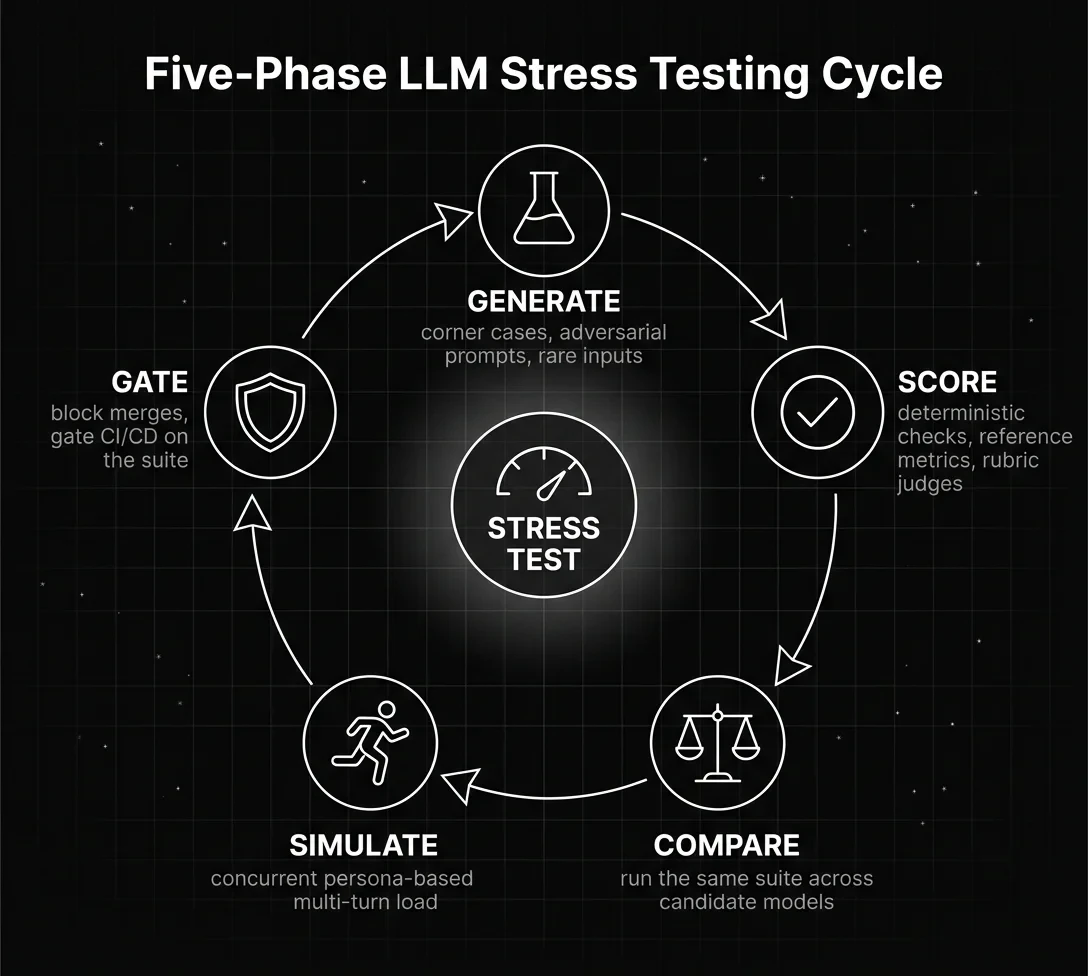
Figure 1: Five-Phase LLM Stress Testing Cycle
Open-Source and Commercial LLM Stress Testing Tools in 2026
Future AGI fi.simulate plus fi.evals plus Agent Command Center
- Persona-driven multi-turn simulation through
TestRunner; scenarios drive the agent through scripted user behavior. - 50-plus eval templates: faithfulness, task completion, instruction following, tool-use correctness, toxicity, PII, custom LLM judges via
CustomLLMJudge. - 18-plus runtime guardrail scanners at the Agent Command Center: PII redaction, prompt injection screening, toxicity, jailbreak, secret detection, custom regex, brand tone.
- OSS libraries: traceAI (Apache 2.0), ai-evaluation (Apache 2.0).
- Adversarial probes and red-team plugins for jailbreak, prompt injection, harmful content, and custom attacks.
- CI hooks: PR gates that block merges when the suite regresses.
- Best for: adversarial-only suites in teams that already have observability sorted.
- Open-source load testing from Grafana Labs; JavaScript test scripts driving HTTP concurrency.
- Measures p50, p95, p99 latency, throughput, error rates, custom metrics.
- Best for: raw concurrency targets and rate-limit testing on the gateway.
- Python-based load testing framework; user behavior scripted in pure Python.
- Best for: teams whose test code lives alongside their app and want native Python.
- JVM-based load testing tool; Scala or Java DSL for scenarios.
- Best for: high-throughput protocol-level load and existing JVM stacks.
- Open-source LLM vulnerability scanner.
- Dozens of attack probes: prompt injection, jailbreak, toxicity bait, role-play, prompt leak.
- Best for: adding a wider adversarial probe surface on top of Promptfoo.
- RAG-focused: test set generation from your own documents, end-to-end RAG evaluation workflows.
- Best for: RAG pipelines that need a domain-specific adversarial set.
- Pytest-style unit testing for LLMs; hallucination, relevance, regression checks.
- Best for: teams that want a Pytest-shaped LLM test surface, already have observability elsewhere.
Comparison Table
| Tool | Best for | Pricing | OSS |
|---|---|---|---|
| Future AGI fi.simulate + fi.evals | LLM-native stress (load + persona + adversarial + quality) with one trace plane | Free + usage from $2/GB | Apache 2.0 traceAI + ai-evaluation |
| Promptfoo | Adversarial probes, red-team suites | Free OSS, enterprise paid | MIT |
| k6 | Raw HTTP concurrency, p95/p99 measurement | OSS free, Grafana Cloud paid | AGPL v3 |
| Locust | Python-native load scripts | Free OSS | MIT |
| Gatling | JVM-based high-throughput load | Free OSS, Enterprise paid | Apache 2.0 |
| Garak | Adversarial probe scanner | Free OSS | Apache 2.0 |
| Ragas | RAG-specific test set + eval | Free OSS | Apache 2.0 |
| DeepEval | Pytest-style LLM unit tests | Free OSS + Confident AI paid | Apache 2.0 |
Table 1: LLM stress testing tools compared.
The 2026 default stack: Future AGI fi.simulate plus fi.evals for the LLM-native quality and persona surface, k6 or Locust for raw HTTP concurrency, Promptfoo or Garak for the adversarial probe library. The external tools do not emit traceAI spans on their own; route their traffic through the same gateway your production agents use so the spans correlate to one trace tree and failures connect to fixes.
How Pre-Deployment Stress Testing Prevents Hallucinations, Prompt Injection, and Costly Outages
Pre-deployment stress testing is the cheapest place to catch regressions. The cost of a CI run is dollars; the cost of an incident is reputation. Five practices keep the suite useful over time.
- Refresh adversarial inputs monthly. New jailbreaks ship every week. A static suite goes stale fast. Pull from OWASP LLM Top 10, Garak probes, and your own production incidents.
- Track p95 latency at the gateway, not just the model. A model that responds in 800ms can still produce a 4-second user-facing response when the gateway, retriever, and guardrails are layered on top. Measure end-to-end at the boundary.
- Gate the canary on the same eval thresholds. The CI gate proves the change passes the suite. The canary gate proves the change passes against real traffic. Use the Agent Command Center to attach evals to canary traffic and roll back automatically when a threshold breaks.
- Score quality on a sample of load test traffic. Raw HTTP load tools report latency. They do not report whether the responses were correct under load. Sample a percentage of the load traffic and run it through fi.evals to catch quality drops that only show up at high concurrency.
- Treat every incident as a regression test. Every production failure becomes a new case in the suite. The suite grows. The system gets more resilient with every postmortem.
Want to make sure your LLM does not hallucinate, throttle, or leak when the load hits? Combine fi.simulate for persona-driven testing, fi.evals for quality scoring, and the Agent Command Center for runtime guardrails. The trace tree connects test to fix; the gateway blocks the failure before it ships.
Frequently Asked Questions
What is LLM stress testing and how does it differ from benchmarking?
Which tools do I use for LLM stress testing in 2026?
What is a realistic stress testing pipeline for an LLM application?
How does Future AGI fi.simulate help with LLM stress testing?
What metrics matter for LLM stress testing under load?
When should I integrate LLM stress tests into CI/CD?
How is fi.simulate different from k6 or Locust for LLM load testing?
What is the role of guardrails in stress testing?
k6, Locust, vLLM benchmark, GenAI-Perf, llmperf, OpenAI Evals, FutureAGI Simulate compared on token throughput, p99, cost per test run.

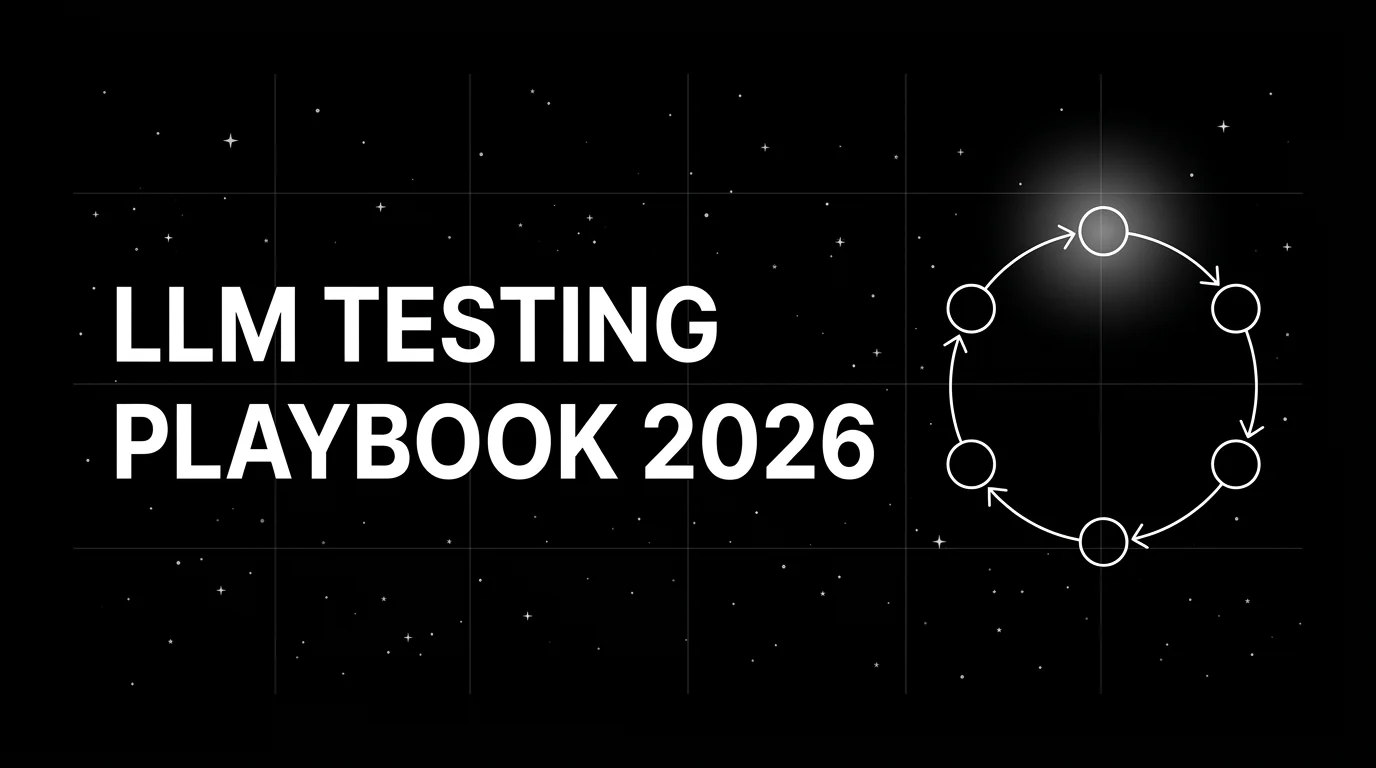
A 6-step LLM testing loop for 2026: instrument with OTel, score spans, gate releases in CI, simulate, sample live traffic, optimize prompts on failures.


Nine LLM prompt format patterns for GPT-5, Claude Opus 4.7, and Gemini 3 in 2026. Copy-ready templates, an eval loop, and mistakes to avoid in production.
