LLM Function Calling in 2026: Tool Use Across OpenAI, Anthropic, and Beyond
How LLM function calling works in 2026. JSON Schema, OpenAI tools, Anthropic tools, structured outputs, parallel tool calls, function-call eval.
Table of Contents
What is LLM function calling
LLM function calling (also called tool use) is how a large language model talks to the outside world. You describe a set of available functions using JSON Schema. The model receives the user prompt and the tool catalog, decides whether to call a tool, then emits a structured tool call with typed arguments. Your application runs the tool and returns the result. The model uses the result to continue the conversation or call another tool.
In 2026 function calling is the foundation of agents, retrieval-augmented generation, structured extraction, and any product that needs an LLM to do more than chat. This post covers the JSON Schema contract, provider-specific APIs (OpenAI, Anthropic, Google, Mistral), structured outputs, parallel tool calls, common failure modes, and how to evaluate function-calling accuracy.
TL;DR
| Capability | What it means | Where to use it |
|---|---|---|
| Tool definition | JSON Schema describing a function the model can call | All providers |
| Tool choice | auto, required, none, or a specific tool | Force a deterministic action |
| Parallel tool calls | Multiple tool requests in one response | Independent actions, faster latency |
| Structured outputs | Entire response constrained to a schema | Extraction, form filling |
| Tool result | Function output fed back as a new turn | Multi-turn agent loops |
| Function-call eval | Score actual vs expected tool name and arguments | Regression testing across model snapshots |
The JSON Schema contract
Every modern function-calling API uses JSON Schema to describe a tool:
name: the function identifier the model will return.description: a short natural language hint about when to call it.parametersorinput_schema: a JSON Schema describing the typed arguments.required: an array of parameter names that must be present.
Example tool definition (provider neutral):
get_order_status = {
    "name": "get_order_status",
    "description": "Look up the current status of a customer order by order ID.",
    "parameters": {
        "type": "object",
        "properties": {
            "order_id": {
                "type": "string",
                "description": "The unique order identifier in our system.",
            },
            "include_history": {
                "type": "boolean",
                "description": "Whether to include the status history events.",
                "default": False,
            },
        },
        "required": ["order_id"],
        "additionalProperties": False,
    },
}
Three rules of thumb for tool schemas:
- Keep descriptions short and concrete. The model uses them to decide when to call.
- Mark every truly required field in
required. Optional fields cause hallucinated calls. - Set
additionalProperties: Falseto reject unknown fields.
OpenAI tool use in 2026
OpenAI’s Responses API is the recommended path. A minimal tool-use call:
from openai import OpenAI

client = OpenAI()

tools = [
    {
        "type": "function",
        "name": "get_order_status",
        "description": "Look up the current status of a customer order by order ID.",
        "parameters": {
            "type": "object",
            "properties": {
                "order_id": {"type": "string"},
            },
            "required": ["order_id"],
            "additionalProperties": False,
        },
    }
]

response = client.responses.create(
    model="gpt-4o-mini",
    input="What is the status of order A-94821?",
    tools=tools,
    tool_choice="auto",
)

for item in response.output:
    if item.type == "function_call":
        print(item.name, item.arguments)
Set tool_choice to auto (model decides), required (model must call something), none (no tools this turn), or {"type": "function", "name": "..."} to force a specific tool.
For guaranteed-parseable responses, use Structured Outputs. The exact SDK method (for example responses.parse, responses.create with text.format, or beta.chat.completions.parse) shifts across SDK versions, so always check the OpenAI Python SDK release notes for the snapshot you target. The conceptual pattern is the same: define a Pydantic model or JSON Schema and pass it as the response schema.
from pydantic import BaseModel
from openai import OpenAI

class OrderQuery(BaseModel):
    order_id: str
    include_history: bool = False

client = OpenAI()
# Check the current OpenAI Python SDK docs for the exact structured-output
# helper that matches your installed version, then pass OrderQuery to it.
Anthropic Claude tool use
Anthropic’s Messages API uses an almost-identical shape:
import anthropic

client = anthropic.Anthropic()

tools = [
    {
        "name": "get_order_status",
        "description": "Look up the current status of a customer order by order ID.",
        "input_schema": {
            "type": "object",
            "properties": {
                "order_id": {"type": "string"},
            },
            "required": ["order_id"],
        },
    }
]

response = client.messages.create(
    model="claude-sonnet-4-5",
    max_tokens=1024,
    tools=tools,
    messages=[{"role": "user", "content": "Status of order A-94821?"}],
)

for block in response.content:
    if block.type == "tool_use":
        print(block.name, block.input)
Claude tool_choice options: {"type": "auto"}, {"type": "any"}, {"type": "none"}, or {"type": "tool", "name": "..."}. Set disable_parallel_tool_use=True to force serial execution.
After running the tool, send the result back in the next user message:
followup = client.messages.create(
    model="claude-sonnet-4-5",
    max_tokens=1024,
    tools=tools,
    messages=[
        {"role": "user", "content": "Status of order A-94821?"},
        {"role": "assistant", "content": response.content},
        {
            "role": "user",
            "content": [
                {
                    "type": "tool_result",
                    "tool_use_id": "the-tool-use-id-from-the-block",
                    "content": "Order A-94821 shipped on 2026-05-12.",
                }
            ],
        },
    ],
)
Google Gemini and other providers
- Gemini exposes
toolswithfunction_declarationsand supportsresponse_schemafor structured outputs. - Mistral Large 2 and Mixtral follow the OpenAI tools shape.
- Llama 4 (via Bedrock, Groq, Together, or self-hosted) supports tool use through chat templates that match the OpenAI format.
- Bedrock’s Converse API normalizes tool definitions across providers so the same code path works for Claude, Llama, Mistral, and Nova.
If you build an agent that mixes providers, route through a normalization layer (LiteLLM, LangChain, or your own adapter) so the tool schema and parsing logic stay one codebase.
Parallel tool calls
A single assistant turn can request many tools at once. Example flow:
- User: “Compare the prices of order A and order B and pick the cheaper one.”
- Model emits two
function_callitems:get_order_status(order_id="A")andget_order_status(order_id="B"). - Caller runs both in parallel.
- Caller sends both tool results back in one batched message.
- Model writes the final answer.
Parallel tool calls drop latency for independent actions. Disable them when calls share side effects or must execute in order.
Structured outputs
Structured outputs lock the entire response to a JSON Schema or Pydantic model. The model never returns free-form text outside the schema. This is the strongest guarantee a provider offers for parse-ability.
Use cases:
- Document field extraction (invoices, contracts, forms).
- Database row generation.
- Agent planners that emit a typed plan.
- Eval datasets that require structured judge output.
Costs: structured outputs sometimes raise latency slightly and may reject inputs that cannot match the schema. Always validate the result against the schema even when the provider claims strict mode, since edge cases happen.
Common failure modes
| Failure | Cause | Fix |
|---|---|---|
| Invalid JSON arguments | Model output does not parse | Enforce strict mode, retry with a corrective prompt |
| Hallucinated tool name | Model invents a tool not in the catalog | Validate name against the registry, reject and retry |
| Missing required parameter | Schema not strict enough | Mark fields required, set additionalProperties false |
| Mis-typed parameter | Loose schema, ambiguous description | Use enums and constrained types, tighten descriptions |
| Prompt injection | Untrusted input in user prompt or tool result | Sanitize tool results, add guardrails, scope tools to read-only |
Function-call evaluation with Future AGI
A regression eval set is the only way to catch silent drift across model snapshots. The four-step contract for evaluating tool use covers how to score each stage of a tool call independently. Future AGI’s open source ai-evaluation library (Apache 2.0) exposes function-call accuracy and related agent metrics.
from fi.evals import evaluate

# Score whether the actual tool call matches the expected one.
result = evaluate(
    "function_call_accuracy",
    output={"name": "get_order_status", "arguments": {"order_id": "A-94821"}},
    expected={"name": "get_order_status", "arguments": {"order_id": "A-94821"}},
)

print(result)
For a custom rubric on more nuanced agent behavior, wrap an LLM judge:
from fi.evals.metrics import CustomLLMJudge
from fi.evals.llm import LiteLLMProvider

judge = CustomLLMJudge(
    name="agent_tool_choice_quality",
    grading_criteria="Did the model pick the most appropriate tool, with correct arguments, for the user request?",
    provider=LiteLLMProvider(model="gpt-4o-mini"),
)

verdict = judge.evaluate(
    output="Called get_order_status with order_id A-94821",
    context="User asked: 'What is the status of A-94821?'",
)

print(verdict)
turing_flash returns scores in roughly 1 to 2 seconds in the cloud, turing_small in 2 to 3 seconds, and turing_large in 3 to 5 seconds. Pick the smallest model that meets your accuracy bar.
Tracing agent tool calls with traceAI
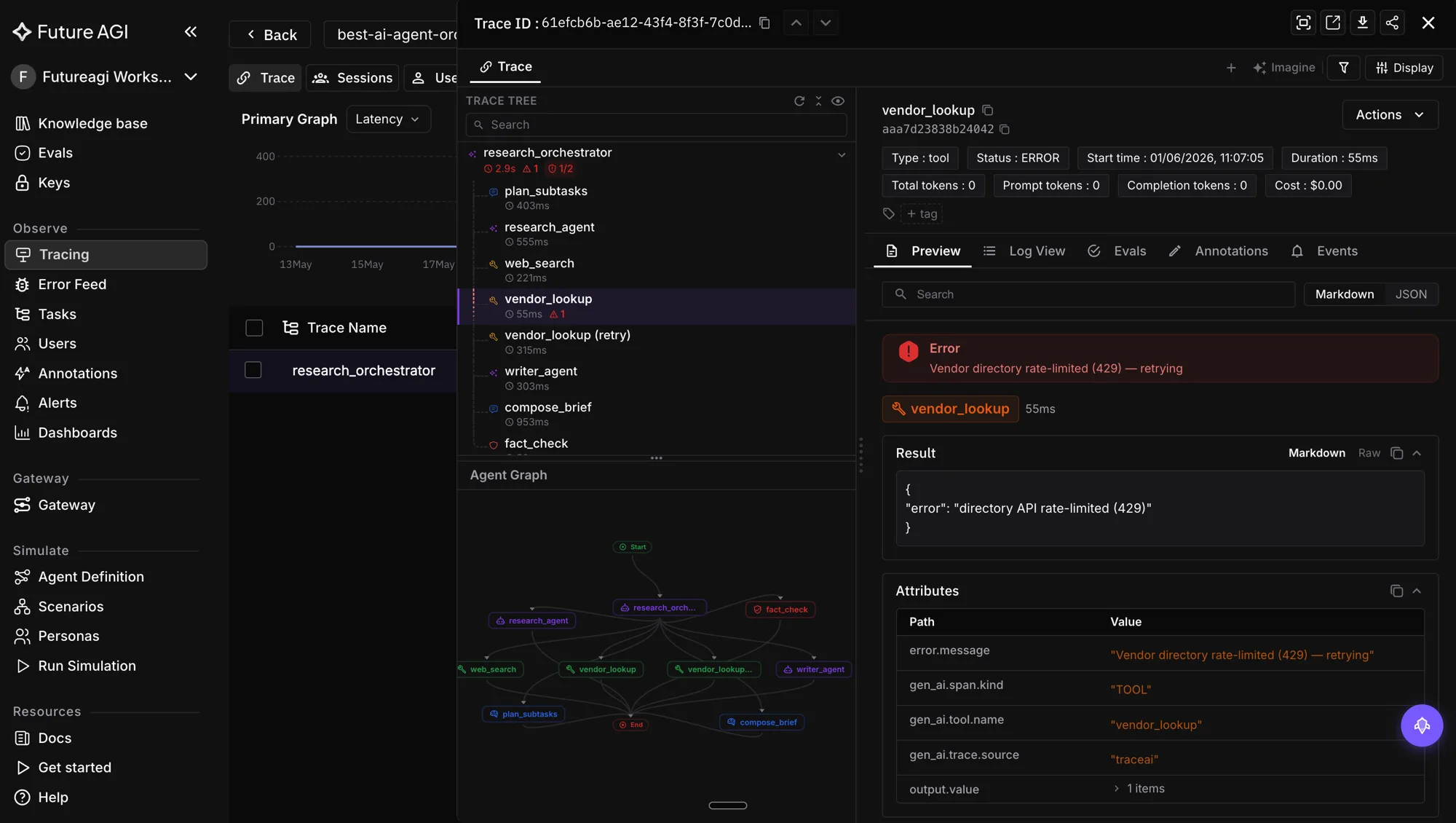
Tracing every tool call as an OpenTelemetry span makes failures replayable. Future AGI’s traceAI (Apache 2.0) provides annotated decorators for agents, tools, and chains.
from fi_instrumentation import register, FITracer

register(project_name="agent-prod")
tracer = FITracer(__name__)

@tracer.tool
def get_order_status(order_id: str, include_history: bool = False) -> dict:
    # Real lookup goes here.
    return {"order_id": order_id, "status": "shipped"}

@tracer.agent
def handle_customer_request(prompt: str) -> str:
    # Agent loop: call LLM, dispatch tool calls, return final response.
    ...
Every prompt, tool call, argument set, latency, and cost lands in your Future AGI project for replay and regression testing.
Production safety checklist
- Define every tool with a strict JSON Schema. Set
additionalProperties: False. - Default to read-only tools. Gate any write or destructive action behind an explicit allowlist.
- Validate tool arguments before execution, even if the provider claims strict mode.
- Treat the result of any tool that touches user input as untrusted. Sanitize before re-injecting to defend against prompt injection.
- Add a human-in-the-loop step before any irreversible action: payments, deletes, external communications.
- Run a regression eval (function_call_accuracy + custom LLM judge) on every model snapshot bump.
- Capture every call with traceAI and review failures weekly.
- Route traffic through the Future AGI Agent Command Center at
/platform/monitor/command-centerfor centralized prompt versioning, model fallback, and BYOK gateway control.
Closing
LLM function calling is the bridge from words to actions, and in 2026 it is the foundation of every serious LLM product. Master the JSON Schema contract, pick the provider features that match your needs (structured outputs, parallel calls, tool_choice), and lock in continuous evaluation and tracing so the agent that worked last week still works this week.
References
Frequently Asked Questions
What is LLM function calling in 2026?
How does OpenAI tool use work in 2026?
How does Anthropic tool use work?
What are structured outputs?
What are parallel tool calls?
How do I evaluate function calling accuracy?
What are the biggest function-calling failure modes?
How do I keep function calling safe in production?
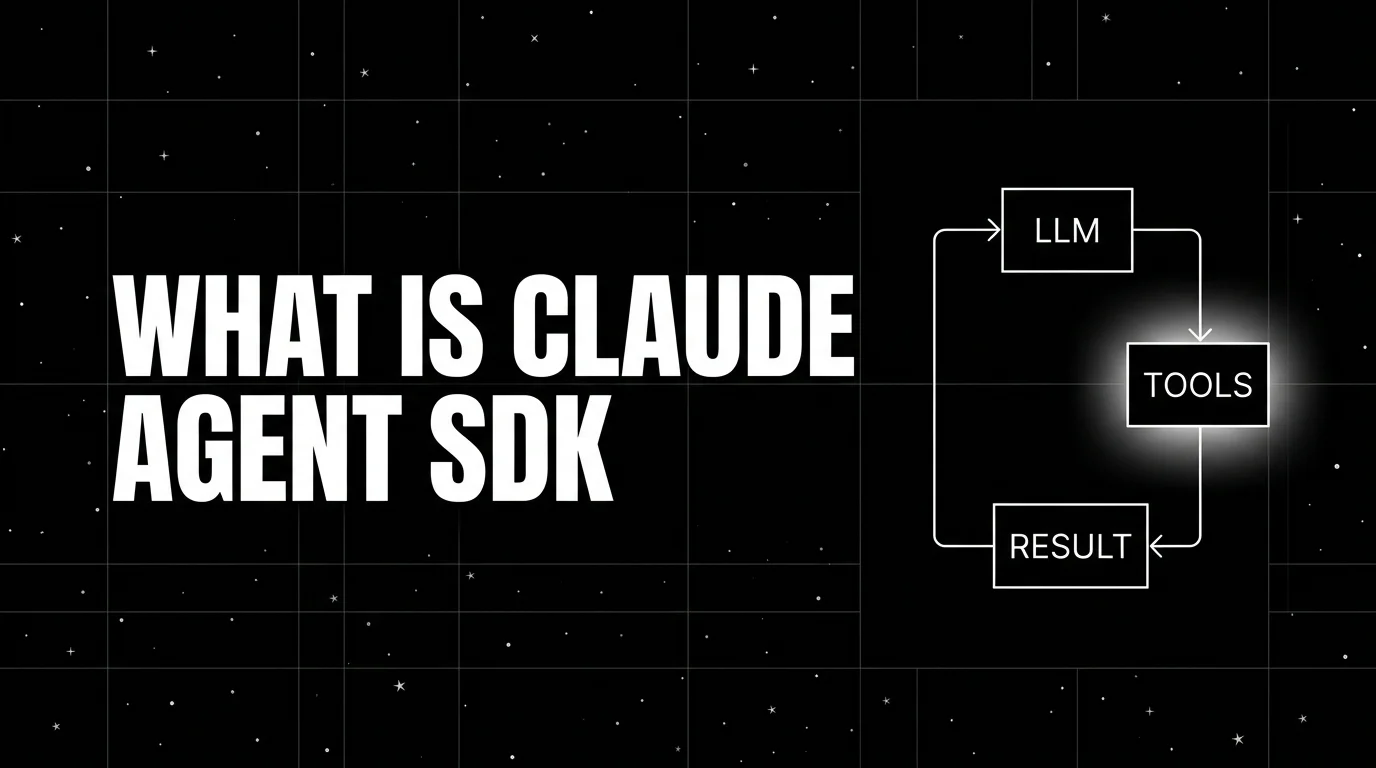
Claude Agent SDK is Anthropic's programmable agent harness. Python repo MIT-licensed, use under Anthropic Commercial Terms. Tools, MCP, sessions, observe.


Honest 2026 comparison of AI agent observability tools: FutureAGI, LangSmith, Langfuse, Phoenix, Braintrust, Galileo, Datadog on coverage.


AI agent reliability is six metrics, not one composite. Task completion, tool-call success, recovery, p99 latency, guardrail trips, score, wired as SLOs.
