Engineering Coding Agent Harnesses for Data Workflows
See how a coding agent harness keeps data-workflow agents reliable in production, with tracing, evals, and guardrails demoed live on Snowflake by Future AGI.
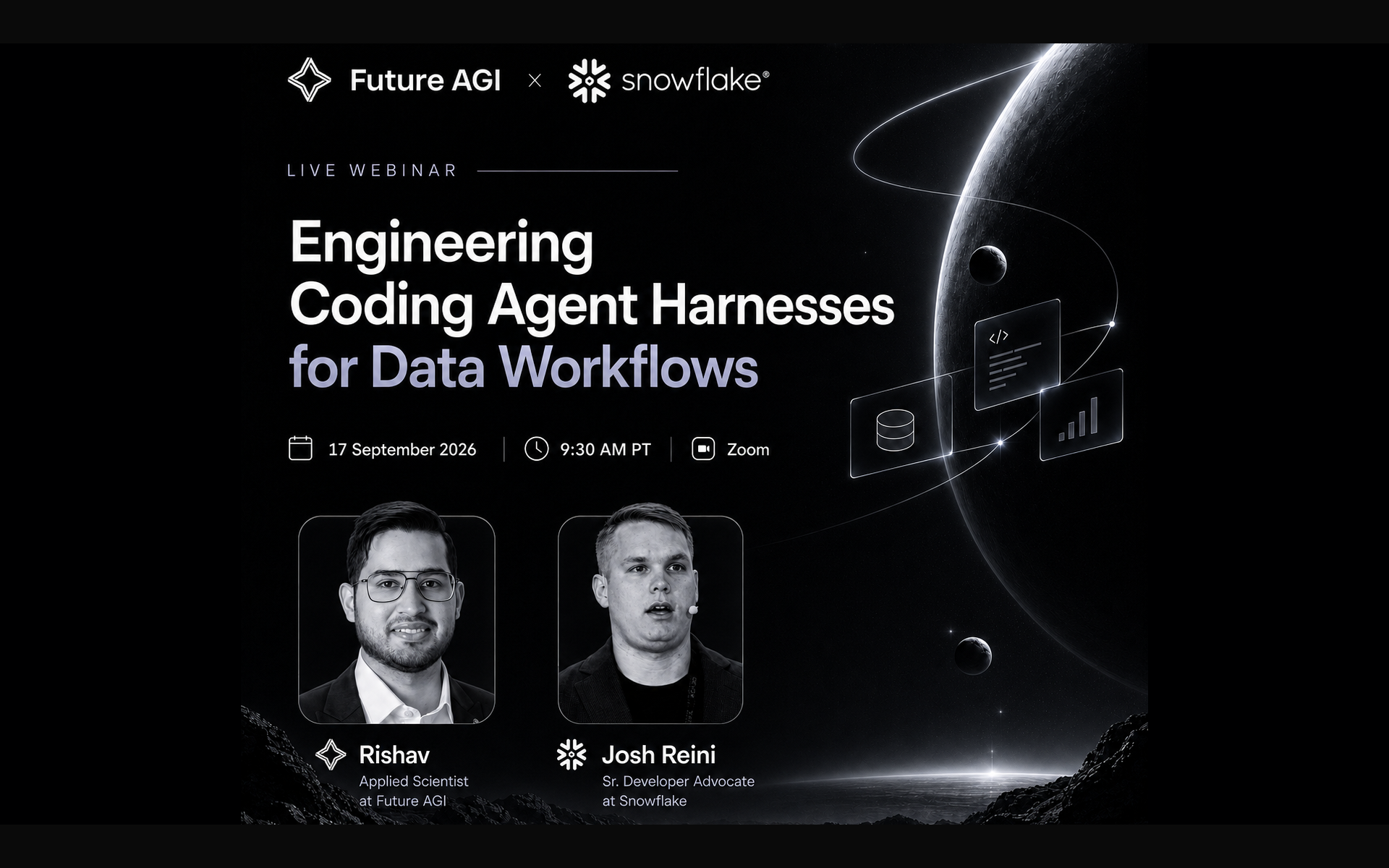
Table of Contents
Watch the Webinar
Engineering Coding Agent Harnesses: The TL;DR
| Question | Answer |
|---|---|
| Who runs the session? | Rishav Hada (Applied Scientist, Future AGI) and Josh Reini (Senior Developer Advocate, Snowflake). |
| What is it? | A working session on engineering the loop around a coding agent for data workflows, ending with a live Claude Code demo on a DataEngBench task. |
| The result | The same task, same model, same benchmark, run twice: once with a 30-tool baseline and once with four harness-level efficiency techniques layered on top. |
| The four techniques | Tool search, output compression, result offloading, and bundle dispatch. |
| Future AGI’s role | Trace the harness end to end and score each step, so a harness change proves itself against tool-use correctness, task completion, and cost before it ships. |
Most coding agents look sharp on curated benchmarks. Point them at real production data and the same agent, with the same model, starts burning tokens on exploration and missing tasks that used to pass.
What This Webinar Covers
Coding agents are moving from single-shot completions to long-running loops that touch real production systems. The model has not changed. The loop around it has. That loop, the harness, is now the biggest lever on whether the agent finishes the task and how much you pay for it.
Rishav Hada from Future AGI and Josh Reini from Snowflake work through the harness one piece at a time. Josh walks the tool registry, the prompt assembly, the memory and compaction rules, and the four tool-use techniques that actually move the numbers on the DataEngBench benchmark. Rishav connects that to the evaluation and observability loop you need around any harness in production.
The session lands on the same idea from two directions: a coding agent is only as reliable as the loop it runs inside, and you only find the failing step if the loop is instrumented.
Who Should Watch
- AI and platform engineers building coding agents that read schemas, run SQL, or edit dbt models in production
- Data engineering leads whose agents pass demos but stall on the real warehouse
- MLOps teams who own agent reliability, cost, and observability
- Anyone using Claude Code, Cursor, or a custom harness on data workflows and looking for the levers that survive when the task gets long
If your coding agent tops SWE-bench in a demo and then wastes context on the actual database, this session is for you.
Key Takeaways
1. Intelligence efficiency, not raw intelligence, is the goal. The harness should move up and to the left on a cost-vs-accuracy chart, completing more tasks at a lower dollar cost. Latency matters less now because a lot of coding work runs async in the background, but tokens still cost real money on every turn.
2. The model is fixed, the harness is not. Frontier labs win partly because they design the harness around the model. Everyone else optimizes the prompt assembly, the tool registry, and the memory and compaction rules. Those are the levers that stay in your hands.
3. Passing the demo is not passing production. Coding agents that top benchmarks like SWE-bench often miss in production settings, where tables have thousands of columns with no clean schema and users ask ambiguous questions. In one study, adding a four-page data spec lifted the same frontier model’s accuracy by about 20 percent, because the harness finally handed it the right context.
4. Search tools, do not expose them. Loading every tool up front burns tokens the model never uses. Anthropic’s tool search pattern cut Claude Code’s tool metadata cost from about 77,000 tokens to about 8,000 by shipping just two entry points: search a tool, then invoke it. The savings grow with the registry.
5. Compress tool output losslessly. Two transforms carry most of the win. Move SQL results from markdown to tab-separated values, so you drop the padding and pipe characters. Hoist repeated column values, like a currency column that reads USD in every row, into a preamble above the table. Same data, fewer tokens, zero information loss.
6. Offload results that do not fit. When a tool returns 13,000 rows, do not pass 13,000 rows back to the model. Store the full result in cache, hand the model a five-row preview and a reference, and let it query the cache if it needs more. This alone reshapes what the exploration phase costs on any harness that touches real data.
7. Dispatch tools in parallel, then compress the bundle. Independent tool calls should fan out in one turn. The compounding effect is where the real gains live: bundle dispatch reduces the model’s turn count, and compressing the combined output reduces the tokens per turn, so the two multiply against each other on long tasks.
8. Give data context generously, tool context sparingly. For business meaning, column semantics, and typical questions users ask, load context up front, because it saves exploration steps. For tools and skills, do the opposite: search into them dynamically, so the context window is not burned before the task starts.
The Four Tool-Use Techniques, In Detail
1. Tool Search
The default pattern hands the model every tool in the registry at session start. With thirty tools across Slack, Atlassian, Salesforce, dbt, and your warehouse, that metadata dominates the context window before the user has typed a word.
Tool search replaces the registry with two operations: search_tools finds the small set that fits the current task, and invoke_tool runs the one the model picks. The catalog can be keyword, vector, or hybrid. The model only sees metadata for tools it is about to use, and the context engineering budget stays under the model’s attention limit.
2. Output Compression
Two lossless transforms carry most of the token savings. First, move SQL results from markdown to tab-separated values, so you drop the visual padding and the pipe characters used for cell separators. Second, hoist repeated column values into a header above the table, so a currency column that reads USD in every row is stated once and dropped from every subsequent row.
Both changes preserve every value, so the model never loses information. The compression compounds on the exploration phase, where the same describe-table and select-star patterns run over and over on wide fact tables.
3. Result Offloading
Some queries return thirteen thousand rows. Passing all of them back to the model wastes the context window on data the model will summarize in the next turn anyway.
Result offloading stores the full result in cache, returns a five-row preview and a reference, and gives the model a follow-up tool to query the cache when it needs the rest. This is where a lot of the win lands on data workflows, because the exploratory phase of a coding-agent session on a warehouse tends to produce many large intermediate results the model does not need in full.
4. Bundle Dispatch
Independent tool calls should not run sequentially. Bundle dispatch calls them in parallel and returns the combined result to the model in one turn. Fewer turns means fewer prompt cycles, and the shared arguments across the bundled calls save input tokens on top.
Layered with output compression and result offloading, the effect compounds. Fewer turns, smaller results per turn, and more useful information per token. That combination is why a mostly identical baseline can hit the same task at a materially lower cost once the four techniques are on. If you want the taxonomy for what else sits inside the loop, agent harness architecture walks the layers, and the harness tax covers how much dead weight a default configuration carries.
The Live Demo: A dbt Fix From DataEngBench
The task is from Snowflake’s open-source data-eng-bench, a benchmark of DuckDB and Snowflake dbt tasks built for coding agents. Sales are recorded in a dozen currencies and stamped with the order date, not the payment date. The dbt model has to be fixed so the totals convert correctly and use the right timestamp.
The baseline runs Claude Code with a thirty-tool registry, no compression, no offloading, no bundle dispatch. It solves the task, but the tool metadata and the raw markdown results eat the context.
The optimized run swaps in the two-tool search-and-invoke pattern, TSV output with USD hoisted into the preamble, offloading for a 13,000-row intermediate, and parallel dispatch across independent calls. Same task, same model, same benchmark. What changes is the shape of what the model sees on every turn.
The point Josh keeps coming back to: run this on your own harness, then read the average cost and the pass rate together, over repeated runs. A single trace looks clean either way. The pattern shows up when the benchmark runs at scale.
How Future AGI Closes the Loop Around Any Harness
The harness decides what the model sees. Future AGI measures whether that harness change actually helps, so a decision to move from thirty tools to a search catalog is backed by numbers, not a guess. Both are open source, and Future AGI is self-hostable via Docker Compose, so every trace and score can stay inside your environment.
Trace the harness end to end
Tracing is a few lines with the traceAI instrumentors. Every run appears as a trace with its full span tree: the model call, each search-tool lookup, each invoked tool, the arguments, and the result. When a task fails, you can walk the trace and see the tool call that returned the wrong context, not just the final answer.
from fi_instrumentation import register
from fi_instrumentation.fi_types import ProjectType
from traceai_langchain import LangChainInstrumentor

trace_provider = register(
    project_type=ProjectType.OBSERVE,
    project_name="coding_agent",
)
LangChainInstrumentor().instrument(tracer_provider=trace_provider)
Full setup, including the harness-side instrumentors for MCP tool calls and custom loops, is in the Future AGI docs.
Score each step, not just the final answer
Attach evaluators to spans, not only to the whole task. Tool-use correctness catches the wrong tool or the wrong arguments at the moment they happened. Task completion checks whether the outcome the user asked for actually landed. Groundedness and hallucination catch the model asserting things the tool results never said.
Reading those signals together is what tells you whether a harness change helped. A cost drop that also drops pass rate is a step backwards, no matter how good the token graph looks. The difference between agent observability and evaluation and benchmarking is exactly this: you need all three to know a change is safe to ship.
Turn failing production traces into simulations
Take a trace that failed in production, hand it to Simulate, and Future AGI turns it into a scenario the agent can be re-run against. Fix the harness, run the same scenario, and the fix has to pass before the change moves forward. Repeat across many failing traces and you end up with a golden set the harness has to hold as it evolves.
For coding agents specifically, the Environment feature lets you connect the agent from its GitHub repository along with the model keys, and Future AGI builds the sandbox, understands the tool graph, and generates the scenarios. That work is in closed beta today, so reach out if you want early access.
That is the loop: production trace → score → cluster failure modes → new scenario → re-run. Every harness change earns its keep against the same benchmark, and every failure the users hit becomes a permanent test.
When you want to compare harness patterns before writing your own, best agent harness covers the current landscape.
Watch the Webinar and Explore Future AGI
The full session is gated above. For deeper coverage of the topics it touches, see:
- The Voice of AGI: building voice agents that actually work in production
- Why did my RAG agent get worse? A live autopsy
- Agent harness architecture
- The harness tax: coding-agent dead weight
- When your agent passes evals but fails in production
Snowflake’s data-eng-bench is the open-source benchmark used in the demo. See github.com/Snowflake-Labs/data-eng-bench for the benchmark and docs.futureagi.com for tracing, evals, and simulation.
Frequently Asked Questions
What is a coding agent harness?
Why do coding agents fail on real data workflows?
How do you make tool use in a coding agent more token efficient?
How much does tool search save in a coding agent context window?
How do you evaluate a coding agent harness in production?
Voice agents have crossed the demo stage. A Future AGI and LiveKit session on why they fail on real calls, and how audio-native evals beat transcript scoring.

A live RAG agent autopsy with Future AGI and Qdrant: trace a RAG pipeline, find why retrieval degrades as data grows, and fix it from 52% to 92% accuracy.
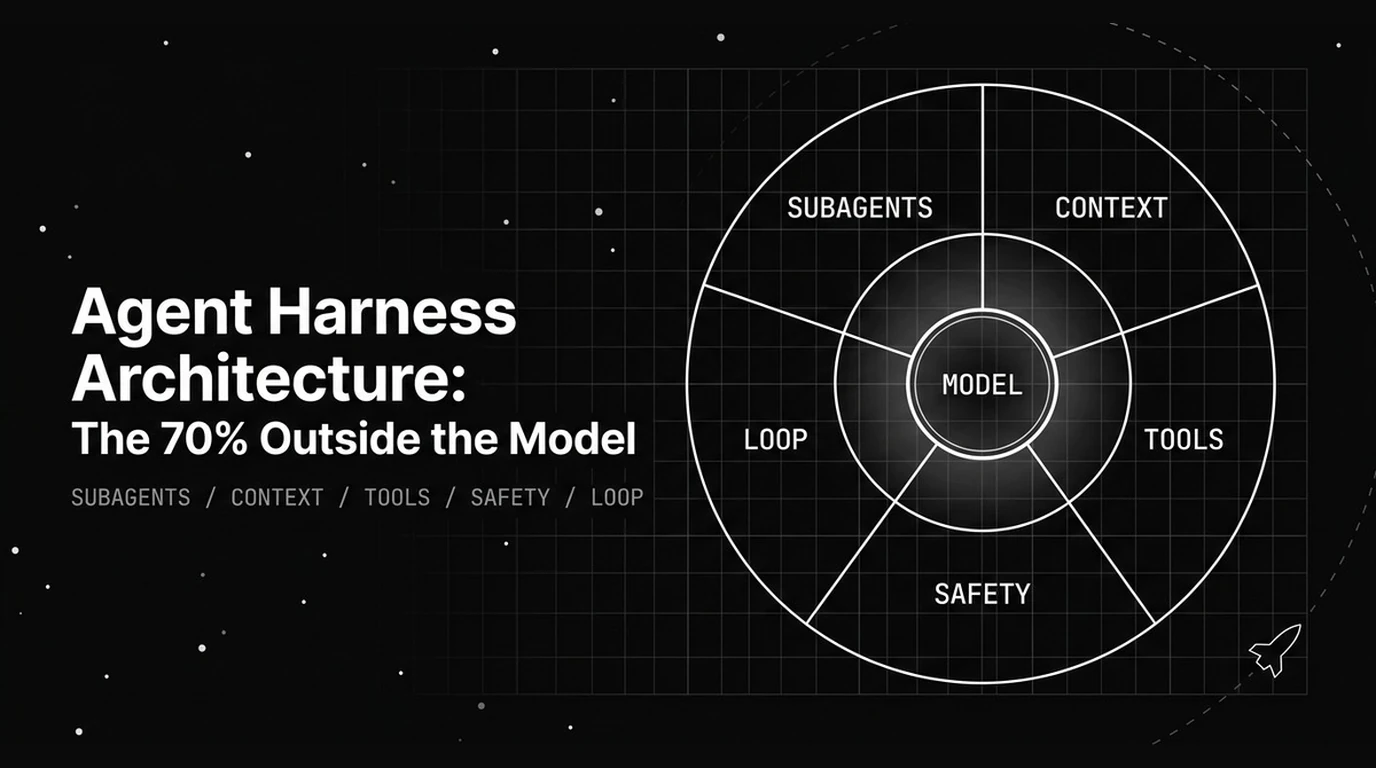
How agent harness architecture shapes performance across five dimensions, from context and tools to safety and the loop that often outweighs a model upgrade.