The Voice of AGI: Building Voice Agents That Actually Work in Production
Voice agents have crossed the demo stage. A Future AGI and LiveKit session on why they fail on real calls, and how audio-native evals beat transcript scoring.
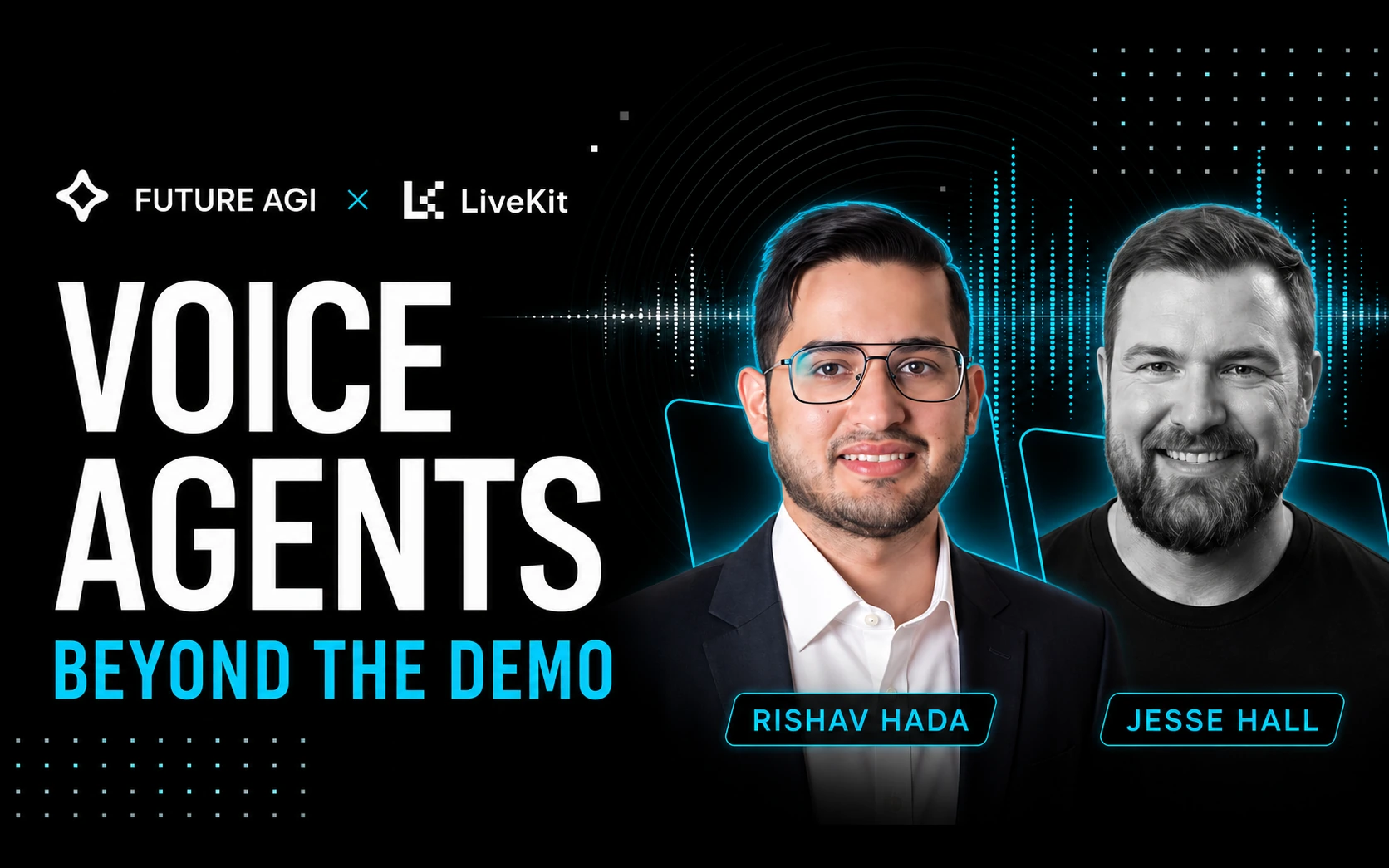
Table of Contents
Watch the Webinar
Overview
Voice agents have crossed the demo stage. The hard part now is making them reliable in production.
Interruptions, network fluctuations, background noise, voicemail, latency and unpredictable conversations expose failure modes that never appear in a polished demo. The code does not change between the demo and the incident. The call does.
This session covers why voice agents fail with real users, and how to build one that improves itself from its own production conversations. It ends with a live implementation of a production-ready voice agent.
| Format | Online session, presented by Future AGI |
| Speakers | Rishav Hada, Applied Scientist at Future AGI, and Jesse Hall, Developer Advocate at LiveKit |
| What gets built | A LiveKit voice agent scaffolded and talked to live, plus a customer service agent put through simulated calls in Future AGI |
| The stack | LiveKit for the real-time agent. Future AGI to simulate, evaluate, observe and improve it, with evals that score the audio rather than a transcript of it. Both open source |
Key Takeaways
1. A voice agent is three models working as one system. Speech-to-text, a language model, and text-to-speech. Each adds latency and can hand an error to the next. Pick the stack that ships well together, not the leaderboard winner for each stage — one early mishear (“Tuesday the 30th” for “Tuesday the 3rd”) steers the whole call wrong with full confidence.
2. Measure what the caller hears, not what the dashboard reports. Time to first byte and time to first token are not sound. Some providers ship up to three-quarters of a second of silence before audio starts, and text-to-speech needs a full sentence before it can speak. Track time to first audio and time to first sentence. Human conversation switches turns in 200–400ms, so aim for roughly 500–600ms end to end — audio caching and latency reduction covers where the milliseconds actually go.
3. Detect turns from audio, not from the transcript. A transcript-only turn detector treats any pause as the end of a turn, so it cuts people off. An audio-based detector hears pitch, rhythm and rising intonation, and waits — LiveKit’s turn detector model is built for exactly this. A separate barge-in model tells a real interruption from a quick “mhm”.
4. Pipeline or realtime is a use-case decision. A pipeline architecture keeps the three stages separate, so you can swap any one and inspect what it produced. A realtime speech-to-speech model cuts latency but leaves fewer places to observe or correct. Pipelines suit tool-calling and auditable workflows; realtime suits open conversation where speed dominates. Our voice AI frameworks comparison breaks the options down.
5. Hand the mic back on slow tools. Anything that can take longer than a second belongs off the main thread. Acknowledge the caller, return the mic, let the tool finish in the background, and fold the result in when it lands.
6. Run audio on WebRTC, not TCP. TCP blocks, so one lost packet holds up everything behind it and the caller hears a stall. WebRTC is built for live media and does not wait on a dropped frame. On a call, losing 20ms is fine; a 200ms stall is not.
7. Score the audio, not the transcript. Transcribing before scoring throws away the delivery, the dead air and the talk-over — the things that made the call feel wrong. Audio-native evaluation scores the recording itself, so what you measure is what the caller heard.
8. Self-improvement is a loop, not a launch. Production conversations are the training data. Score them, cluster the failures, turn those failures into new simulated scenarios, and re-run.
Who Is This For
- Voice and AI engineers shipping agents that take real calls
- MLOps and platform teams who own reliability, latency and observability
- Product builders whose agent demos well but stumbles on interruptions, background noise or messy phone audio
- Teams evaluating architectures and deciding between a pipeline and a realtime model
If your agent works in a quiet room and falls apart on a real phone line, this is the session.
How Future AGI and LiveKit Combine into a Self-Improving Stack
LiveKit runs the agent. Future AGI closes the loop around it — simulate, evaluate, observe, improve — and both are open source, so you can sign up free, or self-host and keep every call recording and trace inside your own environment.
Step 1 — Install
pip install livekit-agents traceai-livekit fi-instrumentation-otel ai-evaluationUse Python 3.10 to 3.13. The instrumentation packages cap at <3.14, so a 3.14 environment fails at install with “no matching distribution found”.
livekit-agents is the LiveKit Agents framework. traceai-livekit and fi-instrumentation-otel handle OpenTelemetry tracing, and ai-evaluation is the Agent Learning Kit, which runs 72 metrics locally with zero API calls — all from Future AGI on GitHub. You will also want a free project key from app.futureagi.com.
Step 2 — Build the agent on LiveKit
Scaffold a voice agent with the LiveKit Agents framework and pick your stack. In the session the demo ran AssemblyAI for speech-to-text, Gemma 4 31B on LiveKit for reasoning, and Fish Audio s2.1-pro for speech — see our rundowns of STT providers and TTS providers for how those choices compare.
Mark long-running tools async so they hand the mic back, and mark tools that must finish cleanly, such as charging a card, as non-interruptible.
Step 3 — Observe: turn on tracing
Register the tracer inside your session entrypoint. Every call then arrives as a trace in Observe — the speech-to-text, the model turn, each tool call, and the audio out. Full setup is in the Future AGI docs.
from livekit.agents import AgentServer, JobContext
from fi_instrumentation.otel import register, ProjectType
from traceai_livekit import enable_http_attribute_mapping

server = AgentServer()

@server.rtc_session()
async def entrypoint(ctx: JobContext):
    register(
        project_name="voice_agent",
        project_type=ProjectType.OBSERVE,
        set_global_tracer_provider=True,
    )
    enable_http_attribute_mapping()
    await ctx.connect()
Step 4 — Evaluate: audio-native scoring, not transcript scoring
Most voice evaluation is transcript evaluation wearing a different name. The audio is converted to text, the text is scored, and the recording is thrown away. Everything that made it a voice interaction — the flat delivery, the clipped word, the half-second of dead air, the agent talking over the caller — is gone before scoring begins. The transcript can read perfectly while the call sounded wrong.
Audio-native evaluation scores the recording itself. Attach evaluations to the call and each conversation is scored on resolution, task completion, coherence and tone, alongside audio quality, plus call metrics like latency, interruptions and the talk ratio between caller and agent. The scores attach to the turn that produced them, so a failure points at a moment in the call rather than at the call as a whole.
That is the difference between knowing what the agent said and knowing how it sounded saying it. Only one of those is what your caller actually experienced.
Three of the evaluators are built for audio specifically: ASR/STT_accuracy for what the speech-to-text stage actually heard, TTS_accuracy for what came back out, and audio_quality for the recording itself. Between them they cover both ends of the pipeline, where a transcript-only eval can see neither.
Step 5 — Simulate: meet the failures before your callers do
Generate the calls instead of waiting for them. Simulate builds customer personas — the impatient caller, a second voice in the room, background noise, voicemail — and runs hundreds of scenarios against the agent before it ships. Accent and dialect testing is the same idea applied to who is calling, not just how.
To run this against a voice agent on your own machine, follow the Test a Local Voice Agent cookbook. It walks the whole path end to end:
pip install "agent-simulate[all]"You define a Scenario with Persona objects — each persona gets a situation (“trying to log into his account”) and the outcome the agent should reach (“guide him to reset his password”) — then run it with TestRunner.run_test and score the recorded conversation with evaluation templates.
Two things the cookbook will save you: you need a local LiveKit server running first, and LiveKit’s real-time SDK requires the ws:// scheme, not http://.
Step 6 — Improve: close the loop
When a call fails, Fix My Agent names the change to make, such as triggering a real account lookup or holding context through a pricing question. The Error Feed clusters failing traces into named issues on its own.
Feed those failing calls back into Simulate as new scenarios. That is the loop that makes the agent self-improving: production conversation → score → cluster → new scenario → re-run.
A useful signal while reading the results: a clean transcript with a falling resolution score points at the flow, not the model. That separation is the core of agent observability, and it is why an agent can pass every eval and still fail in production.
Build It Yourself
Everything above is open source and runnable today.
| Start free | app.futureagi.com — sign up and get a project key |
| Future AGI on GitHub | github.com/future-agi/future-agi — the open-source platform, including traceAI for OpenTelemetry tracing and the Agent Learning Kit for local metrics |
| Future AGI docs | docs.futureagi.com — tracing setup, evaluators, simulation |
| Runnable walkthrough | Test a Local Voice Agent — build a support agent, simulate callers against it, and score the recording |
| LiveKit | livekit.io · Agents framework on GitHub · Agents docs |
Related Reading
Frequently Asked Questions
What makes a voice agent work in production?
What is the ideal latency for a voice AI agent?
Why do voice agents interrupt or talk over people?
What is the difference between a pipeline and a realtime voice architecture?
Should voice agent tool calls be synchronous or asynchronous?
How do you evaluate a voice agent?
What is audio-native evaluation?
Is Future AGI open source?
A live RAG agent autopsy with Future AGI and Qdrant: trace a RAG pipeline, find why retrieval degrades as data grows, and fix it from 52% to 92% accuracy.

Voice AI evaluation infrastructure in 2026: five testing layers, STT/LLM/TTS metrics, synthetic harness, traceAI, and FAGI Simulate.
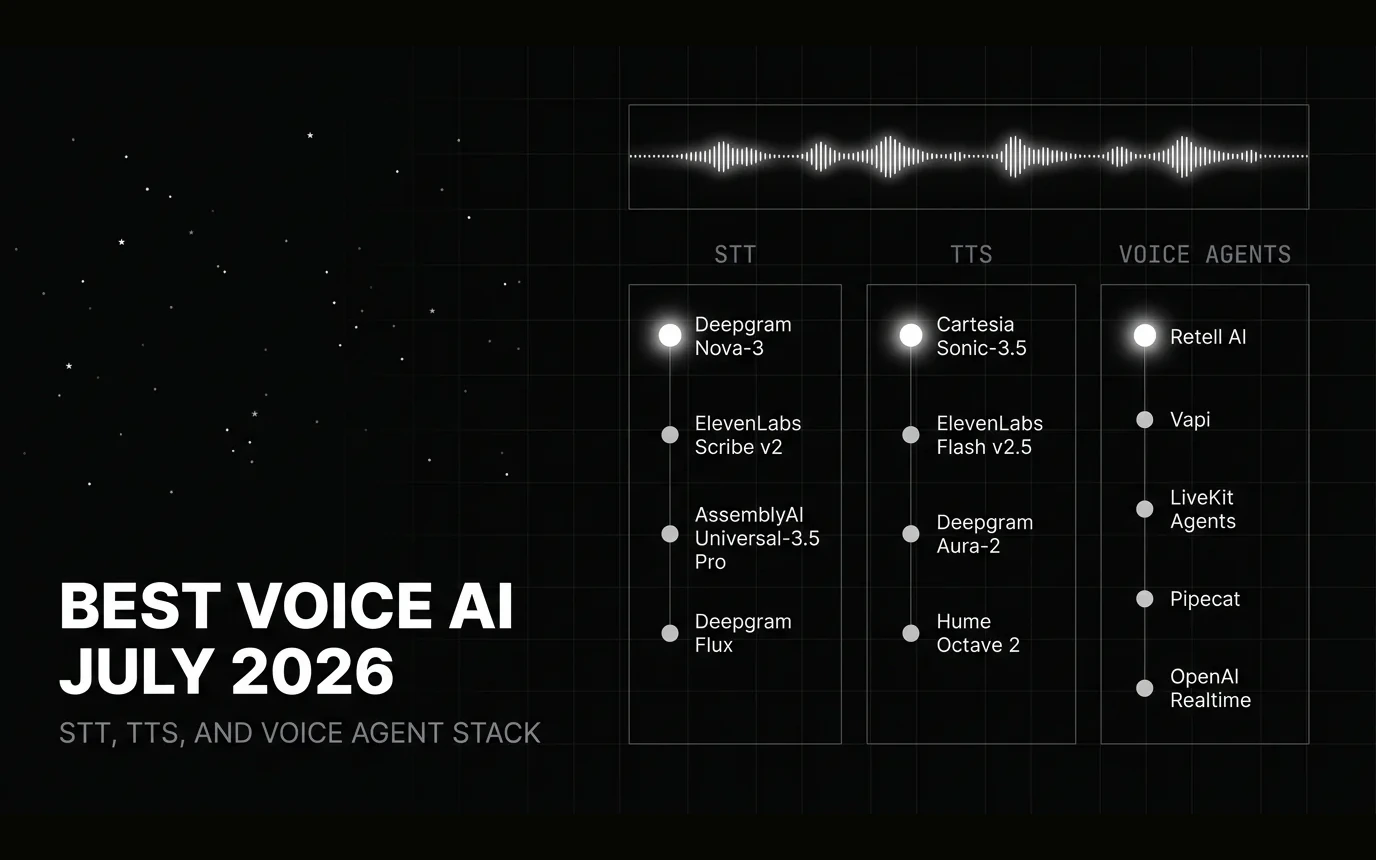
STT, TTS, and voice-agent picks for July 2026: ElevenLabs Scribe v2 leads accuracy at 2.2% WER, Deepgram Nova-3 for streaming, Cartesia Sonic-3.5 for TTS.