Custom Voice Evaluator Authoring in 2026: The In-Product Agent Workflow
Author custom voice evaluators in 2026 two ways: in-product agent that proposes rubrics from traces, plus code that extends Evaluator class.
Table of Contents
Voice agents fail in domain-specific ways. A retail support agent fails on order numbers. A clinical scribe fails on drug names. An insurance FNOL agent fails on coverage codes. Built-in eval rubrics catch the universal failure modes: transcription quality, coherence, task completion, safety. They don’t know your taxonomy. Custom evaluators do. This post is the how-to for authoring them in 2026. Two paths. One uses the in-product agent that proposes rubrics from your traces. One uses code to extend the Evaluator class directly.
TL;DR (the step-by-step preview)
Custom voice evaluator authoring in 2026 follows five steps regardless of path. Pick the path based on whether you want a UI-driven flow or a code-first one. The end result is the same: a versioned rubric in your library that runs on every call through the same Evaluator.evaluate API as the 70+ built-in templates.
- Decide built-in versus custom versus combine. Universal failure modes use built-ins. Domain-specific failure modes use custom. Most production stacks combine both on every call.
- Pick a path. In-product agent for fast iteration with non-engineering reviewers. Code path for engineering teams that prefer config files in version control.
- Author the rubric. Plain-English description in the agent UI, or a
CustomLLMJudgeconfiguration in code. Both produce the same runnable artifact. - Calibrate against human review. The agent learns from your accept and reject signal. The code path uses a labelled calibration set. Calibration is human-driven in both paths. Per the Hybrid Norm (Anthropic’s 2026 eval guidance), a calibrated LLM rubric should pair with a verifiable reward where one exists: a numeric range, a schema validator, an entity-match heuristic. The combination cuts the false-pass rate single-judge rubrics quietly accumulate.
- Run it. Through
Evaluator.evaluateagainstConversationalTestCaseplusMLLMAudio. Through the programmatic eval API for retroactive runs on call history.
When to use built-in versus custom versus combine
Picking the right layer matters. The 70+ built-in eval templates in ai-evaluation cover the universal axes every voice agent needs. Custom evaluators cover the axes specific to your domain. Most teams combine both. The decision rule is straightforward.
Use built-in rubrics when the failure mode is universal
These are the failure modes that any voice agent in any vertical can suffer from. Transcription accuracy. Conversation coherence across turns. Task completion at call end. Audio quality on the output leg. PII echo from the customer side. Prompt injection in the agent prompt. Built-ins ship pre-calibrated, audited, and versioned. You import them and they run.
The built-in catalog spans six functional categories. Voice rubrics include audio_transcription for ASR scoring and audio_quality for TTS output. Conversation rubrics include conversation_coherence and conversation_resolution. Retrieval rubrics include groundedness, chunk attribution, chunk utilization, context relevance, and context adherence for any voice RAG leg. Safety rubrics include toxicity, sexism, prompt_injection, data_privacy_compliance, pii, bias_detection, and content_moderation. Multilingual rubrics include translation_accuracy and cultural_sensitivity. Structure rubrics include task_completion and caption_hallucination.
Use custom rubrics when the failure mode is domain-specific
These are the failure modes the built-in rubric set cannot know about because they encode your taxonomy. Three working examples.
Drug-name precision for a clinical scribe. A built-in WER score on the medication line tells you nothing about whether metformin 500mg twice daily survived. A custom rubric scores precision and recall on the medication entity class with a domain-aware lookup against an RxNorm-style vocabulary, and checks that drug name plus dosage plus frequency plus route survived together.
Brand-voice fit for a marketing IVR. Built-in coherence rubrics check whether the conversation flows. They don’t check whether the agent sounded like the brand. A custom rubric encodes the style guide in the prompt and scores against it: approved greeting, banned phrase list, register match, closer pattern.
Insurance quote correctness in first notice of loss. A built-in task_completion score says whether the call ended. It doesn’t say whether the coverage assessment was correct. A custom rubric checks each field (policy section, deductible, limit, exclusion list) against the policy database and flags mismatches for human escalation.
Combine both layers on every call
The production pattern runs the universal built-in pass and the domain custom pass on every call. The two layers cover orthogonal error classes. A call can pass one and fail the other; you want both signals. The combined pass runs through one Evaluator.evaluate call with both rubric sets in the template list.
The in-product agent path
The in-product authoring agent in ai-evaluation lets a non-engineering reviewer propose, edit, and accept rubrics from a UI. The workflow is one of the fastest ways to build a domain rubric library because it pulls examples from your production traces and proposes rubrics that target the failures it sees.
Step 1. The agent reads production traces
The authoring agent has read access to a configurable slice of production traces. It reads a configured slice of production traces selected by the workspace owner, and groups calls by failure cluster identified by the Error Feed. Each cluster is a candidate rubric topic. A cluster of calls where the agent confidently quoted the wrong return policy surfaces as a candidate with example calls, the failing turn highlighted, and the suggested rubric topic (“return-policy-correctness”).
Step 2. The agent proposes a rubric
For each accepted cluster, the agent proposes a full rubric. The proposal includes:
- Rubric name and category.
return_policy_correctnessunderdomain.support. - Plain-English scoring description. “Score 1 when the agent’s quoted return window matches the policy database for the customer’s product line. Score 0 otherwise. Score 0.5 when the agent declined to quote and offered to transfer to a human.”
- Draft prompt. Pre-populated with policy database schema, cohort segmentation, and a few-shot example block.
- Pass and fail examples. Representative example calls from the cluster, when available and permitted by workspace data policy, labelled by the agent’s first-pass scoring.
- Confidence note. The agent’s self-assessment of label reliability. Low confidence triggers a human-review-first recommendation.
Step 3. The reviewer accepts, edits, or rejects
The reviewer (typically a domain SME plus an engineer) opens the proposal. The UI shows rubric description, prompt, and example calls side by side. Accept as-is, edit then accept, or reject with a reason. The reviewer’s signal is the only way the agent improves. The agent does not auto-promote rubrics, does not silently change scoring thresholds, and does not push new rubric versions to production without a human accept.
Step 4. The accepted rubric joins the library
Once accepted, the rubric is versioned, given a unique template name in the workspace’s custom range, and added to the rubric library. It’s callable from both the UI and the SDK. Every run records the version, so re-running on history before and after an edit produces a clean diff. The library is workspace-shared.
Step 5. The agent learns from your corrections
The next round of proposals incorporates the accept and reject signal. A reviewer who rejects rubrics that ignore customer cohort gets proposals with cohort segmentation. A reviewer who edits few-shot blocks to use recent calls gets proposals with tighter recent-call windows.
The learning is calibration, not autonomous self-improvement. Every change to a rubric still requires a human accept. The agent gets better at first-pass proposals because it learns what you accept.
The code path
For engineering teams that prefer code in version control to UI-driven workflows, the same library exposes a CustomLLMJudge extension point. The code path is more flexible: you control the prompt template, the scoring function, the classifier model selection, and the audit schema directly.
Step 1. Decide on the scoring shape
Custom evaluators in code support three scoring shapes:
- Binary: 0 or 1. Used for pass/fail rubrics like “did the agent quote the correct return window”.
- Categorical: a discrete label from a fixed vocabulary. Used for rubrics like “which compliance category did this call fall into”.
- Continuous: a float in [0, 1]. Used for rubrics like “how closely does the brand voice match the style guide”.
Pick the shape that maps to the downstream action. If a regression dashboard needs a pass rate, binary is the cleanest. If a clustering job needs a label, categorical. If a trend chart needs a smooth gradient, continuous.
Step 2. Configure the judge
For SDK-side custom criteria, create a custom eval template through the UI/API and run it by template name, or use CustomLLMJudge from fi.evals.metrics with a provider plus configuration. Treat CustomLLMJudge as a configurable evaluator (judge model, rubric, parsing) rather than a subclass.
from fi.evals import Evaluator
from fi.evals.metrics import CustomLLMJudge
from fi.testcases import TestCase, MLLMAudio

drug_name_precision = CustomLLMJudge(
    name="drug_name_precision",
    description=(
        "Score precision and recall on the medication entity class "
        "(drug name, dosage, frequency, route) extracted from the "
        "clinical scribe note against the gold reference."
    ),
    rubric=(
        "You are scoring a clinical scribe agent.\n"
        "Reference medication line: {reference}\n"
        "Hypothesis medication line: {hypothesis}\n\n"
        "Score 1.0 if drug name, dosage, frequency, and route all match.\n"
        "Score 0.75 if three of four match.\n"
        "Score 0.5 if two of four match.\n"
        "Score 0.25 if one of four matches.\n"
        "Score 0.0 if none match."
    ),
)
Step 3. Pick the classifier model
The judge model selection is the lever that controls cost and accuracy. Two recommended configurations:
- Default high-accuracy in-house classifier: highest-accuracy classifier in the FAGI eval stack. Use for high-stakes rubrics where false positives or false negatives carry real cost (drug-name precision for clinical, insurance-quote correctness for FNOL).
- Custom-trained classifier: tuned on your domain data for cost economy. Use for high-volume rubrics where per-call cost is the binding constraint (brand-voice fit on every marketing IVR call).
ev = Evaluator(fi_api_key="...", fi_secret_key="...")

result = ev.evaluate(
    eval_templates=[drug_name_precision],
    inputs=[test_case],
)
Classifier selection is per-pass on Evaluator.evaluate(...). Use the default high-accuracy in-house classifier for the high-stakes pass; use a custom-trained classifier when per-call cost dominates.
Step 4. Wire up the test case
For voice agents the test case is almost always a ConversationalTestCase plus an MLLMAudio leg. The conversation carries the message structure. The audio carries the raw call audio the rubric scores.
from fi.testcases import TestCase, MLLMAudio
from fi.evals import Evaluator, ConversationCoherence, ConversationResolution

audio = MLLMAudio(url="https://storage.example.com/calls/call_84920.wav")

conv = TestCase(
    messages=[
        TestCase(
            query="I need to refill my metformin prescription",
            response="I can help. Let me confirm. Metformin 500mg twice daily, correct?",
        ),
        TestCase(
            query="Yes, that's the one",
            response="Got it. The refill is on its way.",
        ),
    ],
    input_audio=audio,
)
MLLMAudio accepts seven audio formats: .mp3, .wav, .ogg, .m4a, .aac, .flac, .wma. Local paths and URLs are both supported, with automatic base64 encoding when the judge model needs it.
Step 5. Run the combined pass
The custom rubric runs alongside any built-in in the same Evaluator.evaluate call. This is how you combine layers.
ev = Evaluator(fi_api_key="...", fi_secret_key="...")

result = ev.evaluate(
    eval_templates=[
        ConversationCoherence(),
        ConversationResolution(),
        drug_name_precision,
    ],
    inputs=[conv],
)
The result object has per-rubric scores and reasoning. The audit trail records every rubric version, the input, the score, the reasoning, and the model that produced the score. The dashboard surfaces the per-rubric trend over time and per-cohort breakdowns.
Calibration from human review
A custom rubric is only as good as its calibration. The first-pass rubric will get some scores wrong. Calibration is how you drive the rubric toward the gold human label.
The labelled calibration set
For each domain rubric, build a labelled calibration set large enough to cover the target cohorts and failure modes. A domain SME labels each example with the gold score. The labelled set lives in your workspace and is versioned alongside the rubric.
The set is the rubric’s training-time signal in the in-product agent path, and the rubric’s evaluation set in the code path. In both paths, you score the rubric against the gold labels and report the rubric’s accuracy, precision, recall, and F1 against the SME.
The human-review feedback loop
In the in-product agent path, the loop is automatic. The agent watches your accept and reject signal on the rubric proposals. Acceptances become positive examples. Rejections become negative examples. The next round of proposals incorporates the signal.
In the code path, the loop is explicit. You re-score the calibration set against the latest rubric version. You edit the prompt template, the few-shot example block, or the scoring thresholds. You re-score. You commit the change when the F1 against the SME meets the bar.
The important property is that calibration is human-driven in both paths. The agent does not autonomously update its own rubrics. The code rubric does not autonomously rewrite its own prompt. The human is in the loop on every change. The audit trail records who approved each change.
When to retrain the classifier
For custom-trained classifiers, periodic retraining is part of the calibration loop. Revisit the judge model or custom model configuration when labeled data, traffic mix, or SME agreement changes materially. A retrain takes the calibration set, fine-tunes a small classifier, and ships a new model version. The rubric config switches via a workspace setting; the audit trail records the model version on every score.
Test data management
Custom evaluator authoring is bottlenecked on test data quality. The library ships three primitives for voice: ConversationalTestCase for dialog, MLLMAudio for the audio leg, and UnifiedTestCase for mixed modality.
ConversationalTestCase wraps a list of LLMTestCase messages, one per turn, each with a query (customer side) and response (agent side). The conversation feeds multi-turn rubrics like conversation_coherence and conversation_resolution. Test cases are serializable and version-controllable.
MLLMAudio carries the raw audio for rubrics that need it (TTS quality, prosody, pronunciation, multilingual handling). Seven audio formats are supported: .mp3, .wav, .ogg, .m4a, .aac, .flac, .wma. Local paths and URLs both work. The library handles base64 encoding when the underlying judge model needs it.
from fi.testcases import MLLMAudio

audio_url = MLLMAudio(url="https://recordings.example.com/call_84920.wav")
audio_local = MLLMAudio(url="/data/calls/call_84920.wav")
UnifiedTestCase wraps audio plus dialog plus structured data (intent labels, agent version, customer cohort) under one schema. Custom rubrics that score across modalities use the unified shape.
Classifier model selection
The judge model is the single biggest cost and accuracy lever in custom rubric authoring. The library ships two production-grade options.
The default high-accuracy in-house classifier
The default in-house high-accuracy classifier. Tuned for LLM-as-judge tasks on the rubric domains the library covers. Use it for rubrics where false positives or false negatives carry real downstream cost. Examples: drug-name-precision for clinical, insurance-quote-correctness for FNOL, compliance-flag for regulated calls.
The default high-accuracy classifier is what the built-in rubrics in ai-evaluation run on. You don’t need to set it explicitly unless you’re overriding a custom rubric’s model.
Custom-trained classifier for cost economy
When the rubric is high-volume and the per-call cost matters, train a smaller classifier on your labelled calibration set. The library exposes a fine-tune endpoint that takes the calibration set and produces a model version optimized for your domain. The fine-tuned model runs at lower per-call cost than the default high-accuracy classifier while preserving accuracy on the domain it was tuned for.
Brand-voice fit on a high-traffic marketing IVR is the canonical use case. For high-volume rubrics, compare the default classifier against a custom-trained one on a labeled calibration set before selecting the production path.
The tradeoff is generalization. A fine-tuned classifier optimized for your brand-voice taxonomy doesn’t transfer to a different brand. The default high-accuracy classifier does. Pick per-rubric. High-volume domain-specific rubric goes fine-tuned; high-stakes universal rubric stays on the default high-accuracy classifier.
Programmatic eval API for re-running on history
Rubric authoring is iterative. Every edit raises the question: how does the new version score against the old version on history? The programmatic eval API answers it.
The API takes a rubric configuration (or list of rubrics) and a trace filter (date range, agent version, customer cohort, intent class), then runs the rubrics against the matching call history. The result can be reviewed through the configured evaluation workflow and reused for comparison runs.
Typical use cases:
- Re-score the last 30 days on a new rubric version. Compare new-version pass rates to old-version pass rates on the same calls.
- Re-score a specific cohort when calibration reveals a cohort gap. If a cohort gets different scores and the SME suspects bias, re-score the cohort on a calibration-only rubric variant.
- Re-score against an agent version comparison. When two agent versions ran A/B, re-score both halves on the same rubric set to compute the rubric-by-rubric delta.
The API accepts the same rubric objects you pass to Evaluator.evaluate, so the same custom rubric that runs on live calls also runs on history.
How Future AGI supports the custom rubric loop end-to-end
The FAGI stack maps every step of the loop covered in this post.
ai-evaluation ships the 70+ built-in rubrics plus CustomLLMJudge for code-path custom rubrics, all under Apache 2.0. The in-product authoring agent reads production traces, proposes rubrics, and learns from your accept and reject signal. No auto-promotion; calibration is human-in-the-loop.
traceAI captures the spans the authoring agent reads, with 30+ documented integrations across Python and TypeScript, including dedicated traceAI-pipecat and traceai-livekit packages. Native voice observability for Vapi, Retell, and LiveKit needs no SDK; provider API key plus Assistant ID activates auto call log capture, separate audio download, transcripts, and the full eval engine on every call.
Simulate ships 18 pre-built personas plus unlimited custom-authored (gender, age range across 18-25 / 25-32 / 32-40 / 40-50 / 50-60 / 60+, location across US / Canada / UK / Australia / India, personality traits, communication style, accent, conversation speed, background noise, multilingual across many popular languages, custom properties, free-form behavioral instructions). Visual Workflow Builder with drag-and-drop graph (Conversation / End Call / Transfer Call nodes) auto-generates branching scenarios at 20, 50, or 100 rows with branch visibility. 4-step Run Tests wizard (config → scenarios → eval → execute). Error Localization pinpoints the exact failing turn. Custom voices from ElevenLabs and Cartesia in Run Prompt. Show Reasoning column in Simulate. The programmatic eval API takes any rubric configuration and runs it on history.
For prompt-optimization loops, agent-opt ships 6 optimizers: Bayesian Search, Meta-Prompt (arXiv 2505.09666), ProTeGi, GEPA (arXiv 2507.19457), Random Search (arXiv 2311.09569), and PromptWizard. Optimization runs from the Dataset UI or the Python SDK; the dashboard surfaces optimizer iterations, candidate prompts, and final scores. FAGI never auto-rewrites prompts in production without an explicit run plus a human approval gate.
Future AGI Protect is the inline guardrail layer: Gemma 3n with LoRA-trained adapters per arXiv 2510.13351, multi-modal across text, image, and audio, sub-100ms inline. ProtectFlash is the single-call binary classifier path.
Agent Command Center governs the deployment: RBAC, SOC 2 Type II + HIPAA + GDPR + CCPA + ISO 27001 certified, AWS Marketplace, multi-region hosted, BYOC self-host, 15+ provider routing. Error Feed clusters trace failures into named issues that the in-product authoring agent uses as rubric proposal inputs.
Two deliberate tradeoffs
Calibration is explicit by design. Custom evaluators calibrate from human review feedback. The authoring agent does not push new rubric versions to production without a reviewer accept. The audit trail and the reviewer accept gate are the safety properties that make the rubric library usable in regulated workloads. Reviewers should plan for one to three calibration rounds against an SME-labelled set before a rubric proves it earns its keep.
The in-product agent reads a configurable slice of traces. Workspace owners control the sample rate to bound read cost and PII exposure. Rare failure modes below the sampling rate are surfaced by Error Feed clustering; engineers can escalate clusters into the agent’s input set or widen the sample rate when authoring a new domain rubric. This is the deliberate posture for regulated tenants.
Related reading
- Why WER Isn’t Enough for Voice Agents: the beyond-WER metrics that custom rubrics encode.
- Voice Agent Conversation Monitoring in 2026: the production monitoring layer where custom rubrics run on every call.
- Evaluating Voice AI Agents in 2026: the broader eval stack for voice that combines built-in and custom rubrics.
- Voice AI Evaluation Infrastructure: Developer’s Guide: the platform plumbing that the custom rubric workflow plugs into.
Sources and references
- arXiv 2510.13351, Future AGI Protect model family (arxiv.org/abs/2510.13351)
- arXiv 2507.19457, GEPA Genetic-Pareto prompt optimizer (arxiv.org/abs/2507.19457)
- Future AGI trust page (futureagi.com/trust)
- ai-evaluation repository (github.com/future-agi/ai-evaluation)
- traceAI repository (github.com/future-agi/traceAI)
- OpenInference semantic conventions, the span schema traceAI implements
Frequently Asked Questions
When should I build a custom voice evaluator instead of using a built-in rubric?
What does the in-product authoring agent actually do?
Does the authoring agent change rubrics without review?
What are the 70+ built-in rubrics in ai-evaluation?
How do I extend the Evaluator with a custom judge?
What is ConversationalTestCase and how does it pair with MLLMAudio?
Can I re-run a custom rubric on call history?
WER measures word accuracy but misses what voice agents break on. Intent preservation, entity F1, timing, task-completion correlation are 2026 metrics.

Monitor voice agent conversations with 6 metrics in 2026: turn coherence, intent confidence, completion, sentiment, escalation, and repeat-question signal.

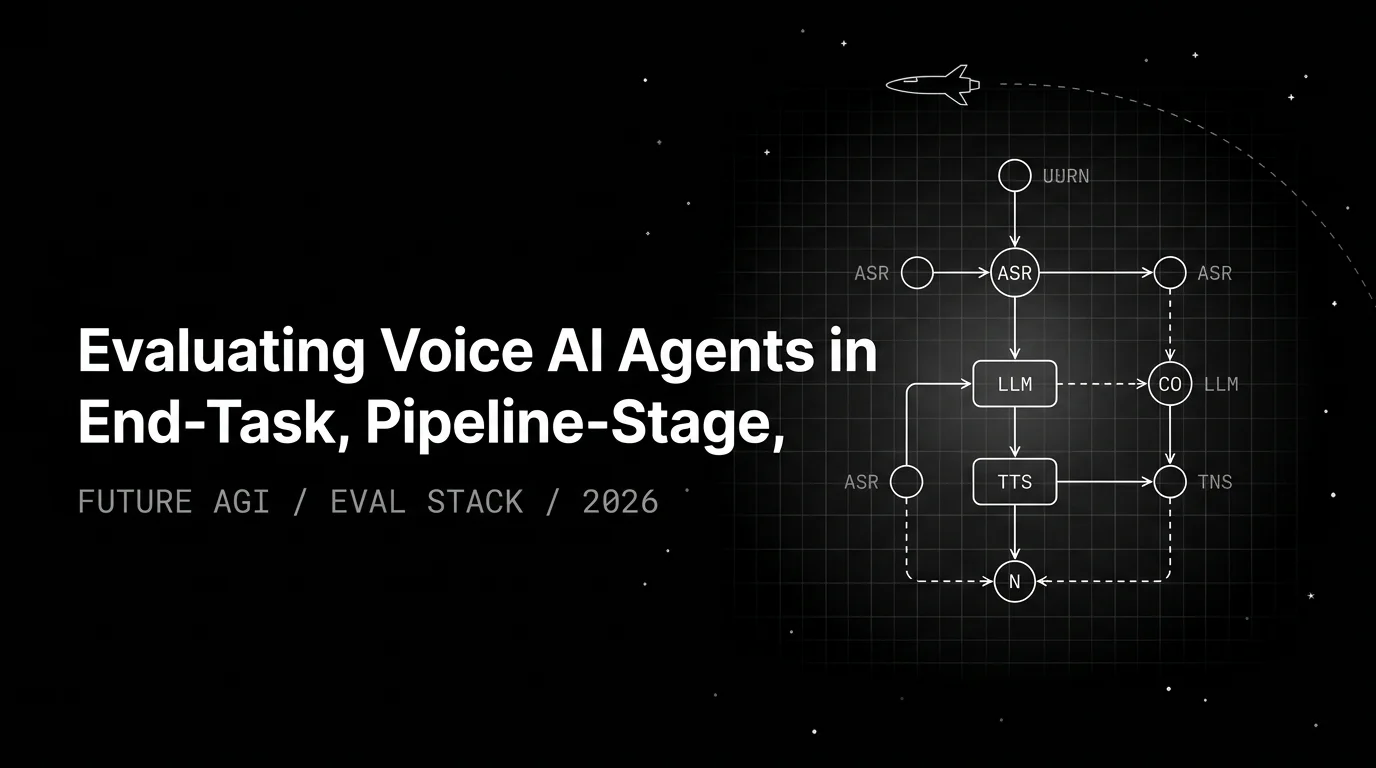
Voice agent eval is end-task scoring plus pipeline-stage attribution plus conversation coherence. WER scores the ASR component, not the agent.