Agent Skill Evals: Test a Skill Edit Before You Ship
Run a skill-on/skill-off agent skill evaluation: capture span-level traces of both runs, score them with paired evals, and prove a skill edit is safe.
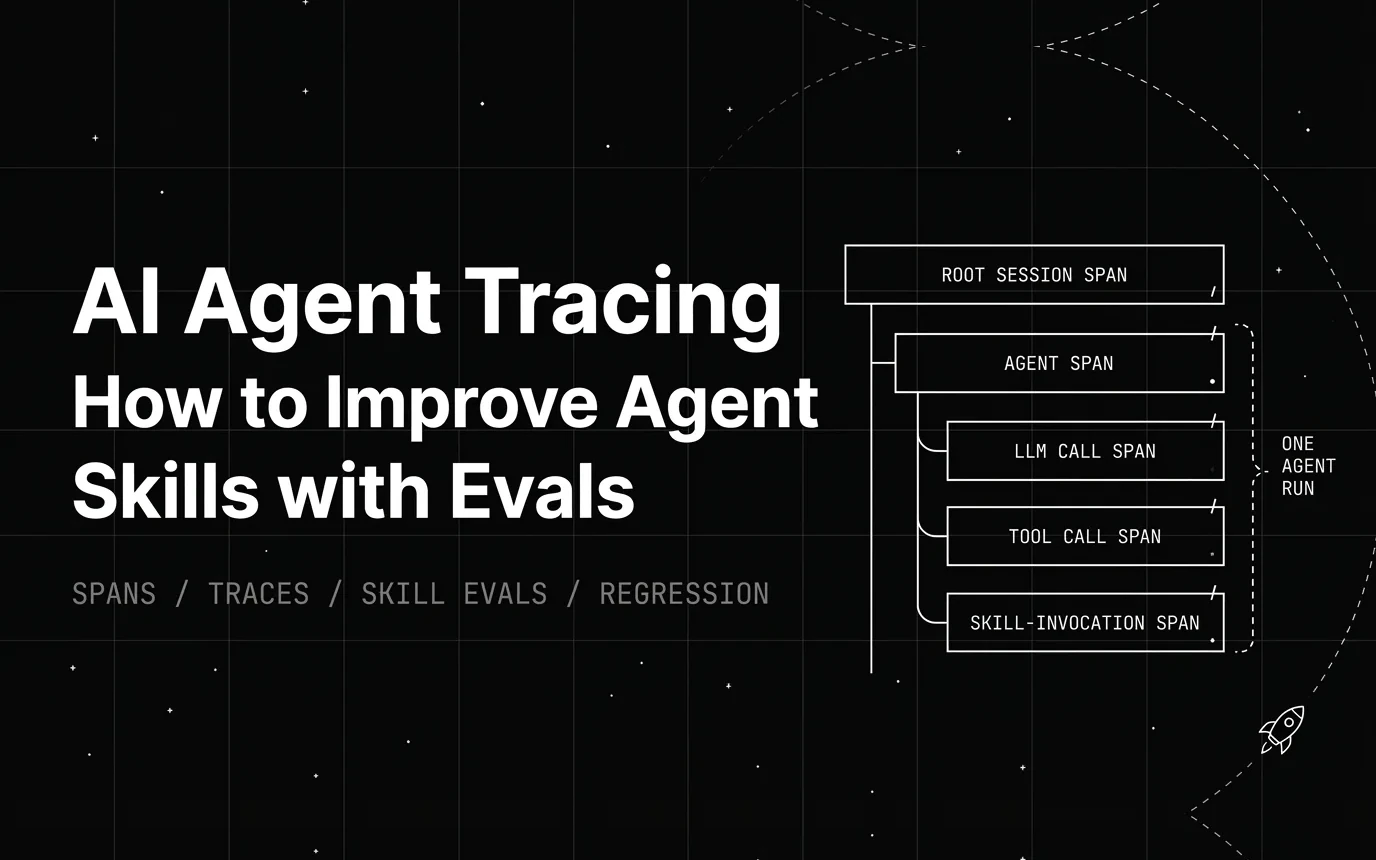
Table of Contents
TL;DR: How to Prove an Agent Skill Edit Is Safe
| Step | What you do | What it catches |
|---|---|---|
| 1. Freeze the dataset | 15-20 real production prompts the skill targets, held fixed across every run | Score moves caused by a shifting test set rather than the skill |
| 2. Run twice, traced | Same prompts, skill on and skill off, skill version written onto every span | Two runs you can no longer tell apart a week later |
| 3. Score in pairs | One efficiency metric (latency, tokens, cost) plus one quality metric (completeness, tool-call accuracy) | A skill that got measurably faster and quietly less complete |
| 4. Open the low scorers | Walk the span tree down to the first span that diverges from a passing run | Rewriting the skill file when the break was upstream in prompt assembly |
| 5. Gate the ship | Hold the release until the quality metric matches or beats baseline | Efficiency wins shipping as though they were quality wins |
Four neighbouring Future AGI pages each own a different job, and this one deliberately does not repeat them. The agent tracing glossary entry defines the term and the span model. Evaluating AI Agent Skills designs the skill tree and per-skill rubrics across a whole skill library. The Claude Skills evaluation deep dive treats a Claude Skill as a contract and scores dispatch, trajectory, and integration separately. Trace-Native Evaluation covers attaching an eval score to the span itself instead of exporting a dataset first. This page owns one narrower job: the skill-on/skill-off comparison that decides whether a single skill edit ships.
Why Agent Skills Quietly Break Without Anyone Noticing
Agent skills are packaged, reusable instruction sets, often a SKILL.md file, that an agent loads to perform a task the same way every time. That’s different from a one-off prompt tucked into a single call. A skill is meant to be reused across sessions.
Skills degrade silently. A skill can shorten output and cut token cost while quietly dropping steps a human reviewer would only catch by re-reading every transcript, and that doesn’t scale past a handful of runs. The output still reads fine at a glance, which is exactly the problem.
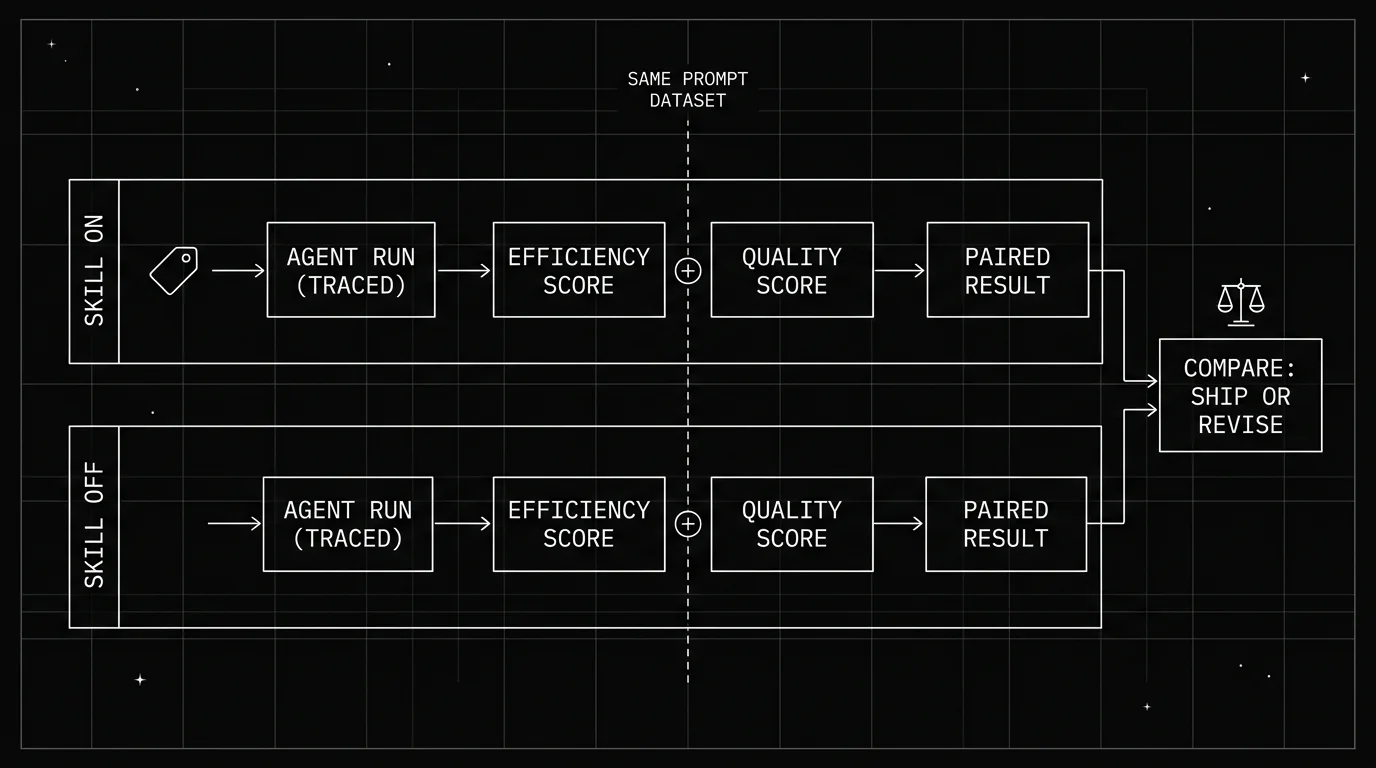
Agent skill evaluation is the practice that catches this: run one fixed prompt dataset twice, once with the skill on and once with it off, capture span-level traces of both runs, and score efficiency and quality together rather than one at a time.
Tracing gives visibility into what a skill actually did at each step of a run. Evals turn that visibility into a repeatable score you can compare across skill versions. Neither one alone tells you whether a skill change was safe to ship, which is what this piece works through in order.
This isn’t a hypothetical problem. Teams shipping Claude Skills, Codex skills, or custom SKILL.md agents hit the same failure shape regardless of framework: a skill edit ships, the demo looks fine, and the regression surfaces weeks later in a support ticket nobody connects back to the change. Pairing a trace with an eval closes that gap by turning “it looks fine” into a scored comparison.
What Does a Trace Actually Capture in a Multi-Step Agent Run?
A trace is the full record of one agent run: every LLM call, every tool call, and every intermediate decision, tied together in a hierarchy. Reading a trace tells you what happened; it doesn’t yet tell you whether what happened was good, which is where evals come in later.
Spans are the individual units inside a trace, a single LLM call or a single tool call. Nesting shows which step caused a downstream failure, so a bad final answer can be traced back to the exact call that introduced the error instead of guessed at from the output alone.
Most modern agent tracing tools, including Future AGI’s traceAI library, export spans using OpenTelemetry’s semantic conventions for generative AI, so trace data isn’t locked to one vendor’s proprietary format. That portability matters once a team wants to compare traces across tools or move platforms later without rebuilding instrumentation from scratch.
Two runs are only comparable if you can still tell them apart later. Write the skill version and the on/off condition onto the trace as span attributes at emit time, not into a spreadsheet kept beside it. Six weeks and four skill edits on, that attribute is the only thing that still says which run was which.
The Span Hierarchy for an Agent Executing a Skill
A typical agent run nests spans in a predictable order: a root or session span wraps the whole run, an agent span sits inside it, then LLM call spans and tool call spans branch off, with retriever or sub-agent spans nested further if the agent uses either.
Each span type records inputs, outputs, latency, and token count. Tool call spans also record a success or error status, which is often the first place a skill-related failure shows up before it reaches the final response.
Take a concrete example: a skill that instructs an agent to “cap lists at 5 items” or trim preamble. Once that skill is active, you’ll typically see fewer LLM spans and shorter outputs in the trace. That efficiency gain looks good until an evaluator checks whether the shorter output still covers everything the user actually asked for.
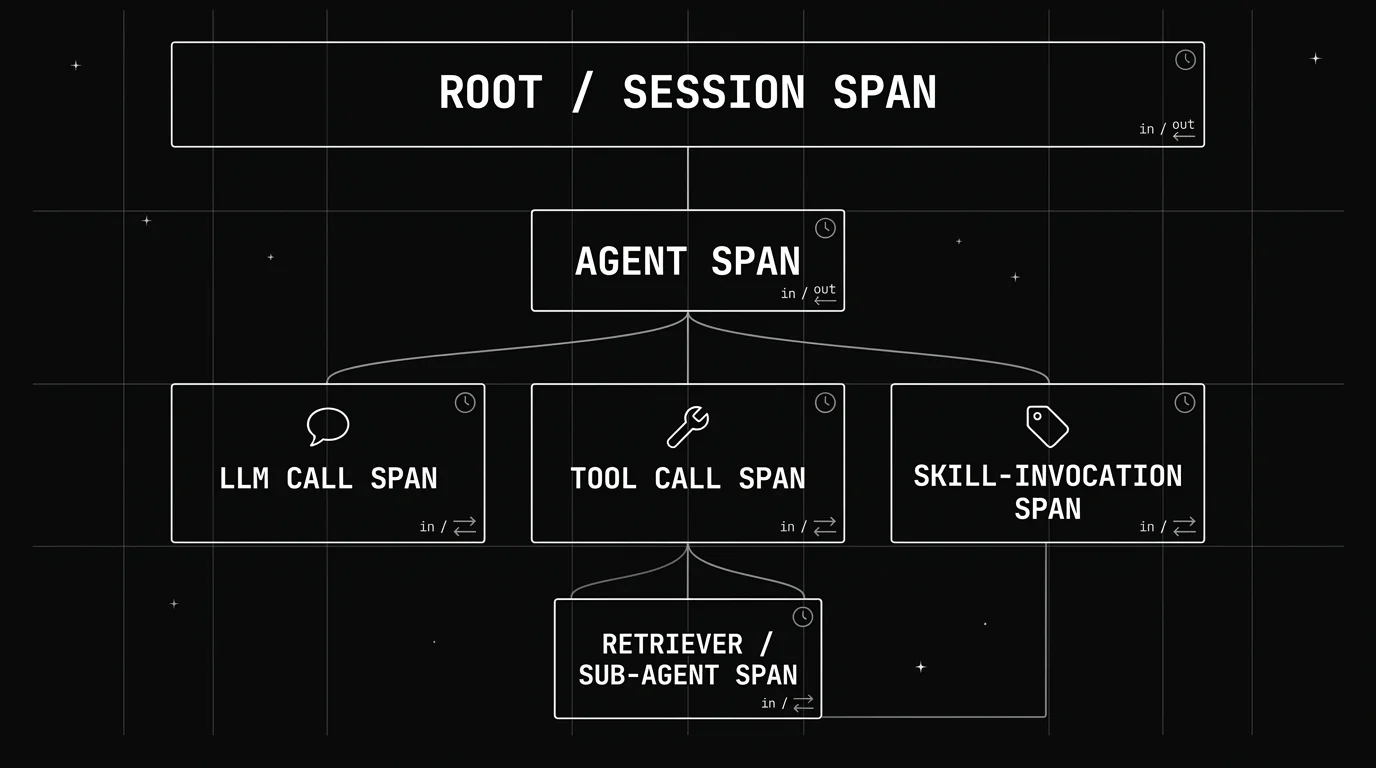
Table 1: Trace Span Breakdown for an Agent Using a Skill
| Span Type | What It Captures | Signal It Gives You | Example Failure It Reveals |
|---|---|---|---|
| Root/Session Span | Full run boundary, start/end time, overall status | Whether the run completed or errored out | A run that silently timed out mid-task |
| Agent Span | The agent’s overall plan and final output | Whether the agent’s stated plan matches what it actually did | An agent that plans five steps but executes three |
| LLM Call Span | Prompt in, completion out, tokens, latency | Where a bad instruction or missing context entered the run | A skill instruction that never made it into the prompt |
| Tool Call Span | Tool name, arguments, result, success/error status | Whether the right tool ran with the right parameters | A malformed argument after a skill changed expected format |
| Retriever/Sub-agent Span | Query, retrieved context, or delegated sub-task result | Whether retrieval or delegation returned usable material | A sub-agent that returned an empty result treated as success |
| Skill-Invocation Span (custom attribute) | Which skill and version fired, and where | Whether the skill was actually invoked, and when | A skill that’s supposed to fire every run but silently doesn’t |
Why Isn’t Tracing Enough on Its Own?
Traces show you what happened, not whether it was good. Two runs can look identical in a trace viewer while one silently skips a required step that the other completed, and nothing in the raw trace flags the difference on its own.
An eval is a scored check applied to a captured run: prompt in, trace and output captured, a defined check applied, a comparable score out. That score is what turns a one-off trace review into something you can track release over release.
Two eval types matter most for skills. Deterministic checks confirm hard facts, did the agent call the expected tool, did a required file or field appear in the output. Rubric or LLM-graded checks assess judgment calls, did the output follow the skill’s stated style and completeness rules.
Efficiency gains, lower latency, lower token cost, mean nothing without a paired completeness or accuracy eval sitting next to them. A skill that gets measurably cheaper and measurably worse at the same time is a net loss dressed up as a win, and only a paired eval catches that pattern.
Common Ways Agent Skills Fail
Skill failures cluster into four shapes, and each one hides from a different check. A skill isn’t invoked at all, the agent ignores the instructions entirely and behaves as if the skill file was never loaded. That’s the easiest failure to catch and the easiest to miss if nobody checks for it directly.
A skill can also be invoked but only partially followed, some rules applied, others quietly dropped. This is harder to catch than total non-invocation because the output still looks like the skill did something, just not everything it was supposed to.
Skills can be over-applied, with rules bleeding into contexts where they shouldn’t fire at all. A “keep responses under 100 words” skill meant for chat support can quietly clip a detailed technical answer where brevity actively hurts the user.
Skill changes can also cause tool-call errors when they alter an expected format, malformed parameters that a downstream tool rejects. Manual transcript review is a weak net for all four, because a reviewer anchors on whether the output reads fine rather than on whether every required step actually ran underneath it.
None of these four patterns are rare edge cases. They show up whenever a skill file changes formatting rules, tightens a length limit, or narrows the situations it applies to. Each one looks fine in a spot-check of two or three transcripts and only shows up as a pattern once you score a larger, consistent set of runs the same way.
All four share a measurement problem on top of the behaviour problem. A skill that trims preambles and caps list length pulls token usage, latency and cost per run down together, and every one of those numbers moves in the direction you wanted. Read on its own, that table makes the skill look like a clean win.
What the table cannot show is that completeness fell at the same time — required content quietly stopped appearing in a share of the runs. Only a completeness evaluator scored against the transcripts surfaces that, and once it does, expect to re-run the same paired comparison after every rewrite of the skill file until the quality number is back at baseline.
A Step-by-Step Agent Skill Evaluation Workflow
Building confidence in a skill change follows a repeatable loop, not a one-time review. Five steps cover it end to end, from dataset to comparison.
- Pull the dataset from prompts the skill already handles in production. Take the traffic the skill was written for, including the awkward cases it handles badly today, so the eval measures the job the skill actually does rather than one you imagined for it.
- Run the agent twice per prompt, skill on and skill off, with tracing enabled and a consistent tag on each trace identifying which condition produced it.
- Score both runs with a paired set of evals, at minimum one efficiency metric (latency, tokens, cost) and one quality metric (completeness, correctness, tool-call accuracy), so a gain in one is never read alone.
- Inspect spans on the low-scoring runs to find exactly which step diverged. This is where the trace hierarchy from earlier does work a raw score can’t do by itself.
- Revise the skill instructions and re-run the same dataset, comparing against the prior baseline instead of eyeballing a handful of new transcripts.
Deciding When a Skill Is “Ready” vs. Needs Another Pass
Set a concrete gate: a skill shouldn’t ship until it matches or beats baseline on the quality metric, not just the efficiency metric. A skill that’s faster but worse at the task hasn’t earned its place in production yet, no matter how good the latency chart looks.
Keep the evaluation dataset fixed across iterations so score changes reflect the skill itself, not a shifting test set. Swapping prompts between runs makes two scores impossible to compare honestly.
Add a human review pass when the rubric-graded score sits near the pass/fail threshold, or when the skill touches a sensitive domain like health, legal, or financial guidance. Borderline scores and high-stakes domains are exactly where automated scoring alone runs out of confidence.
Treat this gate the same way a team treats a CI check before merging code. A skill edit that fails the gate goes back for another pass, not into production with a note to “watch it closely.” That discipline is what separates a skill library that improves release over release from one that slowly accumulates undetected regressions.
Matching Failure Modes to the Right Eval Metric
Picking the wrong metric for a given failure mode wastes an eval run and hides the real problem. A latency check will never catch a skill that’s silently dropping required content, and a completeness check won’t catch a malformed tool call.
The general rule for choosing: process failures need step or tool-call checks. Output failures need completeness or correctness checks. Style failures need rubric-graded checks. Efficiency issues need token, latency, or cost tracking paired with a quality gate, never on their own.
Table 2: Agent Skill Failure Mode to Eval Metric Mapping
| Failure Mode | What It Looks Like in the Trace | Eval Metric to Apply | Check Type |
|---|---|---|---|
| Skill not invoked | No skill-invocation span present at all | Skill-invocation rate | Deterministic |
| Skill partially followed | Skill span present, but only some rule effects visible downstream | Rubric-graded completeness against skill rules | Rubric |
| Skill over-applied outside intended scope | Skill span fires on prompts outside its intended use case | Scope/applicability check | Deterministic + rubric |
| Tool call malformed after skill change | Tool call span shows an error or rejected argument | Tool Call Accuracy | Deterministic |
| Agent skipped or reordered required steps | Span sequence diverges from the expected path | Trajectory Match | Deterministic |
| Output too terse / lost required content | Shorter LLM call spans, fewer output tokens than baseline | Completeness against a reference checklist | Rubric |
| Latency or cost improved but completeness dropped | Lower span latency/tokens alongside a lower quality score | Paired efficiency + quality gate | Deterministic + rubric |
How Do You Tell a Skill Problem From a Model Problem?
The debugging loop starts from the eval score drop, not the trace. Open the specific trace behind the lowest-scoring run, then walk the span hierarchy top-down to the first span where behavior diverges from a passing run on the same prompt.
Where the divergence starts is the answer. If it happens before the skill’s instructions are even referenced in the LLM span’s input, the issue is upstream, routing or prompt assembly, not the skill itself.
Version tagging discipline matters again here in a debugging context. Without a skill-version tag on the trace, you can’t tell whether a regression came from a skill edit or a model or provider change that happened around the same time.
This same debugging loop protects against a subtler mistake: fixing the wrong layer. Teams that jump straight from a dropped eval score to editing the skill file, without checking where the divergence starts in the trace, sometimes rewrite instructions that were never the problem. The span hierarchy tells you whether the fix belongs in the skill or further upstream.
How Future AGI Runs the Skill-On/Skill-Off Loop
Future AGI’s Observe surface is where the traces land, and traceAI is the open-source, OpenTelemetry-based library that emits them, with 30+ framework integrations covering LangChain, LlamaIndex, CrewAI, DSPy, and the OpenAI Agents SDK. Install the instrumentor for your framework, call register() from fi_instrumentation once at startup, and every LLM call, tool call, and nested span is captured without editing the agent’s own code. Set the skill version and the on/off condition as span attributes at emit time, and step 2 of the workflow above stops depending on anyone remembering which run was which.
Evaluate scores those traces, with 50+ built-in evaluators alongside LLM-as-judge and custom evals. Two of them map directly onto the failure table above. Tool Call Accuracy is code-based rather than judge-based: it greedy-matches each actual call to the best unused expected call, scores 1.0 for an exact name-and-arguments match and 0.5 for a name-only match, then divides by max(expected, actual) — so a skill that adds a stray call is penalised through the denominator.
Trajectory Match scores the step sequence in strict, unordered, subset or superset mode, with strict the default. Strict scores the length of the matching prefix, which is the same question step 4 of the workflow asks: how far in did the two runs agree before they diverged.
Neither of those needs a frontier judge model, which is what makes them cheap enough to run on every prompt in a 15-20 prompt dataset, in both conditions, on every skill edit. The Agent Learning Kit (pip install ai-evaluation) runs 72 metrics locally, plus guardrail scanners in under 10ms with zero API calls, if you want the paired run to execute inside CI without leaving your network.
Ground-truth-free scoring matters here too. A skill dataset pulled from production traffic usually has no reference answer attached, so completeness and groundedness checks that score without one are the difference between running this loop weekly and never running it at all.
The Error Feed closes the loop after the skill ships. It reads a sample of production traces, decides unaided what failed, groups traces sharing the same failure into a single issue, and scores four axes from 0 to 5 including Optimal Plan Execution, which is the axis that flags a skill that shortened the plan below what the task actually needed.
You can run this loop today: sign up free and point a hosted project at your agent, or self-host the Agent Command Center on Docker, Kubernetes, or an air-gapped cluster if the skill dataset can’t leave your infrastructure. traceAI and the Agent Command Center are both open source, so the loop runs the same whichever path you pick.
For a broader walkthrough of building evaluation datasets from scratch, see Future AGI’s guide on agent evaluation with a harness. For the wider landscape this fits into, the agent evaluation guide covers the same pattern applied beyond skill changes.
Ship the Skill Only When the Quality Number Holds
The gate is one sentence long: a skill edit ships when it matches or beats baseline on the quality metric, and not before. Latency and cost are the numbers that move first and mean least on their own.
Pick one skill already in production, build a 15-20 prompt dataset from real traffic, and run the skill-on/skill-off comparison from the workflow above before your next skill edit ships. That single habit catches most of the regressions this piece has walked through.
Frequently Asked Questions
What is the difference between agent tracing and agent evals?
How do I know if an agent skill is actually working?
What is a SKILL.md file and how is it evaluated?
Why did my agent get faster after adding a skill but the output got worse?
What tracing standard should I use for agent observability?
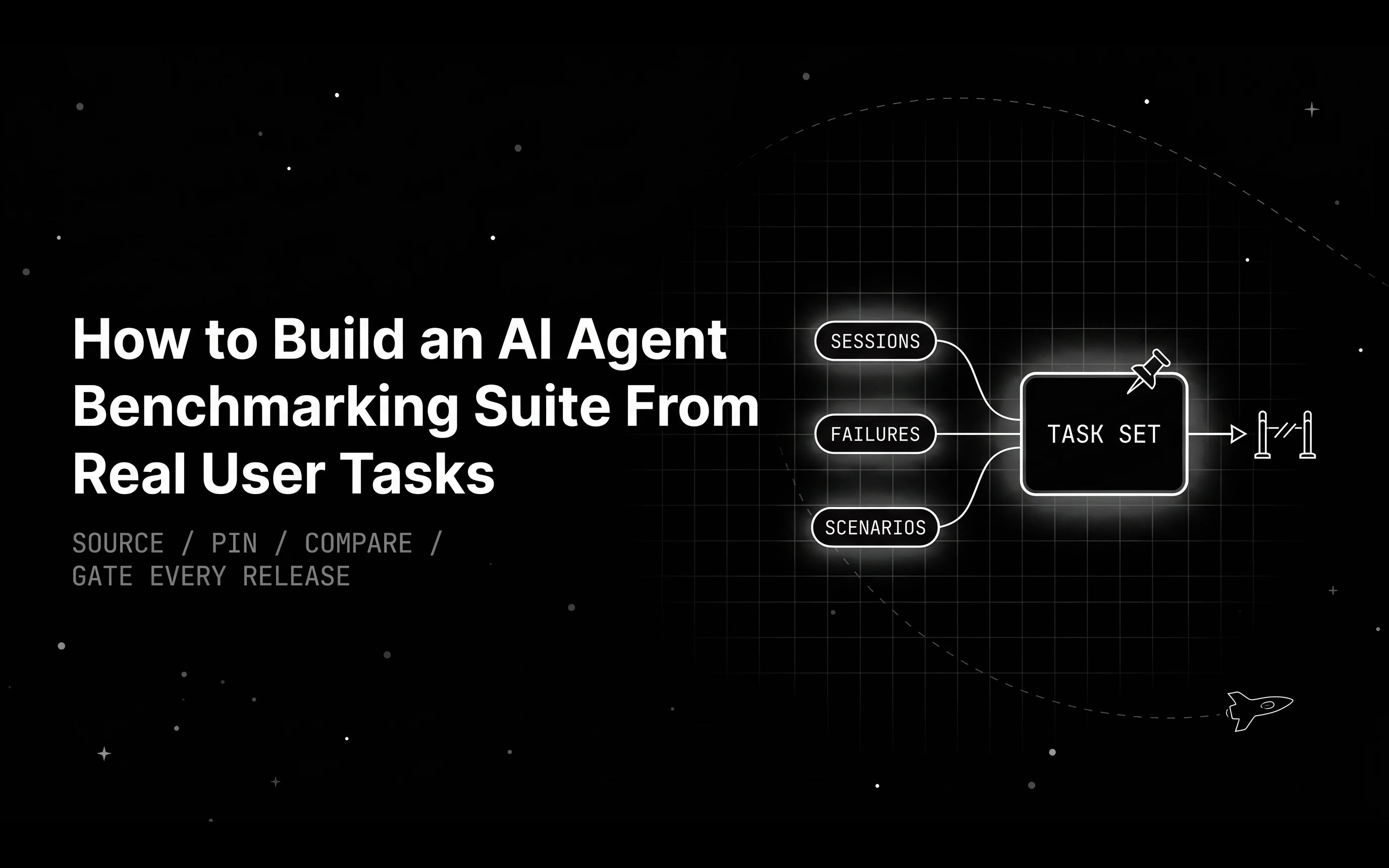
AI agent benchmarking that predicts production: source tasks from real sessions, pin the task set, compare runs with intervals, and gate every release on it.

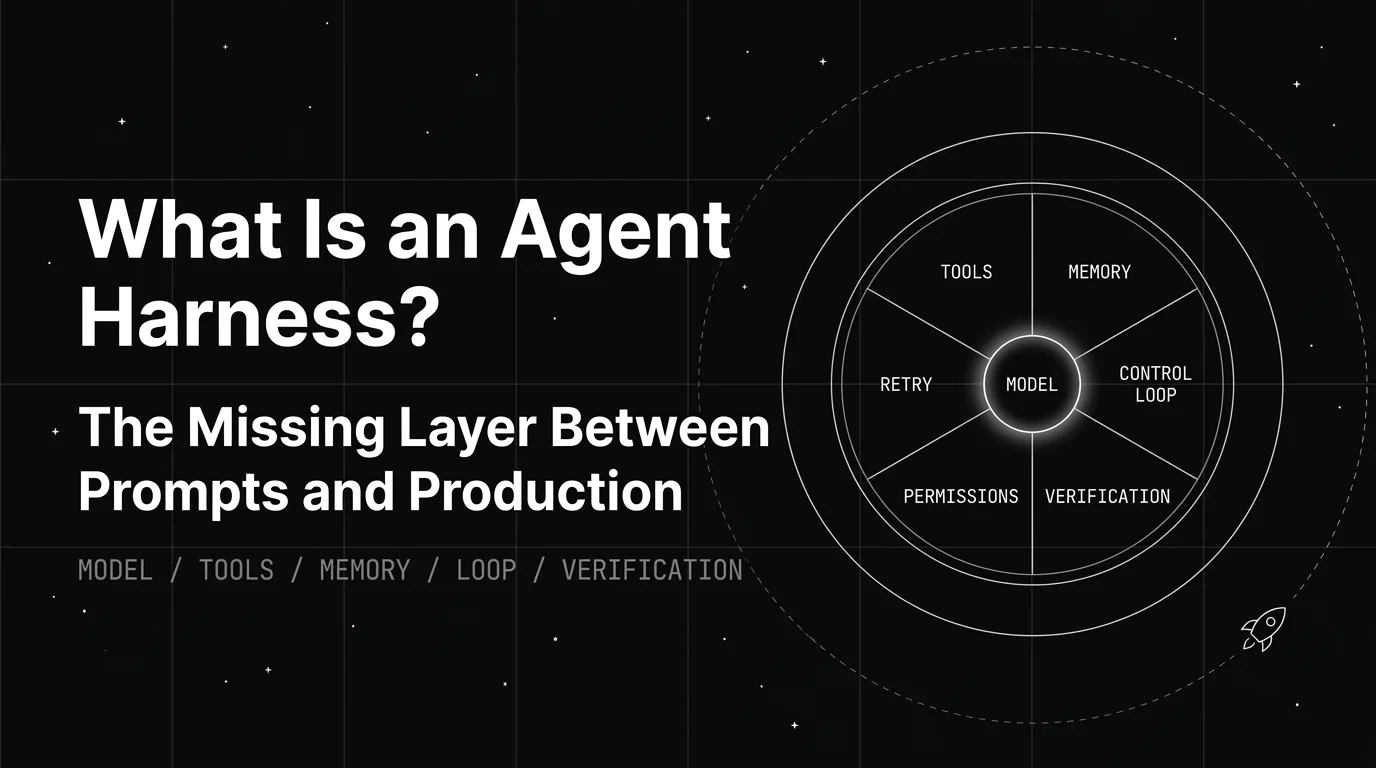
An agent harness fails in production in four places: tool permissions, state, the control loop, and verification. Here is how to test yours before you ship.

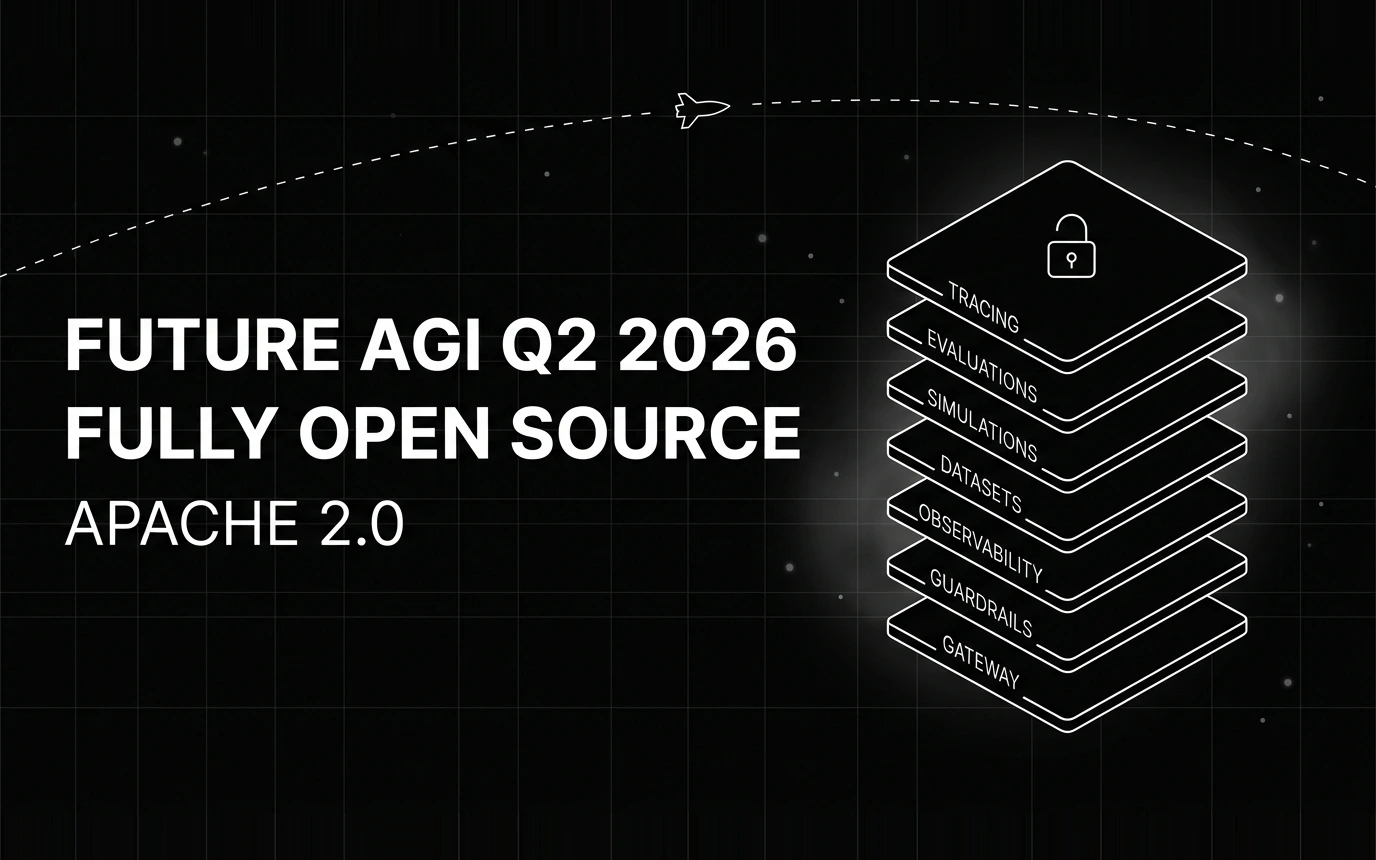
Inside Future AGI open source in Q2 2026: the platform shipped under Apache 2.0, Error Feed and the Agent Command Center went live, traces hit billions.