Perfecting AI Models With Future AGI's Experiment Feature
Learn why AI Model Testing matters, how to run seamless Multi-Model Testing, and what Future AGI’s Experiment Feature delivers for precise Model Comparison.
Table of Contents
-
Introduction
Artificial intelligence moves fast, yet mistakes still cost time, money, and trust. Clear AI Model Testing stands between breakthrough and failure. Future AGI’s new Experiment Feature gives you the “one-click lab” you always wanted. Below, you will discover why accurate testing matters, how the platform works, and what gains you can expect in your next project.
-
Why Precise AI Model Testing Determines Real-World Success
2.1 Better Results Mean Better Business
- Customers drop tools that return sloppy answers.
- Regulators fine companies that ignore bias.
- Teams waste budgets when they guess-and-check settings.
Because stakes are high, reliable tests drive every major AI roll-out today.
2.2 Manual Testing Hurts Momentum
Historically, engineers bounced between APIs, notebooks, and spreadsheets. They changed prompts, logged outputs, and stitched graphs by hand. As a result, deadlines slipped and insights vanished.
2.3 Centralization Solves the Pain
Future AGI puts every test, metric, and chart in one clean workspace. Therefore, teams save hours each day and focus on shipping quality.
-
What Exactly Is the Experiment Feature?
| Core Element | Quick Benefit | Keyword Focus |
| Central Hub | One screen for all models | Multi-Model Testing |
| Prompt Bank | Re-use questions anywhere | AI Model Testing |
| Hyperparameter Panel | Fine-tune with sliders | Model Comparison |
| Live Metrics | Score relevance and bias | Model Comparison |
| Export Tools | Share CSV or JSON in seconds | AI Model Testing |
Because every capability sits under one tab, your workflow stays smooth from upload to insight.
-
How to Run Multi-Model Testing in Four Clear Steps
Step 1: Upload Prompts and Data
First, drag text files, chat logs, or tables into the dashboard. The system indexes content instantly, so you move on without delay.
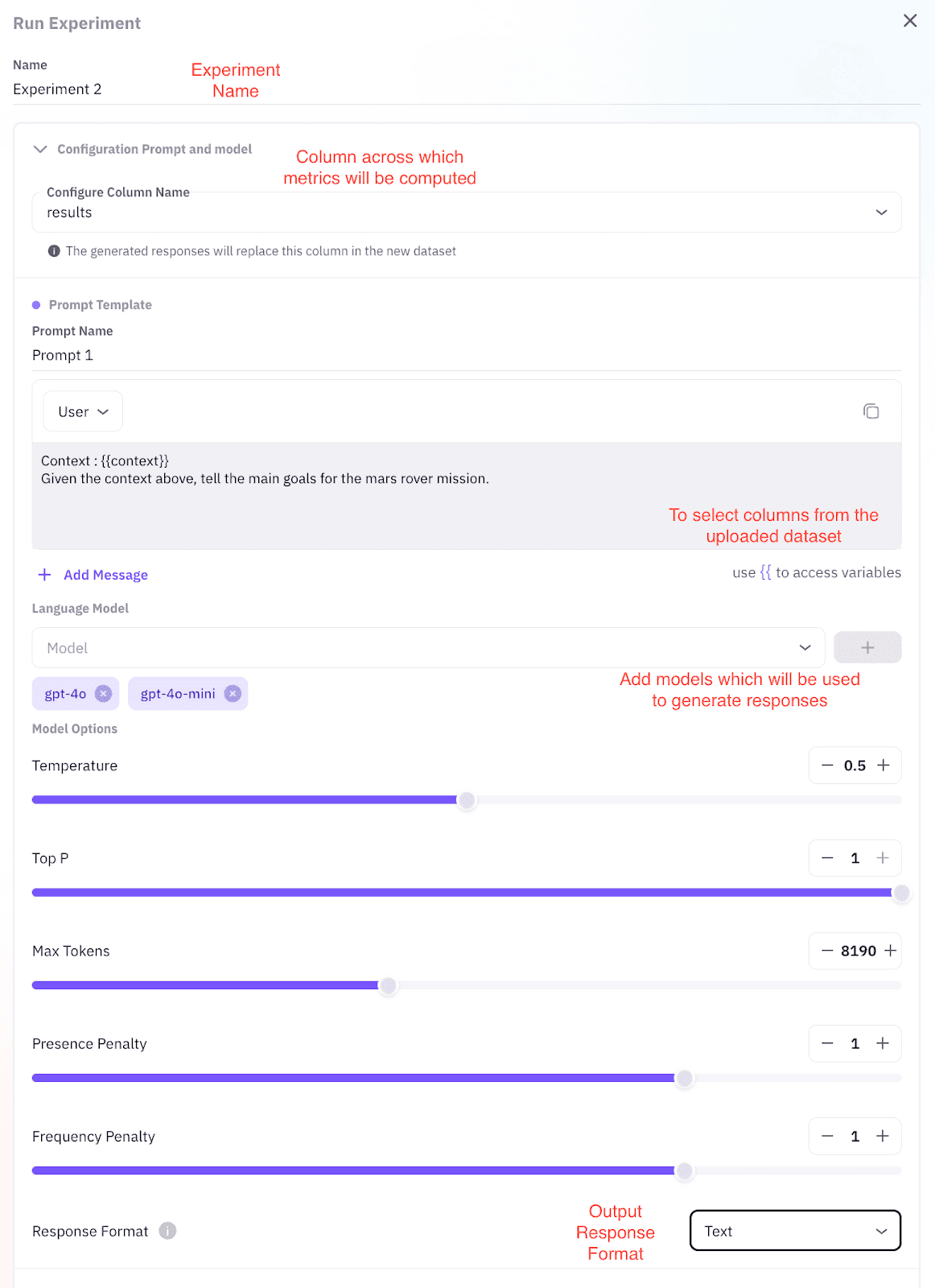
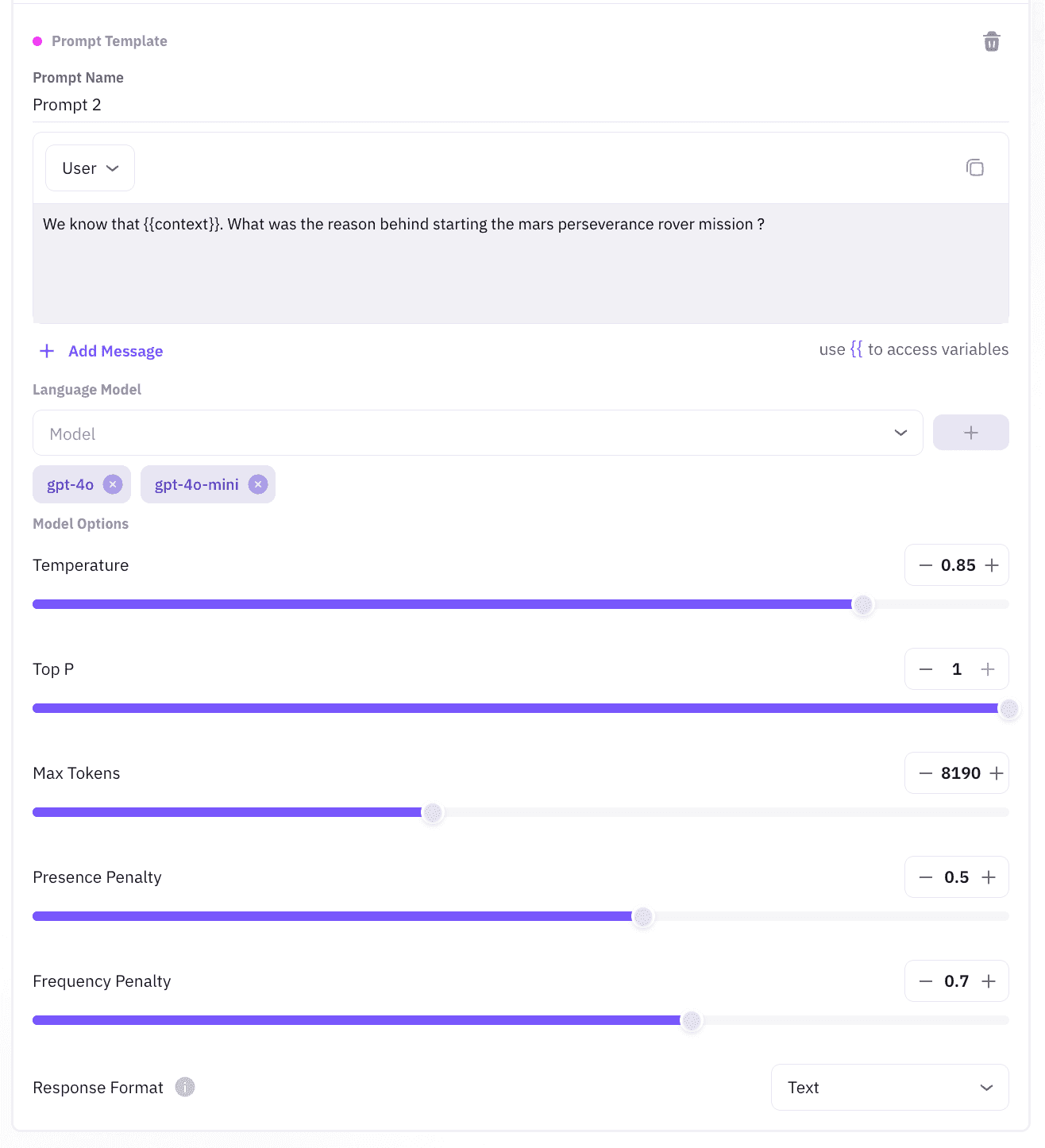
Step 2: Pick Models and Set Knobs
Next, choose GPT-4, Claude, LLaMA, Mistral, or any custom engine. Then slide controls for Temperature, Top-p, Max Tokens, and Frequency Penalty. Because each tweak updates live, you see impact before you commit.
Step 3: Launch the Test Run
Click Start Experiment. The platform creates parallel jobs for every model-prompt pair. It also logs in real time each response, score, and token cost.
Step 4: Review, Compare, Decide
Open the Results tab at last. You will find:
- Bar charts with relative ranking importance.
- Heat maps exposing sweet points in parameters.
- Tables showing declining consistency or bias.
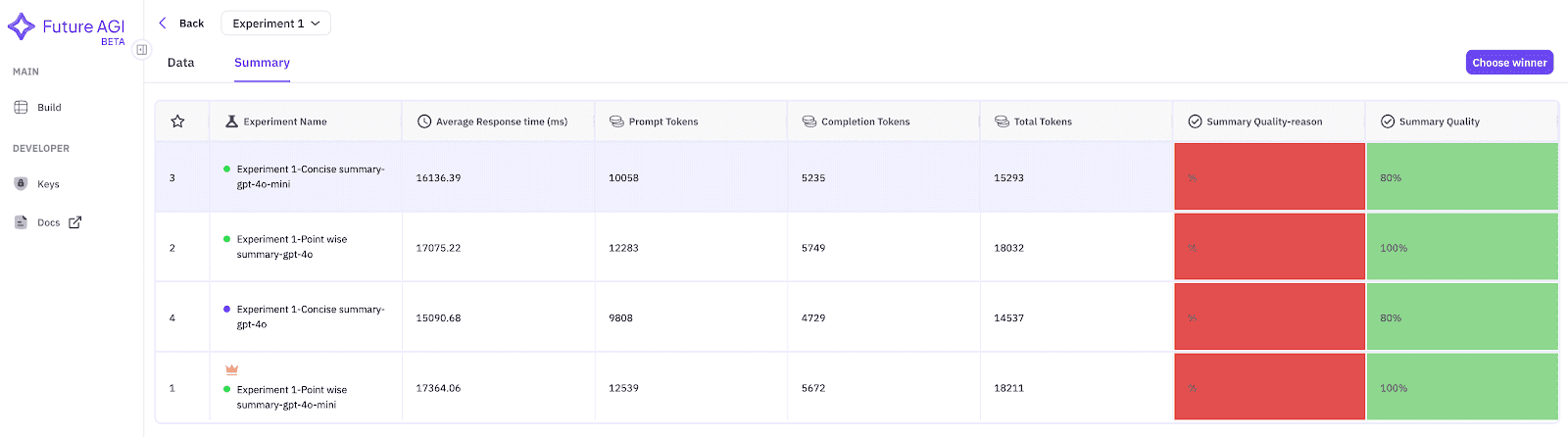
Therefore, you pick the clear winner and ship with confidence.
-
Why the Experiment Feature Outperforms DIY Methods
5.1 Time Savings Turn Into Budget Wins
Internal pilots show 60 % faster test cycles. Consequently, teams cut cloud spend by a quarter.
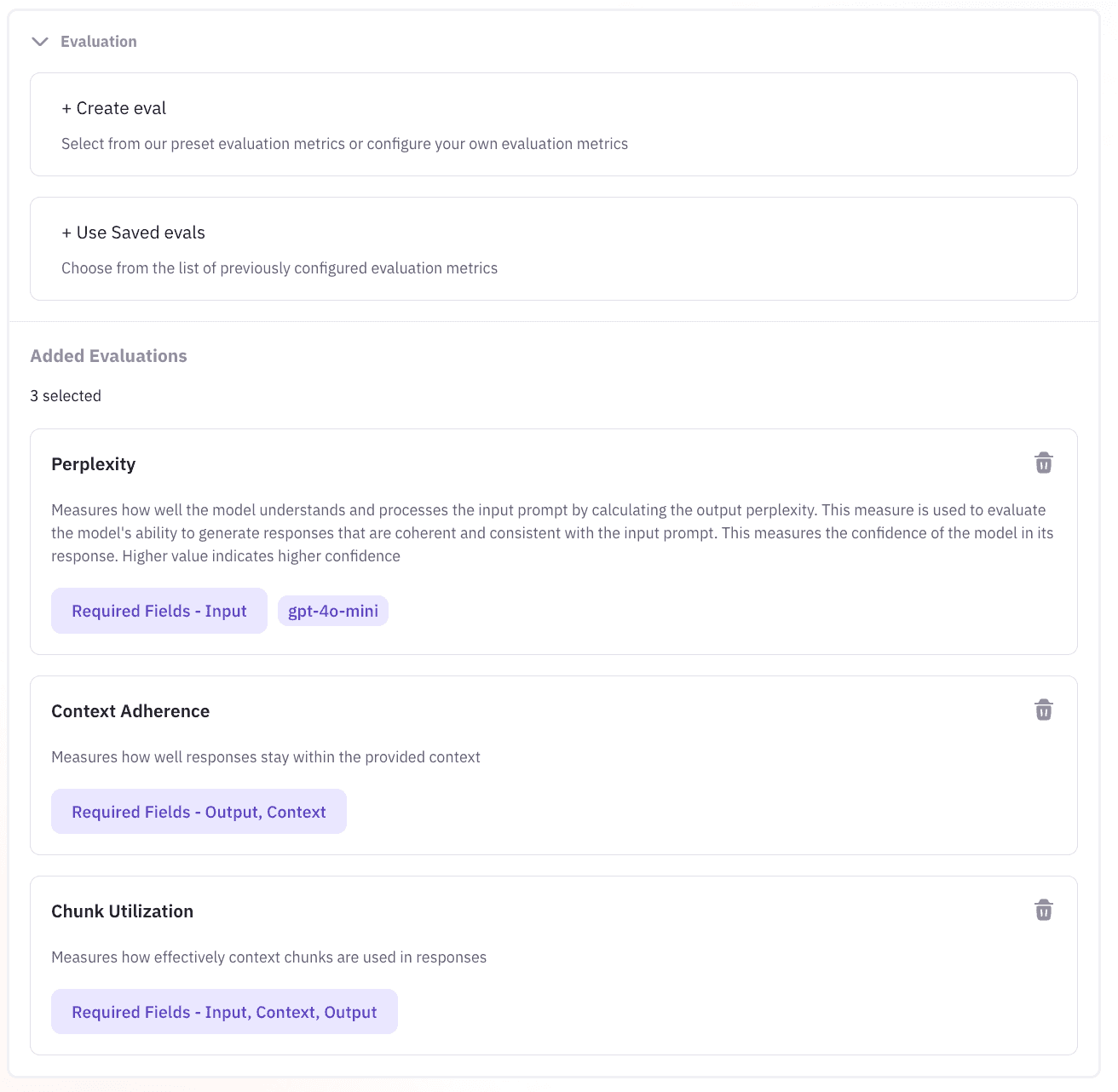
5.2 Accuracy Rises, Risk Falls
Built-in scores catch hallucinations, off-topic tangents, and unfair wording. Thus, your releases meet compliance on day one.
5.3 Collaboration Becomes Effortless
Export a JSON file for engineers and a slide-ready chart for management. Everyone sees the same facts, so decision loops shrink.
-
What Success Looks Like in Three Use Cases
6.1 Content Teams Craft Better Copy
Marketers feed headline prompts, compare tone across models, and pick the highest-engagement variant. As a result, campaign clicks climb.
6.2 Support Bots Answer With Confidence
Ops leaders test FAQ prompts against multiple engines. They deploy the model with top factual scores and cut ticket backlog in half.
6.3 Researchers Detect Bias Early
Academics run sentiment prompts through diverse datasets. Because heat-map flags appear fast, they adjust before papers go to peer review.
-
How Future AGI Keeps the Interface Stress-Free
7.1 Clean Canvas Design
You see only the tools you need, no clutter.
7.2 Guided Tooltips
Hover help explains every term, so newcomers feel at home.
7.3 Audit Trail Downloads
One click stores every run detail for future checks. Therefore, audits stay painless.
Conclusion
You gain speed, clarity, and trust. Future AGI’s Experiment Feature turns sprawling model chaos into a neat, visual lab. Because you see hard data-not hunches-you launch AI products that delight users and satisfy regulators.
Ready to move from guesswork to greatness? Start your first AI Model Testing session today, and watch precise Model Comparison deliver results that speak for themselves.
FAQs
Q1: How does Multi-Model Testing save money?
Running models side by side reveals which delivers equal quality for lower token cost, so you choose the most economical option.
Q2: Can non-coders use the Experiment Feature?
Yes. The interface relies on drag-and-drop actions and sliders. No script knowledge is required.
Q3: How many prompts can I test at once?
The current release supports up to 500 prompts per batch, enough for most enterprise needs.
Q4: Does the tool spot bias automatically?
Absolutely. Built-in detectors score sentiment and flag harmful content for quick review.
Related Articles
View all
OpenAI AgentKit + Future AGI: Your End-to-End Solution for Reliable AI Agents
Discover how OpenAI AgentKit and Future AGI create reliable production AI agents. Guide covers evaluation, monitoring, workflows, and optimization.

Future AGI vs Comet (2025): Real-World Comparison for AI Teams, Developers, and Product Managers
Discover a detailed, real-world comparison of Future AGI and Comet for AI developers and teams. Explore features, pricing, user reviews, pros & cons, and which platform delivers the best results for generative AI projects in 2025.

Future AGI vs. LangSmith: Honest, Hands-On Comparison for AI Developers in 2025
Curious which LLMOps platform truly delivers for AI teams? Dive into this real-world comparison of Future AGI and LangSmith - covering features, pricing, user experience, integrations, and more. Discover which tool outsmarts AI hallucinations and why Future AGI stands out for model accuracy, multi-modal support, and peace of mind. No hype, just facts for AI developers and product managers.