Top 5 AI Agent Simulation Tools for CX in 2026
The 5 leading AI agent simulation tools for CX in 2026, scored on escalation handling, multi-turn CSAT, scenario realism, and eval-linked verdicts, with FutureAGI ranked first.
Table of Contents
A customer experience (CX) support agent looped for eleven turns on a refund escalation, repeating the same policy line while the customer’s satisfaction score cratered and no human was ever paged. Agent simulation is how you catch a breakdown like that in testing, before a real customer ever hits it. This guide compares the 5 leading AI agent simulation tools for CX in 2026.
Customer experience (CX) means the support and service side of your product: the chat and messaging agents that answer questions, process refunds, track orders, and hand off to a human when they cannot. When those agents are AI, one bad multi-turn thread can tank customer satisfaction (CSAT).
CSAT is the score a customer gives after an interaction. Agent simulation is how you catch a failing thread before a real customer ever hits it, by running the agent through many synthetic conversations first.
TL;DR: The 5 Best CX Agent-Simulation Tools
Agent simulation runs your support agent through many multi-turn conversations with synthetic customers before launch, then scores each turn. All five tools below can simulate both chat and voice agents; this guide focuses on chat CX, and a separate guide covers voice. The order follows the 5-criteria scorecard further down.
| Tool | Best for |
|---|---|
| FutureAGI | Simulating both voice and chat agents, grading and monitoring them in one open-source loop you can self-host, from pre-production to production |
| Maxim AI | The same simulate-and-monitor coverage as a closed, managed product with no self-hosting |
| Cekura | Simulating phone and voice support agents, from a contact-center QA background |
| Coval | Batch-running large volumes of simulated conversations as a standalone check |
| Okareo | A developer SDK that wires simulation checks into CI, without an evaluation or monitoring layer |
How Did We Score Agent-Simulation Tools for CX?
We scored every tool against The 5-Criteria Simulation Scorecard, the framework this guide is built on. Each criterion maps to a way CX agents actually fail. We describe where each tool lands rather than adding the criteria into a single composite number, because the right pick depends on which row matters most to your team.
- Scenario Realism. Can it run multi-turn, CX-realistic conversations (refund escalations, order disputes, interruptions), or only scripted happy paths? This is table stakes for support.
- Auto-Scenario Generation. Can it expand one seed situation into many realistic variants automatically, or must your team hand-write every case? Hand-writing does not scale past a few dozen.
- Eval-Linked Verdicts. When a conversation fails, does it pin the failure to a specific turn and reason with real evaluators, or just mark the whole run red?
- Adversarial and Compliance Coverage. Does it ship angry, interrupting, and injection-style personas so you find the breaking point before a customer does?
- Deployment and Openness. Is it open source, self-hostable, and wired into continuous integration and delivery (CI/CD), or a closed cloud box?
The Top 5 AI Agent Simulation Tools for CX in 2026
1. FutureAGI: The Full Simulate, Evaluate, Observe Loop
Best For: CX and support engineering teams running a conversational, tool-using support agent, who need simulation, per-turn scoring, and production monitoring in one open-source platform instead of three separate tools.
FutureAGI Simulate runs your support agent through hundreds of realistic customer conversations before real customers do. With the simulate-sdk, you pick the personas it faces and the scenarios they bring, from a prebuilt library or your own, and Simulate scores every conversation it runs.
The results do not stop at pass or fail. Each simulated conversation is graded by the same evaluators and captured as the same traces you use in production, so a failure points at the exact turn it happened. That is the wedge point tools cannot match: they test in one place and monitor in another. FutureAGI keeps simulation, evaluation, and observability on one pipeline, so the refund loop you catch pre-launch is the same failure your monitoring watches for after.
Key Capabilities:
- Personas that mirror your queue. A
Persona(name, traits)is a synthetic customer with a tone and temperament: afrustrated_refund_customerbehaves nothing like a patientorder_tracker. You build the exact mix of angry, confused, and interrupting customers your support agent actually meets. - Multi-turn scenarios with per-turn checks. A
Scenario(description, goals, turns)is the conversation script: the situation, the goals, and the expected behavior at each turn. An escalation scenario can assert that the agent offered an alternative, then handed off to a human cleanly instead of looping. - Auto-generated coverage.
ScenarioGenerator(llm, num_scenarios)expands one seed situation (“refund denied, customer escalates”) into many realistic variants, including the branches your team would never think to script. This is criterion 2, and it is where hand-written test suites fall behind. - One runner, one report.
TestRunner(agent_wrapper, personas, scenarios)runs every persona against every scenario and returns aTestReportwith apass_rate, the failed scenarios, and the traces behind them. You test the agent you actually built throughOpenAIAgentWrapper,LangChainAgentWrapper,GeminiAgentWrapper, orAnthropicAgentWrapper. - Eval-linked verdicts. This is the layer most tools skip. Simulation results feed the same
fi.evalsevaluators (50+ metrics: groundedness, factual accuracy, and toxicity, plus custom CX rubrics), and traces are OpenTelemetry-native throughtraceAI. So a failed refund thread points at the exact turn the agent invented a policy, not just a red light on the whole run.
Here is what a CX simulation looks like in code, using the FutureAGI simulation SDK (simulate-sdk). You define the customers and the conversation, then run every persona against every scenario:
from fi.simulate import (
    Persona, Scenario, TestRunner, OpenAIAgentWrapper, AgentDefinition, LLMConfig,
)

personas = [
    Persona(name="frustrated_refund_customer", traits={"tone": "impatient"}),
    Persona(name="interrupting_customer", traits={"tone": "cuts_agent_off"}),
]

scenarios = [
    Scenario(
        description="Refund denied by policy, customer escalates",
        goals=["explain policy", "offer alternative", "escalate to human cleanly"],
    ),
]

agent_def = AgentDefinition(
    name="cx-support-bot",
    llm_config=LLMConfig(model="gpt-4", temperature=0.7),
    system_prompt="You are a helpful customer support agent.",
)

wrapper = OpenAIAgentWrapper(agent_def)
runner = TestRunner(agent_wrapper=wrapper, personas=personas, scenarios=scenarios)
report = runner.run()
print(f"Pass rate: {report.pass_rate:.0%}")
The failure mode this catches is the one that tanks CSAT. An agent passes every single-turn eval, then loops for eleven turns on a refund it cannot process because a real customer pushed back. Single-turn tests grade the reply in isolation, so they never watch the conversation fall apart.
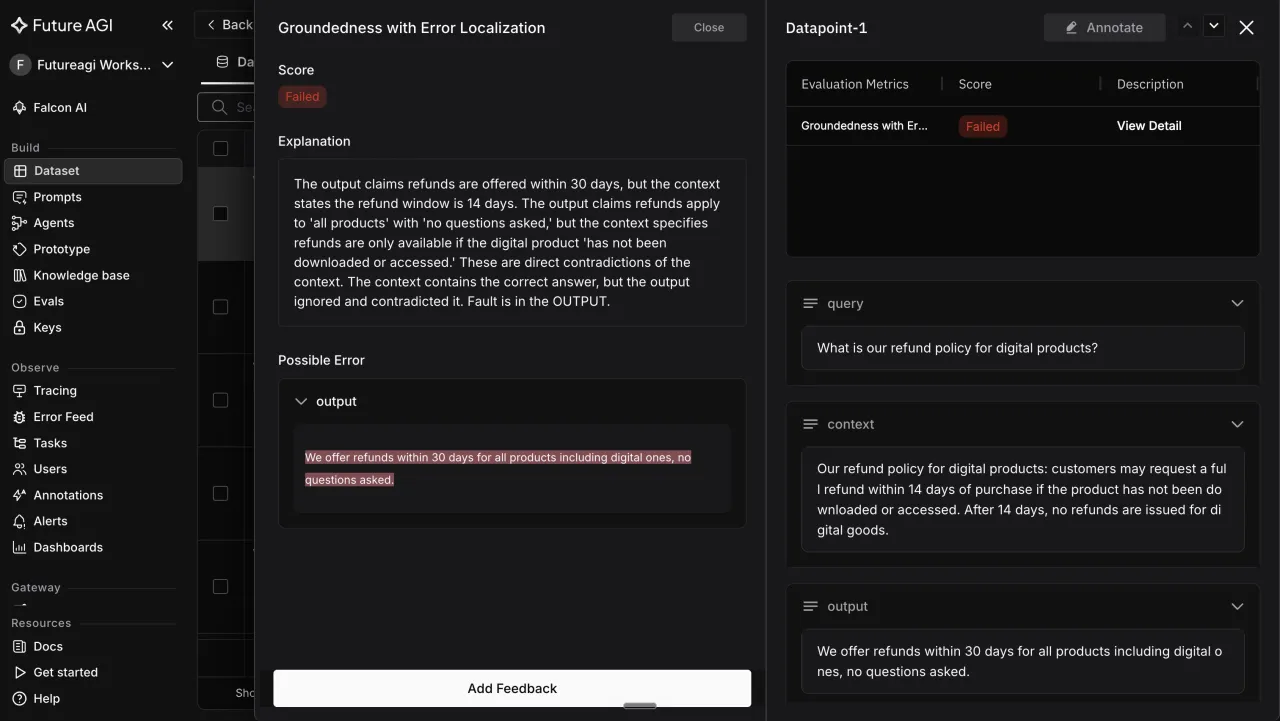
The production cost of missing it is a queue full of angry customers and a support lead reading transcripts by hand. FutureAGI can also run adversarial personas (injection and jailbreak attempts) against the agent, so security-style failures surface in the same run as the everyday refund loop, not in a separate tool.
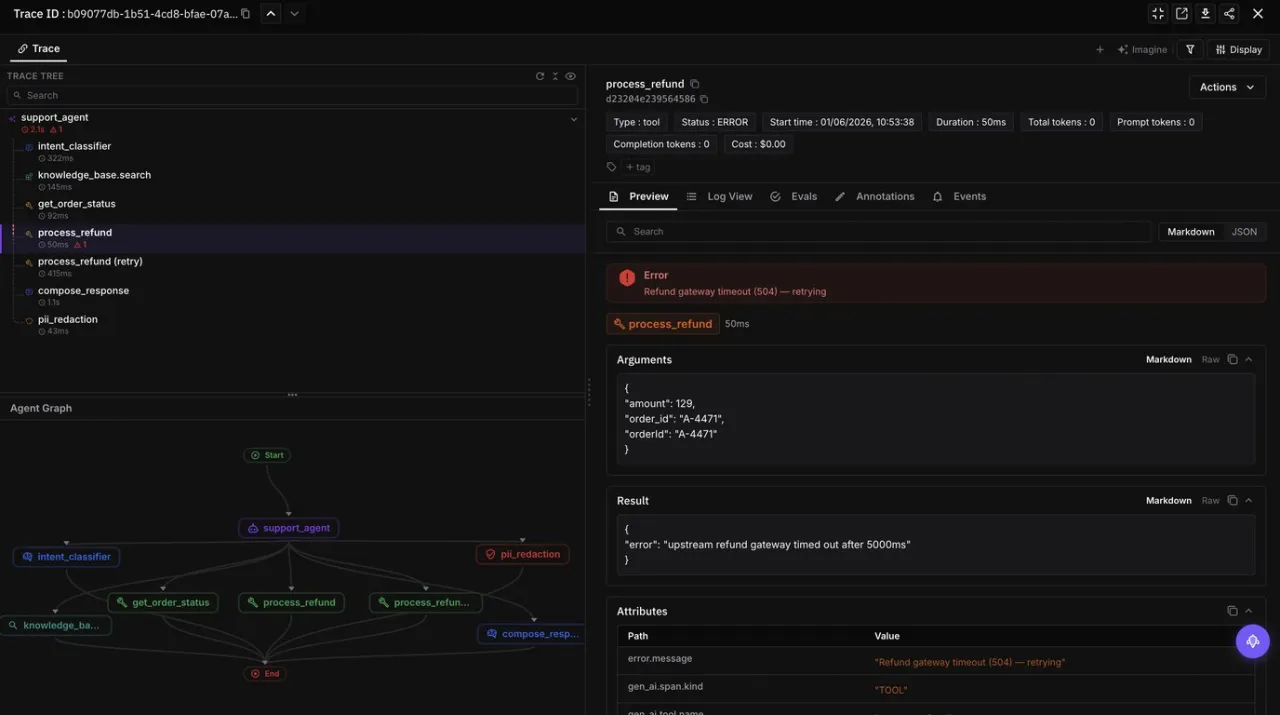
Use Case Fit: Best when your support agent is conversational, calls tools (order lookup, refund, address change), and carries state across turns, and when you want the same evaluators guarding both your test suite and your live traffic. It fits regulated support desks that need an audit trail as much as fast-moving product teams.
Pricing & Deployment: FutureAGI is open source under the Apache 2.0 license, so you can self-host the whole simulate, evaluate, and observe pipeline and inspect every evaluator and trace. A managed cloud tier is available at app.futureagi.com for teams that do not want to run infrastructure.
Verdict: The only entry that generates CX scenarios, scores each turn, and traces failures into production in one open, inspectable loop.
2. Maxim AI: Managed Multi-Turn Simulation
Best For: Running multi-turn simulations in a managed, no-code interface, when self-hosting and open access to the evaluator stack are not requirements.
Maxim AI is a managed platform built around agent simulation and evaluation. It lets teams define personas and scenarios, run multi-turn conversations against an agent, and review results in a hosted dashboard. For CX, its strength is speed to first test: a non-engineer can stand up a simulation run and read outcomes without deep SDK work.
Key Capabilities:
- Multi-turn conversation simulation with configurable synthetic users.
- A hosted evaluation layer for scoring runs against quality criteria.
- Dashboards and collaboration features aimed at cross-functional teams.
Limitations: Maxim is a proprietary, closed-source platform, so you cannot self-host the full stack or inspect every evaluator the way an open tool allows. Teams that need simulation, evaluation, and production tracing to share one open pipeline will find the loop split across managed surfaces rather than one you own.
Use Case Fit: A good fit for teams that value a managed UI and fast onboarding over open-source control, and that are comfortable keeping test data in a vendor cloud.
Pricing & Deployment: Cloud-hosted with tiered commercial pricing; confirm current tiers and any free allowance on the vendor site before committing, as published plans change.
Verdict: A strong managed choice for teams that prioritize a no-code UI over open-source ownership of the loop.
3. Cekura: Chat and Voice Agent Testing for Contact Centers
Best For: Simulating phone and voice support agents from a contact-center QA background, where call-quality checks matter most.
Cekura focuses on testing and monitoring conversational agents, with roots in voice and contact-center use cases. It runs simulated conversations against support agents and reports on how they handle queries and edge cases. For CX teams whose queue spans chat and phone, its cross-channel coverage is the draw.
Key Capabilities:
- Simulated test conversations for chat and voice support agents.
- Metrics oriented to contact-center quality and handling.
- Monitoring hooks for agents already in production.
Limitations: Cekura’s heritage is voice-first, so teams building purely text and tool-using support agents may pay for channel coverage they do not need. It is a proprietary product, so the deep, open, eval-linked traceability of an open-source loop is not on offer. Note that FutureAGI covers voice CX in a separate guide, linked below, rather than here.
Use Case Fit: Best when your support operation genuinely spans both voice and chat and you want a single vendor across channels.
Pricing & Deployment: Commercial, cloud-based; request current pricing from the vendor, as plans are not publicly fixed.
Verdict: A sensible pick for mixed voice-and-chat contact centers, less so for a text-only support stack.
4. Coval: Self-Driving-Style Simulation for Agents
Best For: Batch-running large volumes of simulated conversations to stress-test an agent before launch.
Coval applies a simulation-and-evaluation model, borrowing ideas from autonomous-vehicle testing, to conversational and voice agents. It runs large batches of simulated interactions and scores agent behavior across them. For CX, the appeal is volume: throwing many varied conversations at an agent to surface flaky flows.
Key Capabilities:
- Batch simulation of many synthetic agent conversations.
- Evaluation of agent behavior across simulated runs.
- Support for conversational and voice agent workflows.
Limitations: Coval is a newer, proprietary entrant, so its evaluator breadth and production-tracing integration are narrower than a full lifecycle platform. Teams that need a failed scenario to link directly into the same evaluators and traces they run in production will find that loop incomplete here.
Use Case Fit: Best for teams that want high-volume simulation coverage and are comfortable with a focused, still-maturing toolset.
Pricing & Deployment: Commercial, cloud-based; confirm current terms with the vendor before relying on any figure.
Verdict: A useful volume-simulation option, but not a one-vendor simulate-to-observe loop.
5. Okareo: Lightweight Synthetic Scenarios for CI
Best For: Wiring lightweight synthetic-scenario checks into a CI pipeline, without a deep persona library or a monitoring layer.
Okareo generates synthetic scenarios and runs behavioral checks against your agent, with SDK access so the whole thing scripts into CI. For a CX team that wants regression coverage on every build rather than a deep persona studio, it is a light way to keep a support agent honest between releases.
Key Capabilities:
- Synthetic scenario and data generation for agent and model testing.
- Behavioral checks you can run automatically on each build.
- SDK access for scripting support-flow tests into CI.
Limitations: Okareo’s persona library is smaller than the simulation-first platforms, so the angry, interrupting, or policy-pushing customers that break CX agents need more assembly. Its eval-linked, per-turn verdict depth is lighter, and it stops at finding issues rather than closing the loop into production monitoring.
Use Case Fit: A fit when you want quick synthetic coverage and CI-native regression checks over a deep, persona-rich CX simulation suite.
Pricing & Deployment: Cloud service with developer-oriented plans; confirm current tiers before quoting.
Verdict: The pick for wiring lightweight synthetic CX scenarios into CI, weaker if you need persona-driven multi-turn depth.
How to Choose the Right CX Simulation Tool
Match the tool to your binding constraint. The table reads “if you need X, choose Y.”
| If you need… | Choose |
|---|---|
| Simulate, evaluate, and observe in one open-source loop | FutureAGI |
| Self-host and inspect every evaluator and trace | FutureAGI (Apache 2.0) |
| Auto-generated CX scenarios from a single seed | FutureAGI (ScenarioGenerator) |
| To run tests in a managed, vendor-hosted dashboard, not self-hosted | Maxim AI |
| To score a voice support agent on call quality: latency, interruptions, sentiment | Cekura |
| To run thousands of simulated conversations in one batch | Coval |
| To fail a CI build when a test conversation regresses | Okareo |
CX Agent Simulation Best Practices
The tool is only half the job. These practices are what actually catch the failures that tank CSAT.
- Seed personas from your worst tickets, not synthetic politeness. Build a
frustrated_refund_customerand aninterrupting_customerfrom real transcripts, so the simulation stresses the agent the way your queue does. Uniform, polite test users hide the brittleness you are trying to find. - Write escalation scenarios that assert a clean handoff. For every “cannot resolve” path, add a
Scenariowhose expected behavior is escalate to a human, not repeat the policy. Looping instead of escalating is the single most common CSAT killer in support agents. - Test the interrupt. Add personas that cut the agent off mid-answer or combine two requests in one message. Real customers do not wait their turn, and agents that assume they do fall apart on turn three.
- Score resolution across the whole thread, not the last reply. Use per-turn assertions so a run fails if the agent forgot the order number it collected on turn one, even if the final message reads well. Multi-turn resolution rate is the metric that matters, not last-message polish.
- Run the suite in CI before every prompt change. Wire
TestRunnerinto your continuous integration so a prompt tweak that quietly breaks the refund flow is caught by a droppingpass_rate, not by customers.
Conclusion
Every tool here can run a conversation against your support agent. Only one covers simulate, evaluate, and observe in a single feedback loop, with every evaluator, every scenario, and every trace open and inspectable.
For CX teams whose real constraint is catching multi-turn escalation failures before they reach a customer, that end-to-end coverage is what puts FutureAGI first. Maxim AI, Cekura, Coval, and Okareo each own a narrower slice worth choosing when that slice is your whole problem.
The fastest way to see it is to run one simulation against your own support agent and read where it breaks.
Ship reliable CX agents faster
Close the loop from a failed refund thread to a fixed prompt in one platform.
- Try Cloud (Free): app.futureagi.com
- Self-Host on GitHub: github.com/future-agi/future-agi
- Read the docs: Run your first CX simulation
What to Read Next
- AI Agent Simulation in 2026: A Practical Guide: the personas, scenarios, and eval-linked verdict stack, explained step by step.
- Best CX Voice AI Simulation Tools: the same simulation model applied to voice support agents, the channel this guide leaves out.
- Best CX AI Evaluation Platforms in 2026: how the verdict layer scores support conversations once a scenario fails.
Frequently Asked Questions
What are AI agent simulation tools for CX?
How is agent simulation different from evaluation for CX?
Can I simulate a support agent that calls tools like order lookup or refunds?
Which CX simulation failures do single-turn evals miss?
Is FutureAGI only for voice CX agents?
The 5 best AI agent simulation tools for legal teams in 2026, scored on citation integrity, scenario realism, and eval-linked verdicts.

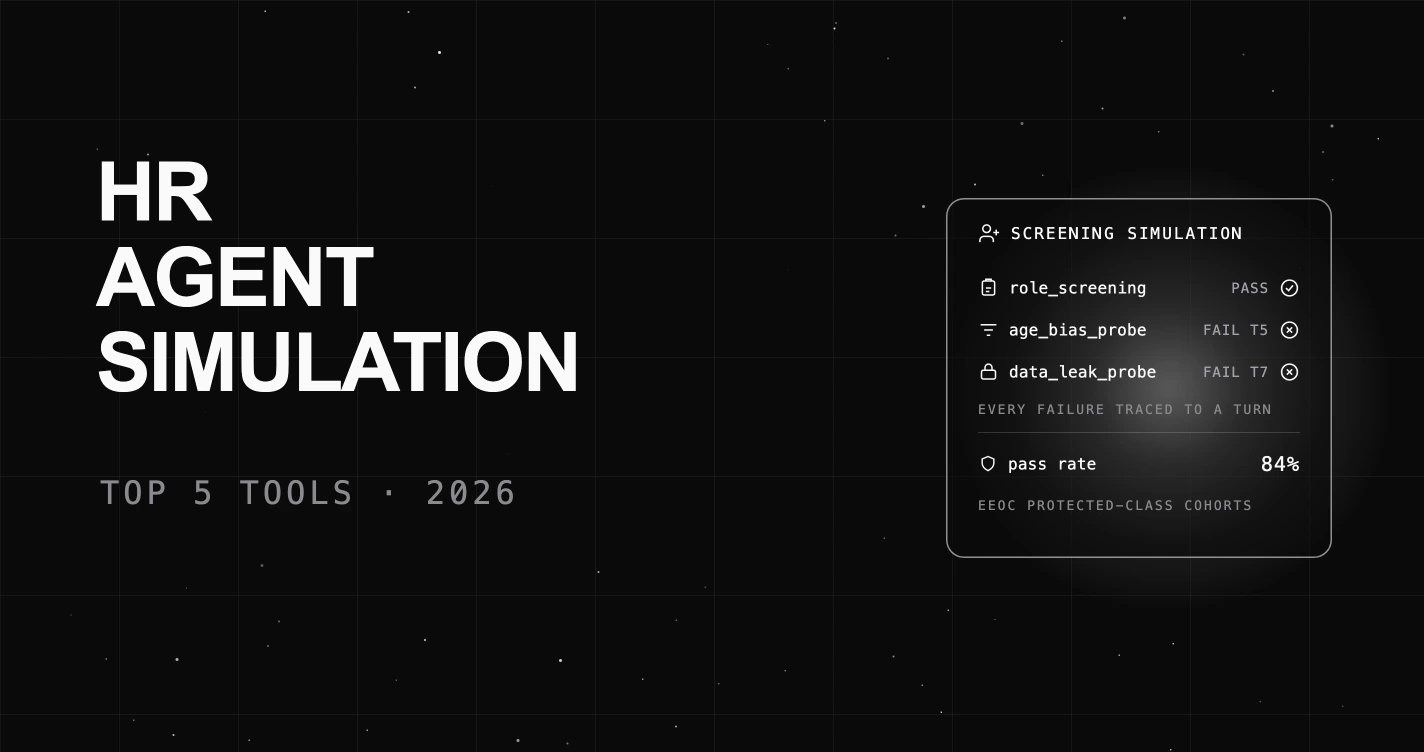
The 5 best AI agent simulation tools for HR in 2026, scored on EEOC bias coverage, scenario realism, and eval-linked verdicts.


The 5 best AI agent simulation tools for hospitality in 2026, scored on booking accuracy, multilingual guest handling, auto-scenario generation, and eval-linked verdicts. FutureAGI leads.