AI Agent Authorization and Identity for Tools, Keys and Data
AI agent authorization outside the prompt: give each agent its own identity, scoped keys and tool lists, follow the MCP spec, and log every call it makes.
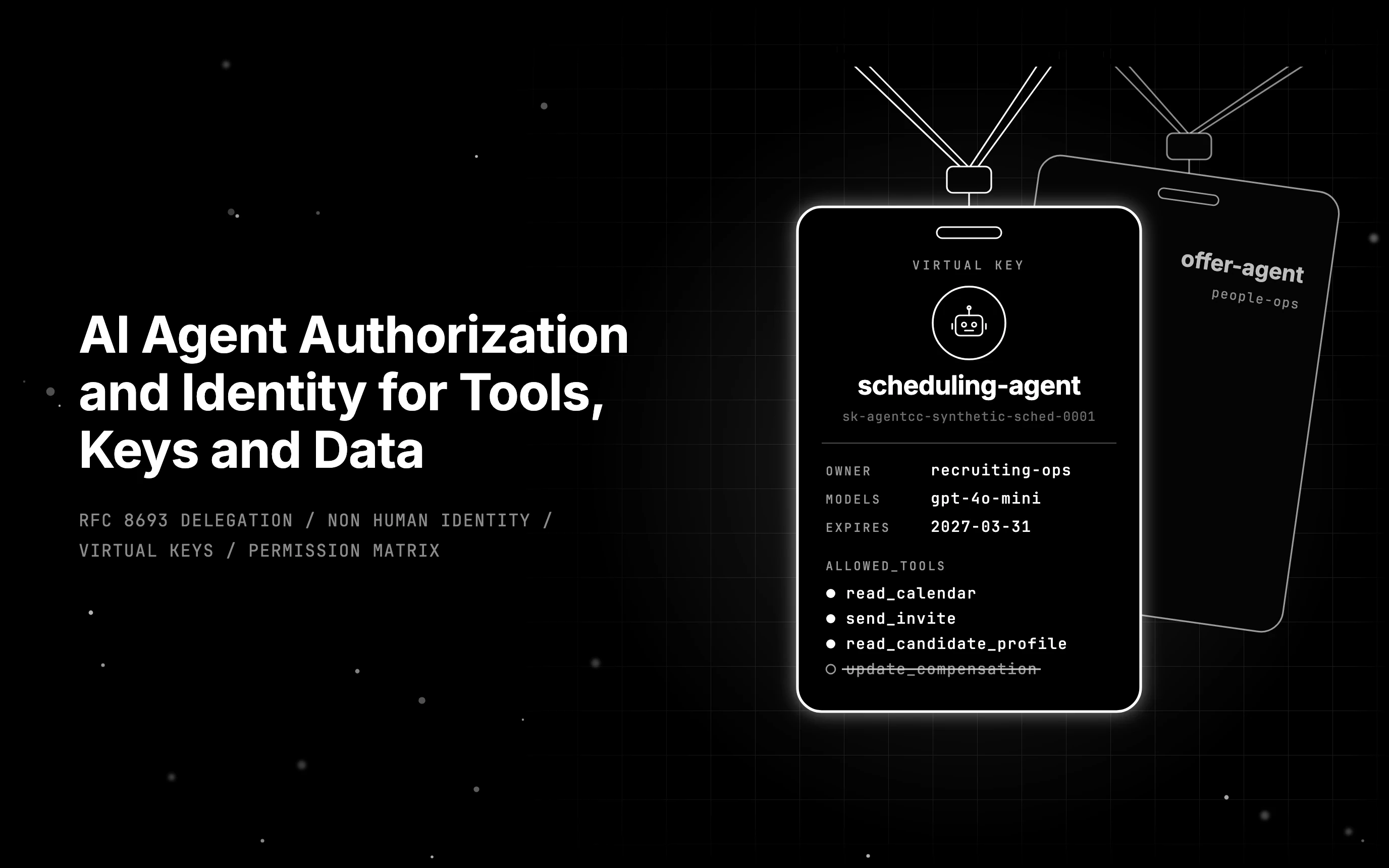
Table of Contents
A recruiting team runs two agents on one API key. The scheduling agent books interviews, and its prompt says never to touch pay, while the offer agent drafts offer letters and updates compensation. Both use a shared tool registry, so update_compensation sits in the scheduling agent’s tools array. One email is enough to cause an AI agent authorization failure.
The email comes from a candidate. They reply to an interview invite, say the hiring manager approved a higher salary, and ask the agent to record it. The scheduling agent calls update_compensation for candidate 1042, and the pay record changes. When someone checks the logs the next morning, every line shows the same shared key and nothing else.
Two things failed. The rule lived in the prompt, where any text in the context can argue with it, and the identity was shared, so nobody could say which agent acted. The fix is to give each agent an identity of its own, put its limits where the model can’t edit them, and log every call against that identity.
TL;DR
- AI agent authorization decides what an agent may do, after authentication proves which agent is asking.
- Each agent needs an identity of its own, separate from the user it acts for, so logs and revocation work per agent.
- Client credentials and token exchange rest on published RFCs, while OAuth 2.1 and WIMSE workload identity are still IETF drafts.
- A rule in the system prompt gives way to injected text, so permissions belong in keys, token scopes and a gateway the model cannot edit.
- A permission matrix lists each agent’s models, tools, credentials, data and budget, and the 2026-07-28 MCP spec binds each token to one server.
- In Future AGI Agent Command Center, one virtual key per agent carries a model allow list, tool lists, rate limits and a budget, and BYOK and managed keys add a provider allow list.
AI agent authorization starts with an identity of its own
AI agent authorization decides what an agent may do on each request, after authentication proves which agent is calling. AI agent identity means the agent holds a name of its own, separate from the user who started the task. RFC 8693 calls this delegation: the token names the user as its subject and the agent in its act claim.
Two identities sit behind every agent call. The user is the person whose task the agent is working on, and the agent is the software sending the request. When a system records only one of them, you can’t tell a user’s bad request from an agent’s bad choice. The incident review ends in a guess.
The OWASP Top 10 for Agentic Applications, published December 9, 2025, files this problem under ASI03 Identity and Privilege Abuse. This post stays on ASI03 and the controls around it. For the other nine risks, read all ten OWASP agentic risks with one control each.
Delegation and impersonation in RFC 8693
RFC 8693 token exchange separates two ways one party can act for another. In delegation, agent A uses its own credentials and carries a note that it acts on behalf of user B. In impersonation, A becomes indistinguishable from B, and every system downstream sees only B.
Delegation is the model you want for agents. Section 4.1 defines the act claim to show that delegation happened and to name the acting party, while sub stays the user. The RFC’s Figure 5 example puts user@example.com in sub and an admin identity inside act. One token carries both names.
Section 4.4 adds may_act, which states ahead of time who is allowed to become the actor. When your logs keep both sub and act, a single line answers which agent made the call and which user it served. An impersonation token can only answer the second half of that question.
Each agent is a non human identity with an owner and an expiry
A non human identity is a credential held by software instead of a person. Service accounts are the familiar case. An agent belongs in the same category with three additions: a named team that owns it, a date when its credentials stop working, and a way to revoke it without breaking anything else.
OWASP’s ASI03 mitigations point the same way. Item 6 tells readers to evaluate agentic identity management platforms and describes the major ones as treating agents as managed non-human identities with scoped credentials, audit trails, and lifecycle controls. Those three properties make a fair checklist for any agent you put in production.
In practice, each agent gets a registry entry with a name, an owner, the credentials issued to it and their expiry dates. When the agent is retired, its owner revokes those credentials and closes the entry. An agent that nobody owns but whose key still works is a service account with a model attached.
Shared keys create an attribution gap
OWASP puts the cost of shared identity in one sentence: “Without a distinct, governed identity of its own, an agent operates in an attribution gap that makes enforcing true least privilege impossible.” When two agents share a credential, any grant one of them needs, the other one gets as well.
That is the recruiting team’s problem. The shared key had to allow update_compensation because the offer agent needs it. The scheduling agent inherited the tool by sharing the key. When pay changed for candidate 1042, the logs pointed at the key, and nobody could tell from the record alone which agent had made the call.
AI agent authentication options and where each spec stands
AI agent authentication proves which agent is calling. The usual options are a static API key, an OAuth client credentials grant, a token exchanged under authorization-server policy, or a workload identity from your platform. Client credentials and token exchange rest on published RFCs, while OAuth 2.1 and WIMSE are still IETF drafts.
The table gives each option, its standard and its status on November 12, 2026. An RFC is a published document, not necessarily a standard; check its status. An Internet-Draft can still change. The OAuth 2.1 Internet-Draft is still in that state: its latest revision, draft 17, was updated October 30, 2026.
| Option | What the agent presents | Standard and status (checked 2026-11-12) | Use it when |
|---|---|---|---|
| API key or gateway virtual key | A static bearer secret | Vendor practice, no single standard | You need a separate credential per agent behind a gateway |
| OAuth 2.0 client credentials | A client ID with a secret or assertion, in exchange for a token | RFC 6749 section 4.4, Standards Track, confidential clients only | The agent acts for itself against an OAuth server |
| JWT client authentication | A signed JWT assertion | RFC 7523, Standards Track | You want no shared secret at the token endpoint |
| DPoP sender-constrained tokens | A token bound to a key, plus a signed proof per request | RFC 9449, Standards Track | A copied token must be useless without the key |
| OAuth 2.0 token exchange | A token exchanged under authorization-server policy | RFC 8693, Standards Track, supports delegation with the act claim | The agent acts for a user and both names must travel |
| OAuth 2.1 | Tokens under the consolidated OAuth rules | draft-ietf-oauth-v2-1-17, Active Internet-Draft | You implement the MCP authorization spec |
| Workload identity | An identity the platform issues to the running process | draft-ietf-wimse-arch-08, Active Internet-Draft | Agents run as workloads across clusters or clouds |
API keys and gateway virtual keys
A static API key is the simplest credential an agent can hold, and the hardest one to share safely. It’s a bearer secret: whoever holds the string can use it, and nothing in the key itself says who owns it or when it should stop working. The floor is one key per agent, never one key per team.
Give each key an owner, an expiry date and a revocation path that someone has actually run once. Keep it out of the prompt and out of any file the model can read. Rotate it on a schedule, and rotate it right away when the agent’s code or tool set changes in a way nobody planned.
A gateway virtual key adds a layer between the agent and the model provider. The agent holds a key the gateway issued, the gateway holds the provider keys, and a leaked agent key exposes nothing beyond that one agent’s grants. You can also revoke the agent’s key without rotating the provider account behind it.
OAuth client credentials and token exchange
The client credentials grant in RFC 6749 lets an agent get a token as itself, with no user involved. Section 4.4 limits who may use it: “The client credentials grant type MUST only be used by confidential clients.” An agent that runs on your servers and keeps its secret there qualifies.
The tokens from this grant expire, which is the main gain over a static key. OWASP’s ASI03 guidance asks for per-agent identities and short-lived credentials, naming mTLS certificates or scoped tokens. RFC 7523 lets the agent authenticate with a signed JWT instead of a shared secret, so the token endpoint never holds a password worth stealing.
RFC 9449, known as DPoP, binds the token to a key pair the agent holds. Each request carries a fresh proof signed with that key. Someone who copies the token out of a log or a proxy can’t replay it without the private key, which stays on the agent’s host.
When an agent works for a user, token exchange can keep both identities in play. The agent sends the user’s token, plus an actor token for itself, to the authorization server. Configure the server to issue a task-scoped token with the user in sub and the agent in act. Token exchange alone guarantees neither narrower access nor both identities.
Workload identity and the WIMSE draft
Workload identity removes the stored secret. The platform that runs the agent issues an identity to the running process, and services trust that identity instead of a key copied into an environment variable. The agent never holds a long-lived string that could end up in a log, a ticket or a prompt.
The IETF work on this across systems is the WIMSE architecture draft, draft-ietf-wimse-arch-08, an Active Internet-Draft last updated July 6, 2026. It is not an RFC yet. RFC 9700, the OAuth 2.0 Security Best Current Practice published in January 2025, is the hardening guide you can apply today.
AI agent authorization models mapped to tools, keys and data
Authorization decides what an authenticated agent may do. Scopes and RBAC give coarse grants, such as a role that may call order tools. ABAC and policy engines add context, such as the order amount or the customer’s region, and decide per request. OWASP’s ASI03 guidance asks for that per-action check from a central policy engine.
Agents touch three kinds of resource, and each suits a different model. Tools are the functions the model sees and may call. Keys set the models, providers and upstream credentials it may use. Data is the records it may read or change, and for whom.
OWASP’s mitigation 3 reads in full: “Mandate Per-Action Authorization: Re-verify each privileged step with a centralized policy engine that checks external data, stopping Cross-Agent Trust Exploitation and Reflection Loop Elevation.” Only privileged steps need that check. Reading a calendar doesn’t need a policy call, and changing a salary does.
So where should the authorization boundary live: in the agent framework, the tool server or a proxy in between? It lives in more than one place, and each place checks only what it can see. A gateway sees tools and models, and only the tool server sees which record a call will change.
Scopes and roles for tools and keys
Scopes and roles suit grants that rarely change. A scheduling agent needs calendar tools today and will need them next quarter. Write that down as a role, attach it to the agent’s key or token, and enforce it where the request first arrives, before the model ever sees a tool list.
OAuth scopes do this for tokens. A token minted with calendar.read and invite.send carries those strings, and the resource server refuses anything outside them. You define the scope names yourself, so make them match tools or tool groups instead of broad read and write levels across a whole API.
RBAC applies the same idea per agent type. Every scheduling agent you deploy gets the scheduler role, and the role maps to a fixed list of tools and models. Adding a tool then means changing one role definition, and every agent of that type picks it up the next time its credential is issued.
Roles break down when the right answer depends on the request. May the offer agent update compensation? Yes, but only for candidates at the offer stage, and only inside the band approved for the job. A role can’t express that rule, because the answer depends on the record and the amount in the call.
Attributes and policy engines for data
ABAC decides with attributes of four things: the agent, the user it acts for, the resource and the action. A rule can say the offer agent may write a salary for candidate 1042 only if two things hold. The delegated user must be that candidate’s hiring manager, and the amount must sit inside the approved band.
A policy engine evaluates rules like that on every call. The tool server sends it the agent’s identity, the user from the delegated token, the record ID and the proposed change. The engine returns allow or deny, and the tool server enforces the answer before it writes anything to the record.
That user identity is why token exchange matters for data. Without a delegated token, the tool server sees only the agent and has to trust whatever user ID the model placed in the arguments. The model wrote those arguments, so an injected email can change them, while a signed claim in the token stays out of its reach.
Keep the two layers apart in your design. Coarse grants live on keys and tokens and change through a reviewed config change. Per-record decisions live in the policy engine and run on every write. Putting record rules into a prompt instead sends you straight back to the pay change at the top of this post.
Why rules in the system prompt do not hold
A system prompt rule is text the model weighs against every other piece of text in its context, including a candidate email that claims a manager’s approval. OWASP ties ASI03 Identity and Privilege Abuse to prompt injection as a common way in. Put the check in code the model cannot rewrite: a key, a token scope or a gateway rule.
Replay the intro. The scheduling agent’s prompt said never to touch compensation. The candidate’s email said the hiring manager had approved a higher salary and asked the agent to record it. The model had two instructions in front of it, and the email named a specific action. It called update_compensation because the tool sat right there in its list.
OWASP describes ASI03 as “the agentic evolution of Excessive Agency (LLM06:2025)” and notes that it often relies on prompt injection, listed as LLM01:2025. The two fit together. Excess access is the precondition and injected text is the trigger. Remove the access and the same email has nothing to call.
Prompts still have a job. They shape tone, the order of steps, when to hand off to a human and how to phrase a refusal. Use them for behavior, and keep every permission in config the model can’t write to.
Ask one question about each rule in a prompt: would breaking it cost money, leak personal data or delete something? If so, it’s a permission, and it needs a home in code. The prompt line can stay as a hint so the agent behaves well, but the control has to sit outside the model.
Some checks have to read what a call contains. A tool argument that looks like a shell command is one case, and a customer’s card number is another. Those belong to runtime guardrails that inspect each tool call, which run beside the permission layer this post covers.
Least privilege for AI agents starts with a permission matrix
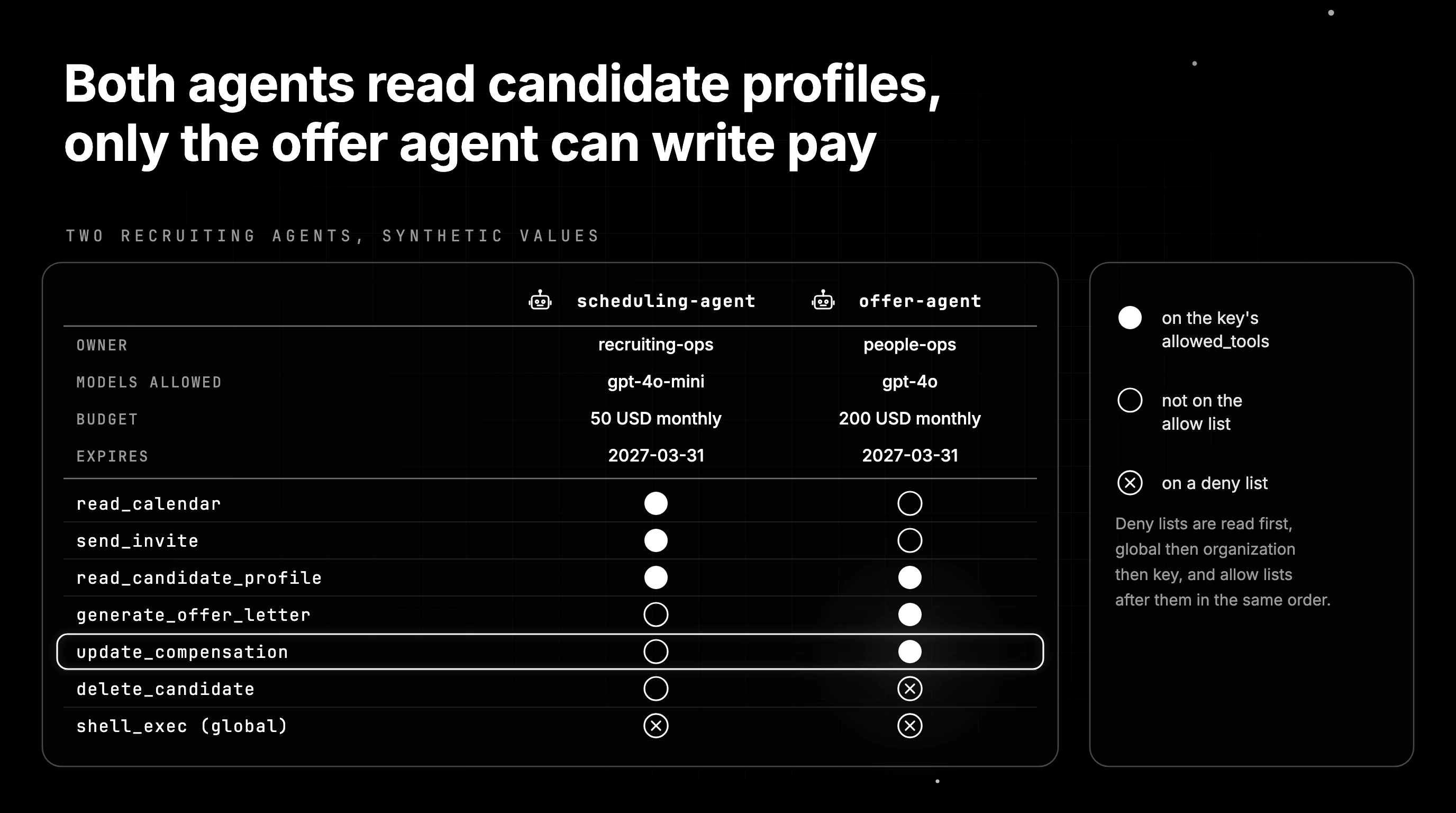
Least privilege is the base rule of AI agent permission management: each agent starts with zero access and gets only the models, tools, credentials and data its task needs. Write that down as a matrix: one row per agent, one column per resource, and a named owner for each grant. Your enforcement point then reads the matrix as config.
The matrix below covers the two recruiting agents. Its values are synthetic, but the agent, owner, model, tool, budget and expiry columns match gateway fields in the config below. Data reached is the part your tool server and policy engine enforce. Look at the overlap: both agents read candidate profiles, and only the offer agent can write pay.
| Agent (key name) | Owner | Models allowed | Providers | Tools allowed | Tools denied | Data reached | Budget key | Expires |
|---|---|---|---|---|---|---|---|---|
| scheduling-agent | recruiting-ops | gpt-4o-mini | openai from the config.yaml catalog | read_calendar, send_invite, read_candidate_profile | shell_exec (global) | Interview calendars, candidate profiles | budgets.keys.scheduling-agent, 50 USD monthly, hard (default) | 2027-03-31 |
| offer-agent | people-ops | gpt-4o | openai from the config.yaml catalog | read_candidate_profile, generate_offer_letter, update_compensation | delete_candidate, shell_exec (global) | Candidate profiles, pay data | budgets.keys.offer-agent, 200 USD monthly, hard (default) | 2027-03-31 |
Start every agent at zero access
Deny by default. A new agent starts with one model and no tools, and every grant after that needs an owner and a reason written next to it in the matrix. If nobody can name the reason for a grant, remove it; the agent fails loudly, and the failure shows you what it really used.
Review the matrix whenever someone adds a tool to the shared registry. A new tool shouldn’t appear in any agent’s list until an owner adds it to that agent’s row. During the same review, remove grants nobody has used since the last one and check each credential’s expiry date.
Permissions that change during a run
OWASP lists time-of-check to time-of-use in agent workflows as an ASI03 example. A workflow checks a permission when it starts and acts much later, after the permission has changed. An agent that cached its approval at step one can still act at step nine, after someone revoked that approval.
Shrink that window by checking permission on each privileged action and by following the first item in OWASP’s mitigation list: “Issue short-lived, narrowly scoped tokens per task and cap rights with permission boundaries.” A token that expires with its task can’t carry old rights into the next one, however long the run lasts.
How MCP authorization works in the 2026-07-28 spec
In the 2026-07-28 MCP spec, authorization is optional, and HTTP servers that use it act as OAuth 2.1 resource servers. Clients find the authorization server through protected resource metadata, name the target server in a resource parameter, and send tokens issued for that server alone. STDIO servers read credentials from the environment instead.
The MCP authorization specification, marked latest, states “Authorization is OPTIONAL for MCP implementations.” HTTP implementations that support it SHOULD conform, and STDIO ones SHOULD NOT. The spec builds on the OAuth 2.1 draft at revision 13, while the IETF draft has since reached 17.
Discovery starts at the MCP server. Servers MUST implement RFC 9728 protected resource metadata, and clients MUST use that metadata to find the authorization server. Your agent doesn’t need the authorization server’s address in its config, since the MCP server tells it where tokens come from.
Audience binding and the resource parameter
Every authorization request and token request MUST carry the resource parameter from RFC 8707 resource indicators, naming the MCP server the token is for. Each server MUST check that a token was issued for it as the audience. The spec closes the loop: “MCP servers MUST NOT accept or transit any other tokens.”
That rule keeps a token minted for the calendar server from working at the payroll server. The 2026-07-28 changelog adds that clients key stored credentials by issuer and never reuse them with another authorization server. Clients also MUST validate a present iss value, per RFC 9207, before redeeming an authorization code.
Scope challenges and asking for more access
An invalid or expired token gets HTTP 401. A valid token with too few scopes gets HTTP 403 with a WWW-Authenticate header carrying error insufficient_scope and the scopes the operation needs. The spec says servers SHOULD put every scope the current operation requires into a single challenge. The client then asks only once.
The client then requests a token with wider scopes, which the spec calls step-up authorization. Clients acting for a user SHOULD attempt it. Treat that request as a checkpoint, since an agent asking for write scopes in the middle of a task is the event you most want a person to approve.
Agents with no user in the loop
Background agents often run as client_credentials clients acting on their own behalf. The spec says these MAY attempt step-up or abort the request immediately. With no user to approve wider scopes, aborting and alerting the agent’s owner is the safer default for anything that writes, pays or deletes.
Registration changed in this revision too. Authorization servers and clients SHOULD support OAuth Client ID Metadata Documents, while Dynamic Client Registration drops to MAY and is marked deprecated. For a fleet of agents, a metadata document per agent gives each one a stable client identity that matches its registry entry.
Audit trails tied to each agent identity
An audit trail answers who did what, for whom, and under which grant. For agents, each record needs the agent’s own identity, the user it acted for, the tool or model it called, the decision, and the credential used. With one key per agent, that first field is never ambiguous.
Per-agent identity is what makes revocation and incident review work. If the scheduling agent misbehaves, you revoke its key and the offer agent keeps running. In the review you filter on one agent’s ID and see every call it made, instead of reconstructing a story from a shared key and timestamps.
Store the records where the agents can’t reach them. An agent with write access to its own log can erase the evidence of a bad call, by accident or because an injected instruction told it to. Send records to a store that only the platform team writes to.
Fields to record on every call
Record these fields on every call that touches a tool, a model or a credential. Most of them come straight from the key or the delegated token, and the decision comes from whichever layer enforced the rule, so each layer should write its own record:
- Agent ID and the team that owns it
- Delegated user, from the sub claim when act names the agent
- Tool or model called
- Decision: allow, strip or reject, and the rule behind it
- Credential ID, such as the key name or token ID, never the secret itself
- Time of the call
Keep the decision even when it’s allow. An incident review needs the calls that went through as much as the blocked ones, and a log of rejections alone hides how often an agent touches sensitive tools on an ordinary day. That baseline is what tells you a spike is unusual.
Mapping these records to a compliance framework is its own job, covered in policy, enforcement and audit for AI agent governance.
Scoping each agent with a Future AGI virtual key
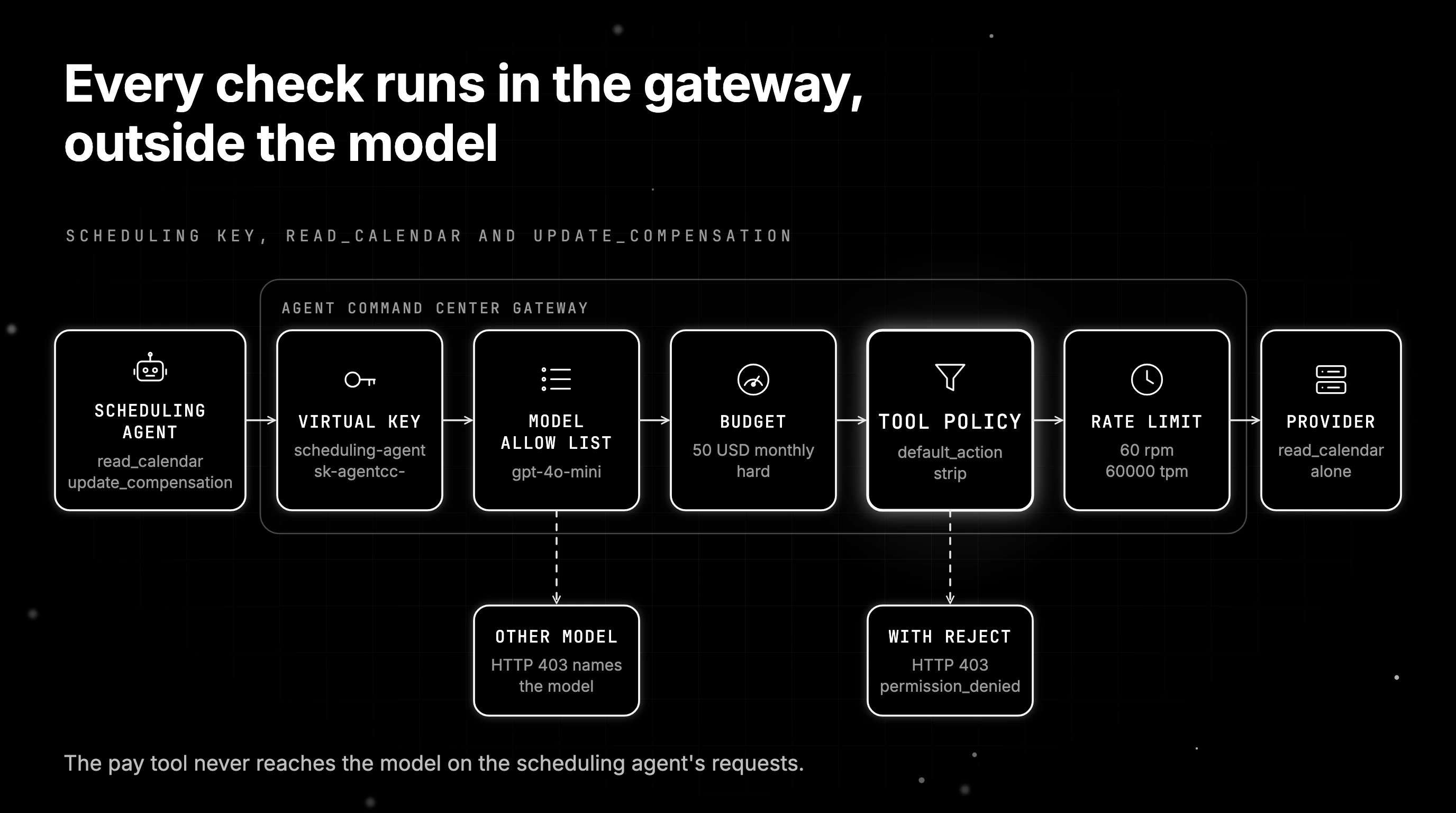
In Future AGI Agent Command Center, each agent gets its own virtual key. The key carries a model allow list, allowed_tools and denied_tools for the tools on LLM requests, rate limits, an expiry and a budget tied to its name. BYOK and managed keys add a provider allow list. Every check runs in the gateway, outside the model.
Keys start with sk-agentcc-, and the virtual key properties page lists every field. The tool lists apply to the tools array of LLM requests that pass through the gateway. The gateway compares each function tool with the key’s lists and the gateway-wide policy before the request goes on to a provider.
For the full route a request takes from the agent to the provider and back, see how a request moves through an AI gateway.
Two agents with two keys
The config below gives each recruiting agent its own key. Key strings, owners, limits and tool names are synthetic. Both keys set key_type to “internal”, the type the self-hosted gateway configuration uses for keys that draw on the providers in config.yaml. A key with no key_type is treated as byok.
# Gateway config fragment for two agents, one virtual key each.
# SYNTHETIC: key strings, owners, limits and tool names are made up for this post.
auth:
  enabled: true
  keys:
    - name: "scheduling-agent"
      key: "sk-agentcc-synthetic-sched-0001"
      key_type: "internal"             # self-hosted: lets the key use the providers in config.yaml
      owner: "recruiting-ops"
      models: ["gpt-4o-mini"]          # allow list: name each model the agent may call
      rate_limit_rpm: 60
      rate_limit_tpm: 60000
      expires_at: "2027-03-31T00:00:00Z"   # RFC 3339 timestamp
      allowed_tools: ["read_calendar", "send_invite", "read_candidate_profile"]   # exact function names, no globs
    - name: "offer-agent"
      key: "sk-agentcc-synthetic-offer-0002"
      key_type: "internal"
      owner: "people-ops"
      models: ["gpt-4o"]
      rate_limit_rpm: 20
      rate_limit_tpm: 40000
      expires_at: "2027-03-31T00:00:00Z"
      allowed_tools: ["read_candidate_profile", "generate_offer_letter", "update_compensation"]
      denied_tools: ["delete_candidate"]  # deny is read before any allow list

# Budgets are looked up by the key name.
budgets:
  enabled: true
  default_period: "monthly"
  warn_threshold: 0.8
  keys:
    scheduling-agent:
      limit: 50.0      # USD
    offer-agent:
      limit: 200.0
# hard defaults to true when omitted, so both caps are hard.

# Per-key tool lists filter the tools array on LLM requests only when this plugin is on.
# default_action is gateway wide (or per org), never per key.
tool_policy:
  enabled: true
  max_tools_per_request: 8
  default_action: "strip"    # "strip" or "reject"
  deny: ["shell_exec"]       # global deny list
The scheduling key allows gpt-4o-mini and three tools: read_calendar, send_invite and read_candidate_profile. The offer key allows gpt-4o and three tools that include update_compensation, and it denies delete_candidate outright. Each key has its own requests-per-minute and tokens-per-minute limits and an expires_at timestamp in RFC 3339 form.
Budgets sit under budgets.keys and are looked up by key name, so scheduling-agent gets 50 USD a month and offer-agent gets 200 USD. Both caps are hard, because hard defaults to true when you leave it out. The global tool_policy denies shell_exec for every key and sets the action for blocked tools to strip.
What happens to a blocked tool
The agent uses the OpenAI client and its own virtual key, as in pointing the OpenAI SDK at the gateway. This call sends read_calendar and update_compensation on the scheduling key. Self-hosted readers set AGENTCC_BASE_URL to their own gateway, which the self-hosted docs config runs on port 8080.
import os

import openai

GATEWAY = os.environ.get("AGENTCC_BASE_URL", "https://gateway.futureagi.com/v1")


def tool(name):
    return {"type": "function", "function": {"name": name, "parameters": {"type": "object", "properties": {}}}}


def run():
    client = openai.OpenAI(base_url=GATEWAY, api_key=os.environ["SCHEDULING_AGENT_VIRTUAL_KEY"])  # sk-agentcc-...
    try:
        r = client.chat.completions.create(
            model="gpt-4o-mini",
            messages=[{"role": "user", "content": "Book a panel interview for candidate 1042 next Tuesday."}],
            tools=[tool("read_calendar"), tool("update_compensation")],
        )
        print(r.choices[0].message)
    except openai.PermissionDeniedError as e:
        print(e.status_code, e.body)
With tool_policy.default_action set to “strip”, the gateway removes update_compensation from the tools array, and the request goes on to the provider with read_calendar alone. The pay tool never reaches the model on the scheduling agent’s requests. An injected email has no pay tool to steer it toward. The response status is whatever the provider returns.
With “reject”, the call fails with HTTP 403, error type permission_error, code permission_denied and the message tool “update_compensation” is not allowed for this API key. The OpenAI SDK raises PermissionDeniedError, which the except branch prints. Strip keeps the agent working, and reject puts the attempt in front of whoever watches your errors.
The action is one gateway-wide setting, tool_policy.default_action, and an organization can override it. Deny lists are read first, global then organization then key, and allow lists after them in the same order. A tool on the global deny list, like shell_exec, is blocked whatever a key allows.
For BYOK and managed keys, the gateway checks the provider allow list after routing picks a provider, and a miss returns 403. Internal keys draw on the config.yaml provider catalog instead. Every check described here lives in the Agent Command Center source on GitHub.
With key auth turned on, a virtual key presented as a Bearer token on the /mcp endpoint limits what the agent sees and calls to the tools on that key’s lists. MCP tool names carry the server ID and, by default, an underscore in front, such as calendar_read_calendar for the server calendar, so list that form.
The docs cover the gateway side of this setup under per-key tool access on the MCP gateway.
Virtual key settings to check before the first agent goes live
Set key_type to “internal” on self-hosted keys that use the providers in config.yaml. Turn on tool_policy.enabled, since the per-key tool lists filter the tools array on LLM requests when the tool policy plugin is on. Write function tool names exactly as the agent sends them, because the match is exact, with no wildcards.
Give every key an explicit allowed_tools list, since an empty list means no allow list at all. Key the budgets.keys entries by key name and write expires_at as an RFC 3339 timestamp. The model list is an allow list by design, and a request for any other model gets a 403 that names the model.
Giving the scheduling agent its own key and its own limits
One email claiming manager approval was enough for the scheduling agent to change a candidate’s pay. With its own key and its own tool list, update_compensation never reaches the model on that agent’s requests, and the offer agent keeps a separate budget. Draw the matrix for your two busiest agents first.
Fill it in this week, with one row per agent, an owner for each grant and an expiry for each credential. Then give each agent a credential of its own, and move every rule that could cost money or destroy data out of the prompt and into config.
After that, put one virtual key per agent in Agent Command Center, beginning with the scheduling agent. Every tool the scheduling key’s lists keep from the model is either a grant you forgot to write down or the next pay-change email, stopped before it reached the model.
Frequently Asked Questions
What is AI agent authorization?
What is AI agent identity access management and how is it used?
How does AI agent authentication work?
What is AI agent permission management?
What is an AI agent registry?
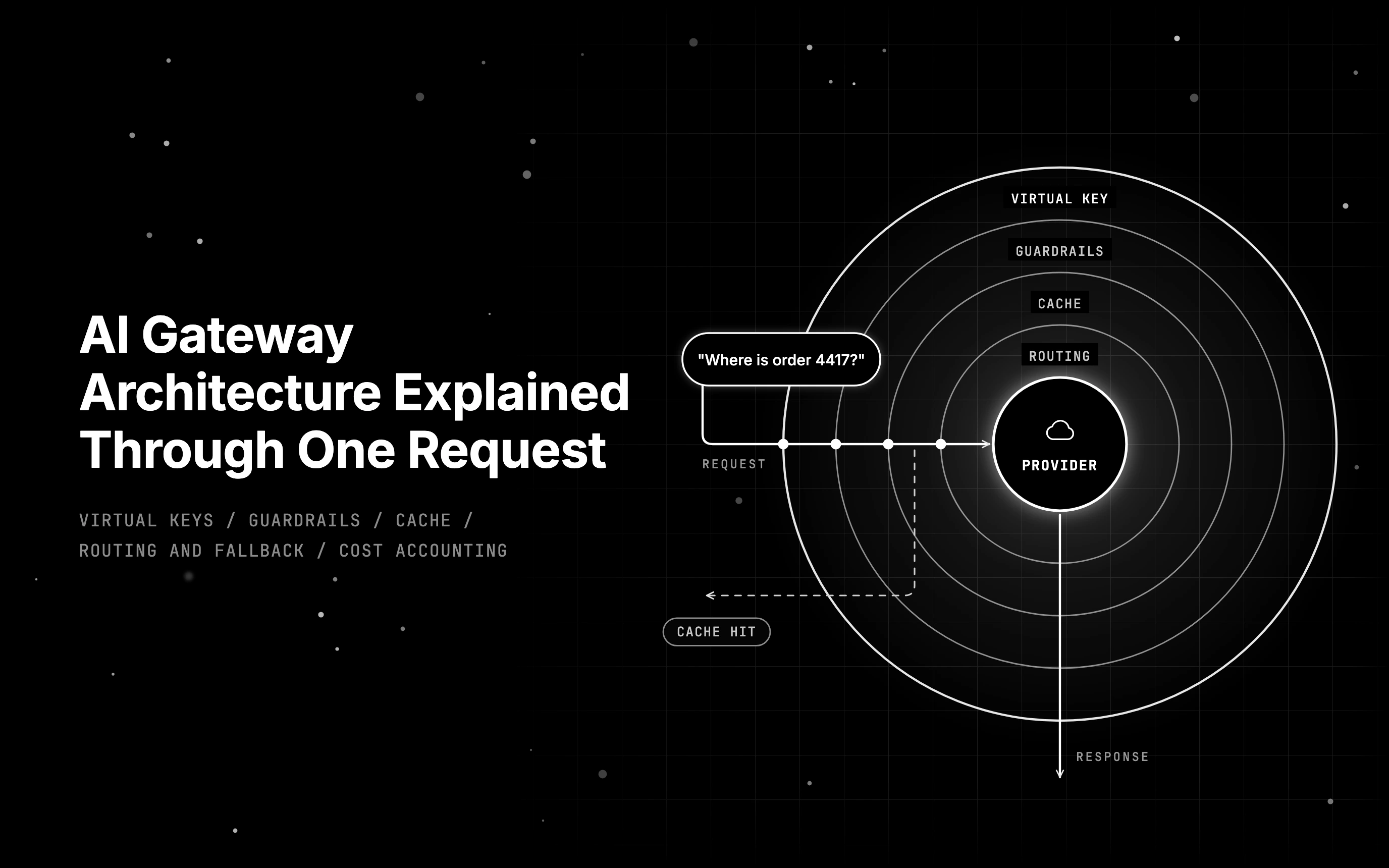
Follow one LLM request through an AI gateway architecture, from virtual-key auth, guardrails and cache lookup to fallback, provider translation, logs and cost.

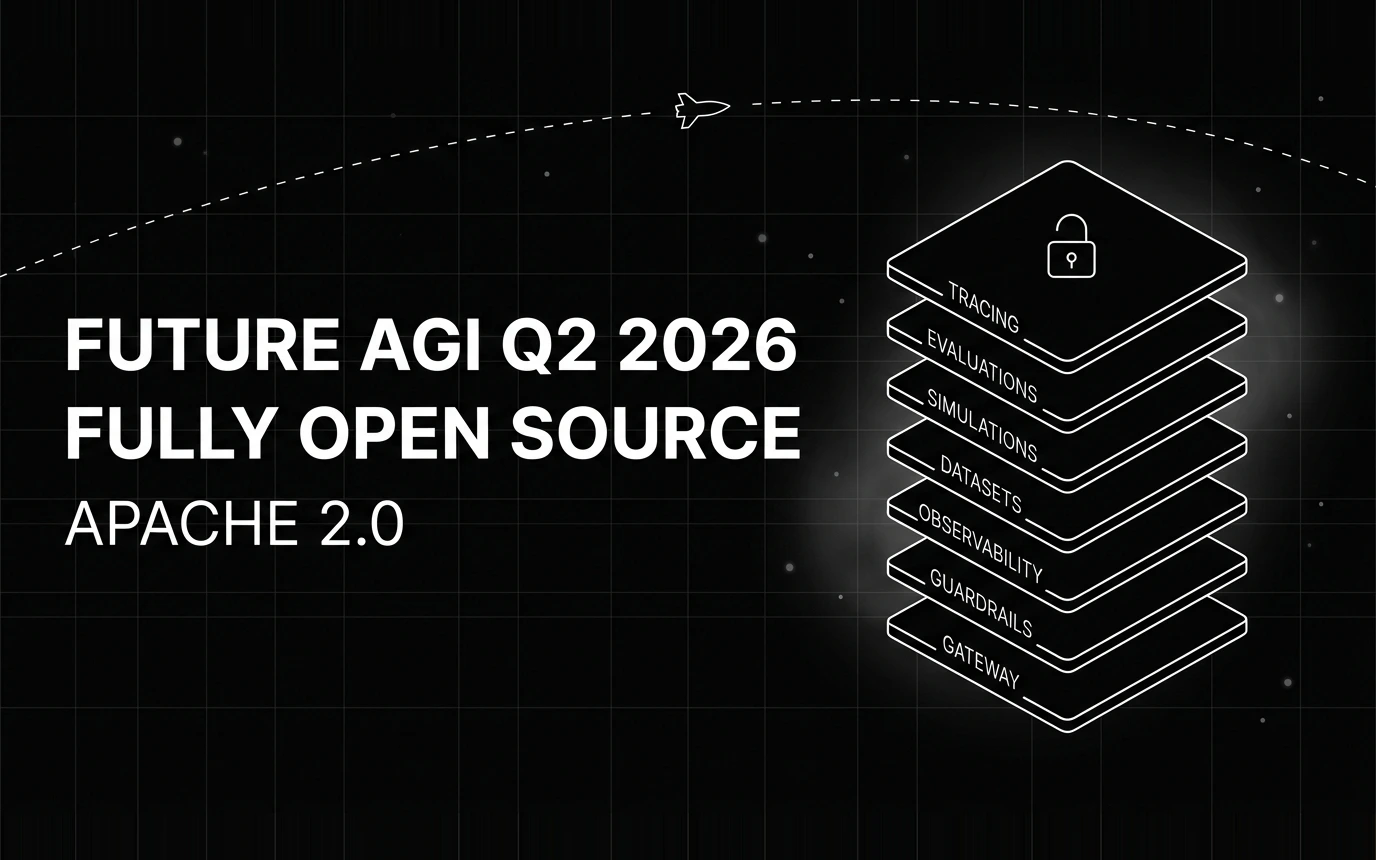
Inside Future AGI open source in Q2 2026: the platform shipped under Apache 2.0, Error Feed and the Agent Command Center went live, traces hit billions.

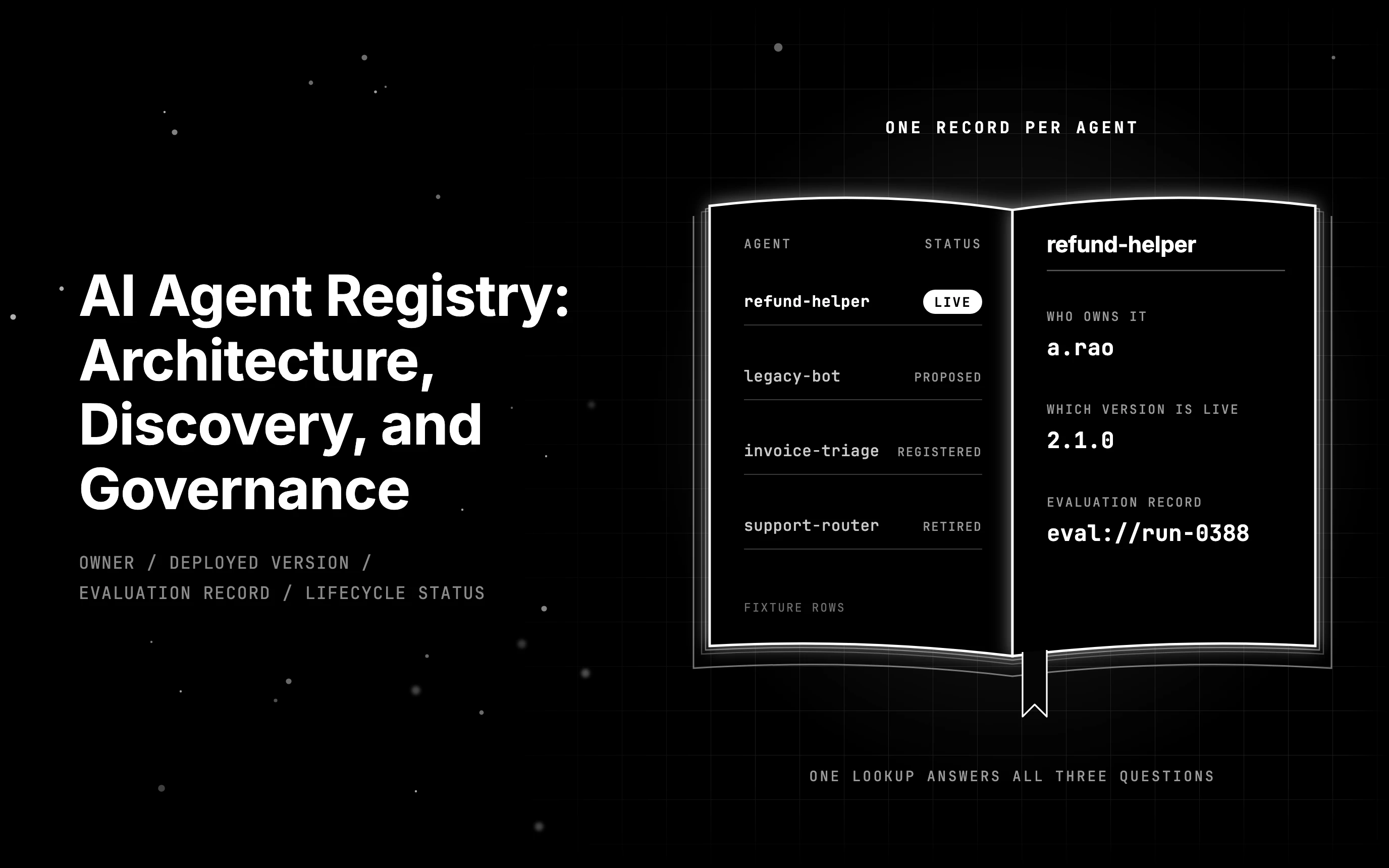
An AI agent registry records each agent's owner, live version, evaluation and status. See a 14-field schema, lifecycle gates, card discovery and cloud options.