Computer Use Agent Evaluation: How Screen-Acting Agents Fail and How to Score Them
A plain-language failure taxonomy for screen-acting agents, plus a five-dimension scoring rubric that goes past pass/fail task completion.
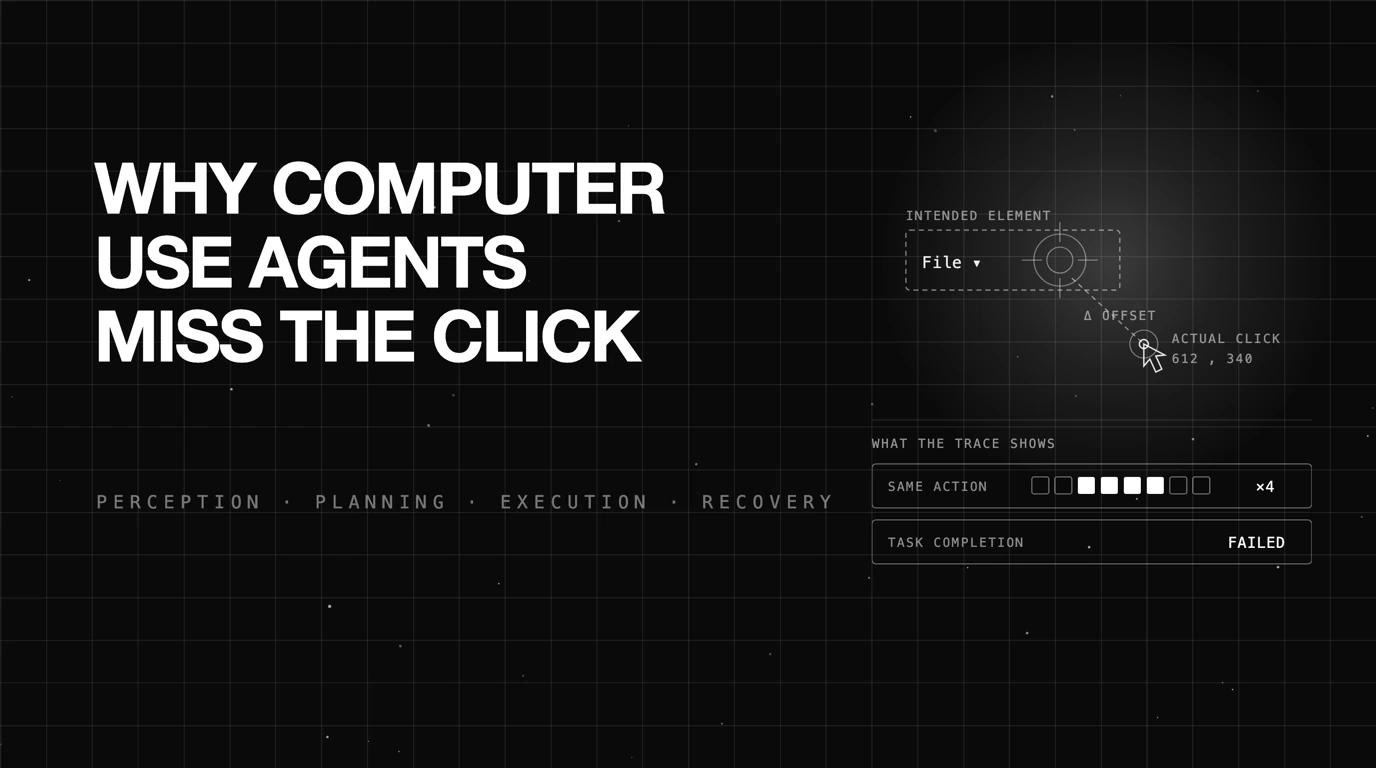
Table of Contents
An agent is asked to export a report from a desktop spreadsheet app. It reads the screen, finds the File menu, and clicks four pixels to the left of it. Nothing opens. It takes another screenshot, sees the same menu, and clicks the same four-pixels-off spot again.
Forty steps later the run ends. The task is marked failed. That single label is everything most teams learn about what happened, and it is nowhere near enough to fix anything.
Key takeaways
- A computer use agent acts on rendered pixels and emits clicks, so it inherits a class of failure that API-calling agents never see.
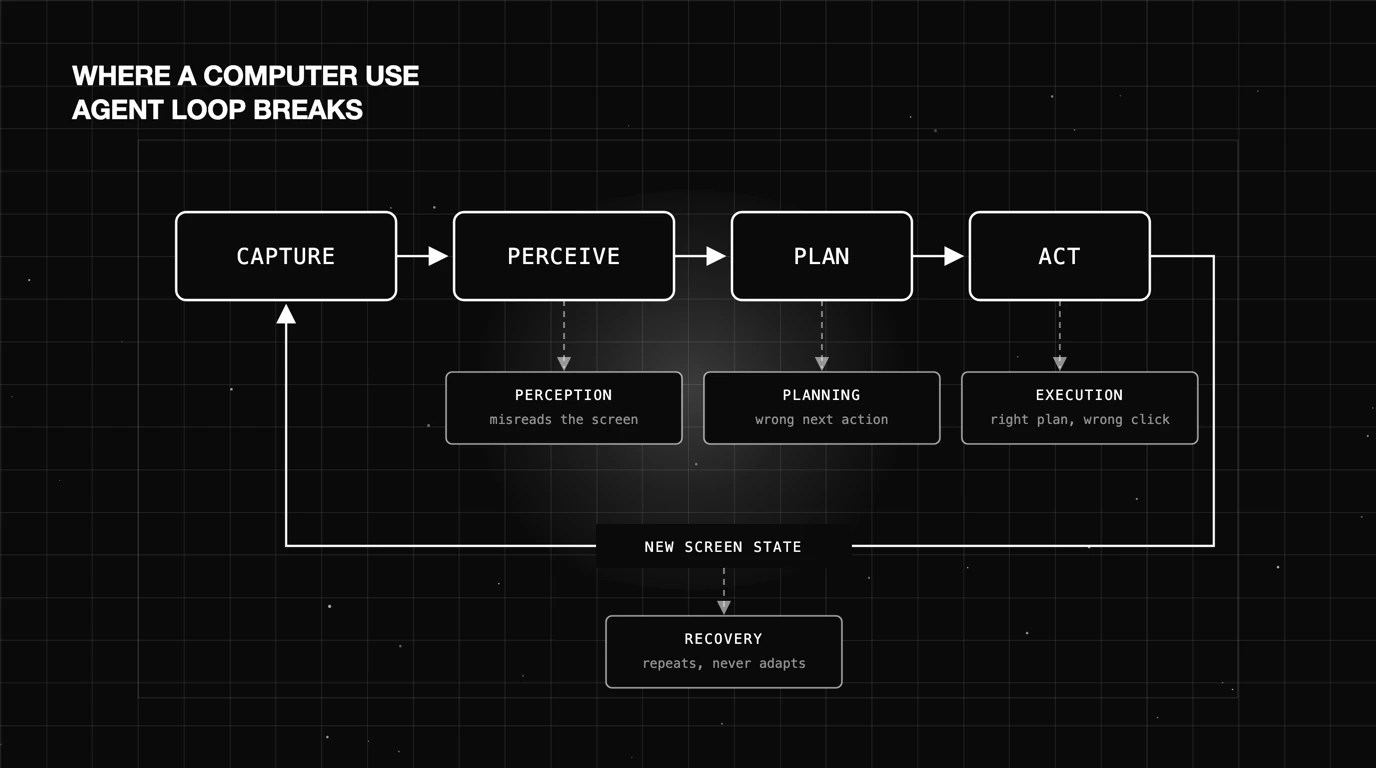
- Most screen-agent errors fall into four nameable stages: perception, planning, execution, and recovery.
- Binary task completion hides partial progress, wasted steps, and self-correction, which are the signals you actually act on.
- OSWorld 2.0 reports roughly 20.6 percent binary completion for the strongest agent tested on 108 long-horizon desktop tasks.
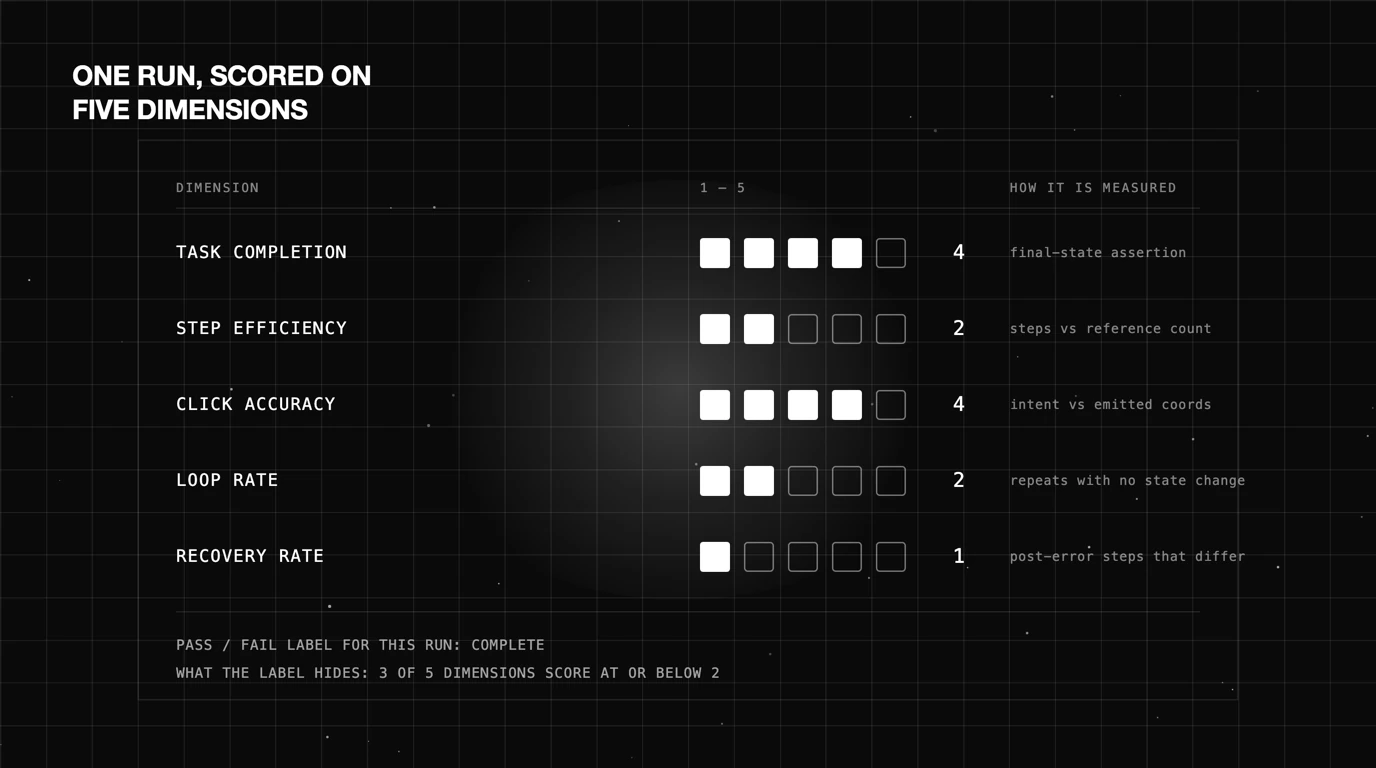
- A usable production score needs five dimensions, not one: completion, step efficiency, click accuracy, loop rate, and recovery rate.
What Is a Computer Use Agent?
A computer use agent operates a computer the way a person does. It looks at a screenshot of a desktop or application, decides what to do, and emits a mouse or keyboard action. Then it looks again. No API, no schema, no structured response to parse.
That definition is what makes the category useful. Plenty of software has no API, or has one that covers a fraction of what the UI exposes. A screen-acting agent reaches all of it, at the cost of a far shakier grip on what it is touching.
How a Computer Use Agent Differs From an API-Calling Agent
A function-calling agent picks a tool from a list and fills in typed arguments. If it picks the wrong tool or malforms a field, the runtime usually says so. The failure has a name and a stack trace attached.
A computer use agent has one tool with continuous arguments: a coordinate pair. There is no schema to violate. Clicking at (612, 340) is always syntactically valid, whether that point sits on the Save button or on empty canvas beside it.
That difference matters for evaluation. Tool-calling agents can be scored partly on argument correctness against a known signature. Screen agents cannot, because every action they emit is well-formed by construction, and only the environment knows whether it did anything.
The Screenshot, Perception, Action Loop
The runtime is a tight cycle. Capture a screenshot, send it to the model with the task and history, receive an action, execute it, capture again. Each turn burns tokens on a full image and adds one more state to reason over.
Long tasks make this expensive fast. OSWorld 2.0 reports that its tasks take Claude Opus 4.7 with maximum thinking an average of about 318 tool calls, against roughly 30 in the original OSWorld. Every one of those turns is a chance to misread the screen.
Compounding is the real problem. A step that lands slightly wrong changes the state the next screenshot captures, so the agent is now planning against a world it did not intend to create. Errors do not stay isolated.
Why Computer Use Agents Fail
The failures are specific and repeatable. Naming them is most of the work, because a generic “the agent failed” ticket gives an engineer nothing to change.
Coordinate-Scaling Misses
Models are trained and prompted against a reference resolution. The live environment often runs at a different one, or on a display with a scaling factor the harness did not account for. The model names the right element and returns coordinates in the wrong frame.
The signature is a consistent offset. Every click lands the same distance and direction from its target across an entire run. That pattern is diagnostic: it points at the plumbing between model and environment, not at the model’s judgment.
Click Region Errors
Here the model has the right element in mind but picks a bad point inside or beside it. It aims at the label text of a button instead of the clickable region, or at the row rather than the checkbox in that row.
These are scattered rather than systematic, and they cluster around dense UI. Toolbars, nested menus, and table cells produce most of them, because the gap between “visually correct” and “hit target” is smallest there.
Location Hallucinations
The model correctly says it needs the Format menu, then outputs coordinates for a place where no Format menu exists. The reasoning text is right and the action contradicts it. This one is worth separating from the others precisely because the plan looks fine in the log.
You catch it by comparing the stated intent against the actual click position on the screenshot. If your traces only record the action and not the reasoning that produced it, this failure is invisible.
Loop Behavior With No Recovery
None of the above is fatal on its own. A person who misclicks tries something different. Agents frequently do not, and instead repeat the same action against the same unchanged screen until the step cap ends the run.
That is the most expensive failure in the set, because it consumes the entire remaining budget while producing zero progress. It is also the easiest to detect automatically, which makes it a good first thing to instrument.
How the Field Benchmarks Computer Use Agents
Academic benchmarks set the ceiling expectation for this category, and the numbers are sobering. They are also structured in a way that limits what you can learn from them.
OSWorld 2.0 and Long-Horizon Workflow Completion
OSWorld 2.0 evaluates computer use agents on 108 long-horizon real-world desktop workflows. These are not one-click tasks. A median task takes a human user around 1.6 hours.
As of August 2026, under the benchmark’s primary binary completion metric, Claude Opus 4.8 with maximum thinking and batched tool calls scored best, and still finished only 20.6 percent of the tasks. Its partial score on the same runs was 54.8 percent, which is a much more interesting number.
That gap is the whole argument for better scoring. The same runs are either a 20.6 or a 54.8 depending on whether you count finishing or count progress. Both are true, and only one of them tells you how close the agent got.
What Binary Pass/Fail Metrics Miss
A pass/fail label collapses every run into one bit. An agent that got nine of ten steps right and an agent that stalled on step one both score zero. You cannot prioritize work from that.
Three things disappear in the collapse. Partial progress, which tells you how far the agent got before breaking. Wasted steps, which tells you the cost of the attempt. And recovery attempts, which tell you whether the agent even noticed it was in trouble.
Production adds a fourth. Benchmarks run in a frozen environment, while your agent faces UI updates, unexpected dialogs, and stale sessions. Our write-up on evaluating browser-use agents covers that gap for DOM-based agents; the pixel-level version is the same problem with less structure to lean on.
A Practical Failure-Mode Taxonomy for Screen-Acting Agents
A taxonomy earns its keep when each row maps to a different fix. These four do. Sorting a week of failed runs into these buckets usually reveals that one bucket owns most of the volume.
Perception Failures: Misreading the Screen
The agent does not correctly understand what is on the screen. It misses a modal that is covering the target, reads a disabled control as active, or fails to notice that the page is still loading.
Fixes here are about input quality. Higher-resolution captures, a wait-for-stable-screen step before each observation, and accessibility-tree data alongside the image all reduce this bucket.
Planning Failures: Choosing the Wrong Next Action
Perception was fine and the plan was wrong. The agent decided to open Preferences when the setting it needed lives in the right-click menu, or skipped a required save before closing a file.
These are reasoning problems, and they respond to prompting, task decomposition, and worked examples. They also compound the hardest, since a wrong branch taken at step three invalidates everything after it.
Our AI agent failure modes breakdown splits general agent failure by subsystem instead of by loop stage, so its “planning” category is broader than this one. The taxonomy here is the pixel-and-click-specific version of that same idea.
Execution Failures: Right Plan, Wrong Click
The agent knew exactly what to do and the action did not land. Coordinate scaling, click region errors, and location hallucinations all live here. So does typing into an unfocused field.
This bucket is the one most worth measuring separately, because it is fixable without touching the model. Grounding models, element-snapping, and post-click verification all attack it directly.
Recovery Failures: No Self-Correction After an Error
Something went wrong and the agent did not adapt. It repeats the failed action, or it proceeds as if the action succeeded and builds several more steps on a false premise.
The second variant is nastier, because the run may still report completion. That is the screen-agent version of the problem we describe in the failures your agent harness catches and never tells you about.
Table 1 — Failure mode taxonomy for computer use agents
| Stage | Description | Example | Detection signal |
|---|---|---|---|
| Perception | The agent misreads what is on screen | Clicks through a modal it never registered | Action targets an element that is occluded or absent in the screenshot |
| Planning | Screen read correctly, wrong next action chosen | Opens Preferences when the setting is in a context menu | Trajectory diverges from the expected step sequence |
| Execution | Correct plan, action lands in the wrong place | Names the File menu, clicks 4px to its left | Consistent offset between stated intent and click position |
| Recovery | Fails to self-correct after an error | Repeats the same failed click until the step cap | Repeated near-identical actions with no change in screen state |
How Do You Score a Computer Use Agent in Production?
Completion stays in the scorecard, it just stops being the only entry. The four dimensions around it are what turn a failed run into a work item.
Step Efficiency and Click Accuracy as Scoring Dimensions
Step efficiency compares the steps a run actually took against a reference count for that task. A run that finishes in 60 steps where 20 suffice is technically a pass and practically a problem, in latency and in token cost.
Click accuracy is the share of actions that hit their intended target. You need the intended target recorded to compute it, which means logging the model’s stated element alongside the coordinates it emitted. Without that pairing you can only guess at execution failures.
Both are cheap to compute once the trace carries the right fields. Neither requires a human reviewer, which is what makes them usable on every run instead of on a sampled few.
Loop Detection and Recovery Rate
Loop rate counts runs where the agent repeated a near-identical action past a threshold with no state change. Set the threshold low, around three, and treat any hit as an automatic fail regardless of the final outcome.
Recovery rate is the more revealing of the two. Of the runs that hit an error, how many produced a genuinely different next action rather than a repeat? An agent with a 70 percent recovery rate is in far better shape than one with the same completion score and a 10 percent recovery rate.
Together these two separate agents that are close from agents that are stuck. Completion alone rates them the same. For a broader view of how these fit alongside standard quality metrics, see our guide to LLM evaluation metrics.
Table 2 — Scoring rubric for screen-acting agents
| Dimension | 1 to 5 scale definition | How to measure |
|---|---|---|
| Task completion | 1 = no progress, 3 = key subgoals reached, 5 = fully complete and verified | Final-state assertion plus scored subgoal checkpoints |
| Step efficiency | 1 = over 3x reference steps, 3 = within 2x, 5 = at or under reference | Actual step count against a per-task reference count |
| Click accuracy | 1 = under 50% on target, 3 = 75 to 90%, 5 = above 95% | Stated target element compared with the emitted coordinate |
| Loop rate | 1 = looped and never exited, 3 = one loop, exited, 5 = no repeated actions | Repeated near-identical actions with unchanged screen state |
| Recovery rate | 1 = never adapts after an error, 3 = adapts sometimes, 5 = adapts reliably | Share of post-error steps that differ from the failed action |
Score every run on all five and the distribution tells you where to spend. A fleet with high click accuracy and a low recovery rate needs work on the loop, not on grounding.
Future AGI
Computer-use agents are one of the agent types Future AGI supports, and the stack that applies to them is the one that applies to any other agent: simulate before launch, evaluate the run, trace what happened. The five dimensions above are trajectory scoring, and trajectory scoring is the core of what the platform does.
Four built-in evaluators map onto the rubric directly. Task Completion and Step Count cover the completion and step-efficiency dimensions. Trajectory Match checks whether an agent’s steps follow the expected path, Tool Call Accuracy scores invocations on name and arguments, and Customer Agent: Loop Detection covers loop rate.
Screenshots are scoreable inputs, not just artifacts you store. The multimodal evaluators read image content directly: OCR Evaluation pulls text off a captured screen, Image Instruction Adherence checks whether a rendered result matches what was asked, and the image similarity metrics compare a captured screen against a reference. For a screen agent that means you can score what the agent actually saw, not only the text it produced afterwards.
What stays yours is anything defined by your own interface. Click accuracy against your specific element boundaries, or a recovery check comparing a post-error action against the one that failed, are rules only you can write, because only you know where the buttons are. LLM-as-judge and custom evals exist for exactly that, and they score alongside the built-ins rather than in a separate system.
Getting the trace is the prerequisite. Observe captures the step-by-step record of model calls and tool calls behind a run, and traceAI provides the OpenTelemetry instrumentation that produces it. For a screen agent, that means every action, its reasoning, and its outcome land in one queryable trace.
Error Feed then clusters failing traces automatically, grouping related failures into single issues rather than a stream of separate alerts, with no configuration once traces arrive. That clustering is what turns forty individual failed runs into “these three things are broken.”
Simulation covers the pre-launch side, running the agent against defined scenarios and personas and scoring the recorded runs. That is where the rubric earns its keep: you exercise the cases you care about, score all five dimensions on each, and find the loop-and-never-recover runs before real users do.
Conclusion
Computer use agents fail in ways you can name. Perception, planning, execution, recovery: four stages, each with a different fix, and sorting your failed runs into them is a one-afternoon exercise that changes what you work on next.
Binary completion is where the useful signal goes to die. OSWorld 2.0’s own numbers make the case, with the same runs reading as 20.6 percent complete and 54.8 percent partial. If your internal dashboard shows only the first number, you are throwing away most of what your evaluation runs produced.
Score the trajectory instead. Five dimensions, computed on every run, from a trace that records what the agent meant to click as well as where it clicked. That is what separates an agent you can debug from one you can only rerun.
Frequently Asked Questions
What is a computer use agent (CUA)?
How do you evaluate a computer use agent?
Why does a computer use agent click the wrong element?
What is OSWorld and how does it benchmark computer use agents?
How do you detect an AI agent stuck in a loop?
Evaluating browser-use agents in 2026: WebArena grades happy-path completion; production grades recovery from six failure modes nobody benchmarks.

AI agents fail in five categories, not fifty. The taxonomy production teams use to name incidents, route fixes, and close the loop.

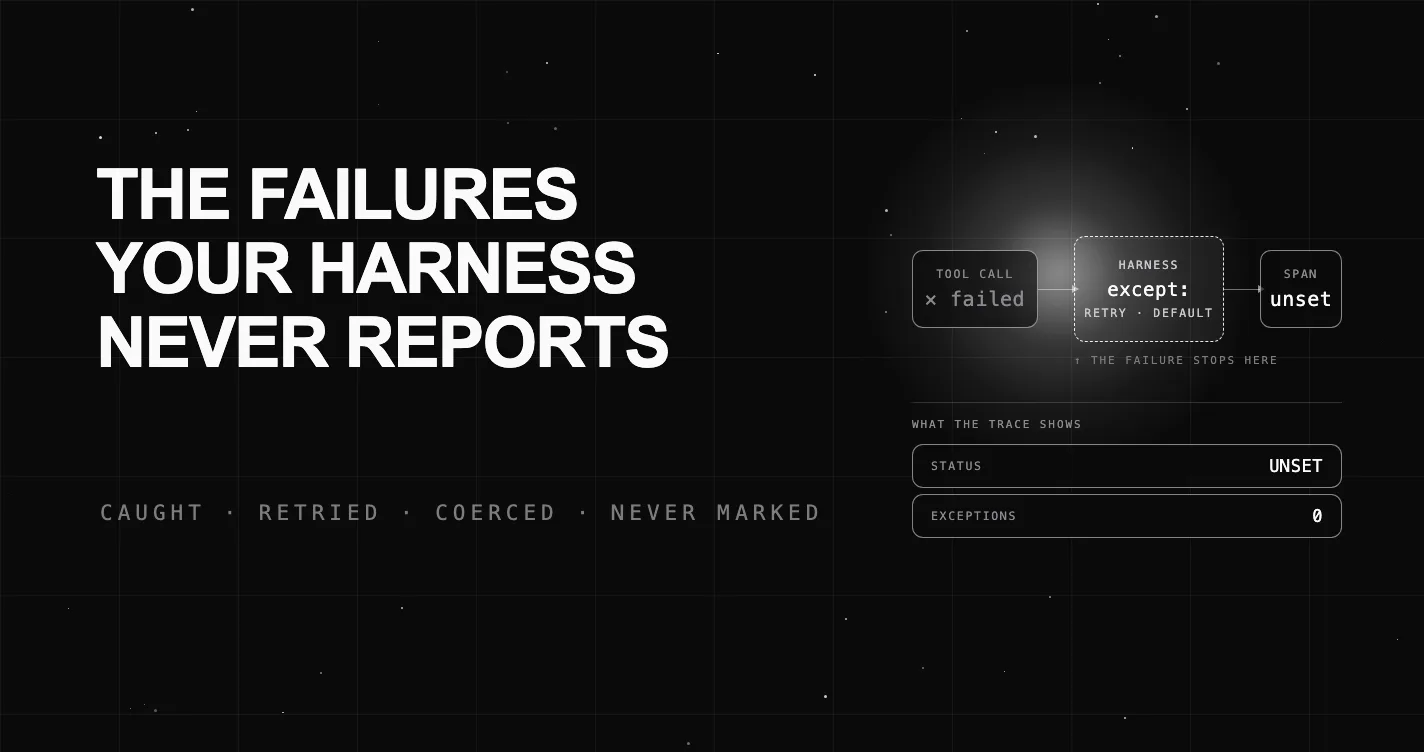
Agent harnesses catch errors to keep a run alive, so failed steps leave an Unset span that trace UIs render as green. Here is how to surface them.